

ClipboardAI
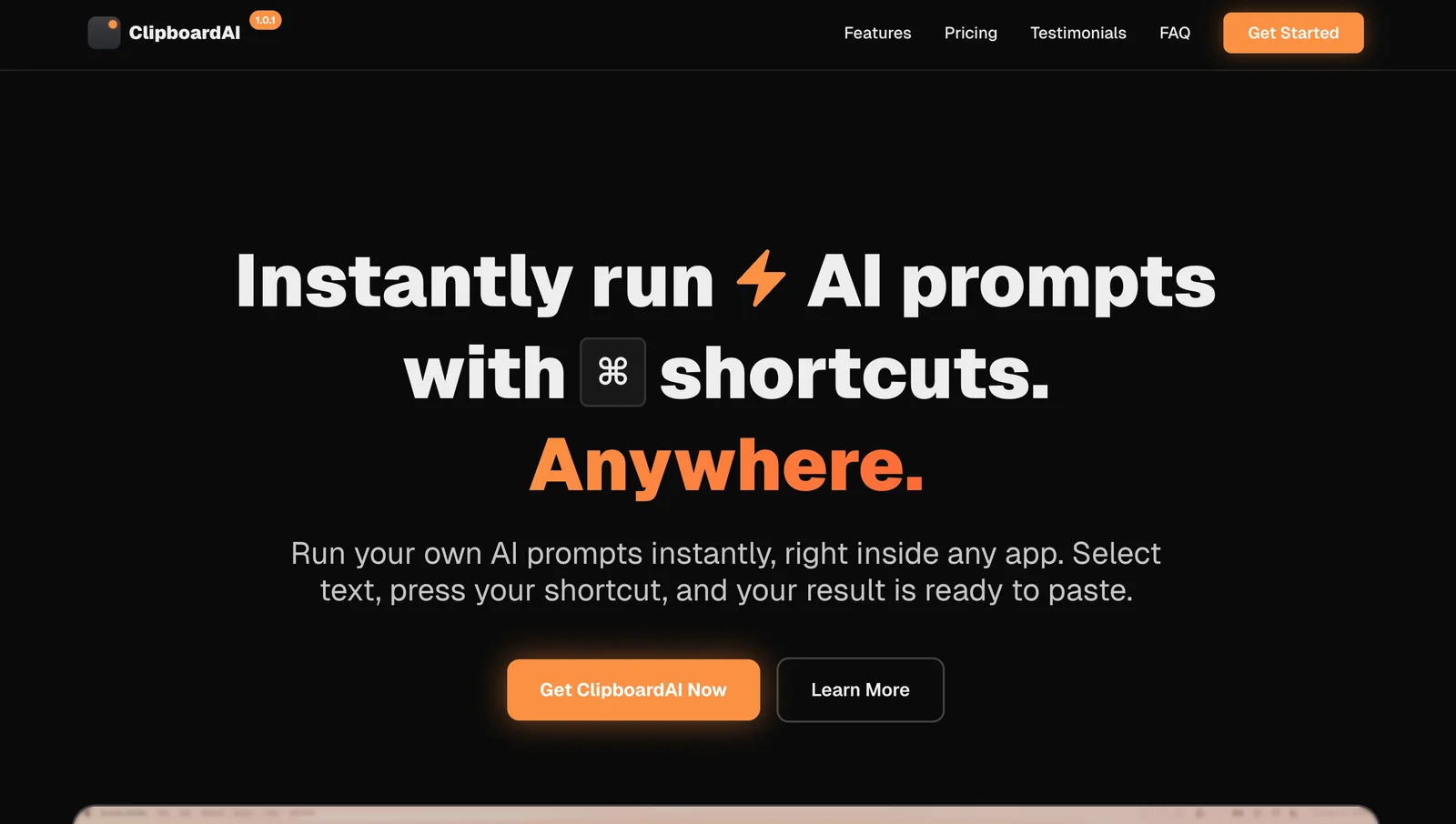
AIRun custom AI prompts instantly via keyboard shortcuts inside any app to transform selected text or images without copy‑paste.
ClipboardAI
Run custom AI prompts instantly via keyboard shortcuts inside any app to transform selected text or images without copy‑paste.
About ClipboardAI
ClipboardAI enables users to execute custom AI prompts directly from the keyboard on any selected text or image, producing ready-to-paste results without switching apps or manual copy/paste. It transforms selected content — including text from screenshots or scans via OCR — using user-defined prompts and keyboard shortcuts, speeding up text editing, data extraction and content transformation workflows. The tool emphasizes in-place automation and rapid context-aware transformations to reduce repetitive copy-paste work and make ephemeral clipboard content actionable.
Screenshots
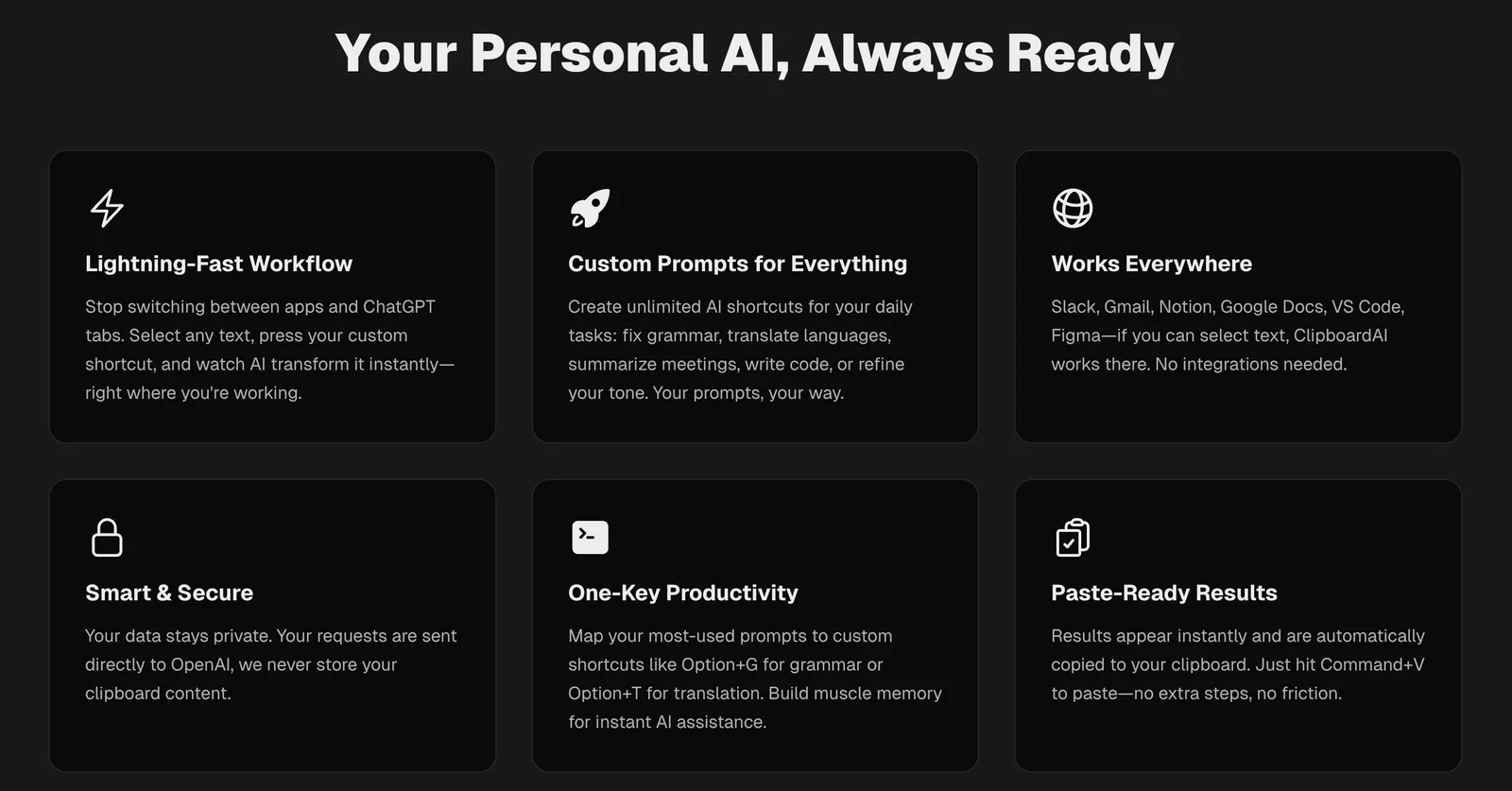
Key Features
Use Cases



Frequently asked questions about ClipboardAI
What pricing options are available for ClipboardAI?
ClipboardAI provides users with flexible pricing options. There is a free plan available for basic features, while users can opt for a one-time payment of $29 for lifetime access during the launch offer or $49 for regular lifetime access without any recurring subscriptions.
Key Points
- Free Plan: Access to basic features without cost.
- Launch Offer: One-time payment of $29 for lifetime access.
- Regular Pricing: $49 for lifetime access post-launch.
Detailed Explanation
ClipboardAI's pricing structure is designed to cater to different user needs. The free plan allows users to explore fundamental features, making it an excellent choice for individuals or small teams wanting to test the tool without financial commitment.
The launch offer is particularly appealing, allowing users to secure a lifetime subscription for only $29. This is a significant discount from the regular pricing, which is set at $49 for lifetime access after the promotional period ends. This option eliminates the need for recurring monthly or annual fees, making it a cost-effective solution for long-term users.
Use cases for ClipboardAI can vary widely. For example, freelancers or small business owners can benefit from the free plan to manage simple tasks, while larger teams may find the lifetime access plan advantageous for collaborative projects over time.
Best Practices / Tips
- Evaluate Needs: Consider starting with the free plan to assess whether ClipboardAI meets your requirements before committing to a paid plan.
- Take Advantage of Launch Offers: If you find the tool useful, it’s wise to purchase during the launch offer to maximize savings.
- Stay Updated: Follow ClipboardAI’s updates for any future pricing changes or new feature releases that may enhance your subscription benefits.
Additional Resources
What are the key features of ClipboardAI?
ClipboardAI offers instant execution of custom AI prompts via keyboard shortcuts, image OCR for seamless text extraction, and powerful data transformation for spreadsheets, all without the need to switch between applications. These features enhance productivity and streamline workflows for users.
Key Points
- Custom AI Prompts: Execute tailored commands quickly.
- Image OCR: Convert images to editable text effortlessly.
- Data Transformation: Optimize spreadsheet workflows without app switching.
Detailed Explanation
ClipboardAI is designed to enhance productivity through its unique features:
-
Custom AI Prompts: This feature allows users to create and execute custom AI commands using simple keyboard shortcuts. For instance, you can set a shortcut to generate a report format or draft an email, saving time and reducing repetitive tasks.
-
Image OCR: The image Optical Character Recognition (OCR) capability enables users to extract text from images instantly. This is particularly useful for professionals who often deal with scanned documents or screenshots. For example, a user can take a photo of a printed document, and ClipboardAI will convert that image into editable text in seconds.
-
Data Transformation for Spreadsheets: With ClipboardAI, you can manipulate and transform data directly within your spreadsheets. This includes functionalities like merging cells, applying formulas, or reformatting data without having to switch to a separate spreadsheet application. Such integrations can significantly cut down on the time spent managing data.
Best Practices / Tips
- Set Up Keyboard Shortcuts: Customize your keyboard shortcuts to match your workflow. This reduces the learning curve and enhances efficiency.
- Utilize Image OCR Wisely: Always check the extracted text for accuracy, especially when dealing with complex fonts or layouts.
- Integrate with Existing Tools: Explore how ClipboardAI can integrate with tools you already use, like Google Sheets or Microsoft Excel, to fully leverage its capabilities.
Additional Resources
How do I get started with ClipboardAI?
To get started with ClipboardAI, download the tool from the official website, install it on your device, and create custom prompts tailored for text or image transformation. You can easily execute these transformations using keyboard shortcuts across various applications, enhancing your productivity significantly.
Key Points
- Download and Installation: Access ClipboardAI from the official website.
- Creating Custom Prompts: Tailor prompts for specific tasks or transformations.
- Keyboard Shortcuts: Execute transformations seamlessly in any application.
Detailed Explanation
ClipboardAI is a powerful tool designed to streamline your workflow by transforming text and images quickly and efficiently. Here’s how to get started:
-
Download the Tool: Visit the ClipboardAI website and download the latest version compatible with your operating system (Windows, macOS, etc.).
-
Install ClipboardAI: Follow the installation instructions provided. This typically involves running the downloaded file and completing the setup wizard.
-
Set Up Your Account: Once installed, open ClipboardAI and create your account. You might need to verify your email to activate your account.
-
Create Custom Prompts:
- Navigate to the prompts section within the application.
- Click on “Create New Prompt” and define the transformation you want. For example, you can create a prompt that converts plain text into a formatted email or changes image dimensions.
- Save your prompts for future use.
-
Using Keyboard Shortcuts: ClipboardAI allows you to execute these prompts using keyboard shortcuts. Familiarize yourself with the default shortcuts, or customize them to suit your preferences.
Example Use Cases
- Text Transformation: Quickly format text for reports, emails, or presentations by executing a prompt with a shortcut.
- Image Editing: Resize or adjust images in your documents without needing to open complex software.
Best Practices / Tips
- Regular Updates: Keep ClipboardAI updated to benefit from new features and improvements.
- Experiment with Prompts: Try different prompts to discover the most efficient workflows for your needs.
- Backup Your Prompts: Regularly export your custom prompts to avoid losing them during software updates.
Additional Resources
- For detailed installation guidance, visit the ClipboardAI installation guide.
- Explore advanced features in the ClipboardAI user manual.
- Join the ClipboardAI community for tips and support from other users.
Is ClipboardAI compatible with all applications?
Yes, ClipboardAI is compatible with any application that enables text or image selection. This versatility allows users to seamlessly integrate ClipboardAI into their workflows across a variety of software without the traditional limitations of copy-pasting.
Key Points
- Universal Compatibility: Works with any app that supports text and image selection.
- User-Friendly: Eliminates the need for cumbersome copy-pasting.
- Enhances Productivity: Streamlines workflows across multiple applications.
Detailed Explanation
ClipboardAI’s compatibility makes it a powerful tool for anyone who routinely works with text or images across various platforms. Whether you're drafting an email, creating a document in Microsoft Word, or designing in a graphic application like Adobe Photoshop, ClipboardAI enhances your ability to capture and utilize content efficiently.
For example, if you’re researching online and find a quote you want to use, you can select it directly in your web browser. Instead of copying it to your clipboard and pasting it into another app, ClipboardAI allows you to use that text immediately in your writing or design work. This process not only saves time but also reduces the likelihood of errors that can occur during manual copy-pasting.
Best Practices / Tips
- Explore Integration: Test ClipboardAI with various applications to understand its full capabilities.
- Shortcut Keys: Familiarize yourself with any shortcut keys that enhance its functionality within specific applications.
- Regular Updates: Keep ClipboardAI updated to ensure compatibility with the latest versions of your favorite applications.
- Data Security: Always review data handling practices, especially when using ClipboardAI with sensitive information.
Additional Resources
How does ClipboardAI compare to other AI tools?
ClipboardAI excels compared to other AI tools by offering instant keyboard-shortcut execution and seamless in-app functionality, allowing users to work more efficiently without switching applications or engaging in manual copy-paste tasks. This unique feature significantly enhances productivity for users.
Key Points
- Instant Execution: ClipboardAI provides immediate access to functions via keyboard shortcuts.
- In-App Functionality: Users can perform tasks directly within the application environment.
- Time Efficiency: Reduces the time spent on switching between apps for data transfer.
Detailed Explanation
ClipboardAI differentiates itself in the crowded AI tool market with its focus on user efficiency and productivity. Unlike many alternatives that require tedious app-switching or manual copy-pasting, ClipboardAI integrates directly into your workflow.
Instant Execution
With ClipboardAI, users can execute commands instantly using keyboard shortcuts. For example, by pressing specific keys, you can access saved snippets or execute commands without disrupting your flow. This feature is particularly beneficial for professionals who multitask or handle large volumes of information.
In-App Functionality
ClipboardAI operates within your existing applications, meaning you can access its features without needing to toggle between different software. This seamless integration minimizes distractions and helps maintain focus, allowing users to complete tasks faster.
Time Efficiency
By eliminating the need for copy-paste routines and app-switching, ClipboardAI helps save valuable time. Studies show that on average, professionals lose up to 30% of their productivity due to inefficient workflows. ClipboardAI aims to remedy this issue, providing a smoother experience and allowing users to concentrate on their core work.
Best Practices / Tips
- Customize Shortcuts: Tailor your keyboard shortcuts in ClipboardAI to match your workflow for maximum efficiency.
- Explore Features: Take the time to explore all functionalities within ClipboardAI to fully leverage its capabilities.
- Regular Updates: Keep the software updated to benefit from the latest features and improvements.
Additional Resources
By understanding how ClipboardAI stands out from the competition, you can make an informed choice about integrating it into your workflow for improved efficiency and effectiveness.
Explore more AI Ai Tools tools
Browse all Ai Tools tools →Browse by use case: Image Generation · Automation & Productivity
Compare ClipboardAI: vs CleanSlop · vs Kalender Sync · vs UseIt Studio · vs Woven Video