

Cleanlist AI
AIAI-powered B2B prospecting and enrichment that turns plain-English prompts into verified, CRM-ready lead lists via a 15-provider waterfall.
Cleanlist AI
AI-powered B2B prospecting and enrichment that turns plain-English prompts into verified, CRM-ready lead lists via a 15-provider waterfall.
About Cleanlist AI
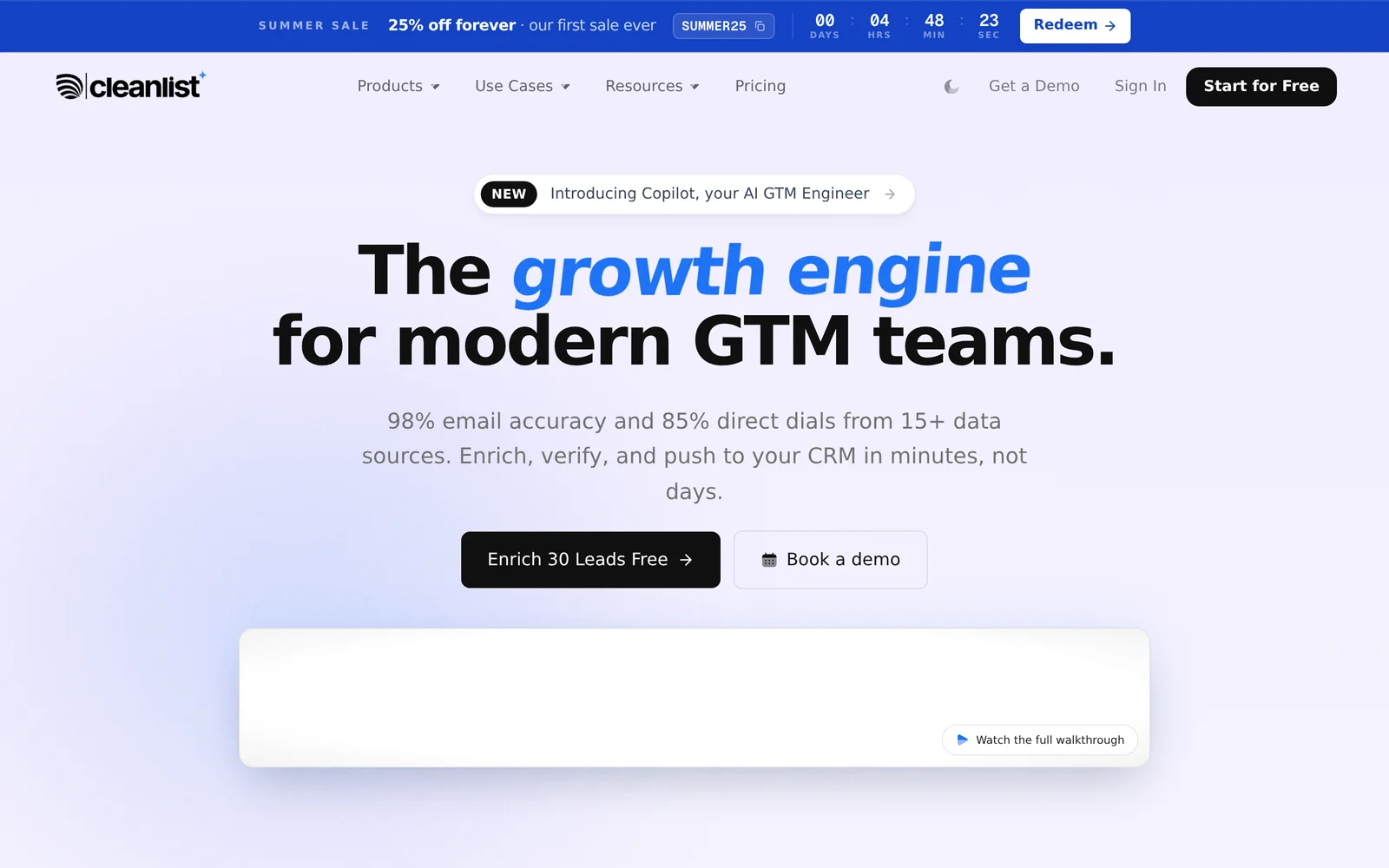
Cleanlist is an AI-driven go-to-market platform that replaces the typical stack of contact database, email verifier, and phone-finder tools with a single credit-based service. Users describe a list in plain English — for example, "find me 100 founders in New York at companies with 50-200 employees" — and a Co-Pilot handles search, enrichment, and verification in one pass, drawing on a 15+ provider waterfall to hit a claimed 98% email accuracy and 85% direct-dial find rate. Leads can be pulled from LinkedIn or Sales Navigator via a free Chrome extension, uploaded as CSV, or built from company-first ICP filters. Finished lists sync natively to HubSpot, Salesforce, Pipedrive, Outreach, Salesloft, and lemlist, with two-way updates keeping CRM records fresh. Cleanlist is used by more than 1,500 GTM teams including Float, Proposify, and Warp.
Screenshots
Key Features
Use Cases



Frequently asked questions about Cleanlist AI
What is Cleanlist AI?
Cleanlist AI is an advanced AI-driven platform designed for B2B prospecting and lead enrichment. It transforms simple English prompts into verified, CRM-ready lead lists by utilizing a robust 15-provider waterfall system, ensuring high-quality, accurate data for businesses seeking to enhance their sales outreach.
Key Points
- AI-Driven Prospecting: Leverages artificial intelligence to streamline lead generation.
- CRM Integration: Delivers leads in a format compatible with popular Customer Relationship Management systems.
- Multi-Provider System: Utilizes a 15-provider waterfall for enhanced data accuracy and reliability.
Detailed Explanation
Cleanlist AI revolutionizes the way businesses approach lead generation by harnessing the power of artificial intelligence. By inputting straightforward prompts in plain English, users can quickly generate lead lists tailored to their specific needs. The platform works by filtering through a variety of data sources, totaling 15 providers, which ensures that the information is not only comprehensive but also verified and reliable.
For example, a company looking to target software development firms can input a request like, "Find software companies in California with over 50 employees." Cleanlist AI processes this prompt, queries its extensive data network, and returns a curated list of leads that fit the criteria, complete with relevant contact information.
This capability is particularly beneficial for sales teams that require accurate data to reach potential clients effectively. By integrating seamlessly with popular CRM tools, such as Salesforce and HubSpot, the leads generated can be directly imported, streamlining the workflow and enhancing productivity.
Best Practices / Tips
- Be Specific: When creating your prompts, include specific details such as industry, company size, and location to yield the best results.
- Regular Updates: Regularly refresh your lead lists to ensure your data remains current, as businesses can change quickly.
- Test Variations: Experiment with different prompt formulations to discover which ones yield the highest quality leads.
- Monitor Performance: Track your outreach success rates to identify which leads convert best, helping to refine future lead generation efforts.
Additional Resources
How does Cleanlist AI work?
Cleanlist AI operates by transforming user-defined criteria into enriched, actionable lead lists. It utilizes a Conversational List Builder, real-time provider competition for email and phone accuracy, and advanced filtering options, enabling sales teams to efficiently generate and manage targeted leads across various platforms and CRM systems.
Key Points
- Conversational List Builder: Create lead lists using plain English descriptions.
- Waterfall Enrichment: Achieve 98% email accuracy and 85% direct-dial rates through real-time competition among providers.
- Comprehensive Filtering: Target leads based on industry, company size, geography, and more.
Detailed Explanation
Cleanlist AI is designed to streamline the outbound prospecting process for sales teams, enabling them to build targeted lead lists effortlessly. Here’s how it works in detail:
-
Conversational List Builder: Users can describe their target audience in simple language. Cleanlist AI interprets this input and generates a fully enriched, CRM-ready list of leads, saving time and enhancing productivity. For example, saying “I need tech startups in San Francisco with recent funding” will yield a specific list.
-
15-Provider Waterfall Enrichment: This feature ensures that each contact is enriched through a competitive process among multiple data providers. This real-time competition results in high accuracy rates—specifically, 98% for emails and 85% for finding direct dials—ensuring that sales teams have reliable contact information.
-
Company-First ICP Search: Users can filter leads based on Ideal Customer Profile (ICP) criteria such as industry, company size, technological stack, hiring signals, and funding stage. This targeted approach allows sales reps to focus on highly relevant decision-makers within their desired market segments.
-
LinkedIn & Sales Navigator Extension: With a simple click on the Cleanlist extension while viewing a LinkedIn profile, users can receive verified emails and direct dials within seconds, significantly enhancing the lead generation process.
-
CSV Enrichment: Users can upload a CSV file containing up to 500 rows. Cleanlist AI processes each entry through its waterfall enrichment system, providing verified emails, direct dials, titles, and firmographics, thus enriching existing databases.
-
Outbound Prospecting and RevOps Cleanup: Cleanlist AI aids sales representatives in building targeted lead lists on demand and enhances the quality of stale records in CRMs like HubSpot or Salesforce, improving email deliverability.
-
Inbound Speed-to-Lead: New form fills can trigger automatic enrichment, giving sales reps immediate access to full context on new leads, ensuring timely follow-ups.
-
ABM Account Expansion and Sales Stack Consolidation: Cleanlist AI allows users to identify all relevant decision-makers within target accounts. It also serves as a comprehensive solution, replacing multiple tools like ZoomInfo and Apollo with one integrated platform.
Best Practices / Tips
- Define Clear Criteria: When using the Conversational List Builder, be as specific as possible in your requirements to get the best results.
- Regularly Update Data: Use the CSV enrichment feature frequently to keep your databases fresh and reliable.
- Monitor Provider Performance: Track the performance of the different data providers to understand which ones yield the best results for your specific needs.
- Utilize Extensions Effectively: Make the most out of the LinkedIn & Sales Navigator extension to quickly gather contact information while browsing.
Additional Resources
What are the main features of Cleanlist AI?
Cleanlist AI offers advanced features such as a Conversational List Builder for generating enriched leads, a 15-Provider Waterfall Enrichment for high email accuracy, and a Company-First ICP Search to filter decision-makers. It also includes a LinkedIn extension for quick access to verified contacts and CSV enrichment for bulk data processing.
Key Points
- Conversational List Builder: Generate leads effortlessly using plain English.
- 15-Provider Waterfall Enrichment: Achieve exceptional email accuracy and direct-dial find rates.
- Company-First ICP Search: Filter decision-makers by various criteria effectively.
Detailed Explanation
Cleanlist AI is designed to streamline the lead generation process for businesses. Here’s a deeper dive into its main features:
1. Conversational List Builder
This feature allows users to describe their target audience in simple, conversational language. For example, you might say, "I need leads in the tech industry with 100-500 employees." The Co-Pilot instantly returns a fully enriched, CRM-ready set of leads, simplifying the prospecting process.
2. 15-Provider Waterfall Enrichment
Cleanlist AI utilizes a competitive model where 15 different data providers compete in real time to gather the most accurate contact information. This ensures that you receive contacts with a 98% email accuracy and an 85% success rate for direct dials. This feature is particularly beneficial for sales teams aiming for high-quality leads.
3. Company-First ICP Search
With this feature, you can filter leads by specific criteria like industry, company size, location, technology stack, hiring signals, and funding stages. For instance, if you're targeting startups in the healthcare sector, you can easily pull a list of decision-makers who match this profile, enhancing your outreach efforts.
4. LinkedIn & Sales Navigator Extension
The integration with LinkedIn allows users to access any profile and retrieve verified emails and direct dials within seconds. This feature is invaluable for sales professionals who need quick access to potential clients while browsing LinkedIn.
5. CSV Enrichment
Users can upload a CSV file containing up to 500 rows, and Cleanlist AI will run each entry through its waterfall process. This results in verified emails, direct dials, job titles, and firmographic data, all in one actionable format.
Best Practices / Tips
- Utilize the Conversational List Builder: Spend time crafting your descriptions for better-targeted leads.
- Monitor Provider Performance: Keep an eye on which data providers yield the best results for your specific needs.
- Leverage CSV Enrichment: Regularly update your lead database with enriched data for improved outreach campaigns.
Additional Resources
Who is Cleanlist AI for?
Cleanlist AI is designed for sales professionals, operations teams, and marketers who require efficient outbound prospecting, CRM data cleanup, and lead enrichment. It streamlines the lead generation process, enabling users to create targeted lists, enhance stale records, and optimize account-based marketing strategies seamlessly.
Key Points
- Outbound Prospecting: Ideal for sales reps building targeted lead lists.
- RevOps CRM Cleanup: Useful for operations teams restoring data quality in CRMs.
- Account-Based Marketing: Facilitates finding key decision-makers in target accounts.
Detailed Explanation
Cleanlist AI enhances various aspects of sales and marketing through its innovative features.
-
Outbound Prospecting: Sales representatives can generate targeted lead lists on demand. With the capability to push these lists directly to a sequencer, reps can engage potential clients more effectively. This reduces time spent on manual searching and improves conversion rates.
-
RevOps CRM Cleanup: Operations teams can re-enrich outdated records in CRMs like HubSpot or Salesforce. By restoring email deliverability and phone connect rates, teams can ensure their outreach efforts are more successful. This feature is critical for maintaining a healthy database, which directly impacts lead engagement.
-
Inbound Speed-to-Lead: Cleanlist AI allows for automatic enrichment of new form fills, providing sales reps with essential context within minutes of a signup. This quick access to information can significantly improve response times and lead nurturing capabilities.
-
ABM Account Expansion: For businesses using account-based marketing strategies, Cleanlist AI helps identify every relevant decision-maker within a target account list. This eliminates the need for juggling multiple databases, making the process more streamlined and efficient.
-
Sales Stack Consolidation: Cleanlist AI offers a credit-based platform that can replace multiple tools like ZoomInfo and Apollo, along with separate email verification and phone tools. This consolidation simplifies the sales stack and reduces costs.
Best Practices / Tips
- Utilize Targeted Lists: Always focus on creating highly targeted lead lists based on specific criteria to improve engagement rates.
- Regularly Clean Your Data: Schedule regular data cleanup sessions to maintain fresh and accurate information within your CRM.
- Leverage Insights Quickly: Make use of the inbound speed-to-lead feature to respond promptly to new leads, enhancing your chances of conversion.
- Monitor Metrics: Keep track of key performance indicators (KPIs) such as email open rates and connection rates to assess the effectiveness of your campaigns.
Additional Resources
How much does Cleanlist AI cost?
Cleanlist AI offers a free tier for users looking to get started, along with various paid plans that unlock advanced features. Pricing for these plans typically starts at $29 per month, depending on the specific features and usage requirements.
Key Points
- Free Tier: Ideal for basic users.
- Paid Plans: Start at $29 per month.
- Advanced Features: Include enhanced data processing and analytics.
Detailed Explanation
Cleanlist AI provides a comprehensive solution for managing and cleaning email lists, ensuring higher deliverability and engagement rates. The free tier allows users to test the platform's capabilities, making it suitable for small businesses or individuals.
The paid plans start at $29 per month, which includes features such as:
- Email Verification: Automatically checks email addresses for validity.
- Data Enrichment: Enhances existing data with additional insights.
- Integration Options: Connects seamlessly with platforms like Mailchimp and Salesforce.
Depending on your needs, you can choose from different pricing tiers, which may offer additional features like advanced analytics, priority support, or higher usage limits.
For businesses that rely heavily on email marketing, investing in a paid plan can significantly improve campaign performance by reducing bounce rates and increasing customer engagement.
Best Practices / Tips
- Evaluate Your Needs: Start with the free tier to understand your requirements before upgrading.
- Monitor Usage: Keep track of how many emails you verify to choose the most cost-effective plan.
- Explore Features: Take advantage of all available features in the paid plans to maximize ROI.
Additional Resources
How do I get started with Cleanlist AI?
To get started with Cleanlist AI, visit Cleanlist AI's official website to sign up for an account. Once registered, you can explore its features for managing and cleaning your email lists, enhancing your marketing campaigns, and improving deliverability rates.
Key Points
- Easy Sign-Up Process: Quick registration to access features.
- User-Friendly Interface: Intuitive design for seamless navigation.
- Comprehensive Features: Tools for list cleaning, validation, and segmentation.
Detailed Explanation
Cleanlist AI offers a straightforward way to manage your email marketing lists effectively. Here’s a step-by-step guide to getting started:
-
Sign Up: Navigate to Cleanlist AI and click on the “Sign Up” button. Fill in your details, including your name, email, and a secure password. After submitting, check your email for a confirmation link to activate your account.
-
Explore the Dashboard: Once logged in, you'll be greeted by a user-friendly dashboard. Familiarize yourself with the layout, where you can access various tools like email verification, cleaning services, and analytics.
-
Upload Your List: Prepare your email list in a CSV format. Within the dashboard, look for the option to upload your list. Cleanlist AI will begin processing it to remove duplicates, invalid addresses, and inactive users.
-
Utilize Features: Take advantage of Cleanlist AI's features. Use the email validation tool to ensure your contacts are current. Leverage the segmentation features to target specific groups within your audience, enhancing your marketing efficiency.
-
Monitor Analytics: After using the platform for a while, check the analytics section to assess your list's health and evaluate the effectiveness of your campaigns.
Best Practices / Tips
- Regularly Update Your Lists: Schedule periodic clean-ups to maintain list quality and improve deliverability rates.
- Use Segmentation: Segment your audience based on behavior, demographics, or engagement to tailor your marketing strategies.
- Monitor Engagement Metrics: Keep an eye on open rates and click-through rates to adjust your campaigns as needed.
Additional Resources
- Cleanlist AI Documentation - Access comprehensive guides and resources.
- Email Marketing Best Practices - Learn more about effective email marketing strategies.
- Understanding Email Validation - Explore the importance of email validation in detail.
Explore more AI Ai Tools tools
Browse all Ai Tools tools →Browse by use case: Automation & Productivity
Compare Cleanlist AI: vs Juggler · vs Elva · vs GhostWriter by MyHandler · vs Neopress