

Claude Code Remote Control
AIRemote Control lets you continue a local Claude Code session from any phone, tablet, or browser while the session runs entirely on your machine.
Claude Code Remote Control
Remote Control lets you continue a local Claude Code session from any phone, tablet, or browser while the session runs entirely on your machine.
About Claude Code Remote Control
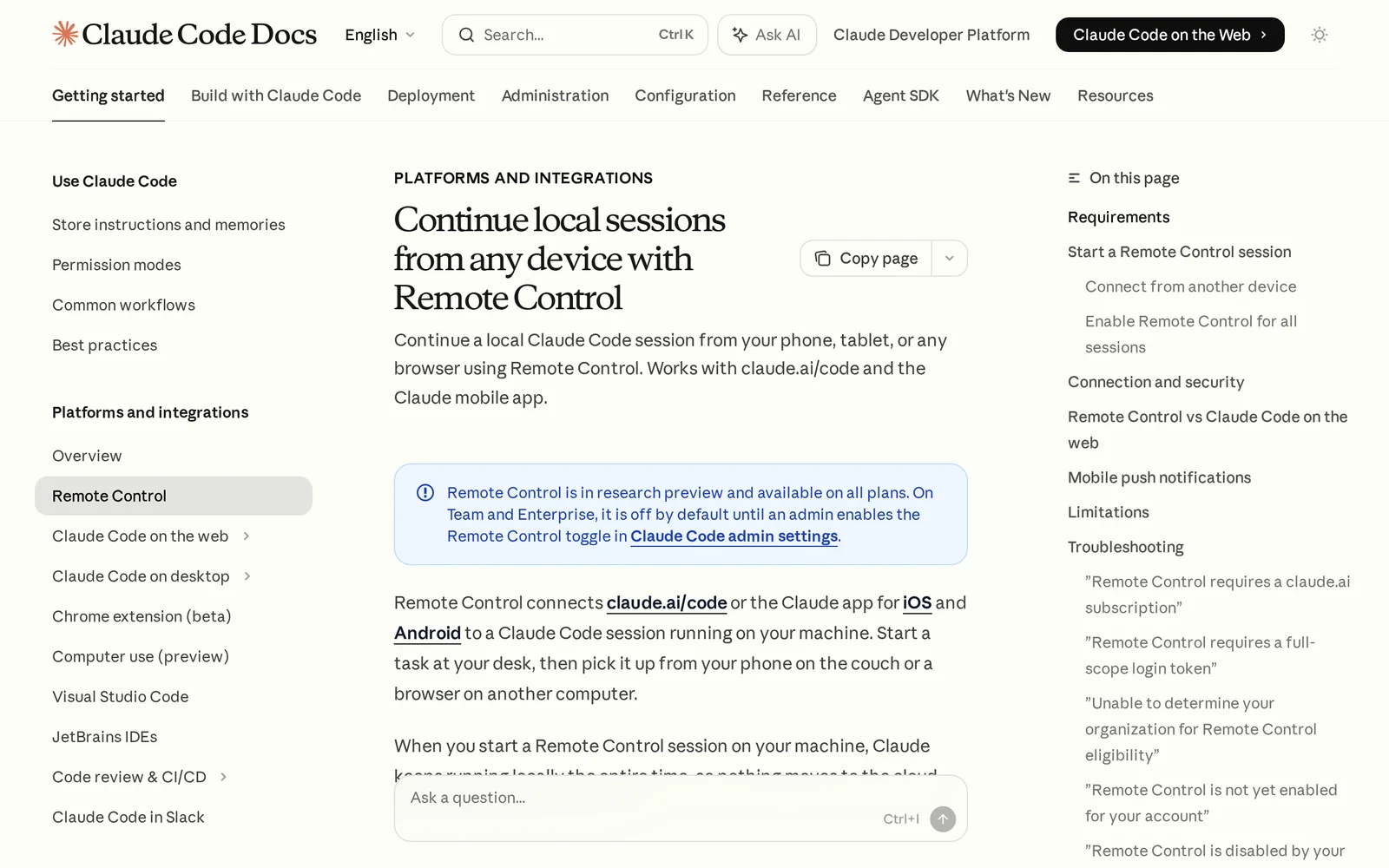
Claude Code Remote Control connects claude.ai/code or the Claude mobile app to a Claude Code session running locally on your machine so you can pick up work from another device. When a remote session is started, Claude continues executing locally — nothing is moved to Anthropic's cloud — preserving access to local MCP servers, tools, and project configuration. Remote Control can be started per-session or enabled globally and is offered as a research preview on select subscription tiers; it supports a single remote session per Claude Code instance and includes authentication and connection controls to protect local sessions.
Screenshots
Key Features
Use Cases



Frequently asked questions about Claude Code Remote Control
What is Claude Code Remote Control?
Claude Code Remote Control allows users to continue their local coding sessions seamlessly from any device, including phones, tablets, or web browsers, while the actual session runs on their local machine. This feature enhances flexibility and accessibility for developers working on projects remotely.
Key Points
- Seamless Accessibility: Access your coding sessions from any device.
- Local Execution: Code runs on your machine for optimal performance.
- User-Friendly Interface: Easy to set up and use for developers at all levels.
Detailed Explanation
Claude Code Remote Control is designed for developers who need flexibility in their coding environments. With this feature, users can start a coding session on their local machine—whether it’s a laptop or desktop—and then access that session remotely through any smartphone, tablet, or web browser.
How It Works
- Setup: Initiate a coding session on your local machine using Claude Code.
- Remote Access: Use a web browser or mobile app to log into your session securely.
- Real-Time Collaboration: Work on code in real time, make changes, and see them reflected immediately, regardless of your physical location.
Use Cases
- Remote Work: Ideal for developers who travel frequently or work from home.
- Collaborative Projects: Teams can work together on coding projects without being in the same location.
- Testing and Debugging: Easily test code changes in real-time while on the go.
Best Practices / Tips
- Ensure Security: Always use secure connections when accessing your coding sessions remotely to protect sensitive data.
- Maintain Local Resources: Keep your local machine updated with all necessary libraries and dependencies for best performance.
- Test Connectivity: Before relying on remote access for important tasks, test your connection on various devices to ensure reliability.
Additional Resources
How does Claude Code Remote Control work?
Claude Code Remote Control utilizes advanced AI technologies to streamline daily workflows by enabling users to manage and control various applications remotely. It integrates seamlessly with multiple platforms, allowing for efficient task execution, collaboration, and automation.
Key Points
- AI Integration: Combines advanced AI capabilities for workflow enhancement.
- Remote Accessibility: Allows users to control applications from anywhere.
- Collaboration Features: Facilitates teamwork through shared access.
Detailed Explanation
Claude Code Remote Control is designed to enhance productivity by leveraging artificial intelligence to automate routine tasks and improve workflow efficiency. It operates by connecting with various software applications and devices, allowing users to execute commands and manage processes remotely.
How It Works
- User Interface: The platform offers a user-friendly interface where users can easily access tools and settings.
- AI Capabilities: Incorporates machine learning algorithms to understand user preferences and optimize task execution.
- Multi-Platform Support: Compatible with different operating systems and applications, making it versatile for diverse work environments.
Use Cases
- Project Management: Team members can assign tasks and monitor progress remotely.
- Data Analysis: Users can pull data from various sources for analysis without being physically present at their desks.
- Automation: Routine tasks such as scheduling and reporting can be automated, saving time and reducing errors.
Best Practices / Tips
- Stay Updated: Regularly check for updates to leverage new features and enhancements.
- Utilize Shortcuts: Familiarize yourself with keyboard shortcuts to speed up your workflow.
- Secure Your Connection: Always use secure connections to protect sensitive data when accessing remote controls.
Additional Resources
By understanding how Claude Code Remote Control functions and implementing best practices, users can significantly enhance their productivity and streamline their workflows effectively.
What are the main features of Claude Code Remote Control?
Claude Code Remote Control features advanced AI capabilities that enhance collaborative coding, real-time code execution, and seamless integration with popular development environments. Its intuitive design allows users to efficiently manage remote code execution, making it a powerful tool for developers looking to optimize their coding workflow.
Key Points
- Real-time Collaboration: Enables multiple users to work on code simultaneously.
- Seamless Integration: Works with popular IDEs and platforms for enhanced productivity.
- AI-Powered Suggestions: Provides intelligent code completions and debugging help.
Detailed Explanation
Claude Code Remote Control stands out with its focus on enhancing the coding experience through sophisticated AI features.
-
Real-time Collaboration: This feature allows developers to collaborate on coding tasks in real time, similar to Google Docs for code. Multiple users can edit, view changes instantly, and communicate through integrated chat, making teamwork smoother and more efficient.
-
Seamless Integration: Claude Code easily integrates with popular development environments such as Visual Studio Code and JetBrains IDEs. This means developers can work within their preferred tools without switching contexts, thereby improving their productivity and workflow efficiency.
-
AI-Powered Suggestions: One of the standout features is the AI-driven code suggestions. As you type, Claude Code analyzes the context and offers relevant code completions and snippets. This not only speeds up coding but also helps in reducing errors, making debugging easier.
For instance, when coding in Python, if you start typing a function, Claude Code can suggest the complete syntax or provide helpful comments based on your previous coding patterns. This feature is particularly useful for beginners who may struggle with syntax and best practices.
Best Practices / Tips
- Leverage Real-time Collaboration: Make the most of the collaborative features by organizing regular code review sessions with your team.
- Customize AI Settings: Adjust the AI settings to better suit your coding style and preferences for more relevant suggestions.
- Stay Updated: Regularly check for updates to Claude Code Remote Control, as new features and improvements can significantly enhance your coding experience.
Additional Resources
Who is Claude Code Remote Control for?
Claude Code Remote Control is designed for anyone engaged in AI-driven tasks, including developers, data scientists, and businesses looking to streamline their day-to-day AI workflows. This tool enhances productivity by allowing users to manage and optimize AI processes efficiently.
Key Points
- Target Audience: Developers, data scientists, and businesses.
- Use Cases: Streamlining daily AI workflows and enhancing productivity.
- Functionality: Remote control capabilities for AI processes.
Detailed Explanation
Claude Code Remote Control is particularly beneficial for professionals in tech-related fields. Developers can use it to manage AI models remotely, facilitating a more efficient coding environment. Data scientists can streamline their experiments, quickly deploying models without needing to be physically present at their workstations. For businesses, this tool aids in automating repetitive AI tasks, enabling teams to focus on more strategic initiatives.
Example Use Cases:
- Developers: A software engineer can deploy and monitor AI models from any location, adjusting parameters in real-time to optimize performance.
- Data Scientists: A data analyst can run experiments and analyze results without being tied to a specific machine, enhancing flexibility and productivity.
- Businesses: Companies can automate customer service AI, allowing for seamless updates and management of chatbots or virtual assistants remotely.
Best Practices / Tips
- Familiarize Yourself: Spend time learning the interface and features of Claude Code Remote Control for optimal usage.
- Regular Updates: Keep the software updated to benefit from the latest features and security improvements.
- Monitor Performance: Regularly check the performance of AI models being controlled remotely to ensure they function correctly and efficiently.
- Backup Data: Always back up your data before making significant changes to configurations to avoid data loss.
Additional Resources
By leveraging Claude Code Remote Control, users can significantly enhance their workflow efficiency, making it an essential tool for anyone involved in AI.
How much does Claude Code Remote Control cost?
Claude Code Remote Control is a paid product, with pricing varying based on subscription plans and features. For the most current pricing details, visit the official Claude Code website, as they frequently update their offers to cater to different user needs.
Key Points
- Pricing varies based on subscription plans.
- Official website provides the latest pricing information.
- Claude Code offers different features depending on the plan.
Detailed Explanation
Claude Code Remote Control is designed to enhance coding capabilities through remote management and collaboration. Pricing typically ranges from $10 to $50 per month, depending on the chosen plan. Users can select between a basic plan offering essential features and a premium plan that includes advanced functionalities like real-time collaboration, enhanced security, and priority support.
For instance, the basic plan may include features such as access to the core code repository, while the premium plan can encompass additional tools for team collaboration, integrations with popular IDEs, and customizable settings for personalized user experience. It’s advisable to regularly check the Claude Code website for promotional discounts or seasonal offers that might lower the cost.
Best Practices / Tips
- Evaluate Your Needs: Before purchasing, assess which features are essential for your coding projects to choose the most suitable plan.
- Utilize Free Trials: If available, take advantage of free trials to test the software before committing to a subscription.
- Stay Updated: Subscribe to the official newsletter or follow their social media channels for notifications on price changes or special promotions.
Additional Resources
How do I get started with Claude Code Remote Control?
To get started with Claude Code Remote Control, visit https://code.claude.com/docs/en/remote-control to sign up. After creating your account, you can explore the features and functionalities of the tool, which enhances remote coding and collaboration.
Key Points
- User-friendly registration process
- Comprehensive documentation available
- Versatile features for remote coding and collaboration
Detailed Explanation
Claude Code Remote Control is an innovative platform designed for developers who need remote access to their coding environments. To begin, navigate to the official site and follow these steps:
- Sign Up: Click on the "Sign Up" button on the main page. You'll need to provide your email address and create a password.
- Verification: Check your email for a verification link. Click the link to activate your account.
- Explore Features: Once logged in, take a guided tour of the interface, focusing on key features such as real-time collaboration, code sharing, and remote debugging tools.
Use Cases
- Team Collaboration: Teams can work together on projects in real-time, allowing for instant feedback and streamlined coding processes.
- Remote Work: For developers working remotely, Claude Code Remote Control provides a reliable solution to access their coding environment from anywhere.
Best Practices / Tips
- Utilize Documentation: Familiarize yourself with the comprehensive documentation available on the site. It covers everything from basic setup to advanced features.
- Security Measures: Implement strong passwords and enable two-factor authentication to protect your coding environment.
- Regular Updates: Keep your software updated to access the latest features and security enhancements.
Additional Resources
Explore more AI Ai Tools tools
Browse all Ai Tools tools →Browse by use case: Code Generation
Compare Claude Code Remote Control: vs CleanSlop · vs Kalender Sync · vs UseIt Studio · vs Woven Video