

Ava Studio
AIAI-native video studio that converts prompts into polished, viral-ready videos with frame generation, motion control, and character memory.
Ava Studio
AI-native video studio that converts prompts into polished, viral-ready videos with frame generation, motion control, and character memory.
About Ava Studio
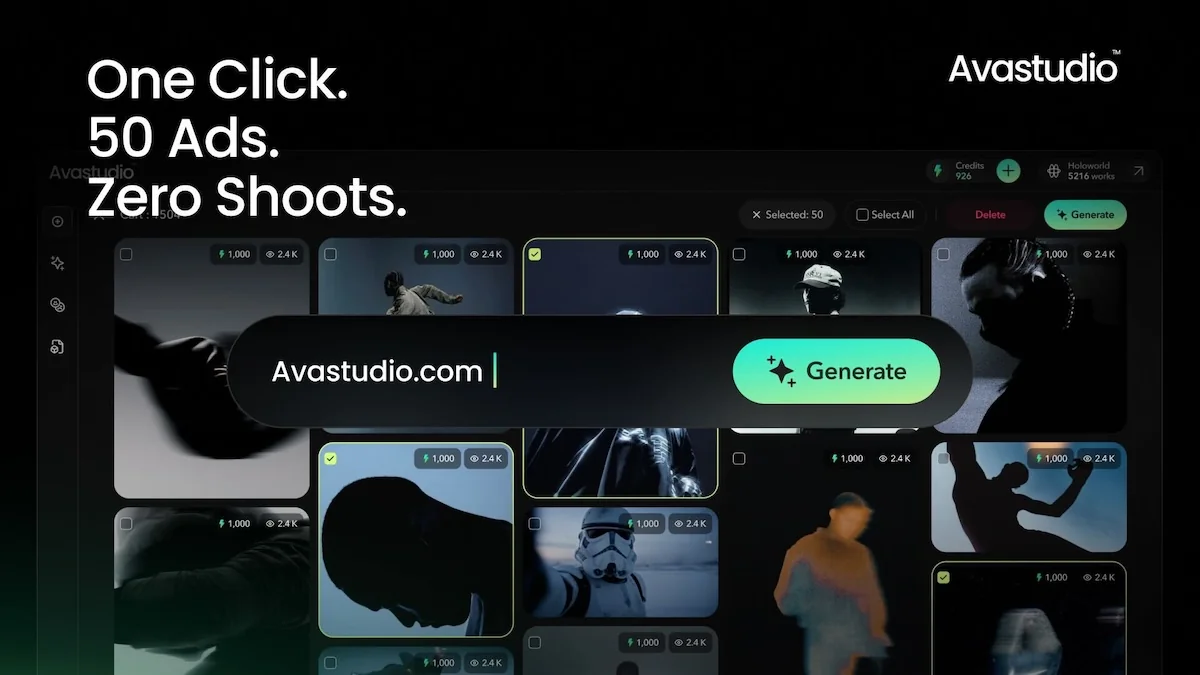
Ava Studio is an AI-native creative platform that lets users go from a text prompt to a finished, viral-ready video. The studio generates frames, provides controls to direct motion and camera behavior, and uses an agentic memory system to keep characters and visual elements consistent across multiple shots. Designed for creators and teams, it accelerates iteration on concepts, enforces continuity across scenes, and offers tools and templates aimed at producing short-form social and promotional content quickly.
Screenshots
Key Features
Use Cases



Frequently asked questions about Ava Studio
What is Ava Studio?
Ava Studio is an AI-native creative platform designed to help users create polished, viral-ready videos from simple prompts. It allows for seamless frame generation, motion direction, and character consistency across shots using agentic memory, making video creation accessible and efficient for everyone.
Key Points
- AI-driven video creation: Generate videos effortlessly with prompts.
- Character consistency: Maintain uniformity across scenes with agentic memory.
- User-friendly interface: Designed for creators of all skill levels.
Detailed Explanation
Ava Studio leverages advanced artificial intelligence to transform the video production process. Users start by inputting prompts related to their desired content, which the AI interprets to generate dynamic video frames. This process is not only rapid but also intuitive, allowing even those with minimal technical skills to produce high-quality videos.
Features:
- Frame Generation: Users can create multiple frames at once, cutting down production time substantially.
- Motion Direction: The platform allows users to specify movements, ensuring that the video flows cohesively.
- Agentic Memory: This unique feature maintains character traits and visuals across different scenes, enhancing storytelling and viewer engagement.
For instance, a marketer could use Ava Studio to create promotional videos for a product launch. By providing a basic prompt, they can generate engaging videos that stay consistent in branding and messaging, all within minutes.
Best Practices / Tips
- Be Specific with Prompts: The more detailed your prompt, the better the AI can produce relevant content. Specify emotions, settings, and actions to enhance video quality.
- Utilize Templates: Explore available templates within Ava Studio to streamline your video creation process.
- Test and Iterate: Don't hesitate to create multiple versions of your video. Testing different approaches can lead to discovering the most effective content.
Common Pitfalls to Avoid:
- Overcomplicating Prompts: Keep prompts clear and focused for optimal results.
- Ignoring Character Consistency: Ensure that character attributes are aligned in your prompts to take full advantage of agentic memory.
Additional Resources
How does Ava Studio work?
Ava Studio operates by integrating advanced AI capabilities to streamline daily workflows, enabling users to automate tasks, enhance productivity, and improve collaboration. With its user-friendly interface, Ava Studio allows individuals and teams to leverage AI tools effectively for various applications, from content creation to data analysis.
Key Points
- AI Integration: Combines multiple AI functionalities for enhanced efficiency.
- User-Friendly Interface: Designed for ease of use, catering to both beginners and experts.
- Versatile Applications: Suitable for diverse tasks such as content generation, data analysis, and project management.
Detailed Explanation
Ava Studio harnesses the power of artificial intelligence to optimize daily workflows across various sectors. Here’s how it works:
-
AI-Powered Automation: Ava Studio automates repetitive tasks, allowing users to focus on more strategic activities. For instance, it can automatically generate reports, analyze data trends, or even assist in drafting emails.
-
Collaboration Tools: The platform includes features that facilitate teamwork, such as shared workspaces and real-time editing. This is particularly useful for project management, where multiple stakeholders need to be informed and engaged.
-
Customization Options: Users can tailor the AI tools to fit their specific needs. Ava Studio allows users to set parameters for AI functions, ensuring that the outputs are aligned with their objectives.
-
Integration with Other Tools: Ava Studio seamlessly connects with popular software applications like Google Workspace, Microsoft Office, and various CRM platforms. This interoperability enhances user experience by consolidating workflows in one place.
Use Cases:
- Content Creation: Writers can utilize Ava Studio for generating ideas or drafting articles, significantly reducing the time spent on the writing process.
- Data Analysis: Businesses can automate the analysis of sales data, enabling quicker decision-making based on real-time insights.
Best Practices / Tips
- Explore Tutorials: Familiarize yourself with Ava Studio’s features by exploring available tutorials and guides; this will help maximize your usage.
- Utilize Templates: Make use of pre-built templates to save time on common tasks and ensure consistency in outputs.
- Regular Updates: Stay informed about new features and updates to leverage the latest AI advancements.
Additional Resources
By leveraging Ava Studio's capabilities, users can significantly enhance their productivity and streamline their workflows, making it an essential tool for anyone looking to integrate AI into their daily tasks.
What are the main features of Ava Studio?
Ava Studio offers a range of advanced features, including core AI capabilities like natural language processing, automated video editing, and real-time collaboration tools. These features empower users to create high-quality content efficiently, making it an essential tool for content creators and marketers alike.
Key Points
- Natural Language Processing: Enhances content creation by understanding and generating human-like text.
- Automated Video Editing: Streamlines the video production process, saving time and effort.
- Real-Time Collaboration: Facilitates teamwork among creators, allowing seamless project management.
Detailed Explanation
Ava Studio is designed to revolutionize the content creation process through its innovative use of AI technology.
1. Natural Language Processing (NLP)
NLP is a cornerstone feature that allows Ava Studio to analyze and generate text that resonates with audiences. For instance, it can assist in drafting scripts, generating blog posts, or creating social media content tailored to specific demographics. This capability not only accelerates the writing process but also enhances the overall quality of the content.
2. Automated Video Editing
With automated video editing, users can quickly assemble video clips, apply transitions, and incorporate effects without needing extensive editing experience. For example, content creators can upload raw footage, specify their desired style, and let Ava Studio handle the rest. This feature is particularly beneficial for marketers looking to produce engaging video content quickly for campaigns or social media platforms.
3. Real-Time Collaboration
Ava Studio's real-time collaboration tools allow multiple users to work on projects simultaneously. This feature is essential for teams spread across different locations. Users can leave comments, suggest edits, and track changes in real-time, ensuring that everyone is on the same page and that projects progress smoothly.
Best Practices / Tips
- Leverage Templates: Use Ava Studio’s pre-made templates to save time and maintain consistency in your content style.
- Stay Updated: Regularly check for new features and updates to maximize the tool's capabilities.
- Utilize Feedback: Encourage team members to provide feedback during the creation process to enhance content quality.
Additional Resources
By incorporating these features, Ava Studio stands out as a powerful ally for anyone looking to enhance their content creation workflow through advanced AI capabilities.
Who is Ava Studio for?
Ava Studio is designed for a wide range of users, including businesses, developers, and individual enthusiasts who want to streamline their daily AI workflows. Whether you're looking to automate tasks, enhance productivity, or implement AI solutions, Ava Studio provides the tools necessary for effective usage.
Key Points
- Target Audience: Businesses, developers, and AI enthusiasts.
- Use Cases: Automating repetitive tasks, improving productivity, and implementing AI-driven solutions.
- Accessibility: User-friendly interface suitable for both beginners and experts.
Detailed Explanation
Ava Studio caters to various users by offering a versatile platform that simplifies AI integration into daily workflows. Here are some key groups that benefit from Ava Studio:
-
Businesses: Companies looking to enhance their operational efficiency can utilize Ava Studio to automate tasks such as data entry, customer interactions, and reporting. For instance, a marketing team can automate social media postings and analyze customer engagement data in real-time.
-
Developers: Software developers can leverage Ava Studio's API and tools to build and deploy AI applications quickly. This is especially useful for creating machine learning models or integrating AI functionalities into existing applications.
-
Individual Enthusiasts: Anyone interested in AI, from students to hobbyists, can explore and experiment with AI technologies using Ava Studio. The platform provides tutorials and resources for users to learn about AI concepts and practical applications.
Use Cases:
- Task Automation: Schedule repetitive tasks like email responses or data collection.
- Data Analysis: Use AI to sift through large datasets and extract valuable insights.
- Content Creation: Generate written content, graphics, or code with AI assistance.
Best Practices / Tips
- Start Small: Begin with simple tasks to understand Ava Studio's capabilities before scaling up to more complex workflows.
- Utilize Tutorials: Take advantage of available tutorials to familiarize yourself with the platform's features.
- Experiment with Integrations: Explore third-party integrations to expand functionalities and improve efficiency.
Additional Resources
By using Ava Studio, users can unlock tremendous potential in their daily tasks through AI, making workflows more efficient and productive.
How much does Ava Studio cost?
Ava Studio pricing varies based on the plan you select, and detailed pricing information can be found on the official Ava Studio website. Typically, they offer tiered pricing that caters to different user needs, including free trials and subscription options.
Key Points
- Ava Studio offers tiered pricing plans.
- Pricing includes options for individuals and teams.
- Free trial available for new users.
Detailed Explanation
Ava Studio provides flexible pricing options tailored to various user requirements. Users can choose between different subscription plans, which may include:
- Free Plan: Ideal for individuals or small projects, it often includes basic features to help users get started without commitment.
- Basic Plan: This plan usually features enhanced functionalities and is suitable for freelancers or small teams. Pricing typically starts around $10 per month.
- Pro Plan: Aimed at professional users and larger teams, this plan offers advanced tools, collaboration features, and priority support. Prices may range from $25 to $50 per month, depending on the included features.
- Enterprise Solutions: For organizations requiring customization, Ava Studio may offer tailored enterprise solutions with pricing that varies based on specific needs.
To get the most current pricing, including any ongoing promotions or discounts, visit the Ava Studio official website.
Best Practices / Tips
- Start with the Free Trial: If available, use the free trial to assess whether Ava Studio meets your needs before committing to a paid plan.
- Compare Plans: Analyze the features of each plan to ensure you select one that offers the best value for your requirements.
- Check for Discounts: Look for seasonal discounts or special offers on the official site, as these can save you money on your subscription.
Additional Resources
By understanding the pricing structure and evaluating your project needs, you can make an informed decision that aligns with your budget and goals.
How do I get started with Ava Studio?
To get started with Ava Studio, simply visit Ava Studio's official website and sign up for an account. Once registered, you can explore its features, create projects, and utilize its extensive tools to enhance your creative workflow.
Key Points
- User Registration: Create your account easily.
- Feature Exploration: Familiarize yourself with the tools available.
- Project Creation: Start building your first project.
Detailed Explanation
Ava Studio is a powerful AI-driven platform designed for creators. Here’s how to begin:
- Visit the Website: Go to Ava Studio.
- Sign Up: Click on the 'Sign Up' button. You can register using your email or social media accounts for convenience. The registration process is straightforward and takes just a few minutes.
- Explore Features: After signing in, take a tour of the dashboard. Ava Studio offers tools like AI content generation, project management, and collaboration features. Spend some time familiarizing yourself with the interface and functionalities available.
- Create Your First Project: Click on 'New Project' to start. You can choose from various templates or begin from scratch. Utilize the AI tools for generating content, automating workflows, or enhancing your creative processes.
For those who want to maximize their use of Ava Studio, consider diving into its community forums and tutorials available on the site.
Best Practices / Tips
- Utilize Tutorials: Take advantage of Ava Studio's tutorials to quickly learn about its features.
- Join Community Forums: Engage with other users to share tips and troubleshoot issues.
- Experiment with Features: Don’t hesitate to explore different tools and features within Ava Studio to find what works best for your projects.
- Regular Updates: Keep an eye on any updates or new features Ava Studio rolls out, as these can enhance your productivity.
Additional Resources
Explore more AI Ai Tools tools
Browse all Ai Tools tools →Browse by use case: Video Generation · Automation & Productivity
Compare Ava Studio: vs CleanSlop · vs Kalender Sync · vs UseIt Studio · vs Woven Video