

AutoRegex
AIWeb tool that converts plain-English descriptions into regular expressions using OpenAI's GPT-3.
AutoRegex
Web tool that converts plain-English descriptions into regular expressions using OpenAI's GPT-3.
About AutoRegex
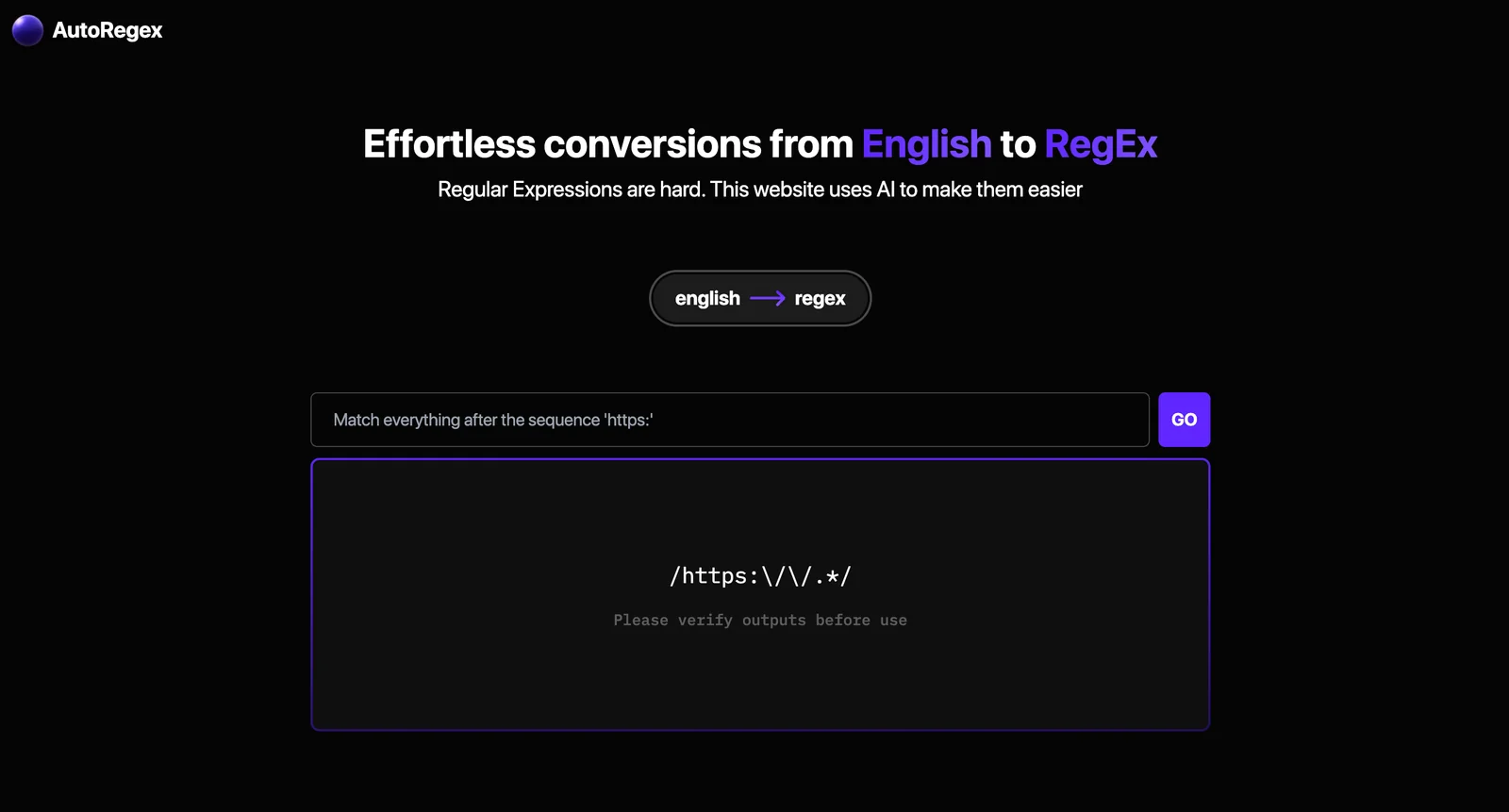
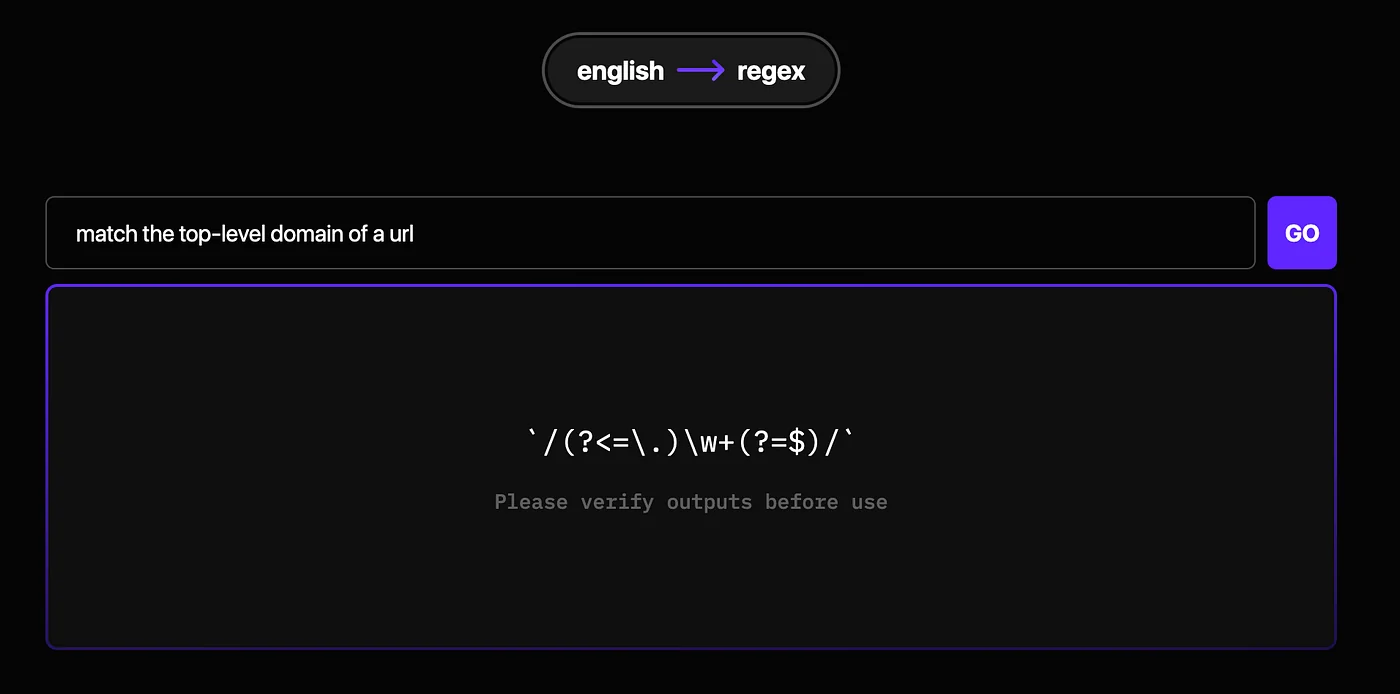
AutoRegex is a web-based tool that leverages OpenAI's GPT-3 to generate regular expressions from natural-language descriptions and to explain regex patterns in plain English. It is positioned to help developers, analysts, and QA engineers produce, understand, and refine regex patterns faster than hand-writing complex expressions. Third-party listings indicate it offers a subscription plan for extended or programmatic use, while curated developer lists cite it as a convenient English <-> Regex generator.
Screenshots
Key Features
Use Cases



Frequently asked questions about AutoRegex
What are the pricing options for AutoRegex?
AutoRegex offers four pricing options: a free plan with basic features, a Starter plan at $3.49/month, a Pro plan also at $3.49/month, and a custom Enterprise plan. The free tier enables users to generate regular expressions (regex) from simple English phrases.
Key Points
- Free Plan: Basic regex generation capabilities.
- Starter Plan: Available for $3.49/month, offering enhanced features.
- Pro Plan: Priced at $3.49/month, includes advanced functionalities.
- Enterprise Plan: Custom pricing based on organizational needs.
Detailed Explanation
AutoRegex provides a range of pricing tiers to suit different user needs, from casual users to businesses requiring robust regex generation capabilities.
-
Free Plan:
- Ideal for individuals or beginners, this plan allows basic regex creation from plain English. Users can quickly convert everyday language into regex patterns, making it accessible for those unfamiliar with regex syntax.
-
Starter Plan ($3.49/month):
- This plan includes additional features such as saving regex patterns and access to community support. It is perfect for freelance developers or small teams needing to generate regex on a more regular basis without significant investment.
-
Pro Plan ($3.49/month):
- Also priced at $3.49/month, this tier offers all the Starter Plan features plus advanced tools like analytics and error detection. It is particularly beneficial for developers who require enhanced functionality for complex projects.
-
Enterprise Plan:
- Designed for businesses, this plan features custom pricing based on specific organizational needs and offers tailored solutions, priority support, and enhanced security features. Organizations with large teams can benefit from the collaborative tools available in this tier.
Best Practices / Tips
- Evaluate Your Needs: Before choosing a plan, assess your regex generation needs. The free plan is an excellent starting point, but upgrading may be necessary as your projects grow.
- Utilize Community Resources: Engage with community forums or support channels available in the paid plans to enhance your understanding and usage of regex.
- Stay Updated: Regularly check for updates or new features introduced in AutoRegex, ensuring you're utilizing the full potential of the tool.
Additional Resources
With these pricing options and resources, AutoRegex caters to a wide range of users, making regex accessible and efficient for various applications.
How do I use AutoRegex to generate regex patterns?
To use AutoRegex, visit the official website, enter your plain-English description of the desired regex pattern, and the tool will automatically generate the corresponding regex for you. This intuitive interface simplifies regex creation, making it accessible even for those without extensive programming knowledge.
Key Points
- User-Friendly Interface: AutoRegex offers a straightforward platform for generating regex patterns.
- Plain-English Input: Users can describe their needs in simple language, making regex accessible to non-experts.
- Instant Pattern Generation: The tool quickly converts descriptions into accurate regex patterns.
Detailed Explanation
AutoRegex is an innovative tool designed to bridge the gap between natural language and regular expressions (regex). To get started, follow these steps:
- Visit the AutoRegex Website: Navigate to the official AutoRegex website.
- Input Your Description: In the input field, describe what you want to match with regex. For example, if you need to match email addresses, you could type "an email address format."
- Generate the Regex Pattern: After entering your description, click on the "Generate" button. The tool will process your request and display the generated regex pattern.
- Test and Refine: Utilize the provided testing area on the site to input sample text and see how the regex performs. Adjust your initial description if necessary for better accuracy.
Example Use Case:
If you wanted a regex pattern for matching phone numbers, you would enter "US phone number format" and AutoRegex might generate a pattern like \(\d{3}\) \d{3}-\d{4}. This pattern can then be used in various programming languages or text-processing applications.
Best Practices / Tips
- Be Specific: The more detailed your description, the more accurate the generated regex will be. For example, specify "10-digit phone numbers" instead of just "phone numbers."
- Test Thoroughly: Always test the generated regex against a variety of sample inputs to ensure it works as expected.
- Learn Basic Regex: Familiarize yourself with basic regex concepts to better understand how the patterns work, which can help you refine your descriptions for optimal results.
Additional Resources
What features does AutoRegex offer compared to other regex tools?
AutoRegex stands out from traditional regex tools by leveraging OpenAI's GPT-3 for seamless natural language to regex conversion, providing detailed regex explanations, and featuring an interactive testing interface. These unique capabilities enhance user experience and understanding, making regex accessible for both beginners and advanced users.
Key Points
- Natural Language Conversion: AutoRegex transforms plain language into regex patterns effortlessly.
- In-depth Explanations: Users receive clear explanations of regex syntax and functions.
- Interactive Testing Interface: The platform allows real-time regex testing and validation.
Detailed Explanation
AutoRegex employs the power of GPT-3 to allow users to describe what they want to match in everyday language. For instance, instead of writing a complex regex pattern to find email addresses, you can simply type, "Find emails," and AutoRegex generates the appropriate regex for you.
Example Usage
-
Natural Language Input:
- You input: "Extract dates in the format DD/MM/YYYY."
- AutoRegex outputs:
\b\d{2}/\d{2}/\d{4}\b.
-
Regex Explanation:
- Each generated regex pattern comes with a detailed breakdown, explaining each component. For instance, it clarifies that
\drepresents a digit and{2}indicates exactly two occurrences.
- Each generated regex pattern comes with a detailed breakdown, explaining each component. For instance, it clarifies that
-
Interactive Testing:
- Users can test their regex patterns against sample text in real-time, allowing for immediate feedback. This feature is particularly useful for debugging and refining regex.
Best Practices / Tips
- Start Simple: Begin with straightforward queries to understand the tool's capabilities.
- Utilize Explanations: Always read the regex explanations provided to grasp the underlying logic.
- Test Frequently: Use the interactive testing feature to validate your regex patterns continuously.
- Avoid Overcomplication: Keep your requests clear and concise to get the best results.
Additional Resources
By utilizing AutoRegex, users can streamline their regex tasks, making it a powerful tool in both development and data analysis contexts.
Does AutoRegex have an API for integration with other tools?
Yes, AutoRegex provides an API for integration with other tools, enabling users to incorporate its functionalities into automation workflows. However, specific details about the API, such as endpoints and usage examples, are not openly published on their website.
Key Points
- AutoRegex offers a programmatic API for seamless integration.
- API details are limited and not extensively documented.
- Ideal for enhancing automation workflows and tool interoperability.
Detailed Explanation
AutoRegex’s API allows developers to integrate its powerful regular expression capabilities into various applications and workflows. This integration can streamline data processing tasks, making it easier to manipulate text, extract information, and automate repetitive tasks. For instance, businesses can leverage the AutoRegex API to enhance data cleansing processes, enabling them to validate, format, or transform large datasets efficiently.
While the lack of exhaustive documentation may pose challenges, users can typically expect functionality that includes:
- Endpoint Access: Connect to AutoRegex's core features through standard RESTful API calls.
- Authentication: Secure access might involve an API key or token, ensuring only authorized users can utilize the service.
- Response Formats: API responses are likely to be in JSON or XML, making it easy to parse and integrate into existing systems.
Developers may explore community forums or third-party discussions to uncover shared experiences or potential workarounds concerning the API's usage.
Best Practices / Tips
- Documentation Review: Although limited, always check for any updates or community-contributed documentation on the AutoRegex API.
- Start Small: When integrating, begin with basic functions and gradually build more complex queries to ensure stability.
- Error Handling: Implement robust error handling to manage potential API call failures gracefully.
- Monitor Usage: Keep track of your API usage to avoid hitting any rate limits, which can disrupt your automation processes.
Additional Resources
- AutoRegex Official Website
- API Documentation (if available)
- Community Forum for discussions and shared user experiences
What support options are available with AutoRegex?
AutoRegex offers subscription management and access to its web tool for paid users, but specific support options are not clearly outlined on the website. For detailed assistance, users should visit the official AutoRegex website or contact their support team for tailored help.
Key Points
- Subscription management is available for paid users.
- Access to the web tool is provided for all users.
- Specific support options may need to be explored directly on the website.
Detailed Explanation
AutoRegex is a powerful web tool designed for users seeking to create and manage regular expressions efficiently. While the platform grants access to its features primarily for paid subscribers, the precise nature of customer support options is less transparent. Here’s what users should know:
-
Web Tool Access: All users, especially those who subscribe, can utilize the AutoRegex web tool. This tool is designed to simplify regex creation, offering user-friendly features that cater to both beginners and advanced users.
-
Subscription Management: For paid users, AutoRegex provides a subscription management interface. This allows users to easily manage their billing, renewals, and upgrades directly from their account dashboard.
-
Support Channels: Although specific support options are not detailed on the site, users are encouraged to check the FAQ section or user forums. Additionally, users can reach out to AutoRegex via the contact form available on their website for personalized assistance.
Best Practices / Tips
- Explore Documentation: Before seeking help, review any available documentation or FAQs on the AutoRegex website. This can often resolve common queries quickly.
- Utilize Community Resources: Join online forums or social media groups where AutoRegex users share their experiences and solutions to common problems.
- Contact Support: If you encounter issues, don't hesitate to contact support directly through the official website. Be specific about your problem to receive the most effective assistance.
Additional Resources
By leveraging these resources and tips, users can maximize their experience with AutoRegex and efficiently navigate any challenges they face.
Explore more AI Ai Tools tools
Browse all Ai Tools tools →Browse by use case: Code Generation · Automation & Productivity
Compare AutoRegex: vs CleanSlop · vs Kalender Sync · vs UseIt Studio · vs Woven Video