

App Store
AIApple's App Store is a global digital marketplace for discovering, purchasing, and downloading apps across iPhone, iPad, Mac, Apple Watch, and Apple TV.
App Store
Apple's App Store is a global digital marketplace for discovering, purchasing, and downloading apps across iPhone, iPad, Mac, Apple Watch, and Apple TV.
About App Store
The App Store is Apple's official digital marketplace that lets users discover, download, purchase, and update apps for iOS, iPadOS, macOS, watchOS, and tvOS. It combines editorial curation (Today, Games, Apps tabs), search and personalized recommendations to surface apps, in-app events, and editorial stories. For developers it provides a distribution channel, billing and subscription management, analytics, TestFlight beta distribution, and access to Apple developer services. The platform enforces App Review guidelines, privacy labels, sandboxing and other security standards to protect users while enabling global localized storefronts and monetization through in-app purchases and subscriptions.
Screenshots
Key Features
Use Cases



Frequently asked questions about App Store
What is App Store?
The App Store is a digital distribution platform developed by Apple Inc. for iOS applications. Users can browse, download, and purchase apps, games, and content, as well as access user reviews, ratings, and app updates directly from their devices.
Key Points
- Digital platform for iOS applications
- Offers apps, games, and multimedia content
- Features user reviews and ratings for informed choices
Detailed Explanation
The App Store is integral to Apple's ecosystem, providing a centralized location for users to find and install applications on their iPhones, iPads, and iPod Touch devices. Launched in 2008, it has grown to include millions of apps across various categories such as productivity, social networking, gaming, and education.
When users access the App Store, they can search for specific applications or browse through curated lists of top charts, categories, and featured apps. Each app page contains essential information, including:
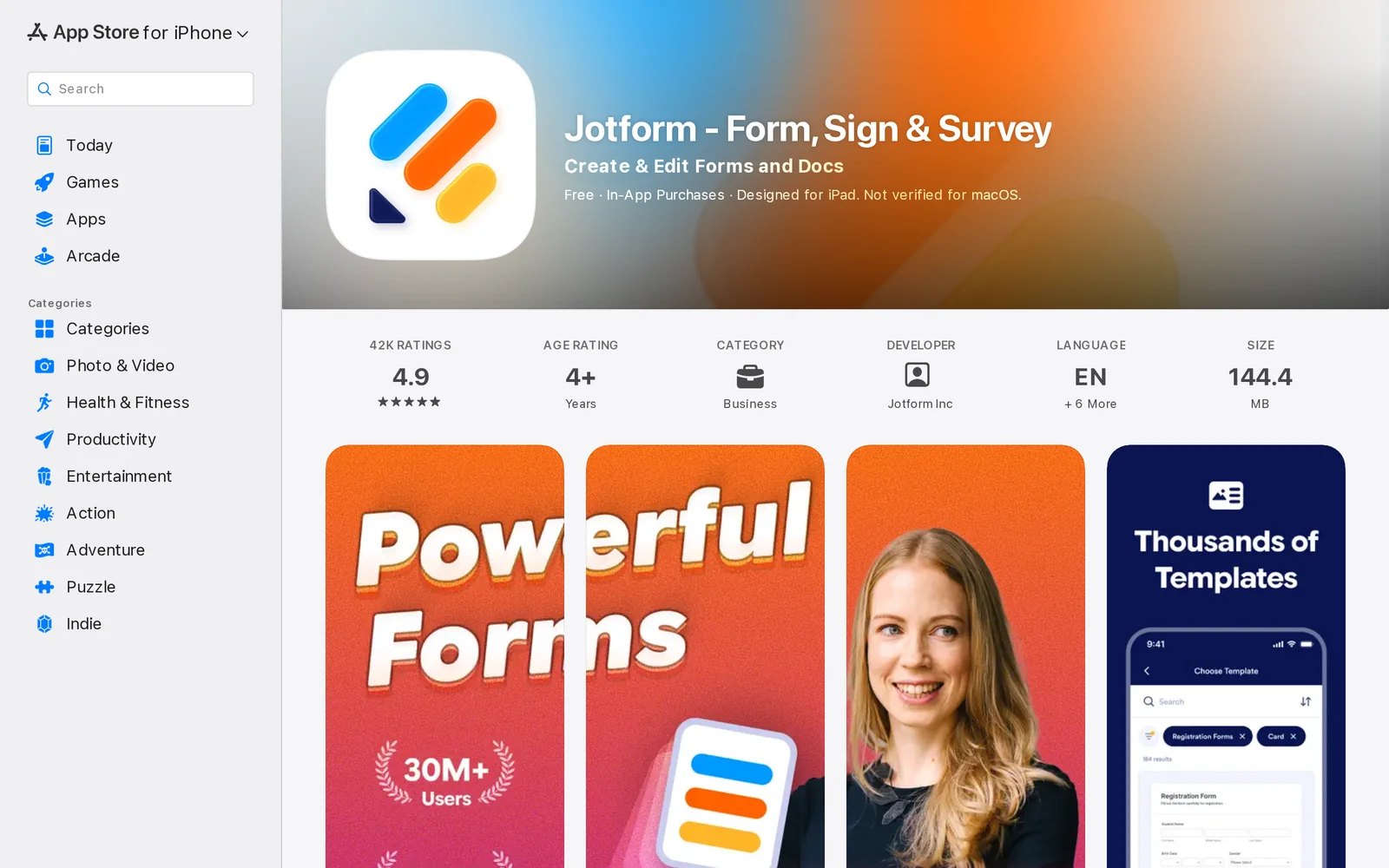
- Screenshots: Visual previews of the app interface.
- Ratings and Reviews: User feedback that helps potential downloaders assess the app's quality.
- App Description: A summary explaining the app’s features and benefits.
- Version History: Information on updates, including new features and bug fixes.
For example, to download Jotform - Form, Sign & Survey by Jotform Inc, users simply search for the app, review its details, and tap “Get” or the price button to initiate the download.
Best Practices / Tips
- Search Effectively: Use specific keywords related to the app or category you are interested in for better results.
- Check Reviews: Before downloading any app, read user reviews to gauge performance and user experience.
- Keep Apps Updated: Regularly check for updates in the App Store to ensure that you have the latest features and security improvements.
- Explore Categories: Don’t just stick to top charts; explore different categories to discover hidden gems.
Additional Resources
How does App Store work?
The App Store is a digital marketplace that allows users to discover, download, and purchase applications for their devices. It combines advanced AI capabilities to enhance user experience, streamline workflows, and provide personalized app recommendations based on individual preferences and usage patterns.
Key Points
- Marketplace Functionality: The App Store offers a wide range of applications across various categories.
- AI Integration: Advanced AI algorithms help tailor app suggestions and improve user interaction.
- User Experience: The platform prioritizes user-friendly navigation and efficient search capabilities.
Detailed Explanation
The App Store serves as a centralized platform where users can find applications for their smartphones, tablets, and computers. It includes apps for productivity, entertainment, education, and more. Users can browse through categories, search for specific applications, and read reviews and ratings to make informed decisions.
-
Marketplace Functionality: The App Store features millions of apps, organized into categories such as Games, Health & Fitness, and Productivity. Users can easily navigate through these categories or search for specific apps using keywords.
-
AI Integration: The App Store utilizes AI algorithms to analyze user behavior and preferences. This means that when you frequently download certain types of apps, the App Store will recommend similar applications, enhancing the overall user experience. For instance, if you often download fitness apps, you'll receive suggestions for new arrivals in that category.
-
User Experience: The App Store is designed for intuitive navigation. Users can filter search results based on ratings, price, or relevance. Additionally, the App Store regularly features curated lists, such as "Top Charts" and "New Releases," making it easier for users to discover popular and trending applications.
Best Practices / Tips
- Use Filters Wisely: When searching for apps, utilize the available filters to narrow down your results effectively.
- Read Reviews: Before downloading an app, check user reviews and ratings to gauge its performance and reliability.
- Keep Your Device Updated: Regularly update your device's operating system to ensure compatibility with the latest apps available in the App Store.
Additional Resources
What are the main features of App Store?
The main features of the App Store include a vast selection of applications, robust search capabilities, personalized recommendations, and secure payment options. Additionally, it offers user reviews, app updates, and a seamless integration with Apple devices, enhancing the overall user experience.
Key Points
- Vast Selection of Apps: Thousands of applications across various categories.
- Personalized Recommendations: Tailored app suggestions based on user behavior.
- Secure Payment Options: Safe transactions for in-app purchases and subscriptions.
Detailed Explanation
The App Store is a digital distribution platform developed by Apple Inc., featuring millions of applications that cater to nearly every need. Here’s a closer look at its main features:
-
Vast Selection of Apps: The App Store hosts over 2 million apps, covering categories such as gaming, productivity, health, and education. This extensive range allows users to find apps that suit their specific needs, from fitness trackers to advanced photo editing tools.
-
Robust Search Capabilities: Users can easily search for apps using keywords, categories, or popular trends. The intuitive search functionality is enhanced by filters that allow users to narrow down results based on ratings, price, or compatibility with their devices.
-
Personalized Recommendations: The App Store leverages machine learning algorithms to analyze user behavior and preferences, providing personalized app recommendations. This feature enhances user engagement by suggesting apps that align with individual interests.
-
User Reviews and Ratings: Each app features user reviews and ratings, allowing potential downloaders to make informed decisions. This transparency fosters trust and helps users choose high-quality applications.
-
Secure Payment Options: The App Store ensures secure transactions through Apple’s payment system, allowing users to purchase apps and make in-app purchases safely. This includes various payment methods, such as credit cards, Apple Pay, and gift cards.
-
App Updates: Regular updates ensure that users have access to the latest features and security enhancements. The App Store notifies users about available updates, making it easy for them to keep apps current.
-
Seamless Integration with Apple Devices: The App Store is designed to work flawlessly across all Apple devices, including iPhones, iPads, and Macs. This integration allows users to purchase an app once and access it on multiple devices.
Best Practices / Tips
- Explore Categories: Regularly check different app categories to discover new apps that might be beneficial.
- Read Reviews: Always read user reviews and ratings before downloading an app to gauge its reliability and quality.
- Enable Automatic Updates: To ensure you always have the latest features and security patches, enable automatic updates in your device settings.
- Use Family Sharing: Leverage the Family Sharing feature to share purchased apps with family members while maintaining individual accounts.
Additional Resources
Who is App Store for?
The App Store is designed for a diverse audience, including everyday users, developers, and businesses seeking to enhance their day-to-day workflows with AI tools. It caters to individuals looking for productivity enhancements, creative solutions, and specialized applications that leverage artificial intelligence for various tasks.
Key Points
- Versatile User Base: The App Store serves individuals, developers, and enterprises.
- Enhanced Productivity: Users can find tools that streamline tasks and improve efficiency.
- Diverse Applications: There are apps for creative projects, project management, and data analysis.
Detailed Explanation
The App Store is a valuable resource for anyone looking to integrate AI into their daily routines. Everyday users can discover applications that assist with personal productivity, such as task management apps that utilize AI to prioritize and delegate tasks efficiently. For example, apps like Todoist or Notion leverage AI to help users organize their schedules and reminders seamlessly.
Developers can also benefit from the App Store by accessing tools that facilitate the creation and deployment of AI applications. Platforms like TensorFlow and PyTorch offer resources for machine learning model development, making it easier for developers to innovate and harness AI capabilities.
Businesses looking to optimize workflows can find AI-powered solutions to automate repetitive tasks, analyze data trends, and enhance customer experiences. For instance, CRM tools like Salesforce incorporate AI to provide insights about customer behavior, helping companies make informed decisions.
Best Practices / Tips
- Explore Niche Categories: Use the App Store’s search feature to find specific AI tools that cater to your industry or personal needs.
- Read Reviews and Ratings: Before downloading, check user feedback to ensure the app meets your expectations and requirements.
- Try Free Trials: Many apps offer trial versions; take advantage of them to assess the tool’s effectiveness before committing financially.
Additional Resources
How much does App Store cost?
The App Store itself is free to access, but developers must pay fees to list their apps. Apple charges a $99 annual fee for individual developers and a 30% commission on app sales and in-app purchases, which can vary based on specific agreements or participation in programs like the App Store Small Business Program.
Key Points
- The App Store is free for users to browse and download apps.
- Developers pay a $99 annual fee to enroll in the Apple Developer Program.
- A standard commission of 30% is charged on app sales and in-app purchases.
Detailed Explanation
The Apple App Store is a platform where users can download applications for iOS devices, including iPhones and iPads. While consumers can access the App Store at no cost, developers face certain costs to publish their apps.
Developer Enrollment Fees
To publish an app on the App Store, developers must enroll in the Apple Developer Program, which costs $99 per year. This fee grants developers access to tools, resources, and support necessary for app development.
Commission Structure
When developers sell apps or offer in-app purchases, Apple takes a 30% commission from these sales. This means if an app sells for $10, the developer receives $7. However, Apple introduced the App Store Small Business Program, reducing the commission to 15% for developers earning less than $1 million annually.
Additional Costs and Considerations
Developers should also consider additional costs such as marketing, app development, and maintenance. Depending on the complexity of the app, development costs can range from a few thousand to hundreds of thousands of dollars.
Best Practices / Tips
- Budget for Costs: When planning your app, consider both the annual developer fee and the potential commission fees to ensure profitability.
- Explore the Small Business Program: If your app is expected to earn under $1 million, enroll in the Small Business Program to benefit from reduced commissions.
- Optimize App Listing: Invest time in optimizing your app’s description, keywords, and visuals to improve visibility in the App Store.
Additional Resources
How do I get started with App Store?
To get started with the App Store, visit Apple's App Store page to create your Apple ID. Once you have an account, explore the vast selection of apps available for download, including games, productivity tools, and utilities.
Key Points
- Create an Apple ID to access the App Store.
- Browse and download apps based on categories and user ratings.
- Update apps regularly for optimal performance and new features.
Detailed Explanation
To begin your journey with the App Store, the first step is creating an Apple ID. This ID serves as your gateway to all Apple services, including the App Store. You can sign up for an Apple ID by visiting the App Store page and following the prompts to enter your email, create a password, and provide necessary personal information.
Once your Apple ID is set up, you can explore the App Store. The App Store features various categories such as Games, Productivity, Education, and Health & Fitness. Use the search bar to find specific apps or browse through curated lists like "Top Charts" and "New Releases." Each app has user reviews and ratings to help you make informed decisions.
After selecting your desired app, simply click the "Get" or "Download" button. Some apps may require payment, while many are free. Transactions can be made through your Apple ID account, which can be funded via credit card, PayPal, or Apple Gift Cards.
Updating apps is crucial for security and performance. To keep your apps up to date, regularly check the "Updates" section in the App Store or enable automatic updates in your device settings.
Best Practices / Tips
- Use Family Sharing: If you have family members, consider setting up Family Sharing to share apps without additional purchases.
- Manage Storage: Regularly review and manage your app storage to free up space for new downloads.
- Read Reviews: Before downloading an app, check user reviews and ratings to ensure it's reputable and meets your needs.
Additional Resources
Explore more AI Ai Tools tools
Browse all Ai Tools tools →Compare App Store: vs CleanSlop · vs Kalender Sync · vs UseIt Studio · vs Woven Video