

WorkClaw
AIA team of customizable, collaborative AI coworkers that work 24/7 in Slack, Teams, and email across 3,000+ apps.
WorkClaw
A team of customizable, collaborative AI coworkers that work 24/7 in Slack, Teams, and email across 3,000+ apps.
About WorkClaw
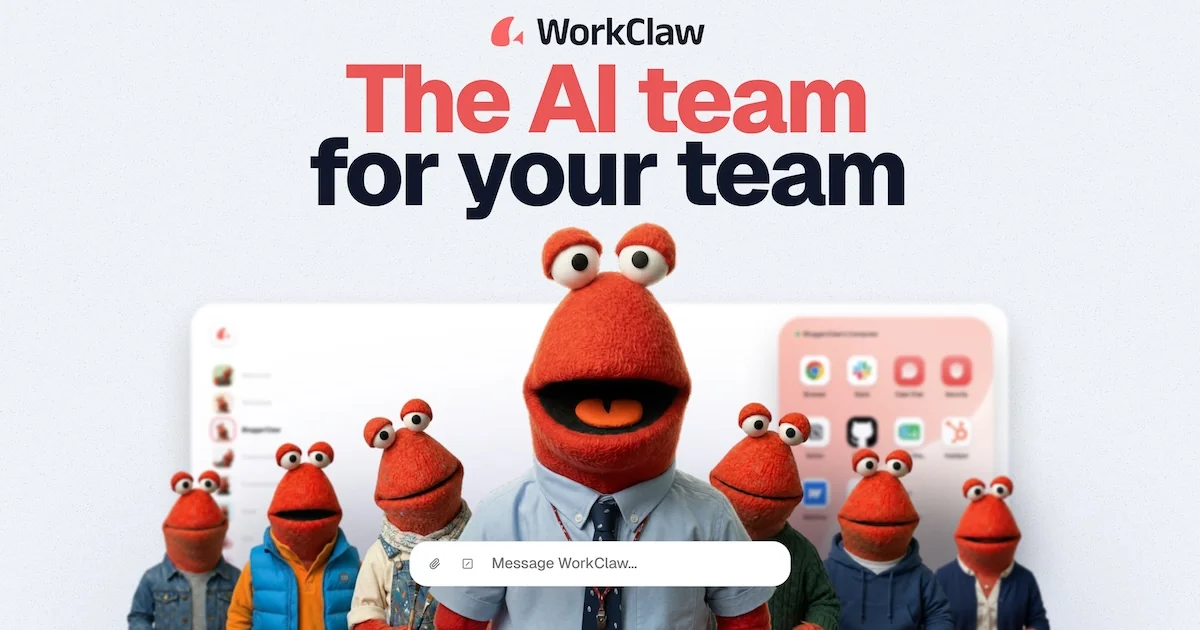
WorkClaw provides AI coworkers — called Claws — that act as a proactive, collaborative AI team for your whole company. Built on OpenClaw, each WorkClaw runs on its own cloud computer around the clock and can collaborate with people and other Claws over Slack, Teams, email, and more than 3,000 connected apps. Teams set them up in minutes with one-click cloud deployment and train them on company workflows by chatting, turning those workflows into reusable, shareable skills or installing pre-built skill packs. WorkClaw adds a security and control layer on top of OpenClaw, including admin controls over access and integrations, a credential vault that can require human approval, isolated per-Claw computers with private storage, and SOC 2 Type II certification. It is aimed at security-minded teams that want autonomous AI workers handling research, scheduling, drafting, follow-ups, reporting, and data entry.
Screenshots
Key Features
Use Cases


Frequently asked questions about WorkClaw
What is WorkClaw?
WorkClaw is a team of customizable, collaborative AI assistants that operate 24/7 within platforms like Slack, Microsoft Teams, and email, seamlessly integrating with over 3,000 applications. It enhances productivity by automating tasks and facilitating communication in real-time.
Key Points
- Customizable AI Collaboration: Tailor AI assistants to meet specific team needs.
- Multi-Platform Integration: Works on Slack, Teams, and email, supporting over 3,000 apps.
- 24/7 Availability: Ensures continuous support and task management for teams.
Detailed Explanation
WorkClaw stands out as an innovative AI solution designed to enhance workplace productivity. Its customizable nature allows businesses to tailor AI coworkers according to their unique requirements. Teams can define specific tasks and workflows, which the AI can automate, thus reducing manual effort and minimizing errors.
Features of WorkClaw:
-
Integration Across Platforms: WorkClaw seamlessly integrates with popular collaboration tools like Slack and Microsoft Teams, as well as email systems. This allows for smooth transitions between communication methods and helps teams stay connected without switching platforms.
-
Extensive App Compatibility: With compatibility for over 3,000 applications, WorkClaw can pull data and manage tasks from various sources. This ensures that team members have all the information they need at their fingertips, enhancing decision-making and responsiveness.
-
24/7 Operational Capability: Unlike traditional work hours, WorkClaw operates around the clock, providing teams the support they need anytime. This is particularly beneficial for global teams working across different time zones or businesses that require immediate responses.
For example, a marketing team can use WorkClaw to manage social media postings, track campaign performance, and generate reports automatically. By doing so, they can focus on strategizing and executing creative ideas rather than getting bogged down in administrative tasks.
Best Practices / Tips
- Define Clear Objectives: Before implementing WorkClaw, identify the specific tasks you want the AI to handle. This will maximize its effectiveness and ensure it meets your team's needs.
- Regularly Update Tasks and Workflows: As your team evolves, so should the tasks assigned to WorkClaw. Regular updates will help you leverage new features and maintain efficiency.
- Monitor Performance Metrics: Utilize analytics to track how well WorkClaw is performing. This data will help you understand its impact on productivity and identify areas for improvement.
Additional Resources
How does WorkClaw work?
WorkClaw operates by utilizing Collaborative AI Coworkers, customizable Claws that autonomously perform tasks, integrate seamlessly with over 3,000 apps, and run continuously in the cloud. This powerful platform enhances team productivity through automation in research, scheduling, email drafting, reporting, and data entry, all while ensuring enterprise-level security.
Key Points
- Collaborative AI Coworkers: Customizable Claws that work autonomously.
- Integration: Compatible with Slack, Teams, email, and over 3,000 apps.
- Enterprise Security: Robust admin controls and data protection features.
Detailed Explanation
WorkClaw's functionality is driven by its Collaborative AI Coworkers, or "Claws." Each Claw can be tailored to suit unique team workflows, enabling them to proactively assist with various tasks. For instance, if your team needs to conduct background research, you can delegate this task to a Claw, allowing your human resources to focus on more strategic activities.
Key Features:
-
Works Where You Do: Claws integrate with popular communication tools like Slack and Microsoft Teams, as well as email platforms. This ensures seamless collaboration regardless of your team's preferred methods of communication.
-
Always-On Cloud Computers: Each Claw operates 24/7 on its dedicated cloud computer. This allows them to handle tasks autonomously without interruption, from late-night data entry to weekend report generation.
-
Custom Skills: Users can convert existing workflows into reusable skills by engaging in a simple chat interface. Additionally, you can install pre-built skill packs that are tested and optimized for common tasks, making customization easy.
-
Enterprise Security: WorkClaw prioritizes data security with features like admin controls, a human-approval credential vault, and SOC 2 Type II certification. This ensures that your team's data remains confidential and secure.
Use Cases:
- Research Assistance: Automate the gathering of information, allowing your team to concentrate on analysis and decision-making.
- Scheduling and Follow-ups: Claws can schedule meetings, send reminders, and draft follow-up messages, streamlining communication.
- Email Drafting: Automate the drafting and sending of routine emails while maintaining your team’s voice and style.
- Reporting: Generate recurring reports from connected tools, saving time and improving accuracy.
- Data Entry: Offload repetitive tasks across various apps, freeing up your team for more complex challenges.
Best Practices / Tips
- Define Clear Tasks: Clearly outline the tasks you want your Claws to perform. This will help in setting up effective workflows and ensuring optimal performance.
- Regularly Update Skills: Keep your Claw skills updated based on team feedback and evolving needs. This ensures ongoing efficiency and relevance.
- Monitor Performance: Use analytics to keep track of Claw performance and identify areas for improvement. This can help in refining their capabilities.
Additional Resources
What are the main features of WorkClaw?
WorkClaw's main features include Collaborative AI Coworkers that enhance teamwork, seamless integration with over 3,000 apps, autonomous 24/7 cloud operations, customizable skills for workflows, and robust enterprise security measures ensuring data integrity and compliance.
Key Points
- Collaborative AI Coworkers: Customizable AI agents enhance team productivity.
- Works Where You Do: Integration with Slack, Teams, email, and more than 3,000 apps.
- Always-On Cloud Computers: AI operates continuously for autonomous task completion.
Detailed Explanation
WorkClaw transforms workplace productivity through its cutting-edge features:
-
Collaborative AI Coworkers: Each "Claw" acts as a virtual team member, designed to proactively manage tasks and collaborate with others. This feature allows users to tailor their Claws to fit specific roles or projects, enhancing overall teamwork.
-
Works Where You Do: WorkClaw seamlessly integrates with popular platforms like Slack, Microsoft Teams, and various email systems, along with over 3,000 connected applications. This flexibility means teams can leverage their existing tools without disruption, ensuring smooth workflows.
-
Always-On Cloud Computers: Each Claw operates on its own dedicated cloud computer, functioning 24/7. This allows for real-time task execution without manual intervention, making it ideal for businesses needing continuous operation.
-
Custom Skills: Users can transform their workflows into reusable AI skills simply by chatting with the Claw. Additionally, WorkClaw offers pre-built skill packs that can be customized further, making it easy for teams to adapt to changing project needs.
-
Enterprise Security: With features like admin controls, a human-approval credential vault, and SOC 2 Type II certification, WorkClaw ensures that sensitive data remains secure. Each Claw is designed with per-Claw data separation, providing an added layer of security.
Best Practices / Tips
- Leverage Custom Skills: Regularly update and refine your custom skills to keep pace with evolving team workflows. This ensures your Claws remain efficient and effective.
- Utilize Integration Features: Make the most of WorkClaw's integration capabilities by connecting it with all relevant apps your team uses. This reduces friction and improves data flow.
- Monitor Security Settings: Regularly review and update your enterprise security settings to maintain compliance and protect sensitive information.
Additional Resources
Who is WorkClaw for?
WorkClaw is designed for professionals and teams seeking to streamline their workflows through AI-driven solutions. It supports research assistance, scheduling, email drafting, reporting, and data entry, making it ideal for busy individuals, project managers, and organizations looking to enhance productivity and communication.
Key Points
- Research Assistance: Automate background research while focusing on core tasks.
- Scheduling and Follow-ups: Simplify meeting coordination with automated reminders and messages.
- Email Drafting: Maintain consistent communication through AI-generated emails.
Detailed Explanation
WorkClaw is a versatile tool that can significantly enhance productivity across various professional roles.
-
Research Assistance: Teams can delegate background research to WorkClaw, allowing them to concentrate on important tasks. For example, marketing teams can automate competitor analysis, enabling them to craft more informed strategies without the manual legwork.
-
Scheduling and Follow-ups: The platform automates meeting scheduling, sending reminders and follow-up messages that ensure everyone stays informed. This feature is particularly beneficial for sales teams that handle numerous client meetings, thus reducing the chances of missed appointments.
-
Email Drafting: WorkClaw’s AI can draft routine emails in a team’s unique voice and style, ensuring consistency in communication. This is especially useful for customer support teams that need quick responses to common inquiries, allowing them to maintain a professional tone without sacrificing speed.
-
Reporting: Generate recurring reports and summaries seamlessly from connected tools. For instance, project managers can have weekly updates compiled automatically, saving time on manual data gathering.
-
Data Entry: WorkClaw integrates with over 3,000 apps to automate repetitive data entry tasks. This integration is crucial for data analysts who spend hours inputting information from various sources, enabling them to focus on analysis instead.
Best Practices / Tips
-
Define Use Cases: Clearly outline specific tasks that WorkClaw will handle to maximize efficiency. For example, identify which emails can be automated versus those requiring personal touch.
-
Integrate Wisely: Take advantage of WorkClaw’s extensive app integration capabilities. Choose apps that your team uses frequently to optimize data flow and reduce manual input.
-
Monitor Performance: Regularly assess the effectiveness of WorkClaw in your workflows. Adjust settings and processes based on team feedback to enhance usability.
-
Train Your Team: Ensure that all team members are trained on how to use WorkClaw effectively, including how to customize settings for their specific needs.
Additional Resources
How much does WorkClaw cost?
WorkClaw offers a free tier for users to get started, while paid plans with advanced features range from $10 to $50 per month, depending on the level of service and functionality required. This flexibility makes it suitable for both individuals and businesses.
Key Points
- Free Tier Availability: Users can access basic features at no cost.
- Paid Plans: Subscription options range from $10 to $50 per month.
- Feature Variation: Pricing varies based on the features needed.
Detailed Explanation
WorkClaw is designed to cater to a wide range of users, from freelancers to large organizations. The free tier allows users to utilize essential features, making it a great entry point for those looking to manage their workflow without any initial investment.
For users seeking more advanced capabilities, WorkClaw provides paid plans that unlock additional features. These plans are structured as follows:
- Basic Plan: Priced at $10 per month, this plan includes enhanced task management and reporting features.
- Pro Plan: At $25 per month, this plan offers integrations with third-party tools and priority support.
- Enterprise Plan: For $50 per month, users gain access to advanced analytics, customizable workflows, and dedicated account management.
By understanding the pricing structure, users can select a plan that aligns with their specific needs, whether they require basic functionality or advanced features for larger teams.
Best Practices / Tips
- Start with the Free Tier: Utilize the free version to assess whether WorkClaw meets your needs before committing to a paid plan.
- Compare Plans: Review the features of each paid plan to ensure you choose the most cost-effective option for your usage.
- Utilize Discounts: Keep an eye out for promotions or discounts that WorkClaw may offer, particularly for annual subscriptions.
Additional Resources
How do I get started with WorkClaw?
To get started with WorkClaw, visit WorkClaw's official website and sign up for an account. Once registered, you can explore its features, customize your settings, and begin utilizing its productivity tools to enhance your workflow.
Key Points
- Simple online registration process
- User-friendly interface for easy navigation
- Access to a variety of productivity tools
Detailed Explanation
WorkClaw is designed to optimize your workflow and enhance productivity through its suite of tools. To begin:
- Visit the Official Website: Go to WorkClaw.com.
- Sign Up: Click on the “Sign Up” button. You’ll need to provide basic information such as your name, email address, and a password. You may also have options for signing up via social media platforms for convenience.
- Explore Features: After signing up, you will receive a confirmation email. Verify your account and log in. You can explore various features like task management, team collaboration, and reporting tools.
- Customize Your Dashboard: WorkClaw offers customizable dashboards. You can arrange your tools according to your preferences, making it easier to track your tasks and projects.
- Utilize Tutorials: Take advantage of the tutorials and help sections available on the website to familiarize yourself with the tools and get the most out of WorkClaw.
Best Practices / Tips
- Use a Strong Password: Ensure your account is secure by using a unique and strong password.
- Explore Integrations: WorkClaw integrates with various apps like Google Drive and Slack. Linking these can enhance functionality and improve your workflow.
- Regularly Check Updates: WorkClaw frequently updates its features. Keep an eye on announcements to leverage new tools.
- Engage with Support: If you encounter any challenges, use the customer support feature to get assistance. They can provide guidance and help you troubleshoot issues.
Additional Resources
- WorkClaw Help Center
- WorkClaw Blog for tips and updates
- WorkClaw YouTube Channel for video tutorials and demos
By following these steps and tips, you’ll be well on your way to effectively utilizing WorkClaw to enhance your productivity and streamline your project management.
Explore more AI Ai Agents tools
Browse all Ai Agents tools →Browse by use case: Automation & Productivity
Compare WorkClaw: vs jcode · vs HarnessRouter · vs AgentLoop · vs ACME.BOT