

SerpAPI
AIReal-time search API that retrieves and parses search engine results while handling proxies and captchas.
SerpAPI
Real-time search API that retrieves and parses search engine results while handling proxies and captchas.
About SerpAPI
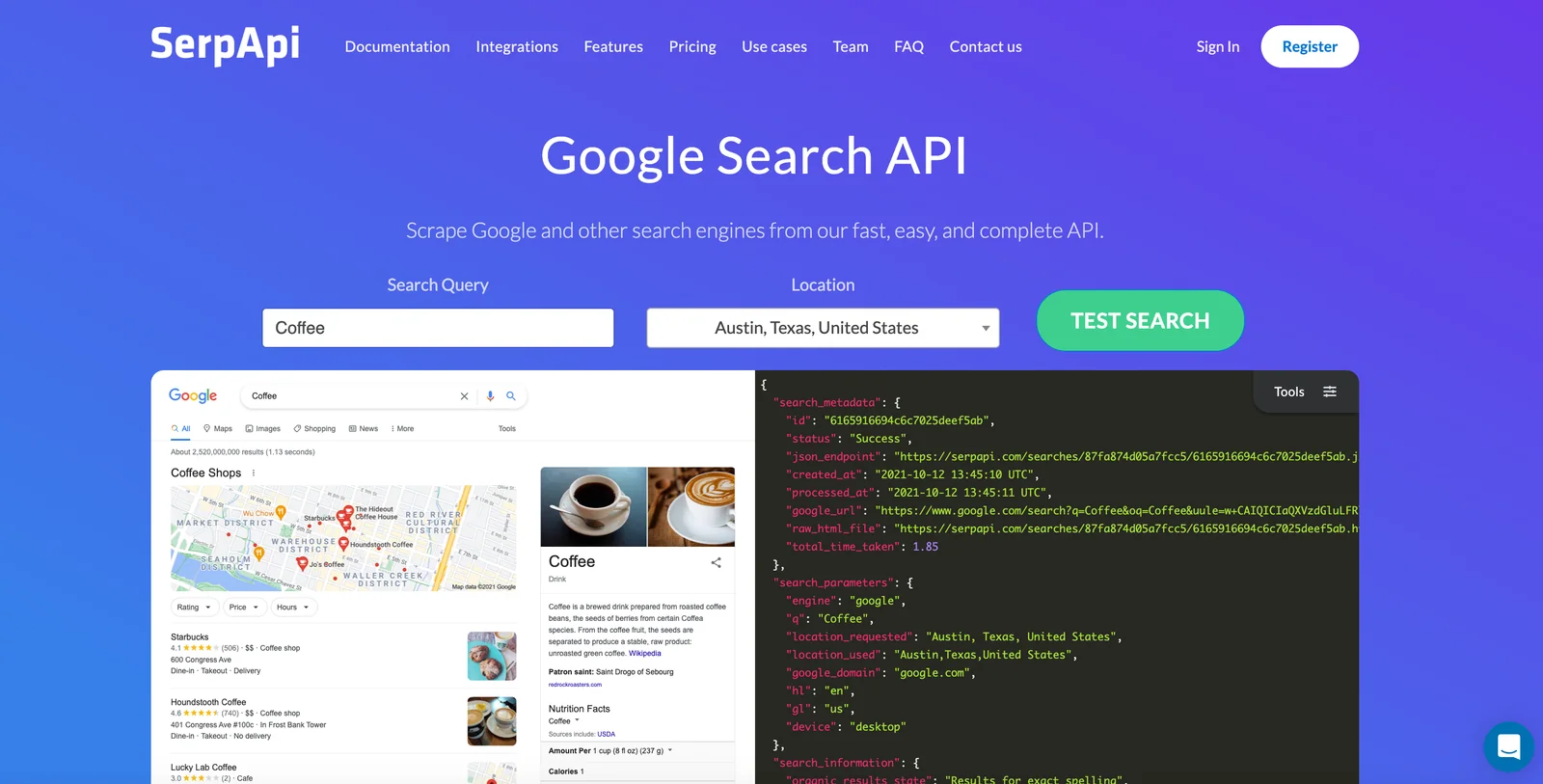
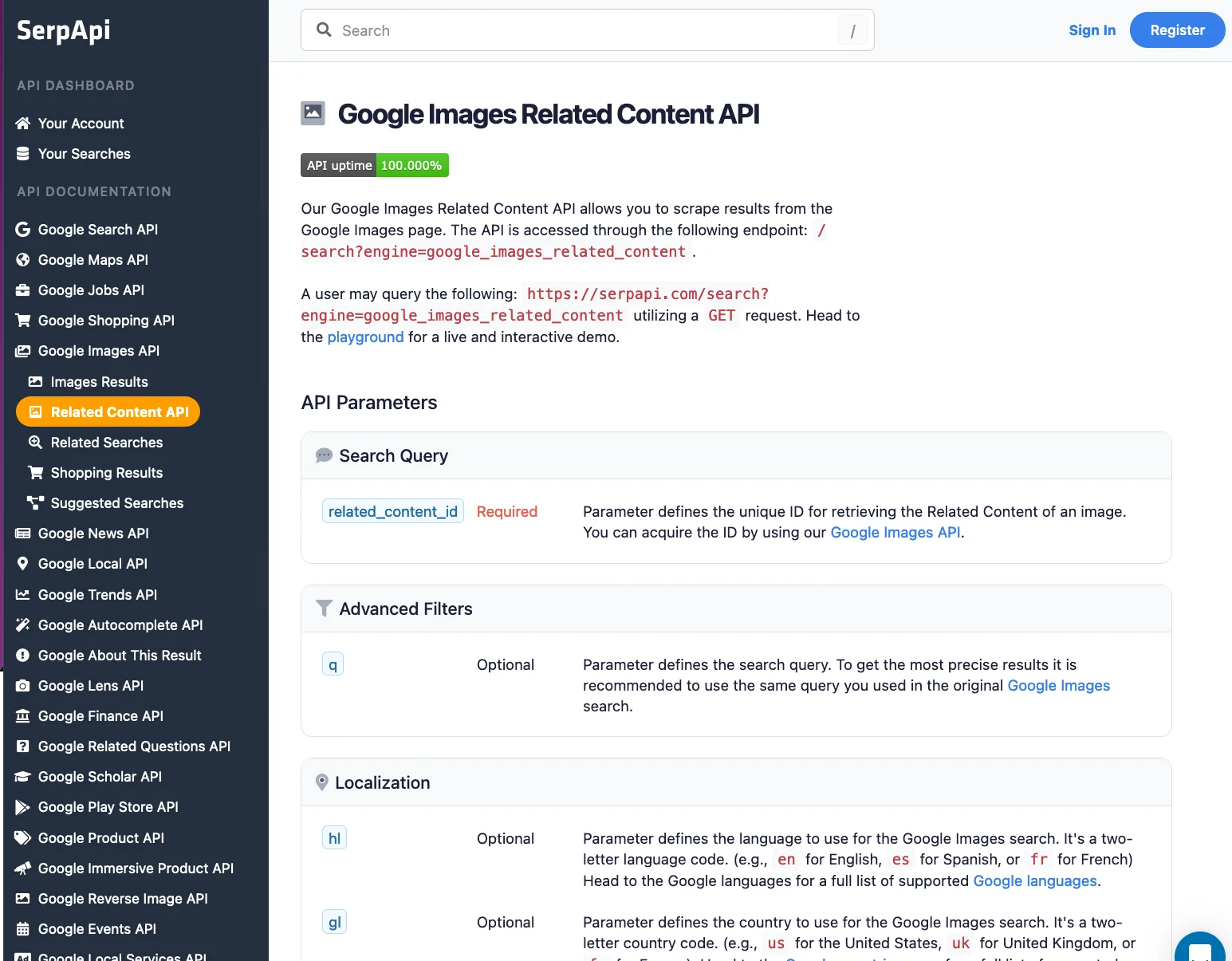
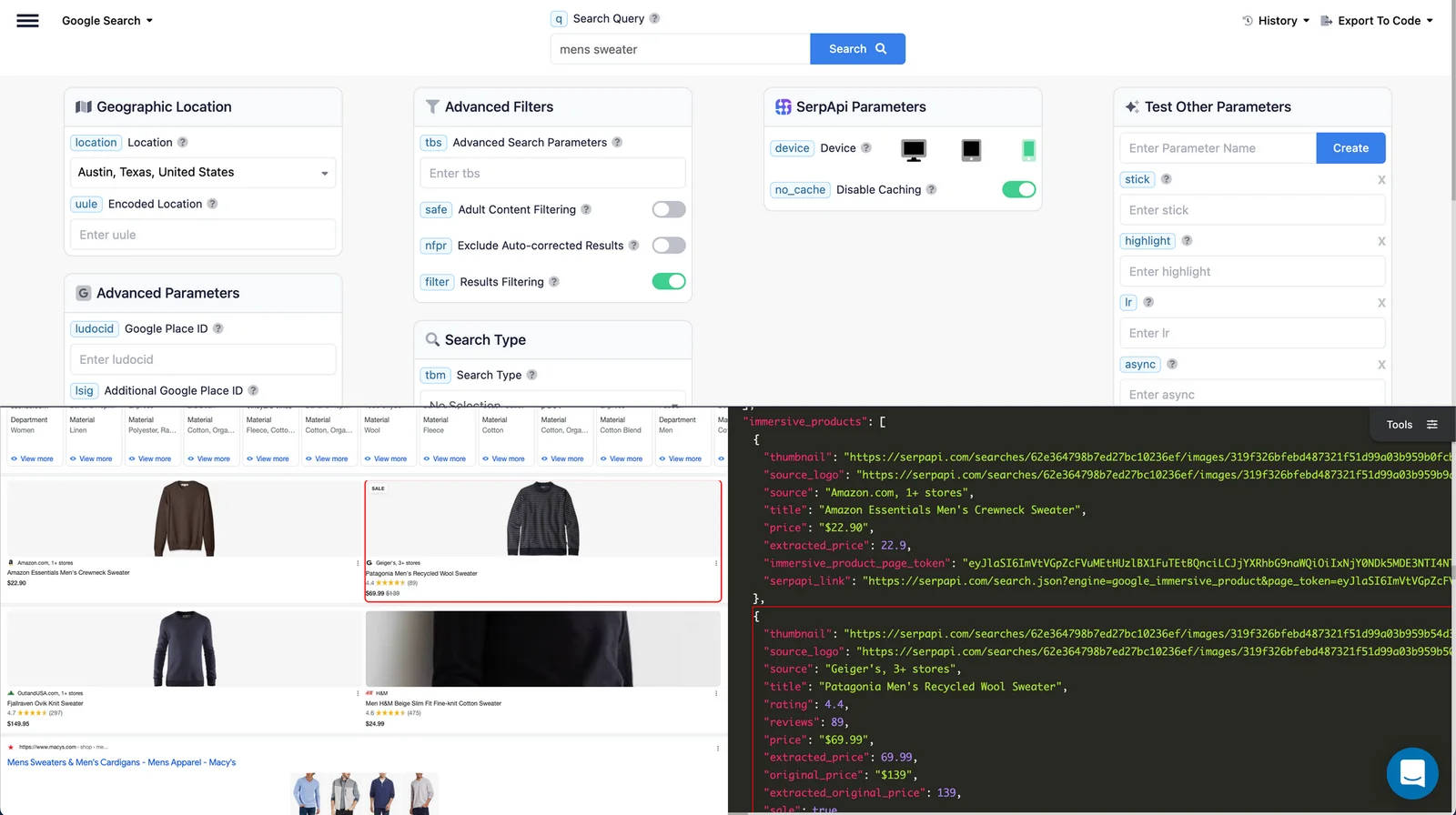
SerpApi is a real-time API service for retrieving search engine results and returning fully parsed, structured data. It manages proxies and anti-bot challenges (including captchas) so developers can reliably scrape results from Google and many other search engines without building scraping infrastructure. SerpApi provides official client libraries and SDKs (Python, Ruby, JavaScript, Go, etc.), supports numerous engines (Google, Google Maps, Google Shopping, Bing, Baidu, Yandex, Yahoo, eBay, App Stores), and exposes configurable parameters (location, language, engine-specific options) to produce consistent JSON outputs for integration with analytics, RAG pipelines, monitoring, and automation workflows.
Screenshots
Key Features
Use Cases



Frequently asked questions about SerpAPI
What is the pricing structure for SerpAPI?
SerpAPI offers a freemium pricing structure with a free tier allowing 100 searches per month. Paid plans begin at $75 per month for 5,000 searches, with higher tiers providing more searches and additional features tailored for businesses and developers.
Key Points
- Free Tier: 100 searches per month at no cost.
- Paid Plans: Starting at $75 per month for 5,000 searches.
- Scalable Options: Higher tiers available for increased search volume and features.
Detailed Explanation
SerpAPI's pricing model is designed to accommodate varying user needs, from individual developers to large enterprises. The free tier allows users to explore the capabilities of the API without any financial commitment, making it suitable for testing and small projects.
For users requiring greater functionality, paid plans kick off at $75 per month, granting access to 5,000 searches. This plan is ideal for small businesses or developers who need a reliable tool for SEO analysis, keyword tracking, or competitive research. As needs grow, businesses can opt for higher tiers, which can include up to 1,000,000 searches per month with features like real-time data updates, geo-targeting, and enhanced support.
For example, a digital marketing agency may start with the basic plan and scale up as their client base increases, leveraging SerpAPI’s advanced features like custom search engines and query parameters.
Best Practices / Tips
- Evaluate Your Needs: Start with the free plan to assess your search requirements before committing to a paid plan.
- Monitor Usage: Keep track of your search usage to avoid hitting limits unexpectedly, especially in high-demand periods.
- Utilize Features: Explore additional features available in higher tiers, such as JSON responses or proxy rotation, to optimize your API integration.
Additional Resources
What are the key features of SerpAPI?
SerpAPI offers powerful real-time search APIs designed for SEO monitoring and data retrieval. Key features include captcha and proxy management, rich structured parsing, official SDKs, and support for various search engines, making it an essential tool for businesses looking to enhance their search engine optimization strategies.
Key Points
- Real-Time Search APIs: Access up-to-date search data instantly.
- Captcha and Proxy Management: Overcome common barriers to data retrieval.
- Rich Structured Parsing: Extract valuable information effortlessly.
Detailed Explanation
SerpAPI stands out in the SEO landscape by providing a suite of features tailored for effective search data analysis.
-
Real-Time Search APIs: With SerpAPI, users can retrieve real-time search results from Google, Bing, and other major search engines. This allows businesses to monitor their rankings, identify trends, and adapt their strategies as needed. For example, a digital marketing agency can track the performance of their clients’ keywords daily to strategize their content effectively.
-
Captcha and Proxy Management: One of the most significant challenges in data scraping is dealing with captchas and IP bans. SerpAPI simplifies this process by automatically managing proxies and handling captchas, ensuring uninterrupted access to search data. This feature is particularly beneficial for SEO professionals who require consistent data scraping without interruptions.
-
Rich Structured Parsing: SerpAPI’s ability to parse and return structured data is invaluable. Users can extract rich snippets, local pack results, and more in a well-organized format. For instance, a business can easily gather local search results to analyze competitors and improve their local SEO efforts.
-
Official SDKs: SerpAPI provides Software Development Kits (SDKs) for various programming languages, including Python, Ruby, and Java. This feature streamlines the integration process for developers, enabling them to implement APIs quickly and efficiently.
-
Support for Multiple Search Engines: Beyond Google and Bing, SerpAPI supports various search platforms, allowing users to gather comprehensive data across different environments. This versatility is essential for businesses aiming to execute a multi-channel SEO strategy.
Best Practices / Tips
- Utilize Real-Time Monitoring: Set up daily or weekly reports to stay updated on keyword performance and search engine rankings.
- Integrate with Existing Tools: Use SerpAPI alongside analytics platforms like Google Analytics to gain deeper insights into website performance.
- Optimize API Calls: Limit unnecessary API calls to stay within usage limits and avoid incurring extra costs.
Additional Resources
How can I start using SerpAPI?
To start using SerpAPI, visit their official website, sign up for a free account, and access the API documentation for integration guidelines. You can perform up to 100 searches per month for free, making it an excellent option for developers and marketers alike.
Key Points
- Free Account: Sign up for a free account to access basic features.
- API Documentation: Comprehensive guidelines available for easy integration.
- Monthly Searches: Up to 100 searches are free each month.
Detailed Explanation
SerpAPI is a powerful tool for retrieving real-time search engine results. To begin:
- Visit the Official Website: Go to SerpAPI and click the "Sign Up" button.
- Create a Free Account: Fill in the required information, such as your email address and password. You will receive a confirmation email. Click the link to activate your account.
- Access API Documentation: Once logged in, navigate to the documentation section. Here, you’ll find detailed instructions on how to integrate SerpAPI with your applications or websites. This includes information on API endpoints, response formats, and examples of requests.
For beginners, the free tier allows for 100 searches per month. This is ideal for testing the API’s capabilities without financial commitment. If you find that you need more searches, consider upgrading to a paid plan that suits your needs.
Use Cases
- SEO Analysis: Use SerpAPI to track keyword rankings and analyze competitors.
- Market Research: Gather data on search trends to inform business strategies.
- Content Optimization: Analyze search results to optimize content for higher visibility.
Best Practices / Tips
- Read the Documentation Thoroughly: Understanding the API’s capabilities will maximize your usage.
- Monitor Your Usage: Keep track of your search limits to avoid going over the free tier.
- Test Different Queries: Experiment with various search queries to understand how results vary.
- Stay Updated: Follow SerpAPI’s blog or newsletter for updates on features and best practices.
Additional Resources
How does SerpAPI compare to other search APIs?
SerpAPI excels in comparison to other search APIs due to its real-time data retrieval, automatic captcha handling, and broad support for multiple search engines. These features position SerpAPI as a versatile and powerful tool for developers and businesses needing reliable search engine data.
Key Points
- Real-Time Data Retrieval: Instant access to up-to-date search results.
- Automatic Captcha Handling: Seamless operation without manual intervention.
- Comprehensive Search Engine Support: Compatibility with Google, Bing, Yahoo, and more.
Detailed Explanation
SerpAPI is a unique search API that provides real-time access to search engine results. This capability is crucial for businesses that rely on up-to-date data for analytics, SEO strategies, or competitive analysis. Unlike many other APIs that may offer cached data or slower response times, SerpAPI ensures that users receive the most current information available.
In addition to its real-time capabilities, SerpAPI handles captcha challenges automatically. This is particularly beneficial for developers who want to integrate search functionalities without worrying about interruptions due to captcha prompts. This feature saves time and enhances user experience by providing seamless access to search results.
Moreover, SerpAPI supports a wide range of search engines, including Google, Bing, Yahoo, and DuckDuckGo. This extensive support allows developers to implement versatile solutions tailored to their specific needs. For example, a digital marketing agency can utilize SerpAPI to monitor keyword rankings across different search engines, providing a comprehensive overview of their SEO performance.
Best Practices / Tips
- Utilize Real-Time Data: Implement SerpAPI to track trends and changes in search results promptly, maximizing your data's relevance.
- Automate Captcha Handling: Use the automatic captcha feature to streamline your operations, minimizing downtime and maximizing efficiency.
- Explore Multi-Engine Queries: Leverage the diverse search engine support to gain insights from various platforms, enriching your data analysis.
Additional Resources
By understanding these critical features and best practices, you can effectively leverage SerpAPI for your search data needs, ensuring that you stay ahead in a competitive landscape.
What are the technical requirements for integrating SerpAPI?
Integrating SerpAPI requires basic programming knowledge and access to supported languages like Python, JavaScript, and Ruby. Additionally, your environment must support HTTP requests and handle JSON responses effectively to make the most of SerpAPI's features.
Key Points
- Supported programming languages include Python, JavaScript, and Ruby.
- Basic programming knowledge is essential for integration.
- Ability to handle HTTP requests and JSON responses is required.
Detailed Explanation
To successfully integrate SerpAPI, you should first ensure your development environment is set up correctly. Here’s a step-by-step guide:
-
Choose Your Language: Select a programming language that you are comfortable with. SerpAPI supports several languages, but Python, JavaScript, and Ruby are the most commonly used due to their extensive libraries and community support.
-
Set Up Your Environment:
- For Python, ensure you have Python 3.x installed and consider using virtual environments for project isolation.
- For JavaScript, make sure Node.js is installed to run your scripts and handle HTTP requests easily.
- For Ruby, install the latest version of Ruby and use Bundler to manage dependencies.
-
Install Required Libraries:
- In Python, you can use the
requestslibrary to handle HTTP requests. Install it via pip:pip install requests - In JavaScript, you can use built-in
fetchor install Axios:npm install axios - For Ruby, you might need the
httpartygem:gem install httparty
- In Python, you can use the
-
Make Your First API Call: After your environment is ready, you can make your first API call to SerpAPI. Here’s a basic example in Python:
import requests

url = 'https://serpapi.com/search'
params = {
    'api_key': 'YOUR_API_KEY',
    'q': 'coffee',
    'location': 'New York, NY'
}
response = requests.get(url, params=params)
print(response.json())
This code snippet demonstrates how to send a query to SerpAPI and retrieve search results in JSON format.
Best Practices / Tips
- Use API Keys Securely: Always keep your SerpAPI key secure. Avoid hardcoding it directly into your scripts; consider using environment variables.
- Rate Limiting: Be mindful of the rate limits set by SerpAPI to prevent your requests from being blocked. Adjust your request frequency accordingly.
- Error Handling: Implement error handling in your code to manage potential API errors gracefully. This can include checking for HTTP status codes and handling exceptions.
- Explore Advanced Features: Once comfortable with basic integration, explore advanced features like location targeting, search filters, and pagination for more refined results.
Additional Resources
Explore more AI Ai Tools tools
Browse all Ai Tools tools →Browse by use case: Automation & Productivity
Compare SerpAPI: vs Agnost AI · vs Assistly · vs Memoria · vs nodeterm