

Prometora
AIAI-powered no-code platform to prompt and create online marketplaces with custom domains, Stripe payments, and built-in analytics.
Prometora
AI-powered no-code platform to prompt and create online marketplaces with custom domains, Stripe payments, and built-in analytics.
About Prometora
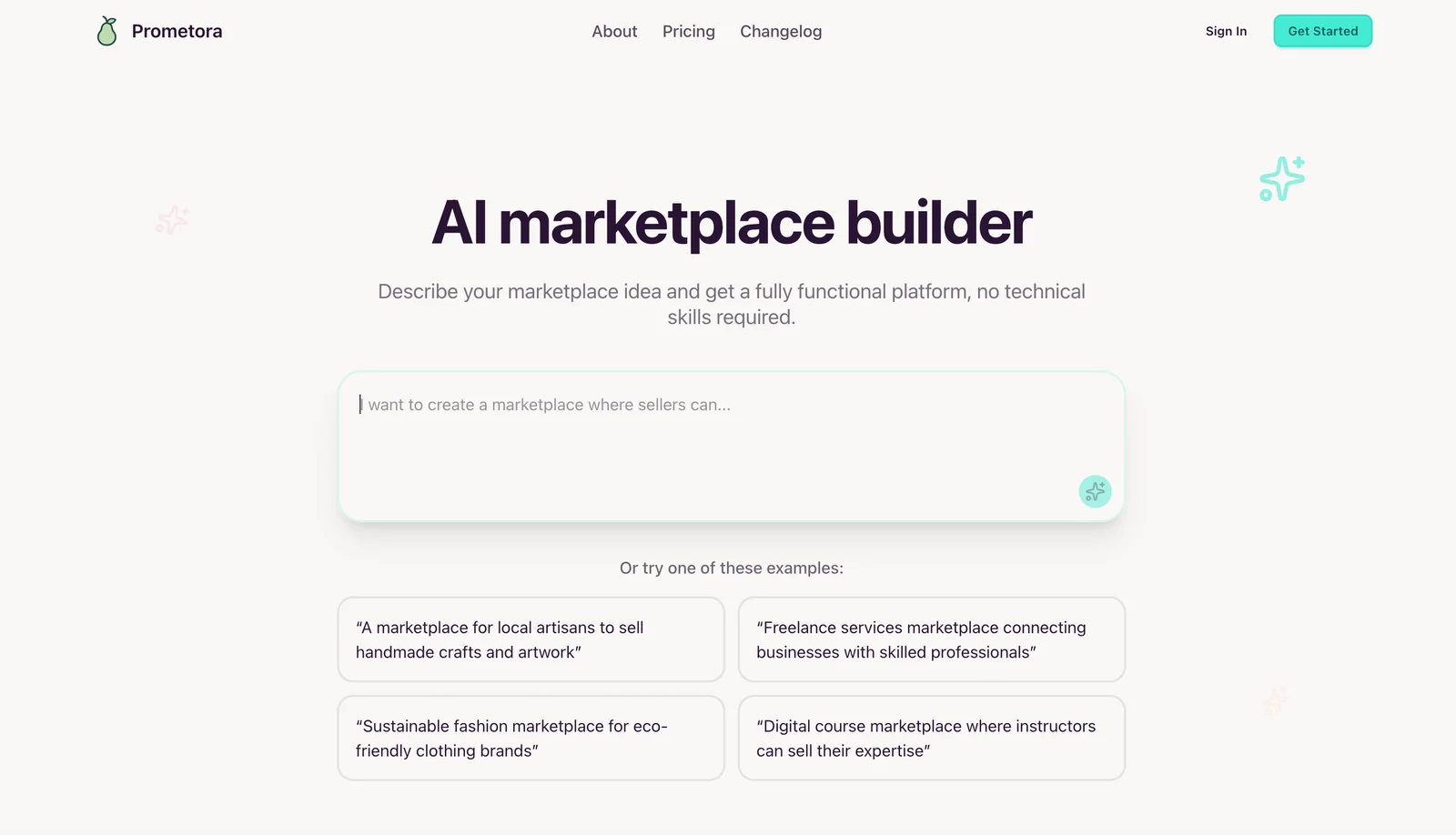
Prometora is a prompt-driven, no-code marketplace builder that uses AI to generate complete online marketplaces in minutes. Users provide prompts or select templates and the platform scaffolds storefronts, product listings, layouts, and metadata, while offering built-in integrations for Stripe payments, custom domains, hosting, and analytics. Prometora reduces development time for marketplace MVPs and niche storefronts by combining prompt-based generation with visual editing and commerce-ready features, enabling creators and entrepreneurs to launch and monetize marketplaces quickly without coding.
Screenshots
Key Features
Use Cases



Frequently asked questions about Prometora
What are the pricing plans available for Prometora?
Prometora offers two pricing plans: the Starter plan at $33/month, which includes 1 live marketplace and 15 AI generations per month, and the Professional plan at $75/month, featuring higher usage limits and additional functionalities. For detailed information on features, it's best to contact Prometora directly.
Key Points
- Starter Plan: Priced at $33/month, ideal for beginners.
- Professional Plan: Costs $75/month, designed for more extensive use.
- Contact for Features: Specific features can be obtained by reaching out to Prometora.
Detailed Explanation
Prometora provides two distinct pricing tiers tailored to different user needs.
-
Starter Plan ($33/month):
- This plan is perfect for individuals or small businesses testing the waters with AI-generated content. It allows users to maintain 1 live marketplace and generate 15 AI outputs per month, making it an economical choice for startups or those with limited content requirements.
-
Professional Plan ($75/month):
- Aimed at businesses with greater demands, this plan offers enhanced usage limits and additional features. This could include more AI generations per month, access to advanced tools, and potentially priority customer support. This plan is suitable for medium to large enterprises looking to scale their content production efficiently.
To fully understand the features included in each plan, potential users should reach out to Prometora's customer service for a comprehensive breakdown.
Best Practices / Tips
- Assess Your Needs: Before selecting a plan, analyze your content creation requirements. If you foresee high demand, consider the Professional plan for better value.
- Trial Periods: Inquire if Prometora offers any trial periods to test features before committing to a subscription.
- Regularly Review Usage: Monitor your AI generation usage to ensure you’re on the most cost-effective plan. If you consistently exceed limits, it may be time to upgrade.
Additional Resources
How can I start using Prometora to create my online marketplace?
To start using Prometora for your online marketplace, visit their official website to sign up, select a pricing plan that suits your needs, and utilize the no-code visual editor. This tool allows you to create your marketplace using AI-generated prompts and templates customized for your niche.
Key Points
- User-Friendly Interface: Prometora features a no-code visual editor designed for ease of use.
- AI-Driven Customization: The platform provides AI-generated prompts and templates tailored to specific niches.
- Flexible Pricing Plans: Choose from various pricing plans based on your business requirements.
Detailed Explanation
Starting your online marketplace with Prometora is a straightforward process. Here’s a step-by-step guide:
-
Sign Up: Visit the Prometora official website and create an account. You’ll need to provide your email and set up a password.
-
Select a Pricing Plan: Prometora offers several pricing tiers to accommodate different business sizes and needs. Options typically include:
- Basic Plan: Ideal for startups, often starting at $29/month, includes essential features.
- Pro Plan: Suitable for growing businesses, around $79/month, with additional customization options.
- Enterprise Plan: For large-scale operations, pricing varies and includes premium support and features.
-
Use the Visual Editor: Once you’ve chosen your plan, access the no-code visual editor. This intuitive interface allows you to drag and drop elements, making it easy to design your marketplace without technical skills.
-
Leverage AI Prompts: Prometora’s AI feature suggests templates and content based on your niche. For example, if you’re creating a fashion marketplace, it will recommend layout designs, product categories, and even marketing copy tailored for fashion retailers.
-
Launch Your Marketplace: After customizing your marketplace, review all elements and publish it live. Prometora provides hosting, so you won’t need a separate provider.
Best Practices / Tips
- Start Simple: Initially, focus on core functionalities of your marketplace. You can always expand features later.
- Utilize Templates: Take advantage of Prometora's pre-built templates to save time and ensure a professional look.
- Test Your Marketplace: Before launching, conduct thorough testing to ensure a seamless user experience.
- SEO Optimization: Incorporate relevant keywords into your product descriptions and meta tags to improve search visibility.
Additional Resources
- Prometora Help Center - Access tutorials and FAQs.
- Pricing Details - Compare plans and features.
- Marketplace Success Stories - Read about successful marketplaces built using Prometora.
Does Prometora integrate with Stripe for payment processing?
Yes, Prometora seamlessly integrates with Stripe for payment processing, enabling you to set up a secure and efficient checkout experience for your marketplace without the need for additional coding. This integration simplifies transactions, ensuring users can make payments effortlessly.
Key Points
- Seamless Integration: Prometora's built-in Stripe integration requires no extra coding.
- Enhanced User Experience: Provides a secure and fast checkout process for customers.
- Support for Multiple Payment Methods: Stripe supports various payment types, including credit cards and digital wallets.
Detailed Explanation
Prometora’s integration with Stripe allows marketplace owners to streamline payment processing. By utilizing this feature, you can offer customers a variety of payment options, increasing the likelihood of completed transactions. The setup process is user-friendly, making it accessible even for those with minimal technical expertise. Here’s how to get started:
- Create a Stripe Account: Sign up for a Stripe account if you don’t have one. This step is essential for processing payments.
- Connect Prometora to Stripe: In your Prometora dashboard, navigate to the settings section and find the payment integration options. Here, you can easily link your Stripe account.
- Configure Payment Settings: Customize your payment preferences, including currency options, payment methods, and transaction settings.
- Test the Integration: Before going live, run test transactions to ensure everything is functioning correctly. Stripe offers a test mode that allows you to simulate transactions.
- Go Live: Once testing is complete, switch to live mode to start processing real payments.
By following these steps, you can ensure a smooth payment experience for your users, which is crucial for maintaining customer trust and satisfaction.
Best Practices / Tips
- Regularly Update Your Integration: Keep your Prometora and Stripe plugins up to date to avoid security vulnerabilities.
- Monitor Transactions: Use the Stripe dashboard to keep track of all transactions, refunds, and chargebacks.
- Provide Clear Payment Instructions: Ensure that customers understand how to complete their payments, including any additional steps required for specific payment methods.
- Optimize for Mobile: Ensure that your payment interface is mobile-friendly, as a significant portion of users complete transactions via smartphones.
Additional Resources
- Prometora Documentation - Official guide for setting up and managing your marketplace.
- Stripe Integration Guide - Comprehensive resources for Stripe users.
- Payment Processing Best Practices - Tips for optimizing your payment process.
What technical requirements are needed to run Prometora?
Prometora is a cloud-based platform that requires no specific server setup. Users can access its features using any modern web browser and a stable internet connection, making it easy to operate from various devices, including desktops, laptops, and tablets.
Key Points
- Cloud-based Accessibility: No server installation needed.
- Browser Compatibility: Works with modern web browsers.
- Internet Connection: A stable connection is essential for optimal performance.
Detailed Explanation
Prometora leverages cloud computing technology, allowing users to access the platform without the need for extensive hardware or software installations. This means you can operate Prometora from virtually anywhere, as long as you have access to the internet.
Supported Browsers
Prometora is compatible with all major modern web browsers, including:
- Google Chrome: Recommended for best performance and security.
- Mozilla Firefox: Offers excellent support for web applications.
- Microsoft Edge: Works seamlessly for Windows users.
- Safari: Ideal for Apple device users.
Internet Connectivity
A reliable internet connection is crucial for using Prometora effectively. A minimum download speed of 5 Mbps is recommended for smooth operation, especially if multiple users are accessing the platform simultaneously.
Device Compatibility
Prometora can be accessed through various devices:
- Desktops and Laptops: For comprehensive functionality.
- Tablets and Smartphones: For on-the-go access, although some features may be limited due to screen size.
Best Practices / Tips
- Keep Your Browser Updated: Regularly update your web browser to ensure compatibility and security.
- Check Your Internet Speed: Use online tools to test your connection speed and stability before accessing the platform.
- Use Wired Connections When Possible: If you're experiencing connectivity issues, a wired Ethernet connection can provide a more stable experience than Wi-Fi.
Additional Resources
How does Prometora compare to other no-code marketplace builders?
Prometora is a leading no-code marketplace builder that excels with its AI-powered marketplace generation, customizable features, and integrated analytics. It uniquely supports Stripe payments, making it an ideal choice for startups seeking MVPs or established businesses aiming for growth, setting it apart from other competitors in the market.
Key Points
- AI-Powered Marketplace Generation: Prometora uses advanced AI technology to streamline the marketplace creation process.
- Customizability: The platform allows extensive customization, enabling users to tailor their marketplace according to specific business needs.
- Integrated Analytics and Payment Support: Prometora provides built-in analytics tools and seamless Stripe payment integration, enhancing user experience and operational efficiency.
Detailed Explanation
Prometora’s AI-powered features significantly reduce the time and effort required to launch a marketplace. Users can generate a fully functional marketplace with just a few clicks, using smart templates and AI-driven suggestions that adapt to their business model. This capability is especially beneficial for entrepreneurs and small businesses looking to validate their ideas quickly.
The platform’s customizability is another major strength. Users can adjust layouts, add features, and personalize branding elements without needing to write code. This flexibility allows businesses to create a marketplace that truly reflects their brand identity, catering to their target audience effectively.
Additionally, Prometora's integrated analytics tools provide real-time insights into marketplace performance, user behavior, and sales metrics. This data empowers business owners to make informed decisions and optimize their operations. Furthermore, the inclusion of Stripe payment support simplifies transaction processes, offering users a secure and efficient payment solution.
Best Practices / Tips
- Utilize AI Features: Take full advantage of the AI tools to streamline your marketplace setup, ensuring you leverage the latest technology for efficiency.
- Customize for Your Audience: Use the customization options to tailor your marketplace to the preferences of your target market, enhancing user experience and engagement.
- Monitor Analytics Regularly: Regularly check the analytics dashboard to track performance and make data-driven decisions to improve your marketplace.
Additional Resources
Explore more AI Ai Tools tools
Browse all Ai Tools tools →Browse by use case: Automation & Productivity
Compare Prometora: vs Agnost AI · vs Assistly · vs Memoria · vs nodeterm