

OpenAI Evals
AIOpen SourceFreeOpen-source framework and registry for creating, running, and comparing evaluations of large language models and LLM systems.
OpenAI Evals
Open-source framework and registry for creating, running, and comparing evaluations of large language models and LLM systems.
About OpenAI Evals
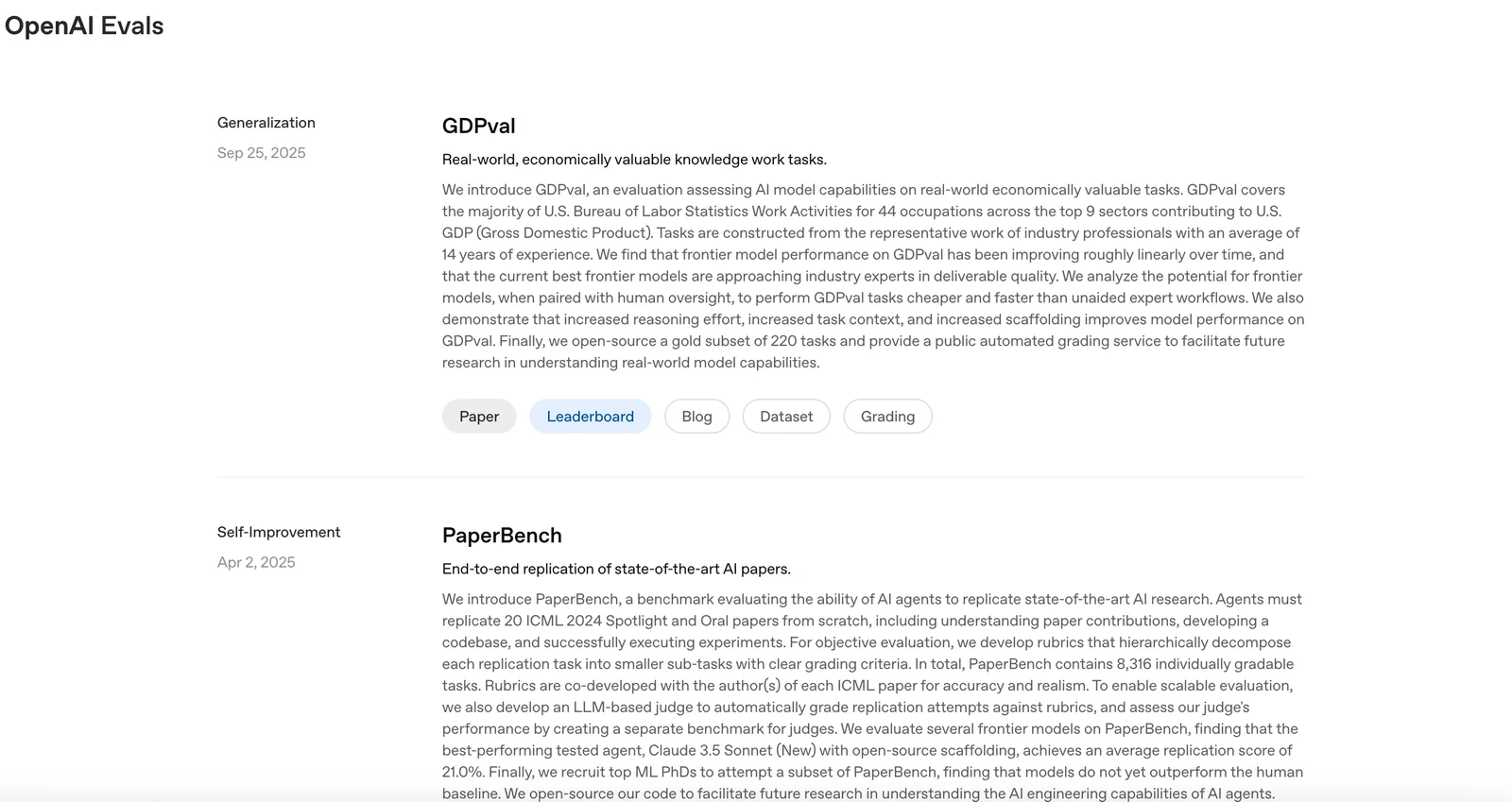
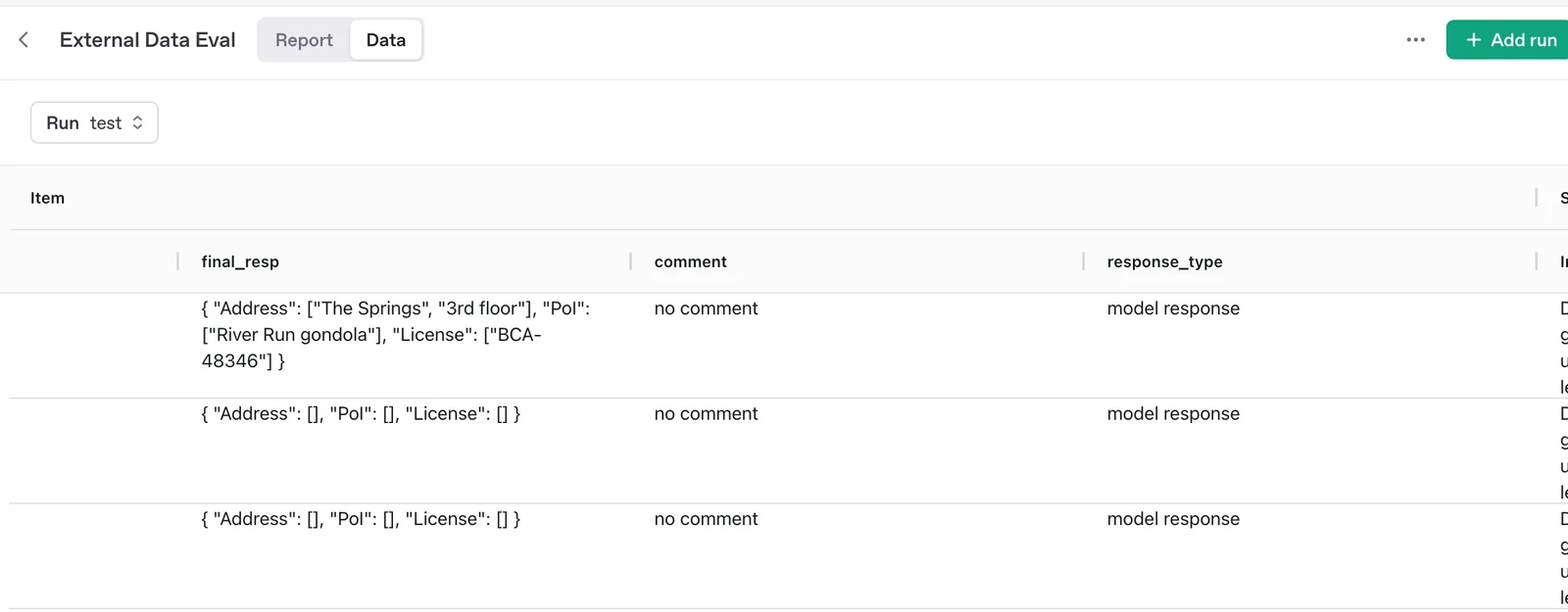
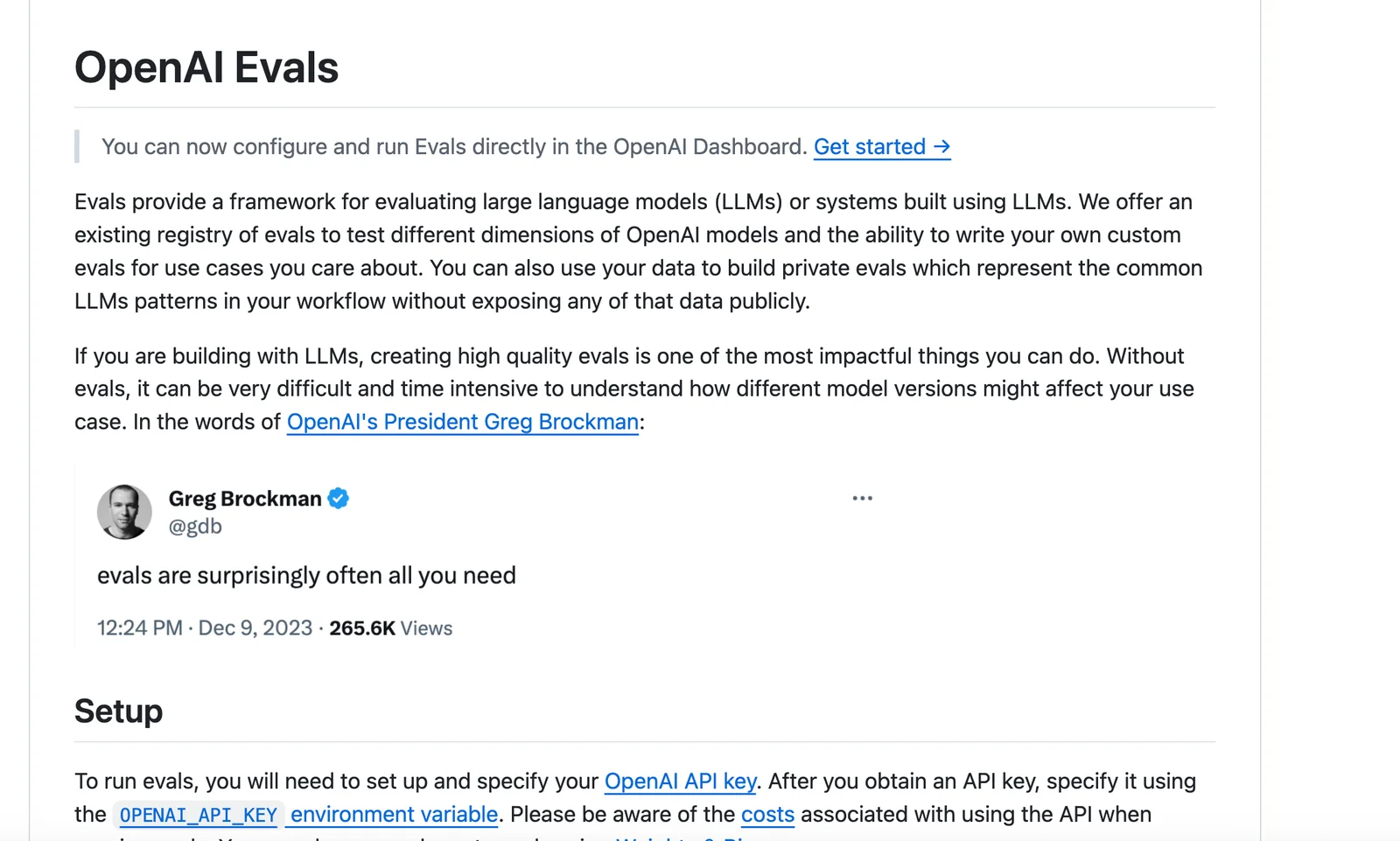
OpenAI Evals is an open-source framework and benchmark registry for evaluating large language models and systems built with them. It provides a library, examples, and a registry of community and official evals that you can run locally or via the OpenAI platform, plus tools to author custom and private evals that reflect your workflows. Evals supports automated graders, rubric-based scoring, human-in-the-loop grading, dataset integration, and continuous evaluation to track model performance and regressions. Contributions to the public registry are MIT-licensed and contributors must ensure they have rights to any uploaded data; running evals typically incurs inference costs through the OpenAI API.
Screenshots
Key Features
Use Cases



Frequently asked questions about OpenAI Evals
Is OpenAI Evals free to use?
Yes, OpenAI Evals is entirely free to use, as it operates under an open-source framework. Users can access the repository and perform evaluations without incurring any costs, making it an excellent tool for developers and researchers looking to assess AI models effectively.
Key Points
- Open-source framework encourages community collaboration.
- No financial cost associated with using OpenAI Evals.
- Ideal for developers, researchers, and organizations wanting to evaluate AI performance.
Detailed Explanation
OpenAI Evals is designed to facilitate the evaluation of AI models through an open-source framework. As a free tool, it allows users to run tests and assessments of various models without the burden of licensing fees. The repository is hosted on platforms like GitHub, where developers can easily access the code, report issues, and contribute to its improvement.
How to Get Started with OpenAI Evals
- Access the Repository: Visit the OpenAI Evals GitHub page to clone the repository to your local machine.
- Installation: Follow the installation instructions provided in the README file. Typically, it involves using package managers like pip to install necessary dependencies.
- Run Evaluations: Utilize the provided scripts to run evaluations on your AI models. Customize parameters to fit your specific evaluation criteria.
Use Cases
- Academic Research: Researchers can utilize OpenAI Evals to benchmark different AI models against standardized datasets.
- Model Development: Developers can assess model performance in real-time during the training phase to fine-tune their algorithms.
Best Practices / Tips
- Stay Updated: Regularly check for updates in the GitHub repository to benefit from the latest features and improvements.
- Documentation: Familiarize yourself with the documentation to leverage all functionalities effectively. Proper understanding can save time and enhance evaluation accuracy.
- Community Engagement: Join community forums or discussions around OpenAI Evals to share insights and learn from others’ experiences.
Additional Resources
By leveraging OpenAI Evals, you can enhance your understanding and performance of AI models, all while enjoying the benefits of a cost-free, open-source tool.
What are the key features of OpenAI Evals?
OpenAI Evals features a comprehensive registry of benchmarks, the ability to create custom and private evaluations, automated grading capabilities, and continuous evaluation to monitor model performance over time. These tools are designed to help developers and researchers assess and enhance AI models effectively.
Key Points
- Registry of Benchmarks: Access to a variety of standard benchmarks for performance comparison.
- Custom and Private Evals: Tailor evaluations to meet specific project needs and keep them confidential.
- Automated Grading: Streamlines the assessment process with real-time feedback and analysis.
Detailed Explanation
OpenAI Evals is designed to facilitate the evaluation of AI models through several key features:
1. Registry of Benchmarks
OpenAI Evals provides a curated library of benchmarks, allowing users to easily compare their models against industry standards. This registry includes various datasets and metrics that help in understanding how well a model performs in different scenarios.
2. Custom and Private Evals
Users can create custom evaluations tailored to their specific use cases. This feature is particularly beneficial for organizations that require specialized testing environments or have proprietary data that needs to remain confidential. For instance, a company developing a chatbot can design unique evaluation criteria based on user interactions specific to their industry.
3. Automated Grading
One of the standout features of OpenAI Evals is its automated grading capability. This allows users to receive immediate feedback on model performance, significantly reducing the time spent on manual assessments. Automated grading can analyze outputs against set benchmarks and provide insights into areas needing improvement.
4. Continuous Evaluation
Continuous evaluation is critical for maintaining model accuracy in dynamic environments. OpenAI Evals allows users to set up ongoing assessments that track model performance over time. This feature is essential for applications that require real-time adaptability, such as financial forecasting or customer service automation.
Best Practices / Tips
- Utilize Benchmarks: Always start with the available benchmarks to establish a baseline for your models.
- Customize Evaluations: Don’t hesitate to create tailored evaluations that reflect your unique requirements, especially for niche applications.
- Monitor Performance Continuously: Set up continuous evaluations to ensure your model remains effective as data and user interactions evolve.
Additional Resources
- OpenAI Evals Documentation
- AI Model Benchmarking Techniques
- Continuous Evaluation in Machine Learning
By leveraging these features, developers can optimize their AI models effectively, ensuring they meet performance expectations and adapt to changing needs.
How do I start using OpenAI Evals?
To start using OpenAI Evals, visit the official OpenAI website, clone the Evals repository from GitHub, and meticulously follow the provided documentation to set up and execute evaluations either locally on your machine or via the OpenAI API.
Key Points
- Clone the OpenAI Evals repository from GitHub.
- Follow detailed documentation for setup.
- Execute evaluations locally or through the OpenAI API.
Detailed Explanation
OpenAI Evals is a toolkit designed to facilitate the evaluation of AI models by providing a robust framework for running assessments. Here's how you can get started:
-
Visit the Official Website: Navigate to the OpenAI Evals page to find essential information and resources.
-
Clone the Repository: Use Git to clone the Evals repository. Open your terminal and run:
git clone https://github.com/openai/evals.gitThis command will create a local copy of the Evals repository on your machine.
-
Install Dependencies: Change directory into the cloned repository and install the necessary dependencies. You can do this using:
cd evals
pip install -r requirements.txt
This step ensures all required libraries and tools are available for running evaluations.
-
Follow the Documentation: The repository includes detailed documentation. Refer to the
README.mdfile and other provided resources to understand how to configure and run evaluations effectively. -
Run Evaluations: You can execute evaluations in two main ways:
- Locally: After setup, test models directly on your machine.
- API Access: Use OpenAI's API to run evaluations over the cloud, which allows for scalability and ease of access.
Best Practices / Tips
- Read the Documentation Thoroughly: Understanding the setup and usage instructions in the documentation can save you time and prevent errors.
- Use Virtual Environments: Consider using Python virtual environments to manage dependencies without affecting your global Python installation.
- Experiment with Different Models: Test various models and configurations to find the settings that yield the best evaluation results.
- Stay Updated: OpenAI frequently updates its tools. Regularly check for updates in the repository to access the latest features and improvements.
Additional Resources
By following these steps and tips, you can effectively start using OpenAI Evals to enhance your AI model evaluation processes.
What is the API integration for OpenAI Evals?
OpenAI Evals integrates seamlessly with the OpenAI API, allowing users to run model evaluations efficiently. This integration supports model inference and incurs usage-based costs, which vary based on the specific model utilized. It's designed to streamline the evaluation process for AI developers and researchers.
Key Points
- Seamless Integration: OpenAI Evals works directly with the OpenAI API.
- Usage-Based Costs: Fees depend on the model and usage level.
- Efficiency in Evaluations: Optimizes the evaluation workflow for AI models.
Detailed Explanation
OpenAI Evals is a powerful tool designed for evaluating machine learning models. Through its integration with the OpenAI API, users can execute various evaluation tasks, such as benchmarking and performance analysis, utilizing the capabilities of advanced AI models.
How to Use OpenAI Evals with the API
- Set Up Your API Key: Begin by obtaining an API key from OpenAI. This key is essential for authenticating and accessing the OpenAI services.
- Install OpenAI Evals: Use package managers like pip to install the OpenAI Evals library in your development environment:
pip install openai-evals - Integrate the API: Write code to connect with the OpenAI API. For example:
import openai openai.api_key = 'YOUR_API_KEY' response = openai.Model.eval(model='text-davinci-003', prompt='Evaluate this text.') - Run Evaluations: Execute your evaluations using the API, which will return results based on the model's performance.
Use Cases
OpenAI Evals is ideal for:
- Model Comparisons: Quickly assess the performance of different models on the same dataset.
- Performance Tuning: Identify areas for improvement in model outputs.
- Research: Facilitate academic and professional research by providing structured evaluation metrics.
Best Practices / Tips
- Monitor Usage: Keep track of your API calls to manage costs effectively, as usage can escalate with larger models.
- Optimize Prompts: Craft clear and concise prompts to improve the quality of evaluations and reduce unnecessary API calls.
- Stay Updated: Regularly check OpenAI’s documentation for updates on model capabilities and pricing adjustments.
Additional Resources
How does OpenAI Evals compare to other evaluation tools?
OpenAI Evals distinguishes itself from other evaluation tools through its open-source framework, robust features for custom evaluations, and seamless integration with the OpenAI API. This flexibility makes it an appealing option for developers looking to implement advanced AI evaluation techniques efficiently.
Key Points
- Open-source Accessibility: OpenAI Evals is freely available, encouraging community contributions and modifications.
- Custom Evaluation Features: It offers extensive tools for tailoring evaluations to specific tasks, enhancing accuracy and relevance.
- Easy API Integration: Simplifies connecting with OpenAI's models, allowing for streamlined workflows in various applications.
Detailed Explanation
OpenAI Evals is designed to facilitate the rigorous assessment of AI models, particularly those developed with OpenAI's technology. Unlike proprietary tools, its open-source nature not only allows users to modify the codebase to fit their unique requirements but also fosters a collaborative environment where developers can share enhancements.
Custom Evaluation Features
Evals provides a variety of pre-built metrics and evaluation methods—ranging from accuracy and precision to more complex benchmarks like human-like reasoning or contextual understanding. Users can create custom evaluation scripts tailored to specific AI tasks, enabling more nuanced assessments. For example, a developer working on a natural language processing model may create a specific evaluation that measures the model's ability to understand idiomatic expressions, which is often overlooked by standard evaluation tools.
Easy API Integration
Integrating Evals with the OpenAI API is straightforward, which is particularly beneficial for businesses and researchers who want to incorporate AI assessments into their existing systems. The API allows users to run evaluations in real-time, providing immediate feedback on model performance. This can be crucial for iterative development processes where quick adjustments are needed based on evaluation results.
Best Practices / Tips
- Utilize Community Contributions: Leverage the open-source community for plugins or enhancements that can improve your evaluation process.
- Tailor Evaluation Metrics: Create custom metrics that align closely with your specific use case to gain more meaningful insights.
- Regularly Update Evals: Stay current with updates from OpenAI to benefit from new features and improvements.
Common pitfalls include neglecting to define clear evaluation criteria upfront, which can lead to inconclusive results. Additionally, ensure that your evaluation scripts are thoroughly tested to avoid biases in the assessment.
Additional Resources
- OpenAI Evals GitHub Repository: Access the source code, documentation, and community discussions.
- OpenAI API Documentation: Comprehensive guide on integrating and utilizing the OpenAI API effectively.
- Evaluation Metrics in Machine Learning: A detailed overview of various metrics used in AI evaluations.
Explore more AI Ai Tools tools
Browse all Ai Tools tools →Browse by use case: Automation & Productivity
Compare OpenAI Evals: vs Agnost AI · vs Assistly · vs Memoria · vs nodeterm