
DVC
AIFreeOfficial MCPOpen-source data version control system that brings Git-like workflows to datasets, models, and ML experiments.
DVC
Open-source data version control system that brings Git-like workflows to datasets, models, and ML experiments.
About DVC
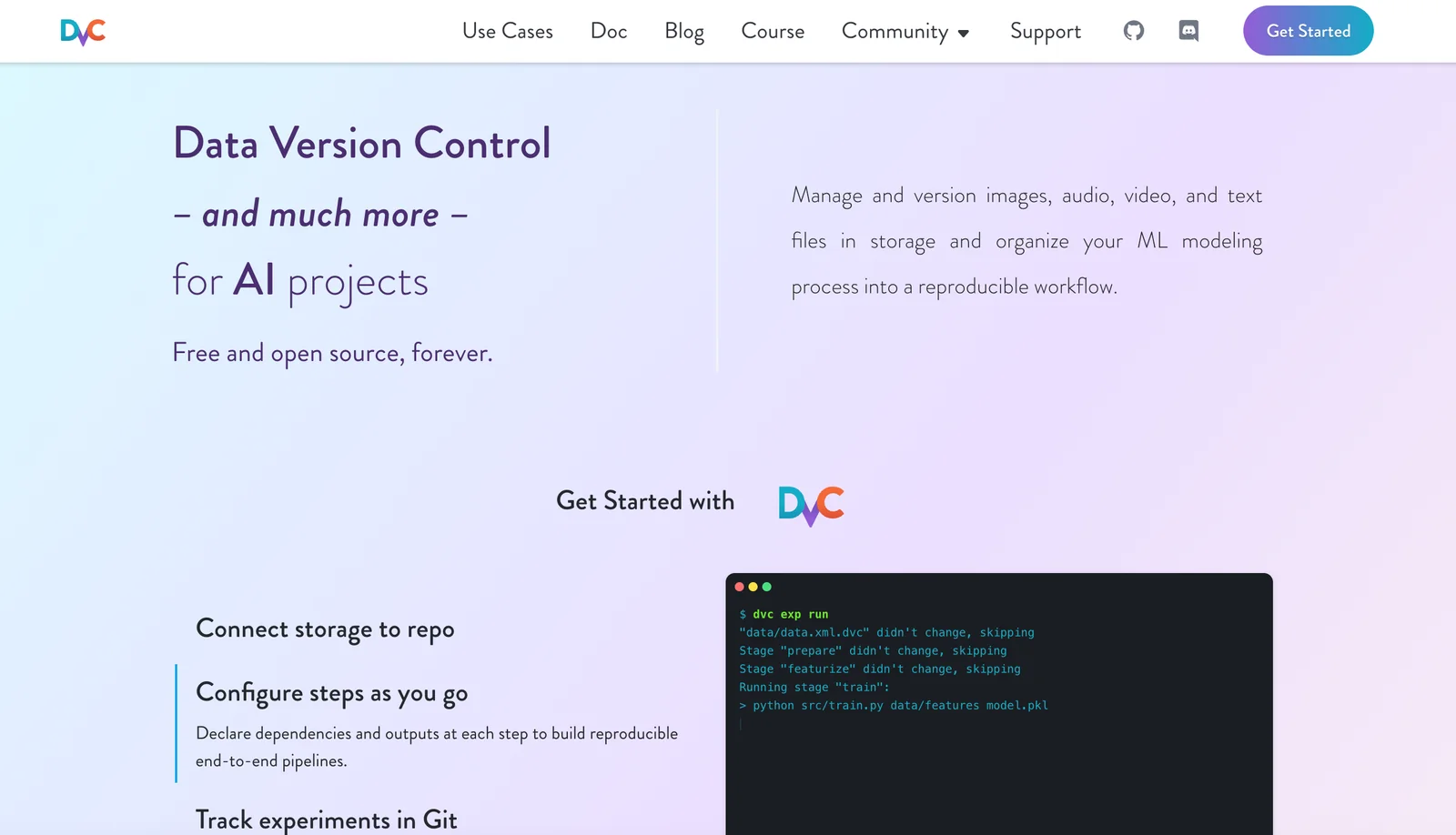
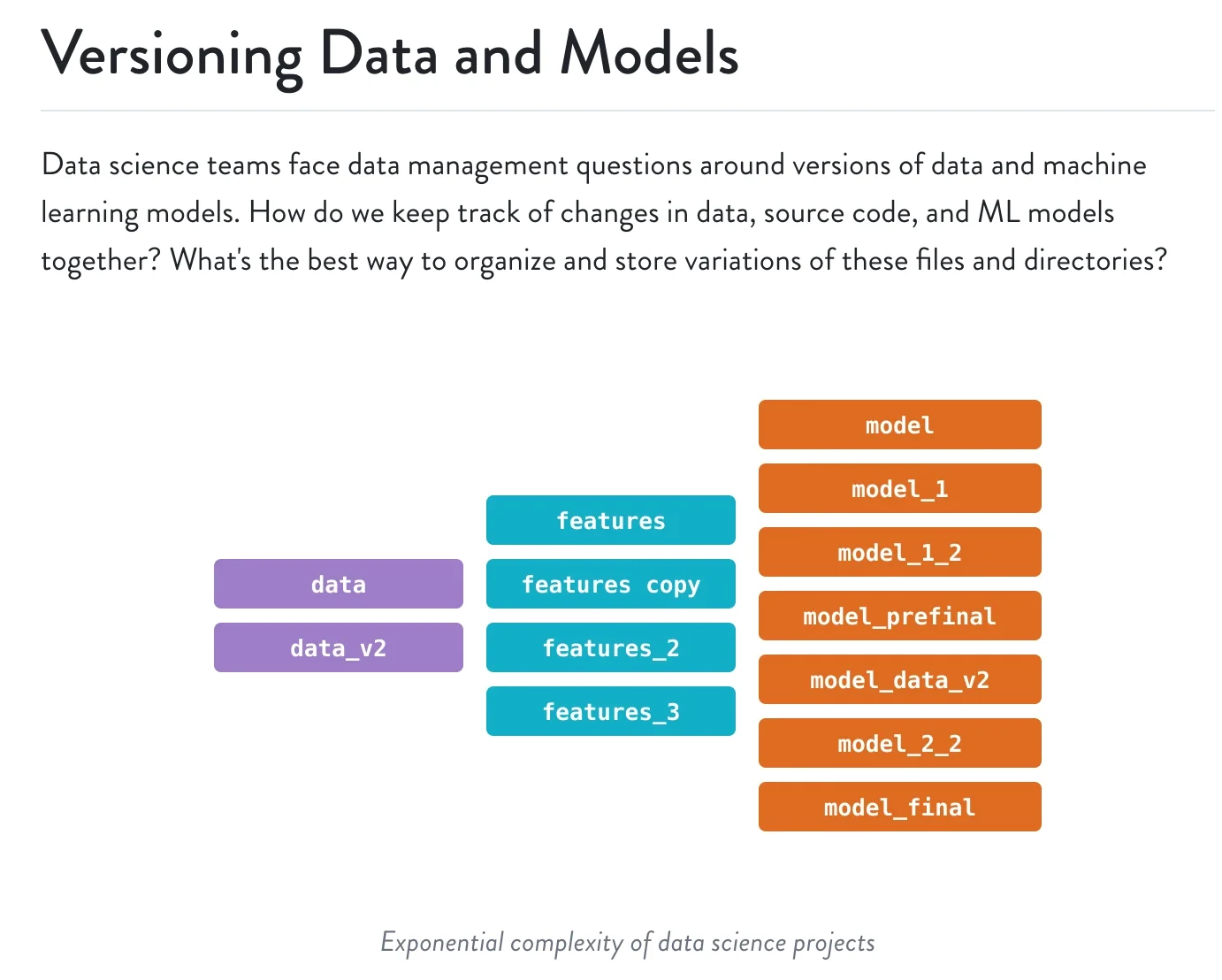
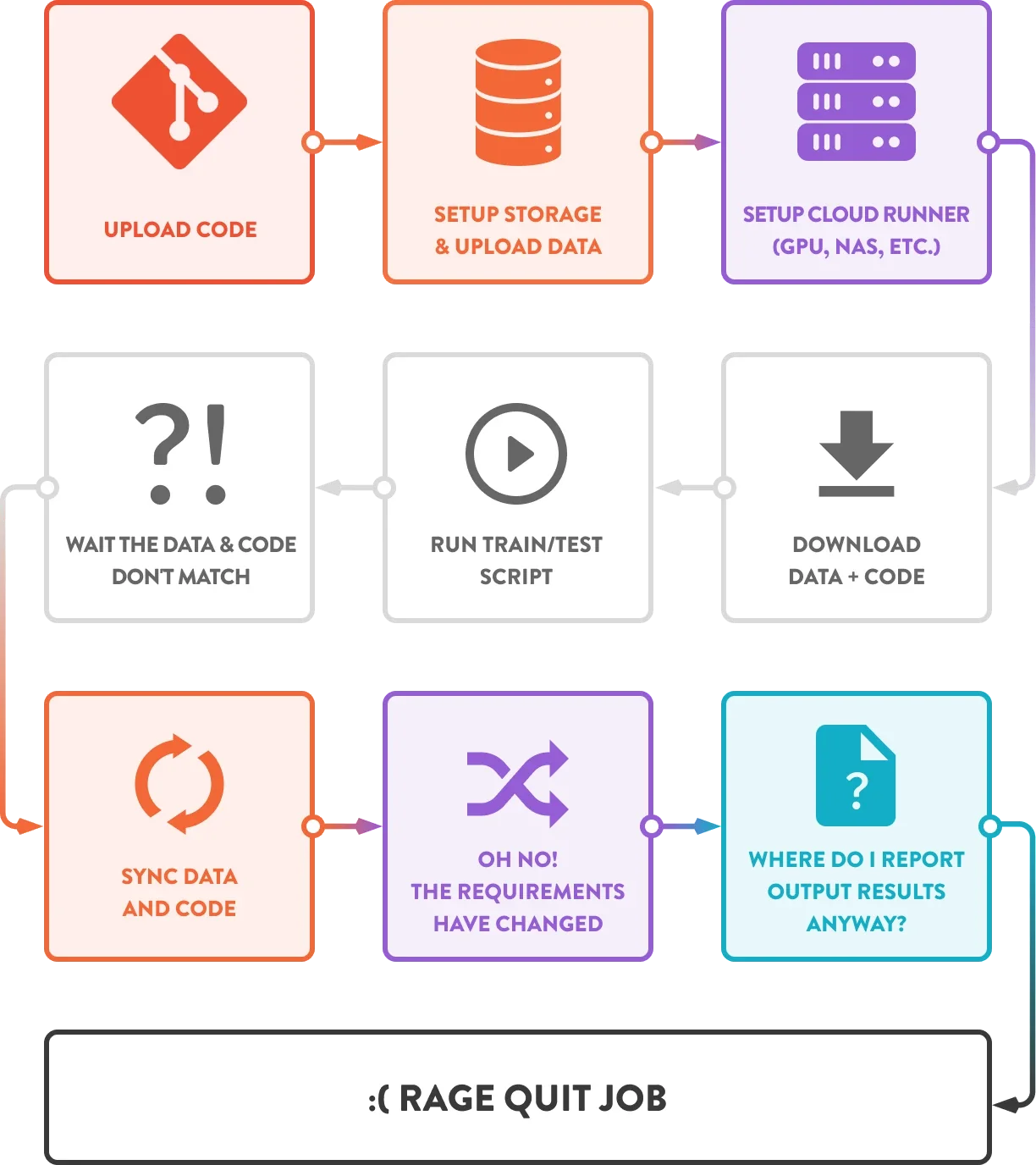
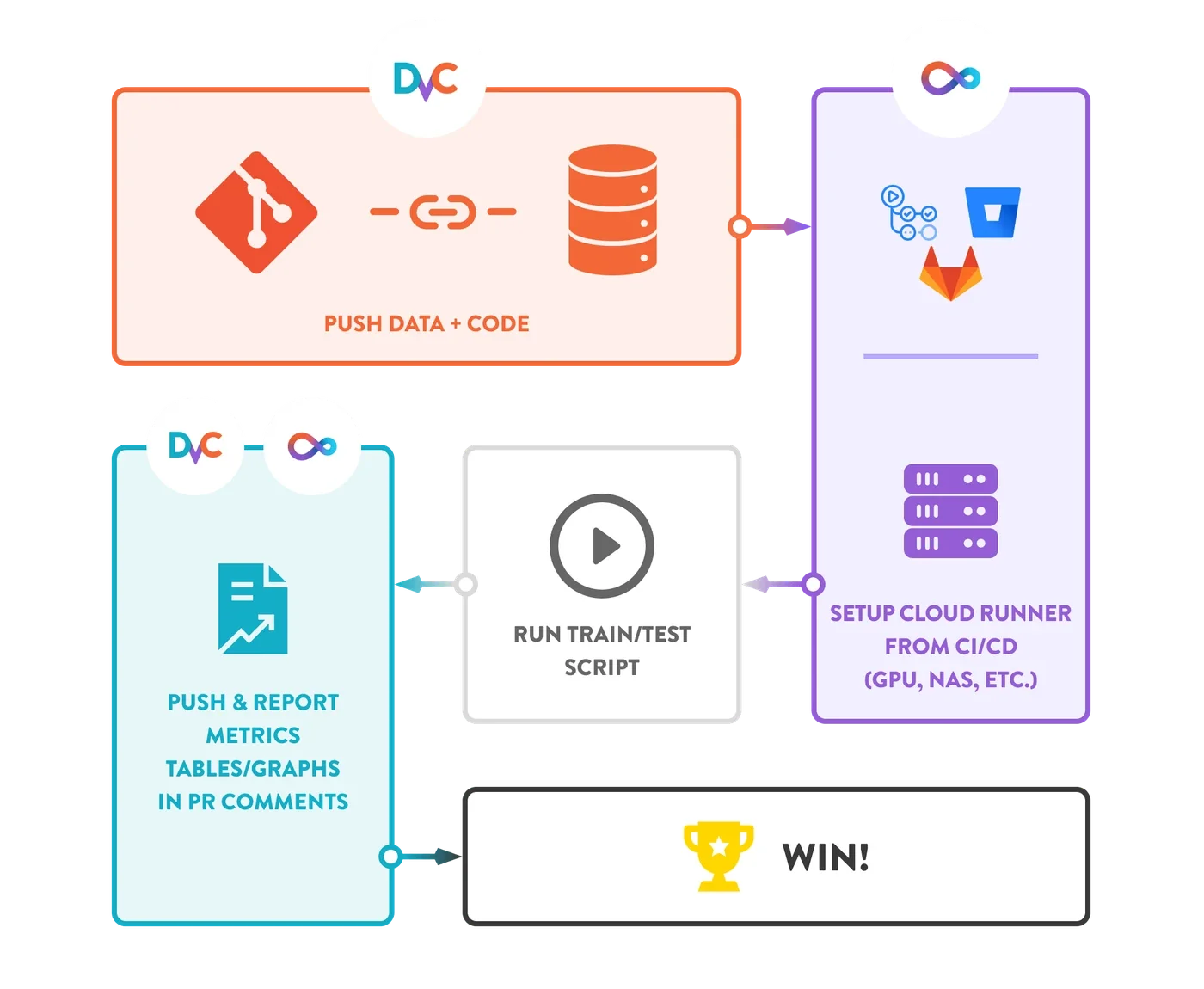
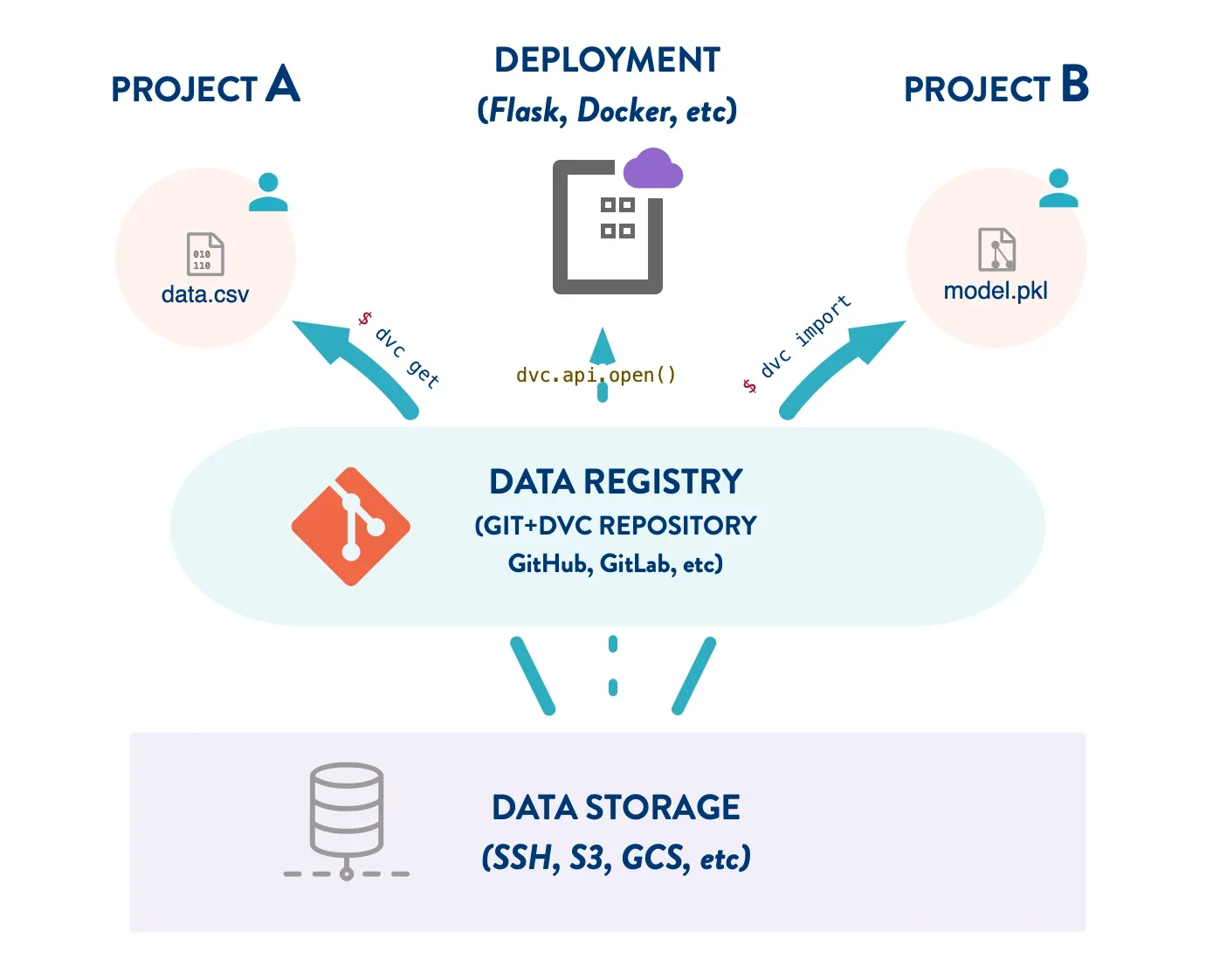
DVC (Data Version Control) is an open-source tool that provides Git-like versioning and workflow primitives for data, models, and ML experiments. It stores lightweight metafiles in Git while tracking large files, datasets, and model artifacts in external storage (S3, GCS, Azure, SSH, etc.), enabling reproducible pipelines and efficient cache-based transfers. DVC also provides pipeline orchestration (DVC pipelines), experiment tracking and comparison, metrics and plots, and integrations with CI/CD and Git hosting to support collaboration across data science and engineering teams. The tool is designed to make ML projects reproducible, shareable, and easier to manage without forcing teams to leave familiar Git workflows.
Screenshots
Key Features
Use Cases



Frequently asked questions about DVC
Is DVC free to use?
Yes, DVC (Data Version Control) is a free, open-source tool that provides powerful command-line capabilities for data and model versioning. Users can manage their machine learning projects without incurring any costs, making it an accessible choice for individuals and teams alike.
Key Points
- Open-source: DVC is fully open-source, ensuring community support and development.
- No cost: There are no hidden fees or premium versions; all features are available for free.
- Command-line interface: DVC provides robust command-line tools for efficient data management.
Detailed Explanation
DVC is designed for data scientists and machine learning engineers, enabling version control for data and models similar to Git for code. With DVC, you can:
- Track Data Changes: DVC allows you to track changes in datasets, models, and experiments over time, ensuring reproducibility and collaboration.
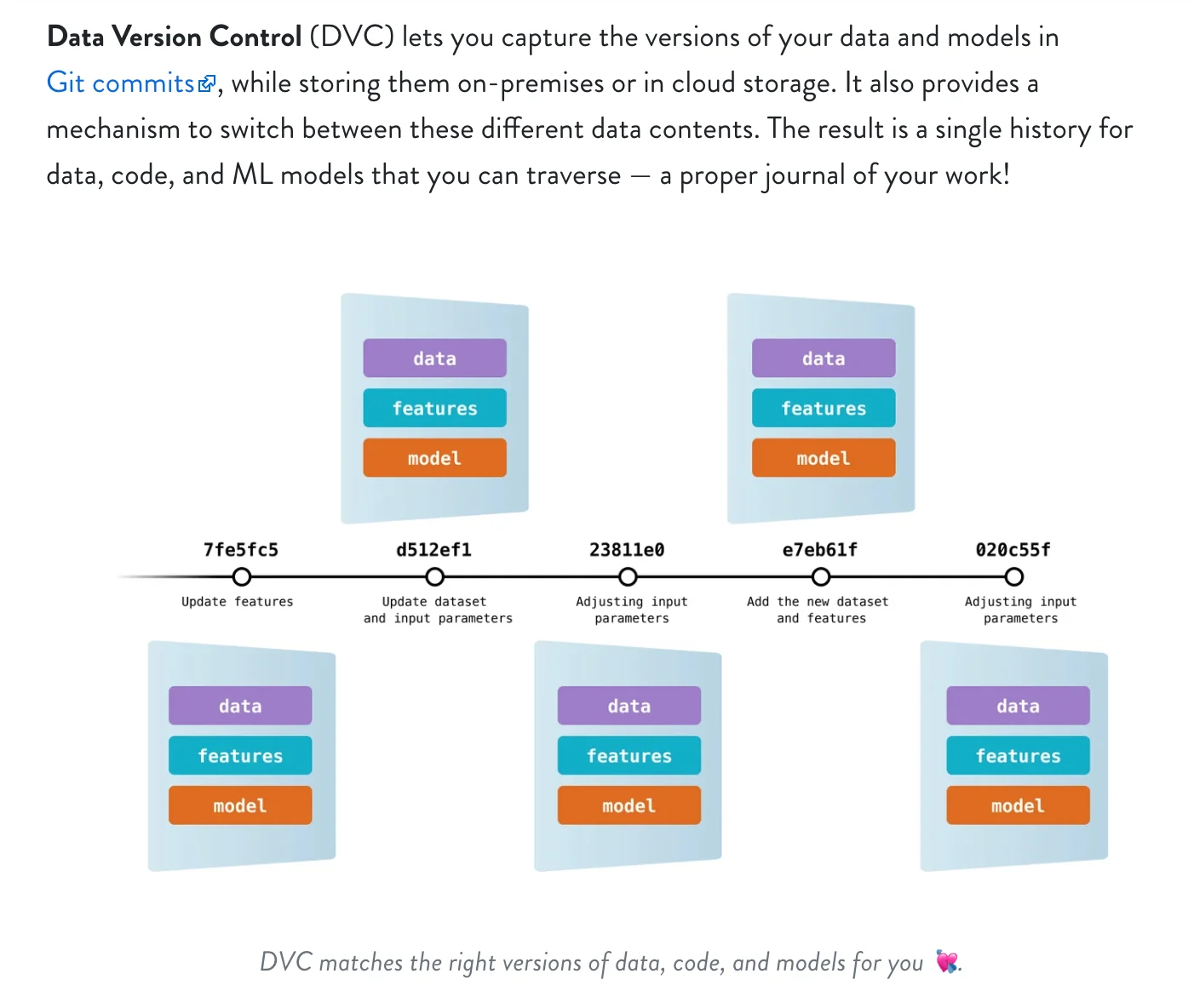
- Integrate with Git: DVC works seamlessly with Git repositories, allowing you to store large datasets and models outside of Git while maintaining version control.
- Manage Pipelines: Users can define data processing pipelines, enabling the automation of workflows and better reproducibility of results.
For example, if you have a machine learning project that requires experimentation with different datasets and parameters, DVC enables you to switch between versions easily. By using commands like dvc add, dvc commit, and dvc push, you can maintain a clean and organized project structure.
Best Practices / Tips
- Leverage the Documentation: Utilize DVC's extensive documentation for guidance on setup and best practices.
- Version Control Configuration: Regularly commit your changes and push to remote storage for backup and collaboration.
- Use DVC’s Remote Storage: Configure remote storage (like AWS S3 or Google Drive) to handle large datasets efficiently.
Common pitfalls include neglecting to document your data versions or failing to back up your DVC configuration files. Always ensure that your .dvc and .gitignore files are properly maintained for smooth operation.
Additional Resources
What are the key features of DVC?
DVC (Data Version Control) is an open-source tool that enhances machine learning workflows by providing key features such as data and model versioning, seamless remote storage integration, comprehensive experiment tracking, and Git-native workflows. These features make DVC essential for managing complex data science projects efficiently.
Key Points
- Data and Model Versioning: Keeps track of changes to datasets and models.
- Remote Storage Integration: Supports various cloud storage options for data management.
- Experiment Tracking: Facilitates monitoring and comparing different experiments.
Detailed Explanation
DVC is designed to streamline the machine learning process, making it easier for teams to collaborate and maintain reproducibility. Here’s a closer look at its key features:
-
Data and Model Versioning: DVC allows users to version control not only code but also datasets and machine learning models. Each version of the data is stored alongside the code repository, enabling easy rollback to previous versions. For instance, if a model performs better with a specific dataset version, users can revert to that version effortlessly.
-
Remote Storage Integration: DVC integrates seamlessly with cloud storage services like AWS S3, Google Drive, and Azure Blob Storage, allowing users to store large datasets remotely. This eliminates local storage limitations and facilitates collaboration across teams. Users can easily push and pull data to and from remote repositories.
-
Experiment Tracking: With DVC, you can track experiments systematically. It logs changes made during experiments, including hyperparameter adjustments and performance metrics. This feature helps data scientists to compare results from multiple runs and select the best-performing models, thus accelerating the experimentation phase.
-
Git-Native Workflows: DVC is built on top of Git, ensuring that users can combine code and data versioning seamlessly. This compatibility allows data scientists to leverage Git's branching and merging capabilities while managing datasets, enhancing collaboration and version control.
Best Practices / Tips
- Set Up Remote Storage Early: To avoid complications later, configure remote storage from the outset of your project. This ensures efficient data handling as the project scales.
- Use Descriptive Names for Datasets: When versioning datasets, use clear and descriptive names to make it easier to identify changes later.
- Regularly Update Documentation: Keep your project documentation up to date with changes made through DVC to maintain clarity among team members.
- Leverage DVC Pipelines: Use DVC pipelines to automate workflows, ensuring that every step in your machine learning process is reproducible and traceable.
Additional Resources
How do I get started with DVC?
To get started with DVC (Data Version Control), install it using pip install dvc, initialize your project with dvc init, and begin tracking datasets by running dvc add <data-file>. For more in-depth guidance, refer to the official DVC documentation.
Key Points
- Install DVC using pip
- Initialize your project
- Track datasets with DVC commands
Detailed Explanation
Step 1: Install DVC
Begin by installing DVC using pip, which is the package installer for Python:
pip install dvc
This command will install the latest version of DVC, allowing you to manage your data workflows effectively. For compatibility, ensure Python is installed on your system (Python 3.6 or later is recommended).
Step 2: Initialize Your Project
Once DVC is installed, navigate to your project directory in the terminal and run:
dvc init
This command initializes your DVC project and creates a .dvc directory, where DVC configuration files are stored. It also adds a .dvcignore file, similar to .gitignore, to exclude files or directories you don’t want to track.
Step 3: Track Datasets
To start tracking datasets, use the dvc add command followed by the path to your data file or directory:
dvc add <data-file>
This command creates a corresponding .dvc file that is version-controlled, allowing you to manage changes over time. You can also track directories by specifying the directory name.
Example Use Case
For instance, if you have a dataset file named data.csv, you would run:
dvc add data.csv
DVC will generate a data.csv.dvc file, which contains metadata about the dataset, making it easy to revert to previous versions or share your project with collaborators.
Best Practices / Tips
-
Use Remote Storage: Configure a remote storage backend (like AWS S3, Google Drive, or Azure) to store your tracked data, ensuring it's backed up and accessible. Use the command:
dvc remote add -d myremote <remote-url> -
Version Control: Regularly commit
.dvcfiles to your Git repository to keep track of changes alongside your code. -
Documentation: Maintain thorough documentation of your DVC workflows and datasets, especially when collaborating with others, to enhance clarity and usability.
-
Avoid Large Files: DVC is optimized for tracking large datasets, but try to manage the size of individual files to prevent performance issues.
Additional Resources
Does DVC support integration with APIs?
Yes, DVC (Data Version Control) supports integration with various APIs and remote storage backends such as Amazon S3, Google Cloud Storage (GCS), and Microsoft Azure. This capability enables seamless data management and collaboration across different platforms, enhancing workflow efficiency for data scientists and teams.
Key Points
- DVC integrates with major cloud storage services.
- API support facilitates data versioning and management.
- Enhances collaboration and workflow for teams.
Detailed Explanation
DVC is designed to improve the version control of machine learning projects. By integrating with popular APIs and remote storage solutions, DVC allows users to manage datasets and models effectively. Here are some key integrations:
-
Amazon S3: DVC can connect to S3 buckets, enabling users to store and retrieve large datasets effortlessly. This integration is particularly useful for teams working with big data, as S3 offers scalable storage solutions.
-
Google Cloud Storage (GCS): By leveraging GCS, DVC users can benefit from Google's robust infrastructure. This is ideal for projects hosted on Google Cloud, facilitating direct access to data without complex configurations.
-
Microsoft Azure: DVC supports Azure Blob Storage, allowing users to manage their data within the Azure ecosystem. This integration is beneficial for organizations already utilizing Azure for cloud computing and storage solutions.
Use Cases
- Data Collaboration: Teams can collaborate on projects without worrying about data consistency. DVC tracks changes and versions, ensuring everyone is working with the latest data.
- Reproducibility: DVC's ability to track data versions means that data scientists can reproduce experiments reliably, as they can revert to previous data states and configurations easily.
Best Practices / Tips
- Choose the Right Storage: Depending on your team's existing cloud infrastructure, choose the storage service that best matches your workflow. For example, if your team uses AWS, integrating with S3 will likely yield the best results.
- Use DVC Pipelines: Implement DVC pipelines to automate workflows. This feature allows users to define stages for data processing, ensuring every step is tracked and reproducible.
- Monitor Costs: When using cloud storage, keep an eye on associated costs. Each service has different pricing models, and optimizing data storage can lead to significant savings.
Additional Resources
How does DVC compare to other data versioning tools?
DVC, or Data Version Control, distinguishes itself from other data versioning tools by integrating Git-like workflows that support both data and model versioning. Unlike many competitors that focus solely on either code or data management, DVC provides a holistic solution for machine learning projects.
Key Points
- Git Integration: DVC utilizes Git's version control principles for data and model management.
- Data and Model Versioning: It allows simultaneous tracking of datasets and models.
- Scalability: DVC is designed for projects of varying scales, from small experiments to large-scale deployments.
Detailed Explanation
DVC is an open-source version control system specifically tailored for data science and machine learning projects. It enables users to manage datasets and machine learning models alongside their codebase, promoting collaboration and reproducibility in data analysis.
Comparison with Other Tools
-
Git-Like Workflows: DVC’s integration with Git allows users to track changes in data and models, making it easier to collaborate on projects. Other tools, like Git LFS, focus primarily on large file storage without versioning capabilities suited for datasets.
-
Focus on ML Lifecycle: DVC is designed for the entire machine learning lifecycle, accommodating data preprocessing, model training, and evaluation. In contrast, tools like MLflow focus more on tracking experiments and models, but do not provide robust data versioning.
-
Remote Storage Options: DVC supports multiple remote storage backends (like AWS S3, Google Drive, and Azure Blob Storage), facilitating easy data sharing among team members. This is a significant advantage over traditional versioning tools that may not support such flexibility.
Use Cases
- Collaborative Projects: Teams can work together seamlessly, ensuring everyone is on the same page regarding the data and models being used.
- Reproducibility: DVC helps maintain an archive of versions, making it easier to replicate results or revert to previous states.
- Experiment Tracking: DVC’s pipeline system allows users to define and track their data processing pipelines, enhancing project organization.
Best Practices / Tips
- Integrate Early: Start using DVC at the beginning of your project to effectively manage data from the outset.
- Document Your Pipelines: Clearly define and document your data processing and model training pipelines within DVC for ease of understanding and collaboration.
- Leverage Remote Storage: Utilize DVC’s support for various remote storage options to ensure that your data is backed up and accessible to your team.
Additional Resources
By understanding DVC's unique features and benefits, users can significantly enhance their data management practices compared to other versioning tools.
Explore more AI Ai Tools tools
Browse all Ai Tools tools →Compare DVC: vs Agnost AI · vs Assistly · vs Memoria · vs nodeterm