
AI Flowchart
AIGenerate editable flowcharts from text, notes, sketches, or screenshots instantly, with no login and export to PNG, SVG, PDF or .drawio.
AI Flowchart
Generate editable flowcharts from text, notes, sketches, or screenshots instantly, with no login and export to PNG, SVG, PDF or .drawio.
About AI Flowchart
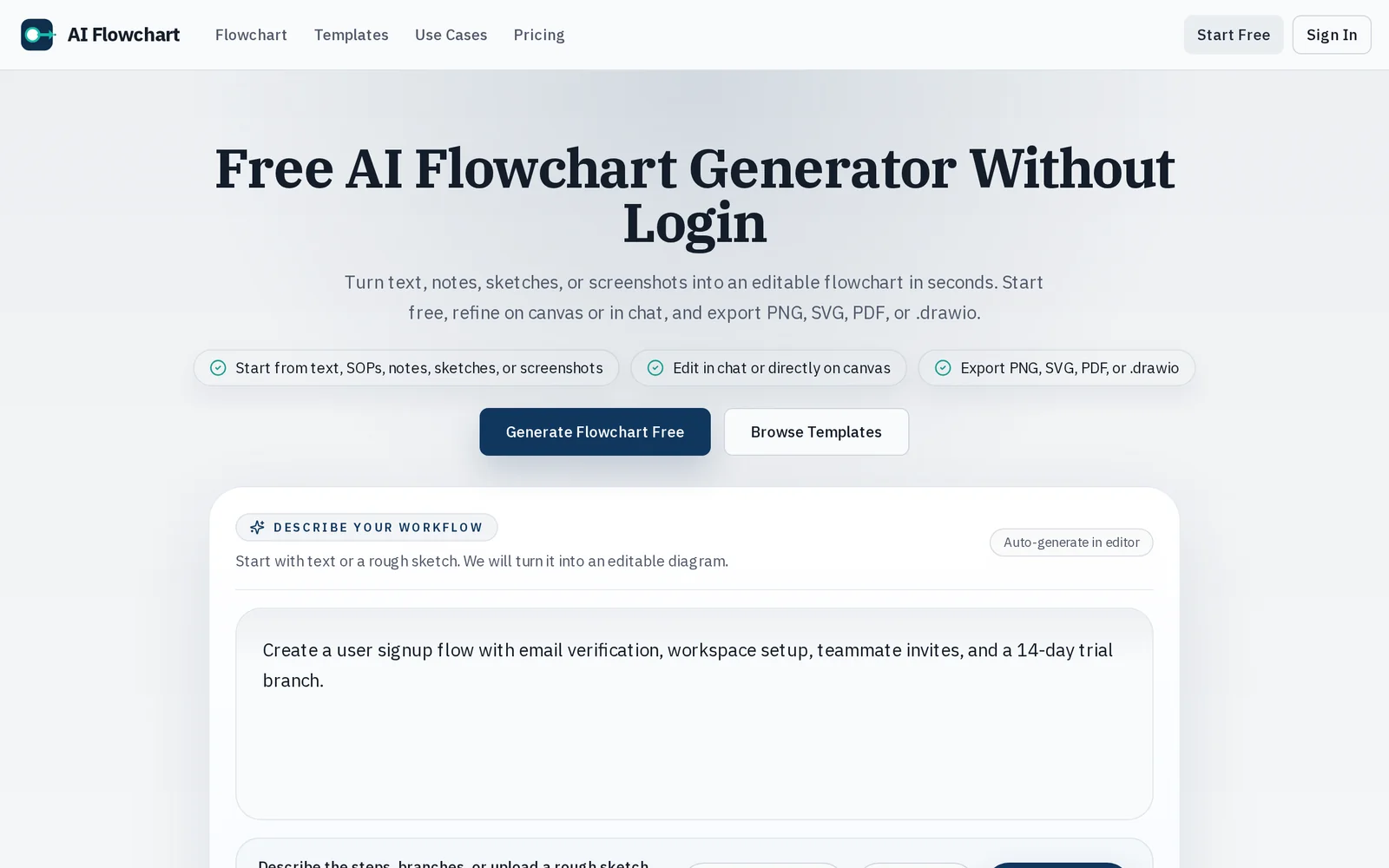
AI Flowchart converts natural text, notes, hand-drawn sketches, and screenshots into editable flowcharts in seconds. Users can generate diagrams without creating an account, then refine results directly on a visual canvas or through an in-app chat-driven refinement flow. The tool supports image-to-diagram conversion (sketch/screenshot -> editable nodes and connections) and exports diagrams in common formats (PNG, SVG, PDF) as well as .drawio for further editing in draw.io/diagrams.net. Its value lies in rapid diagram creation from varied inputs and seamless editing/export for documentation or collaboration.
Screenshots
Key Features
Use Cases


Frequently asked questions about AI Flowchart
What is AI Flowchart?
AI Flowchart is a tool that allows users to instantly create editable flowcharts from various inputs such as text, notes, sketches, or screenshots. Users can export their flowcharts in multiple formats including PNG, SVG, PDF, or .drawio, all without the need for an account.
Key Points
- Instant Creation: Generate flowcharts quickly from diverse inputs.
- Multiple Export Formats: Save your flowcharts in PNG, SVG, PDF, or .drawio formats.
- No Login Required: Access features without the hassle of signing up.
Detailed Explanation
AI Flowchart harnesses artificial intelligence to streamline the flowchart creation process. Users can input their ideas in various formats—textual notes, hand-drawn sketches, or even screenshots. The AI processes these inputs and generates a flowchart that visually represents the information.
For instance, if you have a rough sketch of a project plan, simply take a photo of it. AI Flowchart will analyze the image and convert it into a structured flowchart, allowing for easy editing. This feature is particularly useful for educators, project managers, and content creators who need to visualize complex processes quickly.
Use Cases:
- Project Management: Visualize project timelines and task dependencies.
- Education: Create diagrams for teaching concepts in classrooms.
- Business Processes: Streamline workflows and standard operating procedures.
Best Practices / Tips
- Be Clear and Precise: When inputting text, ensure clarity to help the AI generate accurate flowcharts.
- Use High-Quality Images: For sketches or screenshots, higher resolution aids in better recognition and accuracy.
- Iterate and Edit: After generating a flowchart, review and refine it to suit your needs.
Additional Resources
- AI Flowchart Official Website for more information and tutorials.
- Flowchart Design Best Practices to enhance your flowchart-making skills.
- AI Tools for Visual Content Creation for exploring additional AI applications.
How does AI Flowchart work?
AI Flowchart operates by integrating essential artificial intelligence functionalities to streamline everyday workflows. It enables users to visualize processes, automate tasks, and make data-driven decisions efficiently. This tool is particularly useful for enhancing productivity in various fields, including business, education, and project management.
Key Points
- Visual Process Mapping: AI Flowchart helps in creating clear visual representations of workflows.
- Automation of Repetitive Tasks: It automates routine tasks, saving time and reducing errors.
- Data-Driven Insights: Users can analyze data efficiently for better decision-making.
Detailed Explanation
AI Flowchart simplifies the creation of flowcharts that represent workflows and processes visually. By using AI technology, it allows users to input specific tasks or operations, which the software then translates into a structured flowchart.
Example Use Case
For instance, a marketing team can create a flowchart outlining their campaign process, from brainstorming ideas to execution and analysis. The AI tool helps identify bottlenecks and suggests optimizations based on past data, enhancing overall campaign efficiency.
Step-by-Step Guidance:
- Input Data: Begin by entering the tasks or processes you want to visualize.
- Select AI Features: Choose from various AI functionalities, like automation or analysis tools.
- Generate Flowchart: The AI processes the data and creates a flowchart, which can be edited as needed.
- Analyze & Optimize: Use the insights generated to refine your workflows for improved efficiency.
Best Practices / Tips
- Keep It Simple: Start with a simple flowchart before adding complexity. This helps in understanding the tool better.
- Regular Updates: Continuously update your flowcharts based on new insights or changes in processes.
- Utilize Templates: Many AI Flowchart tools offer templates that can save time and provide a solid foundation for your work.
Additional Resources
By leveraging AI Flowchart, users can enhance their productivity and streamline operations, making it an invaluable tool for anyone looking to optimize their workflows.
What are the main features of AI Flowchart?
AI Flowchart offers several key features, including intuitive drag-and-drop functionality, AI-driven suggestions for process optimization, and seamless integration with other tools. These capabilities empower users to create complex flowcharts easily while enhancing collaboration and project management.
Key Points
- Intuitive Drag-and-Drop Interface: Simplifies flowchart creation.
- AI-Driven Suggestions: Enhances process optimization.
- Seamless Tool Integration: Connects with various platforms for better workflow.
Detailed Explanation
AI Flowchart is designed for users ranging from beginners to advanced professionals looking to visualize processes effectively. One of its standout features is the intuitive drag-and-drop interface. This allows users to easily add shapes, lines, and text without needing extensive training. For example, a user can create a flowchart for a project management process in minutes, dragging elements from a side panel.
The AI-driven suggestions feature utilizes machine learning algorithms to analyze existing flowcharts and provide recommendations for improvement. This can include optimizing steps in a process or suggesting alternative paths based on user-defined criteria. For instance, if a user is mapping out a customer service workflow, the AI might suggest including additional feedback loops based on best practices.
Another critical feature is seamless integration with other tools. AI Flowchart can connect with project management software, cloud storage services, and collaborative platforms like Slack and Trello. This ensures that teams can work together in real time, making updates and sharing insights as they develop their flowcharts.
Best Practices / Tips
- Start Simple: Begin with a basic flowchart and gradually add complexity as you become more comfortable with the tool.
- Leverage AI Suggestions: Regularly check the AI-driven recommendations to enhance your flowchart's effectiveness.
- Utilize Integrations: Take full advantage of the integration capabilities to streamline your workflow and improve collaboration with team members.
Additional Resources
Who is AI Flowchart for?
AI Flowchart is designed for a diverse audience, including business professionals, educators, and developers who want to streamline AI workflows in their daily tasks. It serves anyone interested in understanding and implementing artificial intelligence processes efficiently.
Key Points
- Target Audience: Business professionals, educators, developers, and data analysts.
- Use Cases: Enhancing productivity, improving decision-making, and facilitating AI project management.
- Accessibility: Suitable for both beginners and experts in AI.
Detailed Explanation
AI Flowchart provides valuable tools for various user groups.
-
Business Professionals: They can leverage AI Flowchart to visualize complex AI processes, improving project management and collaboration. For example, a marketing team may use flowcharts to outline customer segmentation strategies powered by AI analytics, ensuring clarity and alignment across members.
-
Educators: Teachers and trainers can utilize AI Flowchart to explain AI concepts and workflows to students. This visual approach can make complex subjects more digestible. For instance, a lesson on machine learning could be enhanced by flowcharts illustrating data processing steps and model training.
-
Developers: Software engineers can use AI Flowchart to map out algorithms and data flows in their applications. This helps in debugging and optimizing code more effectively. A developer could create a flowchart outlining the steps for integrating a machine learning model into an existing software solution.
-
Data Analysts: They can benefit from AI Flowchart by creating visual representations of data pipelines, making it easier to identify bottlenecks or inefficiencies in data handling processes.
Best Practices / Tips
- Start Simple: When creating flowcharts, begin with simple diagrams to avoid confusion. Gradually add details as needed.
- Use Clear Labels: Ensure that all elements are clearly labeled for quick understanding.
- Iterate: Regularly update flowcharts to reflect changes in workflows or new AI technologies.
- Collaborate: Involve team members in the flowchart creation process for diverse insights and buy-in.
Avoid common pitfalls such as overcomplicating diagrams, which can lead to misunderstandings. Focus on clarity and usability to maximize the effectiveness of AI Flowchart.
Additional Resources
How much does AI Flowchart cost?
AI Flowchart is entirely free to use, providing users with a straightforward platform for creating flowcharts without any hidden fees or subscription costs. This accessibility makes it an ideal choice for students, professionals, and businesses looking to visualize processes efficiently.
Key Points
- No Cost Involved: AI Flowchart is completely free.
- User-Friendly: Designed for ease of use, suitable for all skill levels.
- Versatile Applications: Ideal for various sectors, including education and business.
Detailed Explanation
AI Flowchart offers a user-friendly interface that allows individuals to create flowcharts effortlessly. This tool is particularly beneficial for those in educational settings, project management, or any field requiring process visualization. Users can easily drag and drop elements to build comprehensive flowcharts, making complex ideas more digestible.
For example, educators can use AI Flowchart to outline lesson plans or workflows for classroom activities. Businesses might employ it to map out project timelines, customer journeys, or operational processes. Because it’s free, there are no financial barriers to entry, allowing users to focus on creativity and productivity.
Best Practices / Tips
- Start Simple: When creating your first flowchart, begin with a basic design. This will help you familiarize yourself with the tool's functionalities.
- Utilize Templates: AI Flowchart often provides templates that can accelerate your design process. Take advantage of these to save time.
- Collaborate: If you're working in a team, consider sharing your flowcharts for feedback. This can enhance clarity and ensure everyone is on the same page.
Additional Resources
By utilizing AI Flowchart, you can enhance your workflow visualization without any financial commitment, making it a valuable tool for any project.
How do I get started with AI Flowchart?
To get started with AI Flowchart, visit aiflowchart.org to create an account. Once registered, you can explore its features, including intuitive design tools for creating flowcharts that simplify processes and enhance productivity.
Key Points
- Easy sign-up process
- User-friendly interface for flowchart creation
- Access to templates and design tools
Detailed Explanation
AI Flowchart is a powerful tool designed for users looking to visualize processes through flowcharts. To begin, follow these steps:
-
Sign Up: Navigate to aiflowchart.org and click the “Sign Up” button. Fill in your details or use existing social media accounts for a quick registration.
-
Explore Features: After signing in, familiarize yourself with the dashboard. AI Flowchart offers drag-and-drop functionality, making it easy to add shapes, lines, and text to your flowcharts.
-
Choose a Template: Select from a variety of pre-designed templates that suit your needs. These templates can save time and provide inspiration for your flowchart designs.
-
Customize Your Flowchart: Use the editing tools to customize colors, fonts, and layouts. Ensure that your flowchart aligns with your brand or project requirements.
-
Save and Share: Once completed, save your flowchart. You can download it in various formats or share it directly with your team through collaborative features.
AI Flowchart is ideal for project managers, educators, and anyone needing to map out complex processes visually.
Best Practices / Tips
- Start Simple: Begin with basic flowcharts to understand the tool before diving into more complex designs.
- Utilize Templates: Leverage existing templates to streamline your workflow and maintain consistency in your designs.
- Engage Your Audience: Use visuals effectively to communicate ideas clearly, especially in presentations.
- Regularly Update Flowcharts: Keep your flowcharts current to reflect any changes in processes or data.
Additional Resources
By following these guidelines, you can efficiently harness the capabilities of AI Flowchart for better process visualization and communication.
Explore more AI Ai Tools tools
Browse all Ai Tools tools →Compare AI Flowchart: vs Decode · vs LibreChat · vs AppGrowthKit · vs Humanizer