

Cignara
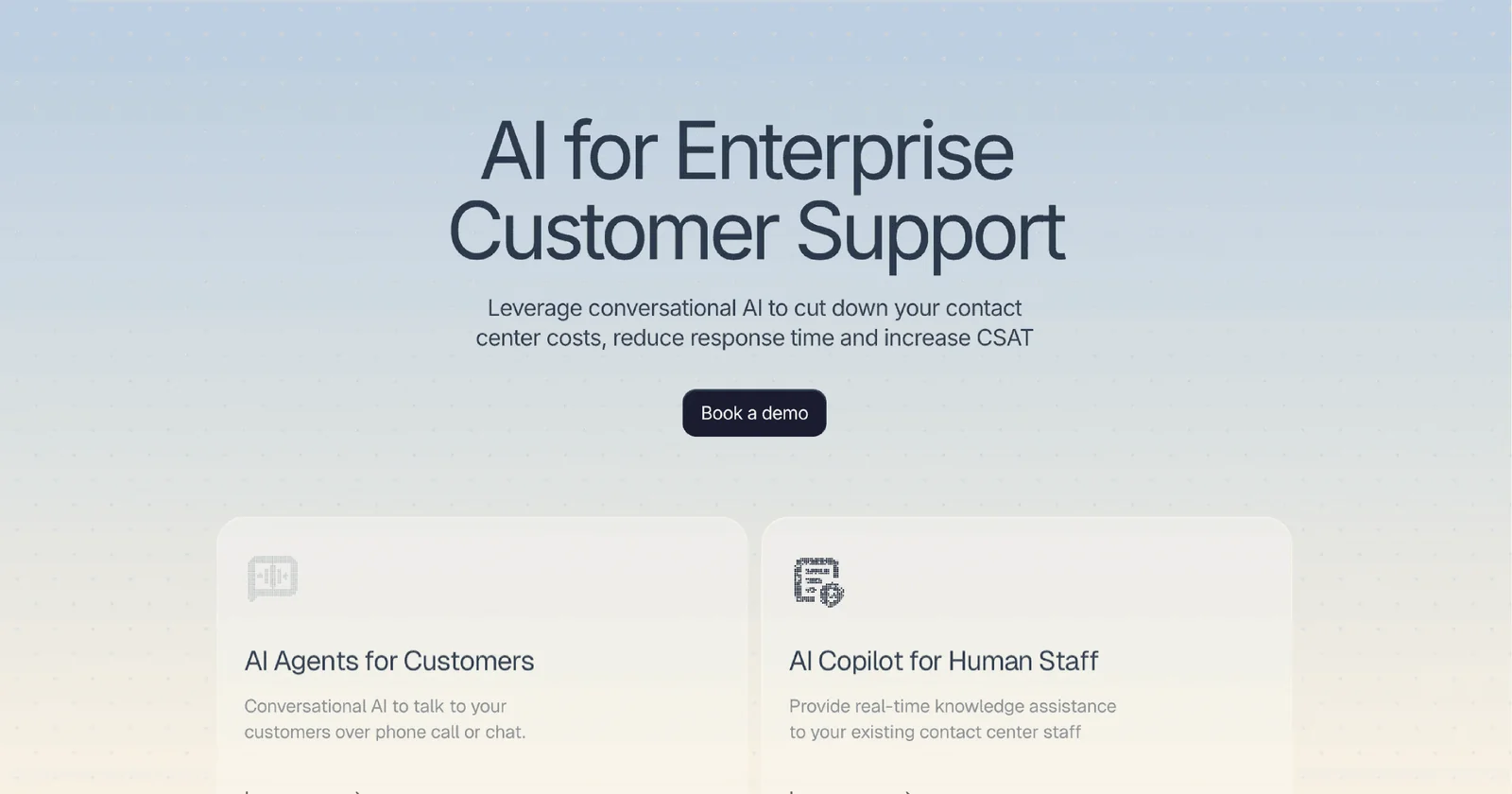
AIAgentic voice and chat agents that automate enterprise customer support and sales by reasoning on customer data and taking real actions.
Cignara
Agentic voice and chat agents that automate enterprise customer support and sales by reasoning on customer data and taking real actions.
About Cignara
Cignara builds agentic AI voice and chat agents for large enterprises that replace FAQs and IVR menus with conversational agents that reason over customer data, execute backend actions, and convert interactions into revenue opportunities. The platform supports both voice and chat channels, integrates with enterprise systems to perform tasks (e.g., ticketing, billing, order updates), and is positioned for Fortune 500–grade deployments with a focus on scalability, reliability, and measurable ROI. Cignara emphasizes converting customer service conversations from cost centers into revenue moments by enabling agents to upsell, qualify leads, and complete transactions during conversations.
Screenshots
Key Features
Use Cases


Frequently asked questions about Cignara
What is Cignara?
Cignara is an AI-driven platform designed to enhance enterprise customer support by automating interactions, improving response times, and personalizing user experiences. It leverages advanced machine learning algorithms to streamline customer inquiries, enabling businesses to increase efficiency and satisfaction.
Key Points
- AI Automation: Cignara automates responses to common customer queries.
- Personalization: It customizes interactions based on user data and behavior.
- Integration: Seamlessly integrates with existing customer support systems.
Detailed Explanation
Cignara utilizes artificial intelligence to transform how businesses handle customer support. By employing natural language processing (NLP) and machine learning, Cignara can analyze customer inquiries and provide accurate, context-aware responses.
Use Cases
- Chatbots: Cignara can deploy AI chatbots that engage customers 24/7, handling inquiries ranging from order status to troubleshooting issues, thus reducing wait times significantly.
- Email Support: The platform can automate email responses, categorizing and prioritizing issues to ensure that urgent requests are addressed promptly.
- Data Analysis: Cignara analyzes customer interactions to identify common issues, enabling businesses to refine their services and provide proactive support.
For instance, a retail company using Cignara might see a 30% reduction in response time by automating FAQs, allowing human agents to focus on more complex queries.
Best Practices / Tips
- Train the AI: Continuously feed Cignara with data to improve its learning and response accuracy.
- Monitor Interactions: Regularly review automated interactions to ensure quality and adjust responses as needed.
- User Feedback: Implement feedback mechanisms so customers can report on the effectiveness of AI responses, helping to refine the system.
Common Pitfalls
- Over-Reliance on Automation: While AI can handle many tasks, ensure human agents are available for complex issues.
- Neglecting Personalization: Failing to personalize interactions can lead to a poor customer experience; leverage user data effectively.
Additional Resources
By embracing Cignara, enterprises can enhance their customer support systems, making them more efficient and responsive, ultimately leading to higher customer satisfaction and loyalty.
How does Cignara work?
Cignara works by integrating advanced artificial intelligence technologies to streamline daily workflows, enhancing user productivity and efficiency. By automating repetitive tasks and providing intelligent insights, Cignara allows users to focus on more strategic activities, making it a valuable tool for businesses and individuals alike.
Key Points
- AI Integration: Cignara utilizes machine learning and natural language processing.
- Workflow Automation: It automates routine tasks to save time and reduce errors.
- User-Friendly Interface: Designed for ease of use, making it accessible for all skill levels.
Detailed Explanation
Cignara leverages cutting-edge AI technologies, including machine learning and natural language processing, to assist users in their daily tasks. Its primary functionalities include:
-
Automation of Routine Tasks: Cignara can automate repetitive tasks such as data entry, report generation, and scheduling. For instance, a marketing team can use Cignara to automatically compile monthly performance reports by pulling data from various sources, saving hours of manual work.
-
Intelligent Insights: The platform provides valuable insights by analyzing user data and workflows. For example, it can identify bottlenecks in a process and suggest optimizations, allowing teams to improve efficiency significantly.
-
Seamless Integration: Cignara is designed to integrate smoothly with existing tools and software used by businesses, such as CRM systems and project management tools. This ensures that users can implement Cignara without overhauling their current workflows.
-
Customizable Workflows: Users can tailor Cignara’s functionalities to meet specific needs. Whether it’s customizing templates for reports or setting specific triggers for automation, flexibility is a key feature.
Best Practices / Tips
- Define Clear Goals: Before implementing Cignara, outline your specific workflows and objectives. This will help you utilize the platform effectively.
- Regularly Update the System: Ensure that you keep Cignara updated to access the latest features and improvements.
- Train Your Team: Provide training sessions for your team to maximize the benefits of Cignara, ensuring everyone is comfortable using the tool.
- Monitor Performance: Regularly review the efficiency of workflows to identify areas for further optimization.
Additional Resources
What are the main features of Cignara?
Cignara offers a range of advanced features, including core AI capabilities, data integration, real-time analytics, customizable dashboards, and machine learning algorithms. These tools empower users to optimize processes, enhance decision-making, and streamline workflows in various industries.
Key Points
- Core AI Capabilities: Advanced algorithms for predictive analytics.
- Data Integration: Seamless connection with multiple data sources.
- Real-Time Analytics: Instant insights for timely decision-making.
Detailed Explanation
Cignara stands out with its core AI capabilities, allowing businesses to leverage machine learning and deep learning models for predictive analytics. This feature helps organizations forecast trends and make data-driven decisions. For instance, retail businesses can predict customer buying patterns to optimize inventory management.
Data integration is another significant feature. Cignara can connect with various data sources, including CRM systems, databases, and cloud storage, ensuring a unified data environment. This capability allows for comprehensive analysis without the hassle of manual data entry, saving time and reducing errors.
Real-time analytics provides immediate insights into ongoing operations, enabling teams to respond quickly to changes. Users can create customizable dashboards that reflect key performance indicators (KPIs), allowing businesses to monitor their performance effectively. For example, a marketing team can track campaign performance and adjust strategies on the fly.
Best Practices / Tips
- Leverage Custom Dashboards: Always tailor dashboards to display the most relevant KPIs for your specific industry or role.
- Integrate Multiple Data Sources: Take full advantage of Cignara’s integration capabilities to enhance the quality and comprehensiveness of your analysis.
- Regularly Update Models: Keep your AI models updated with the latest data to improve accuracy in predictions.
Additional Resources
Who is Cignara for?
Cignara is designed for a diverse audience, including businesses, freelancers, and individuals seeking to streamline their daily tasks through AI workflows. It caters to anyone looking to enhance productivity, automate repetitive tasks, and leverage AI for better decision-making.
Key Points
- Target Audience: Suitable for businesses, freelancers, and individuals.
- Functionality: Enhances productivity through automation and AI integration.
- Versatile Use Cases: Applicable in various industries and tasks.
Detailed Explanation
Cignara serves a wide range of users by providing tools that simplify AI integration into everyday workflows.
-
Businesses: Companies can use Cignara to automate customer service responses, manage data analytics, and streamline project management. For instance, a marketing team might use Cignara to analyze social media trends and generate reports, saving hours of manual work.
-
Freelancers: Freelancers can benefit from Cignara by automating invoicing, scheduling, and client communications. For example, a graphic designer could use Cignara to set reminders for project deadlines and automate client follow-ups, allowing them to focus more on creative tasks.
-
Individuals: Everyday users can utilize Cignara for personal productivity enhancements, such as organizing tasks, setting reminders, and even learning new skills through curated AI-driven content recommendations. A student might leverage Cignara to manage study schedules and track assignments efficiently.
Best Practices / Tips
- Integrate with Existing Tools: Maximize Cignara’s utility by integrating it with tools you already use, like Google Workspace or Slack.
- Start Small: Begin with one or two workflows to ensure a smooth adoption before scaling up your use of Cignara.
- Regularly Update Workflows: Periodically review and optimize your AI workflows to adapt to changing needs or incorporate new features.
Additional Resources
How much does Cignara cost?
Cignara is entirely free to use, offering users a range of features without any subscription or hidden fees. This makes it an accessible tool for anyone looking to leverage its capabilities without financial commitment.
Key Points
- Cignara is free for all users.
- No hidden fees or subscriptions.
- Accessible features for various applications.
Detailed Explanation
Cignara is a versatile platform that provides a suite of features tailored for users in various industries, particularly in project management and team collaboration. By being completely free, Cignara allows individual users, startups, and established companies to utilize its tools without worrying about budget constraints.
For instance, users can create and manage projects, track tasks, and collaborate with team members effectively. This is especially beneficial for freelancers and small businesses that may not have the resources to invest in expensive software solutions.
Cignara's user-friendly interface ensures that even those with limited technical skills can navigate and utilize its functionalities easily. As a result, teams can enhance productivity and streamline communication without incurring costs.
Best Practices / Tips
- Start with the basics: Familiarize yourself with the core features of Cignara to maximize its potential. Utilize tutorials available on the platform.
- Leverage integrations: If you use other tools, explore Cignara's integration capabilities to enhance workflows.
- Regularly update your projects: Keeping your project details up-to-date ensures better collaboration and task management.
Additional Resources
How do I get started with Cignara?
To get started with Cignara, simply visit Cignara's sign-up page to create your account. Once registered, you can explore its features, customize your settings, and begin utilizing the platform for your needs.
Key Points
- Create your account through the official Cignara website.
- Explore the platform’s features after signing up.
- Customize your settings to enhance your experience.
Detailed Explanation
Cignara is an innovative platform designed to streamline various tasks, making it a valuable tool for individuals and businesses alike. To begin, follow these steps:
-
Sign Up: Visit Cignara’s official website and click on the "Sign Up" button. Fill in the required information, such as your name, email address, and a secure password.
-
Account Verification: After registration, you may need to verify your email address. Check your inbox for a confirmation email from Cignara and follow the provided link to activate your account.
-
Explore Features: Once logged in, you can dive into Cignara’s features. The platform offers tools for project management, collaboration, and reporting. Familiarize yourself with the dashboard and available resources.
-
Customize Settings: Tailor the platform to fit your specific needs by adjusting settings. This may include setting up notifications, integrating with other apps, and personalizing your workspace.
-
Start Using Cignara: Begin utilizing the tools and features for your projects, whether for personal use or within a team setting. Take advantage of tutorials, webinars, and support resources available on the platform to optimize your experience.
Best Practices / Tips
- Utilize Tutorials: Cignara often provides onboarding tutorials or documentation. Make use of these resources to quickly get up to speed with the platform’s capabilities.
- Connect with Support: If you encounter issues or have questions, reach out to Cignara's support team for assistance. They can provide valuable insights and help you troubleshoot.
- Regularly Update Your Profile: Keep your account information and preferences up to date to ensure you receive the most relevant updates and features tailored to your needs.
Additional Resources
- Cignara Help Center: Access official documentation and FAQs for detailed guidance.
- Cignara Blog: Read articles and tips on maximizing your use of Cignara.
- Cignara Community Forum: Engage with other users, share experiences, and learn best practices.
Explore more AI Ai Tools tools
Browse all Ai Tools tools →Browse by use case: Chatbots & Assistants · Voice & Audio · Automation & Productivity
Compare Cignara: vs Pi Web · vs Aymo AI · vs Speech To Markdown · vs FluentDB