

AI Text To Speech Generator - Voiser.ai
AIInstantly convert text to natural-sounding speech in 140+ languages for creators, teams, transcription, and AI video production.
AI Text To Speech Generator - Voiser.ai
Instantly convert text to natural-sounding speech in 140+ languages for creators, teams, transcription, and AI video production.
About AI Text To Speech Generator - Voiser.ai
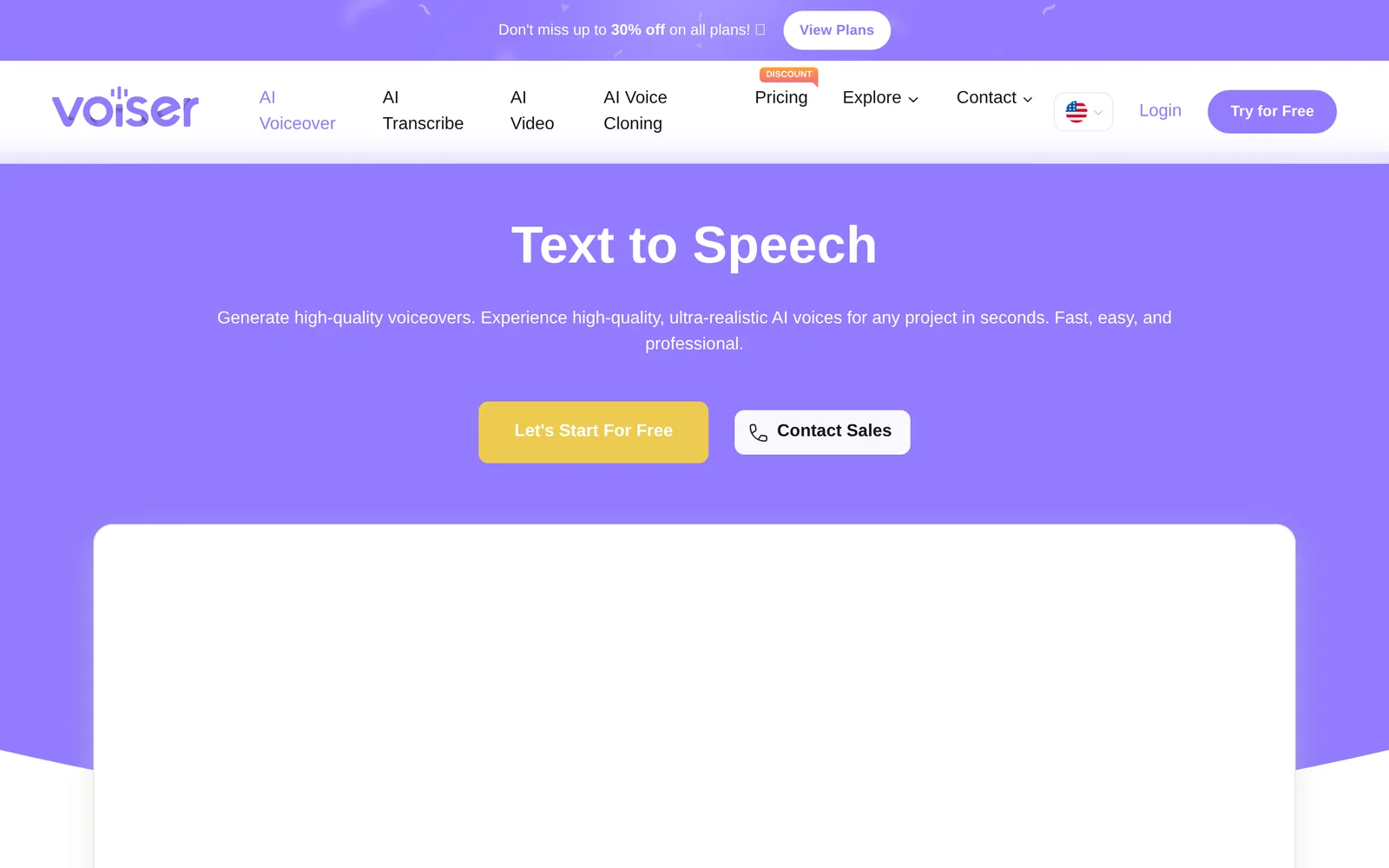
Voiser is a text-to-speech and voiceover platform that converts written text into natural, human-like speech across 140+ languages, with specific support for Turkish. Beyond TTS, Voiser offers speech-to-text transcription and AI-driven video creation tools so users can generate narrated videos end-to-end. The service provides a large library of voices and mobile apps for on-the-go production, targeting content creators, localization workflows, accessibility, and team-driven voiceover projects to speed content production and scale multilingual publishing.
Screenshots
Key Features
Use Cases


Frequently asked questions about AI Text To Speech Generator - Voiser.ai
What is AI Text To Speech Generator - Voiser.ai?
Voiser.ai is an AI text-to-speech generator that converts written text into natural-sounding audio in over 140 languages, including Turkish. Ideal for content creators and teams, it offers a quick and efficient way to produce high-quality voiceovers for various applications, enhancing accessibility and engagement.
Key Points
- Supports over 140 languages, including Turkish.
- Provides natural-sounding voice options for diverse content.
- Ideal for content creators, educators, and businesses.
Detailed Explanation
Voiser.ai leverages advanced AI technology to transform your written text into realistic voice narrations. This tool is particularly beneficial for content creators, educators, and businesses looking to enhance their multimedia content.
Features
-
Multi-Language Support: With support for over 140 languages, Voiser.ai allows users to reach a global audience. This capability is especially useful for multilingual content strategies.
-
Natural Voice Quality: The AI-generated voices are designed to sound human-like, making the audio more engaging for listeners. This is crucial for podcasts, e-learning modules, and promotional videos.
-
User-Friendly Interface: Voiser.ai features an intuitive interface, enabling users to easily input text and adjust settings such as pitch, speed, and voice type.
Use Cases
- E-Learning: Educators can convert course materials into audio format, making lessons more accessible for students who prefer auditory learning.
- Content Creation: Bloggers and video producers can add voiceovers to their content, enhancing viewer engagement.
- Marketing: Businesses can create audio ads or narrations for promotional videos, reaching a wider audience effectively.
Best Practices / Tips
- Experiment with Voices: Test different voice options to see which resonates best with your audience.
- Adjust Speed and Pitch: Tailor the audio to match the tone of your content by adjusting speed and pitch settings.
- Include Visuals: When using audio for presentations or videos, complement it with visual elements for better retention.
Additional Resources
How does AI Text To Speech Generator - Voiser.ai work?
Voiser.ai is an AI text-to-speech generator that utilizes advanced machine learning algorithms to convert written text into natural-sounding speech. It enhances daily workflows by providing realistic voice outputs, allowing users to create audio content easily, making it ideal for businesses, educators, and content creators.
Key Points
- Advanced AI Technology: Utilizes deep learning for natural voice synthesis.
- User-Friendly Interface: Easy to navigate and operate, suitable for all skill levels.
- Versatile Applications: Ideal for audiobooks, podcasts, e-learning, and more.
Detailed Explanation
Voiser.ai employs cutting-edge AI technology to generate human-like speech from text. The process begins with the user inputting text into the platform. Voiser.ai's AI engine analyzes the text, understanding context, tone, and emotion, to produce a voice output that mimics human intonation and inflection.
How It Works:
- Text Input: Users can type or paste their text into the Voiser.ai interface.
- Voice Selection: The platform offers a variety of voice options, including different accents and genders, allowing users to choose the most suitable voice for their project.
- Speech Generation: Once the text and voice are selected, the AI processes the information, converting the text into speech within seconds.
- Download and Use: Users can listen to the generated audio and download it in multiple formats for use in applications like presentations, videos, or educational content.
Use Cases:
- E-Learning: Educators can create engaging audio lessons, making learning more accessible.
- Marketing: Businesses can generate voiceovers for advertisements, enhancing brand communication.
- Accessibility: Individuals with visual impairments benefit from audio content generated from written materials.
Best Practices / Tips
- Keep Text Concise: Shorter sentences yield clearer audio outputs.
- Select Appropriate Voices: Match voice tone to the target audience for better engagement.
- Preview Before Finalizing: Always listen to the generated audio to ensure it meets your expectations.
- Use High-Quality Text: Proofread your text to avoid errors that could affect speech clarity.
Additional Resources
- Voiser.ai Official Website - Explore features and pricing.
- Voiser.ai Documentation - Access guides and tutorials for effective use.
- AI Text-to-Speech Technology Explained - Learn more about the underlying technology.
What are the main features of AI Text To Speech Generator - Voiser.ai?
Voiser.ai offers a range of impressive features in its AI Text To Speech Generator, including natural-sounding voices, multilingual support, customizable voice parameters, and integration with various applications. These capabilities make it a powerful tool for content creators, educators, and businesses seeking to enhance their audio content.
Key Points
- Natural-Sounding Voices: Voiser.ai provides high-quality, lifelike voice options.
- Multilingual Support: It supports multiple languages, catering to diverse audiences.
- Customizable Voice Parameters: Users can adjust pitch, speed, and tone for personalization.
Detailed Explanation
Voiser.ai stands out in the realm of AI text-to-speech technology with several key features:
-
Natural-Sounding Voices: Utilizing advanced neural networks, Voiser.ai generates audio that closely mimics human speech. This feature is particularly beneficial for creating engaging content that holds the listener's attention.
-
Multilingual Support: Voiser.ai offers support for over 20 languages, making it an ideal choice for businesses and educators who need to reach a global audience. This feature allows users to create content in various languages without compromising quality.
-
Customizable Voice Parameters: Users can fine-tune voice characteristics such as pitch, speed, and tone. This level of customization helps tailor the audio to specific audiences or match the desired emotional tone of the content. For instance, a corporate presentation may require a more formal tone, while a children's story might benefit from a playful voice.
-
Integration Capabilities: Voiser.ai can be integrated with various platforms such as websites, mobile apps, and e-learning tools. This seamless integration simplifies the process of adding audio content to existing projects, enhancing user experience.
-
User-Friendly Interface: With an intuitive dashboard, users can easily navigate through the features and generate audio within minutes. The platform is designed for both beginners and advanced users, ensuring accessibility for everyone.
Best Practices / Tips
- Experiment with Voice Parameters: Take time to adjust pitch and speed to find the perfect combination that resonates with your target audience.
- Utilize Multilingual Features: If your audience is global, make use of the multilingual capabilities to broaden your reach.
- Regularly Update Content: Keep your audio content fresh by periodically revisiting and updating it, ensuring relevance and engagement.
- Test Different Voices: Voiser.ai offers various voice options; testing different voices can help identify which one aligns best with your brand identity.
Additional Resources
Who is AI Text To Speech Generator - Voiser.ai for?
AI Text To Speech Generator - Voiser.ai is designed for a wide range of users, including content creators, educators, businesses, and individuals seeking efficient audio solutions. It streamlines daily workflows by transforming text into natural-sounding speech, enhancing accessibility and engagement in various applications.
Key Points
- Content Creators: Enhance videos and podcasts with lifelike narration.
- Educators: Convert educational materials into audio format for diverse learning styles.
- Businesses: Improve customer engagement through automated voice responses.
Detailed Explanation
Voiser.ai serves multiple audiences effectively.
-
Content Creators: Whether you’re a YouTuber, podcaster, or author, Voiser.ai can convert scripts into engaging audio. It supports various languages and accents, allowing creators to reach a broader audience. For instance, a YouTube tutorial can be narrated in multiple languages, increasing its accessibility.
-
Educators: Teachers can use Voiser.ai to create audiobooks or lectures from their lesson plans. This is particularly beneficial for students with learning disabilities or those who prefer auditory learning. By transforming text into speech, educators can cater to diverse learning preferences, enhancing overall comprehension.
-
Businesses: Companies can leverage Voiser.ai for customer service, creating automated voice responses for FAQs or engaging marketing materials. This not only saves time but also ensures consistency in communication. For example, a business can generate a voiceover for their promotional videos, making them more engaging and professional.
Best Practices / Tips
- Choose the Right Voice: Experiment with different voice options and accents to find the best fit for your audience. A relatable voice can significantly enhance user engagement.
- Optimize Text for Speech: Write in a conversational tone, using shorter sentences and clear language. This ensures the generated speech sounds natural and engaging.
- Test and Iterate: After generating audio, listen closely to assess clarity and engagement. Make adjustments to the text or voice settings as needed for optimal results.
Additional Resources
How much does AI Text To Speech Generator - Voiser.ai cost?
Voiser.ai offers a tiered pricing model for its AI Text To Speech Generator, with plans starting from free usage for basic features to premium subscriptions that provide advanced functionalities. For specific pricing details and features, it's best to visit the official Voiser.ai website.
Key Points
- Free Plan: Access to basic features without cost.
- Subscription Tiers: Various paid plans for advanced use.
- Custom Solutions: Options for businesses needing tailored services.
Detailed Explanation
Voiser.ai’s pricing structure accommodates different user needs, ranging from casual users to businesses requiring robust text-to-speech capabilities.
-
Free Plan: The free tier allows users to generate a limited number of audio files each month, making it ideal for individuals or small projects. Users can experience the quality of Voiser.ai's voices without financial commitment.
-
Subscription Plans: For users who need more features, Voiser.ai offers several subscription options:
- Basic Plan: Starting at around $19 per month, this plan typically includes additional voice options, higher audio quality, and an increased limit on audio generation.
- Pro Plan: Priced around $39 per month, it includes all basic features plus enhanced voice selection, priority support, and commercial usage rights.
- Enterprise Solutions: Custom pricing is available for businesses that require tailored features, bulk audio generation, and dedicated support.
-
Features Included: Each plan may come with various features such as multilingual support, customizable voice tones, and API access for developers. This flexibility allows users to choose a plan that best suits their specific needs.
Best Practices / Tips
- Assess Your Needs: Before choosing a plan, evaluate how often you will use the service and the features that matter most to you.
- Start with Free Trials: Utilize the free plan to familiarize yourself with the platform and its capabilities.
- Consider Long-Term Use: If you're a business, investing in a subscription plan early can save costs in the long run, especially if you anticipate high usage.
Additional Resources
For the most accurate and up-to-date information, always refer to the official Voiser.ai website.
How do I get started with AI Text To Speech Generator - Voiser.ai?
To get started with the AI Text To Speech Generator - Voiser.ai, visit Voiser.ai to sign up. After creating an account, you can explore various voice options, customize settings, and generate high-quality voiceovers for your projects.
Key Points
- User-Friendly Interface: Easy navigation for beginners.
- Variety of Voice Options: Choose from multiple languages and accents.
- Customizable Features: Adjust speed, tone, and pitch for personalized outputs.
Detailed Explanation
Voiser.ai is an intuitive AI Text To Speech (TTS) tool designed to transform written text into lifelike speech. To begin:
-
Sign Up: Click on this link to create your account. Registration is quick and often requires just an email address and password.
-
Explore Features: Once logged in, familiarize yourself with the dashboard. You'll find various options, including different voice types (male, female, various accents), languages, and customization settings.
-
Create Your First Voiceover:
- Input your text in the provided text box.
- Select your preferred voice and adjust settings like speed and pitch.
- Click on "Generate" to produce your audio file.
-
Download or Share: After generating the voiceover, you can download the audio file directly or share it via social media channels.
Voiser.ai is suited for a wide range of applications, including video narration, podcasting, educational content, and more. The platform's flexibility allows you to create engaging audio content that enhances user experience.
Best Practices / Tips
- Experiment with Voices: Try different voices and accents to find the perfect match for your content.
- Use Short Texts: For best results, keep your text concise. Longer texts may lead to less natural-sounding audio.
- Preview Before Finalizing: Always listen to the generated audio to ensure it meets your expectations before downloading.
- Be Mindful of Usage Rights: Check Voiser.ai's terms regarding the commercial use of generated content to avoid potential issues.
Additional Resources
Explore more AI Ai Tools tools
Browse all Ai Tools tools →Browse by use case: Video Generation · Voice & Audio
Compare AI Text To Speech Generator - Voiser.ai: vs nodeterm · vs A.I.G (AI Infra Guard) · vs Trama · vs Agents Never Sleep