

Cloudback MCP Server
AICloudback MCP Server provides secure, compliant backups for code and project platforms with BYOS/BYOK encryption and Terraform integration.
Cloudback MCP Server
Cloudback MCP Server provides secure, compliant backups for code and project platforms with BYOS/BYOK encryption and Terraform integration.
About Cloudback MCP Server
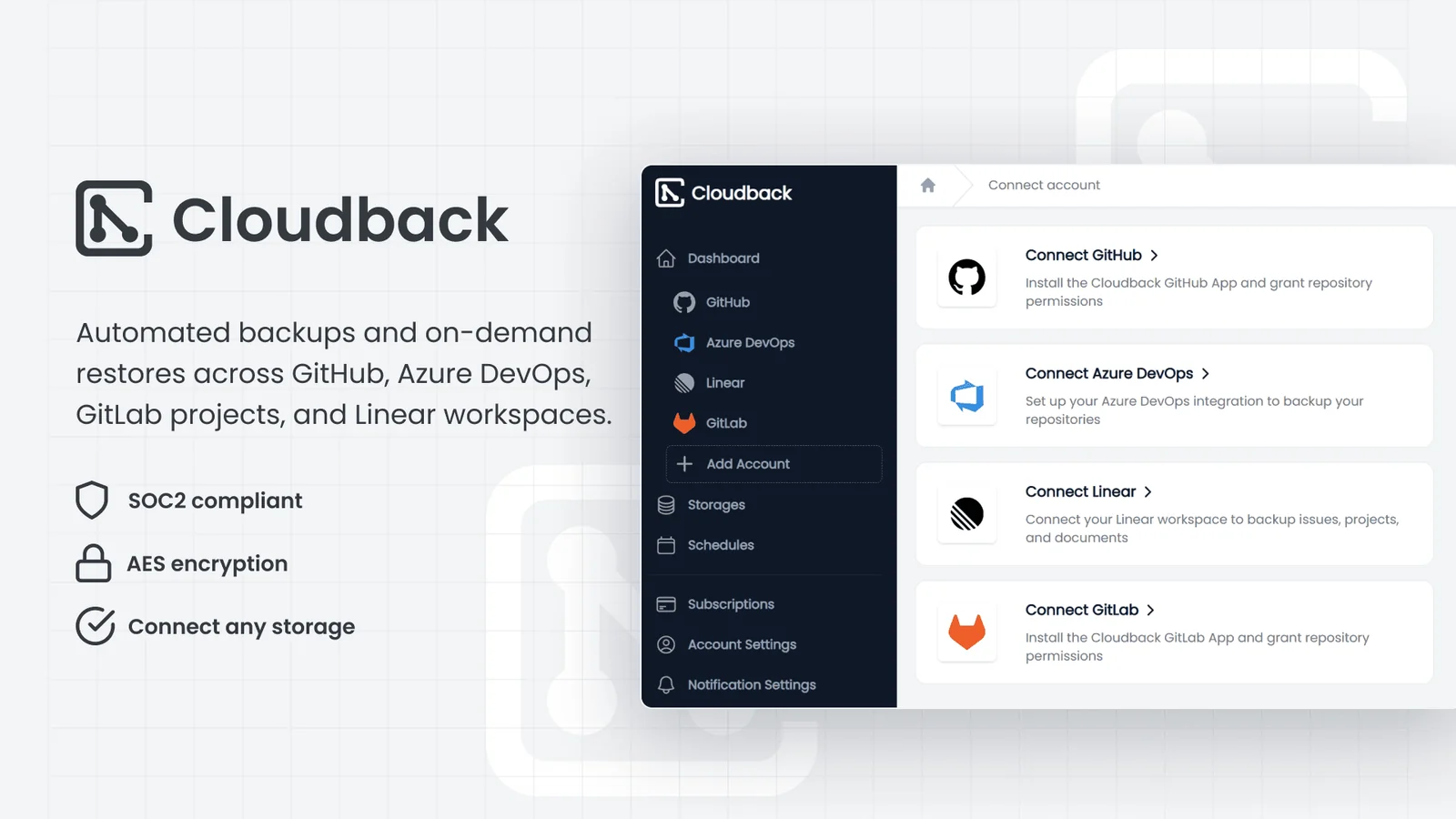
Cloudback MCP Server is a managed backup and protection service for source control and project platforms such as GitHub, Azure DevOps, GitLab, and Linear. It continuously captures repositories, metadata, and project data to enable point-in-time recovery, long-term retention, and migration workflows. The platform emphasizes customer-controlled security with BYOS (Bring Your Own Storage) and RSA Lockbox BYOK (Bring Your Own Key) encryption, and maintains SOC 2 Type II compliance for enterprise governance. Integration with Terraform enables infrastructure-as-code provisioning and automated policy management for backup jobs and recovery procedures.
Screenshots
Key Features
Use Cases


Frequently asked questions about Cloudback MCP Server
What is Cloudback MCP Server?
The Cloudback MCP Server is an advanced AI-driven platform that automates backup management for repositories on GitHub, GitLab, Azure DevOps, and Linear. It enables AI assistants like Claude, Cursor, and VS Code to efficiently oversee and execute these backups, ensuring data integrity and accessibility.
Key Points
- Automation: The MCP Server automates the backup process, reducing manual intervention.
- AI Integration: It leverages AI assistants to enhance usability and efficiency.
- Multiple Platforms: Supports major code repository platforms like GitHub, GitLab, Azure DevOps, and Linear.
Detailed Explanation
The Cloudback MCP Server is designed to streamline the backup process for developers and organizations managing code on popular platforms. By integrating with AI assistants such as Claude, Cursor, and VS Code, MCP Server provides a seamless experience in managing backups.
For instance, a software development team using GitHub can configure the MCP Server to automatically back up their repositories at scheduled intervals. This eliminates the risk of data loss due to unforeseen circumstances, such as accidental deletions or data corruption.
Use Cases:
- Automated Backups: Teams can set the MCP Server to perform daily backups, ensuring that the latest changes are always stored securely.
- Version Control: The MCP Server can maintain multiple versions of code backups, allowing developers to revert to previous states when necessary.
- Cross-Platform Support: Organizations using various platforms can manage their backups centrally through the MCP Server, simplifying the backup strategy.
Best Practices / Tips
- Regularly Review Backup Settings: Ensure that backup schedules align with your development cycles. Adjust frequency based on project activity.
- Test Restore Processes: Regularly test the restoration of backups to confirm that data can be reliably recovered.
- Integrate with CI/CD Pipelines: Incorporate the MCP Server into your Continuous Integration/Continuous Deployment processes for automated backups during deployments.
Additional Resources
How does Cloudback MCP Server work?
Cloudback MCP Server operates by integrating with various AI assistants to manage backups, automate daily data captures, and facilitate flexible restores. It ensures security with customer-managed encryption and offers the option to choose cloud storage regions, making it suitable for compliance and disaster recovery needs.
Key Points
- AI Integration: Works seamlessly with AI tools like Claude, Cursor, and VS Code.
- Automated Backups: Captures comprehensive project data including Git history and metadata.
- Flexible Restores: Allows restoration to various repositories and accounts.
Detailed Explanation
Cloudback MCP Server is designed to optimize backup operations for developers and teams. Here’s how it works in detail:
1. AI Integration
Cloudback MCP Server supports popular AI tools such as Claude, Cursor, and Visual Studio Code. These integrations enable users to trigger backups, check the status of their data, and initiate restores directly from their development environment. For example, a developer can simply ask an AI assistant to initiate a backup, streamlining the workflow.
2. Automated Daily Backups
The system automatically captures full Git histories, including Git LFS (Large File Storage), pull requests, issues, and project data. This ensures that all relevant information is preserved without manual intervention. For instance, teams can rely on daily backups to maintain their workflow and prevent data loss.
3. Flexible Restores
Users can easily restore backups to the same repository or choose a different repository or account from the dashboard. This feature is particularly useful during team transitions or when migrating to new platforms. For example, if a team changes its project management tool, they can restore their backup seamlessly to the new environment.
4. Customer-Managed Encryption
Cloudback MCP Server uses AES-256 encryption for its archives, with the option for RSA Lockbox or Customer-Managed Encryption Keys (CMEK). This gives users control over their encryption keys, enhancing data security and compliance with industry regulations.
5. Bring-Your-Own Storage
Users can select from various managed regions like the US, EU, UK, Sydney, and Singapore, or connect to third-party cloud storage solutions like S3, Azure Blob, or Google Cloud. This flexibility allows organizations to meet specific compliance and data residency requirements.
6. Disaster Recovery and Compliance
In case of accidental deletion or a security breach, Cloudback MCP Server facilitates quick recovery of repositories, issues, and metadata. Organizations can maintain SOC 2 Type II compliance by ensuring that backups are securely stored in their preferred regions.
7. Automated Governance
By utilizing tools like Terraform, teams can codify backup schedules and retention policies across multiple repositories, ensuring consistent governance practices.
Best Practices / Tips
- Regularly Test Restores: Ensure your backup process is effective by periodically testing restore operations.
- Utilize AI Assistants: Leverage AI tools to streamline your backup commands and enhance productivity.
- Monitor Backup Status: Regularly check the status of automated backups to ensure data integrity and availability.
- Implement Governance Policies: Use automation tools like Terraform to maintain consistent backup schedules and compliance standards across your projects.
Additional Resources
What are the main features of Cloudback MCP Server?
Cloudback MCP Server offers essential features like MCP Access for AI Assistants, automated daily backups capturing full Git history, and flexible restore options. Additionally, it ensures customer-managed encryption and supports bring-your-own storage, making it a versatile solution for data management and security.
Key Points
- MCP Access for AI Assistants: Integrates with platforms like Claude, Cursor, and VS Code.
- Automated Daily Backups: Safeguards full Git history, including metadata.
- Flexible Restores: Allows restoration to various repositories and accounts.
Detailed Explanation
Cloudback MCP Server is designed to streamline the backup and restoration process for development teams.
-
MCP Access for AI Assistants: This feature enables seamless interaction with various AI-driven tools. Developers can trigger backups, check the status, and execute restores directly from platforms like Claude, Cursor, and VS Code. This integration enhances productivity by allowing quick access to backup functionalities without switching tools.
-
Automated Daily Backups: Every day, Cloudback captures the complete history of your Git repositories, including Git LFS, pull requests, issues, project data, and platform metadata. This feature ensures that your data is consistently protected, providing peace of mind that you can recover any state of your project quickly.
-
Flexible Restores: Whether you need to restore a backup to the same repository, a different repository, or even a different account, Cloudback makes it easy through its user-friendly dashboard. This flexibility is crucial for teams working across multiple environments or those needing to recover from various stages of development.
-
Customer-Managed Encryption: Security is paramount, and Cloudback uses AES-256 encryption for all archived data. Users can opt for RSA Lockbox or Customer-Managed Encryption Keys (CMEK), allowing them to maintain control over their encryption keys, adding an extra layer of security.
-
Bring-Your-Own Storage Options: Cloudback provides flexibility in storage choices, allowing you to select from managed regions such as the US, EU, UK, Sydney, or Singapore. Alternatively, you can connect to popular cloud storage solutions like Amazon S3, Azure Blob, or Google Cloud, further enhancing data accessibility and management.
Best Practices / Tips
- Regularly Monitor Backups: Ensure that you frequently check the status of automated backups to avoid data loss.
- Utilize Encryption Options: Always enable customer-managed encryption to enhance security for sensitive data.
- Test Restore Processes: Periodically test your restore procedures to ensure that you can recover data efficiently when needed.
- Optimize Storage Choices: Choose a storage region that minimizes latency and complies with your organization's data residency requirements.
Additional Resources
Who is Cloudback MCP Server for?
Cloudback MCP Server is designed for developers, IT teams, and organizations needing effective backup solutions. It enables seamless conversational backup operations, ensures disaster recovery, compliance with data regulations, facilitates platform migration, and automates governance for multiple repositories—all within a user-friendly interface.
Key Points
- Conversational Backup Operations: Easily manage backups through AI assistants.
- Disaster Recovery: Quickly restore lost data after accidental deletions or security breaches.
- Compliance & Data Residency: Ensure data backups meet regulatory standards in preferred locations.
Detailed Explanation
Cloudback MCP Server caters to a diverse audience, primarily focusing on developers and IT professionals who require robust backup solutions within their workflows. Here’s a closer look at its main functionalities:
-
Conversational Backup Operations: With Cloudback MCP Server, users can ask an AI assistant to execute backup or restore commands, streamlining the process without disrupting their coding environment. This feature is particularly beneficial for developers who prefer to maintain focus in their editors.
-
Disaster Recovery: In the event of accidental data loss, such as deleted repositories or compromised accounts, Cloudback MCP Server allows for quick restoration of repositories, issues, and metadata. This rapid recovery is crucial for maintaining business continuity and minimizing downtime.
-
Compliance & Data Residency: Organizations must comply with various regulations, including SOC 2 Type II. Cloudback MCP Server allows users to store backups in designated regions or their own cloud storage, ensuring compliance with data residency laws and enhancing overall data security.
-
Platform Migration: When teams switch providers or reorganize, Cloudback MCP Server simplifies the migration process. Users can restore backups into different repositories or accounts, ensuring a smooth transition without data loss.
-
Automated Governance: By using Terraform, users can codify and manage backup schedules and retention policies across multiple repositories. This feature enhances governance, ensuring that data management practices are consistent and compliant.
Best Practices / Tips
- Define Backup Strategies: Establish clear backup schedules based on project requirements to ensure data is regularly saved.
- Utilize AI Features: Leverage the conversational AI capabilities for quick commands to enhance productivity.
- Test Disaster Recovery Plans: Regularly simulate data recovery scenarios to ensure that restoration processes work effectively and efficiently.
Additional Resources
How much does Cloudback MCP Server cost?
Cloudback MCP Server provides a free tier, allowing users to explore basic functionalities without any financial commitment. For advanced features, paid plans are available, typically starting at competitive rates that cater to varying business needs, ensuring flexibility and scalability in cloud management.
Key Points
- Free Tier Available: Users can start with no cost.
- Paid Plans for Advanced Features: Targeted at businesses needing more capabilities.
- Flexible Pricing Options: Plans designed to accommodate different user requirements.
Detailed Explanation
Cloudback MCP Server's pricing structure is designed to meet the needs of various users, from small startups to large enterprises. The free tier allows potential customers to test essential features, such as basic cloud management and backup functionalities, which is ideal for those who are new to cloud services or have limited budgets.
For organizations that require more robust features—like enhanced security, advanced analytics, or priority customer support—Cloudback offers paid plans. These plans typically start at around $10 per month for individual users and can scale up based on the number of accounts or specific features needed. For example, a business looking for comprehensive backup solutions might consider the Pro Plan, which could offer unlimited storage and additional security measures.
Pricing may vary based on the region, and it’s advisable to visit the Cloudback website for the most current rates and specific plan details. Additionally, they often run promotions or discounts for annual subscriptions, which can further reduce costs.
Best Practices / Tips
- Evaluate Your Needs: Before selecting a plan, assess your business's specific requirements regarding data storage, security, and backup frequency.
- Take Advantage of the Free Tier: Use the free tier to familiarize yourself with the platform's interface and capabilities before committing financially.
- Consider Long-Term Plans: If you anticipate growth, opting for an annual plan can be more economical than monthly payments.
- Check for Updates: Cloudback regularly updates its features; staying informed can help you maximize your investment.
Additional Resources
By leveraging the free tier and understanding the flexible pricing options, businesses can make informed decisions that align with their cloud management needs.
How do I get started with Cloudback MCP Server?
To get started with Cloudback MCP Server, visit Cloudback's official website to sign up for an account. After registration, you can explore the features, configurations, and deployment options of the Cloudback MCP Server to suit your specific needs.
Key Points
- User Registration: Create an account on the Cloudback website.
- Explore Features: Familiarize yourself with the functionalities of Cloudback MCP Server.
- Deployment Options: Learn about various configurations for optimal performance.
Detailed Explanation
Getting started with Cloudback MCP Server involves several key steps:
-
Visit the Website: Go to Cloudback's official site where you can find detailed information about the MCP Server.
-
Create an Account: Click on the "Sign Up" button. You’ll need to provide essential details like your email address and a secure password. After submitting, check your email for a verification link to activate your account.
-
Dashboard Overview: Once logged in, you’ll be directed to the Cloudback MCP Server dashboard. Here, you can view the menu, which includes options to configure your server settings, manage backups, and monitor performance.
-
Explore Features: Familiarize yourself with key features such as automated backups, real-time monitoring, and customizable storage solutions. The interface is user-friendly, making it easy to navigate through various options.
-
Deployment: Depending on your requirements, you can choose to deploy the MCP Server on different environments, including local servers or cloud-based platforms. Cloudback provides documentation to guide you through the setup process for various configurations.
-
Support and Community: Utilize the support section for troubleshooting, or engage with the Cloudback community for tips and shared experiences.
Best Practices / Tips
- Use Trial Period: Take advantage of any available free trial to test features before committing to a subscription plan.
- Read Documentation: Cloudback offers comprehensive documentation; reading it can help you avoid common pitfalls.
- Regular Backups: Once set up, ensure you configure regular backup schedules to keep your data secure.
- Monitor Performance: Use the built-in analytics tools to monitor the performance of your MCP Server, making adjustments as necessary.
Additional Resources
Explore more AI Mcps tools
Browse all Mcps tools →Browse by use case: Automation & Productivity
Compare Cloudback MCP Server: vs Kit for AI · vs In Parallel MCP · vs Fudge MCP · vs AgentKey