

FetchSandbox
AIRunnable API sandbox that plugs into Cursor, Claude Code, Codex, and Windsurf via MCP so agents test integrations without real keys.
FetchSandbox
Runnable API sandbox that plugs into Cursor, Claude Code, Codex, and Windsurf via MCP so agents test integrations without real keys.
About FetchSandbox
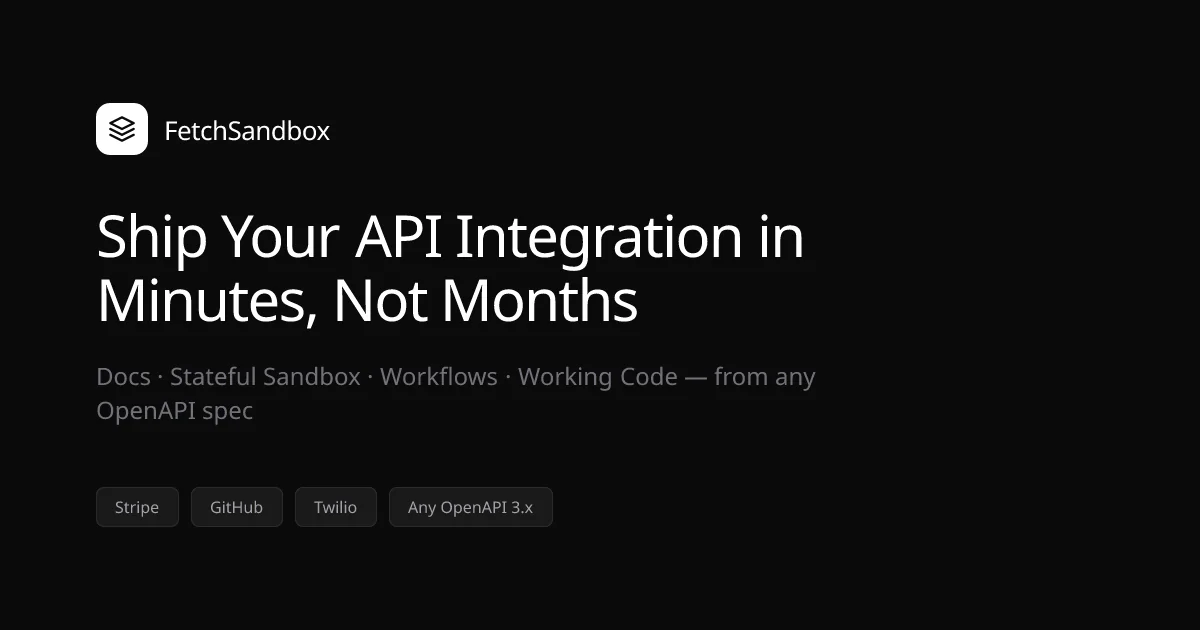
FetchSandbox is a hosted API integration sandbox that connects to AI coding assistants through the Model Context Protocol, letting agents run real workflows against 50+ pre-configured APIs (Stripe, GitHub, Twilio, Resend, Clerk, Privy, WorkOS, and more) without needing real credentials or burning production quota. Instead of stopping at a 200 response, FetchSandbox verifies webhook delivery, workflow terminal state, invariants, and end-to-end integration behavior — producing a public receipt URL for every run so results are replayable in PRs and Slack. Its 'memory graph' encodes spec-specific failure modes so bugs reproduce deterministically and fixes surface with checklist audits. The MCP package and CLI are MIT-licensed; hosted tiers cover the OpenAPI-to-runnable-env engine, curated workflow library, and team controls. Reports 1,500+ monthly active users and 1,600+ MCP installs.
Screenshots
Key Features
Use Cases



Frequently asked questions about FetchSandbox
What is FetchSandbox?
FetchSandbox is a runnable API sandbox that integrates with Cursor, Claude Code, Codex, and Windsurf through the MCP (Multi-Connector Platform). It allows developers to test integrations and API calls without using real keys, ensuring a safe testing environment for application development.
Key Points
- Integration Capability: Connects with multiple AI tools seamlessly.
- Testing Environment: Provides a secure way to test APIs without real credentials.
- Developer-Friendly: Simplifies the integration process for developers.
Detailed Explanation
FetchSandbox serves as an essential tool for developers looking to integrate various AI services without risking exposure to real API keys. By using FetchSandbox, developers can simulate requests and responses, making it easier to debug and validate their integration processes.
How FetchSandbox Works
- Setup: Developers set up FetchSandbox by connecting it to their desired AI tools, such as Cursor, Claude Code, Codex, and Windsurf.
- Simulate API Calls: Instead of using actual credentials, developers can create test API calls that mimic real interactions. This allows them to verify functionality and troubleshoot issues in real-time.
- Evaluate Responses: Once the API calls are made, developers can review the simulated responses, ensuring everything works as expected before deploying their applications.
Use Cases
- Testing New Features: Developers can test new API features or endpoints in a controlled environment.
- Debugging: When facing issues with API integrations, FetchSandbox provides a platform to debug without compromising security.
- Training: New team members can use FetchSandbox to familiarize themselves with the APIs without the risk of using live keys.
Best Practices / Tips
- Always Use FetchSandbox for Testing: Always test your integrations in FetchSandbox before moving to production to avoid potential security risks.
- Regular Updates: Keep your FetchSandbox environment updated with the latest API changes from the services you are using.
- Document Your Tests: Maintain clear documentation of your test cases and results to streamline the debugging process.
Additional Resources
How does FetchSandbox work?
FetchSandbox is a powerful tool that integrates with various coding environments, enabling developers to test and verify APIs without affecting live systems. It combines native integrations, pre-built environments, and deterministic reproduction of failures, making it ideal for debugging, contract testing, and onboarding new engineers.
Key Points
- MCP-Native Integration: Connects seamlessly with multiple coding environments.
- Pre-Built API Environments: Offers over 50 ready-to-run APIs like Stripe and GitHub.
- Deterministic Reproduction: Ensures consistent bug reproduction for reliable debugging.
Detailed Explanation
FetchSandbox streamlines the integration development process by providing a safe environment to test APIs.
-
MCP-Native Integration: FetchSandbox connects with popular coding tools like Cursor, Claude Code, and Codex using a single configuration. This integration allows developers to work within their preferred environments while utilizing the sandbox's robust testing features.
-
Pre-Built API Environments: With access to over 50 APIs, including Stripe, GitHub, and Twilio, developers can run tests without needing API keys. This feature significantly reduces the setup time and complexity typically involved in API testing.
-
End-to-End Workflow Verification: FetchSandbox not only verifies webhook deliveries and workflow states but also checks contracts and invariants. This comprehensive verification process ensures that integrations function as intended before going live.
-
Deterministic Reproduction: The system captures and encodes failure patterns, allowing developers to reproduce the same bug consistently. This feature is crucial for debugging flaky integrations, ensuring that issues can be resolved quickly and effectively.
-
Replayable Receipts: Each run generates a public receipt URL, which can be shared in pull requests or support tickets. This transparency allows for better collaboration and debugging, as any team member can replay the exact scenario that led to a failure.
-
Use Cases: FetchSandbox is particularly beneficial for:
- Agent Integration Development: Coding agents can iterate on integrations without the risk of hitting live APIs, thus avoiding potential disruptions.
- Webhook Debugging: Developers can simulate webhook delivery and retries, making it easier to identify and fix issues without affecting production systems.
- CI Contract Testing: By verifying integration contracts in pull request checks, teams can catch issues early in the development process.
- Onboarding Private APIs: New engineers can import OpenAPI specifications to safely test internal services, reducing onboarding time and increasing confidence in using private APIs.
Best Practices / Tips
- Use Pre-Built Environments: Leverage the extensive library of pre-built API environments to save time and streamline testing.
- Utilize Replayable Receipts: Always generate and share receipt URLs in bug tickets to facilitate collaboration and ensure clear communication.
- Test Frequently: Incorporate FetchSandbox into your continuous integration pipeline to catch issues early and improve overall code quality.
Additional Resources
What are the main features of FetchSandbox?
FetchSandbox offers robust integration capabilities, pre-built API environments, end-to-end workflow verification, deterministic reproduction of bugs, and replayable receipts. These features empower developers to streamline testing, enhance reliability, and ensure seamless integration across multiple platforms.
Key Points
- MCP-Native Integration: Effortlessly connects with various MCP clients.
- 50+ Pre-Built API Environments: Ready-to-use without API keys.
- End-to-End Workflow Verification: Ensures comprehensive testing beyond successful responses.
Detailed Explanation
FetchSandbox is designed to optimize the development and testing process for software engineers and product teams. Here are its main features:
-
MCP-Native Integration: FetchSandbox integrates seamlessly with tools like Cursor, Claude Code, Cline, Windsurf, Codex, and other MCP clients. This allows developers to use one configuration to connect multiple services, reducing setup time and complexity.
-
50+ Pre-Built API Environments: With over 50 ready-to-run API environments, including popular services like Stripe, GitHub, Twilio, and Resend, developers can test integrations without the hassle of obtaining API keys. This feature accelerates the development cycle and provides a hassle-free testing environment.
-
End-to-End Workflow Verification: FetchSandbox doesn't just check for successful responses; it verifies the webhook delivery, monitors terminal states, and validates contracts and invariants. This thorough verification process ensures that every aspect of the workflow is functioning correctly before deployment.
-
Deterministic Reproduction: The platform features a unique mechanism that encodes failure patterns, allowing developers to reproduce bugs consistently. This capability is crucial for debugging flaky integrations and enhances overall software reliability.
-
Replayable Receipts: Every test run generates a public receipt URL. Developers can easily share this URL in pull requests, Slack messages, or support tickets as proof of testing outcomes, improving communication within teams and with stakeholders.
Best Practices / Tips
- Utilize Pre-Built Environments: Take full advantage of the pre-built API environments to save time and effort in setting up tests.
- Regularly Test Workflows: Make end-to-end workflow verification a regular part of your development cycle to catch issues early.
- Document Bugs with Receipts: Use the replayable receipts feature for documenting bugs and testing outcomes, which can aid in faster resolutions and clearer communication within your team.
Additional Resources
Who is FetchSandbox for?
FetchSandbox is designed for developers and engineers interested in Agent Integration Development, webhook debugging, CI contract testing, onboarding private APIs, and support & QA reproduction. It allows safe testing and debugging of integrations without impacting live systems, making it essential for efficient development workflows.
Key Points
- Agent Integration Development: Enhance coding workflows with safe development environments.
- Webhook Debugging: Simulate webhook scenarios without risking production data.
- CI Contract Testing: Streamline integration verification in pull requests.
Detailed Explanation
FetchSandbox serves various professionals in tech-focused environments. Here’s how it can benefit you:
-
Agent Integration Development: Developers can let coding agents work on integrations with services like Stripe or Twilio in environments like Cursor or Claude Code. This minimizes risks by preventing interaction with live APIs, thereby avoiding potential transactional issues.
-
Webhook Debugging: Instead of instrumenting production systems, users can reproduce webhook deliveries, retries, and asynchronous events deterministically. For instance, if a webhook fails in production, you can replicate the exact scenario in FetchSandbox to find and fix the bug without affecting live services.
-
CI Contract Testing: FetchSandbox allows teams to verify integration contracts end-to-end during the pull request process. By using replayable receipt URLs, developers can ensure that integrations meet required specifications before moving code to production, reducing the likelihood of errors.
-
Onboarding Private APIs: New engineers or AI agents can import an OpenAPI specification to safely test internal services in a controlled environment. This practice not only speeds up onboarding but also ensures that new team members understand internal APIs without the risk of making changes in production.
-
Support & QA Reproduction: When bugs are reported, attaching a receipt URL to a ticket allows both human and AI agents to replay the exact failure scenario. This feature enhances collaboration between development and QA teams by providing a clear context for troubleshooting.
Best Practices / Tips
- Use Examples: When documenting your integrations, include specific examples that show how to use FetchSandbox effectively.
- Test in Phases: Break down your testing into stages, starting with basic scenarios before moving to complex interactions.
- Monitor Performance: Regularly assess how FetchSandbox impacts your development lifecycle and make adjustments as necessary.
- Collaborate: Leverage the sandbox environment for team workshops or training sessions to familiarize new members with integration processes.
Additional Resources
- FetchSandbox Official Documentation
- Stripe API Documentation
- Twilio API Documentation
- OpenAPI Specification
Utilizing FetchSandbox effectively can streamline your development processes, reduce errors, and foster better team collaboration.
How much does FetchSandbox cost?
FetchSandbox offers a free tier that includes basic functionalities, while paid plans start at $29 per month, allowing users to access advanced features and tools. The pricing structure accommodates various needs, making it a versatile choice for digital marketers and developers.
Key Points
- Free tier available with limited features.
- Paid plans begin at $29 per month.
- Advanced features include enhanced analytics and integrations.
Detailed Explanation
FetchSandbox provides a scalable pricing model suited for different user needs. The free tier is ideal for individuals or small businesses looking to explore basic functionalities without financial commitment. It typically includes essential features such as basic data fetching and limited API calls.
For businesses seeking more robust capabilities, FetchSandbox offers paid plans starting at $29 per month. These plans unlock advanced functionalities, including:
- Enhanced Analytics: Gain deeper insights into fetching performance and user behavior.
- Increased API Calls: Access higher limits on API usage for more extensive data needs.
- Integration with Other Tools: Seamlessly connect with popular platforms like Google Analytics, making data management easier.
Use cases for FetchSandbox vary widely, from small businesses needing basic data collection to larger enterprises requiring comprehensive data analysis and integration with existing systems.
Best Practices / Tips
- Start with the Free Tier: If you're new to FetchSandbox, begin with the free version to familiarize yourself with its functionalities before committing to a paid plan.
- Evaluate Your Needs: Assess your business requirements to determine which paid plan best suits your operational goals and budget.
- Utilize Analytics: Take full advantage of the advanced analytics features in the paid plans to optimize your data fetching and enhance your marketing strategies.
Additional Resources
By understanding FetchSandbox's pricing structure and features, businesses can make informed decisions that align with their digital marketing strategies.
How do I get started with FetchSandbox?
To get started with FetchSandbox, visit https://fetchsandbox.com/ to sign up for an account. Once registered, you can explore its features, including data fetching, API integrations, and sandbox environments designed for testing and development.
Key Points
- User Registration: Create an account easily on the FetchSandbox website.
- Feature Exploration: Familiarize yourself with the platform's tools and functionalities.
- Documentation Access: Utilize the available resources to enhance your understanding.
Detailed Explanation
Fetching data in a sandbox environment is essential for developers and businesses looking to test APIs and data retrieval processes without affecting live systems. To begin with FetchSandbox:
-
Sign Up: Go to FetchSandbox's website and click on the "Sign Up" button. Fill in the required fields such as your name, email, and password.
-
Verify Your Account: After registration, check your email for a verification link. Click on it to activate your account.
-
Explore the Dashboard: Once logged in, navigate through the dashboard to familiarize yourself with the interface. Key sections include:
- API Integrations: Integrate third-party APIs for testing.
- Data Fetching Tools: Use tools to fetch and manipulate data.
- Sandbox Environments: Create multiple sandbox environments for varied testing scenarios.
-
Utilize Tutorials and Documentation: FetchSandbox offers comprehensive guides and tutorials. Access these resources from the main menu to learn how to maximize the platform's features.
Best Practices / Tips
- Start Small: Begin with simple data fetching tasks to understand the platform's capabilities.
- Utilize Templates: Make use of available templates for common API integrations to save time.
- Regularly Check Documentation: Keep up to date with any new features or changes in the documentation to leverage FetchSandbox fully.
- Watch for Limitations: Be aware of any usage limits or restrictions that may apply to your account type.
Additional Resources
By following these steps and utilizing the resources provided, you can effectively get started with FetchSandbox and enhance your development and testing processes.
Explore more AI Mcps tools
Browse all Mcps tools →Compare FetchSandbox: vs ai-memory · vs CrawlForge MCP · vs Popcraft · vs Pomerado