

In Parallel MCP
AIMCP-native context layer that gives Claude, Gemini, ChatGPT, and Copilot permission-scoped, cited company memory.
In Parallel MCP
MCP-native context layer that gives Claude, Gemini, ChatGPT, and Copilot permission-scoped, cited company memory.
About In Parallel MCP
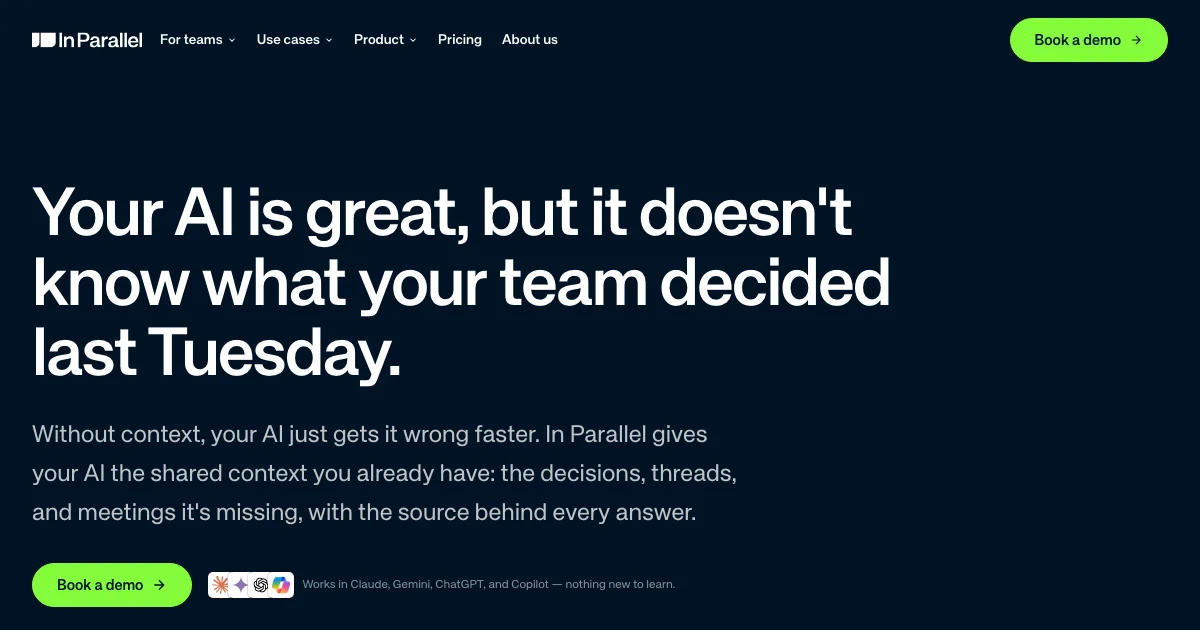
In Parallel is a shared organizational context layer that plugs into every AI tool a team already uses — Claude, Gemini, ChatGPT, and Copilot — over the Model Context Protocol. It listens where work actually happens (meetings, Slack, Teams, and other tools) and continuously captures decisions, commitments, and threads, then exposes them to any AI as permission-scoped, cited context. On top of that captured memory, In Parallel ships a suite of surfaces — Notes, Briefings, Plans, and Talking Points — that use always-up-to-date org data instead of curated weekly decks. The platform enforces per-user permissions, is EU-hosted, is GDPR compliant with ISO 27001 and ISO 42001 certifications, and never trains on customer data. It is designed for CTOs, Heads of AI, COOs, and PMO teams that need their AI to answer with real, current company context rather than stale files or per-user chat memory.
Screenshots
Key Features
Use Cases



Frequently asked questions about In Parallel MCP
What is In Parallel MCP?
In Parallel MCP is a multi-context processing layer designed for AI models like Claude, Gemini, ChatGPT, and Copilot. It provides a permission-scoped, cited company memory, enabling these AI tools to access and utilize context-specific information securely and efficiently.
Key Points
- MCP-native Context Layer: Facilitates multi-context interaction for AI models.
- Permission-Scoped Access: Ensures data privacy and security by restricting access to relevant information.
- Cited Company Memory: Allows AI to reference verified company data for enhanced responses.
Detailed Explanation
In Parallel MCP, or Multi-Context Processing, is a sophisticated layer that enhances AI models' ability to interact with various contexts simultaneously. This feature is particularly valuable for businesses seeking to leverage AI for customer support, knowledge management, or internal communications.
How It Works
-
Contextual Interaction: AI models can switch between different contexts based on user queries. For instance, if a user asks about product specifications, the AI can pull information from the product database while maintaining the conversation's context.
-
Permission-Scoped Data: With a focus on security, the In Parallel MCP allows organizations to set permissions for data access. This means only authorized users or processes can retrieve specific information, ensuring compliance with data protection regulations.
-
Cited Company Memory: This feature enables AI tools to not only recall information but also to cite sources. For example, if an AI tool uses company policy documents to provide a response, it can reference those documents, enhancing user trust and response accuracy.
Use Cases
- Customer Support: AI tools can provide accurate answers based on current company policies and FAQs, improving customer satisfaction.
- Internal Training: New employees can interact with AI that pulls from training materials, offering them up-to-date information as they learn.
- Content Creation: Writers can leverage AI that references company guidelines or past content for consistency and adherence to brand voice.
Best Practices / Tips
- Define Permissions Clearly: Ensure that the data access permissions are well-defined to avoid information leaks.
- Regularly Update Company Memory: Keep the cited company memory current to ensure that AI responses are based on the latest information.
- Monitor AI Interactions: Regularly review AI conversations to assess the effectiveness of the In Parallel MCP and make adjustments as needed.
Additional Resources
How does In Parallel MCP work?
In Parallel MCP enhances organizational efficiency by integrating a Context Layer for AI tools, automating report generation, and ensuring real-time commitment tracking. It allows businesses to maintain up-to-date plans, detect project drift, and facilitate seamless communication across teams, making project management smoother and more effective.
Key Points
- MCP Context Layer: Provides AI access to real-time, permission-scoped organizational context.
- Automated Reports: Generates insightful reports based on meeting data and decisions.
- Drift Detection: Identifies discrepancies between plans and reality immediately.
Detailed Explanation
In Parallel MCP (Multi-Channel Platform) operates by bringing together various features that streamline project management and enhance communication within organizations. Here's how it works:
-
MCP Context Layer: This foundational feature connects AI models like Claude, Gemini, ChatGPT, and Copilot to a permission-scoped context. It ensures that these AI tools access relevant and updated organizational information, which is crucial for informed decision-making and efficient resource allocation.
-
Always-Up-to-Date Plan: The platform automates the documentation process by continuously updating plans based on inputs from meetings and discussions. For example, if a project management team decides on new milestones, the plan adjusts automatically without requiring manual intervention, reducing administrative overhead.
-
Automated Reports and Stakeholder Communications: With a single prompt, users can generate audience-tailored reports that link back to the source meetings and decisions. This feature is particularly beneficial for stakeholders who require quick summaries and insights into project status without sifting through extensive documentation.
-
Drift Detection: This proactive feature monitors ongoing projects to highlight when actual progress diverges from the planned trajectory. It allows teams to address issues in real time, rather than waiting for the next formal review meeting.
-
Commitment Tracking: Every commitment made during meetings is logged, ensuring accountability. Stalled commitments are flagged before the next meeting, which helps keep projects on track and encourages team members to follow through on their responsibilities.
-
Executive Rollups: Instead of relying on outdated curated slides, executives can run their organizations using live memory data. Metrics update in real time, providing a clearer picture of the organization’s health.
-
PMO and Program Management: The platform maintains execution plans, decisions, and commitments across various products and programs, allowing project managers to focus on strategy rather than administrative tasks.
-
AI-Assisted Product Work: Teams in product and engineering can leverage context from past decisions, ensuring that AI tools provide relevant and grounded responses.
-
Sales and Marketing Enablement: Sales and marketing teams can access current customer insights and internal decisions to craft effective outreach and campaigns.
-
Compliance and Data Residency: For enterprises concerned about data privacy, In Parallel MCP is compliant with EU data residency requirements and adheres to GDPR/ISO standards, making it suitable for sensitive applications.
Best Practices / Tips
- Regularly Update Permissions: Ensure that your MCP context layer permissions are current to maintain data security and compliance.
- Utilize Automated Reports: Make the most of report automation by setting clear expectations on what information stakeholders need.
- Monitor Drift Actively: Regularly review drift detection alerts to preemptively address potential project derailments.
- Engage Teams in Commitment Tracking: Foster a culture of accountability by discussing commitments openly in meetings.
Additional Resources
What are the main features of In Parallel MCP?
In Parallel MCP offers key features such as the MCP Context Layer for sharing organization context, an Always-Up-to-Date Plan that auto-updates from meetings, Automated Reports for audience-specific insights, Drift Detection to monitor plan deviations in real-time, and Commitment Tracking for meeting accountability.
Key Points
- MCP Context Layer: Facilitates shared context for AI integration.
- Always-Up-to-Date Plan: Ensures plans reflect the latest decisions without manual updates.
- Automated Reports: Generates tailored reports linked to meeting decisions.
Detailed Explanation
The MCP Context Layer is essential for organizations using multiple AI tools, such as Claude, Gemini, ChatGPT, and Copilot. It allows these systems to access shared, permission-scoped context, enhancing collaboration and decision-making. This feature ensures that all AI interactions are grounded in the most relevant organizational data.
The Always-Up-to-Date Plan feature is groundbreaking, as it automatically updates project plans based on decisions made during meetings and discussions. This eliminates the need for manual document upkeep, thus reducing errors and ensuring all team members are aligned with the latest objectives. For example, if a project scope changes during a meeting, the plan reflects this change in real-time.
Automated Reports and Stakeholder Communications streamline information dissemination by generating audience-aware reports from a single prompt. These reports are linked back to the original meeting notes and decisions, making it easy for stakeholders to track progress and understand the context behind decisions.
Drift Detection serves as an early warning system. It alerts teams when actual project outcomes start to diverge from the planned objectives, allowing for timely adjustments before the next steering committee meeting. This proactive approach minimizes risks and keeps projects on track.
Lastly, Commitment Tracking captures every commitment made during meetings. This feature highlights stalled commitments before the next meeting, ensuring accountability and encouraging follow-ups, which is crucial for maintaining momentum in project management.
Best Practices / Tips
- Utilize the MCP Context Layer effectively by ensuring that all relevant data is accessible to your AI tools, enhancing their utility.
- Regularly review and adjust the Always-Up-to-Date Plan to ensure it reflects the latest strategic decisions and project milestones.
- Encourage team members to utilize Automated Reports for transparency and accountability, making sure that all stakeholders receive pertinent updates.
- Monitor Drift Detection alerts to address issues promptly, preventing minor deviations from escalating into major problems.
- Foster a culture of accountability by regularly discussing Commitment Tracking outcomes in meetings.
Additional Resources
Who is In Parallel MCP for?
In Parallel MCP is designed for professionals in Executive Rollups, Program Management, AI-assisted product development, Sales and Marketing, and Compliance. It facilitates real-time decision-making and data management, enhancing organizational efficiency, insights, and regulatory compliance, particularly for enterprises managing EU data residency.
Key Points
- Executive Rollups: Streamline organizational updates with live metrics.
- Program Management: Maintain current execution plans across various projects.
- AI-Assisted Product Work: Provide contextual support for product teams.
Detailed Explanation
In Parallel MCP serves several critical roles across different domains:
-
Executive Rollups: Traditional reporting methods often rely on outdated slides. In Parallel MCP allows leaders to operate on live memory, ensuring that metrics and insights are always up-to-date. This real-time data access enhances strategic decision-making, as executives can quickly respond to changing conditions.
-
Program Management Office (PMO): For PMOs, maintaining execution plans and tracking decisions across multiple products and programs can be cumbersome. In Parallel MCP automates this upkeep, making it easier to stay aligned with organizational goals and commitments without the burden of manual updates.
-
AI-Assisted Product Work: Teams using AI tools like Claude or Copilot benefit from having immediate access to the latest decisions and context. This enables product and engineering teams to ground their responses in reality, increasing the relevance and accuracy of their work.
-
Sales and Marketing Enablement: In Parallel MCP empowers sales and marketing teams by providing them with current customer insights and internal decisions. This ensures that marketing campaigns and sales pitches are based on the latest information, improving conversion rates and customer engagement.
-
Compliance and Data Residency: Organizations that must comply with GDPR or maintain EU data residency find In Parallel MCP invaluable. It offers certified handling of sensitive data, making it easier to adopt AI tools while ensuring compliance with rigorous regulations.
Best Practices / Tips
- Regular Updates: Ensure that all team members are trained to update the system regularly to maintain data accuracy.
- Integrate Tools: Use In Parallel MCP in conjunction with existing project management tools for seamless data flow.
- Monitor Compliance: Regularly review compliance settings to ensure ongoing adherence to data residency laws.
Additional Resources
How much does In Parallel MCP cost?
In Parallel MCP is a paid product, and pricing may vary based on the plan and features selected. For the most accurate and up-to-date pricing information, it is best to visit the official In Parallel MCP website.
Key Points
- In Parallel MCP is a subscription-based software.
- Pricing varies by plan and features.
- Check the official site for current promotions or discounts.
Detailed Explanation
In Parallel MCP offers multiple pricing tiers tailored to different user needs, including individual users, small teams, and large enterprises. The cost may change based on the chosen features, such as advanced analytics or additional integrations.
For example, individual users might find a basic plan suitable for personal projects, while businesses looking for collaboration tools may require a more comprehensive package. The official In Parallel MCP website regularly updates its pricing, and it often features promotional discounts or special offers for new users.
Understanding the specific needs of your project can help select the most cost-effective plan. In addition to basic pricing, consider any additional costs for add-ons or premium features that may enhance your experience.
Best Practices / Tips
- Assess Your Needs: Before choosing a plan, evaluate your requirements to avoid overspending on unnecessary features.
- Look for Discounts: The website may offer seasonal discounts or referral bonuses, so keep an eye out for these promotions.
- Trial Options: Consider starting with a free trial, if available, to test the features before committing to a paid plan.
Additional Resources
How do I get started with In Parallel MCP?
To get started with In Parallel MCP, visit In Parallel's official website to sign up for an account. Once registered, you can explore its features, tools, and resources tailored for project management and collaboration in a parallel work environment.
Key Points
- Easy Sign-Up Process: Quickly create your account online.
- Explore Features: Familiarize yourself with tools for project management.
- Community Support: Access additional resources and support.
Detailed Explanation
Getting started with In Parallel MCP is a straightforward process. First, navigate to In Parallel’s website. Click on the "Sign Up" button to begin creating your account. You’ll need to provide basic information, including your name, email address, and a secure password.
Once your account is created, log in to access the dashboard. Here, you can explore various features, such as project timelines, resource allocation, and team collaboration tools. In Parallel MCP offers a user-friendly interface that allows you to manage multiple projects simultaneously, making it especially beneficial for teams working in parallel.
Consider taking advantage of the tutorial resources available on the platform. These tutorials provide step-by-step guidance on how to utilize all features effectively. Additionally, you can join forums and community groups to connect with other users, share experiences, and gain insights.
Best Practices / Tips
- Utilize Tutorials: Spend time on tutorials to maximize your understanding of the platform.
- Start with a Test Project: Create a sample project to familiarize yourself with the interface and features.
- Engage with the Community: Participate in discussions and ask questions to get the most out of your experience.
Avoid common pitfalls such as skipping the tutorial or not fully exploring the features. This can lead to underutilization of the platform's capabilities.
Additional Resources
Explore more AI Mcps tools
Browse all Mcps tools →Compare In Parallel MCP: vs ai-memory · vs CrawlForge MCP · vs Popcraft · vs Pomerado