

Wowable
AIInstantly build a polished, conversion-focused website from Google Maps, TripAdvisor, Facebook, Instagram or LinkedIn links and reviews.
Wowable
Instantly build a polished, conversion-focused website from Google Maps, TripAdvisor, Facebook, Instagram or LinkedIn links and reviews.
About Wowable
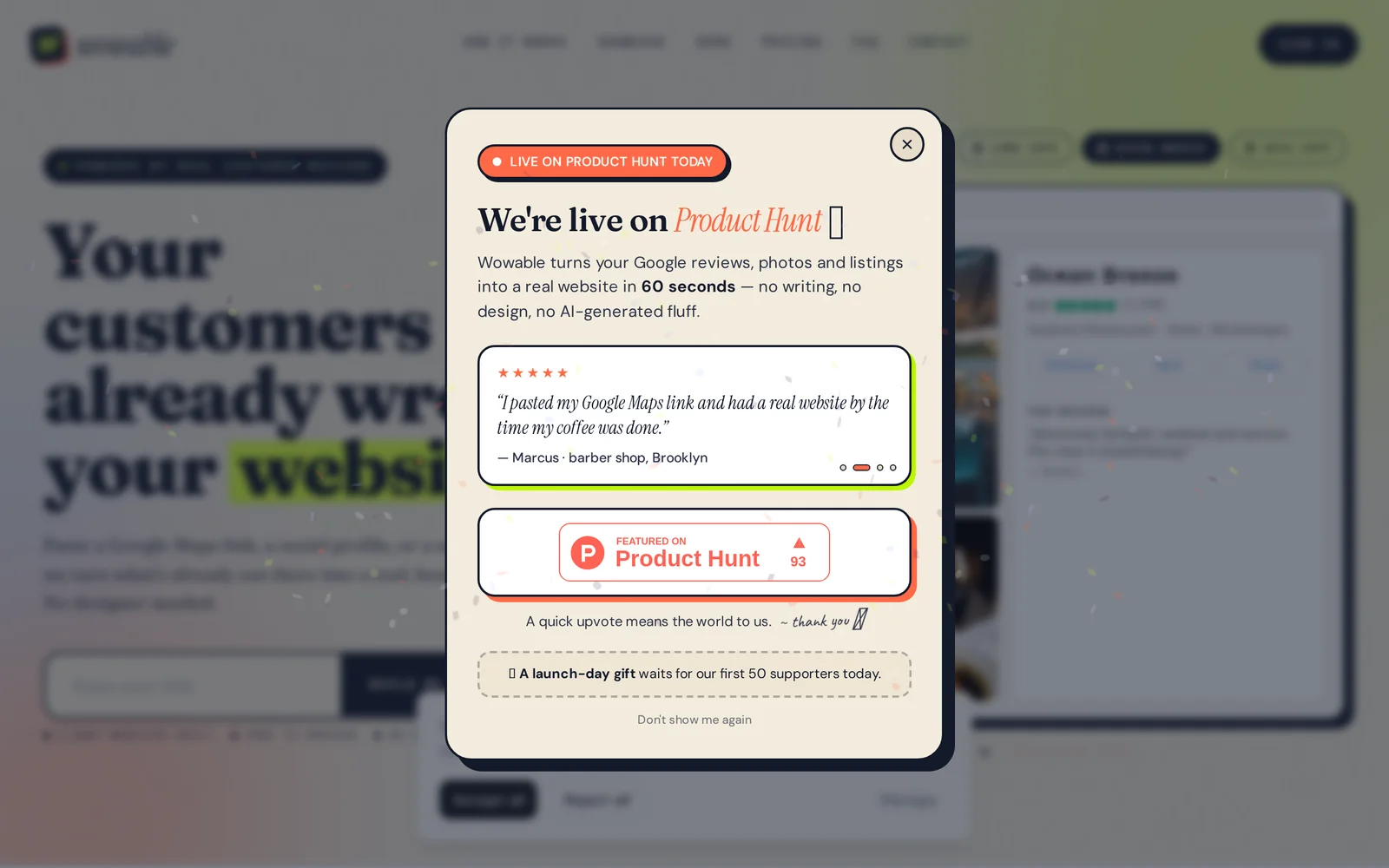
Wowable converts an existing online presence—Google Maps listings, TripAdvisor entries, Facebook/Instagram pages, LinkedIn profiles or screenshots—into a polished, conversion-focused website in seconds. Users paste a link (or provide a screenshot) and Wowable automatically extracts business information, photos and customer reviews, organizes them into a ready-to-review site layout, and provides a free preview with no design work required. The tool emphasizes social proof and review-driven content to produce landing pages optimized for conversions and quick publishing for small businesses and marketers.
Screenshots
Key Features
Use Cases


Frequently asked questions about Wowable
What is Wowable?
Wowable is an innovative tool that transforms links from Google Maps, TripAdvisor, Facebook, Instagram, or LinkedIn into a polished website in seconds. With a free preview and no design skills required, Wowable streamlines the process of creating a professional online presence effortlessly.
Key Points
- Link Integration: Supports multiple platforms including Google Maps and Instagram.
- Instant Creation: Generates a website in seconds, no coding or design needed.
- Free Preview: Users can explore the website before finalizing.
Detailed Explanation
Wowable is designed for individuals and businesses looking to enhance their online visibility quickly. By simply pasting a link from various platforms such as Google Maps or Instagram, users can create a stunning website that showcases their offerings. The tool is particularly beneficial for small businesses, freelancers, and event planners who want a professional online presence without a hefty investment in web design.
How It Works:
- Link Submission: Users paste their chosen link into the Wowable interface.
- Automatic Generation: Wowable processes the link and extracts important information, such as images, descriptions, and reviews.
- Customization Options: Users can tweak colors, fonts, and layouts to better align with their brand identity.
- Preview and Publish: After customizing, users can preview their website and publish it with a single click.
Use Cases:
- A restaurant can use Wowable to create an attractive website that includes Google Maps directions, Instagram photos, and Yelp reviews.
- An artist might compile their social media links into a portfolio site that showcases their work dynamically.
Best Practices / Tips
- Choose High-Quality Links: Use links that represent your brand well and contain engaging content.
- Optimize for SEO: Include keywords relevant to your business in the site description to improve search visibility.
- Utilize Customization: Take advantage of customization features to ensure the website reflects your brand's identity.
- Regular Updates: Keep your links and content fresh to maintain engagement and improve SEO rankings.
Additional Resources
How does Wowable work?
Wowable works by integrating advanced artificial intelligence features to streamline and enhance everyday workflows for users. By automating tasks and providing intelligent suggestions, Wowable helps individuals and teams save time and improve productivity in various domains, including project management, content creation, and data analysis.
Key Points
- AI-Powered Automation: Wowable automates repetitive tasks, allowing users to focus on high-value activities.
- User-Friendly Interface: The platform is designed for ease of use, making it accessible for individuals with varying levels of technical expertise.
- Versatile Applications: Wowable serves multiple industries, including marketing, education, and business management.
Detailed Explanation
Wowable leverages powerful AI technologies to assist users in optimizing their workflows. Here’s how it operates:
-
Task Automation: By identifying routine tasks, Wowable can automate processes such as scheduling meetings, sending reminders, and generating reports. For example, users can set up workflows that automatically pull data from various sources, reducing manual data entry time.
-
Smart Suggestions: Utilizing machine learning algorithms, Wowable provides contextual recommendations based on user behavior. For instance, if you're drafting a marketing email, Wowable can suggest relevant content snippets or subject lines tailored to your target audience.
-
Collaboration Tools: Wowable enhances team collaboration by integrating with popular tools like Slack, Trello, and Google Workspace. This allows users to seamlessly communicate and manage projects within a unified platform, improving overall efficiency.
-
Data Analysis: Wowable can analyze large datasets to generate insights and visualizations, helping users make informed decisions quickly. For example, marketers can use Wowable to assess campaign performance metrics and adjust strategies accordingly.
Best Practices / Tips
- Start Small: Begin with automating simple, repetitive tasks to familiarize yourself with Wowable’s features.
- Customize Workflows: Tailor workflows to fit your specific needs. Take advantage of Wowable’s flexibility to create personalized automation scripts.
- Regular Updates: Stay informed about new features and updates. Regularly check the Wowable platform for enhancements that could further improve your workflows.
- Integration Strategy: Consider how Wowable can integrate with your existing tools to maximize its benefits. Ensure you connect all necessary applications for seamless data flow.
Additional Resources
By utilizing Wowable effectively, you can transform your everyday workflows and enhance productivity through smart automation and AI-driven insights.
What are the main features of Wowable?
Wowable offers a range of powerful features, including advanced AI capabilities for content generation, real-time collaboration tools, and customizable templates. These elements work together to enhance productivity, streamline workflows, and improve user engagement, making Wowable an essential tool for businesses and content creators.
Key Points
- Advanced AI Capabilities: Automates content creation and optimization.
- Real-Time Collaboration Tools: Facilitates teamwork and feedback.
- Customizable Templates: Tailors content to specific needs and styles.
Detailed Explanation
Wowable’s advanced AI capabilities allow users to generate high-quality content efficiently. For instance, users can input a few keywords, and Wowable's AI will create a structured article, complete with headings and relevant data. This feature is invaluable for content marketers and bloggers looking to save time while maintaining quality.
The real-time collaboration tools enable multiple users to work on a project simultaneously. Team members can share feedback instantly, ensuring everyone is on the same page. This is particularly beneficial for remote teams or agencies managing various clients. For example, a marketing agency can draft, edit, and finalize content with clients in real-time, enhancing communication and efficiency.
Customizable templates provide users with a framework that suits their unique style. Whether you are creating social media posts, blog articles, or marketing emails, Wowable offers templates that can be easily modified. This feature helps maintain brand consistency and ensures that all content aligns with the company’s voice.
Best Practices / Tips
- Utilize AI Features: Explore Wowable’s AI tools to enhance your content production and SEO strategies.
- Leverage Collaboration: Use the real-time collaboration features to involve your team in the creative process, ensuring diverse input.
- Customize Templates: Take the time to adjust templates to reflect your brand’s identity, which can improve audience engagement.
Additional Resources
Who is Wowable for?
Wowable is designed for professionals, businesses, and individuals who want to optimize their daily workflows using AI tools. It caters to marketers, content creators, project managers, and anyone keen on enhancing productivity through advanced AI solutions.
Key Points
- Target Audience: Professionals and businesses looking to streamline operations.
- Versatile Applications: Useful across various industries like marketing, education, and tech.
- AI Integration: Enhances daily tasks through automation and efficiency.
Detailed Explanation
Wowable is an AI-driven platform that supports a diverse range of users. Here are some of the primary groups who benefit from Wowable:
-
Marketers: They can leverage Wowable to automate content generation, analyze social media performance, and optimize ad campaigns. This allows them to focus on strategy and creative aspects rather than time-consuming tasks.
-
Content Creators: Writers and video producers use Wowable for brainstorming ideas and refining their drafts. The AI capabilities assist in generating outlines, suggesting improvements, and even creating engaging captions.
-
Project Managers: Wowable aids project managers in tracking progress, managing team communications, and generating reports. This streamlines workflows and helps ensure that projects stay on schedule.
-
Educators and Students: Teachers and learners benefit from AI tools that assist in lesson planning, research, and grading. Wowable can help in creating quizzes or summarizing complex topics, making learning more efficient.
-
Small Business Owners: Entrepreneurs utilize Wowable for managing customer interactions, automating responses, and analyzing market trends. This can significantly reduce operational costs and enhance customer satisfaction.
Best Practices / Tips
- Explore Use Cases: Take time to explore different functionalities Wowable offers. Experiment with various tools to discover which features best fit your needs.
- Integrate with Existing Tools: Wowable can be integrated with platforms like Google Workspace or Slack. This maximizes efficiency by keeping everything in one ecosystem.
- Stay Updated: Regularly check for software updates and new features. AI tools evolve quickly, and staying informed ensures you make the most of your investment.
- Train Your Team: Invest time in training your team to use Wowable effectively. Well-informed users can maximize productivity and minimize errors.
Additional Resources
By understanding who Wowable is for and how it can be utilized, users can significantly enhance their productivity and efficiency across various tasks and industries.
How much does Wowable cost?
Wowable pricing varies based on the plan you choose, starting from $29 per month for basic features, while premium options offer advanced capabilities at higher rates. For the most accurate and up-to-date pricing information, visit the Wowable official website.
Key Points
- Basic Plan: Starts at $29 per month.
- Premium Plans: Offer advanced features at higher rates.
- Annual Discounts: Available for long-term commitments.
Detailed Explanation
Wowable provides flexible pricing structures designed to cater to different user needs. The Basic Plan, priced at $29 per month, includes essential features suitable for individuals or small teams. This plan allows users to access core functionalities such as project management tools, basic analytics, and community support.
For users seeking more robust capabilities, Wowable offers Premium Plans that range from $49 to $99 per month. These plans include enhanced features like advanced analytics, priority support, and additional integrations with third-party applications. For instance, a team managing multiple projects can benefit significantly from the premium tier, which streamlines collaboration and project tracking.
Moreover, Wowable provides incentives for users opting for annual subscriptions. By committing to a yearly plan, users can save up to 20% compared to monthly billing. This is an excellent option for businesses looking to optimize their budget while gaining access to all available features.
Best Practices / Tips
- Evaluate Your Needs: Before choosing a plan, assess the specific features you require. If you’re an individual, the Basic Plan might be sufficient, while teams may benefit more from premium options.
- Utilize Free Trials: Take advantage of any free trial offers to test out features before committing to a paid plan.
- Plan for Growth: If you anticipate scaling your operations, consider selecting a plan that accommodates future needs to avoid frequent upgrades.
Additional Resources
- Wowable Official Website for the latest pricing details.
- Wowable Features Overview to explore all available functionalities.
- Customer Support for assistance with plan selection.
How do I get started with Wowable?
To get started with Wowable, simply visit https://wowable.ai/?ref=producthunt to sign up. Once registered, you can explore the platform's features, tools, and capabilities designed to enhance your productivity and collaboration.
Key Points
- User-Friendly Interface: Wowable offers an intuitive design for easy navigation.
- Wide Range of Tools: Access various features tailored for productivity enhancement.
- Community Engagement: Join a community of users to share insights and best practices.
Detailed Explanation
Wowable is an innovative platform designed to boost productivity and collaboration. To begin, visit Wowable's sign-up page. Here is a step-by-step guide to help you get started:
- Sign Up: Click on the sign-up link and fill out the necessary details. You may need to provide your email and create a password.
- Explore Features: After registration, log in to your dashboard, where you’ll find a variety of tools such as project management boards, collaborative document editing, and brainstorming tools.
- Customize Your Workspace: Tailor the platform to suit your needs by adding integrations, setting up notifications, and organizing your projects.
- Engage with the Community: Join forums and discussion groups within Wowable to connect with other users, share tips, and get feedback on your projects.
Use cases for Wowable include team collaboration on projects, brainstorming sessions, and content creation, making it suitable for both individuals and teams of all sizes.
Best Practices / Tips
- Utilize Tutorials: Take advantage of any tutorials or onboarding sessions offered to familiarize yourself with the platform quickly.
- Stay Organized: Regularly update your projects and tasks to maintain clarity and focus.
- Engage with Others: Actively participate in community discussions to gain insights and share your experiences.
Additional Resources
Explore more AI Ai Tools tools
Browse all Ai Tools tools →Browse by use case: Automation & Productivity
Compare Wowable: vs Pi Web · vs Aymo AI · vs Speech To Markdown · vs FluentDB