

Voice Mate - AI powered Voicemail
AIAI voicemail assistant that answers missed calls, transcribes messages, summarizes content, and schedules callbacks into your agenda.
Voice Mate - AI powered Voicemail
AI voicemail assistant that answers missed calls, transcribes messages, summarizes content, and schedules callbacks into your agenda.
About Voice Mate - AI powered Voicemail
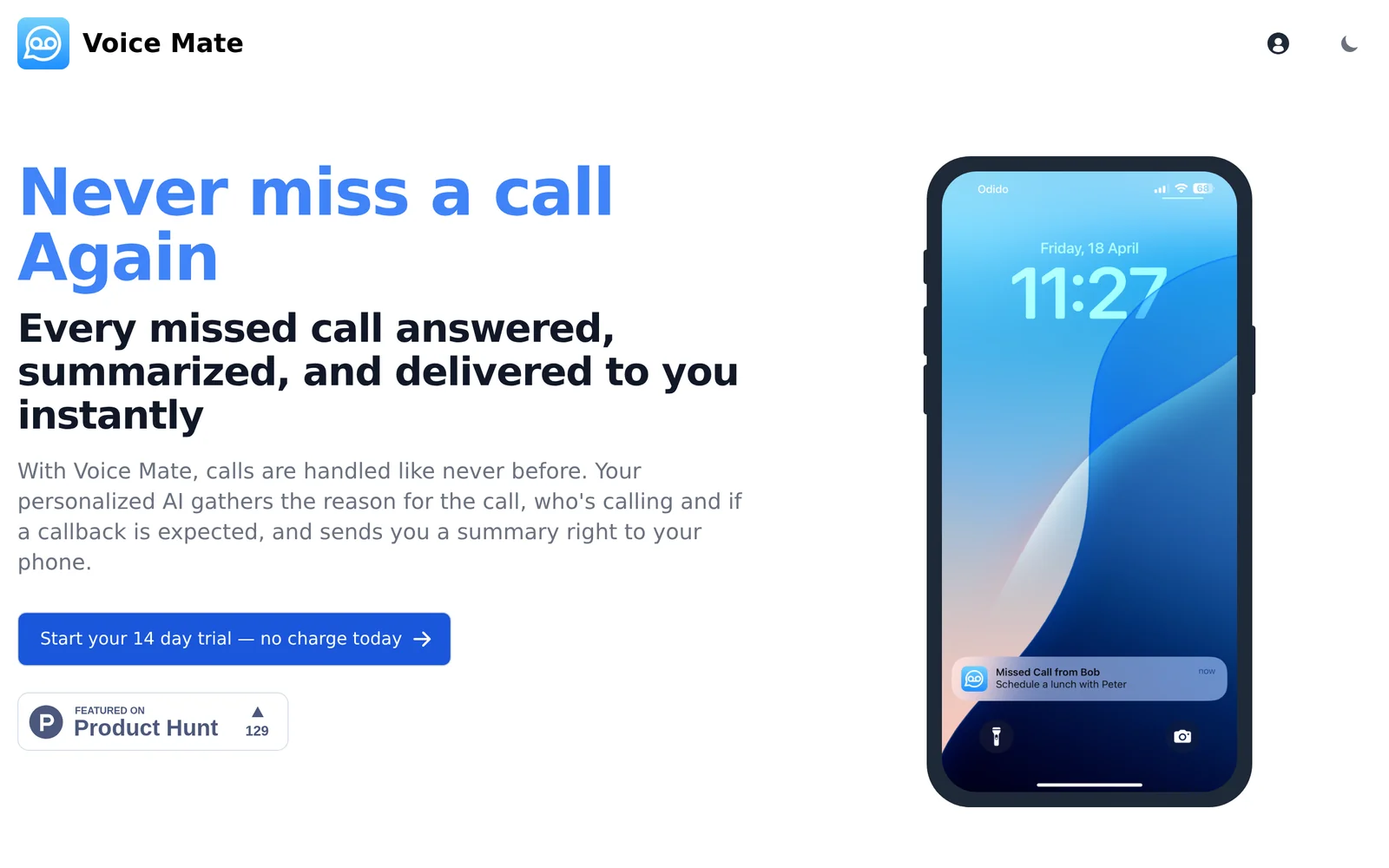
Voice Mate answers missed calls using AI, converts voicemails into written transcripts, and generates concise summaries of who called and what they called about. It delivers those transcripts and summaries instantly so users can read voicemail instead of listening, and it can schedule callbacks directly into the user's agenda or calendar. The tool streamlines call follow-up, reduces time spent replaying messages, and improves responsiveness for professionals and small teams.
Screenshots
Key Features
Use Cases



Frequently asked questions about Voice Mate - AI powered Voicemail
What is Voice Mate - AI powered Voicemail?
Voice Mate is an AI-powered voicemail assistant that effectively manages missed calls by answering them, transcribing messages, summarizing the content, and scheduling callbacks directly into your calendar. This innovative tool enhances communication efficiency and ensures you never miss important information.
Key Points
- Automated Call Management: Voice Mate answers missed calls, providing seamless communication.
- Message Transcription: It transcribes voicemail messages into readable text for quick review.
- Smart Scheduling: Automatically schedules callbacks into your agenda based on user preferences.
Detailed Explanation
Voice Mate revolutionizes how you handle voicemail by leveraging artificial intelligence to streamline the process. Here are some of its key features:
-
Automated Call Management: When you miss a call, Voice Mate steps in to answer on your behalf. This feature is particularly useful for professionals who may be in meetings or unavailable. The AI can respond with a customizable greeting, ensuring the caller feels acknowledged.
-
Message Transcription: Once a message is left, Voice Mate transcribes it into text format. This allows users to quickly scan through their voicemails without listening to each one, saving time and enhancing productivity. For instance, a busy executive can read through voicemails during a meeting rather than interrupting their workflow.
-
Smart Scheduling: After transcribing the message, Voice Mate summarizes the key points and can even propose a time for a callback. This is integrated with your calendar, allowing it to suggest slots when you are available, making follow-up calls more efficient. For example, if a caller requests a callback, Voice Mate can check your calendar and propose a suitable time, eliminating back-and-forth scheduling.
Best Practices / Tips
- Customize Your Greeting: Make sure to personalize your voicemail greeting to reflect your brand and personality. This can improve caller experience and engagement.
- Regularly Check Transcriptions: While AI is efficient, double-checking transcriptions for accuracy can help you avoid miscommunication.
- Integrate with Other Tools: If you use other productivity tools, look for integrations that can enhance Voice Mate’s capabilities, such as project management apps or CRM systems.
Additional Resources
- Voice Mate Official Website - For detailed features and pricing.
- AI in Communication - Learn more about AI tools transforming communication.
- Voicemail Management Best Practices - Explore effective strategies for managing voicemail effectively.
How does Voice Mate - AI powered Voicemail work?
Voice Mate - AI powered Voicemail utilizes advanced artificial intelligence to transcribe, analyze, and manage voicemail messages effectively. This innovative tool streamlines daily communication workflows by automatically converting voice messages into text, allowing users to prioritize and respond to important communications efficiently.
Key Points
- AI Transcription: Converts voice messages into accurate text.
- Message Prioritization: Helps users identify and respond to urgent messages first.
- Integration Capabilities: Works seamlessly with various communication platforms.
Detailed Explanation
Voice Mate is designed to enhance productivity by automating voicemail management. The core functionality involves AI-driven transcription, which accurately converts spoken messages into text format. This allows users to read voicemails instead of listening to them, saving time and improving accessibility.
How It Works:
- Receiving Voicemail: When a voicemail is left, Voice Mate captures the audio.
- AI Transcription: The AI algorithms analyze the audio and transcribe it into text, ensuring high accuracy.
- User Interface: Users can access their transcribed messages through an intuitive interface, where they can read, categorize, and respond.
- Prioritization Feature: The tool highlights urgent messages based on user-defined criteria, making it easier to manage communications effectively.
For example, a business professional can quickly scan through numerous voicemails in text form, allowing them to address critical issues promptly without listening to each message.
Best Practices / Tips
- Set Up Notifications: Enable notifications for new voicemails to ensure you don't miss important communications.
- Regularly Update Preferences: Adjust your message prioritization settings to reflect changes in your workflow or communication needs.
- Integrate with Other Tools: Use Voice Mate alongside email or calendar applications for a more cohesive communication strategy.
Common Pitfalls to Avoid:
- Ignoring Transcription Errors: Always review transcriptions for accuracy, especially in crucial communications.
- Overlooking Security Settings: Ensure that your voicemail security settings are configured to protect sensitive information.
Additional Resources
What are the main features of Voice Mate - AI powered Voicemail?
Voice Mate is an AI-powered voicemail service that offers innovative features such as smart transcription, personalized greetings, and real-time updates. These capabilities enhance user experience by making voicemail management efficient and user-friendly, allowing users to focus on important messages while automating routine tasks.
Key Points
- Smart Transcription: Converts voicemails to text for easy reading.
- Personalized Greetings: Allows users to create custom voicemail greetings.
- Real-Time Updates: Notifies users instantly about new messages.
Detailed Explanation
Voice Mate leverages advanced AI technology to transform how users interact with their voicemails. Here’s a deeper look at its core features:
-
Smart Transcription: This feature utilizes speech recognition algorithms to transcribe voicemails into text. Users can read messages quickly, saving time and providing an alternative for situations where listening isn’t feasible. For example, if you’re in a meeting, you can glance at a transcription rather than listen to the voicemail.
-
Personalized Greetings: Voice Mate allows users to set unique greetings based on the caller or the time of day. For instance, you can create a specific message for business contacts and a different one for friends and family. This customization can enhance caller experience and provide a more personal touch.
-
Real-Time Updates: With push notifications, users receive alerts immediately after a voicemail is left. This ensures you’re always informed about important messages, enabling timely responses. For example, if a client leaves a voicemail, you can act on it promptly, enhancing your professional responsiveness.
Best Practices / Tips
- Utilize Smart Transcription: Regularly review your transcriptions to catch any missed messages or important details.
- Customize Greetings: Regularly update your greetings to reflect your current availability or special occasions, such as holidays, to keep your contacts informed.
- Check Notifications Settings: Adjust notification preferences to ensure you don’t miss important messages, while also avoiding unnecessary distractions.
Additional Resources
Who is Voice Mate - AI powered Voicemail for?
Voice Mate - AI powered Voicemail is designed for busy professionals, entrepreneurs, and anyone who wants to streamline their communication. It automates voicemail management, transforms messages into text, and enhances productivity by ensuring important calls are never missed, making it ideal for daily AI workflows.
Key Points
- Target Audience: Busy professionals and entrepreneurs
- Core Features: Voicemail transcription, automated management
- Productivity Enhancement: Minimizes missed calls and improves response time
Detailed Explanation
Voice Mate - AI powered Voicemail caters to individuals who juggle multiple responsibilities and need to manage their time effectively. It is particularly beneficial for:
-
Busy Professionals: Individuals working in fast-paced environments can utilize Voice Mate to ensure they don't miss important messages. The voicemail-to-text feature allows users to read messages quickly, making it easier to prioritize responses.
-
Entrepreneurs: Small business owners often wear many hats. Voice Mate helps them maintain professionalism by managing voicemails efficiently. With features like automated replies and message prioritization, entrepreneurs can focus on growing their business rather than getting bogged down by missed calls.
-
Remote Workers: In an increasingly remote work environment, maintaining effective communication is crucial. Voice Mate ensures that remote employees can stay connected without being tied to their phones. The app integrates seamlessly with various platforms, making it a versatile tool for remote teams.
Use Cases:
- Scheduling Calls: Use Voice Mate to transcribe voicemails and schedule follow-up calls directly from the text.
- Client Communication: Entrepreneurs can use the app to manage client inquiries efficiently, ensuring timely responses and improved client satisfaction.
- Team Collaboration: Teams can share transcribed voicemails internally, ensuring everyone is on the same page regarding client communications.
Best Practices / Tips
- Set Up Notifications: Enable real-time notifications for new voicemails to stay updated.
- Customize Responses: Use Voice Mate's features to create personalized voicemail greetings for different clients or situations.
- Regularly Review Transcriptions: Take time to read through transcribed messages to ensure you don’t miss vital information or context.
Additional Resources
By leveraging Voice Mate's powerful features, users can significantly enhance their communication efficiency and productivity, making it a valuable asset in today’s fast-paced world.
How much does Voice Mate - AI powered Voicemail cost?
Voice Mate - AI powered Voicemail offers a free tier, allowing users to utilize basic features at no cost. For those seeking advanced functionalities, paid plans are available, typically starting around $9.99 per month, depending on the chosen features and subscription length.
Key Points
- Free tier available for basic functionalities
- Paid plans start at approximately $9.99 per month
- Advanced features include enhanced customization and integration options
Detailed Explanation
Voice Mate provides a versatile voicemail solution powered by AI. The free tier is ideal for individual users, offering essential features such as transcriptions and basic voicemail management. This allows users to test the service without any financial commitment.
For those who need more robust capabilities, Voice Mate's paid plans unlock advanced features. Pricing typically starts at $9.99 per month, and options may vary based on the selected features. Common advanced functionalities include:
- Custom Voicemail Greetings: Personalize your voicemail with unique messages, enhancing your professional image.
- Smart Filtering: AI-driven filtering to prioritize important messages while minimizing spam.
- Multi-Device Integration: Access your voicemail across various devices seamlessly, ensuring you never miss an important call.
By subscribing to a paid plan, users can significantly improve their voicemail management experience, making it more efficient and tailored to their needs.
Best Practices / Tips
- Evaluate Your Needs: Start with the free tier to understand your requirements before opting for a paid plan.
- Explore Features: Take full advantage of the available features in your plan to maximize your investment.
- Stay Updated: Regularly check for any promotional offers or updates to plans that may provide additional value.
Additional Resources
How do I get started with Voice Mate - AI powered Voicemail?
To get started with Voice Mate - AI powered Voicemail, visit voicemate.us/link/producthunt to sign up. Once registered, you can explore the features and settings to customize your voicemail experience tailored to your needs.
Key Points
- User-Friendly Interface: Voice Mate features an intuitive design for easy navigation.
- AI-Powered Features: Benefit from advanced voicemail transcriptions and personalized greetings.
- Flexibility: Access your voicemail from multiple devices, including smartphones and computers.
Detailed Explanation
Voice Mate - AI powered Voicemail is designed to enhance your voicemail management with artificial intelligence. Follow these steps to get started effectively:
-
Sign Up Process: Click on this link to access the sign-up page. Fill out the registration form with your name, email, and preferred password.
-
Account Verification: After signing up, you will receive a verification email. Click the link provided to confirm your account.
-
Exploring Features:
- Voicemail Transcriptions: Voice Mate transcribes your voicemails into text, allowing you to read them at your convenience.
- Customized Greetings: You can create personalized voicemail greetings to reflect your personality or brand.
- Multiple Device Access: Install the Voice Mate app on your smartphone or access it via a web browser on your computer.
-
Customize Settings: Navigate to the settings to adjust notification preferences, language options, and privacy settings to suit your preferences.
-
Utilize Support: If you encounter any issues, use the help section or contact customer support directly through the app.
Best Practices / Tips
- Regularly Update Your Greetings: Keep your voicemail greetings fresh and relevant to engage callers and provide them with the latest information.
- Check Transcriptions Frequently: Review your voicemail transcriptions for accuracy to ensure you never miss important messages.
- Experiment with Features: Explore different settings and tools offered by Voice Mate to fully utilize its capabilities for improved voicemail management.
Additional Resources
- Voice Mate Official Documentation
- User Community Forum
- Voice Mate Blog for tips and updates on new features.
Explore more AI Ai Tools tools
Browse all Ai Tools tools →Browse by use case: Automation & Productivity
Compare Voice Mate - AI powered Voicemail: vs Mise · vs BiBimba · vs VoiceCap · vs NM Signals