
.png)
Visual PR Testing with AI
AIAI agents run dynamic regression and exploratory testing on every PR preview to catch issues before review and block bad merges.
Visual PR Testing with AI
AI agents run dynamic regression and exploratory testing on every PR preview to catch issues before review and block bad merges.
About Visual PR Testing with AI
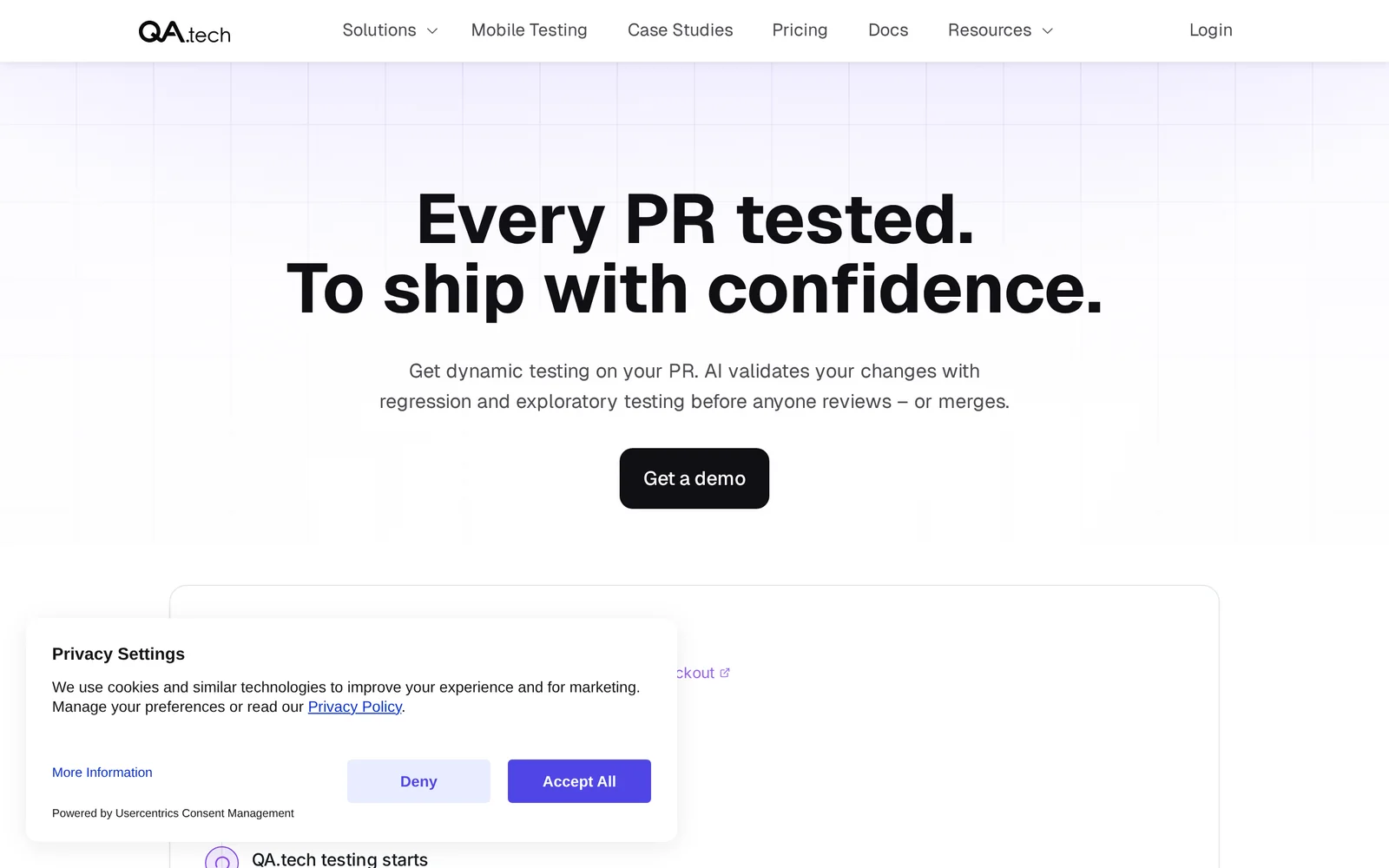
Visual PR Testing with AI (by QA.tech) uses autonomous AI agents to run dynamic regression and exploratory tests against preview environments created for pull requests. Agents crawl the preview, take visual snapshots, exercise UI flows, and compare results to baselines to detect functional and visual regressions. When issues are found the system surfaces detailed visual diffs, reproduction steps, and failure traces in PRs to help reviewers and can block merges until failures are resolved. The product integrates with deployment previews (example: Netlify) and CI systems to provide continuous, pre-merge quality checks that reduce manual QA and catch regressions early in the development lifecycle.
Screenshots
Key Features
Use Cases



Frequently asked questions about Visual PR Testing with AI
What is Visual PR Testing with AI?
Visual PR Testing with AI utilizes artificial intelligence to perform dynamic regression and exploratory testing on every pull request (PR) preview. This proactive approach identifies potential issues before the review process, ensuring that problematic code does not get merged, thus maintaining the integrity of the codebase.
Key Points
- AI-driven testing enhances code quality by identifying issues early.
- Dynamic regression and exploratory testing methods are employed.
- Prevention of bad merges saves time and resources in the development process.
Detailed Explanation
Visual PR Testing with AI leverages advanced algorithms to analyze code changes in pull requests. When a developer submits a PR, AI agents automatically run tests that simulate user interactions and assess the code for potential defects.
Dynamic Regression Testing
Dynamic regression testing focuses on validating that existing functionalities remain intact after new changes are introduced. For example, if a new feature is added to an application, the AI will check all related functionalities to ensure they still work as intended.
Exploratory Testing
Exploratory testing, on the other hand, is less structured. AI agents engage in exploratory testing by mimicking real user behavior to uncover unexpected issues. For instance, if a user navigates through an app in an unconventional way, the AI can identify potential failures that traditional testing might overlook.
Use Cases
Visual PR Testing is particularly beneficial in rapid development environments like Agile or DevOps, where code is frequently updated. This AI-driven approach not only improves efficiency but also enhances collaboration among team members by reducing the time spent on fixing issues after merges.
Best Practices / Tips
- Integrate Early: Implement Visual PR Testing early in the development cycle for maximum benefit.
- Continuous Learning: Ensure your AI testing tools are regularly updated and trained with new data to adapt to changing code patterns.
- Monitor Performance: Regularly assess the performance of your AI agents to ensure they are catching the right issues without generating excessive false positives.
Additional Resources
How does Visual PR Testing with AI work?
Visual PR Testing with AI leverages advanced artificial intelligence techniques to analyze visual content and optimize public relations strategies. By integrating AI capabilities, it streamlines workflows, enhances decision-making, and improves the effectiveness of PR campaigns, ensuring they resonate with target audiences.
Key Points
- AI-Driven Analysis: Utilizes machine learning for content evaluation.
- Workflow Optimization: Automates repetitive tasks, saving time and resources.
- Enhanced Targeting: Improves audience engagement through data insights.
Detailed Explanation
Visual PR Testing with AI employs various AI technologies, including computer vision and natural language processing, to assess visual elements in PR materials. Here’s how it works in detail:
-
Data Collection: The process begins with gathering visual content, such as images and videos from campaigns. This data can come from social media, websites, or press releases.
-
Content Analysis: AI algorithms analyze the visual assets for elements such as color schemes, imagery, and branding consistency. For instance, computer vision can detect logos, themes, and even emotional tones in images.
-
Performance Metrics: AI evaluates how these visuals perform across different platforms. Metrics could include engagement rates, shareability, and audience sentiment, helping PR professionals understand what resonates.
-
A/B Testing: AI facilitates A/B testing by creating variations of visual content and measuring which performs better in real-time, leading to data-driven decisions for future campaigns.
-
Reporting and Insights: Finally, AI generates comprehensive reports, offering actionable insights and recommendations for optimizing future PR strategies. This helps teams refine their approach based on concrete data.
For example, a fashion brand might use Visual PR Testing to analyze photos from various influencers. By understanding which images generated the most engagement, the brand can tailor its future influencer collaborations accordingly.
Best Practices / Tips
- Define Clear Objectives: Before starting, set specific goals for what you want to achieve with your visuals.
- Utilize Diverse Data Sources: Incorporate various platforms for a well-rounded analysis.
- Iterate Based on Insights: Use the insights gained from AI testing to continuously refine your visual strategies.
- Monitor Trends: Stay updated on design trends and audience preferences to keep your visuals relevant.
- Avoid Over-Complication: While AI can provide deep insights, ensure your visuals remain clear and engaging without overwhelming the audience with information.
Additional Resources
What are the main features of Visual PR Testing with AI?
Visual PR Testing with AI incorporates advanced AI capabilities like image recognition, sentiment analysis, and predictive modeling. These features empower brands to assess visual content effectiveness and optimize their public relations strategies for maximum impact and audience engagement.
Key Points
- Image Recognition: Automatically identifies elements within images to analyze audience reaction.
- Sentiment Analysis: Evaluates public sentiment towards visual content in real-time.
- Predictive Modeling: Forecasts the success of PR campaigns based on historical data.
Detailed Explanation
Visual PR Testing with AI is revolutionizing how brands evaluate their public relations efforts. The main features include:
-
Image Recognition: This feature utilizes machine learning algorithms to analyze images and videos. For instance, brands can identify logos, products, or even emotions displayed in visuals. Using tools like Google Vision AI, companies can gain insights into how their audience perceives their visual content, which helps in refining marketing strategies.
-
Sentiment Analysis: AI tools assess the tone of comments and interactions related to visual content. By employing natural language processing (NLP), these tools can determine whether audience reactions are positive, negative, or neutral. For example, if a brand launches an ad campaign featuring new merchandise, sentiment analysis can gauge public reaction and provide real-time feedback to adjust messaging accordingly.
-
Predictive Modeling: This feature leverages historical data to predict future campaign outcomes. By analyzing past PR efforts, AI can suggest which types of visuals are likely to resonate best with specific demographics. For instance, if data shows that infographics lead to higher engagement rates, brands can focus on creating more visual content of that type.
Best Practices / Tips
- Utilize A/B Testing: Regularly test different visuals to determine which resonate best with your target audience.
- Monitor Trends: Stay updated with industry trends to refine your visual content strategy continually.
- Integrate Feedback Loops: Use insights from sentiment analysis to adapt and fine-tune your campaigns in real-time.
- Invest in Training: Ensure your team is trained to interpret AI data effectively for informed decision-making.
Additional Resources
Who is Visual PR Testing with AI for?
Visual PR Testing with AI is designed for marketers, PR professionals, brand managers, and businesses looking to enhance their communication strategies. It benefits anyone seeking to streamline their daily workflows by leveraging AI to analyze visual content, optimize campaigns, and improve audience engagement.
Key Points
- Target Audience: Marketers, PR professionals, and brand managers.
- Use Cases: Enhancing communication strategies and optimizing campaigns.
- AI Benefits: Streamlining workflows and analyzing visual content.
Detailed Explanation
Visual PR Testing with AI serves a diverse range of professionals, particularly those in marketing, public relations, and brand management. For marketers, it allows for improved campaign performance by analyzing how visual elements resonate with target audiences. PR professionals can utilize AI to gauge the effectiveness of press releases and media materials, ensuring that visual content aligns with brand messaging.
For example, a brand manager might use AI tools to test different visuals in social media ads. By analyzing engagement metrics, they can determine which images drive more clicks and conversions. Similarly, PR teams can assess the impact of visuals in press kits by examining media coverage and audience reactions.
AI-powered visual testing tools often include features such as A/B testing, sentiment analysis, and real-time feedback, enabling users to make data-driven decisions swiftly. This adaptability is crucial in today's fast-paced digital landscape.
Best Practices / Tips
- Identify Your Goals: Clearly define what you want to achieve with visual PR testing. Are you looking to increase engagement, drive conversions, or enhance brand visibility?
- Leverage A/B Testing: Experiment with different visuals to see which performs better. Utilize AI tools that provide insights on audience preferences.
- Monitor Feedback: Regularly analyze audience feedback and performance metrics to refine your visual content strategy.
- Stay Updated: Keep abreast of the latest AI trends and features to continue optimizing your PR strategies.
Additional Resources
How much does Visual PR Testing with AI cost?
Visual PR Testing with AI typically offers a free tier, allowing users to explore basic functionalities. For advanced features, users can choose from various paid plans, which generally range from $29 to $199 per month, depending on the level of service and specific needs.
Key Points
- Free Tier Available: Users can access essential features without cost.
- Paid Plans: Advanced capabilities require a subscription ranging from $29 to $199 monthly.
- Custom Solutions: Organizations may inquire about bespoke pricing based on specific requirements.
Detailed Explanation
Visual PR Testing with AI is designed to enhance public relations strategies through data-driven insights. The free tier allows users to test the platform's fundamental features, which include basic analytics, limited campaign tracking, and standard reporting tools.
For those who require deeper insights and broader capabilities, the paid plans provide access to advanced features such as:
- Comprehensive Analytics: In-depth performance metrics and trend analysis.
- Multi-channel Support: Integration with various platforms for a holistic view.
- Custom Reporting: Tailored reports to meet specific business needs.
Paid subscriptions usually start at around $29 per month for basic premium features, with higher tiers costing up to $199 monthly, which may include personalized training sessions, priority customer support, and access to exclusive tools.
Example Use Cases
- A small PR agency can utilize the free tier to manage a few client campaigns, assessing if the platform suits their needs before upgrading.
- A large corporation might opt for the highest plan to leverage advanced analytics and multi-channel tracking across multiple campaigns, maximizing their PR outreach.
Best Practices / Tips
- Start with the Free Tier: Test the platform thoroughly to gauge its fit for your PR needs before committing to a paid plan.
- Evaluate Your Needs: Determine which advanced features are critical for your campaigns to choose the most appropriate plan.
- Keep an Eye on Promotions: Look out for seasonal offers or discounts that may provide access to premium features at a lower cost.
Additional Resources
How do I get started with Visual PR Testing with AI?
To get started with Visual PR Testing using AI, visit qa.tech/product/pr-testing to sign up for an account. Once registered, you can explore the platform's features, including automated testing and visual reporting to enhance your public relations strategies.
Key Points
- Easy sign-up process for Visual PR Testing.
- Access to automated testing features.
- Visual reporting to improve PR strategies.
Detailed Explanation
Visual PR Testing with AI is designed to streamline the public relations process by utilizing artificial intelligence to analyze and optimize PR campaigns. Here’s how to get started:
-
Sign Up: Go to qa.tech/product/pr-testing and create an account. The registration is straightforward, requiring basic information like your name, email, and organization.
-
Explore Features: Once logged in, familiarize yourself with the platform's dashboard. Key features include:
- Automated Testing: Run tests on your PR materials to evaluate their effectiveness. This feature uses AI algorithms to predict how different visuals or messages will resonate with your target audience.
- Visual Reporting: Access comprehensive reports that provide insights into campaign performance, audience engagement, and areas for improvement.
-
Implement Testing: Begin by uploading your PR content—be it press releases, images, or videos. The AI will analyze these materials and provide feedback on how to enhance them for better visibility and engagement.
-
Iterate and Optimize: Use the insights gathered from the visual reports to refine your PR strategies. Adjust your campaigns based on the recommendations provided by the AI, and continuously test new variations.
Best Practices / Tips
- Understand Your Audience: Tailor your PR content based on the insights gathered from previous campaigns to ensure maximum engagement.
- Utilize A/B Testing: Test different versions of your PR materials to see what resonates best with your audience.
- Regularly Review Reports: Make it a habit to review reports frequently to stay updated on your PR performance and adapt your strategies accordingly.
- Avoid Data Overload: Focus on key metrics that matter most to your goals rather than trying to analyze every available data point.
Additional Resources
- Visual PR Testing Guide: In-depth documentation on using Visual PR Testing effectively.
- AI in Public Relations: Explore how AI is transforming the PR landscape.
- Webinars and Tutorials: Upcoming sessions to learn more about maximizing your PR testing efforts with AI.
Explore more AI Ai Agents tools
Browse all Ai Agents tools →Browse by use case: Automation & Productivity
Compare Visual PR Testing with AI: vs Proto-Mind · vs Ami · vs Duvi · vs AskDeck