

Google Vertex AI
AIEnterprise-ready, fully-managed, unified AI development platform for building, deploying, and managing ML and generative models.
Google Vertex AI
Enterprise-ready, fully-managed, unified AI development platform for building, deploying, and managing ML and generative models.
About Google Vertex AI
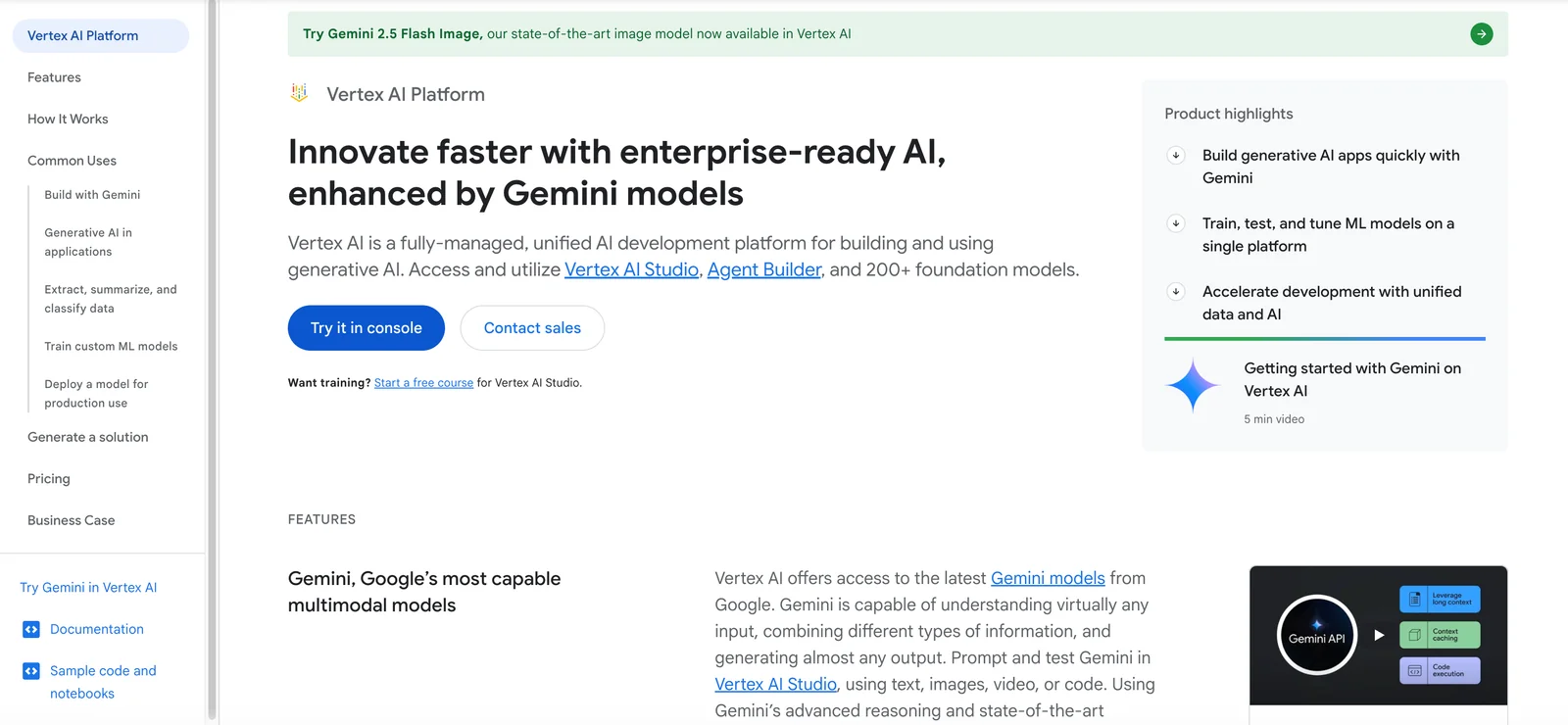
Vertex AI is Google Cloud's fully-managed, unified platform for the full ML lifecycle: experimentation, training, deployment, monitoring and scaling of machine learning and generative AI models. It provides an integrated studio, SDKs, model garden with 160+ foundation and third-party models (including Gemini, Gemma, Llama 3, Claude 3), managed datasets, feature store, pipelines for MLOps, and Agent Builder for building multi-step generative agents. Vertex AI is optimized for enterprise production workloads, combining AutoML and custom-code workflows, tight integration with Google Cloud data services (BigQuery, Data Labeling), and sample notebooks and tooling to accelerate development and operationalization.
Screenshots
Key Features
Use Cases



Frequently asked questions about Google Vertex AI
What are the pricing options for Google Vertex AI?
Google Vertex AI offers a free trial that includes $300 in credits for 90 days, alongside a flexible pay-as-you-go pricing model based on usage. Costs vary depending on the services utilized, including compute resources, storage, and API calls.
Key Points
- Free trial includes $300 credits for 90 days.
- Pay-as-you-go model based on usage.
- Pricing varies by service (compute, storage, API calls).
Detailed Explanation
Google Vertex AI provides a comprehensive platform for machine learning and artificial intelligence projects. The free trial allows users to explore the service without financial commitment, helping teams to assess its capabilities.
Pricing Components:
- Compute Resources: The cost of virtual machine instances used for training and deploying models. Prices vary based on machine type and usage duration.
- Storage: Charges for data storage depend on the amount of data stored and the type of storage service (e.g., standard, nearline).
- API Calls: Users are billed for the number of API requests made, with different rates for different API functionalities.
For instance, if you're running a machine learning model that requires extensive computational resources, your costs will increase based on the number of virtual machines and the hours they are active.
Example Use Case:
If a small business is developing a predictive analytics model using Vertex AI, they might start with the free credits to build and test their model. After the trial, they can shift to the pay-as-you-go model, only paying for the compute resources and storage they actually use.
Best Practices / Tips
- Monitor Usage: Regularly check your Google Cloud Console to track your usage and spending.
- Optimize Resources: Choose the right machine types and only run instances when necessary to minimize costs.
- Utilize Free Tier Services: Familiarize yourself with free-tier options to keep costs low during the initial setup and testing phases.
Additional Resources
How can I start using Google Vertex AI for my projects?
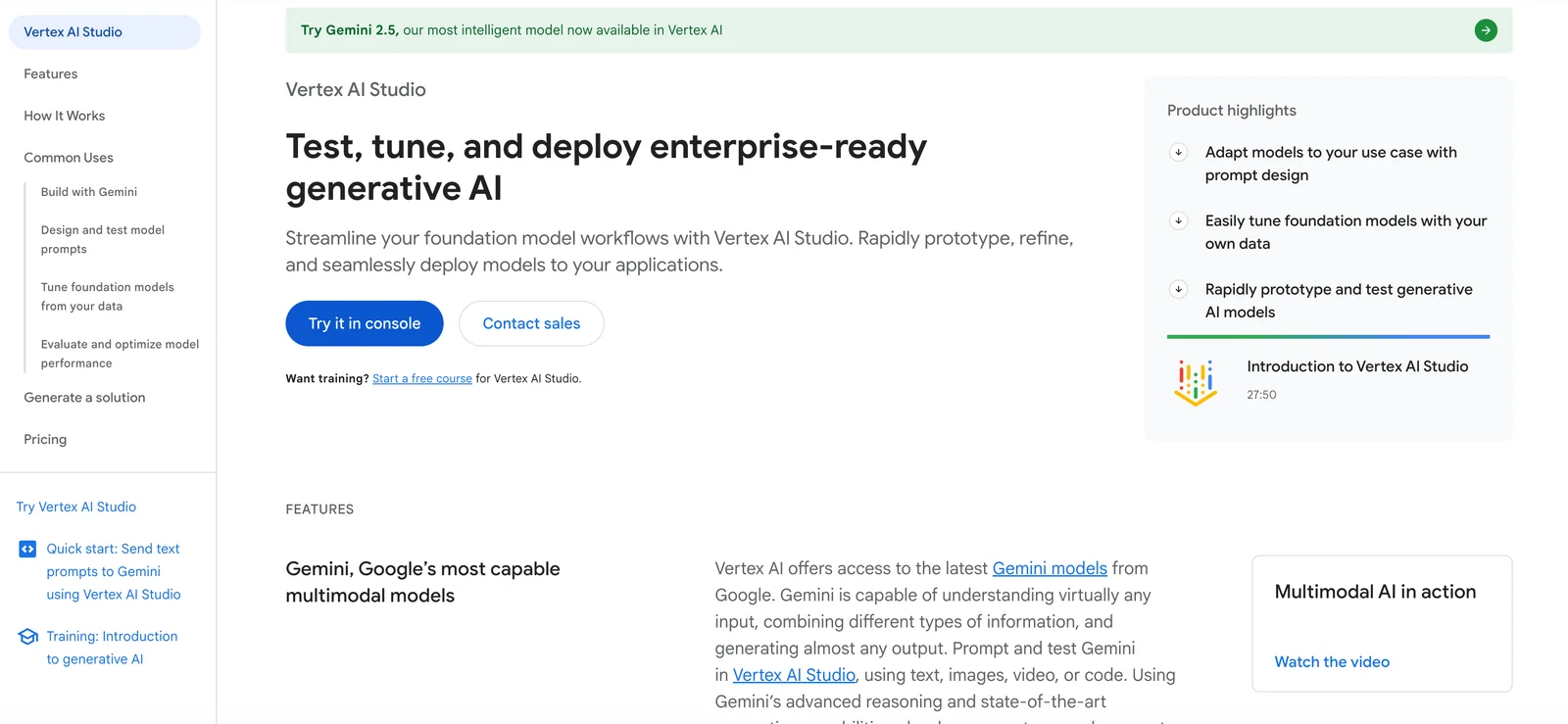
To start using Google Vertex AI for your projects, first sign up for a Google Cloud account. Then, navigate to Vertex AI Studio to access a variety of tools for model training, evaluation, and deployment, enabling you to build and manage machine learning models effectively.
Key Points
- Create a Google Cloud Account: Essential for accessing Vertex AI.
- Explore Vertex AI Studio: Central hub for tools and resources.
- Utilize Available Tools: For model training, evaluation, and deployment.
Detailed Explanation
Google Vertex AI is a robust platform designed for building, deploying, and scaling machine learning models. Here’s how to get started:
-
Create a Google Cloud Account: Visit the Google Cloud website and sign up. Google offers a free tier with credits, making it accessible for beginners.
-
Access Vertex AI Studio: Once you have an account, navigate to the Vertex AI section in the Google Cloud Console. Here, you’ll find the Vertex AI Studio, which provides a user-friendly interface for managing your ML projects.
-
Utilize Tools for Model Training: Vertex AI offers various tools, including AutoML and custom model training. You can upload your datasets, choose from pre-built algorithms, or create custom models using TensorFlow or PyTorch.
-
Evaluate Your Models: After training, use the evaluation tools to assess model performance. You can visualize metrics such as accuracy, precision, and recall to ensure your model meets your project requirements.
-
Deployment: Once satisfied with your model, deploy it through Vertex AI’s serving infrastructure. This allows you to integrate your model into applications or offer predictions through APIs.
Best Practices / Tips
- Start with Sample Datasets: Before diving into your own data, experiment with Google’s sample datasets to familiarize yourself with the platform.
- Monitor Costs: Google Cloud services are billed based on usage, so keep an eye on your spending, especially during model training and deployment.
- Leverage AutoML: If you’re new to machine learning, consider using AutoML for simplified model training without deep technical knowledge.
- Stay Updated: Follow Google Cloud’s release notes and documentation to keep up with new features and best practices.
Additional Resources
What are the key features of Google Vertex AI?
Google Vertex AI offers a comprehensive suite of features, including a unified development studio, access to over 160 powerful foundation models, managed datasets, and advanced tools for creating generative applications and implementing MLOps. These capabilities streamline the AI development process for businesses and developers.
Key Points
- Unified Development Studio: A single platform for all AI development needs.
- Foundation Models: Access to over 160 pre-trained models for diverse applications.
- MLOps Tools: Robust tools for managing machine learning operations efficiently.
Detailed Explanation
Google Vertex AI integrates various functionalities to simplify the AI lifecycle. The Unified Development Studio allows developers to build, train, and deploy machine learning models seamlessly. This studio supports popular frameworks like TensorFlow and PyTorch, making it accessible for a range of skill levels.
One of the standout features is the Access to Foundation Models. With over 160 pre-trained models, users can leverage state-of-the-art capabilities in natural language processing, image recognition, and more. For example, businesses can quickly implement text generation or translation features without starting from scratch, significantly reducing development time and resources.
Furthermore, Google Vertex AI offers MLOps Tools that streamline the deployment and monitoring of machine learning models. This includes automated hyperparameter tuning and model versioning, ensuring that the best-performing models are always in production. This is particularly useful for businesses looking to maintain competitive advantages in rapidly evolving markets.
Best Practices / Tips
- Start Small: Begin with a specific use case to test the capabilities of Vertex AI before scaling up.
- Utilize Pre-trained Models: Take advantage of the vast library of foundation models to save time and improve outcomes.
- Monitor Performance: Regularly evaluate model performance and use MLOps tools for continuous improvement.
- Collaborate: Engage with team members using the collaborative features in the development studio to foster innovation.
Additional Resources
How does Google Vertex AI compare to other AI platforms?
Google Vertex AI is a leading AI platform that excels in MLOps integration, a vast model garden, and seamless compatibility with Google Cloud services. Its user-friendly interface and powerful tools make it a superior choice for businesses seeking to streamline AI development and deployment compared to other platforms like AWS SageMaker and Azure Machine Learning.
Key Points
- Integrated MLOps Tools: Streamlines the machine learning lifecycle.
- Extensive Model Garden: Provides pre-trained models for quick deployment.
- Native Google Cloud Support: Enhances scalability and performance.
Detailed Explanation
Google Vertex AI offers a comprehensive suite of tools designed for machine learning operations (MLOps), making it easier for data scientists and developers to build, deploy, and manage machine learning models effectively.
-
Integrated MLOps Tools: Vertex AI simplifies the ML lifecycle with features like AutoML, which automatically selects the best model for your data. The platform also includes tools for version control and monitoring, ensuring your models remain accurate and efficient over time.
-
Extensive Model Garden: The model garden features a wide array of pre-trained models across various use cases, such as natural language processing, computer vision, and more. This allows businesses to leverage state-of-the-art models without starting from scratch, significantly reducing development time.
-
Native Google Cloud Support: Vertex AI seamlessly integrates with other Google Cloud services, such as BigQuery and Dataflow, enhancing data handling capabilities. This native support allows businesses to scale their AI solutions effortlessly while maintaining optimal performance.
For instance, a retail company can utilize Vertex AI’s pre-trained models for demand forecasting, integrating them with their existing Google Cloud data infrastructure to make real-time decisions.
Best Practices / Tips
- Leverage Pre-trained Models: Use existing models from the model garden to reduce development time and costs.
- Monitor Model Performance: Regularly check model accuracy and drift to ensure optimal performance over time.
- Utilize AutoML: Take advantage of AutoML for automatic model selection and hyperparameter tuning, which can greatly enhance results with minimal manual effort.
Additional Resources
Does Google Vertex AI have an API for integration?
Yes, Google Vertex AI offers a comprehensive API through its Python SDK, enabling seamless integration with various Google Cloud services. This allows users to efficiently train and deploy custom machine learning models, enhancing productivity and facilitating advanced AI workflows.
Key Points
- Python SDK: Provides easy access to the API.
- Integration: Supports various Google Cloud services.
- Custom Workflows: Facilitates model training and deployment.
Detailed Explanation
Google Vertex AI is designed to simplify machine learning processes on Google Cloud. The Python SDK acts as a bridge, allowing developers to interact with the Vertex AI services programmatically. This API facilitates tasks such as:
-
Model Training: Users can train custom models using their datasets. The SDK provides functionality to upload data, configure training jobs, and monitor progress.
-
Model Deployment: Once trained, models can be deployed to the cloud for real-time predictions. The API supports both batch and online predictions, making it versatile for different use cases.
-
Integration with Other Services: Vertex AI seamlessly integrates with other Google services like BigQuery for data analysis and Dataflow for data processing, enhancing the overall capability to manage complex workflows.
Example Use Case
A data scientist can utilize the Python SDK to train a custom image recognition model. They would prepare their dataset, initiate the training job via the SDK, and, once complete, deploy the model using a simple API call. This streamlines the entire machine learning pipeline from data collection to model inference.
Best Practices / Tips
- Familiarize with the Documentation: Before diving into integration, review the official Google Vertex AI documentation to understand the API's capabilities.
- Use Version Control: Keep track of your model versions to ensure reproducibility.
- Optimize Model Performance: Experiment with hyperparameter tuning using the built-in tools available in the SDK to enhance model accuracy.
Additional Resources
Explore more AI Ai Models tools
Browse all Ai Models tools →Browse by use case: Image Generation · Video Generation · Voice & Audio · Automation & Productivity
Compare Google Vertex AI: vs Mouse-1 · vs Milliseconds.ai · vs SWE-2 · vs Desert Ant Labs