

UniVideo
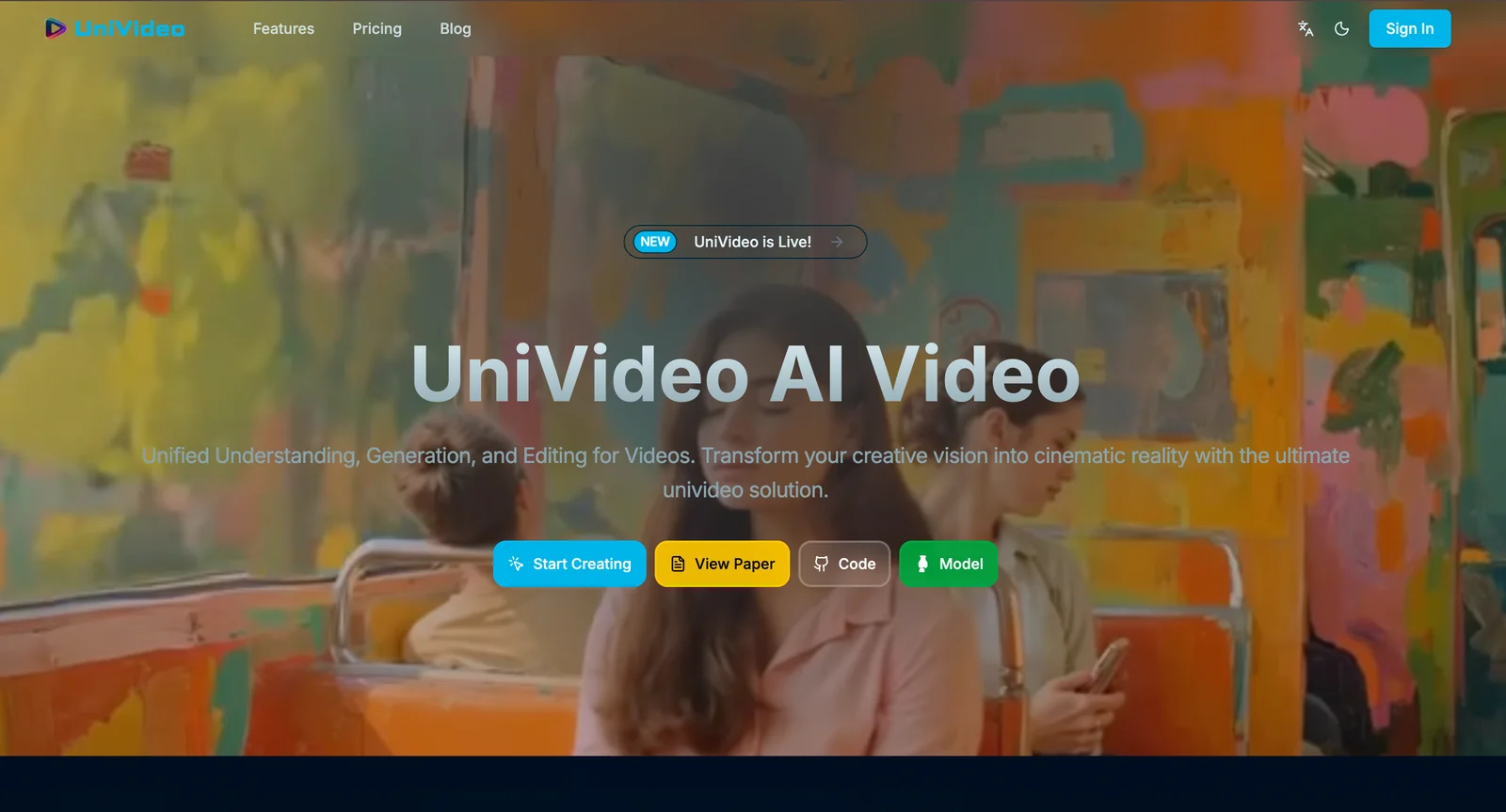
AIOpen SourceFreeUnified video model for understanding, high-fidelity generation, and precise free-form editing via a dual-stream architecture.
UniVideo
Unified video model for understanding, high-fidelity generation, and precise free-form editing via a dual-stream architecture.
About UniVideo
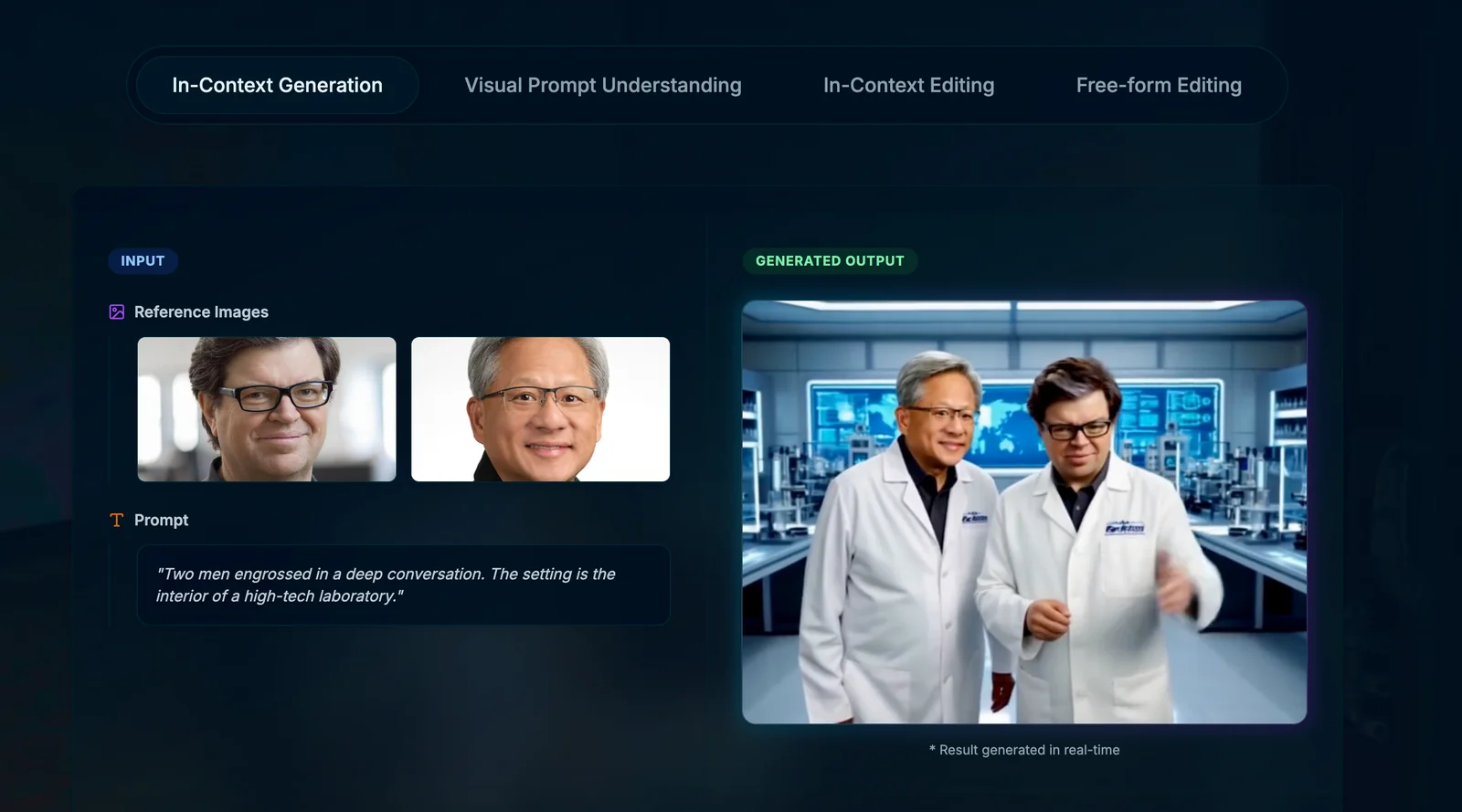
UniVideo is a unified multimodal video framework that combines video understanding, generation, and editing in a single model. It uses a dual-stream design pairing a Multimodal Large Language Model (MLLM) for instruction understanding with a Multimodal DiT (MMDiT) backbone for video generation, enabling accurate interpretation of complex multimodal instructions while preserving temporal and visual consistency. UniVideo is jointly trained across diverse video and image tasks and supports text/image-to-video generation, in-context video generation, visual-prompt-based generation, and free-form editing (including composition of tasks like editing plus style transfer). The unified instruction paradigm and joint training enable strong transfer and task composition capabilities, allowing it to handle novel editing requests (e.g., green-screening or material replacement) even without explicit video-editing supervision.
Screenshots
Key Features
Use Cases



Frequently asked questions about UniVideo
What pricing options are available for UniVideo?
UniVideo offers a free open-source model with no licensing fees, allowing users to download and run the model locally. Additionally, there are custom pricing options available for third-party hosted services, enabling flexibility for businesses and developers seeking tailored solutions.
Key Points
- Free open-source model with no licensing fees.
- Custom pricing options for hosted services.
- Flexibility for individual and enterprise users.
Detailed Explanation
UniVideo's pricing structure is designed to accommodate a wide range of users, from individual developers to large enterprises. The free open-source model allows users to access the software without any financial commitment. This model can be downloaded and run locally on personal servers, providing complete control over the usage and deployment of the software.
For businesses that prefer a hassle-free experience, custom pricing options for third-party hosted services are available. This option is particularly beneficial for organizations that lack the technical infrastructure to host the model locally or require higher levels of scalability and support. Users can contact UniVideo for tailored pricing that meets their specific needs, which may include managed hosting, additional features, or dedicated support.
Example Use Cases
- Individual Developers: A developer can download the open-source model to create a personal project, experiment with video processing, or integrate AI features into an existing application without incurring any costs.
- Small to Medium Enterprises (SMEs): SMEs may opt for third-party hosting to ensure reliable uptime and access to additional features, such as analytics and performance monitoring, which can enhance their video-related services.
- Large Companies: Bigger organizations can negotiate custom pricing for extensive usage, ensuring the solution scales with their growing needs while benefiting from dedicated support and service level agreements (SLAs).
Best Practices / Tips
- Evaluate Your Needs: Before choosing between the open-source model and hosted services, assess your technical capabilities and resource availability.
- Consider Future Scalability: If you anticipate growth, investing in hosted services might save you time and resources in the long run.
- Stay Updated: Regularly check UniVideo's official website for any changes in pricing or new features that could benefit your projects.
Additional Resources
What unique features does UniVideo provide for video editing?
UniVideo offers a unique dual-stream architecture that allows users to perform precise free-form video editing. This includes advanced capabilities like seamless green-screening, material alterations, and the maintenance of visual-temporal consistency, making it ideal for both amateur and professional video editors.
Key Points
- Dual-Stream Architecture: Facilitates complex editing tasks.
- Green-Screening Capabilities: Enables easy background changes.
- Visual-Temporal Consistency: Maintains quality throughout edits.
Detailed Explanation
UniVideo's dual-stream architecture is a standout feature that empowers users to edit videos with remarkable precision. This system allows simultaneous processing of two video streams, which means that editors can manipulate foreground and background elements independently. For instance, when performing green-screen editing, UniVideo helps ensure that the subject remains sharp and consistent in motion, even as backgrounds change dynamically.
Green-screening, or chroma keying, is simplified through this unique architecture. Users can easily replace backgrounds without the typical hassle of color spill or edge artifacts. This feature is particularly beneficial for filmmakers, content creators, and marketers looking to produce high-quality videos efficiently.
Additionally, UniVideo excels in maintaining visual-temporal consistency. This means that as you edit, the temporal flow of the video remains coherent. For example, if you change a scene's material properties, such as lighting or texture, the changes will appear natural and seamless throughout the clip, thus retaining the viewer's engagement.
Best Practices / Tips
- Explore Tutorials: Familiarize yourself with UniVideo's features through official tutorials to maximize your editing efficiency.
- Use High-Quality Footage: Ensure that your source footage is of high quality to take full advantage of the dual-stream capabilities.
- Experiment with Effects: Don't hesitate to try various effects and transitions to see how they can enhance your video storytelling.
- Regularly Save Your Work: As with any editing software, save your projects frequently to avoid data loss.
Additional Resources
How can I get started with UniVideo and its functionalities?
To get started with UniVideo, visit the official website and access its open-source repository on GitHub. Follow the detailed installation instructions and utilize the provided inference scripts to explore various functionalities for video generation and editing, allowing you to customize and enhance your multimedia projects effectively.
Key Points
- Access the Official Website: Start at UniVideo's official site for accurate information.
- GitHub Repository: The source code is available on GitHub, providing comprehensive functionalities.
- Installation Instructions: Follow the guidelines for a smooth setup process.
Detailed Explanation
UniVideo is a powerful tool for generating and editing videos using AI technologies. Here’s how to get started:
-
Visit the Official Website: Go to the UniVideo website to understand its features and capabilities.
-
GitHub Repository: Navigate to the UniVideo GitHub repository where you can find the source code and documentation. This is crucial for developers and users who want to contribute or modify the project.
-
Installation Steps:
- Clone the repository using Git with the command:
git clone https://github.com/univideo/univideo.git. - Install required dependencies, typically specified in a
requirements.txtfile. Use the command:pip install -r requirements.txt. - Follow any additional setup instructions mentioned in the repository’s README file for a seamless installation.
- Clone the repository using Git with the command:
-
Using Inference Scripts: Once installed, you can access inference scripts in the repository. These scripts allow you to perform various video-related tasks, such as creating new videos from images or text inputs, applying filters, and editing existing video files.
-
Explore Functionalities: UniVideo supports a variety of functionalities, including:
- Video Generation: Create videos from scratch based on text prompts or predefined templates.
- Video Editing: Edit existing videos by adding transitions, effects, or overlays.
- Customization: Modify settings to tailor output quality, style, and format to your needs.
Best Practices / Tips
- Stay Updated: Regularly check the GitHub repository for updates and new features.
- Experiment: Try different scripts and settings to fully explore UniVideo's capabilities.
- Community Engagement: Join forums or community discussions to gain insights and share experiences with other UniVideo users.
- Backup Your Work: Always save a backup of your projects before making significant changes.
Additional Resources
- UniVideo Documentation
- GitHub Issues Page for troubleshooting and feature requests.
- Community Forums for user support and collaboration.
What are the technical requirements to run UniVideo effectively?
UniVideo effectively requires Python 3.11 and PyTorch 2.4.1 with CUDA 12.1 for optimal performance. Setting up a conda environment, as specified in the provided environment.yml file, is highly recommended to ensure all dependencies are correctly managed.
Key Points
- Python version: 3.11
- PyTorch version: 2.4.1 with CUDA 12.1
- Use of conda environment for dependency management
Detailed Explanation
To run UniVideo smoothly, start by installing Python 3.11. This version is essential for compatibility with the latest features and performance enhancements. Next, install PyTorch 2.4.1 along with CUDA 12.1 to leverage GPU acceleration, which significantly speeds up video processing tasks.
-
Install Anaconda: Download and install Anaconda, which simplifies package management and deployment. Follow the installation instructions specific to your operating system.
-
Create a Conda Environment: Open your terminal or Anaconda Prompt and run the following command to create a new environment:
conda create -n univideo python=3.11This command sets up a dedicated space for UniVideo, isolating it from other projects.
-
Activate the Environment: Activate your new environment with:
conda activate univideo -
Install PyTorch: Use the following command to install PyTorch along with CUDA support:
conda install pytorch=2.4.1 cudatoolkit=12.1 -c pytorchThis ensures that you have the correct version of PyTorch that works seamlessly with CUDA.
-
Install Dependencies: Lastly, reference the provided
environment.ymlfile to install additional dependencies required by UniVideo. You can do this using:conda env update --file environment.yml
Best Practices / Tips
- Check System Compatibility: Ensure your hardware is compatible with CUDA 12.1. This typically requires an NVIDIA GPU.
- Keep Software Updated: Regularly check for updates to Python, PyTorch, and other packages to benefit from performance improvements and security patches.
- Monitor Resource Usage: Use tools like
nvidia-smito monitor GPU usage, ensuring that your system is optimally utilized during processing.
Additional Resources
- Anaconda Installation Guide
- PyTorch Installation Instructions
- UniVideo GitHub Repository (replace with the actual link)
How does UniVideo compare to other video generation tools?
UniVideo distinguishes itself from other video generation tools by utilizing a unified instruction paradigm, enabling users to accomplish various tasks such as text-to-video creation and free-form editing seamlessly within a single model. This integration streamlines workflows, eliminating the need for multiple tools to achieve different objectives.
Key Points
- Unified Instruction Paradigm: Perform multiple tasks within one model.
- Streamlined Workflow: Reduces time and effort compared to using separate tools.
- Versatile Features: Combines text-to-video and editing functionalities.
Detailed Explanation
UniVideo's unified instruction paradigm allows it to cater to a wide array of video generation needs. Unlike traditional tools that require users to switch between different applications for tasks like generating videos from text or editing existing footage, UniVideo integrates these functionalities into a single platform.
Use Cases
- Text-to-Video: Users can input scripts, and UniVideo generates engaging videos with relevant visuals and audio.
- Free-Form Editing: Users can edit videos freely without the constraints often found in other platforms, allowing for creative expression and customization.
For example, a marketer can draft a promotional script and instantly create a video, making it an efficient choice for fast-paced environments. This capability is particularly beneficial for content creators who need to produce varied video formats quickly.
Best Practices / Tips
- Explore All Features: Take full advantage of UniVideo's integrated capabilities by exploring both text-to-video and editing functions.
- Utilize Templates: Start with templates to speed up the creation process and maintain consistency across videos.
- Regular Updates: Keep the tool updated to access the latest features and improvements.
Common pitfalls to avoid include neglecting to utilize the free-form editing options, as this can limit creative potential.
Additional Resources
By leveraging these insights, users can maximize their experience with UniVideo, making it a standout choice in the video generation landscape.
Explore more AI Ai Models tools
Browse all Ai Models tools →Browse by use case: Video Generation
Compare UniVideo: vs Mouse-1 · vs Milliseconds.ai · vs SWE-2 · vs Desert Ant Labs