

Taskade Genesis
AINo-code AI app builder that generates live apps, dashboards, and autonomous agents from a single prompt.
Taskade Genesis
No-code AI app builder that generates live apps, dashboards, and autonomous agents from a single prompt.
About Taskade Genesis
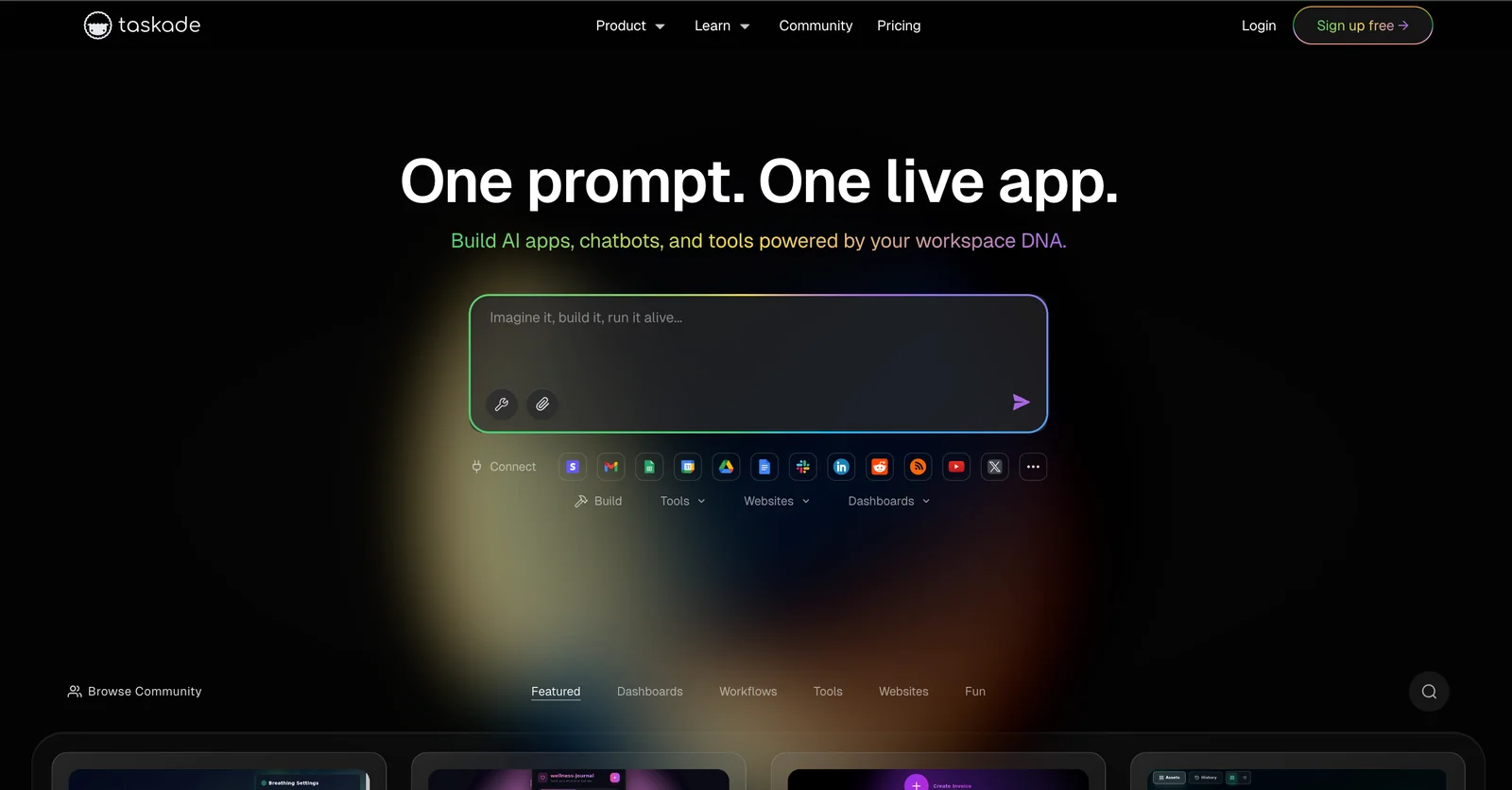
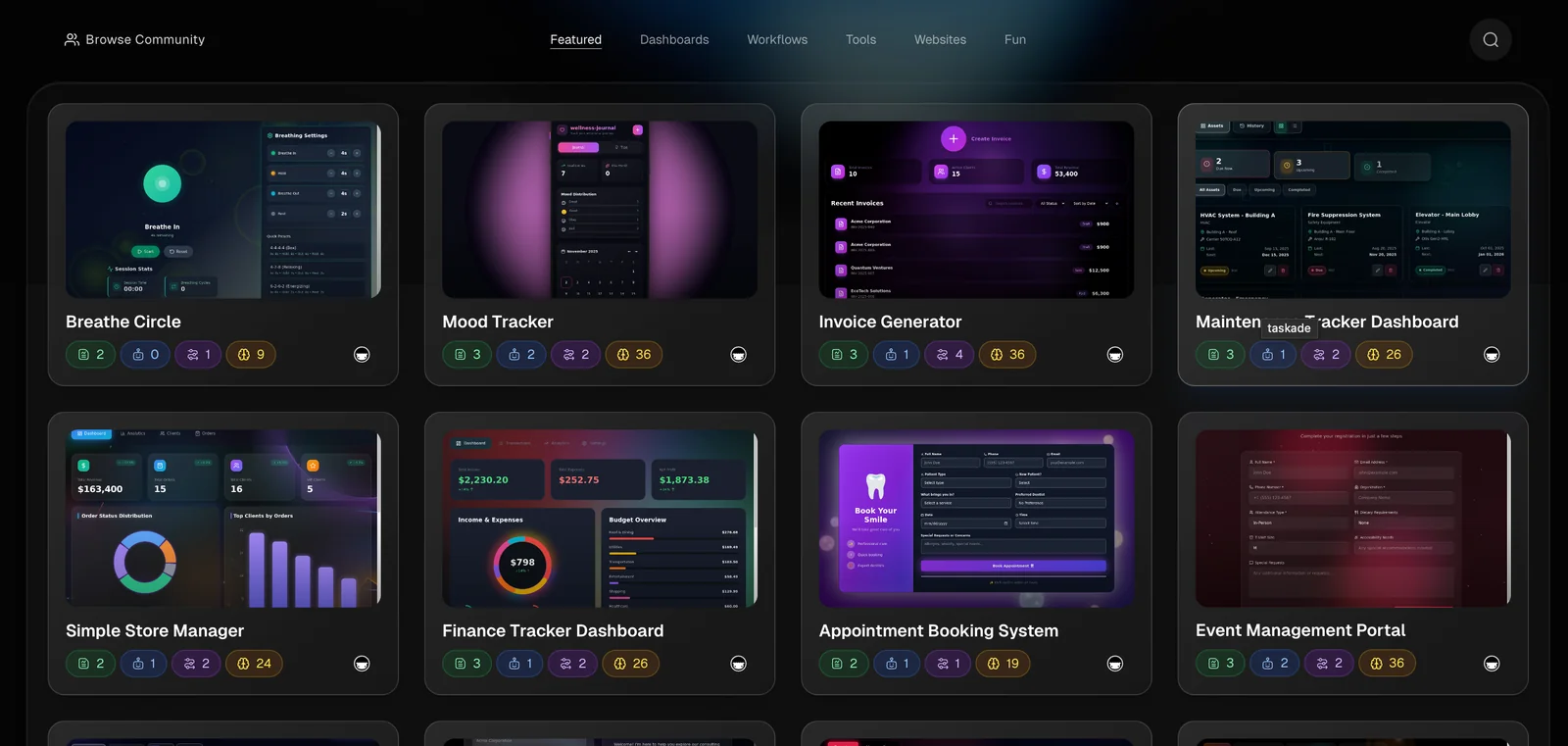
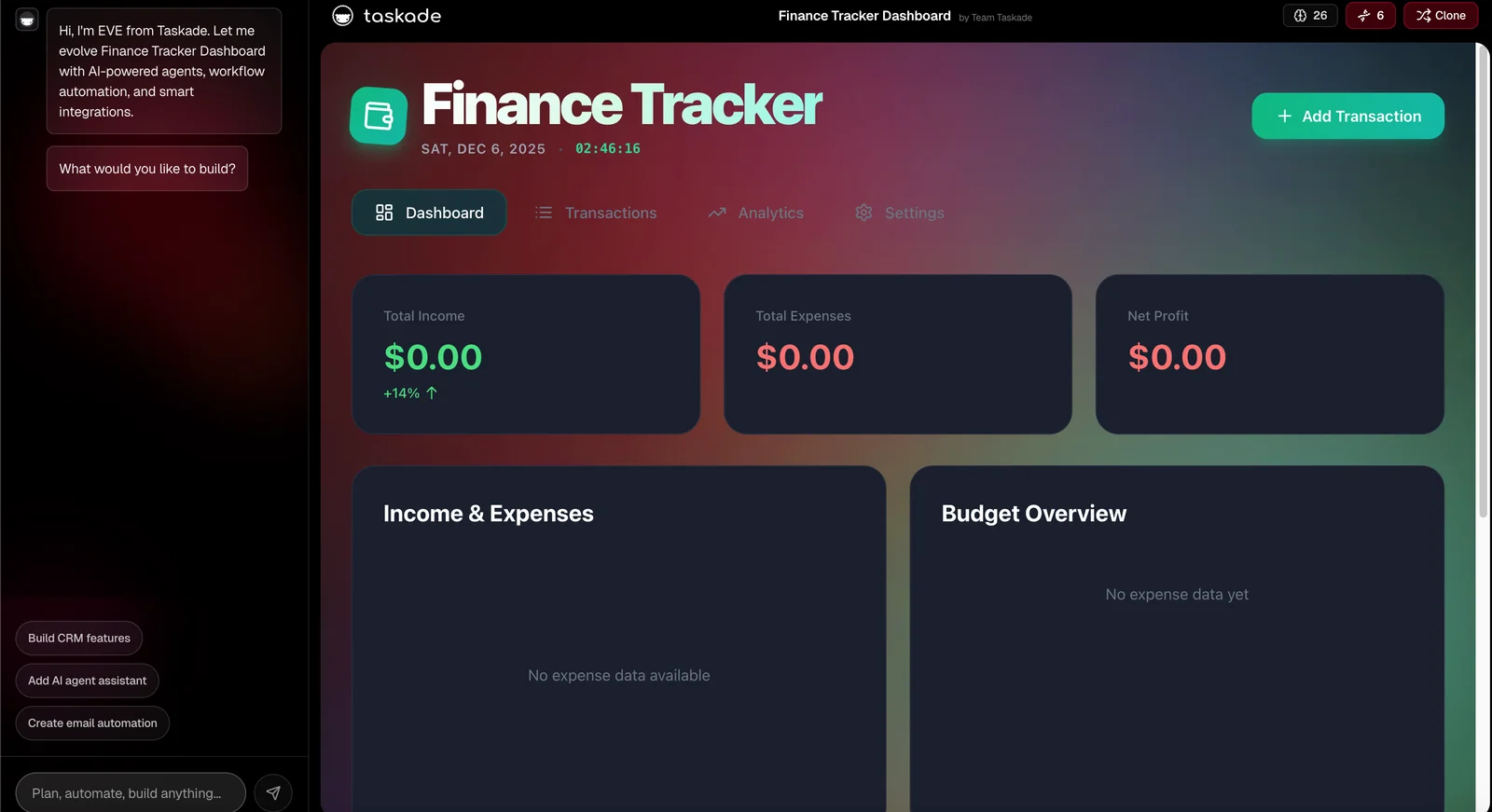
Taskade Genesis is an AI-driven app builder that turns a single natural-language prompt into a live, real-time application powered by your Taskade workspace. It creates apps, dashboards, portals, and autonomous agents with persistent memory, integrates with services like Stripe, Google, and Slack, and runs end-to-end workflow automation continuously. Genesis treats projects as live databases and agents as a workforce, enabling apps that evolve over time, act on real data, and automate routine tasks without traditional development.
Screenshots
Key Features
Use Cases



Frequently asked questions about Taskade Genesis
What pricing options are available for Taskade Genesis?
Taskade Genesis offers a freemium pricing model featuring three main tiers: Free, Pro, and Business/Enterprise. The Free plan provides basic features suitable for individuals, while the Pro and Business plans include advanced capabilities and custom pricing that cater to teams and organizations with more complex needs.
Key Points
- Free Plan: Basic features for individuals and small teams.
- Pro Plan: Advanced functionalities for professional use.
- Business/Enterprise Plan: Tailored solutions with custom pricing for larger organizations.
Detailed Explanation
Taskade Genesis is designed to accommodate a range of users from individual freelancers to large enterprises.
-
Free Plan: This tier is perfect for users who want to explore basic task management features. It includes essential tools like task lists, notes, and basic collaboration functionalities. Ideal for students or individuals managing personal projects, the Free plan has no cost and allows users to test the platform.
-
Pro Plan: Priced at approximately $10 per user per month, this plan unlocks advanced features such as unlimited integrations, advanced reporting, and enhanced collaboration tools. It caters to professionals or small teams looking to improve productivity and project management. The Pro plan is a great choice for startups or small businesses needing a robust solution without the overhead of an enterprise-level system.
-
Business/Enterprise Plan: For organizations with extensive needs, the Business plan offers tailored solutions with custom pricing based on specific requirements. This plan includes all Pro features plus advanced security, priority support, and dedicated account management. It’s ideal for larger companies needing to manage multiple teams or projects simultaneously, ensuring streamlined communication and collaboration across departments.
Best Practices / Tips
- Evaluate Your Needs: Before choosing a plan, assess your team's size, project complexity, and necessary features. This will help you select the most cost-effective option.
- Take Advantage of Free Trials: Utilize any free trial offers to test premium features of the Pro and Business plans before committing financially.
- Monitor Usage: Regularly review how your team is using Taskade to ensure you are on the right plan and not paying for unnecessary features.
Additional Resources
How does Taskade Genesis facilitate no-code app creation?
Taskade Genesis streamlines no-code app creation by enabling users to build live apps and dashboards using a simple natural language prompt. This innovative approach removes the complexity of coding, making app development accessible to everyone, including non-technical users.
Key Points
- No-Code Development: Create applications effortlessly without coding skills.
- Natural Language Processing: Utilize intuitive prompts for app creation.
- User-Friendly Interface: Designed for accessibility, appealing to all skill levels.
Detailed Explanation
Taskade Genesis redefines app development by leveraging natural language processing (NLP) to facilitate the creation of live applications and dashboards. Users can simply type commands or requests in plain language, and the platform interprets these instructions to generate functional apps.
For instance, a user can enter a prompt like "Create a project management dashboard with task lists and team collaboration features," and Taskade Genesis will automatically set up the necessary components. This eliminates the steep learning curve usually associated with traditional programming, allowing users to focus on their ideas rather than technical details.
Use Cases
- Project Management: Teams can quickly set up dashboards to track progress, assign tasks, and manage deadlines.
- Event Planning: Users can create event management apps to organize schedules, guest lists, and budgets.
- Personal Productivity: Individuals can build personalized to-do lists and habit trackers with minimal effort.
Best Practices / Tips
- Start Simple: Begin with straightforward projects to familiarize yourself with the platform's capabilities.
- Leverage Templates: Utilize pre-built templates as a foundation to enhance efficiency.
- Experiment with Prompts: Explore different phrasing for your requests to see how the app responds and refine your approach.
Common pitfalls to avoid include overcomplicating your initial requests, which may lead to confusion or incomplete applications. Stick to clear and concise language to achieve the best results.
Additional Resources
By utilizing Taskade Genesis, users can unlock the potential of no-code app creation, transforming ideas into functional applications with ease and efficiency.
What is the process to start using Taskade Genesis?
To start using Taskade Genesis, sign up for a free account on the official Taskade website, explore its core features, and begin creating apps effortlessly using natural language prompts for quick deployment. This intuitive setup allows both beginners and advanced users to harness AI for productivity.
Key Points
- Free Account Setup: Easily create your account on Taskade's official website.
- Exploration of Features: Familiarize yourself with the platform's key functionalities.
- Natural Language App Creation: Use AI-driven prompts to develop applications rapidly.
Detailed Explanation
To get started with Taskade Genesis, follow these steps:
-
Sign Up for a Free Account:
- Visit Taskade's official website.
- Click on the “Sign Up” button, and you can register using your email or social media accounts.
- Confirm your email address to activate your account.
-
Explore Core Features:
- Once logged in, take a tour of the dashboard. Familiarize yourself with tools like project management, mind mapping, and collaboration features.
- Utilize the help center or tutorials available on the platform to understand how to maximize your experience.
-
Create Apps Using Natural Language Prompts:
- Navigate to the app creation section and select the “Create New App” option.
- Input your idea or task in natural language, and Taskade Genesis will interpret your input to generate a functional app.
- Customize your app with various templates and design elements provided by Taskade.
Use Cases
- Project Management: Create task lists or Kanban boards for team collaboration.
- Brainstorming: Use mind maps to visually organize ideas and share with your team.
- Personal Productivity: Develop habit trackers or daily planners tailored to your needs.
Best Practices / Tips
- Utilize Templates: Start with pre-made templates to save time and ensure quality.
- Regularly Update Features: Stay informed about new features or updates within Taskade Genesis to enhance your app.
- Experiment with Prompts: Don’t hesitate to try different phrasing in your prompts for varied app functionalities.
Additional Resources
- Taskade Documentation: Comprehensive guide and FAQs.
- Taskade YouTube Channel: Video tutorials for visual learners.
- Taskade Community Forum: Engage with other users for tips and tricks.
What API integrations does Taskade Genesis support?
Taskade Genesis supports a variety of API integrations, including popular third-party services like Stripe and Google. It also features OpenAPI and MCP support, allowing developers to extend functionalities by connecting custom APIs, enhancing the platform's adaptability and versatility.
Key Points
- Third-Party Integrations: Supports Stripe, Google, and more.
- OpenAPI Support: Enables developers to create custom API integrations.
- MCP Support: Facilitates enhanced functionalities for users.
Detailed Explanation
Taskade Genesis is designed to be a flexible collaboration tool, and its support for various API integrations plays a crucial role in this flexibility.
-
Third-Party Integrations:
- Stripe Integration: This allows users to manage payments, subscriptions, and invoicing directly within Taskade, streamlining financial workflows.
- Google Services: Integration with Google Drive, Google Calendar, and other Google apps enhances productivity by enabling seamless access to documents and scheduling features.
-
OpenAPI Support:
- The OpenAPI specification allows developers to create their own APIs that can communicate with Taskade. This is particularly useful for businesses looking to integrate specific tools or workflows that are unique to their operations.
-
MCP Support:
- Managed Connectivity Protocol (MCP) provides a standardized way for developers to connect additional services, ensuring that Taskade can work in conjunction with various enterprise software solutions.
Use Cases
- A freelancer can manage client payments via Stripe while collaborating on projects in Taskade.
- A team can synchronize their project management with Google Calendar to ensure deadlines are met without switching platforms.
Best Practices / Tips
- Plan Your Integrations: Before implementing new API connections, outline your workflow needs to determine which integrations will add the most value.
- Testing: Always test new API integrations in a controlled environment to avoid disruptions in your workflow.
- Documentation: Refer to Taskade's official documentation for detailed instructions on how to set up each integration, as well as troubleshooting tips.
Additional Resources
How does Taskade Genesis compare to other no-code platforms?
Taskade Genesis distinguishes itself from other no-code platforms with its innovative one-prompt app generation, real-time data integration, and autonomous agent orchestration. This unique approach is designed for users seeking advanced automation solutions while maintaining simplicity and ease of use.
Key Points
- One-Prompt App Generation: Rapidly create applications with minimal input.
- Real-Time Data Capabilities: Access and manipulate data instantly for dynamic projects.
- Autonomous Agent Orchestration: Automate workflows efficiently with intelligent agents.
Detailed Explanation
Taskade Genesis offers a streamlined experience that simplifies the app development process. Unlike traditional no-code platforms that may require multiple steps or complex configurations, Taskade allows users to generate applications simply by providing a single prompt. This feature is particularly beneficial for entrepreneurs and small business owners who may lack technical expertise.
One-Prompt App Generation
With Taskade Genesis, users can create customized applications by entering a brief description of their needs. For example, a user wanting a project management tool can type “Create a task manager for a marketing team,” and the platform generates a fully functional app tailored to that request.
Real-Time Data Integration
Taskade’s capability for real-time data integration ensures users can work with up-to-date information. This is critical for teams that rely on immediate data accuracy, such as sales teams tracking leads or developers monitoring project progress. The platform can automatically pull in data from various sources, allowing for seamless collaboration.
Autonomous Agent Orchestration
The autonomous agents in Taskade Genesis can perform repetitive tasks, such as sending reminders or updating project statuses. This feature not only saves time but also reduces the risk of human error, making it ideal for busy professionals who need to streamline their workflows.
Best Practices / Tips
- Experiment with Prompts: Users should explore various prompts to discover the full potential of app generation. Different phrasing can yield unique features.
- Leverage Integrations: Take advantage of Taskade’s integration capabilities with other tools (like Google Drive or Slack) to enhance functionality.
- Regular Updates: Keep the generated applications up to date with changing business needs. Regularly revisit and refine prompts for optimal performance.
Additional Resources
Explore more AI Ai Agents tools
Browse all Ai Agents tools →Browse by use case: Automation & Productivity
Compare Taskade Genesis: vs Proto-Mind · vs Ami · vs Duvi · vs AskDeck