

Suno
AICreate original songs, vocals, and audio quickly from text prompts using Suno's music-generation platform and models.
Suno
Create original songs, vocals, and audio quickly from text prompts using Suno's music-generation platform and models.
About Suno
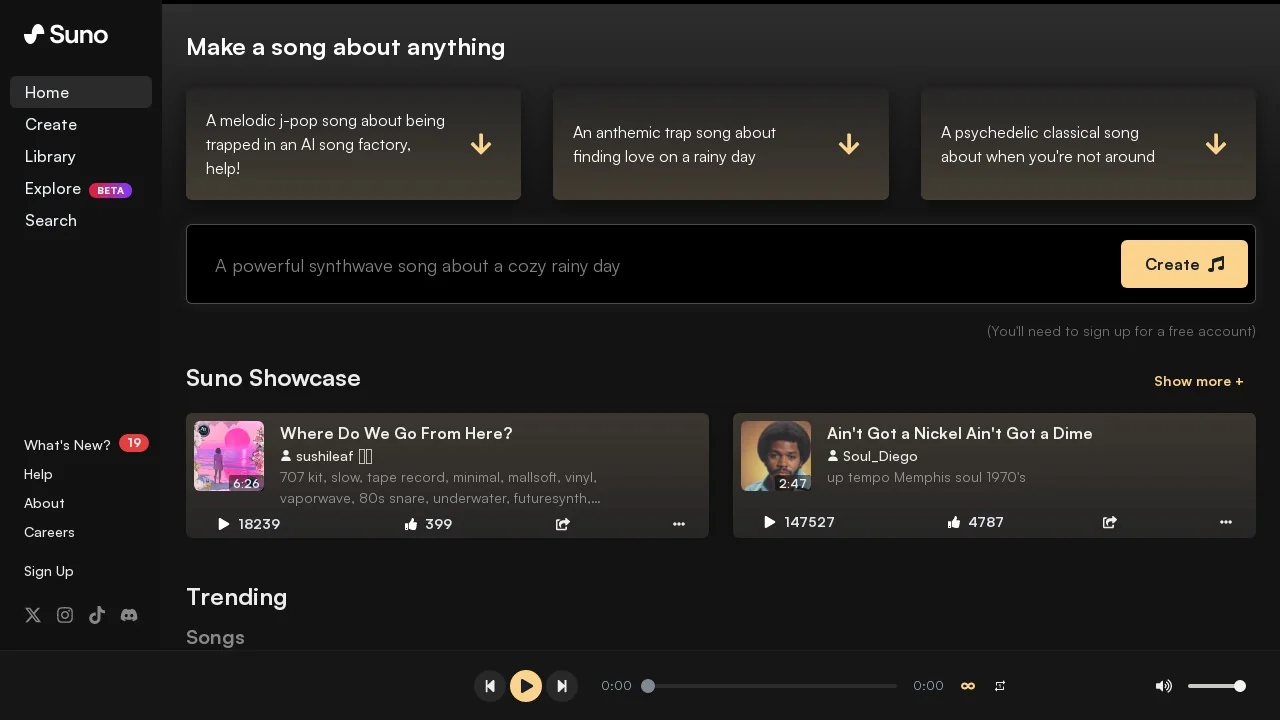
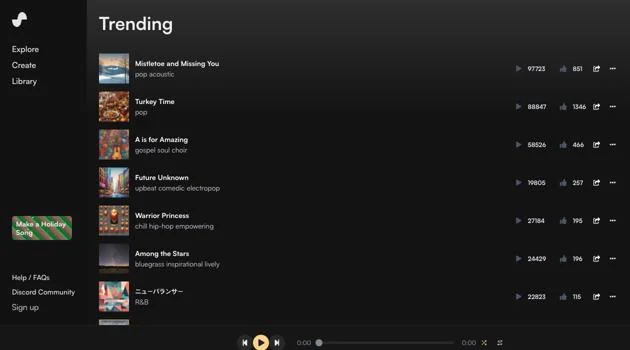
Suno is a music-generation platform that enables users to create original music, vocals, and audio assets from text prompts and structured song formats. It exposes models and tools (including the Bark text-to-audio model lineage) for producing multilingual speech, singing, instrumental tracks, and simple sound effects, and supports fine-grained generation controls such as tempo, style, duration, and sampling hyperparameters. Suno also provides integrations and community tooling (APIs, plugins, third-party wrappers and power-tools) to embed generation in apps, extend or inpaint existing audio, and organize or share compositions. The platform emphasizes accessibility for creators — from hobbyists to professional artists — making it faster to prototype, iterate, and publish musical ideas.
Screenshots

Key Features
Use Cases



Frequently asked questions about Suno
What is the pricing structure for Suno?
Suno offers a freemium pricing model consisting of three tiers: Free, Pro at $8/month, and Premium at $24/month. The Free tier provides limited access, while the Pro and Premium tiers unlock advanced features and commercial use rights, catering to different user needs and budgets.
Key Points
- Free Tier: Basic access with limitations.
- Pro Tier: $8/month, includes advanced features.
- Premium Tier: $24/month, offers full capabilities and commercial rights.
Detailed Explanation
Suno's pricing structure is designed to accommodate users with varying needs.
-
Free Tier: Ideal for beginners, this option allows users to explore Suno's basic functionalities without any financial commitment. However, access to features is limited, making it suitable for casual use or evaluation purposes.
-
Pro Tier: For $8 per month, the Pro tier unlocks additional features, such as enhanced customization options and priority support. This tier is perfect for freelancers or small businesses looking to scale their AI tool usage without a significant financial investment.
-
Premium Tier: At $24 per month, the Premium tier provides full access to all features, including commercial use rights. This tier is best suited for larger businesses or professionals who need comprehensive tools for advanced projects, content creation, or team collaboration.
Use Cases
- Freelancers: May start with the Free tier and upgrade to Pro as their needs grow.
- Small Businesses: Can benefit from the Pro tier for enhanced functionality at a low cost.
- Large Enterprises: Should consider the Premium tier for extensive features and commercial usage.
Best Practices / Tips
- Evaluate Your Needs: Start with the Free tier to assess which features are essential for your work.
- Upgrade Wisely: If you find yourself needing more functionality, consider upgrading to the Pro tier before jumping to Premium.
- Utilize Trials: If available, take advantage of any trial periods for the Pro or Premium tiers to ensure they meet your needs before committing.
Additional Resources
How can I start using Suno to create music?
To start using Suno for music creation, visit suno.com and sign up for a free account. After registration, you can generate music tracks by inputting text prompts and exploring the platform’s intuitive tools for song generation and editing.
Key Points
- Sign up for a free account on Suno.
- Use text prompts to generate music.
- Explore additional features for song editing and customization.
Detailed Explanation
Suno is an innovative AI-powered music creation platform designed for users of all skill levels. To begin, visit suno.com and create a free account by providing your email and creating a password. Once registered, you will have access to the main dashboard where you can start exploring various features.
-
Text Prompt Input: Enter descriptive text prompts that convey the mood, genre, and style of the music you want to create. For example, you might type “a calming piano piece for meditation” to direct the AI in generating your desired track.
-
Music Generation: After submitting your prompt, Suno’s AI will analyze your input and produce a music track tailored to your specifications. This process is quick, often taking just a few moments for the track to be ready.
-
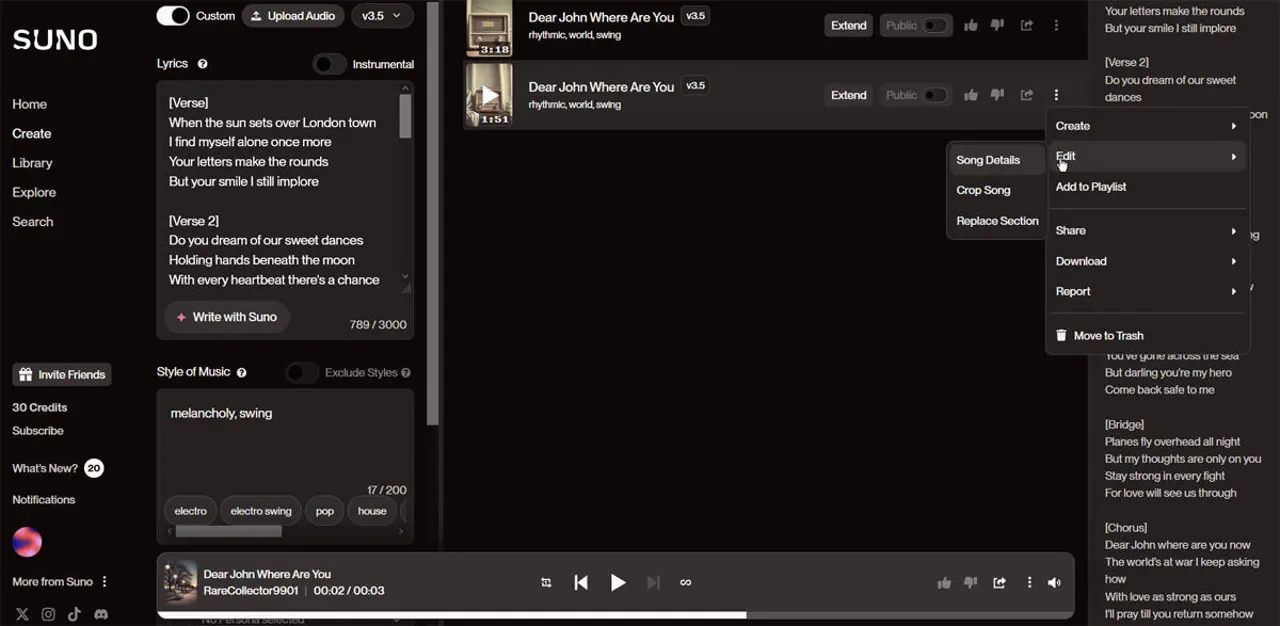
Editing and Customization: Once you have your generated track, you can use Suno’s editing tools to tweak various elements such as tempo, instruments, and effects. This allows for a personalized touch, giving you control over the final product.
-
Exporting Your Music: After finalizing your track, you can easily export it in various formats such as MP3 or WAV, making it suitable for sharing on social media or using in personal projects.
Best Practices / Tips
- Be Specific: When entering prompts, be as specific as possible to get results that closely match your vision. Describing the mood, instruments, and intended audience can lead to better outcomes.
- Experiment: Don’t hesitate to try different prompts and styles. The AI can produce a diverse range of music, so experimentation can yield surprising results.
- Utilize Feedback: Share your tracks with friends or fellow musicians to get constructive feedback. This can help refine your music and enhance your skills in using the platform.
Additional Resources
- Suno Official Documentation - Detailed guides and tutorials.
- Suno Community Forum - Connect with other users to share tips and experiences.
- Tutorial Videos on YouTube - Visual guides on how to use Suno effectively.
What are the key features of Suno's music generation platform?
Suno's music generation platform offers innovative features such as generating original songs from text prompts, creating vocal performances, and providing fine control over music parameters. It also includes audio editing capabilities and seamless integration with APIs for customized applications, making it a versatile tool for music creators.
Key Points
- Text-to-Music Generation: Create unique songs from simple text prompts.
- Vocal Performance Creation: Generate realistic vocal tracks for your compositions.
- Audio Editing and API Integration: Edit audio directly and integrate with external applications.
Detailed Explanation
Suno's platform stands out for its ability to transform text into music, allowing users to input lyrics or themes, which the AI then interprets to create original compositions. This feature is particularly beneficial for songwriters seeking inspiration or those without extensive music production skills.
Text-to-Music Generation
By simply entering a text prompt, users can generate full songs, complete with melodies and harmonies. For instance, a prompt like "a romantic ballad about summer" can yield a fully developed song that captures the intended mood and style. This feature is powered by advanced machine learning algorithms that analyze various musical elements to deliver high-quality outputs.
Vocal Performance Creation
Suno also excels in creating vocal performances. Users can choose from a range of vocal styles and tones, enabling them to personalize their songs further. This is particularly useful for artists who need a quick demo or a unique vocal track without hiring a vocalist.
Audio Editing and API Integration
In addition to music generation, Suno provides tools for audio editing, allowing users to refine their tracks directly within the platform. The integration with APIs means that developers can create custom applications that leverage Suno's capabilities, making it an excellent choice for tech-savvy musicians or businesses looking to incorporate AI-generated music into their projects.
Best Practices / Tips
- Experiment with Prompts: The more specific your text prompt, the more tailored the generated music will be. Try different themes and moods.
- Utilize Vocal Variations: Explore various vocal settings to find the perfect match for your song's genre.
- Take Advantage of API: If you're a developer or entrepreneur, consider how Suno's API can enhance your applications or services.
Additional Resources
How does Suno compare to other music generation tools?
Suno distinguishes itself from other music generation tools with its freemium model, advanced vocal synthesis capabilities, and intricate generation controls. Its user-friendly interface and community integration for sharing music make it a preferred choice for both beginners and experienced musicians seeking innovative music creation solutions.
Key Points
- Freemium Model: Offers access to basic features at no cost.
- Advanced Vocal Synthesis: Creates realistic singing voices and harmonies.
- User-Friendly Interface: Simplifies the music creation process for all skill levels.
Detailed Explanation
Suno is a powerful music generation tool that appeals to a wide audience due to its freemium model, allowing users to explore basic functionalities before committing financially. This approach is particularly attractive for beginners who may be hesitant to invest in premium software without firsthand experience.
In terms of features, Suno boasts advanced vocal synthesis technology, enabling users to generate realistic singing voices that can adapt to various musical styles. This capability is essential for musicians looking to create unique compositions or collaborate on projects that require high-quality vocal tracks. The fine-grained generation controls allow users to customize aspects such as pitch, tone, and rhythm, providing an unparalleled level of creative freedom.
Moreover, Suno's user-friendly interface makes it easy for novices to navigate the software. Tools and features are intuitively organized, allowing users to focus on creativity rather than technicalities. The platform also fosters community integration, enabling users to share their creations with others, receive feedback, and collaborate on projects. This social aspect can significantly enhance the learning curve and inspire creativity.
Use Cases
- Songwriters: Create demos quickly using Suno's vocal synthesis.
- Producers: Experiment with intricate sound designs and vocal arrangements.
- Educators: Use Suno as a teaching tool to introduce students to music technology.
Best Practices / Tips
- Explore the Freemium Options: Take full advantage of the free features to gauge the tool's fit for your needs.
- Utilize Community Resources: Engage with other users to learn tips and tricks that can enhance your music-making experience.
- Experiment with Settings: Don’t hesitate to play with fine-grained controls to discover unique sounds and styles that resonate with your vision.
Additional Resources
Does Suno provide API access for integration?
Yes, Suno provides API access that allows developers to integrate its advanced music generation capabilities into their applications and services. By utilizing community SDKs and plugins, users can easily enhance their projects with Suno's innovative features, creating unique music experiences.
Key Points
- API Access: Suno offers robust API access for seamless integration.
- Community SDKs: Leverage community-developed SDKs and plugins for enhanced functionality.
- Versatile Applications: Ideal for various use cases such as apps, games, and creative projects.
Detailed Explanation
Suno’s API is designed to facilitate the integration of its music generation features into a range of applications. With this API, developers can create customized music experiences tailored to their users' needs. The API supports various endpoints for generating music, managing playlists, and accessing user data, making it versatile for different use cases.
For instance, if you are developing a gaming app, you can use Suno’s API to generate dynamic soundtracks that adapt to the gameplay, enhancing user engagement. Similarly, content creators can integrate Suno into video editing software to automatically generate background music that matches the mood of their projects.
To get started, developers can follow these steps:
- Sign Up: Create an account on Suno’s platform.
- API Key Generation: Obtain your unique API key from the dashboard.
- Documentation Review: Familiarize yourself with the API documentation to understand available endpoints and usage limits.
- Integration: Use the provided SDKs or write custom code to integrate the API into your application.
Best Practices / Tips
- Read the Documentation: Always refer to the official API documentation for the latest updates and best practices.
- Experiment with SDKs: Use community SDKs to save time and enhance your integration process.
- Monitor Usage: Keep an eye on API usage to avoid hitting rate limits and ensure smooth operation.
- Optimize Calls: Minimize API calls by caching results when possible to improve performance.
Additional Resources
- Suno API Documentation - Official API documentation for detailed integration guides.
- Community SDKs on GitHub - Explore community-developed SDKs and plugins.
- Suno Blog - Stay updated with the latest features and use cases.
Explore more AI Ai Models tools
Browse all Ai Models tools →Browse by use case: Voice & Audio
Compare Suno: vs Milliseconds.ai · vs SWE-2 · vs Desert Ant Labs · vs Hy4 preview