

StudyX
AIAll‑in‑one AI study partner for homework, notes, flashcards, math solving and test prep across platforms.
StudyX
All‑in‑one AI study partner for homework, notes, flashcards, math solving and test prep across platforms.
About StudyX
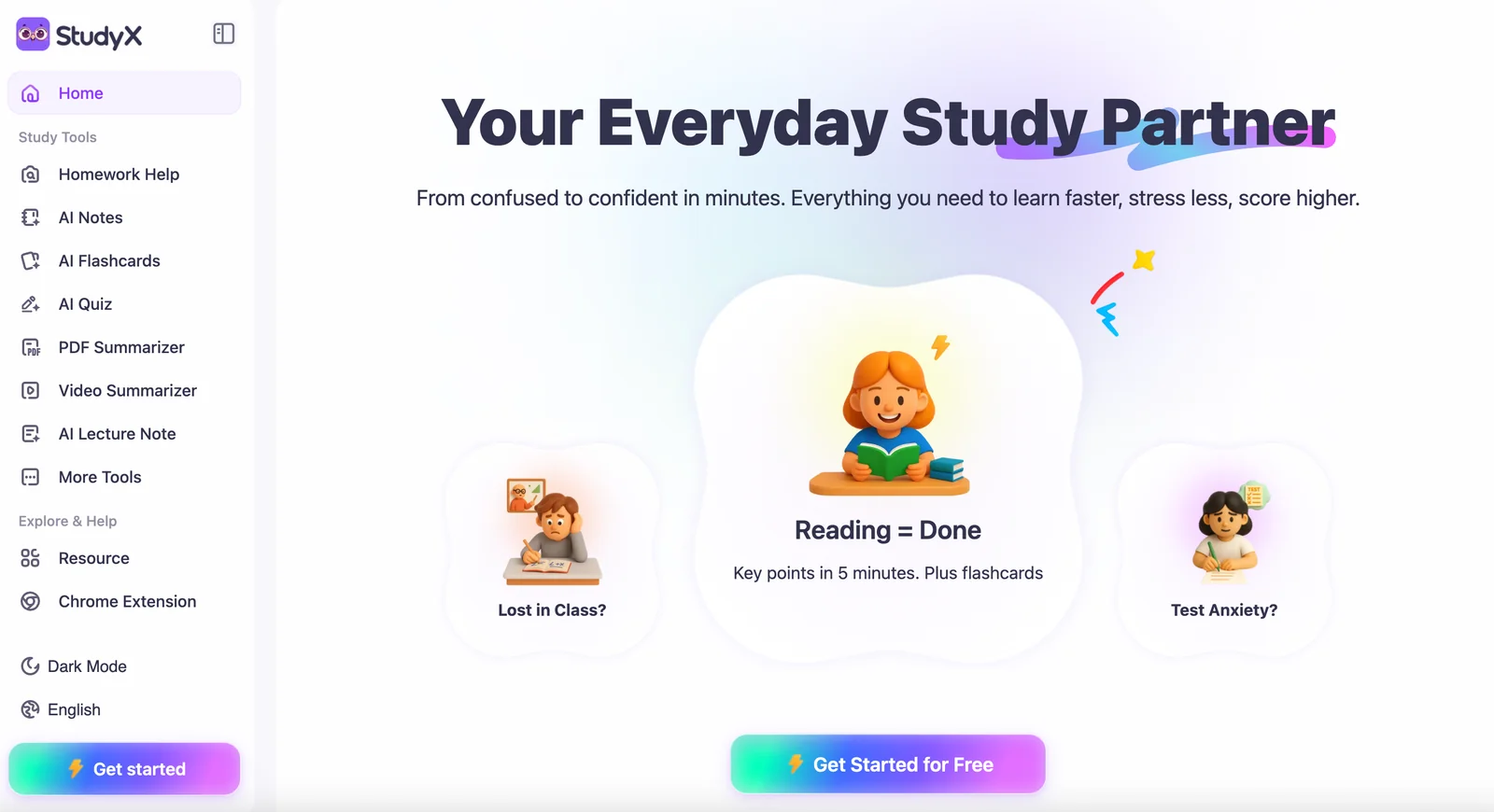
StudyX provides a suite of AI-powered study tools that help students complete homework, create notes and flashcards, solve math problems step-by-step, and prepare for tests. It offers conversational chatbot tutors across subjects, file upload and document summarization capabilities, and access to a large corpus of research and educational content. StudyX is designed for cross-platform use with guest access and freemium tiers, enabling quick answers for coursework and deeper research workflows for paid users. Unique value comes from combining interactive stepwise problem solving (e.g., math solver), automated study material generation (notes/flashcards), and large-scale document search and summarization in one product.
Screenshots

Key Features
Use Cases



Frequently asked questions about StudyX
What are the pricing options for StudyX?
StudyX offers a FREEMIUM pricing model, featuring a free tier with basic functionalities. The Basic plan costs $13 per month, while Pro plans are available through custom quotes. This flexible pricing structure caters to both individual users and institutions seeking tailored solutions.
Key Points
- FREEMIUM Model: Access basic features for free.
- Basic Plan: Priced at $13/month.
- Custom Pricing for Pro Plans: Contact for personalized quotes.
Detailed Explanation
StudyX’s pricing structure is designed to accommodate a diverse range of users. The FREEMIUM model allows new users to explore basic features at no cost, making it ideal for students or educators just starting.
-
Basic Plan: At $13 per month, this plan unlocks additional features such as enhanced study tools, progress tracking, and limited customer support. It's perfect for users who need more than the basics but don’t require the full suite of capabilities.
-
Pro Plans: For educational institutions or serious learners needing advanced features, StudyX offers custom pricing for Pro plans. These plans often include exclusive tools like collaborative features, extensive analytics, and dedicated support. Interested users must contact StudyX directly for a personalized quote, ensuring that they receive a plan tailored to their specific needs.
-
Enterprise Solutions: Larger organizations may want to inquire about enterprise solutions that can scale with their requirements. These often include additional administrative features, integration capabilities, and bulk pricing discounts.
Best Practices / Tips
- Evaluate Your Needs: Before selecting a plan, assess what features you truly need. If you're just starting, the free tier may be sufficient.
- Contact for Quotes: If considering a Pro plan, reach out to StudyX for a quote to ensure you get the best value based on your specific requirements.
- Trial Periods: Take advantage of any trial periods offered to explore features before committing to a paid plan.
Additional Resources
What features does StudyX provide for students?
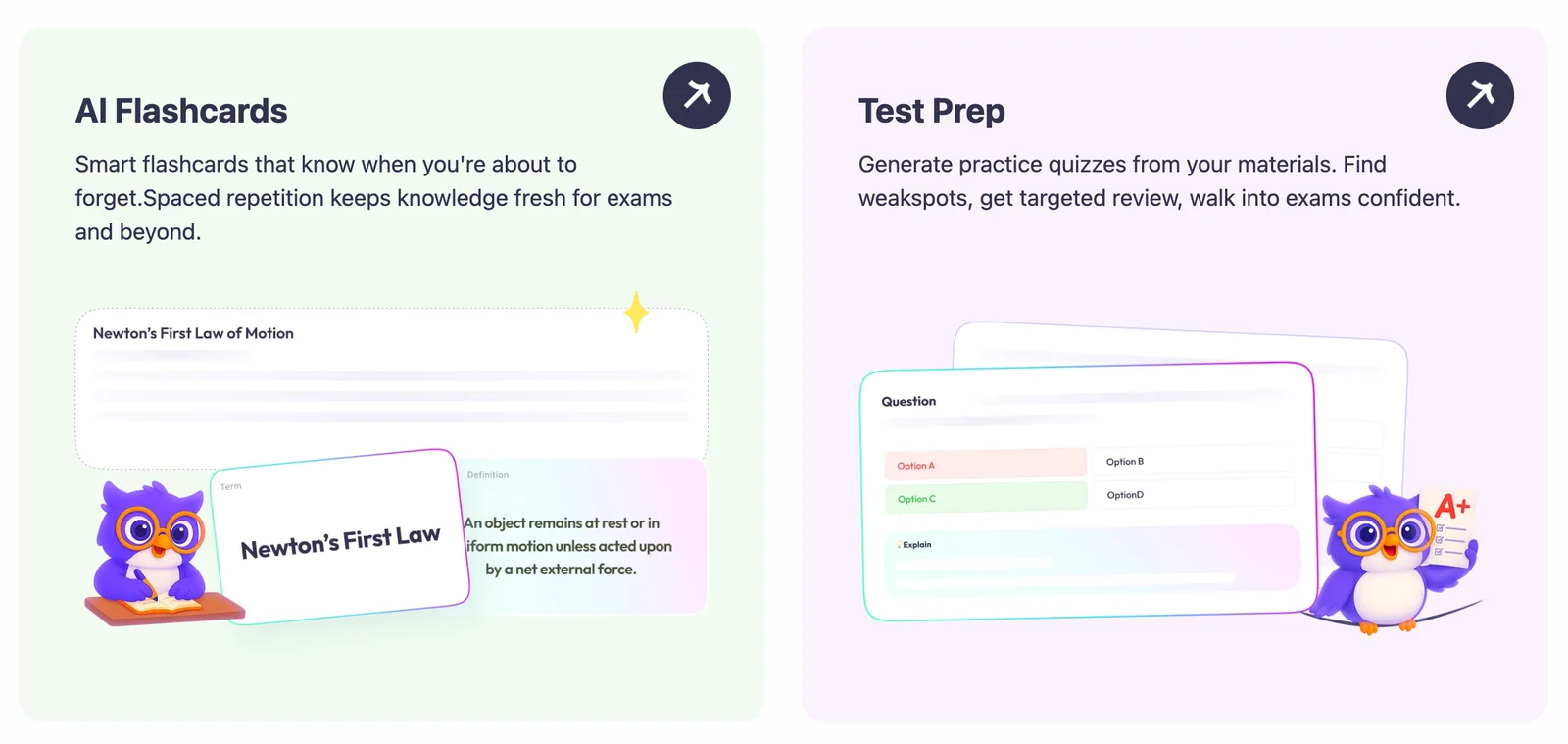
StudyX is an advanced AI study partner that equips students with essential tools for academic success, including homework assistance, automated note-taking, customizable flashcard generation, and a step-by-step math problem solver. These features enhance study efficiency and productivity across various devices.
Key Points
- Homework Assistance: Get real-time help on assignments.
- Automated Note-Taking: Streamline class notes with AI.
- Flashcard Generation: Create study aids effortlessly.
Detailed Explanation
Homework Assistance
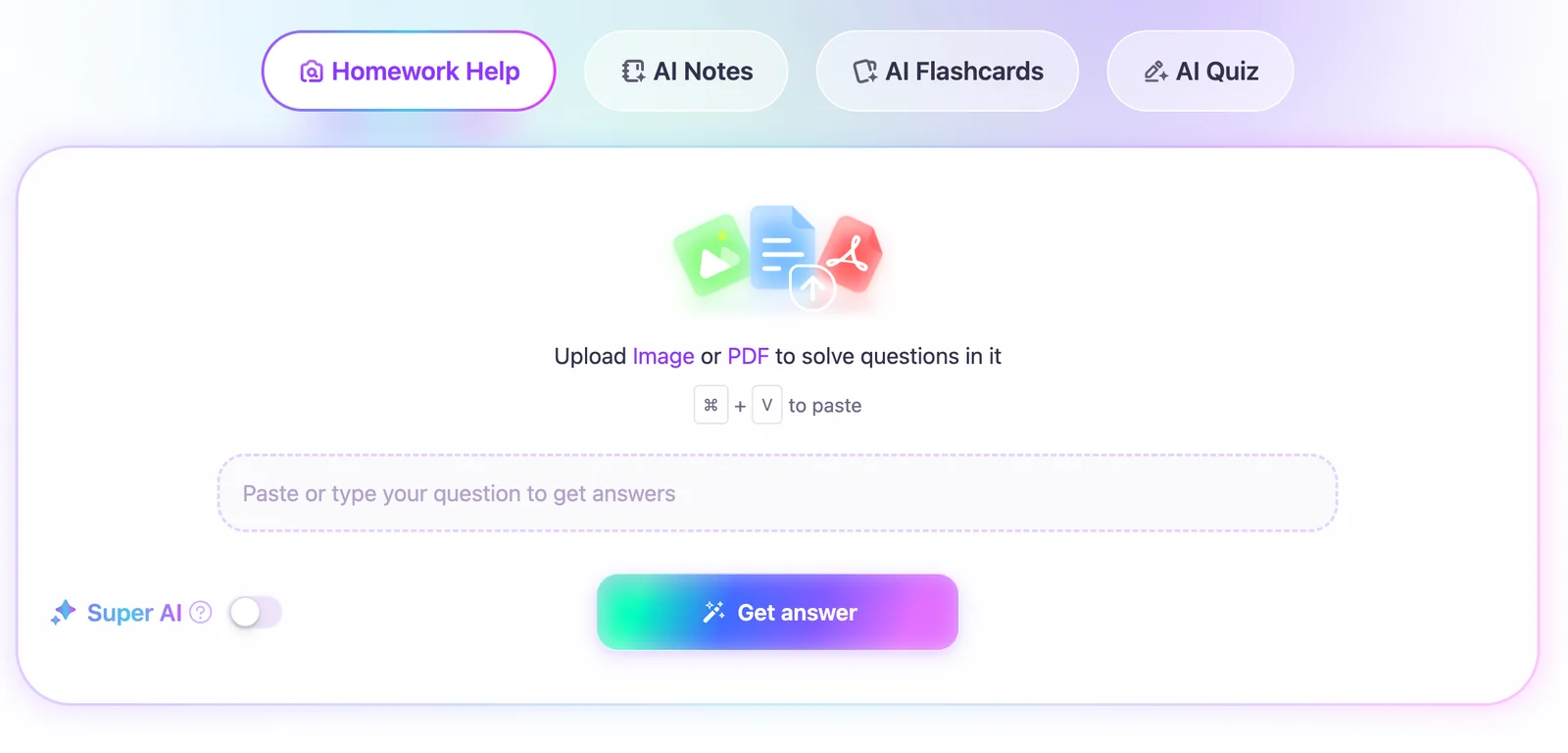
StudyX’s homework help feature allows students to ask questions and receive instant explanations tailored to their learning style. This can include math, science, literature, and more. For instance, a student struggling with algebra can submit a problem and receive a detailed solution, enhancing comprehension.
Automated Note-Taking
The automated note-taking tool captures lecture notes in real-time. Students can focus on understanding the material instead of writing everything down. For example, during a lecture, StudyX can transcribe spoken words into structured notes, ensuring that students don’t miss crucial information.
Flashcard Generation
With the flashcard feature, students can input key concepts and have StudyX generate digital flashcards. This method is particularly effective for memorization and review. For instance, a student preparing for a history exam can create flashcards for important dates and events, making study sessions more engaging.
Step-by-Step Math Solver
The step-by-step math solver breaks down complex equations into manageable steps, making it easier to learn mathematical concepts. Students can input any math problem, and StudyX will provide a clear solution pathway, which is beneficial for mastering difficult topics.
Best Practices / Tips
- Utilize All Features: Engage with all StudyX tools to maximize learning efficiency.
- Regular Review: Schedule regular study sessions using the flashcard feature for better retention.
- Integrate with Class Materials: Use automated note-taking in conjunction with textbooks and class discussions for comprehensive understanding.
- Ask Questions: Don’t hesitate to use the homework assistance feature for clarification on challenging topics.
Additional Resources
By leveraging these features and best practices, students can enhance their learning experience and achieve academic success with StudyX.
How do I get started with StudyX?
To get started with StudyX, visit the official website and create a free account. You can also explore guest features without signing up. Once you're in, upload files, ask questions, and utilize the AI chatbot for personalized study assistance tailored to your needs.
Key Points
- Create a free account or use guest access.
- Upload study materials and ask questions.
- Utilize the AI chatbot for personalized assistance.
Detailed Explanation
Getting started with StudyX is straightforward. Here’s a step-by-step guide:
- Visit the Official Website: Go to StudyX.com to access the platform.
- Create an Account: Click on the "Sign Up" button. You can register using your email, Google account, or social media login. A free account allows you to access all core features.
- Explore Guest Features: If you prefer not to sign up initially, StudyX offers guest access, allowing you to test its capabilities without commitment.
- Upload Files: Once registered, you can easily upload study materials like PDFs, notes, or images. Simply use the "Upload" button located on the dashboard.
- Ask Questions: Utilize the platform’s question feature to seek clarification on topics. Type your question in the dedicated field, and the AI will provide instant responses.
- Engage with the Chatbot: For personalized study assistance, interact with the AI chatbot. It can help summarize materials, provide explanations, and even quiz you on specific topics.
Best Practices / Tips
- Utilize All Features: Make full use of file uploads, questions, and the chatbot to maximize your learning.
- Stay Organized: Keep your study materials well-organized in folders for easy access and efficient study sessions.
- Engage Regularly: Regular engagement with the platform enhances your learning experience and helps you retain information better.
Common Pitfalls to Avoid
- Neglecting Account Setup: Don’t skip creating an account for a better, personalized experience.
- Overlooking Guest Features: If uncertain about signing up, try guest features to understand how StudyX can benefit you.
- Ignoring the Chatbot: The AI chatbot is a powerful tool for personalized assistance—don’t miss out on its capabilities.
Additional Resources
By following these steps and tips, you'll be well-equipped to maximize your study sessions with StudyX.
Does StudyX have an API for integration?
Currently, there is no public API available for StudyX integration. For detailed assistance regarding integration capabilities and technical requirements, it is highly recommended to contact StudyX support directly to obtain the most accurate and up-to-date information.
Key Points
- No public API is currently listed for StudyX.
- Integration capabilities may vary and require direct support engagement.
- Contacting StudyX support can provide tailored assistance based on your needs.
Detailed Explanation
StudyX focuses on providing a robust learning platform, but as of now, they do not offer a public API for developers and businesses looking to integrate their services. This means that users who wish to connect StudyX with other applications or systems may face limitations.
To understand your integration options better, consider reaching out to StudyX's customer support. They can provide insights into any potential workarounds or upcoming features that may include API access in the future. Here’s a simplified guide on how to proceed:
- Contact Support: Visit the official StudyX support page. Use the chat function or email to inquire about integration possibilities.
- Define Your Needs: Before contacting support, outline what you wish to achieve with the integration. This could include data sharing, user management, or analytics.
- Ask About Future Plans: Inquire if they plan to introduce an API or if any beta programs are available for early access.
Best Practices / Tips
- Be Specific in Your Inquiry: When reaching out to support, clearly state your intended use case for integration, which can help them provide more relevant information.
- Stay Updated: Regularly check the StudyX website or their official blog for updates on new features, including API releases.
- Explore Alternatives: If integration is critical, consider evaluating other platforms that do offer API access and meet similar educational needs.
Additional Resources
How does StudyX compare to other study tools?
StudyX outperforms other study tools by offering a comprehensive suite of features, including extensive research access and advanced conversational chatbots. These functionalities enhance user engagement and learning efficiency, making StudyX a preferred option for students seeking a modern study experience compared to traditional tools that may lack such capabilities.
Key Points
- Comprehensive Features: StudyX includes extensive research access and interactive chatbots.
- User Engagement: Its tools promote active learning through interactive elements.
- Adaptability: StudyX caters to various learning styles, making it suitable for diverse users.
Detailed Explanation
StudyX integrates a variety of tools that enhance the studying experience. For instance, the platform's large-scale research access allows users to tap into vast databases for academic papers, journal articles, and reference materials. Unlike many other study tools, which may limit access to basic resources, StudyX provides a rich repository that encourages deeper learning and exploration.
Additionally, the conversational chatbots in StudyX facilitate a unique interaction method. These AI-powered assistants can answer questions, provide explanations, and guide users through complex subjects in real time, creating a more personalized study environment. This feature significantly increases user engagement compared to static tools, where learners often feel isolated.
For example, a student struggling with calculus can query the StudyX chatbot for help with specific problems, receiving instant feedback and resources tailored to their needs. This immediate support can enhance understanding and retention of difficult concepts.
Best Practices / Tips
- Set Clear Goals: Define what you want to achieve with StudyX to leverage its features effectively.
- Utilize All Features: Engage with both research tools and chatbots for a comprehensive study experience.
- Regularly Update Your Resources: Keep your database of references and materials current to ensure you are utilizing the latest information.
Additional Resources
Explore more AI Ai Agents tools
Browse all Ai Agents tools →Browse by use case: Chatbots & Assistants
Compare StudyX: vs Proto-Mind · vs Ami · vs Duvi · vs AskDeck