
Snyk Studio
AIAI-powered developer security platform that finds and fixes vulnerabilities across code, open-source dependencies, and IaC with developer-friendly guidance.
Snyk Studio
AI-powered developer security platform that finds and fixes vulnerabilities across code, open-source dependencies, and IaC with developer-friendly guidance.
About Snyk Studio
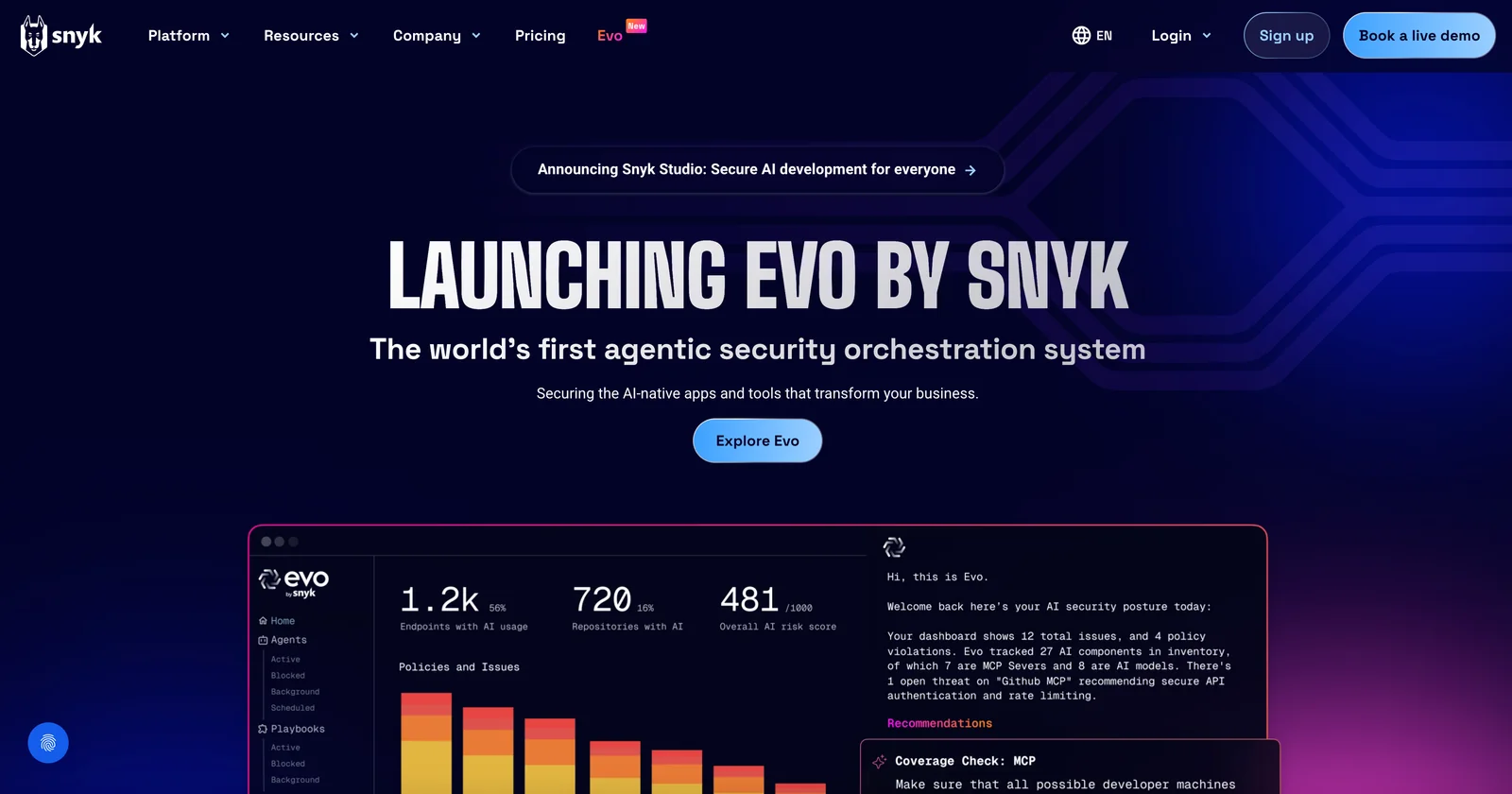
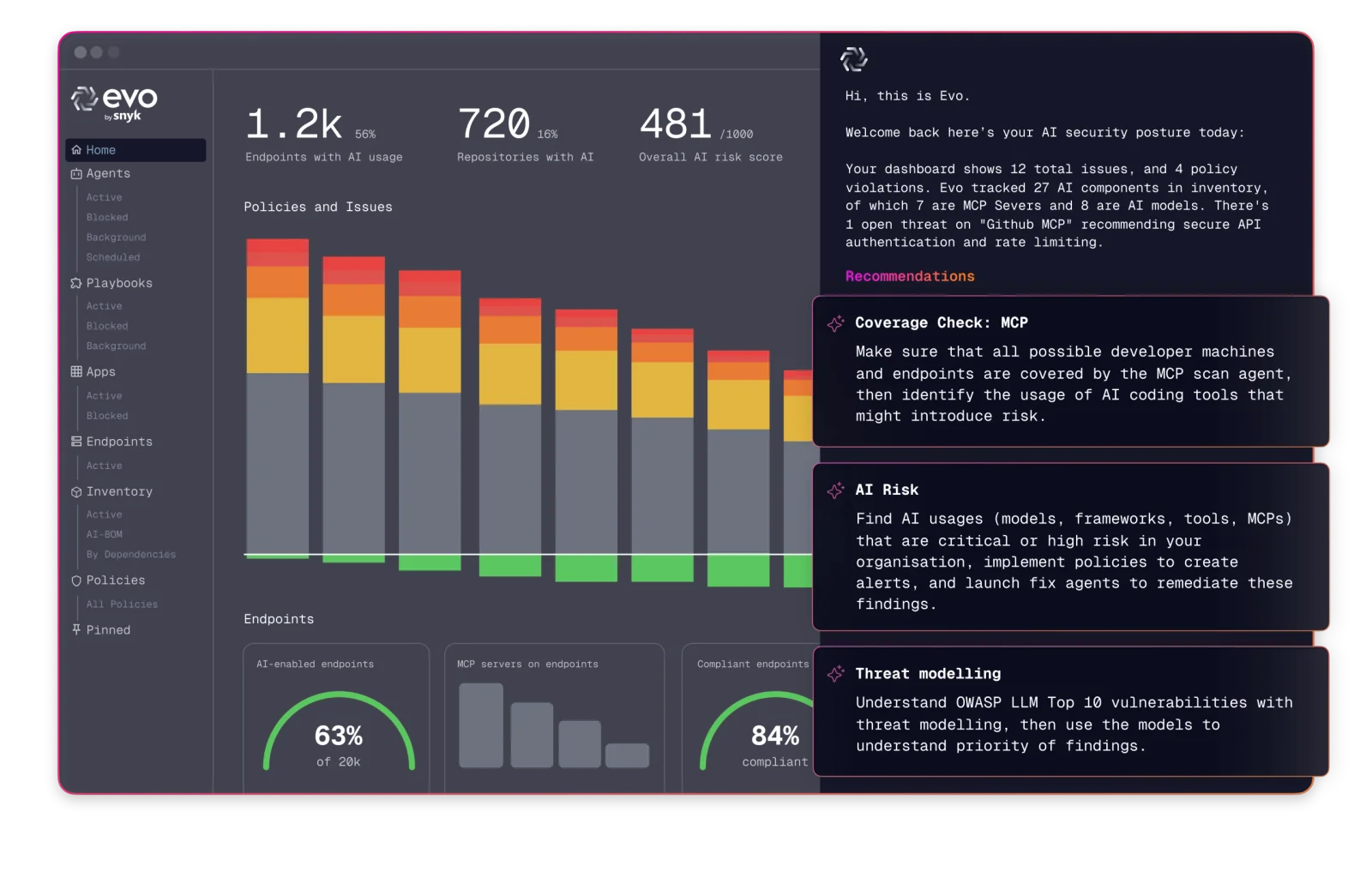
Snyk Studio (part of the Snyk platform) is an AI-powered application security (AppSec) tool designed to help developers find, understand, and remediate security issues across source code, open-source dependencies, and infrastructure-as-code. It integrates into IDEs, CI/CD pipelines, and developer workflows to provide inline actionable insights, vulnerability details, and fix suggestions. The platform combines vulnerability intelligence, automated scans (CLI and build-time), continuous monitoring, and automated remediation (pull requests) to shift security left and make fixes part of normal development processes.
Screenshots
Key Features
Use Cases


Frequently asked questions about Snyk Studio
What are the pricing options available for Snyk Studio?
Snyk Studio provides a freemium pricing model that includes a Free plan, a Team plan priced at $23-$25 per contributing developer for Open Source projects, and custom pricing options for Enterprise needs. Each plan offers varying features tailored for individual developers and larger teams.
Key Points
- Freemium Model: Snyk Studio's pricing starts with a Free plan.
- Team Plan Pricing: $23-$25 per contributing developer for Open Source.
- Enterprise Customization: Tailored pricing for larger organizations.
Detailed Explanation
Snyk Studio's pricing structure is designed to accommodate developers of all levels, from solo programmers to large teams.
-
Free Plan:
- Ideal for individual developers or small projects, the Free plan provides essential features to get started with security and vulnerability management for open-source projects.
-
Team Plan:
- Ranging from $23 to $25 per contributing developer, this plan is perfect for teams working on Open Source projects. It includes advanced features like automated fixes, integration with CI/CD pipelines, and team collaboration tools.
- For example, a team of 5 developers would cost between $115 and $125 monthly, granting them access to shared resources and enhanced security capabilities.
-
Enterprise Plan:
- Custom pricing for enterprises ensures that larger organizations can implement Snyk Studio solutions tailored to their specific needs. This plan includes added benefits such as dedicated support, compliance features, and extensive integrations with existing security tools.
- Enterprises often require scalability and robust analytics, which are addressed in this tier.
Best Practices / Tips
- Evaluate Your Needs: Before selecting a plan, assess your project's size and security requirements. The Free plan is excellent for initial testing, while the Team and Enterprise plans provide more robust support.
- Utilize Trials: Consider using trial versions of higher-tier plans to gauge their effectiveness for your team before committing financially.
- Stay Updated: Regularly check Snyk’s website for any changes in pricing or features, as they periodically update their offerings to enhance user experience.
Additional Resources
These resources provide further insights into Snyk Studio's features, pricing, and best practices for implementation, ensuring you make an informed decision.
How does Snyk Studio's automated remediation feature work?
Snyk Studio's automated remediation feature works by generating pull requests that include suggested fixes for identified vulnerabilities in code and dependencies. This streamlines the security process for developers, significantly reducing the time and effort required to address potential security issues in their applications.
Key Points
- Automated Pull Requests: Snyk Studio automatically generates pull requests with fixes.
- Vulnerability Identification: It identifies vulnerabilities in both code and dependencies.
- Developer Efficiency: The feature enhances developer productivity by minimizing manual intervention.
Detailed Explanation
Snyk Studio utilizes advanced algorithms to scan applications, pinpointing vulnerabilities in real-time. Once a vulnerability is detected, the platform automatically generates a pull request, incorporating suggested code changes directly into the developer's workflow. This process allows developers to review and merge fixes with minimal disruption.
How It Works:
- Continuous Scanning: Snyk continuously monitors your project for vulnerabilities, leveraging its extensive database of known security issues.
- Automatic Detection: As vulnerabilities are identified, Snyk categorizes them based on severity and provides contextual information.
- Suggested Fixes: For each vulnerability, Snyk suggests specific code changes or dependency upgrades that developers can apply.
- Pull Requests: The system creates pull requests in the version control system (like GitHub or GitLab), allowing developers to easily review and integrate the changes.
- Integration: Snyk integrates seamlessly with CI/CD pipelines, ensuring that security is baked into the development process from the start.
Use Cases:
- A developer working on a web application can utilize Snyk Studio to automatically identify outdated libraries that may contain vulnerabilities.
- A team can set up Snyk to monitor multiple repositories, automatically generating pull requests for security updates across all projects.
Best Practices / Tips
- Regular Monitoring: Regularly check for updates to your vulnerabilities database to ensure you’re using the latest security information.
- Review Pull Requests: Always review suggested changes before merging to understand the impact of the modifications on your application.
- Use CI/CD Integration: Leverage Snyk’s integration with CI/CD tools to automate security checks during the build process.
- Educate Your Team: Train your developers on how to interpret Snyk's suggestions, ensuring they understand the importance of addressing vulnerabilities promptly.
Additional Resources
How can I get started using Snyk Studio for my projects?
To get started using Snyk Studio for your projects, sign up for a free account at snyk.io, install the IDE plugin for your development environment, and begin scanning your projects for vulnerabilities using the intuitive interface and guidance provided.
Key Points
- Create a Free Account: Start by registering on Snyk's website.
- Install the IDE Plugin: Ensure integration with your development environment.
- Scan for Vulnerabilities: Utilize Snyk Studio's features to identify and fix security issues.
Detailed Explanation
To effectively use Snyk Studio, follow these steps:
-
Create a Free Account: Visit snyk.io and click on the "Sign Up" button. You can register using your email, GitHub, GitLab, or Bitbucket account. Free accounts allow you to access basic features, while paid plans offer advanced capabilities.
-
Install the IDE Plugin: Snyk Studio supports popular Integrated Development Environments (IDEs) such as Visual Studio Code, IntelliJ IDEA, and Eclipse. Navigate to your IDE's marketplace, search for "Snyk" and install the plugin. This integration enables seamless vulnerability scanning directly from your development environment.
-
Scan Your Projects: Once the plugin is installed, open your project within the IDE. The Snyk plugin typically adds a new sidebar or menu option. Click on it to initiate a scan. Snyk will analyze your project dependencies and identify any known vulnerabilities, providing detailed reports and guidance for remediation.
-
Fix Vulnerabilities: Snyk offers actionable insights to resolve detected issues. Follow the recommendations to update or replace vulnerable dependencies, improving your project's security posture.
Best Practices / Tips
- Regular Scanning: Schedule regular scans to ensure new vulnerabilities are detected promptly.
- Stay Updated: Regularly update the Snyk plugin to access the latest features and security updates.
- Leverage Documentation: Familiarize yourself with Snyk's official documentation for in-depth guidance and troubleshooting tips.
- Engage with Community: Join Snyk's community forums for advice and best practices shared by other developers.
Additional Resources
- Snyk Documentation
- Snyk Blog for the latest updates and security trends.
- Snyk GitHub Repository for open-source projects and contributions.
What integrations does Snyk Studio support for CI/CD pipelines?
Snyk Studio supports integration with multiple CI/CD pipelines, including Azure Pipelines, Jenkins, GitLab CI/CD, GitHub Actions, and CircleCI. These integrations enable automated security scans for vulnerabilities at various stages of the build process, ensuring code security before deployment to production environments.
Key Points
- Wide Range of Integrations: Snyk Studio connects with multiple CI/CD tools.
- Automated Vulnerability Scanning: Scans occur during the build process to catch issues early.
- Enhanced Security: Integrating Snyk into CI/CD pipelines improves overall application security.
Detailed Explanation
Snyk Studio's extensive integration capabilities allow developers to seamlessly incorporate security into their CI/CD workflows. By integrating with tools like Azure Pipelines, Jenkins, GitLab CI/CD, GitHub Actions, and CircleCI, teams can automate security checks during the build process.
Integration Examples
- Azure Pipelines: Snyk can be set up to run security scans automatically after each build, providing feedback on vulnerabilities that need addressing.
- GitHub Actions: Developers can utilize Snyk to create workflows that run scans on pull requests, ensuring any new code doesn’t introduce vulnerabilities.
- Jenkins: By using Snyk's plugin for Jenkins, security checks can be part of the continuous integration process, alerting teams to issues before deployment.
These integrations not only save time but also enhance the security posture of applications by identifying vulnerabilities early in the development lifecycle.
Best Practices / Tips
- Configure Security Checks: Set up Snyk to run scans at critical points in your CI/CD pipeline, such as before merging code or before deployment.
- Monitor Dependencies: Regularly update your dependencies and configure Snyk to notify you of new vulnerabilities as they are discovered.
- Use Snyk's Reporting Features: Leverage Snyk's dashboards and reports to track vulnerabilities over time, making it easier to prioritize remediation efforts.
Additional Resources
Why should I choose Snyk Studio over other vulnerability scanning tools?
Snyk Studio is an exceptional choice for vulnerability scanning due to its AI-driven detection, seamless IDE integrations, and automated remediation features. Its freemium model allows individual developers to access powerful security tools, ensuring robust coding practices without upfront costs.
Key Points
- AI-Powered Vulnerability Detection: Utilizes advanced algorithms to identify threats.
- Extensive IDE Integrations: Works with popular development environments for ease of use.
- Automated Remediation: Offers fixes for vulnerabilities, streamlining the development process.
Detailed Explanation
Snyk Studio employs cutting-edge artificial intelligence to enhance vulnerability detection, ensuring that developers can quickly identify and address security issues in their code. By integrating seamlessly with popular Integrated Development Environments (IDEs) like Visual Studio Code, JetBrains, and GitHub, Snyk Studio provides a user-friendly experience, allowing developers to focus on coding while maintaining security.
The automated remediation feature is particularly beneficial, as it not only highlights vulnerabilities but also suggests and implements fixes. For example, if a developer inadvertently includes a vulnerable library, Snyk Studio can automatically update it to a secure version, thereby reducing the time spent on manual checks and enhancing productivity.
Additionally, Snyk Studio's freemium model allows individual developers to leverage its powerful features without financial commitment. This is particularly appealing for startups and freelancers who need robust security tools but operate on tight budgets. With a free tier that includes basic vulnerability scanning, developers can test Snyk Studio's capabilities before deciding to upgrade to a paid plan for advanced features.
Best Practices / Tips
- Regular Scanning: Make it a habit to scan your codebase regularly, especially before major releases.
- Stay Updated: Keep your IDE integrations and Snyk Studio updated to leverage the latest features and security patches.
- Utilize Community Support: Engage with Snyk's community forums for tips and troubleshooting assistance.
Additional Resources
Explore more AI Ai Tools tools
Browse all Ai Tools tools →Browse by use case: Code Generation · Automation & Productivity
Compare Snyk Studio: vs Decode · vs LibreChat · vs AppGrowthKit · vs Humanizer