

sleek.design
AIAI-powered mobile app mockup generator that creates iOS and Android app designs instantly without a designer.
sleek.design
AI-powered mobile app mockup generator that creates iOS and Android app designs instantly without a designer.
About sleek.design
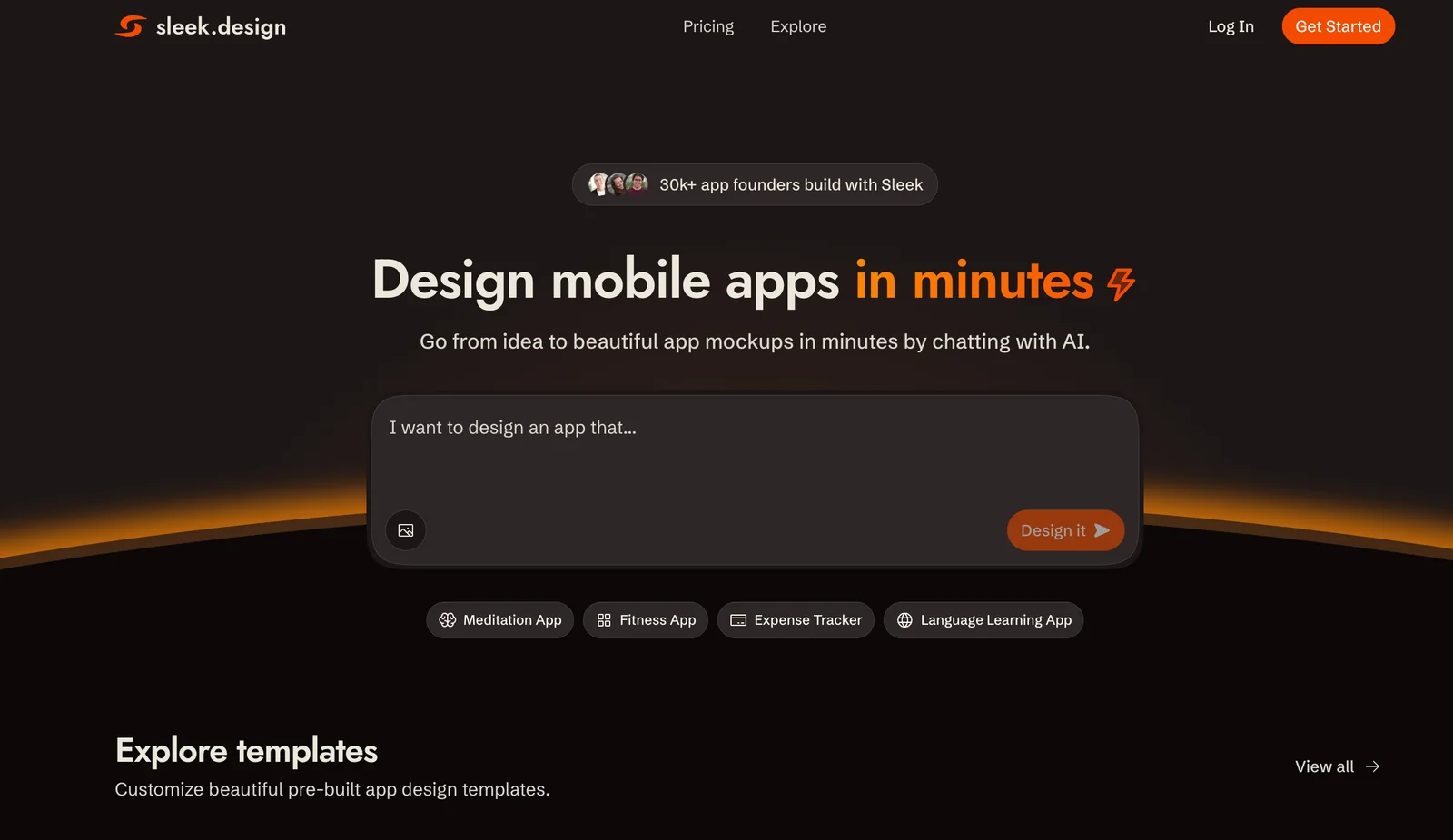
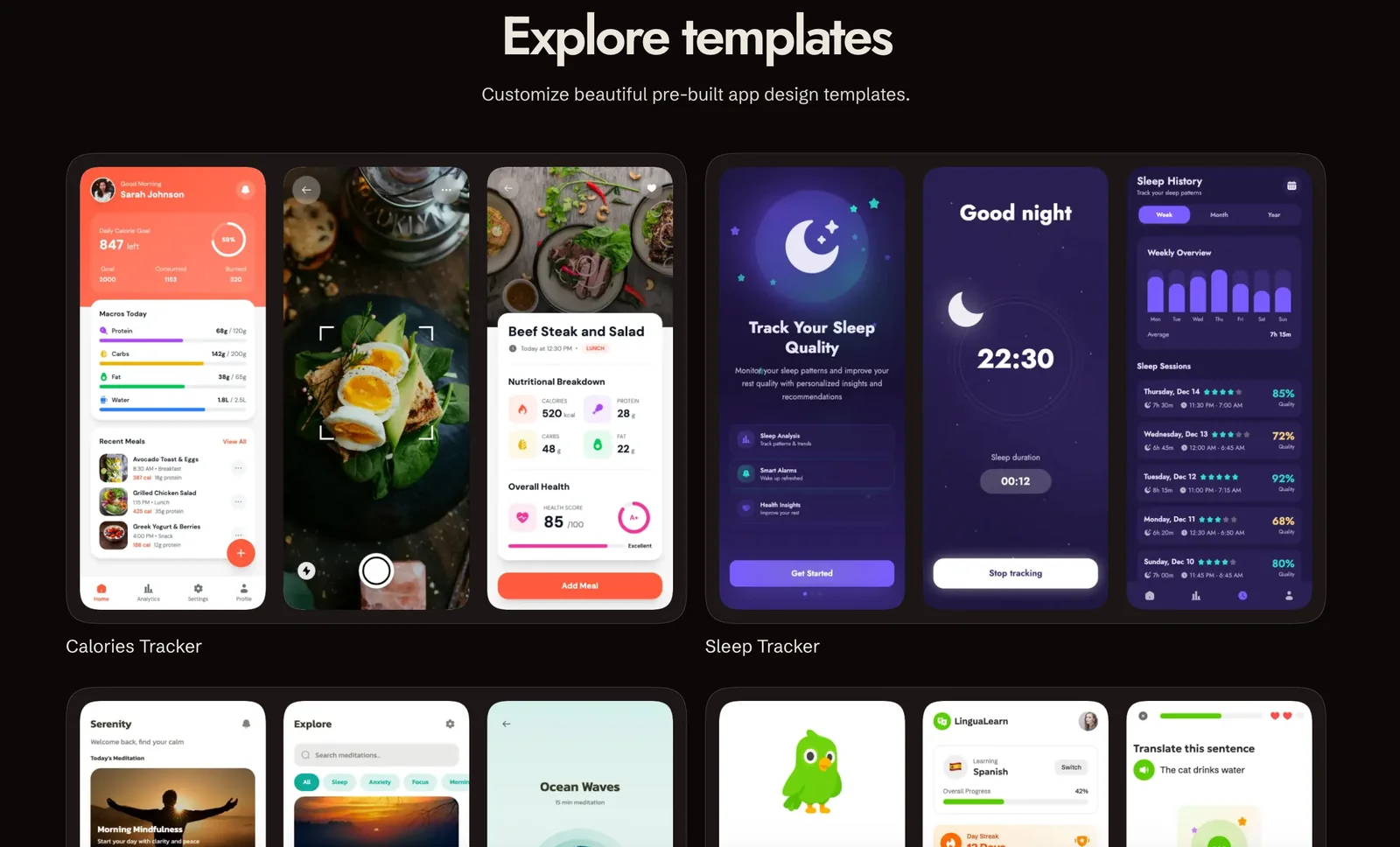
Sleek is an AI-driven mobile app mockup generator that transforms ideas into polished iOS and Android screen designs in minutes. Users can describe app concepts, iterate via chat-style refinement, and produce multiple screen variations instantly. The tool emphasizes speed and accessibility for non-designers while providing export options for handoff to design tools or engineering workflows. Sleek reduces the need for a dedicated designer for early-stage prototyping and rapid concept validation.
Screenshots
Key Features
Use Cases



Frequently asked questions about sleek.design
What is the pricing structure for sleek.design?
Sleek.design offers a free tier that includes essential functionalities for generating mobile app mockups. For advanced features, there is a Pro plan priced at $20 per month and a Team plan available at $30 per user per month, which provides higher usage limits and collaborative tools.
Key Points
- Free Tier: Access to core functionalities without any cost.
- Pro Plan: Advanced features for $20/month.
- Team Plan: Collaborative tools at $30/user/month.
Detailed Explanation
Sleek.design provides a user-friendly platform for creating mobile app mockups, catering to both individual users and teams. The free tier is ideal for beginners or those who need to test basic functionalities, allowing users to create simple mockups without any hidden fees.
The Pro plan, priced at $20/month, unlocks advanced features such as additional templates, premium design assets, and enhanced customization options. This plan is beneficial for freelancers and small businesses looking to create professional mockups efficiently.
For organizations or teams, the Team plan costs $30 per user per month. This option includes collaborative features, enabling multiple users to work on projects simultaneously. It also offers higher usage limits, which are essential for larger teams handling multiple projects.
Best Practices / Tips
- Start with the Free Tier: Before committing to a paid plan, explore the free tier to understand the platform's capabilities.
- Evaluate Your Needs: Analyze if the Pro or Team plan's features align with your project requirements for better cost-effectiveness.
- Utilize Collaboration Tools: If opting for the Team plan, take advantage of real-time collaboration features to enhance productivity and streamline design processes.
Additional Resources
- Sleek.design Pricing Page
- Sleek.design User Guide
- Sleek.design Blog for updates and tips on mobile app design.
How does sleek.design compare to other mockup tools?
Sleek.design distinguishes itself from other mockup tools through its AI-driven instant mockup generation and a chat-based design iteration process, making it exceptionally user-friendly for non-designers. Its emphasis on rapid prototyping for both iOS and Android platforms further enhances its appeal compared to competitors.
Key Points
- AI-Powered Instant Mockups: Quickly generate high-quality mockups.
- Chat-Based Design Iteration: Facilitates real-time collaboration and feedback.
- Cross-Platform Support: Seamlessly design for both iOS and Android devices.
Detailed Explanation
Sleek.design leverages artificial intelligence to streamline the mockup creation process, allowing users to generate stunning visuals in seconds. Unlike many traditional mockup tools that require extensive design skills, Sleek.design's intuitive interface empowers users of all levels, including those with minimal design experience.
AI-Powered Features
With AI technology, users can input basic design elements, and the tool will automatically generate a professional-looking mockup. This feature drastically reduces the time and effort required to create mockups compared to other tools like Adobe XD or Figma, which often necessitate more hands-on design work.
Chat-Based Design Iteration
Another standout feature is the chat-based design iteration process. This allows team members to discuss and refine designs in real-time, promoting effective collaboration. For instance, if a stakeholder wants to see a different color scheme or layout, they can easily communicate their needs within the platform, making it an ideal choice for agile project environments.
Cross-Platform Design
Sleek.design is built with cross-platform capabilities, enabling seamless design transitions between iOS and Android applications. This aspect is crucial for developers and designers needing to cater to both markets effectively. Unlike competitors that may focus on one operating system, Sleek.design provides versatility, appealing to a broader audience.
Best Practices / Tips
- Leverage AI Features: Make the most of the AI mockup generation feature by experimenting with different inputs to see how the tool interprets your ideas.
- Utilize Real-Time Collaboration: Encourage team members to use the chat feature for instant feedback to save time and ensure everyone is on the same page.
- Test Across Platforms: Always preview your designs on both iOS and Android to ensure consistency and functionality.
Additional Resources
How can I start using sleek.design for my app design?
To start using sleek.design for your app design, visit the official website, create a free account, and input your app ideas or text prompts to instantly generate mockups. The platform is entirely web-based, so there’s no need for any installation.
Key Points
- Effortless account creation for immediate access.
- Instant mockup generation through text prompts.
- No installation required; fully web-based platform.
Detailed Explanation
Sleek.design is an intuitive online tool designed to streamline the app design process. To begin, follow these steps:
-
Visit the Official Website: Go to sleek.design to access the platform.
-
Create Your Free Account: Click on the “Sign Up” button. Enter your email address and choose a password. A confirmation email will be sent to verify your account.
-
Input Your Ideas: Once logged in, you can start designing by entering your app concepts or specific text prompts. Sleek.design uses advanced AI to generate mockups based on your inputs, providing instant visual outputs.
-
Explore Design Options: After generating your mockups, you can customize the designs further, adjusting colors, layouts, and components to better fit your vision.
-
Download or Share: Once satisfied with your designs, you can download them for use in presentations or share them directly with your team for feedback.
This platform is especially beneficial for startups and individual developers looking to create app prototypes quickly without extensive design experience.
Best Practices / Tips
-
Be Descriptive: When inputting prompts, be as specific as possible to get the best results. For example, instead of “shopping app,” use “a minimalist shopping app with a focus on eco-friendly products.”
-
Utilize Templates: Explore any available templates to kickstart your design process. This can save time and provide inspiration.
-
Iterate Quickly: Don’t hesitate to generate multiple mockups. Experimenting with different prompts can yield a variety of creative ideas.
-
Seek Feedback: Share your generated designs with peers or potential users to gather constructive feedback before finalizing your app design.
Additional Resources
- Sleek.design Documentation: Comprehensive guides and FAQs.
- User Community Forum: Engage with other users and share experiences.
- YouTube Tutorials: Video tutorials on maximizing the platform's features.
Can sleek.design integrate with design tools like Figma?
Yes, sleek.design integrates seamlessly with design tools like Figma, enabling users to export designs directly to Figma and providing code snippets for developers. This functionality simplifies the design-to-development workflow, ensuring a smooth handoff and enhancing collaboration between designers and developers.
Key Points
- Direct Export to Figma: Users can easily export their designs.
- Code Snippets: Simplifies developer handoff with ready-to-use code.
- Streamlined Collaboration: Enhances teamwork between designers and developers.
Detailed Explanation
Sleek.design's integration with Figma provides a powerful solution for teams looking to streamline their design processes. By allowing users to export their designs directly to Figma, sleek.design eliminates the need for manual file transfers. This feature is particularly valuable for design teams that rely on Figma's robust collaborative tools.
How to Export Designs
- Create Your Design: Begin by designing your project in sleek.design.
- Export to Figma: Use the export feature found in the toolbar. Select the desired elements and choose Figma as your export option.
- Open in Figma: The exported file will automatically open in Figma, retaining all layers and styles for easy editing.
Additionally, sleek.design offers code snippets that can be copied and pasted into development environments. This provides developers with the exact styles and elements designed, reducing the potential for discrepancies during the handoff.
Best Practices / Tips
- Utilize Figma Components: When exporting, leverage Figma's component system to maintain consistency across your design projects.
- Test the Integration: Ensure that your designs appear correctly in Figma post-export by running a few tests with different design elements.
- Regular Updates: Keep both sleek.design and Figma updated to access the latest features and improvements for better integration.
Additional Resources
What are the key features of sleek.design that enhance design iteration?
Sleek.design enhances design iteration through key features such as instant mockup generation, chat-based design feedback for real-time collaboration, and the ability to create multiple layout variations. These functionalities streamline the design process, enabling teams to quickly iterate and refine their ideas effectively.
Key Points
- Instant Mockup Generation: Quickly create visual representations of your design.
- Real-Time Chat-Based Feedback: Collaborate with team members instantly.
- Multiple Layout Variations: Experiment with different design layouts effortlessly.
Detailed Explanation
Sleek.design offers an array of features that significantly improve the design iteration process.
-
Instant Mockup Generation: This feature allows users to generate high-quality mockups in seconds. This rapid prototyping enables designers to visualize their ideas without delays, facilitating faster decision-making. For example, a team can create mockups for web pages, apps, or marketing materials and assess their visual impact.
-
Real-Time Chat-Based Feedback: Collaboration is crucial in design, and Sleek.design integrates chat functionalities directly within the platform. This means designers can receive immediate feedback from stakeholders or team members. Instead of waiting for email responses, discussions can happen in real-time, ensuring that changes can be made quickly based on input received. This is particularly useful during brainstorming sessions or design reviews.
-
Multiple Layout Variations: The platform allows users to experiment with various layouts easily. Designers can create multiple versions of a design without starting from scratch each time. This flexibility encourages creativity, as teams can explore different aesthetics and functionality to determine the best fit for their project goals. The ability to toggle between variations also aids in making data-driven decisions based on user feedback.
Best Practices / Tips
- Utilize Instant Mockups: Regularly create mockups for all stages of your design process to keep stakeholders engaged and informed.
- Encourage Team Collaboration: Promote the use of chat features during design meetings to capture real-time insights and ideas.
- Explore Layout Variations: Don’t hesitate to create multiple versions of a design. Use A/B testing to determine which layout resonates best with your target audience.
Additional Resources
Explore more AI Ai Agents tools
Browse all Ai Agents tools →Compare sleek.design: vs Proto-Mind · vs Ami · vs Duvi · vs AskDeck