

Rudel
AIIngest, store, and analyze Claude Code and Codex session transcripts for search, auditing, and knowledge extraction.
Rudel
Ingest, store, and analyze Claude Code and Codex session transcripts for search, auditing, and knowledge extraction.
About Rudel
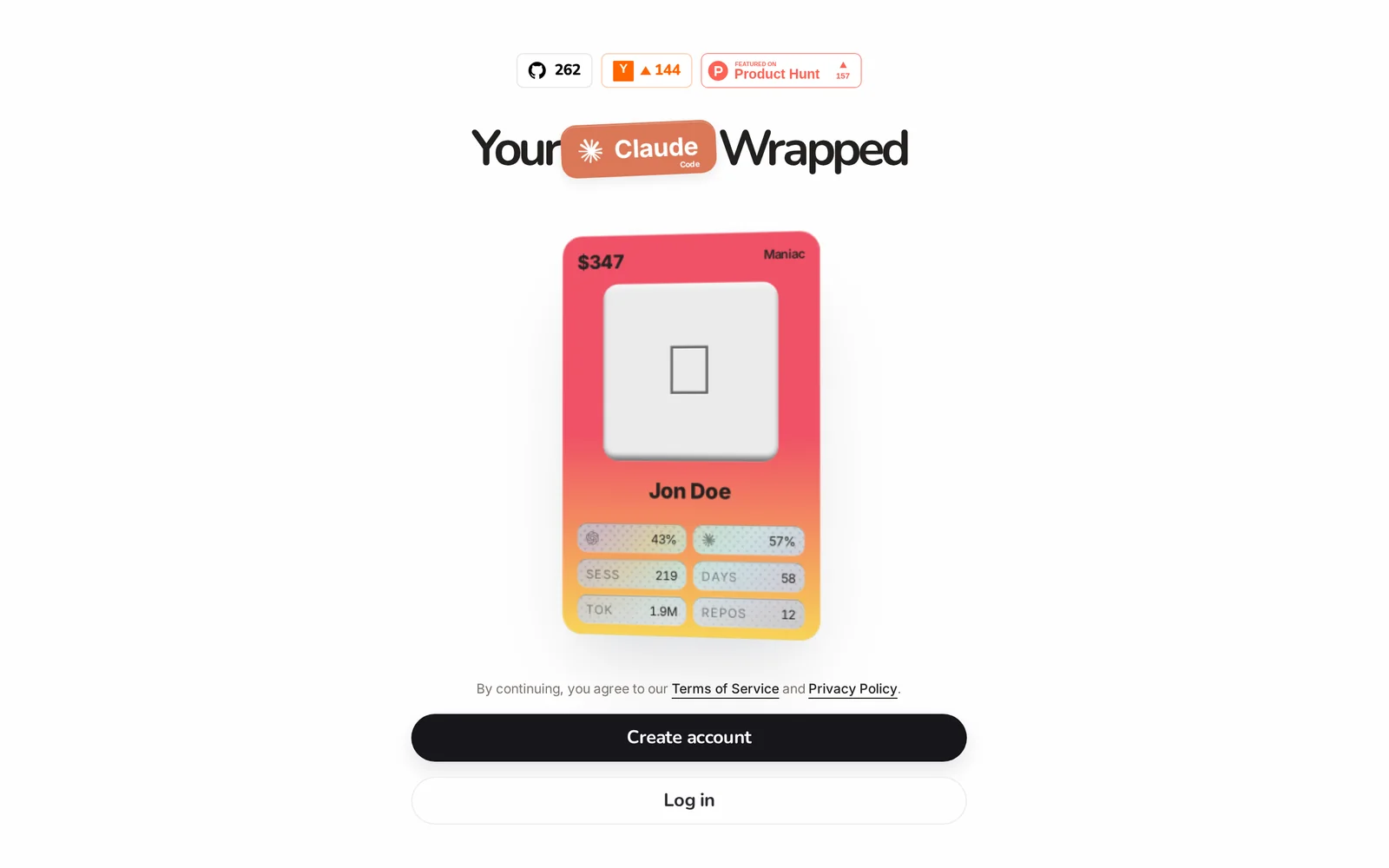
Rudel is a tool for ingesting, storing, and analyzing session transcripts produced by Claude Code and Codex. It centralizes developer-assistant conversations into a searchable repository, enabling teams to audit interactions, extract code snippets, and surface patterns across sessions. Rudel's analysis capabilities help surface insights from transcripts, support debugging of assistant behavior, and convert session history into reusable knowledge for engineering and compliance workflows.
Screenshots
Key Features
Use Cases



Frequently asked questions about Rudel
What is Rudel?
Rudel is a specialized tool designed to ingest, store, and analyze session transcripts generated by AI models like Claude and Codex. It enables users to extract valuable insights from interactions, improving the efficiency and effectiveness of AI-driven projects.
Key Points
- Data Ingestion: Rudel effectively captures session transcripts from AI models.
- Storage Solutions: It provides secure storage for easy retrieval and analysis.
- Insight Generation: Users can analyze transcripts to enhance AI performance and user experience.
Detailed Explanation
Rudel serves as a powerful platform for managing AI session data. By ingesting transcripts from AI interactions, such as those from Claude or Codex, it allows developers and analysts to maintain a comprehensive record of AI behavior and user engagement.
-
Data Ingestion: Rudel can automatically pull in session transcripts in real-time. This includes interactions where users input queries and the AI generates responses. The ability to seamlessly integrate with existing workflows makes it a valuable asset for teams working with AI technologies.
-
Storage Solutions: The transcripts are stored securely, ensuring that sensitive information is well-protected. This storage capability not only keeps data safe but also allows for easy organization and retrieval. Users can categorize transcripts by date, user, or specific projects, making it easier to locate relevant data when needed.
-
Insight Generation: With the data stored, Rudel provides analytical tools to examine the transcripts. Users can identify patterns, common queries, and areas where the AI may need improvement. For example, if a significant number of users ask similar questions, this could indicate a need for additional training or refinement of the AI model.
Best Practices / Tips
- Regularly Review Transcripts: Schedule periodic reviews of the stored transcripts to identify trends and inform AI training cycles.
- Use Tags and Categories: Implement a tagging system for easy navigation and retrieval of transcripts based on specific topics or projects.
- Analyze User Feedback: Incorporate user feedback from interactions to prioritize improvements in AI responses and functionality.
Additional Resources
How does Rudel work?
Rudel operates by integrating advanced AI technologies to streamline everyday workflows for users. This tool enhances productivity by automating tasks, providing insights, and enabling efficient data management, thereby simplifying complex processes in both personal and professional settings.
Key Points
- AI Integration: Combines multiple AI technologies for seamless workflow automation.
- User-Friendly Interface: Designed for ease of use, catering to both tech-savvy and non-technical users.
- Versatile Applications: Suitable for various industries including marketing, finance, and project management.
Detailed Explanation
Rudel leverages a blend of machine learning, natural language processing, and data analytics to optimize everyday tasks. For instance, a marketing team can use Rudel to automate social media postings, analyze engagement data, and generate reports on performance metrics.
How Rudel Works:
- Task Automation: Rudel automates repetitive tasks such as data entry, scheduling, and report generation, allowing users to focus on higher-value activities.
- Data Analysis: It processes large volumes of data to extract actionable insights, helping businesses make informed decisions quickly.
- Personalization: The AI adapts to user behavior, learning preferences over time to enhance usability and efficiency.
Use Cases:
- Marketing Automation: Create campaigns, analyze audience engagement, and manage multiple platforms from a single dashboard.
- Financial Reporting: Automate data collection and financial analysis, reducing the risk of human error.
- Project Management: Track progress, assign tasks, and generate timelines automatically based on project needs.
Best Practices / Tips
- Regular Updates: Ensure Rudel is updated regularly to utilize the latest features and security enhancements.
- User Training: Invest time in training team members to utilize Rudel effectively for maximum productivity.
- Integration with Other Tools: Connect Rudel with your existing software stack (like CRM systems) to enhance workflow continuity.
Additional Resources
What are the main features of Rudel?
Rudel offers a range of advanced features, including core AI capabilities for data analysis, customizable workflows, real-time collaboration tools, and seamless integration with various applications. These features empower users to enhance productivity and streamline their operations effectively.
Key Points
- Core AI capabilities for data analysis
- Customizable workflows for enhanced productivity
- Real-time collaboration tools for team efficiency
Detailed Explanation
Rudel's core AI capabilities leverage machine learning algorithms to analyze large datasets quickly and accurately. This allows businesses to gain insights that drive decision-making. For example, Rudel can automate data processing tasks, reducing manual effort and minimizing human errors.
The customizable workflows feature enables users to tailor processes to meet specific business needs. Users can set up automated tasks, define triggers, and create personalized dashboards that visualize key metrics. For instance, a marketing team can create a workflow that automates lead scoring and nurturing.
Furthermore, Rudel provides real-time collaboration tools that facilitate team communication and project management. With features like shared workspaces and instant messaging, team members can collaborate effectively, regardless of their physical location. This is particularly beneficial for remote work environments, ensuring that all team members are aligned and informed.
Best Practices / Tips
- Utilize AI Features: Take full advantage of Rudel's AI capabilities by integrating them into your daily operations. Regularly analyze performance metrics to adjust strategies accordingly.
- Customize Workflows: Don't settle for default settings. Invest time in customizing workflows to suit your team's specific processes, which can lead to significant efficiency gains.
- Encourage Team Collaboration: Promote the use of real-time collaboration tools among team members to enhance communication and project visibility. Regular check-ins can help maintain momentum.
Additional Resources
Who is Rudel for?
Rudel is designed for a wide audience, including businesses, freelancers, and individuals who want to streamline daily AI workflows. It is particularly beneficial for those looking to enhance productivity, automate tasks, and leverage AI capabilities in various applications.
Key Points
- Target Audience: Businesses, freelancers, and individuals
- Main Benefits: Streamlines daily AI workflows and enhances productivity
- Use Cases: Task automation and AI integration in various applications
Detailed Explanation
Rudel serves as a robust tool for anyone looking to integrate artificial intelligence into their daily routines. It is especially useful for:
-
Businesses: Companies can optimize operations by automating repetitive tasks, analyzing data trends, and enhancing customer interactions through AI-driven solutions. For example, a marketing team could use Rudel to automate social media posts and analyze engagement metrics efficiently.
-
Freelancers: Independent professionals benefit from Rudel by managing their time better and automating client interactions or reporting. A graphic designer might use Rudel to streamline project management, keeping track of deadlines and client feedback seamlessly.
-
Individuals: Everyday users can utilize Rudel for personal productivity enhancements, such as automating email responses or managing schedules. For instance, someone might set up Rudel to organize their daily tasks and reminders, ensuring they stay on top of their commitments.
By breaking down complex AI tasks into manageable workflows, Rudel makes technology accessible to everyone. Its user-friendly interface and extensive integration options mean that even non-technical users can harness the power of AI effectively.
Best Practices / Tips
- Start Small: Begin by automating simple tasks to understand Rudel's capabilities fully. Gradually expand to more complex workflows as you become familiar with the tool.
- Use Templates: Take advantage of any pre-built templates or workflows that Rudel offers to save time and ensure best practices are followed.
- Regularly Update Workflows: Continuously assess and update your workflows to adapt to changing needs and improve efficiency.
Additional Resources
How much does Rudel cost?
Rudel's pricing varies based on the features and subscription plan you choose. For the most accurate and up-to-date pricing details, visit the official Rudel website, where you can find various tiers tailored to different user needs, including free trials and premium options.
Key Points
- Rudel offers multiple pricing tiers.
- Plans include free trials and premium subscriptions.
- Visit the official website for the most current rates.
Detailed Explanation
Rudel provides a flexible pricing model designed to cater to a wide range of users, from individual developers to large teams. The subscription options typically include:
-
Free Tier: Ideal for individuals or small-scale projects, this tier allows users to explore Rudel's basic features without any financial commitment. It often includes limited access to advanced functionalities, making it a great starting point.
-
Standard Plan: This plan is suitable for small to medium-sized teams and includes essential features such as collaboration tools, customer support, and better resource allocation. Pricing can range from $10 to $30 per user per month, depending on the specific features included.
-
Enterprise Plan: Larger organizations can opt for the enterprise plan, which offers comprehensive features, advanced analytics, and dedicated support. Pricing for this plan is typically customized based on the organization's needs and user count, often exceeding $30 per user per month.
Potential users can also request a demo or consultation through the website to better understand which plan aligns with their goals.
Best Practices / Tips
- Evaluate Your Needs: Before selecting a plan, assess your requirements and team size to choose the most cost-effective option.
- Utilize Free Trials: Take advantage of free trials to explore Rudel’s features without any financial risk, allowing you to make an informed decision.
- Monitor for Discounts: Check the official Rudel website regularly for promotional offers or discounts that may be available for new subscribers.
Additional Resources
By utilizing these resources and tips, you can ensure that you select the right Rudel pricing plan that fits your needs while maximizing your investment in the tool.
How do I get started with Rudel?
To get started with Rudel, visit https://app.rudel.ai/wrapped?ref=producthunt to create an account. Once signed up, you can explore its features, including AI tools for content generation and optimization tailored to your needs.
Key Points
- User-friendly sign-up process
- Access to powerful AI-driven features
- Tailored content generation and optimization tools
Detailed Explanation
Rudel offers a streamlined platform for users interested in leveraging AI for content creation and digital marketing. Follow these steps to get started:
- Visit the Sign-Up Link: Click on this link to access the registration page.
- Create an Account: Fill in your details, such as email and password. You may also have the option to sign up via social media accounts for quicker access.
- Explore the Dashboard: After logging in, familiarize yourself with the dashboard, which features various tools for writing, SEO optimization, and analytics.
- Utilize AI Tools: Start by using Rudel's AI-driven tools to generate blog posts, social media updates, or marketing copy. Experiment with different prompts to see how the AI can best serve your needs.
- Access Tutorials: Use built-in tutorials and documentation to understand advanced features, ensuring you maximize the platform's potential.
For instance, if you're a marketer, you can input keywords related to your business into Rudel's content generation tool, and it will produce tailored blog posts that align with SEO best practices.
Best Practices / Tips
- Start with a Clear Goal: Before using Rudel, define your content goals. Are you looking to drive traffic, engage users, or generate leads?
- Experiment with Inputs: The quality of AI-generated content can vary based on input. Provide clear and specific prompts for the best results.
- Review and Edit: Always review AI-generated content for accuracy and alignment with your brand voice before publishing.
- Utilize Analytics: Monitor the performance of your content using Rudel's analytics tools to refine your strategy continuously.
Additional Resources
By following these steps and tips, you can effectively harness Rudel's capabilities to enhance your content creation process.
Explore more AI Ai Tools tools
Browse all Ai Tools tools →Compare Rudel: vs Mise · vs BiBimba · vs VoiceCap · vs NM Signals