
Readdy AI
AIConversational AI website builder that creates, publishes, and exports websites as clean code or Figma files without drag-and-drop.
Readdy AI
Conversational AI website builder that creates, publishes, and exports websites as clean code or Figma files without drag-and-drop.
About Readdy AI
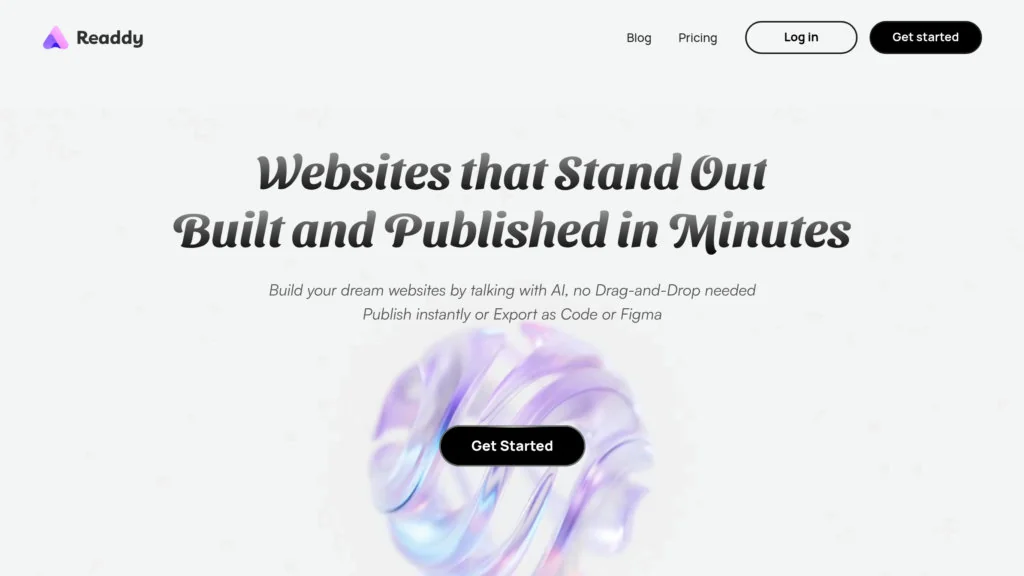
Readdy is an AI-driven website builder that lets users create full websites by conversing with an assistant instead of using traditional drag-and-drop editors. Users describe layouts, content, and design preferences in natural language; the platform generates responsive pages which can be published instantly or exported as clean front-end code or Figma design files for handoff. Readdy targets small teams and agencies, enabling faster delivery and reducing the need for dedicated design resources by automating design, layout, and export workflows.
Screenshots

Key Features
Use Cases



Frequently asked questions about Readdy AI
What are the pricing options for Readdy AI?
Readdy AI provides three pricing tiers: a Free plan at $0/month with limited features, a Pro plan starting at $20/month that includes additional features and priority support, and a customizable Enterprise plan designed for teams. For more details, visit the official Readdy AI website.
Key Points
- Free Plan: $0/month with basic features.
- Pro Plan: Starting from $20/month with enhanced features and support.
- Enterprise Plan: Custom pricing tailored for teams and organizations.
Detailed Explanation
Readdy AI's pricing options cater to various users, from individual users to large teams. The Free Plan is ideal for those just starting, offering basic functionalities to explore the platform without financial commitment. Users can access limited features, making it suitable for occasional use or testing.
The Pro Plan, priced starting at $20/month, unlocks a suite of additional features, including advanced analytics and priority customer support. This plan is perfect for freelancers or small businesses looking to enhance their productivity and streamline their workflows.
For organizations or larger teams, the Enterprise Plan provides a tailored solution with custom pricing based on specific needs. This plan typically includes advanced collaboration tools, dedicated account management, and enhanced security features, making it suitable for businesses that require scalability and comprehensive support.
For a detailed comparison of features across the plans, visit the official Readdy AI pricing page.
Best Practices / Tips
- Evaluate Your Needs: Before choosing a plan, assess your specific needs and the features that will benefit you the most.
- Start with Free: If you’re new to AI tools, start with the Free plan to understand the platform's capabilities before upgrading.
- Consider Team Dynamics: For teams, the Enterprise Plan may offer significant benefits in terms of collaboration and productivity enhancements.
Additional Resources
How do I start using Readdy AI to build a website?
To start using Readdy AI for website creation, visit the official website, sign up for a free account, and describe your design needs in natural language. The platform is intuitive, requiring no drag-and-drop skills, making it accessible for anyone looking to build a website quickly.
Key Points
- User-Friendly Interface: No technical skills required.
- AI-Powered Design: Describe your ideas and let AI generate designs.
- Free Account: Start without any financial commitment.
Detailed Explanation
Readdy AI simplifies website creation through a straightforward process. Here are the steps to get started:
- Visit the Official Website: Go to Readdy AI's website to access the platform.
- Sign Up: Click on the 'Sign Up' button and create a free account using your email or social media credentials. This allows you to save your projects and access premium features later.
- Describe Your Needs: Once logged in, enter your website design requirements in natural language. For example, you could type, “I need a portfolio website with a modern look and a contact form.” Readdy AI will interpret your request and generate design layouts based on your description.
- Review and Customize: After the AI generates several options, you can choose a design you like. Customize it further by adjusting colors, fonts, and layouts using the intuitive editing tools provided.
- Publish Your Website: Once you are satisfied with your design, follow the prompts to publish your website directly through Readdy AI.
This AI-driven approach streamlines the website creation process, making it accessible for beginners and professionals alike.
Best Practices / Tips
- Be Specific in Your Requests: The more details you provide about your design preferences, the better the AI can tailor your website. Include elements like color schemes, styles, or specific features you want.
- Explore Templates: Take advantage of any pre-designed templates offered by Readdy AI to inspire your own design.
- Regular Updates: Keep your website content fresh by regularly updating it with new information, images, or blog posts to enhance SEO and user engagement.
Additional Resources
What are the key features of Readdy AI?
Readdy AI offers key features such as conversational site creation, instant publishing, clean code export, Figma export, and responsive design generation. These tools are specifically designed to enhance the website development experience for agencies and small teams, making the process more efficient and user-friendly.
Key Points
- Conversational Site Creation: Build websites through intuitive conversations.
- Instant Publishing: Launch websites instantly without delays.
- Clean Code Export: Easily export high-quality code for developers.
- Figma Export: Seamlessly integrate designs from Figma.
- Responsive Design Generation: Automatically create mobile-friendly layouts.
Detailed Explanation
Readdy AI revolutionizes website development by incorporating advanced AI technology. Here’s a deeper look at its features:
-
Conversational Site Creation: Users can create websites by engaging in a natural language conversation with the AI. This feature simplifies the design process, eliminating the need for extensive technical knowledge. For example, users can specify their needs verbally, and the AI will generate a tailored website layout.
-
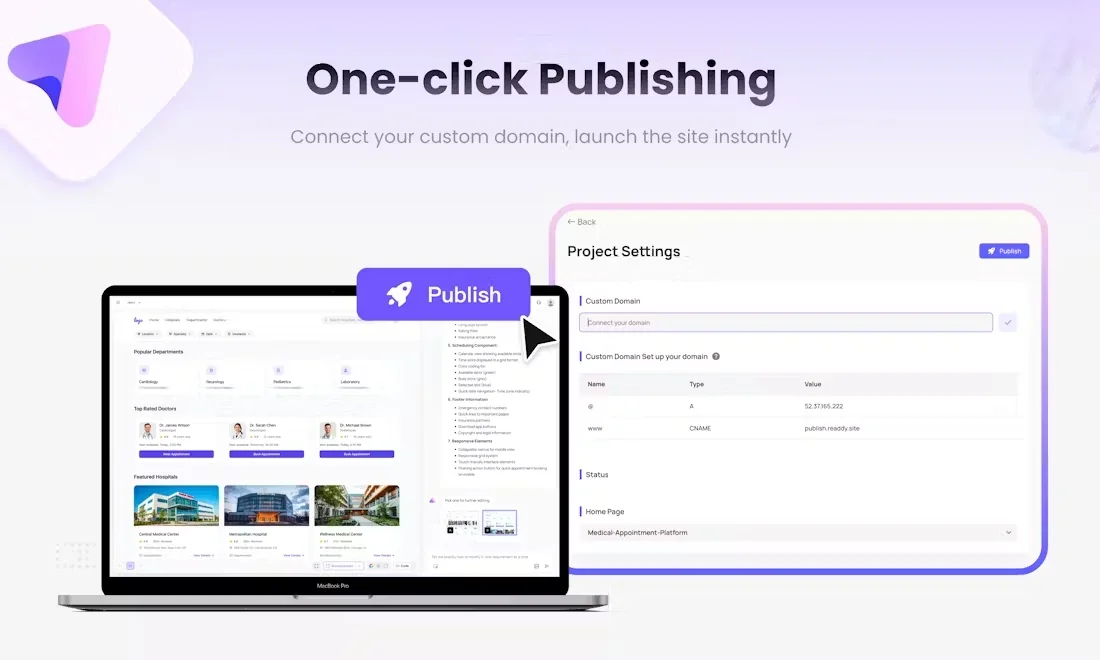
Instant Publishing: With Readdy AI, once the website design is finalized, it can be published immediately. This feature is particularly beneficial for agencies that need to deliver projects to clients quickly. Instant publishing allows teams to meet tight deadlines without compromising quality.
-
Clean Code Export: After designing a website, users can export clean, well-structured code. This is crucial for developers who want to maintain high coding standards and ensure that websites are easily customizable in the future.
-
Figma Export: Readdy AI integrates seamlessly with Figma, a popular design tool. Users can directly export their designs from Figma into Readdy AI, making the transition from design to development smooth and efficient.
-
Responsive Design Generation: The platform automatically generates responsive designs, ensuring that websites look great on all devices—desktops, tablets, and smartphones. This feature saves time and guarantees that users do not need to create separate designs for different screen sizes.
Best Practices / Tips
- Leverage Conversational Features: Encourage team members to use the conversational interface to speed up the design process.
- Test Before Publishing: Always preview the website to ensure it meets your expectations before hitting the publish button.
- Utilize Clean Code: Make the most of the clean code export feature by involving your developers early in the design process for feedback.
- Stay Updated: Regularly check Readdy AI’s updates for new features and enhancements that can improve your workflow.
Additional Resources
How does Readdy AI compare to other website builders?
Readdy AI differentiates itself from traditional website builders by utilizing a conversational approach to site creation, which eliminates the need for drag-and-drop interfaces. This innovative method enables rapid prototyping and seamless clean code export, making it particularly beneficial for agencies and small teams seeking efficiency and flexibility.
Key Points
- Conversational Site Creation: Engages users in a dialogue to design websites.
- Rapid Prototyping: Quickly transforms ideas into functional websites.
- Clean Code Export: Provides high-quality, maintainable code, ideal for developers.
Detailed Explanation
Readdy AI revolutionizes the website building process by allowing users to interactively communicate their needs. Unlike conventional builders that rely on drag-and-drop functionality, Readdy AI uses natural language processing to guide users through each step of the design process.
Conversational Design
This tool asks questions and suggests options tailored to the user’s requirements, resulting in a more intuitive experience. For instance, if a user specifies they need an eCommerce site, Readdy AI will prompt for features like payment options, layout preferences, and product categories, creating a personalized website based on the user’s input.
Rapid Prototyping
With Readdy AI, users can prototype their websites in real-time. This feature is exceptionally useful for agencies, as it allows for quick iterations based on client feedback. Agencies can swiftly adapt designs, making minor adjustments or significant overhauls without starting from scratch, thus improving client satisfaction and reducing time to market.
Clean Code Export
One of Readdy AI's standout features is its ability to export clean, maintainable code. This is crucial for developers who need to work on the website after its initial creation. Unlike many traditional builders that generate bloated code, Readdy AI ensures that the exported code is lightweight and easy to modify, saving developers time and effort during future updates.
Best Practices / Tips
- Utilize the Conversational Interface: Take full advantage of the interactive design process by providing detailed input to achieve the best results.
- Iterate Quickly: Use the rapid prototyping features to experiment with different designs and layouts. Don’t hesitate to test multiple approaches before finalizing your website.
- Review Exported Code: Always check the exported code for any specific adjustments you may need. Ensure it's compatible with your existing tech stack.
Additional Resources
Does Readdy AI provide an API for integrations?
Currently, Readdy AI does not offer a publicly accessible API for integrations. For specific technical requirements, potential integrations, or updates, it's advisable to reach out to their customer support or regularly check their official website for the latest information.
Key Points
- Readdy AI does not publicly list an API.
- Contact customer support for integration inquiries.
- Stay updated via the official website.
Detailed Explanation
Readdy AI, while not providing a public API at this time, may have options for integrations that are not widely advertised. Integration capabilities are essential for businesses looking to connect Readdy AI with other systems or tools, such as CRM software, data analytics platforms, or marketing automation tools.
For example, if you are a developer or a business looking to integrate Readdy AI with your existing applications, your best course of action is to contact Readdy AI’s support team directly. They can provide tailored guidance based on your specific needs and technical requirements.
Additionally, keeping an eye on Readdy AI's official website for any announcements or updates regarding API developments is a good practice. Companies often evolve their offerings, and an API may become available in the future.
Best Practices / Tips
- Contact Support: If you have specific use cases or technical questions, reaching out to customer support can provide clarity and assist you in finding solutions tailored to your needs.
- Follow Updates: Regularly check Readdy AI’s blog or news section on their website for announcements regarding new features, including any potential API releases.
- Explore Alternatives: If immediate integration is critical for your projects, consider exploring other AI tools that offer robust APIs and can meet your integration needs in the interim.
Additional Resources
- Readdy AI Official Website - for updates and support.
- Integration Solutions - check for any current partnerships or tools that might facilitate integration.
- Contact Support - reach out with specific queries related to your integration needs.
Explore more AI Ai Agents tools
Browse all Ai Agents tools →Browse by use case: Code Generation · Automation & Productivity
Compare Readdy AI: vs Proto-Mind · vs Ami · vs Duvi · vs AskDeck