

Querri 2.0
AIA conversational AI data analyst that cleans datasets and delivers instant charts, tables, and insights in plain English.
Querri 2.0
A conversational AI data analyst that cleans datasets and delivers instant charts, tables, and insights in plain English.
About Querri 2.0
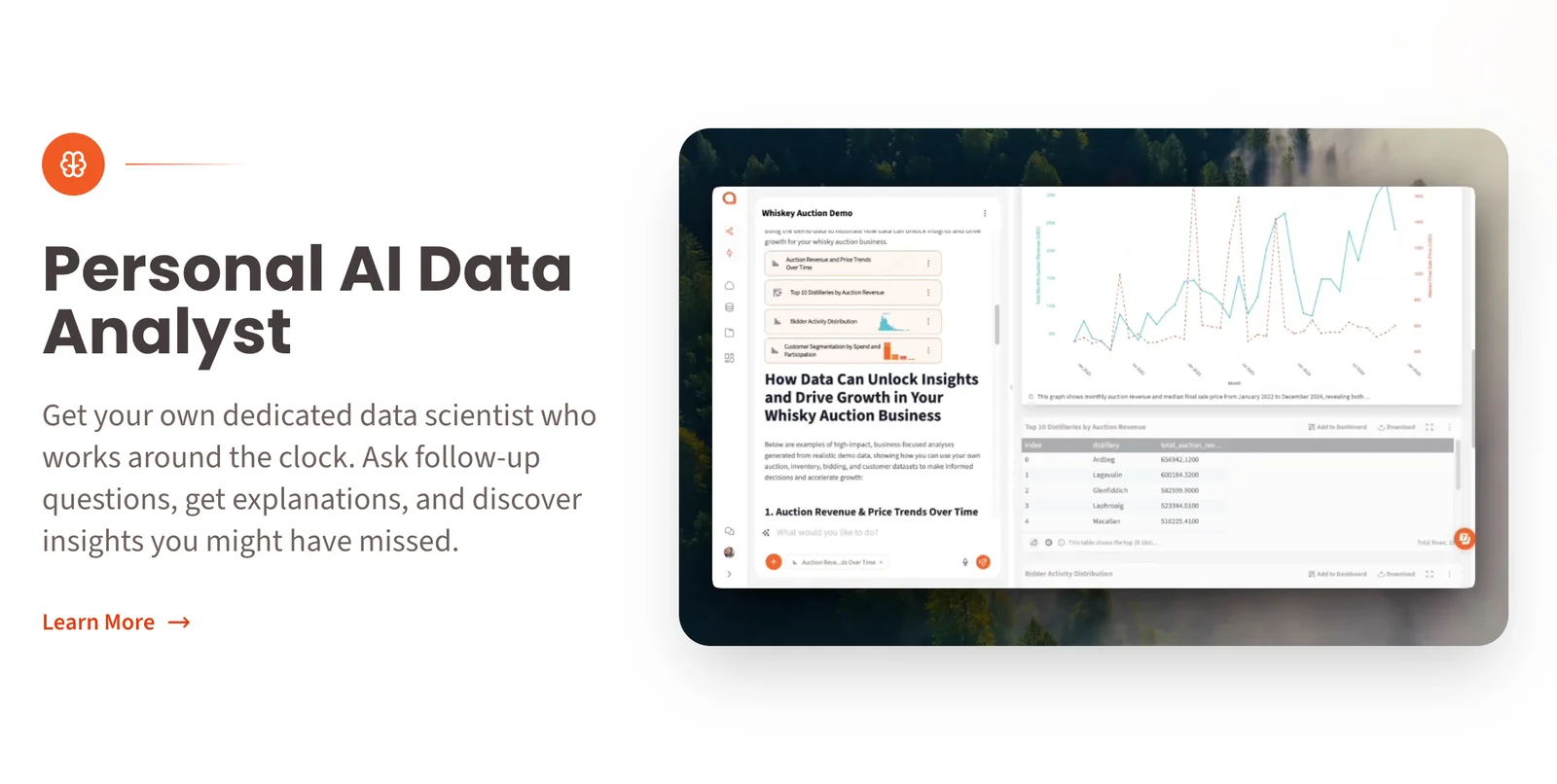
Querri is an AI-powered data analyst that lets users ask questions of their datasets in natural language. It cleans and preprocesses data, interprets queries, runs analyses, and returns clear charts, graphs, tables, and plain-language explanations. Querri also suggests relevant drill-downs and follow-up analyses to help users explore insights further, and provides learning resources and documentation to onboard non-technical business users quickly. The platform aims to make getting value from data as simple as having a conversation.
Screenshots



Key Features
Use Cases



Frequently asked questions about Querri 2.0
What are the pricing options for Querri 2.0?
Querri 2.0 offers five pricing options: Basic at $16.66/month, Standard at $41.66/month, Small Business at $49/month, and custom pricing for Pro and Enterprise plans. Each tier provides unique features designed to meet the varying needs of individuals and businesses.
Key Points
- Five pricing tiers: Basic, Standard, Small Business, Pro, and Enterprise.
- Affordable monthly rates: Starting at $16.66.
- Custom features: Tailored options for different user requirements.
Detailed Explanation
Querri 2.0 provides a flexible pricing structure allowing users to select a plan that aligns with their needs and budget. Here’s a breakdown of the available tiers:
-
Basic Plan - At $16.66 per month, this plan is suited for individuals or small teams who require basic functionalities such as essential AI query processing and standard support.
-
Standard Plan - Priced at $41.66 per month, this option offers enhanced features, including advanced analytics and additional storage, making it ideal for growing businesses.
-
Small Business Plan - Available for $49 per month, this plan caters to small businesses that need more robust capabilities, including team collaboration tools and priority support.
-
Pro and Enterprise Plans - Custom pricing is available for larger organizations requiring tailored solutions. These plans include comprehensive features such as API access, dedicated account management, and personalized training sessions.
By offering several tiers, Querri 2.0 ensures that users can find a plan that best suits their unique requirements, whether they are individual users, small teams, or large enterprises.
Best Practices / Tips
- Evaluate your needs: Before selecting a plan, assess the specific features that are critical for your use case. This will help you choose the most cost-effective option.
- Consider future growth: If you anticipate growth, opt for a plan that provides scalability or the opportunity to upgrade easily.
- Utilize free trials: Take advantage of any available free trials or demos to test features before committing to a monthly plan.
Additional Resources
How does Querri 2.0 differ from other AI data analysis tools?
Querri 2.0 differentiates itself from other AI data analysis tools through its intuitive natural language chat interface, automated data cleaning features, and instant visualization options. This user-centric design makes it accessible for non-technical users, unlike many competitors that often require specialized knowledge to operate effectively.
Key Points
- Natural Language Interface: Allows users to interact with data using simple conversational queries.
- Automated Data Cleaning: Streamlines the data preparation process, eliminating the need for manual cleaning.
- Instant Visualization: Quickly generates visual representations of data, making insights easy to understand.
Detailed Explanation
Querri 2.0 revolutionizes data analysis by prioritizing user experience.
-
Natural Language Interface: Users can enter queries in plain English, such as “Show me sales trends for last quarter.” This feature reduces the learning curve associated with traditional data analysis tools, which often require complex commands or programming skills.
-
Automated Data Cleaning: Querri 2.0 automatically identifies and corrects data inconsistencies, such as duplicates or missing values. This functionality saves users significant time and effort, allowing them to focus on analysis rather than data preparation.
-
Instant Visualization: With just a few clicks, users can transform raw data into visual formats like charts or graphs. This capability not only enhances comprehension but also aids in quick decision-making, as stakeholders can easily grasp insights without deep technical knowledge.
Use Cases:
- A marketing manager can quickly assess campaign performance by simply asking Querri 2.0 for the latest metrics.
- A small business owner can visualize sales data trends over time without needing to hire a data analyst.
Best Practices / Tips
- Maximize Natural Queries: Practice using various natural language queries to fully leverage the interface. This will help you discover deeper insights.
- Regular Data Updates: Ensure your data sources are regularly updated for the most accurate analysis.
- Utilize Visualization Tools: Experiment with different visualization types offered by Querri 2.0 to find the most effective way to present your data.
Additional Resources
What key features does Querri 2.0 provide for data analysts?
Querri 2.0 provides key features such as automatic data cleaning, natural language querying, instant chart generation, and drill-down recommendations. These tools are specifically designed for data analysts to derive quick insights without needing extensive technical skills, streamlining the data analysis process significantly.
Key Points
- Automatic Data Cleaning: Simplifies data preparation.
- Natural Language Querying: Enables intuitive data interactions.
- Instant Chart Generation: Visualizes data quickly and effectively.
- Drill-Down Recommendations: Offers deeper insights with minimal effort.
Detailed Explanation
Querri 2.0 significantly enhances the workflow for data analysts by incorporating advanced features that promote efficiency and ease of use:
-
Automatic Data Cleaning: This feature automatically identifies and corrects errors in datasets, such as duplicates, missing values, and inconsistencies. For example, if a dataset has multiple entries for the same customer with different spellings, Querri 2.0 will standardize these entries, saving analysts hours of manual cleaning.
-
Natural Language Querying: Analysts can pose questions in plain English, making data interaction more intuitive. For instance, instead of writing complex SQL queries, a user can simply ask, "What were the sales figures for Q1?" Querri 2.0 interprets the query and fetches the relevant data, making data analysis accessible to non-technical users.
-
Instant Chart Generation: Users can generate visual representations of their data instantly. After receiving results from their queries, they can create charts and graphs with a single click. This feature is essential for presentations and reports, as it allows users to visualize data trends effortlessly.
-
Drill-Down Recommendations: After analyzing data, users may want to explore specific areas further. Querri 2.0 suggests additional queries or filters based on the initial findings, allowing users to drill down into more detailed data seamlessly.
Best Practices / Tips
- Leverage Natural Language: Encourage team members to utilize natural language querying to make data analysis more collaborative and less intimidating.
- Regularly Update Datasets: To maximize the effectiveness of automatic data cleaning, keep datasets regularly updated to ensure the cleaning algorithms work optimally.
- Utilize Visualization Tools: Make use of the instant chart generation feature for data storytelling in meetings to enhance comprehension and engagement.
Additional Resources
How can I start using Querri 2.0 for my data analysis needs?
To start using Querri 2.0 for your data analysis needs, visit the official Querri website, choose a suitable pricing plan, and complete the onboarding process, which includes guided workflows to help you navigate the platform effectively and efficiently.
Key Points
- Visit the Official Website: Access the Querri platform directly.
- Choose a Pricing Plan: Select a plan that fits your data analysis requirements.
- Complete the Onboarding Process: Utilize guided workflows for easy navigation.
Detailed Explanation
Querri 2.0 is designed to simplify data analysis and enhance your decision-making capabilities. Here’s how to get started:
-
Visit the Official Website: Go to Querri's official site to access the platform. The homepage provides an overview of features and benefits.
-
Choose a Pricing Plan: Querri offers various pricing tiers tailored to different user needs, ranging from individual users to enterprise solutions. Pricing may start from as low as $29/month for basic features, scaling up based on the number of users and advanced functionalities. Review the comparison chart to determine which plan suits your data analysis objectives best.
-
Complete the Onboarding Process: After selecting a plan, you’ll be prompted to create an account. Querri provides an intuitive onboarding experience featuring:
- Guided Workflows: These step-by-step tutorials help you get familiar with the interface and tools.
- Resource Center: Access a comprehensive library of articles, videos, and FAQs to assist you in your learning journey.
Once onboarded, you can start importing your data, utilizing the platform's analytical tools, and generating insights.
Best Practices / Tips
- Take Advantage of Free Trials: If available, use free trials to explore features before committing to a subscription.
- Participate in Community Forums: Engage with other users to share tips and best practices. This collaboration can enhance your understanding of the platform.
- Regularly Update Your Skills: Querri frequently updates its features. Stay informed about new functionalities to maximize your analysis capabilities.
Additional Resources
- Querri Documentation - Official documentation for detailed feature explanations.
- User Community - Join discussions and seek advice from experienced users.
- Tutorial Videos - Visual guides to help you navigate specific features effectively.
What technical requirements are needed to integrate Querri 2.0 with other tools?
Querri 2.0 requires specific technical requirements for integration with other tools, which may vary based on the chosen plan. For accurate and tailored information, it's best to consult Querri's sales team to discuss your unique needs and get customized solutions that fit your organization.
Key Points
- Querri 2.0 offers various data connectors for seamless integration.
- Technical requirements differ by subscription plan.
- Direct consultation with Querri's sales team is essential for tailored solutions.
Detailed Explanation
Querri 2.0 is designed to work seamlessly with multiple tools, enabling efficient data transfer and integration. The platform supports various data connectors, including APIs, webhooks, and third-party integrations. Each subscription plan may have different capabilities and limitations, which impact the technical requirements.
-
Data Connectors: Querri 2.0 provides built-in connectors for popular platforms like Salesforce, Google Analytics, and Zapier. Each connector has its own set of prerequisites, such as API keys or authentication methods.
-
API Requirements: Depending on your plan, you may need specific API access. For instance, the Premium or Enterprise plans often come with enhanced API limits and features, allowing for more complex integrations.
-
Webhooks: If your organization aims to implement real-time data updates, understanding webhook configurations is crucial. Webhooks allow Querri 2.0 to send data to other applications automatically when certain events occur.
-
System Compatibility: Ensure that your existing systems are compatible with Querri's integration options. This includes checking software versions and any potential dependencies that may need to be addressed.
For a tailored integration strategy, reaching out to Querri's sales team is essential. They can provide specific technical documentation and support based on your unique business needs.
Best Practices / Tips
- Understand Your Needs: Before contacting Querri, outline your integration goals to facilitate a more productive discussion.
- Check Compatibility: Verify the compatibility of your existing systems and tools with Querri's integrations to avoid potential issues.
- Consider Scalability: Choose a plan that not only meets your current needs but also supports future growth and additional integrations.
Additional Resources
Explore more AI Ai Agents tools
Browse all Ai Agents tools →Browse by use case: Automation & Productivity
Compare Querri 2.0: vs Proto-Mind · vs Ami · vs Duvi · vs AskDeck