
Quark
AIAutonomous Support platform that interprets customer issues and automatically recommends resolutions to boost agent productivity and customer experience.
Quark
Autonomous Support platform that interprets customer issues and automatically recommends resolutions to boost agent productivity and customer experience.
About Quark
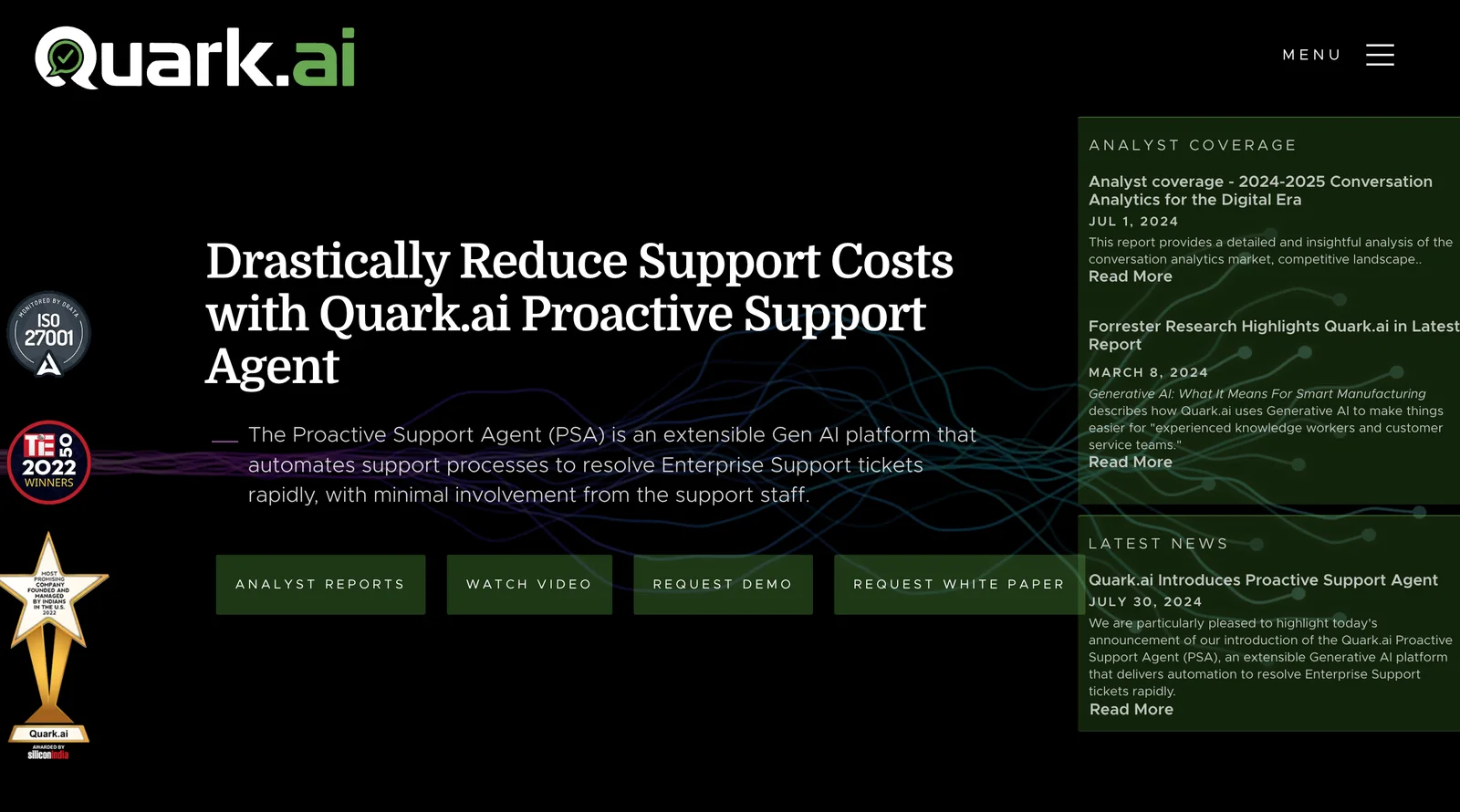
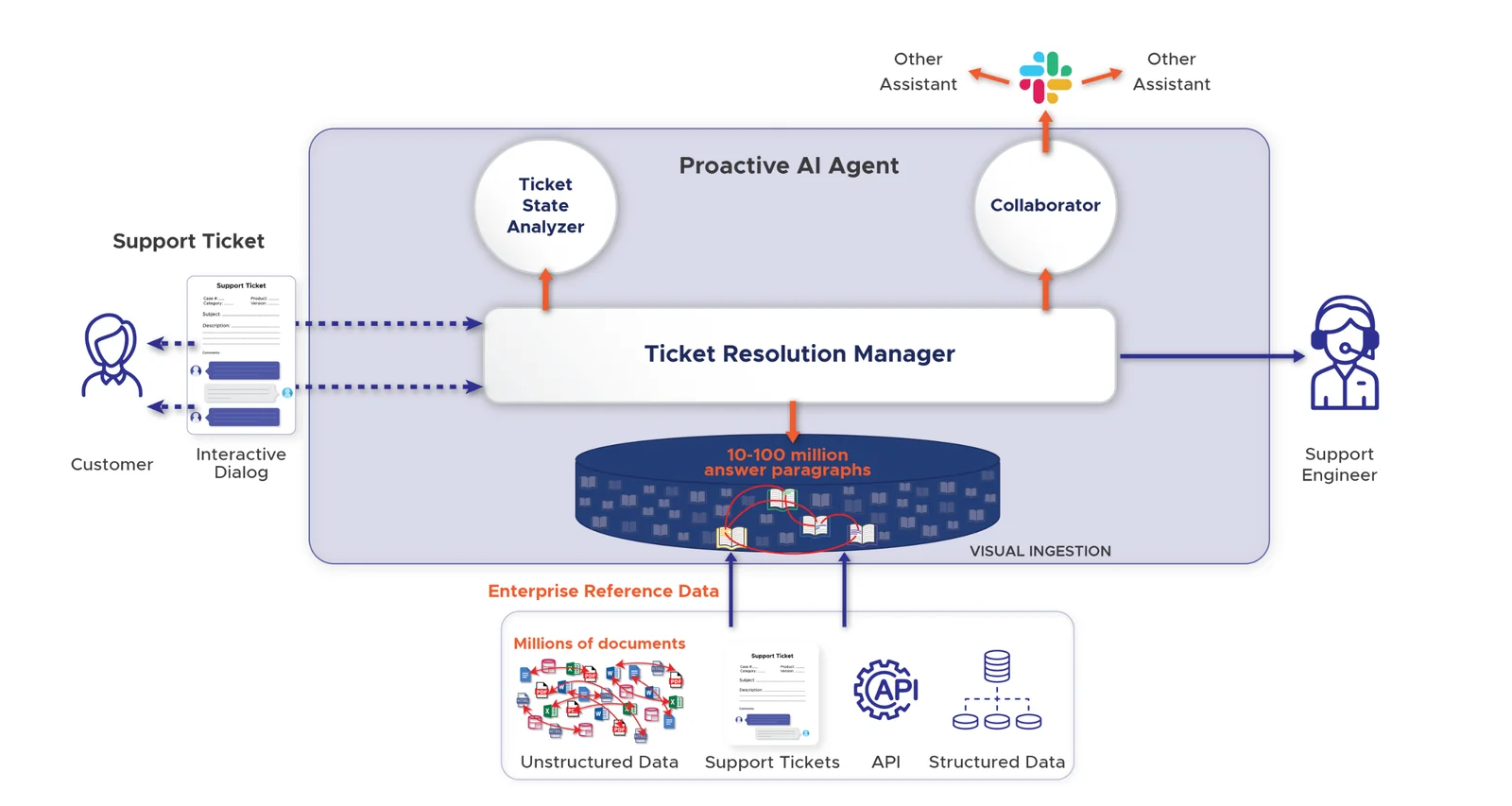
Quark is an autonomous support platform that interprets incoming support issues, recommends resolutions automatically, and automates repetitive support tasks. It removes the need for manual searching through documentation by surfacing precise fixes, knowledge articles, and reply drafts, and leverages large transformer models and integrations with services like ChatGPT and BARD to generate contextual responses. Quark is positioned for use across customer support, technical support, field support, eCommerce and sales support workflows, with the goal of increasing agent productivity, reducing response time, and improving overall customer experience.
Screenshots
Key Features
Use Cases



Frequently asked questions about Quark
What is the pricing for Quark?
Quark does not disclose public pricing on its website. To obtain customized pricing information and details about their plans, interested users should reach out directly to Quark's sales team for assistance.
Key Points
- Quark's pricing is not publicly available.
- Custom quotes are provided based on user needs.
- Contacting the sales team is essential for detailed information.
Detailed Explanation
Quark offers specialized software solutions, primarily aimed at businesses looking to enhance their content management and publishing capabilities. Since their offerings can vary significantly based on organization size, industry, and specific needs, they do not maintain a standard pricing model.
For example, factors influencing pricing may include:
- The number of users or seats required.
- Specific features or modules selected.
- Integration with existing systems.
- The level of customer support required.
Potential users should prepare to discuss their specific requirements with the sales team, which can help tailor a plan that fits both budget and functionality needs. This ensures that organizations get the most value from Quark’s offerings.
Best Practices / Tips
- Prepare Your Questions: Before contacting the sales team, list any specific features or functionalities you are interested in. This will help you receive a more tailored response.
- Compare Alternatives: If you are exploring content management solutions, consider comparing Quark with other tools to ensure you find the best fit for your budget and requirements.
- Ask for Demos: Request a product demo during your conversation with the sales team. This can provide you with a better understanding of the software's capabilities and how it can address your unique challenges.
Additional Resources
What are the key features of Quark?
Quark is a powerful AI tool featuring autonomous issue interpretation, automated resolution recommendations, generative response composition, and cross-channel integration. These capabilities significantly boost agent productivity while enhancing the overall customer experience by providing timely and accurate solutions.
Key Points
- Autonomous Issue Interpretation: Understands customer inquiries without manual input.
- Automated Resolution Recommendations: Suggests solutions based on past interactions.
- Generative Response Composition: Creates personalized responses for varied scenarios.
Detailed Explanation
Quark's core functionalities are designed to streamline customer service operations.
-
Autonomous Issue Interpretation: This feature uses advanced machine learning algorithms to analyze customer queries, enabling it to identify issues quickly and accurately. For example, if a customer asks about a billing problem, Quark can autonomously recognize the context and categorize it as a billing issue.
-
Automated Resolution Recommendations: Quark leverages historical data to recommend solutions. For instance, if a similar issue was resolved in the past, Quark can suggest that resolution to the agent or even directly to the customer, thus reducing resolution time and improving satisfaction.
-
Generative Response Composition: This feature allows Quark to craft personalized responses in real-time. By analyzing customer data and previous interactions, it can generate tailored replies that resonate with the customer's unique situation, enhancing engagement and building rapport.
-
Cross-Channel Integration: Quark integrates seamlessly across various communication platforms, including email, chat, and social media. This ensures that customer interactions are consistent and that agents have a unified view of customer history, leading to more effective service.
Best Practices / Tips
- Leverage Data: Regularly update Quark's database with new information to enhance its learning capabilities and accuracy in issue interpretation.
- Train Your Team: Ensure your customer service agents are well-versed in how to utilize Quark’s features to maximize efficiency.
- Monitor Performance: Use analytics tools to track Quark's performance and identify areas for improvement. Regular assessments can help fine-tune the system for better outcomes.
- Encourage Feedback: Gather feedback from both agents and customers to understand how well Quark is functioning and where adjustments may be needed.
Additional Resources
How do I start using Quark?
To start using Quark, visit their official website and reach out to their sales team for a demo or trial. They will assist you in setting up the platform according to your specific needs and provide guidance throughout the onboarding process.
Key Points
- Visit the Official Website: Access Quark's platform directly.
- Contact Sales for a Demo: Request a personalized demonstration to understand the features.
- Tailored Setup Assistance: Receive guided support for a smooth onboarding experience.
Detailed Explanation
Starting with Quark is straightforward. First, navigate to Quark's official website. Here, you can explore their product offerings, features, and pricing models. Quark specializes in content automation, data integration, and digital asset management, making it suitable for various industries.
Once on the website, look for the "Contact Sales" option, typically located in the navigation menu. Fill out the inquiry form with your details and specify your interest in a demo or trial. The sales team will promptly get in touch to schedule a personalized demonstration. This demo is crucial as it allows you to see how Quark can specifically meet your business needs.
During the demo, the sales representative will walk you through the platform's functionalities, including how to create, manage, and distribute content efficiently. After the demo, if you decide to proceed, the setup process begins. Quark’s team will assist you in integrating the system with your existing workflows, ensuring that the transition is seamless.
Best Practices / Tips
- Prepare Questions: Before your demo, list any specific queries or concerns you may have about the platform.
- Assess Your Needs: Understand what features are most important for your business, such as automation, analytics, or collaboration tools.
- Utilize Training Resources: After onboarding, take advantage of Quark’s training materials and support resources to maximize your use of the platform.
Additional Resources
- Quark Official Documentation
- Getting Started with Quark
- Quark Community Forums for user tips and shared experiences.
Does Quark integrate with other tools?
Yes, Quark integrates seamlessly with major conversational models like ChatGPT and BARD, as well as various support channels and systems. For specific API details or to explore additional integrations, it's best to contact Quark's sales team for personalized assistance.
Key Points
- Quark supports integration with leading AI conversational models.
- Compatible with multiple support channels for enhanced functionality.
- Custom API details available upon contacting sales.
Detailed Explanation
Quark is designed to enhance user experience by integrating with popular conversational AI models, such as ChatGPT and BARD. These integrations allow businesses to utilize advanced natural language processing capabilities, improving customer interactions significantly.
Use Cases:
- Customer Support: Quark can be integrated with support channels like Zendesk or Salesforce, enabling automated responses to customer inquiries using AI models.
- Marketing Automation: By connecting with platforms like HubSpot, businesses can use Quark to automate lead generation and nurture relationships through personalized messaging.
- E-commerce Solutions: Quark's integration with shopping platforms allows for real-time customer engagement, offering tailored product recommendations based on user queries.
Example Scenario:
A retail company uses Quark integrated with ChatGPT to manage customer queries during peak shopping seasons. This setup helps reduce response time and enhances customer satisfaction, ultimately driving sales.
Best Practices / Tips
- Evaluate Your Needs: Before integrating, assess which tools will complement your business processes best.
- Start Small: Begin with one or two integrations to streamline deployment and minimize complexity.
- Monitor Performance: Regularly review the effectiveness of your integrations to ensure they meet business objectives.
Additional Resources
How does Quark compare to other support tools?
Quark stands out among support tools due to its advanced automated issue interpretation and resolution recommendations, which significantly enhance agent productivity and improve customer experiences. Its integration capabilities and AI-driven insights provide a competitive edge over traditional support solutions.
Key Points
- Automated Issue Interpretation: Quark uses AI to understand customer issues quickly.
- Resolution Recommendations: It suggests actionable solutions, reducing response time.
- Enhanced Agent Productivity: Quark streamlines workflows, allowing agents to focus on complex tasks.
Detailed Explanation
Quark’s unique features set it apart from other support tools on the market. One of its main strengths is automated issue interpretation. For instance, when a customer submits a support ticket, Quark analyzes the content using natural language processing (NLP) to identify the underlying issue. This allows for immediate categorization and prioritization of tickets, which is crucial in high-volume environments.
Following issue identification, Quark provides resolution recommendations. These suggestions are based on historical data and previous resolutions, ensuring that agents have access to proven solutions. For example, if a customer reports a software bug, Quark might recommend a specific troubleshooting guide or a known fix, enabling faster resolution.
Additionally, Quark significantly boosts agent productivity. By automating routine tasks, such as ticket routing and preliminary diagnostics, agents can dedicate more time to complex problems that require human intervention. This leads to quicker turnaround times and improved customer satisfaction, as issues are resolved more efficiently.
Best Practices / Tips
- Integrate with Existing Systems: Ensure Quark works seamlessly with your current CRM and ticketing systems for optimal performance.
- Train Your Team: Provide training sessions for agents to familiarize them with Quark’s features, enhancing their efficiency.
- Regularly Update Knowledge Base: Keep the knowledge base updated with new solutions and insights drawn from Quark’s analytics to ensure agents have the best resources at their disposal.
Additional Resources
Explore more AI Ai Agents tools
Browse all Ai Agents tools →Browse by use case: Chatbots & Assistants · Automation & Productivity
Compare Quark: vs Proto-Mind · vs Ami · vs Duvi · vs AskDeck