

OpenAI Agent Builder
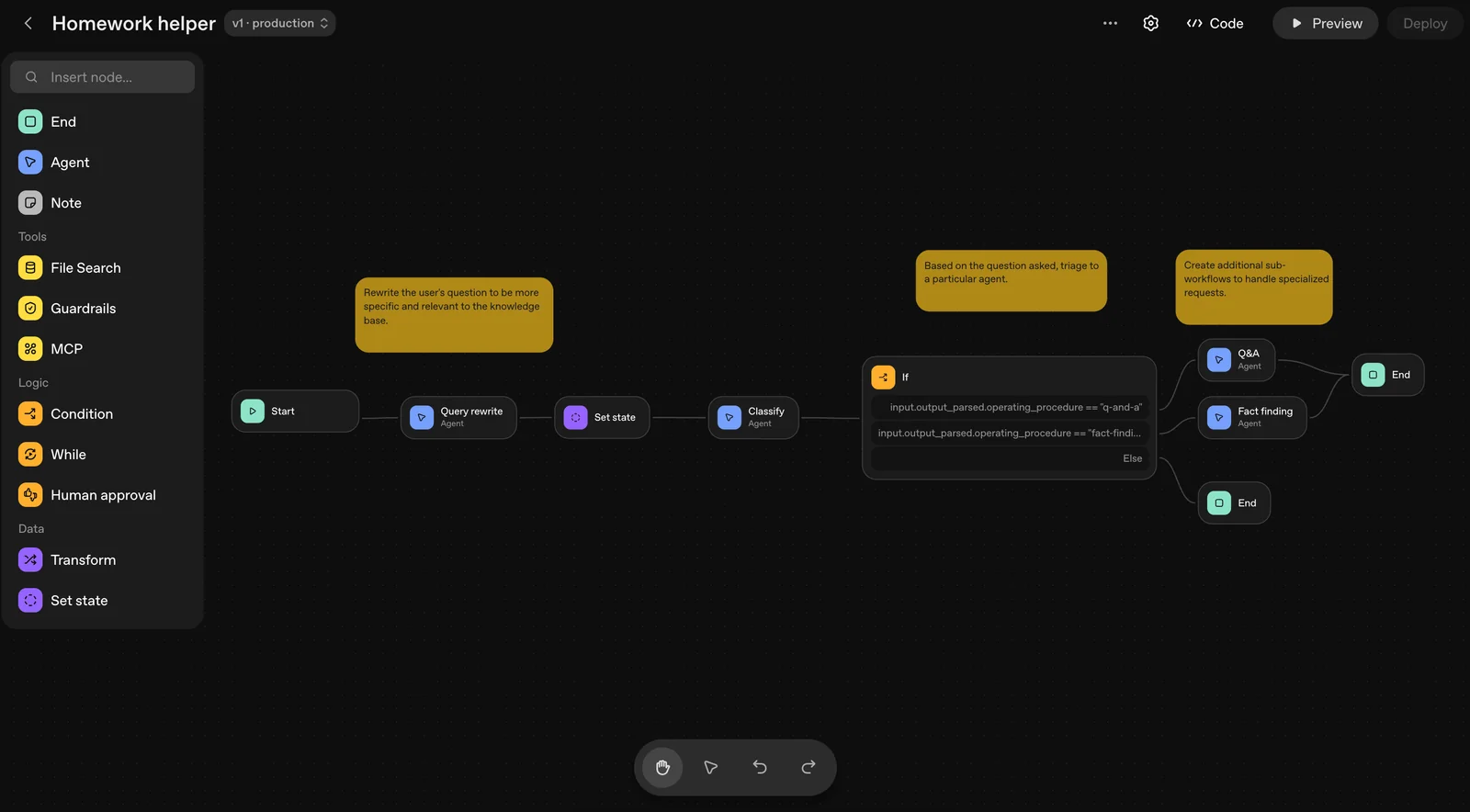
AIA visual canvas for composing, previewing, and versioning multi-agent workflows with drag-and-drop nodes and tool integrations.
OpenAI Agent Builder
A visual canvas for composing, previewing, and versioning multi-agent workflows with drag-and-drop nodes and tool integrations.
About OpenAI Agent Builder
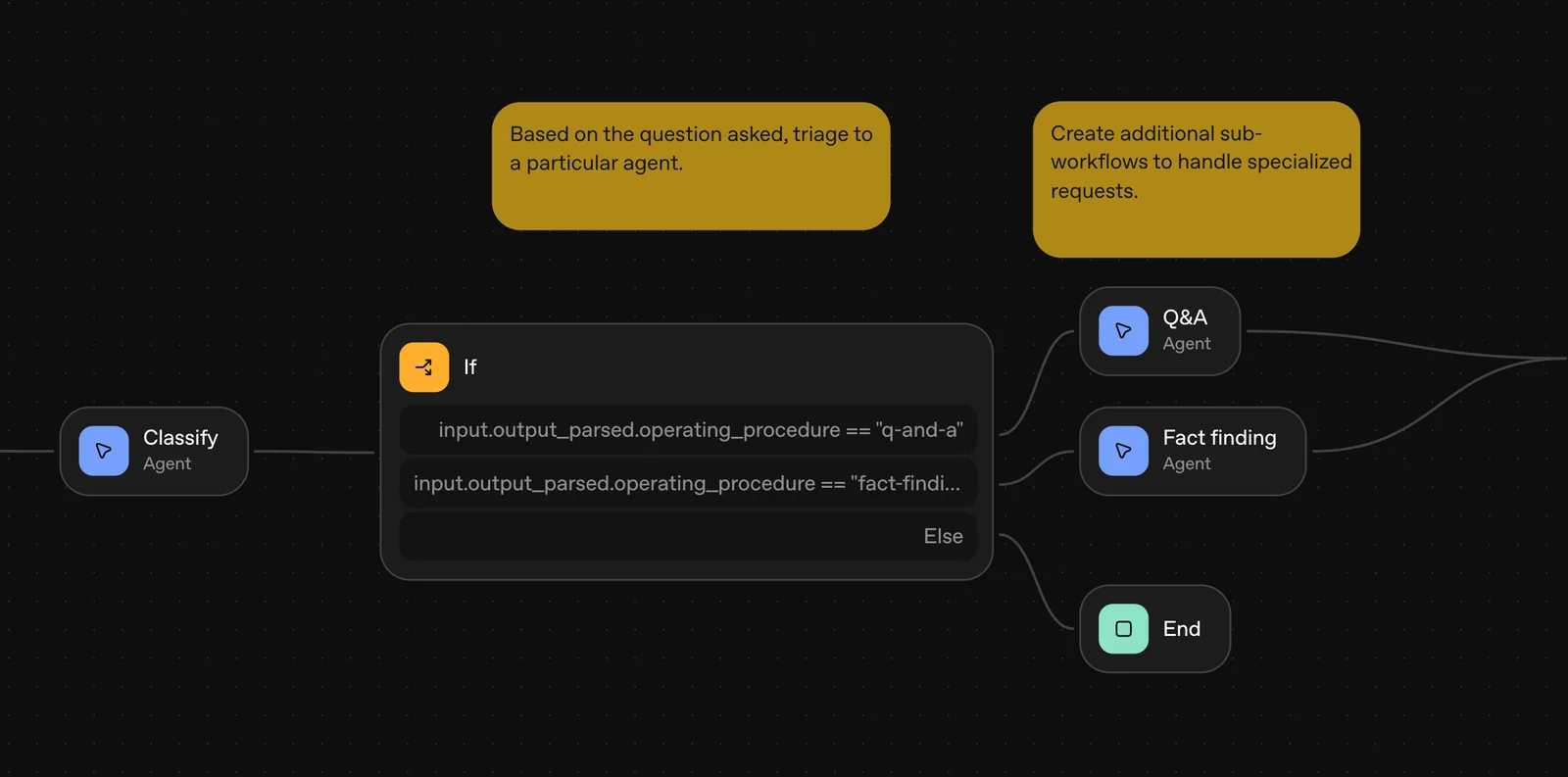
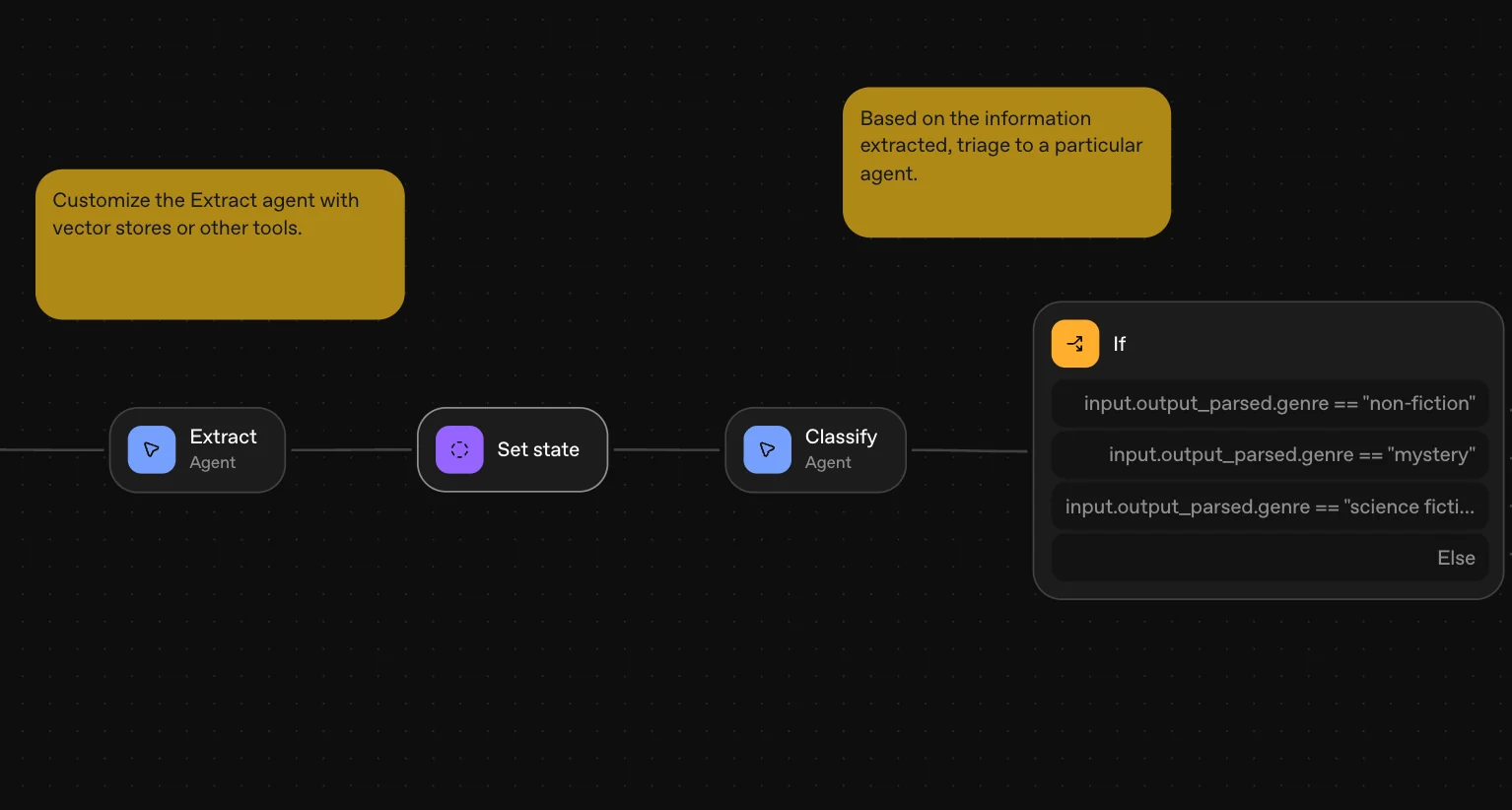
OpenAI Agent Builder (part of AgentKit) is a visual, low-code canvas for creating, configuring, and versioning multi-agent workflows. Users compose agent logic with drag-and-drop nodes, connect external tools and data via a central Connector Registry, and define custom guardrails and instructions. It supports preview runs, inline evaluation configuration, and full versioning to accelerate iteration and safe deployment. Agent Builder integrates with OpenAI’s Agents SDK, Responses API, and ChatKit to enable tool-enabled agents, multi-agent collaboration, and embedding chat experiences into products.
Screenshots
Key Features
Use Cases



Frequently asked questions about OpenAI Agent Builder
What pricing options are available for OpenAI Agent Builder?
OpenAI Agent Builder uses a freemium pricing model. You can design agents for free, but running them incurs usage-based charges. Additional costs apply for services like storage, making it essential to monitor your usage for cost management.
Key Points
- Freemium Model: Free to design agents.
- Usage-Based Charges: Fees apply when running agents.
- Additional Services: Extra costs for storage and other features.
Detailed Explanation
OpenAI Agent Builder's pricing structure allows users to create and design custom agents without any upfront costs. This freemium model provides flexibility for developers and businesses to experiment with agent design. However, once you activate these agents, usage-based charges begin, which means costs will vary based on how frequently and how intensively the agents are run.
For example, if you design a customer support agent, you can build and refine its capabilities without any initial financial commitment. However, when the agent goes live to handle requests, you'll be charged based on the number of interactions it processes or the computational resources it consumes.
Additionally, OpenAI offers various supplementary services such as storage for data and logs, which also come with their own fees. It’s essential to keep track of your storage needs and the associated costs, especially if your agents handle large volumes of data.
Best Practices / Tips
- Monitor Usage: Regularly check your agent's runtime statistics to avoid unexpected charges.
- Optimize Agent Performance: Streamline your agents to process requests efficiently, reducing operational costs.
- Consider Storage Needs: Assess how much data your agents will generate and choose a storage plan that fits your budget.
- Experiment with Free Features: Take full advantage of the free design period to test various functionalities before deploying.
Additional Resources
How can I start using OpenAI Agent Builder?
To start using OpenAI Agent Builder, visit the official OpenAI website and create an account. After registration, you can access the intuitive visual canvas to design, compose, and preview your multi-agent workflows, enabling you to build powerful AI applications tailored to your needs.
Key Points
- Easy Registration: Sign up on the OpenAI website.
- Visual Canvas: Utilize the drag-and-drop interface for workflow creation.
- Multi-Agent Workflows: Design complex interactions between AI agents.
Detailed Explanation
OpenAI Agent Builder is a user-friendly platform that allows you to create and manage AI workflows effectively. Here’s how to get started:
- Visit the Official Website: Go to OpenAI's Agent Builder page.
- Create an Account: Click on the "Sign Up" button and fill in your details to create a new account. You may need to verify your email before accessing the platform.
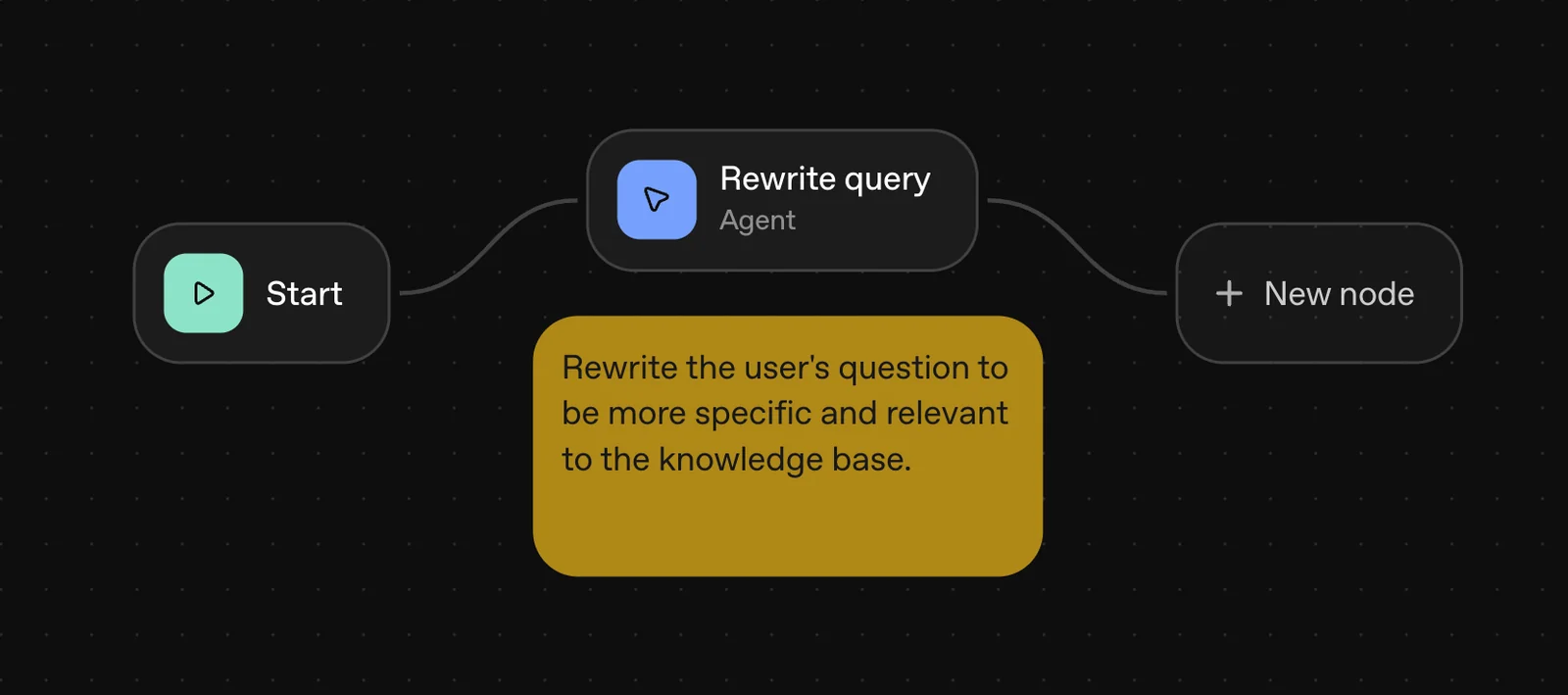
- Explore the Visual Canvas: Once logged in, you'll be greeted with a visual canvas. This feature allows you to drag and drop components to build your workflows easily.
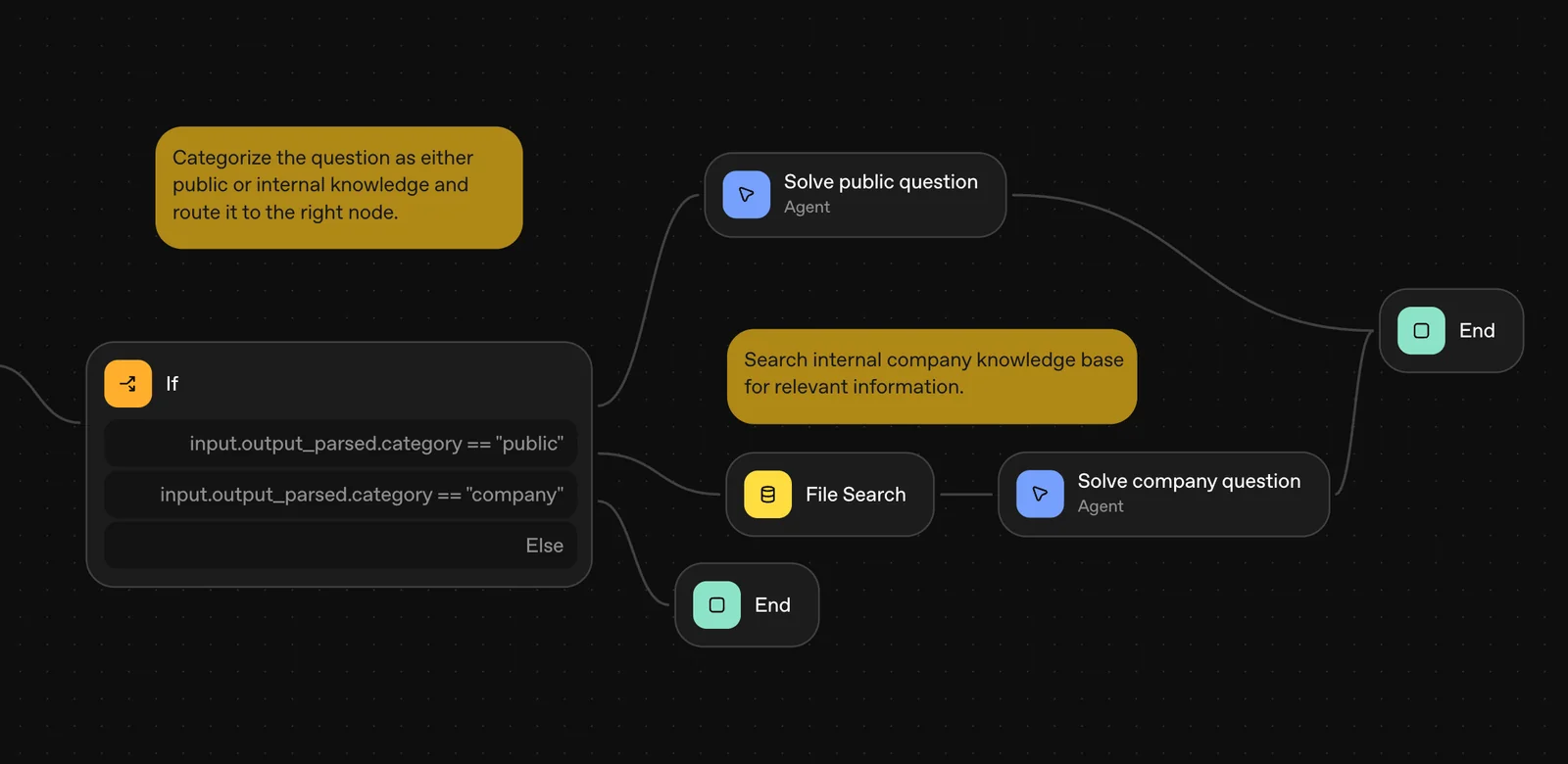
- Design Workflows: Use the provided templates or start from scratch to create multi-agent interactions. You can define agent roles, actions, and responses based on your project requirements.
- Preview and Test: Before finalizing, utilize the preview function to test the workflows, ensuring they operate as intended.
For example, if you are developing a customer service bot, you can create an agent that handles inquiries while another agent manages escalations, all within the visual canvas.
Best Practices / Tips
- Start Small: Begin with simple workflows to familiarize yourself with the interface and functionalities.
- Utilize Templates: Leverage pre-built templates for common use cases to save time and effort during the initial setup.
- Regular Testing: Frequently test your workflows during development to catch issues early and refine interactions.
- Documentation: Keep detailed notes on your design decisions and workflow structures for future reference or team collaboration.
Additional Resources
- OpenAI Documentation for in-depth guides and tutorials.
- OpenAI Community Forum for discussions and troubleshooting with other users.
- YouTube Tutorials for visual walkthroughs and practical examples.
What are the key features of OpenAI Agent Builder?
OpenAI Agent Builder features a user-friendly drag-and-drop visual canvas, robust versioning for project management, preview runs for testing, a Connector Registry for seamless integrations, and inline evaluation tools designed for performance optimization. These features streamline the development of AI agents, making it accessible for users of all skill levels.
Key Points
- Drag-and-Drop Visual Canvas: Simplifies the design process.
- Versioning: Tracks changes and allows easy rollback.
- Connector Registry: Manages various third-party integrations.
Detailed Explanation
OpenAI Agent Builder revolutionizes the way AI agents are developed by providing intuitive tools that cater to both novices and experienced developers.
Drag-and-Drop Visual Canvas
The drag-and-drop visual canvas allows users to create workflows effortlessly. Users can simply select components and arrange them visually, eliminating the need for extensive coding knowledge. This feature is particularly beneficial for teams looking to prototype quickly or for educators teaching AI concepts.
Versioning
With versioning, you can keep track of different iterations of your AI agent. This functionality allows you to save and revert to earlier versions, which is crucial for collaborative projects. For instance, if a recent change negatively impacts performance, you can easily restore the last stable version.
Preview Runs
Preview runs enable developers to test their agents in real-time before deployment. This feature is essential for validating logic and ensuring that integrations work as expected. Users can simulate various scenarios and observe how their AI agents respond, making it easier to fine-tune performance.
Connector Registry
The Connector Registry is a powerful tool for managing integrations with external services and APIs. It ensures that connecting to popular platforms like Slack, Salesforce, or Google Sheets is streamlined, allowing users to enhance their AI capabilities without extensive configuration.
Inline Evaluation Tools
Inline evaluation tools provide insights into performance metrics. These tools help users analyze the efficiency and accuracy of their AI agents in real-time, allowing for immediate adjustments. For example, if an AI agent underperforms in a specific task, developers can quickly identify and rectify the issue.
Best Practices / Tips
- Experiment with the Visual Canvas: Spend time familiarizing yourself with the drag-and-drop features to enhance your workflow efficiency.
- Utilize Version Control: Regularly save different versions of your project, especially before making significant changes.
- Conduct Thorough Testing: Always perform preview runs to catch and fix potential issues early.
- Explore Integrations: Take advantage of the Connector Registry to link your AI agents to essential tools, boosting their functionality.
Additional Resources
How does OpenAI Agent Builder compare to other AI tools?
OpenAI Agent Builder excels among AI tools due to its intuitive visual workflow editor, seamless integrations with existing systems, and robust evaluation capabilities. These features make it particularly suited for rapid prototyping and deployment, setting it apart from other platforms that may lack such comprehensive functionalities.
Key Points
- Visual Workflow Editor: Simplifies the creation of AI-driven solutions.
- Easy Integrations: Connects effortlessly with various tools and APIs.
- Powerful Evaluation Tools: Allows for thorough testing and optimization of models.
Detailed Explanation
OpenAI Agent Builder provides a user-friendly visual workflow editor that enables users to design complex AI workflows without extensive programming knowledge. This feature is particularly advantageous for businesses looking to prototype quickly and efficiently. For example, a marketing team can use the editor to create an AI-driven customer engagement model that interacts with users based on predefined triggers.
In terms of integrations, OpenAI Agent Builder supports a wide range of APIs and software tools, such as CRMs, databases, and analytics platforms. This capability allows businesses to leverage existing infrastructure, enhancing productivity and reducing the time to market. For instance, integrating with a CRM can help automate customer interactions, improving response times and customer satisfaction.
The evaluation tools in OpenAI Agent Builder are designed to provide insightful analytics on model performance. Users can conduct A/B testing, track key performance indicators (KPIs), and gather user feedback to refine their AI solutions continually. This iterative process ensures that the final product meets user expectations and operates efficiently.
Best Practices / Tips
- Start Simple: Begin with basic workflows to familiarize yourself with the platform.
- Utilize Templates: Leverage pre-built templates to accelerate your project development.
- Regularly Analyze Performance: Schedule regular evaluations to fine-tune your AI models based on real-world data.
- Engage Users Early: Collect user feedback during the prototyping phase to ensure the solution meets their needs.
Additional Resources
What are the technical requirements for integrating OpenAI Agent Builder?
Integrating OpenAI Agent Builder requires compatibility with OpenAI's SDK and APIs. Your environment must support either Python or TypeScript, ensuring that you have the latest versions installed for a seamless integration experience.
Key Points
- Programming Language Compatibility: Python or TypeScript are essential.
- OpenAI SDK: Must be installed and configured.
- API Access: Ensure you have valid API keys.
Detailed Explanation
To successfully integrate OpenAI Agent Builder, follow these technical requirements:
-
Programming Language Compatibility:
- Ensure your development environment is set up for either Python or TypeScript. Python is widely used for AI applications, while TypeScript can be beneficial for web-based projects.
- For Python, install version 3.6 or later. For TypeScript, ensure you have Node.js and npm installed.
-
Install OpenAI SDK:
- Use pip for Python to install OpenAI's SDK:
pip install openai - For TypeScript, install the SDK via npm:
npm install openai
- Use pip for Python to install OpenAI's SDK:
-
API Access:
- Create an account on the OpenAI platform to obtain your API keys. These keys authenticate your application and grant access to OpenAI's capabilities.
- Refer to the OpenAI documentation for detailed steps on obtaining and managing API keys.
Best Practices / Tips
- Keep Libraries Updated: Regularly update your OpenAI SDK to benefit from improvements and security patches.
- Use Virtual Environments: For Python projects, consider using virtual environments (e.g.,
venvorconda) to manage dependencies effectively. - Monitor API Usage: Use OpenAI’s dashboard to track your API usage and avoid unexpected costs.
- Test in a Controlled Environment: Before deploying your integration, test it in a local or staging environment to identify and fix issues.
Additional Resources
Explore more AI Ai Agents tools
Browse all Ai Agents tools →Browse by use case: Automation & Productivity
Compare OpenAI Agent Builder: vs Proto-Mind · vs Ami · vs Duvi · vs AskDeck