

NoMac
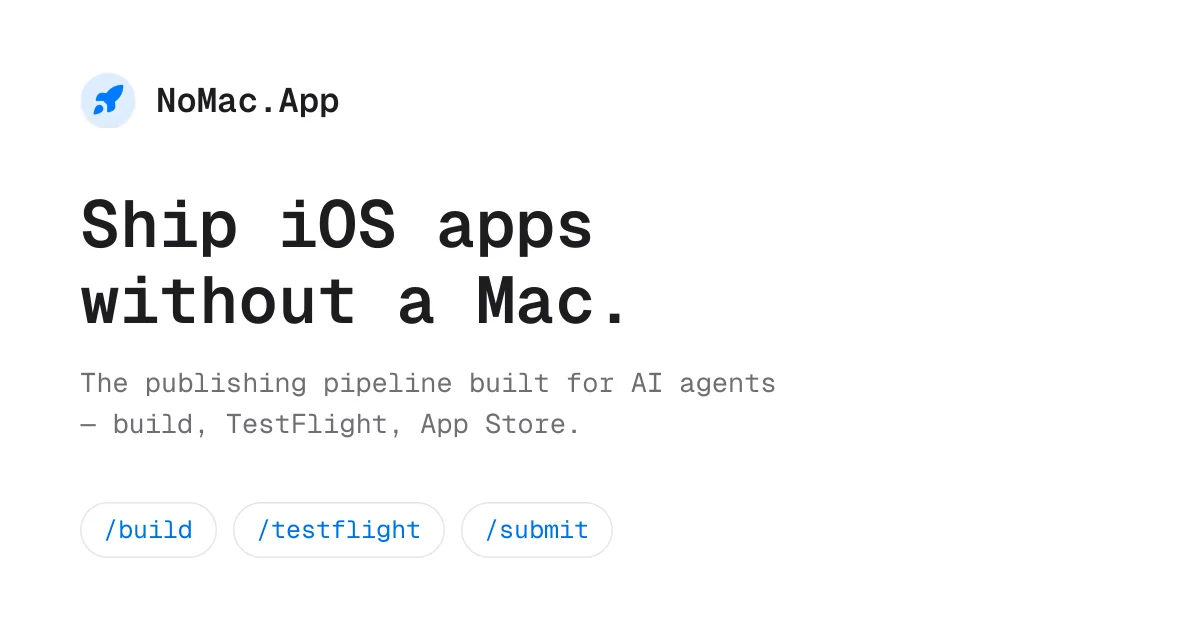
AICloud-based iOS build, TestFlight, and App Store submission pipeline that AI agents can drive through a CLI or MCP — no Mac required.
NoMac
Cloud-based iOS build, TestFlight, and App Store submission pipeline that AI agents can drive through a CLI or MCP — no Mac required.
About NoMac
NoMac is an AI-native, headless mobile CI/CD service that lets developers ship iOS apps without owning a Mac. Signed release builds run on cloud Macs, TestFlight deploys land on your iPhone in about three minutes, and App Store submission — including metadata, screenshots, and review-readiness checks — is handled by the same pipeline. It exposes a CLI, HTTP API, and MCP server so agents like Claude Code, Codex, and Cursor can build, preview, and publish iOS apps directly. Developers only handle the one-time human steps Apple gates (Apple Developer account, App Store Connect API key, App Privacy form, TestFlight invite); everything after that runs on autopilot.
Screenshots
Key Features
Use Cases



Frequently asked questions about NoMac
What is NoMac?
NoMac is a cloud-based platform that enables iOS app development and deployment without the need for a Mac computer. It facilitates the build process, TestFlight distribution, and App Store submission through AI-driven agents using a command line interface (CLI) or a managed cloud platform (MCP).
Key Points
- No Mac Required: Develop and deploy iOS apps entirely in the cloud.
- AI-Driven Automation: Utilize AI agents for streamlined build and submission processes.
- Seamless Integration: Compatible with TestFlight and App Store for easy app distribution.
Detailed Explanation
NoMac revolutionizes iOS app development by removing the dependency on Mac hardware. Traditionally, developers needed a Mac to build, test, and submit iOS applications. With NoMac, you can leverage the power of cloud computing to handle all these tasks remotely.
How It Works
- Cloud-Based Build Environment: NoMac provides a virtualized environment where developers can compile their iOS applications without needing a physical Mac.
- TestFlight Integration: Once the app is built, it can be uploaded directly to TestFlight, allowing for easy beta testing and feedback gathering.
- App Store Submission: After testing, NoMac simplifies the submission process to the App Store, managing all necessary configurations and requirements.
Use Cases
- Startups: Ideal for startups that want to minimize initial costs by avoiding the purchase of Mac hardware.
- Remote Teams: Perfect for teams working across different platforms and locations, allowing seamless collaboration without hardware limitations.
- Freelancers: Freelance developers can build and submit apps for clients without needing a physical Mac setup.
Best Practices / Tips
- Utilize CLI Commands: Familiarize yourself with the command line interface to maximize efficiency and automate repetitive tasks.
- Regular Backups: Ensure that your project files are regularly backed up in the cloud to avoid data loss.
- Monitor AI Performance: Keep an eye on the performance of the AI agents to optimize the build process and troubleshoot any issues quickly.
Additional Resources
How does NoMac work?
NoMac simplifies iOS app development by enabling users to create, test, and submit apps without a Mac. It utilizes remote Macs for signed builds, automates TestFlight distribution, and facilitates seamless App Store submission, making it ideal for developers on Windows or Linux systems.
Key Points
- Cloud-Mac Signed Builds: Generate iOS release builds without local resources.
- TestFlight Integration: Rapidly upload and distribute builds for immediate testing.
- Automated App Store Submission: Streamline the entire submission process, including metadata management.
Detailed Explanation
NoMac operates by leveraging cloud technology to provide a complete solution for iOS app development, especially for those who do not own a Mac. Here’s how it works:
-
Cloud-Mac Signed Builds: NoMac connects to remote Macs that produce signed iOS builds. This eliminates the need for Xcode or local certificates, allowing developers using Windows or Linux machines to compile their apps effortlessly.
-
TestFlight Preview in Minutes: Once the build is created, developers can upload their app to TestFlight. This process is incredibly fast, taking only about three minutes, enabling developers to test their applications quickly and receive feedback.
-
Automated App Store Submission: NoMac handles the entire App Store submission process. It manages essential tasks such as:
- Preparing app metadata
- Taking and uploading screenshots
- Performing review-readiness checks
- Executing the actual submission call to the App Store
-
MCP Server for Agents: The platform includes a Model Context Protocol (MCP) server, which allows various AI agents, like Claude Code or Codex, to manage the app’s build, testing, and submission process autonomously. This feature is particularly useful for developers looking to automate repetitive tasks.
-
CLI and HTTP API: For tech-savvy users, NoMac offers a command-line interface (npx @nomac/cli) and a public API. This allows developers to integrate NoMac's functionalities into their scripts or workflows without relying solely on MCP.
-
Continuous Delivery: Developers can set up continuous delivery pipelines that automatically push every merge to TestFlight, ensuring that internal QA and beta testers are always working with the latest version of the app.
-
AI-Generated Apps: NoMac serves as a deployment platform for AI-generated applications, making it easier for developers to bring innovative AI solutions to the App Store.
-
Cross-Platform Teams: Backend or web engineers can publish iOS builds without needing to learn Xcode, broadening the collaboration capabilities within development teams.
Best Practices / Tips
- Utilize Automation: Take advantage of NoMac’s automated features to reduce manual errors and save time.
- Test Thoroughly: Use TestFlight effectively for extensive beta testing before finalizing your App Store submission.
- Stay Updated: Regularly check for updates or new features within NoMac to ensure you're using the latest tools and capabilities.
Additional Resources
What are the main features of NoMac?
NoMac offers several key features, including Cloud-Mac Signed Builds for hassle-free iOS app signing, rapid TestFlight distribution in minutes, automated App Store submission, a Model Context Protocol (MCP) server for integration, and a versatile CLI and HTTP API for developers.
Key Points
- Cloud-Mac Signed Builds: Enables remote signing of iOS apps without local certificates.
- TestFlight Preview: Distributes builds to iPhones in under three minutes.
- Automated App Store Submission: Manages all aspects of app submission, including metadata and screenshots.
Detailed Explanation
NoMac stands out with its innovative features designed for iOS developers.
Cloud-Mac Signed Builds
This feature allows developers to produce signed iOS release builds on remote Macs. This eliminates the need for local Xcode installations and certificates, streamlining the development process. For example, a developer can initiate a build from any location, reducing dependencies on local setups.
TestFlight Preview in Minutes
NoMac simplifies the distribution of apps through TestFlight. With this feature, developers can upload their builds and have them delivered to testing devices (like iPhones) in approximately three minutes. This rapid turnaround allows for quick iterations and feedback collection, significantly enhancing the testing phase.
Automated App Store Submission
Submitting apps to the App Store can be tedious. NoMac automates this process by handling metadata, capturing screenshots, performing review-readiness checks, and executing the submission call. This not only saves time but also minimizes human error, ensuring that the submission process is smooth and efficient.
MCP Server for Agents
NoMac includes a Model Context Protocol (MCP) server, which supports various MCP-speaking agents such as Claude Code, Codex, and Cursor. This server facilitates end-to-end operations, making it easier for developers to automate workflows and integrate with existing tools.
CLI and HTTP API
Developers benefit from the npx @nomac/cli and a public API, which cater to those who prefer scripting or automation without relying on the MCP. This flexibility allows for a higher degree of customization and control over app development processes.
Best Practices / Tips
- Utilize Cloud Builds: Take advantage of the Cloud-Mac feature to avoid local setup issues, especially if working in different environments.
- Frequent Testing: Use the TestFlight Preview feature to quickly distribute builds to testers, ensuring efficient feedback cycles.
- Stay Organized: Keep track of metadata and screenshots needed for App Store submissions within NoMac to streamline the automation process.
Additional Resources
Who is NoMac for?
NoMac is designed for solo indie developers, cross-platform teams, and anyone looking to automate iOS app deployments without a Mac. It enables seamless app submission from Windows or Linux, facilitates AI-generated app deployment, and streamlines the build-test-submit process through agent-driven releases.
Key Points
- Solo Indie Developers: Ideal for individuals creating iOS apps without purchasing a Mac.
- Agent-Driven Releases: Automates the build-test-submit loop with AI agents.
- Cross-Platform Teams: Allows backend or web engineers to publish iOS apps easily.
Detailed Explanation
NoMac serves multiple user groups by offering a range of functionalities:
-
Solo Indie Developers: Traditionally, iOS development has required macOS. NoMac breaks this barrier, enabling developers using Windows or Linux to build and ship their iOS apps without needing to invest in a Mac. This is especially beneficial for indie developers looking to keep costs low while still reaching the lucrative iOS market.
-
Agent-Driven Releases: NoMac leverages AI tools like Claude Code or Codex to handle the entire build-test-submit process. Developers can supervise these automated processes, ensuring quality without needing to manage every technical detail. This reduces the manual workload and speeds up the release cycle.
-
Cross-Platform Teams: Teams comprised of backend or web engineers often lack expertise in Xcode. NoMac provides a hands-free option for these engineers, allowing them to deploy iOS builds without the steep learning curve associated with traditional iOS development tools. This functionality promotes collaboration and efficiency in diverse teams.
-
Continuous Delivery: With NoMac, developers can automate the deployment process to TestFlight, enabling automatic updates for internal QA and beta testing. This ensures that the latest builds are always available for testing, significantly improving the feedback loop and speeding up development cycles.
-
AI-Generated Apps: The platform supports deploying apps generated by AI, such as those built with GPT-3 or similar tools. This allows developers to easily take advantage of cutting-edge technologies to bring innovative applications to the App Store.
Best Practices / Tips
- Use Version Control: Always integrate version control systems like Git to manage your code efficiently.
- Automate Testing: Implement automated testing in your workflow to catch issues early and ensure quality.
- Monitor Performance: Use analytics tools to gather insights on app performance post-deployment.
- Stay Updated: Regularly check for updates to NoMac and its associated tools to benefit from new features and improvements.
Additional Resources
How much does NoMac cost?
NoMac is a paid software solution, with pricing varying based on the specific plan you choose. For the most accurate and up-to-date pricing information, visit the official NoMac website directly.
Key Points
- NoMac offers various pricing tiers for different user needs.
- Subscription plans may include monthly or annual payment options.
- Additional costs may apply for premium features or support.
Detailed Explanation
NoMac provides flexible pricing options tailored to different user requirements. As of the latest information, NoMac typically offers three main subscription plans:
-
Basic Plan: Ideal for individual users, this plan includes essential features at a budget-friendly price. Monthly and annual subscriptions are available, with the annual plan often offering a discount.
-
Pro Plan: Designed for small teams, the Pro Plan includes advanced features such as collaborative tools and priority support. This plan is slightly more expensive but provides value for teams needing enhanced functionality.
-
Enterprise Plan: For larger organizations, the Enterprise Plan is customizable and includes features like dedicated support and integration capabilities. Pricing for this plan generally requires direct consultation with NoMac's sales team.
To get the latest pricing details, including any promotions or discounts, it's best to visit the official NoMac website. They also frequently update their offerings, so checking back regularly can yield potential savings.
Best Practices / Tips
- Evaluate Your Needs: Before selecting a plan, assess your needs and the features each plan offers to avoid paying for unnecessary features.
- Check for Discounts: Look for seasonal promotions or discounts, especially for annual subscriptions, to save money.
- Read User Reviews: Explore user testimonials and reviews to understand the value and effectiveness of NoMac for your specific use case.
- Consider Future Needs: If you're anticipating growth or increased usage, choose a plan that can scale with your requirements.
Additional Resources
- Official NoMac Pricing Page - For the latest pricing and plan details.
- NoMac User Guide - To help you understand features and maximize your experience.
- NoMac Support Page - For assistance and troubleshooting tips.
How do I get started with NoMac?
To get started with NoMac, simply visit nomac.app to sign up for an account. Once registered, you can explore its features, customize settings, and begin your journey with NoMac's innovative tools designed to enhance productivity and streamline workflows.
Key Points
- Easy Sign-Up: Register quickly through the NoMac website.
- User-Friendly Interface: Navigate intuitive features for seamless usage.
- Explore Features: Discover tools that enhance productivity and workflow.
Detailed Explanation
Starting your journey with NoMac is straightforward.
-
Visit the Website: Go to nomac.app. This is the official site where you can find all the information and tools offered by NoMac.
-
Sign Up: Click the "Sign Up" button. You will need to provide your email address and create a password. Alternatively, you may be able to sign up using social media accounts for convenience.
-
Explore the Dashboard: Once logged in, you will be greeted with a user-friendly dashboard. This interface allows you to quickly access various tools available within NoMac.
-
Customization: Tailor your settings according to your preferences. This might include selecting themes, setting reminders, and integrating other apps that you frequently use.
-
Utilize Features: Familiarize yourself with NoMac's features such as task management, time tracking, or collaboration tools. Many users find that integrating these features into their daily routines can significantly boost their productivity.
Best Practices / Tips
-
Take Advantage of Tutorials: NoMac often provides tutorials or onboarding sessions for new users. Participating in these can help you maximize your use of the platform.
-
Integrate with Other Tools: Consider connecting NoMac with other applications you already use, such as calendar apps or project management tools, to streamline your workflow.
-
Regularly Update Your Settings: As your needs change, revisit your settings to ensure NoMac aligns with your current workflow.
-
Stay Engaged with the Community: Join NoMac’s community forums or social media groups for tips, tricks, and support from other users.
Additional Resources
By following these steps and utilizing the resources provided, you can effectively get started with NoMac and enhance your productivity through its innovative features.
Explore more AI Ai Tools tools
Browse all Ai Tools tools →Compare NoMac: vs Speech To Markdown · vs FluentDB · vs ReExplain · vs YC Has It