

Murf AI
AICloud text-to-speech and voice-over platform with 200+ realistic voices across 20+ languages and developer SDKs/APIs.
Murf AI
Cloud text-to-speech and voice-over platform with 200+ realistic voices across 20+ languages and developer SDKs/APIs.
About Murf AI
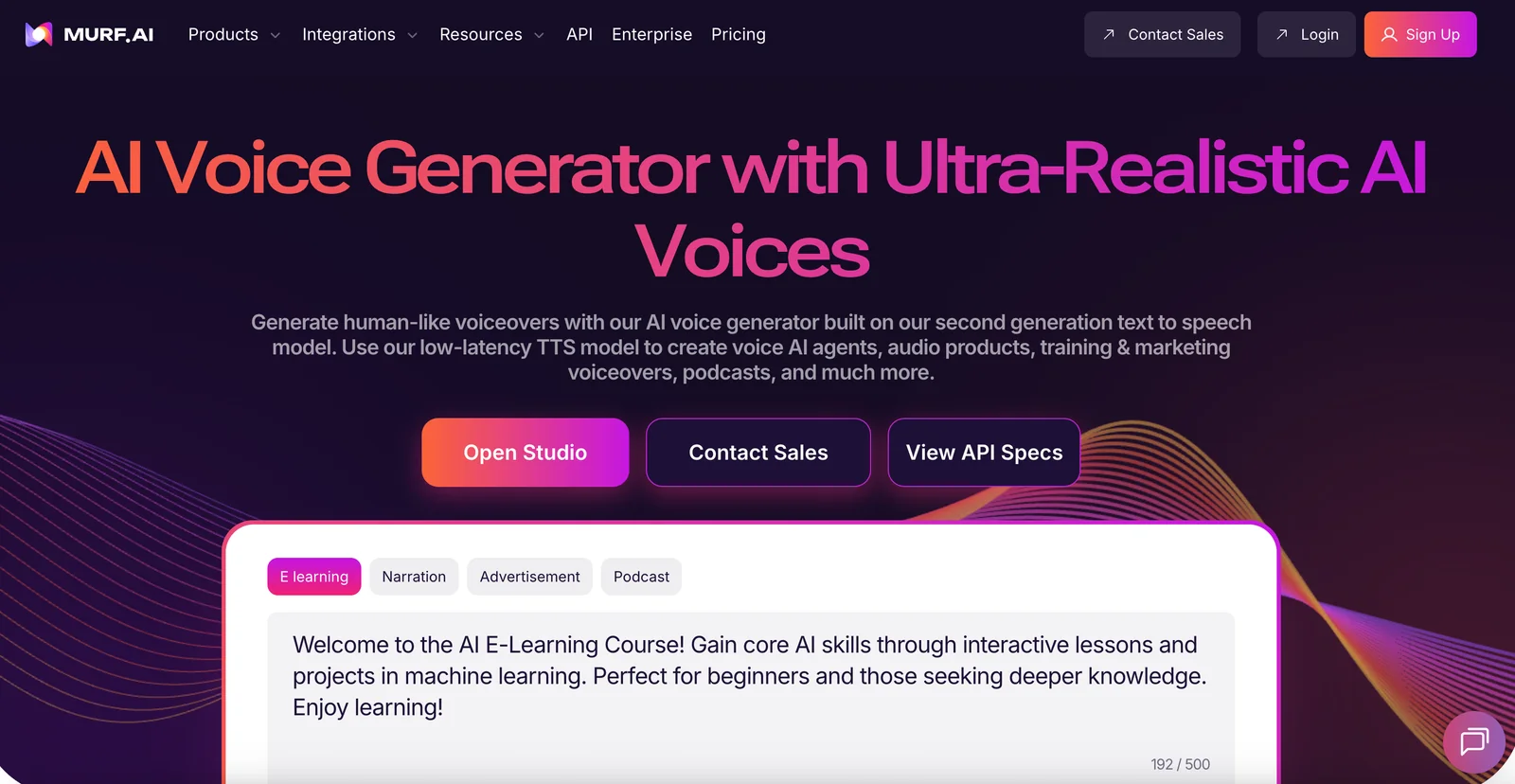
Murf AI is a voice generation platform that converts text into natural-sounding speech using a large collection of prebuilt voices and speaking styles. The service provides an online studio for quickly producing voiceovers and offers APIs and SDKs (including an official Python SDK) for integration into applications and real-time workflows. Murf emphasizes multilingual support and breadth of voice options to enable podcasting, dubbing, announcements, voice-enabled agents, and other audio production use cases.
Screenshots
Key Features
Use Cases



Frequently asked questions about Murf AI
What are the pricing options for Murf AI?
Murf AI provides a FREEMIUM pricing model, featuring a free tier and paid plans starting at approximately $19/month. The paid plans come with enhanced features such as unlimited downloads and commercial rights, catering to users ranging from individuals to large enterprises.
Key Points
- FREEMIUM Model: Free tier available alongside paid plans.
- Starting Price: Paid plans begin at around $19/month.
- Feature Variety: Plans include unlimited downloads and commercial rights.
Detailed Explanation
Murf AI's pricing structure allows users to choose a plan that best fits their needs. The FREEMIUM model gives new users a taste of the platform without any financial commitment. The free tier includes basic features, which are perfect for casual users or those wanting to test the service.
For more serious applications, paid plans start at $19/month. These plans unlock comprehensive features such as:
- Unlimited Downloads: Ideal for professionals needing multiple audio files.
- Commercial Rights: Suitable for businesses looking to use generated audio for marketing or other commercial purposes.
Murf AI's pricing tiers cater to various user demographics, including educators, marketers, and corporate teams.
Example Use Cases:
- Individuals: Freelancers might opt for the paid plan to create voiceovers for projects, benefiting from the unlimited downloads.
- Businesses: Enterprises can utilize commercial rights for promotional videos, ensuring compliance with licensing.
Best Practices / Tips
- Evaluate Your Needs: Start with the free tier to assess your requirements before committing to a paid plan.
- Utilize Trial Periods: If available, take advantage of any trial periods for paid plans to explore features in depth.
- Monitor Usage: Keep track of your usage to determine if upgrading is necessary, especially when working on larger projects.
Additional Resources
How do I get started with Murf AI?
To get started with Murf AI, visit their official website, create an account, and choose a subscription plan. You can immediately generate high-quality voiceovers using their web-based voice generator, which also offers a free tier for newcomers to explore the platform.
Key Points
- Account Creation: Sign up on the Murf AI website.
- Plan Selection: Choose from various subscription options, including a free tier.
- Voice Generation: Start creating voiceovers instantly with the user-friendly interface.
Detailed Explanation
-
Visit the Official Website: Begin your journey by navigating to Murf AI's homepage. Here, you’ll find detailed information about their services, features, and pricing plans.
-
Create an Account: Click on the “Sign Up” button. You can register using your email address or social media accounts. After verification, you’ll have access to your dashboard.
-
Choose Your Plan: Murf AI offers several pricing options tailored to different needs, including a free tier that allows limited access to features. Explore the plans to see which one aligns with your voiceover requirements.
-
Explore the Voice Generator: Once your account is set up, navigate to the voice generator tool. The platform supports a variety of languages and accents, making it suitable for diverse projects.
-
Start Generating Voiceovers: Input your script into the text box, select your preferred voice and style, and click "Generate." Murf AI will process your input and provide a voiceover that you can download or edit further.
Best Practices / Tips
- Utilize the Free Tier: Experiment with the free version to understand the platform before committing to a paid plan.
- Explore Voice Options: Take time to listen to different voice samples to find the perfect match for your project.
- Script Preparation: Write clear and concise scripts to improve the quality of the generated voiceovers. Avoid long sentences and complex vocabulary for better delivery.
- Edit for Clarity: Use the editing features to adjust pacing and tone to fit your specific needs.
Additional Resources
- Murf AI User Guide
- Murf AI Pricing Plans
- Murf AI Blog for tips on voiceover best practices and case studies.
What features does Murf AI offer?
Murf AI offers over 200 lifelike voices in more than 20 languages, supporting multilingual text-to-speech conversion. Its fast processing speed and developer APIs enhance versatility, making it ideal for applications in education, marketing, and accessibility.
Key Points
- Extensive Voice Library: Over 200 voices available.
- Multilingual Capabilities: Supports 20+ languages.
- Integration Options: Developer APIs for seamless integration.
Detailed Explanation
Murf AI stands out in the text-to-speech market due to its extensive features. With a library of over 200 realistic voices, users can choose from various accents and languages, making it suitable for diverse audiences. For instance, businesses can create localized content for different regions, enhancing user engagement.
The multilingual support allows users to convert text into speech in over 20 languages, catering to global markets. This feature is particularly useful for educators who may need to present materials in multiple languages or companies expanding their reach internationally.
Murf AI also boasts rapid text-to-speech conversion capabilities. Users can quickly generate audio from text, which is essential for applications requiring immediate feedback, such as customer service chatbots or educational tools that assist learners in real-time.
Furthermore, the developer APIs enable easy integration into existing applications. This feature allows businesses to incorporate Murf AI’s voice technology into websites, mobile apps, and other platforms, streamlining workflows and enhancing user experience.
Best Practices / Tips
- Choose the Right Voice: Test different voices to find the one that best matches your brand's tone and audience.
- Optimize Text Input: Use clear and concise text for better audio output. Avoid jargon unless necessary.
- Leverage API Documentation: Familiarize yourself with the API documentation to maximize integration efficiency and avoid common mistakes.
- Feedback Loop: Regularly gather user feedback on voice quality and language options to make informed adjustments.
Additional Resources
By utilizing Murf AI's comprehensive features, users can effectively enhance their projects with high-quality audio outputs tailored to their specific needs.
How does Murf AI compare to other text-to-speech tools?
Murf AI excels over other text-to-speech tools by offering a vast voice library, multilingual support, and advanced customization options. Its integration capabilities are particularly beneficial for developers, making it a versatile choice for various applications, from content creation to voiceovers.
Key Points
- Extensive Voice Library: Murf AI provides a wide range of high-quality voices, covering multiple accents and languages.
- Multilingual Support: Users can create audio content in different languages, enhancing accessibility and reach.
- Advanced Customization Options: Allows users to fine-tune pitch, speed, and emphasis for a personalized audio experience.
Detailed Explanation
Murf AI stands out in the crowded text-to-speech market due to its extensive features. With over 100 voices available in various languages and dialects, Murf AI caters to a global audience, making it ideal for businesses targeting diverse markets.
One of its key advantages is its multilingual support, which allows users to generate audio in multiple languages without compromising on quality. This feature is particularly useful for companies looking to expand their reach and engage with non-English speaking customers.
Murf AI also offers advanced customization options. Users can adjust the pitch, speed, and emphasis of the voices, allowing for a more natural and engaging listening experience. For example, if you want a voiceover for a promotional video, you can tweak the settings to match the tone and mood of your brand.
Additionally, Murf AI provides seamless integration capabilities for developers. With its API, developers can easily integrate Murf AI's functionalities into their applications, enhancing user experiences with minimal effort. This makes it a strong contender for businesses seeking to automate their audio content creation.
Best Practices / Tips
- Experiment with Voice Options: Try different voices and languages to find the best fit for your project. Murf AI allows you to preview each voice before making a selection.
- Leverage Customization Tools: Use pitch and speed adjustments to enhance the emotional tone of your content. This can significantly impact how your audience perceives your message.
- Utilize the API for Integration: Developers should take advantage of Murf AI’s API to create unique applications that can benefit from automated voice generation.
Additional Resources
Can I integrate Murf AI with my application?
Yes, you can integrate Murf AI with your application using their robust APIs and SDKs, including a Python SDK. This integration supports both synchronous and asynchronous text-to-speech generation, enabling real-time audio output tailored to your specific application needs.
Key Points
- Robust Integration Options: Murf AI offers APIs and SDKs for various programming languages.
- Real-Time Capabilities: Supports both synchronous and asynchronous text-to-speech generation.
- User-Friendly: The Python SDK simplifies integration for developers.
Detailed Explanation
Murf AI provides powerful tools for integrating their text-to-speech capabilities into your applications. Their APIs are designed to be flexible and easy to use, allowing developers to implement voice synthesis features seamlessly.
Integration Steps:
- Sign Up: Create an account on the Murf AI platform to access the API keys.
- Documentation: Review the official API documentation for comprehensive guidance on endpoints, request formats, and response structures.
- SDK Installation: If using Python, install the Murf AI SDK using pip:
pip install murf-ai - Authentication: Use your API key to authenticate requests.
- Generate Speech: Use the provided functions to convert text into speech. For instance, a simple Python example could look like this:
import murf murf.api_key = "YOUR_API_KEY" audio = murf.generate_speech("Hello, world!", voice="en-US", speed=1.0) - Test and Deploy: Test the integration locally before deploying it to production.
Use Cases:
- E-Learning Platforms: Enhance learning experiences by providing audio lessons.
- Accessibility Features: Support visually impaired users with voice output of text content.
- Virtual Assistants: Integrate natural-sounding voice responses for chatbots or virtual assistants.
Best Practices / Tips
- Optimize Audio Quality: Experiment with different voice settings to match your application’s tone and style.
- Error Handling: Implement robust error handling to manage potential API request failures.
- Monitor Usage: Keep track of API usage to avoid exceeding quota limits, which may incur additional costs.
Additional Resources
Integrating Murf AI into your application can significantly enhance user interaction and accessibility, making it a valuable addition to various projects.
Explore more AI Ai Agents tools
Browse all Ai Agents tools →Browse by use case: Voice & Audio
Compare Murf AI: vs Mycel · vs Proto-Mind · vs Ami · vs Duvi