

Mureka O2
AIMureka O2 is a next-generation music generation model focused on audio-prompted composition, multilingual singing, editing, and rights-aware workflows.
Mureka O2
Mureka O2 is a next-generation music generation model focused on audio-prompted composition, multilingual singing, editing, and rights-aware workflows.
About Mureka O2
Mureka O2 is a music-generation model released by Mureka as part of a model family update (alongside Mureka V7.6) that emphasizes improved listening capability and creative music production. It supports audio-prompted generation — allowing users to seed new compositions from existing audio — and is presented as part of an integrated platform combining generation, editing, and copyright trading. Public demos highlight stylistic versatility (classic, funk, etc.) and multilingual singing capabilities from Mureka's AI vocalist. The model aims to streamline end-to-end music creation workflows while addressing music-business needs such as rights and distribution.
Screenshots
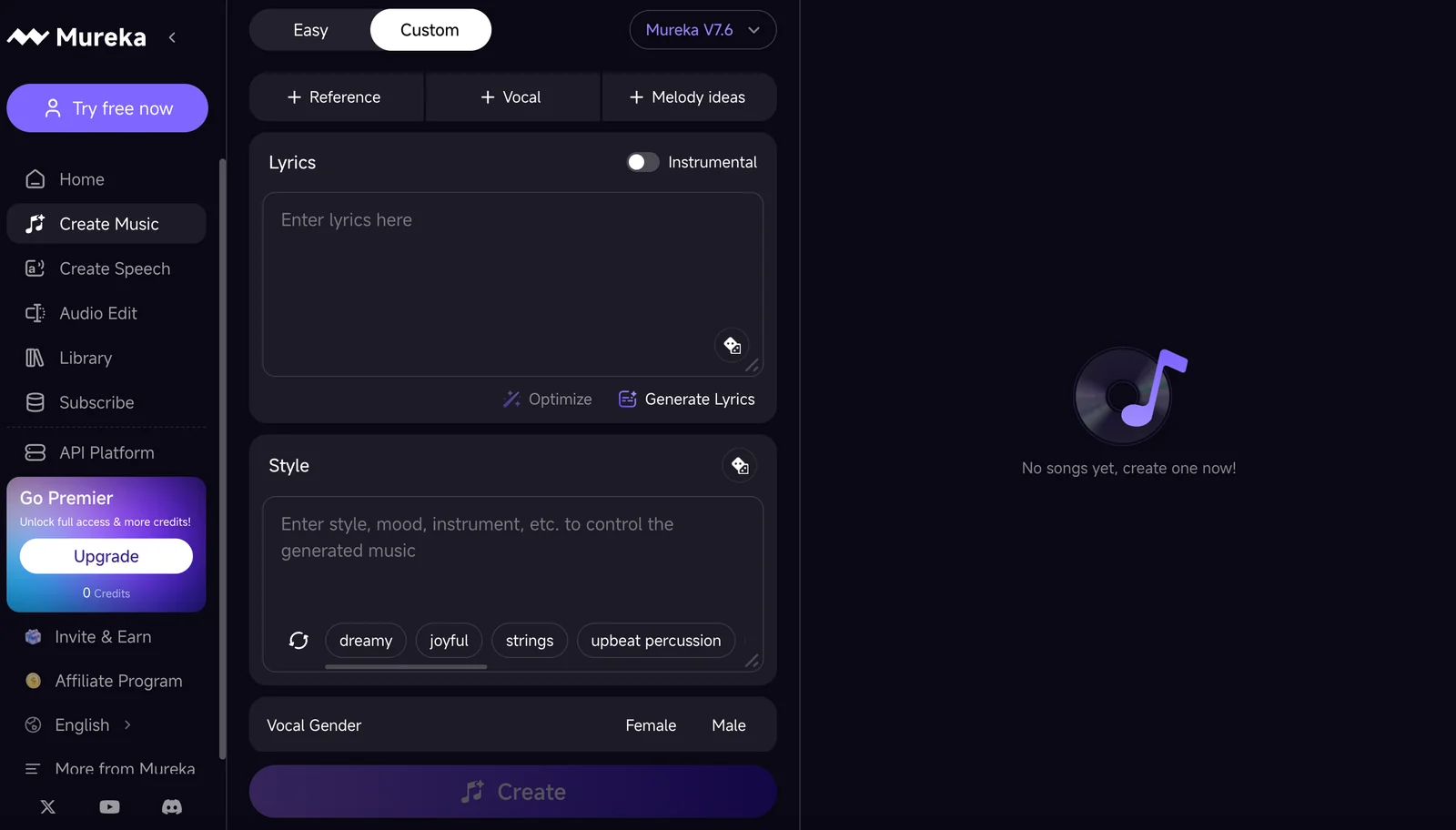
Key Features
Use Cases



Frequently asked questions about Mureka O2
What are the pricing options for Mureka O2?
Mureka O2 provides a variety of pricing options to suit different user needs, including a free plan with limited song generations, a Basic plan priced at $8 per month, and credit packs ranging from $24 to $288 for users requiring higher usage levels. Each tier offers distinct features.
Key Points
- Free Plan: Limited song generations with basic features.
- Basic Plan: $8/month for enhanced functionalities.
- Credit Packs: Options from $24 to $288 for increased song generation.
Detailed Explanation
Mureka O2's pricing structure is designed to accommodate a wide range of users, from casual creators to professional musicians.
-
Free Plan: This plan offers a limited number of song generations, ideal for new users wanting to explore Mureka O2's capabilities without financial commitment. Users can test the platform’s interface and basic features before deciding to upgrade.
-
Basic Plan: Priced at $8 per month, this plan unlocks additional song generation capabilities and enhanced features, making it suitable for hobbyists and semi-professionals who require more creative freedom and tools.
-
Credit Packs: For users needing extensive song generation, Mureka O2 offers credit packs starting at $24 for 50 credits, escalating to $288 for 600 credits. This tiered system allows users to purchase credits as needed, providing flexibility based on individual usage and project demands.
Best Practices / Tips
- Evaluate Your Needs: Before choosing a plan, assess how many songs you typically generate to select the most cost-effective option.
- Utilize the Free Plan: Use the free plan to familiarize yourself with the platform’s features before committing to a paid plan.
- Monitor Usage: Keep track of your credit usage to avoid running out unexpectedly, especially if you opt for credit packs.
Additional Resources
By understanding the pricing options of Mureka O2, you can choose the best plan that aligns with your musical creativity and project requirements.
How can I use Mureka O2 to generate music?
To generate music with Mureka O2, upload an audio prompt like a melody or beat, and the AI will compose music tailored to your input. Begin by utilizing the basic generator features offered in the free plan to explore various creative possibilities.
Key Points
- Upload audio prompts to inspire compositions.
- The AI generates music based on your input.
- Explore basic features in the free plan to start creating.
Detailed Explanation
Mureka O2 is an innovative AI music generator that allows users to create unique musical compositions effortlessly. To get started, follow these steps:
-
Create an Account: Sign up for Mureka O2 to access the platform. The free plan provides basic features, making it ideal for beginners.
-
Upload Your Audio Prompt: Choose a melody, beat, or any audio clip that you want to use as inspiration. The AI analyzes this input to understand your preferred style.
-
Select Composition Settings: Mureka O2 offers various settings, such as genre, mood, and tempo. Tailoring these settings can help the AI generate music that aligns with your vision.
-
Generate Music: After uploading your prompt and adjusting the settings, click on the 'Generate' button. The AI will process your input and create a unique composition.
-
Refine and Edit: Once the music is generated, you can listen to the composition and make adjustments. Utilize the editing tools available in Mureka O2 to refine your track further.
-
Download or Share: After finalizing your music, you can download the track or share it directly on social media platforms.
Best Practices / Tips
- Experiment with Different Prompts: Don't hesitate to upload various audio clips to see how Mureka O2 interprets different styles and genres.
- Utilize the Free Plan: Start with the free plan to familiarize yourself with the features before considering any paid options.
- Save Your Compositions: Regularly save your work to prevent data loss and to keep track of your musical evolution.
- Explore Community Feedback: Engage with other Mureka O2 users to gain insights and feedback on your compositions, which can help in improving your music-making skills.
Additional Resources
What unique features does Mureka O2 offer for music creation?
Mureka O2 boasts unique features for music creation, including audio-prompted generation, multilingual vocal synthesis, and integrated editing tools. It seamlessly supports various musical styles and promotes rights-aware workflows, making it an innovative choice for creators looking to produce high-quality music efficiently.
Key Points
- Audio-Prompted Generation: Streamlines the creative process.
- Multilingual Vocal Synthesis: Expands accessibility and diversity in music.
- Integrated Editing Tools: Enhances workflow and refinement capabilities.
Detailed Explanation
Mureka O2 revolutionizes music creation with its audio-prompted generation feature, which allows users to create music by simply providing audio prompts. This feature is particularly beneficial for songwriters and composers, as it generates a music piece based on the user’s input, saving time and boosting creativity.
The multilingual vocal synthesis capability enables users to generate vocals in multiple languages, enhancing the global reach of their music. This is especially useful for artists targeting diverse audiences, as it allows for authentic vocal representation in various linguistic styles, promoting inclusivity.
Mureka O2 also includes integrated editing tools that facilitate easy modifications and refinements. Creators can adjust tempo, pitch, and instrumentation within a single interface, making the editing process smooth and efficient. This is ideal for both novice and professional musicians who wish to fine-tune their tracks without switching between different software.
Best Practices / Tips
- Utilize Audio-Prompted Generation: Experiment with different prompts to explore creative possibilities and discover unique melodies.
- Leverage Multilingual Capabilities: Target specific markets by creating tracks in multiple languages, which can enhance your reach and engagement.
- Master Integrated Editing Tools: Familiarize yourself with the editing features to streamline your workflow and reduce production time.
Additional Resources
Can Mureka O2 be integrated with other tools or platforms?
Yes, Mureka O2 can be seamlessly integrated with various tools and platforms, including Mureka's online audio editor. This functionality facilitates efficient workflows for music generation, editing, rights management, and monetization, enhancing the overall user experience and productivity.
Key Points
- Seamless Integration: Mureka O2 connects with multiple platforms for enhanced workflow.
- Rights Management Support: It facilitates rights management and monetization processes.
- User-Friendly Experience: The integration simplifies tasks for music creators and editors.
Detailed Explanation
Mureka O2 is built with flexibility in mind, allowing users to integrate it with their existing tools and platforms. This includes Mureka's own online audio editor, which enables users to create, edit, and manage audio tracks efficiently. By supporting various file formats and APIs, Mureka O2 ensures compatibility with popular digital audio workstations (DAWs) and content management systems (CMS).
For example, a musician can use Mureka O2 to generate original music tracks and then seamlessly send those tracks to the Mureka online audio editor for further editing. This integration not only saves time but also reduces the complexity involved in managing multiple platforms.
Additionally, Mureka O2’s capabilities extend to rights management. Users can easily track copyright ownership and manage licensing agreements, which is crucial for monetizing music. This feature is particularly beneficial for independent artists and producers looking to protect their work while optimizing revenue streams.
Best Practices / Tips
- Explore API Documentation: Familiarize yourself with Mureka’s API documentation to leverage all integration capabilities fully.
- Test Integrations: Before committing to a workflow, test the integration with your current tools to ensure compatibility and functionality.
- Use Automation: Consider automating repetitive tasks within your integrated tools to streamline your workflow further.
Additional Resources
How does Mureka O2 compare to other music generation tools?
Mureka O2 distinguishes itself from other music generation tools with its audio-prompted composition and multilingual capabilities, providing a rights-aware workflow. Its unique features for editing and style versatility make it ideal for creators who need rapid prototyping and efficient content development.
Key Points
- Audio-Prompted Composition: Mureka O2 allows users to create music based on audio cues, enhancing creativity.
- Multilingual Capabilities: The tool supports multiple languages, making it accessible to a broader audience.
- Rights-Aware Workflow: Ensures that users have clarity on copyright and usage rights for generated music.
Detailed Explanation
Mureka O2 offers distinct advantages over other music generation tools, primarily through its innovative features. The audio-prompted composition allows users to input sounds or melodies, which the AI then utilizes to generate unique compositions. This feature is particularly beneficial for musicians and producers who want to build upon existing audio.
One of the standout aspects of Mureka O2 is its multilingual capabilities. Unlike many competitors that focus solely on English, Mureka O2 supports music generation in various languages, catering to a global audience. This makes it an excellent choice for international creators seeking to produce content in their native languages.
Furthermore, the rights-aware workflow ensures users are informed about copyright and licensing, alleviating concerns regarding the legality of their generated music. This is crucial for professionals needing to use music in commercial projects.
Use Cases
- Content Creators: Ideal for YouTubers and podcasters looking for custom soundtracks.
- Music Producers: Useful for generating quick background scores for demos or projects.
- Educators: Can be used in music education to demonstrate composition techniques.
Best Practices / Tips
- Experiment with Audio Inputs: Use various audio prompts to explore different musical styles and genres.
- Leverage Multilingual Features: Test the tool in different languages to reach wider audiences.
- Stay Updated: Regularly check for updates and new features that enhance the rights-aware workflow.
Additional Resources
Explore more AI Ai Models tools
Browse all Ai Models tools →Browse by use case: Voice & Audio
Compare Mureka O2: vs Mouse-1 · vs Milliseconds.ai · vs SWE-2 · vs Desert Ant Labs