

Multi-Claude
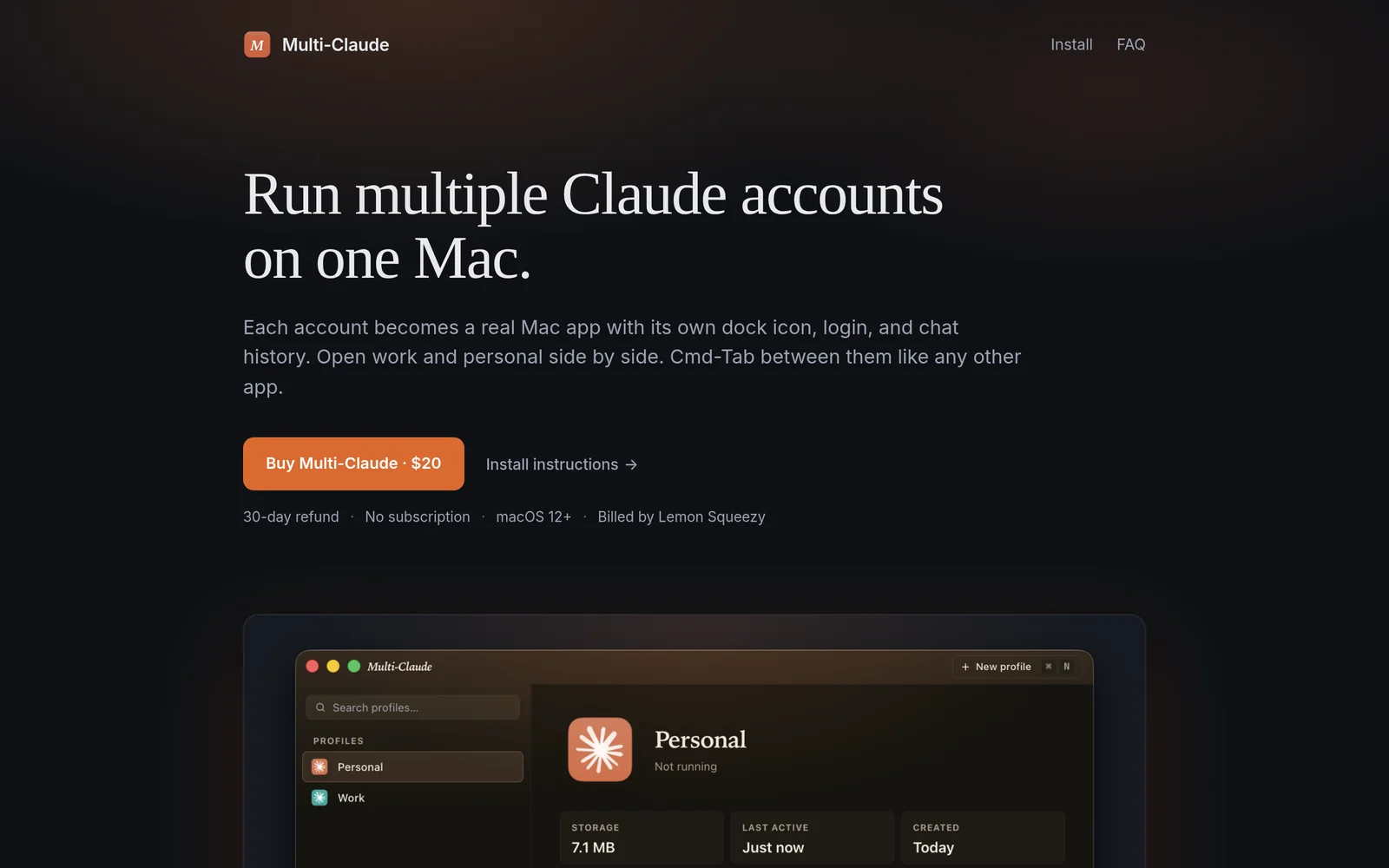
AIRun multiple Claude Desktop accounts side-by-side on one Mac, each as its own dock app with separate login and chat history.
Multi-Claude
Run multiple Claude Desktop accounts side-by-side on one Mac, each as its own dock app with separate login and chat history.
About Multi-Claude
Multi-Claude is a native macOS utility that lets you run multiple Claude Desktop accounts concurrently by creating a separate Mac app instance for each account. Each instance has its own dock icon, isolated login session, and independent chat history so users can operate separate profiles side-by-side without signing in and out. The tool streamlines workflows for people who need parallel conversations, account comparisons, or multi-profile testing on a single machine while preserving session isolation and native macOS integration.
Screenshots
Key Features
Use Cases


Frequently asked questions about Multi-Claude
What is Multi-Claude?
Multi-Claude is an innovative application that allows users to run multiple Claude Desktop accounts simultaneously on a single Mac. Each account operates independently with its own dock app, login credentials, and chat history, making it easy to manage and switch between two Claude logins.
Key Points
- Simultaneous Accounts: Run two Claude accounts side by side.
- Independent Dock Apps: Each account has its own dock application.
- Unique Chat Histories: Maintain separate conversations for each login.
Detailed Explanation
Multi-Claude enhances productivity for users who need to manage multiple Claude accounts. This is particularly useful for professionals who might need to handle different projects or client communications without the hassle of logging in and out of accounts.
- Setup: To get started, download and install the Multi-Claude application on your Mac. Follow the on-screen instructions to create two separate Claude accounts.
- Dock Applications: Once installed, you will notice two distinct dock icons representing each account. This design allows for easy access and switching, enhancing workflow efficiency.
- Chat History Management: Each account retains its unique chat history. This feature is particularly beneficial for tracking conversations related to different projects, ensuring you never lose important information.
For instance, a digital marketing consultant can use one account to communicate with a client and another for internal team discussions, keeping both conversations organized.
Best Practices / Tips
- Organize Your Workflows: Clearly define the purpose of each account to maintain focus and organization.
- Regular Updates: Keep the Multi-Claude application updated to ensure compatibility with the latest Claude features.
- Backup Conversations: Regularly export chat histories if needed, to prevent data loss.
Additional Resources
By utilizing Multi-Claude, users can streamline their workflows and enhance productivity, making it an essential tool for anyone engaged in multitasking across different Claude accounts.
How does Multi-Claude work?
Multi-Claude operates by integrating advanced AI functionalities to streamline and enhance daily workflows for users. It combines natural language processing, machine learning, and data analytics, enabling efficient task management and decision-making processes across various applications.
Key Points
- Integration of AI Technologies: Utilizes cutting-edge AI tools to enhance productivity.
- User-Friendly Interface: Designed for ease of use, catering to both technical and non-technical users.
- Versatile Applications: Applicable across multiple industries, from marketing to healthcare.
Detailed Explanation
Multi-Claude harnesses the power of various AI technologies, including machine learning and natural language processing, to automate repetitive tasks and provide intelligent insights. For instance, in a marketing context, Multi-Claude can analyze customer data to identify trends and generate targeted campaigns automatically.
Example Use Cases:
- Customer Support Automation: Multi-Claude can analyze customer queries and provide instant, relevant responses, reducing response times and improving customer satisfaction.
- Data Analysis: By aggregating and interpreting data from numerous sources, Multi-Claude delivers actionable insights, helping businesses make informed decisions quickly.
- Content Generation: Multi-Claude can assist in creating engaging content by analyzing existing successful materials, thus optimizing for SEO and audience engagement.
In a practical scenario, a marketing manager can use Multi-Claude to set up automated workflows to gather and analyze user data, generating reports without manual intervention. This not only saves time but also enhances accuracy.
Best Practices / Tips
- Define Clear Objectives: Before implementing Multi-Claude, clearly outline your workflow goals to maximize the tool's effectiveness.
- Regularly Update Data: Ensure that the data fed into Multi-Claude is current and relevant to maintain the accuracy of insights and outputs.
- Monitor Performance: Continuously assess the impact of Multi-Claude on your workflows and make adjustments as necessary to optimize performance.
Additional Resources
What are the main features of Multi-Claude?
Multi-Claude is an advanced AI tool designed for multi-modal tasks, integrating core AI capabilities like natural language processing, image recognition, and data analysis. Its main features include seamless collaboration, customizable workflows, and robust security measures, making it ideal for businesses seeking to enhance productivity and streamline operations.
Key Points
- Multi-modal Support: Integrates text, images, and data for comprehensive task handling.
- Customizable Workflows: Allows users to tailor processes to fit specific business needs.
- Robust Security: Ensures data protection with advanced security protocols.
Detailed Explanation
Multi-Claude stands out by providing a unique blend of functionalities that cater to various business applications. Its multi-modal support enables users to engage with the tool through multiple formats such as text, images, and structured data. This feature is particularly beneficial for industries like marketing and research, where diverse data sources are common.
Use Cases
- Marketing Campaigns: Utilize Multi-Claude to analyze customer feedback from social media images and text reviews simultaneously, creating more targeted marketing strategies.
- Research and Development: Combine data analysis with image recognition to enhance product development cycles, ensuring that design teams have access to comprehensive insights.
- Customer Support: Implement a system where customer inquiries (text and images) are processed in real-time, improving response times and satisfaction rates.
Best Practices / Tips
- Customize Your Workflows: Take advantage of the customizable workflows feature to align the tool with your specific operational processes. This will enhance efficiency and user adoption.
- Leverage Multi-modal Capabilities: Don't limit your usage to just text or images; explore how combining these elements can lead to richer insights and outcomes.
- Regularly Update Security Protocols: With the increasing risks of data breaches, ensure that you are utilizing the latest security features offered by Multi-Claude to protect sensitive information.
Additional Resources
Who is Multi-Claude for?
Multi-Claude is designed for anyone looking to enhance their daily AI workflows, including developers, content creators, marketers, and businesses. Its versatility makes it ideal for individuals and teams aiming to streamline tasks, automate processes, and boost productivity through AI-driven solutions.
Key Points
- Target Audience: Developers, marketers, content creators, and businesses.
- Use Cases: Automating repetitive tasks, generating content, and improving workflow efficiency.
- Benefits: Increases productivity, saves time, and enhances creativity.
Detailed Explanation
Multi-Claude is an advanced AI tool that caters to a diverse range of users. For developers, it provides APIs to integrate AI capabilities into applications, enabling features such as natural language processing and data analysis. Marketers can leverage Multi-Claude to create personalized content, automate social media posts, and analyze consumer behavior effectively.
Use Cases:
- Content Creation: Writers can use Multi-Claude to generate ideas, draft articles, or even create marketing copy that resonates with the target audience.
- Task Automation: Businesses can automate repetitive workflows, such as data entry or email responses, freeing up valuable time for more strategic tasks.
- Data Analysis: Organizations can utilize Multi-Claude to analyze large datasets quickly, extracting actionable insights that inform business decisions.
Best Practices / Tips
- Start Small: Begin with a specific task or project to understand how Multi-Claude can best serve your needs.
- Explore Integrations: Check for compatibility with existing tools and platforms to maximize efficiency.
- Regular Updates: Stay informed about new features and updates to fully leverage Multi-Claude’s capabilities.
Additional Resources
- Multi-Claude Official Documentation
- AI Workflow Optimization Techniques
- Case Studies on AI in Marketing
By utilizing Multi-Claude effectively, users can unlock the full potential of AI in their daily operations, driving innovation and efficiency in their workflows.
How much does Multi-Claude cost?
Multi-Claude offers various pricing plans tailored to different user needs, which can be found on the official Multi-Claude website. Pricing typically starts from $29 per month, with options for annual subscriptions that provide cost savings and additional features.
Key Points
- Multi-Claude pricing starts at $29 per month.
- Annual subscriptions offer discounts.
- Pricing plans vary based on features and user needs.
Detailed Explanation
Multi-Claude is a versatile AI tool designed for various applications, including data processing, cloud computing, and machine learning. The pricing structure is designed to accommodate individuals, small businesses, and large enterprises.
-
Basic Plan: Starting at $29 per month, this plan includes essential features suitable for beginners and small projects. It offers access to basic data processing capabilities and cloud storage.
-
Pro Plan: Priced at $79 per month, this plan is ideal for growing businesses that require more robust features, including advanced analytics and priority support.
-
Enterprise Solutions: Custom pricing is available for large organizations needing tailored solutions. This often includes enhanced security features, dedicated support, and integration capabilities with existing systems.
Customers can also opt for an annual subscription, which typically provides a 10-20% discount compared to monthly billing. For example, the annual cost for the Basic Plan drops to approximately $290, while the Pro Plan is around $790.
Best Practices / Tips
- Evaluate Your Needs: Before choosing a plan, assess your specific requirements, such as team size and data volume.
- Take Advantage of Trials: Many AI tools, including Multi-Claude, offer free trials. Use this opportunity to test functionalities before committing.
- Consider Long-term Savings: If you plan to use the tool long-term, consider the annual plan for better value.
- Stay Updated: Regularly check the official website for any promotional offers or updates to pricing plans.
Additional Resources
How do I get started with Multi-Claude?
To get started with Multi-Claude, visit Multi-Claude's official website, sign up for an account, and explore its features. Multi-Claude offers various AI tools for different applications, making it easy for users to enhance productivity and creativity.
Key Points
- User-Friendly Interface: Multi-Claude is designed to be intuitive, even for beginners.
- Variety of AI Tools: Access diverse applications tailored for different needs.
- Subscription Plans: Multiple pricing options cater to various user requirements.
Detailed Explanation
Starting with Multi-Claude is straightforward. Here’s a step-by-step guide:
- Visit the Website: Go to Multi-Claude's official site.
- Sign Up for an Account: Click on the 'Sign Up' button. You can register using your email or social media accounts for quick access.
- Explore Features: After logging in, navigate through the dashboard to discover various AI tools. Multi-Claude supports functions like text generation, data analysis, and more.
- Choose a Subscription Plan: Multi-Claude offers several pricing tiers, including a free trial, which allows you to test features before committing.
- Start Using the Tools: Utilize the tutorials and documentation provided to maximize your experience. Engage with the community forums for tips and support.
For example, a content creator might find Multi-Claude's text generation tool invaluable for brainstorming ideas, while a data analyst could benefit from its analytics capabilities.
Best Practices / Tips
- Utilize Tutorials: Take advantage of the tutorials offered on the platform to familiarize yourself with each tool.
- Start with Free Trial: Use the free trial to determine which features best suit your needs before subscribing.
- Engage with Community: Join forums and discussion groups to share experiences and gain insights from other users.
- Regularly Check Updates: Multi-Claude frequently updates its features; staying informed ensures you’re making the most of the platform.
Additional Resources
By following these steps and utilizing the available resources, you’ll be well-prepared to harness the full potential of Multi-Claude’s AI capabilities.
Explore more AI Ai Tools tools
Browse all Ai Tools tools →Compare Multi-Claude: vs Decode · vs LibreChat · vs AppGrowthKit · vs Humanizer