

ModelPilot
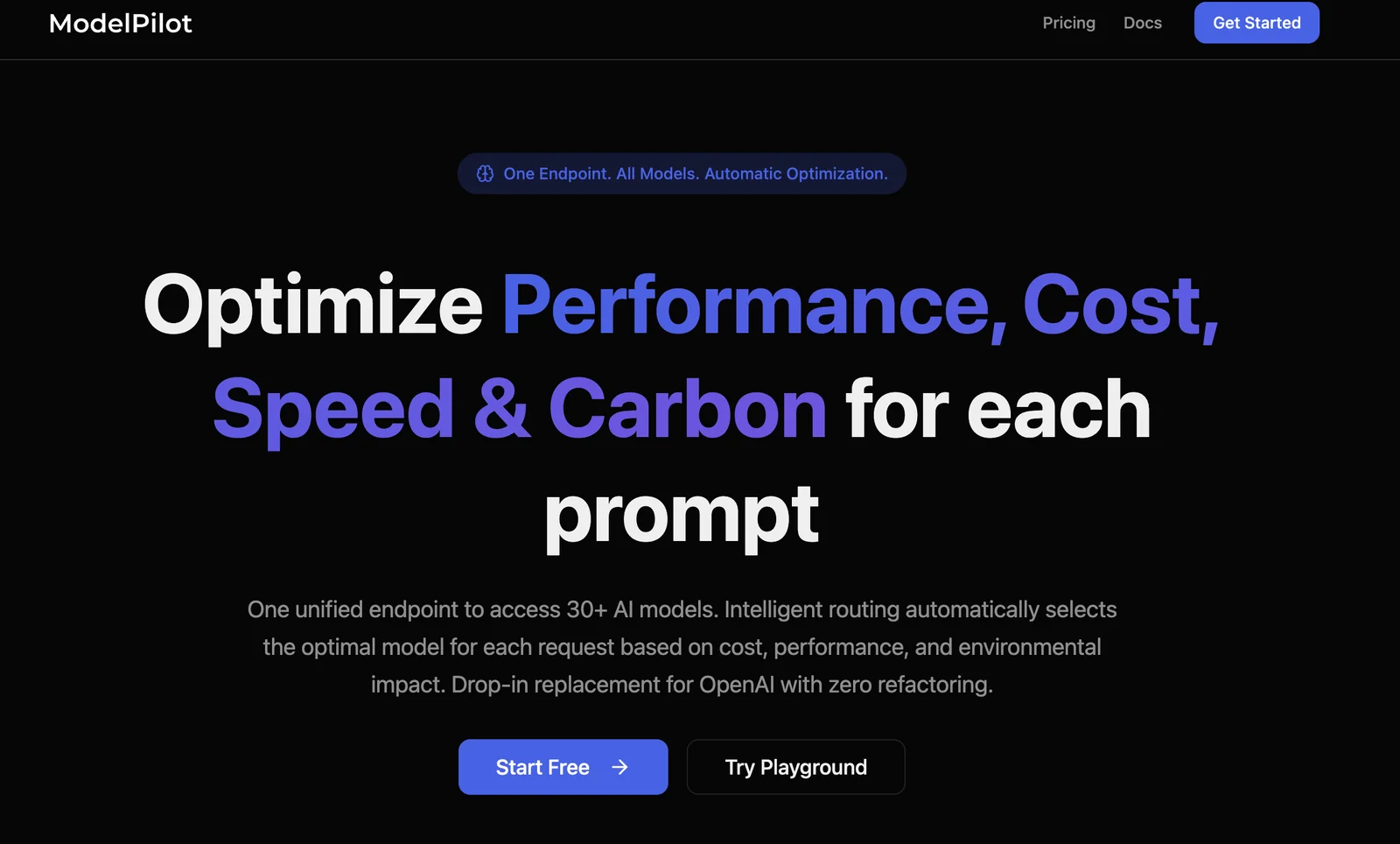
AIIntelligent LLM router that routes requests across 30+ models to optimize cost, latency, quality and carbon footprint.
ModelPilot
Intelligent LLM router that routes requests across 30+ models to optimize cost, latency, quality and carbon footprint.
About ModelPilot
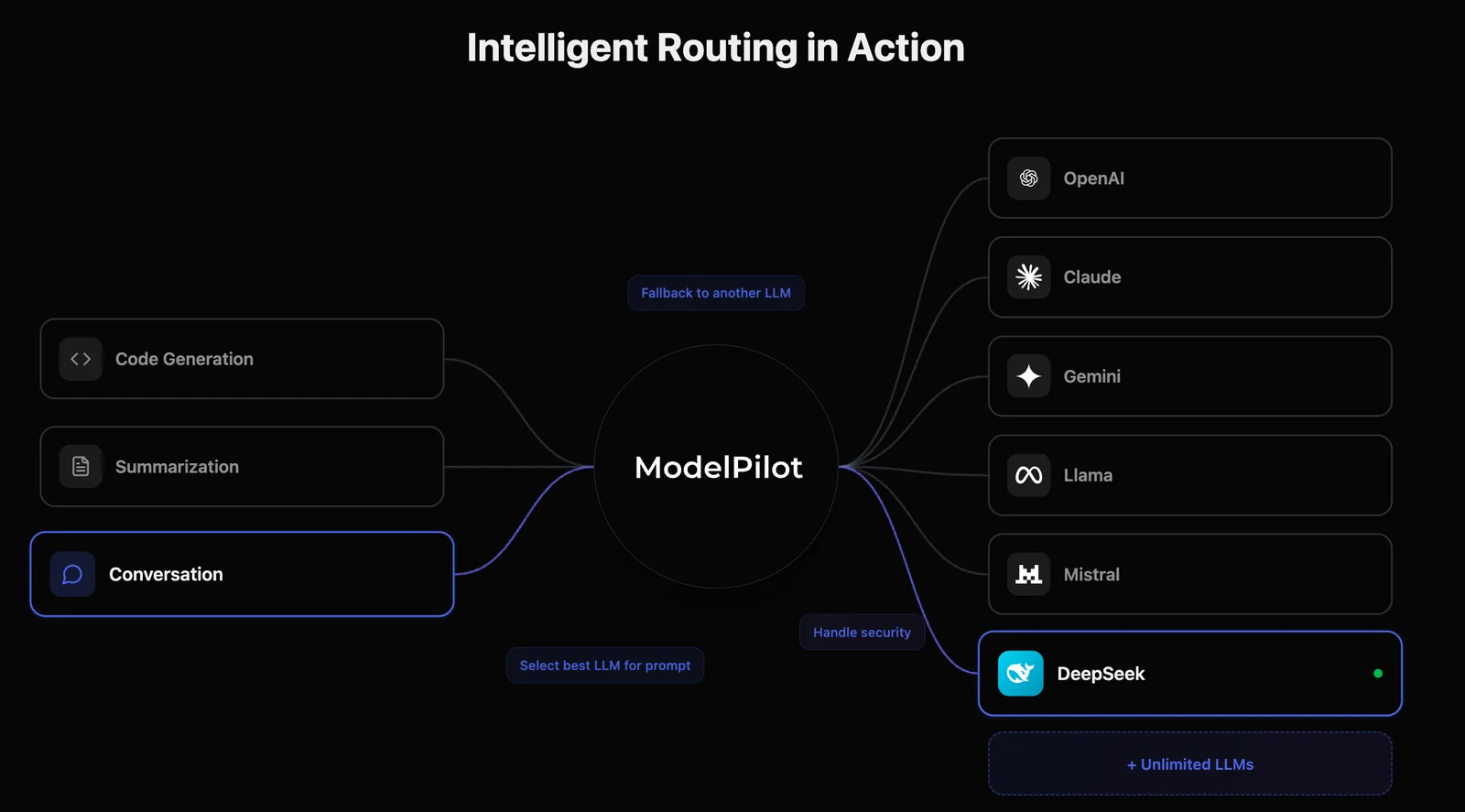
ModelPilot is a smart model routing service that provides a single unified endpoint to access 30+ AI models and providers. It automatically selects the best model per request by balancing cost, latency, and output quality, and uniquely optimizes for carbon footprint (CO₂e) alongside those metrics. The platform includes automatic failover, performance optimization, and telemetry so teams can track cost, latency, and emissions while paying providers at cost plus simple routing fees. ModelPilot is intended to simplify multi-provider management, reduce AI spend, and enable more sustainable AI applications.
Screenshots
Key Features
Use Cases


Frequently asked questions about ModelPilot
What are the pricing options for ModelPilot?
ModelPilot offers flexible pricing options, including Usage-Based, Starter at $0.50 per 1 million tokens, Pro at $0.25 per 1 million tokens, and Enterprise with custom pricing. Each tier provides varying features and access to advanced model routing capabilities tailored to different user needs.
Key Points
- Pricing Tiers: ModelPilot has three main pricing tiers.
- Token Usage: Costs are based on token usage, which allows scalability.
- Custom Solutions: The Enterprise tier offers tailored solutions for larger organizations.
Detailed Explanation
ModelPilot’s pricing structure is designed to accommodate users with varying needs:
-
Usage-Based Pricing: Ideal for users who prefer to pay based on their actual consumption. This model allows for flexibility, especially for projects that may have fluctuating demands.
-
Starter Tier: At $0.50 per 1 million tokens, this tier is perfect for small businesses or individual developers just starting with AI projects. It includes essential features like basic model access and support.
-
Pro Tier: Offered at $0.25 per 1 million tokens, this tier is suited for larger projects that require more advanced functionalities. Users gain access to enhanced model routing capabilities and priority support, making it a cost-effective choice for growing enterprises.
-
Enterprise Solutions: For organizations with specific requirements, ModelPilot offers custom pricing. This tier can include additional features such as dedicated support, advanced analytics, and integration options, tailored to meet the unique needs of large-scale implementations.
By understanding these tiers, users can choose the most appropriate plan based on their project size, budget, and feature requirements.
Best Practices / Tips
- Evaluate Your Needs: Before selecting a pricing tier, assess your token usage and model requirements to ensure you choose the best fit.
- Monitor Usage: Keep track of your token consumption to avoid unexpected costs. Utilizing monitoring tools can help manage and optimize usage.
- Consider Future Scalability: If you anticipate growth, the Pro or Enterprise tiers might provide better long-term value, especially with advanced features.
Additional Resources
How does ModelPilot optimize carbon footprint in AI requests?
ModelPilot optimizes carbon footprint in AI requests by tracking CO₂e emissions per request and dynamically routing to lower-emission models. This approach allows organizations to prioritize sustainability without sacrificing the quality and performance of their AI solutions.
Key Points
- Emissions Tracking: Monitors CO₂e emissions for each AI request.
- Dynamic Routing: Directs requests to energy-efficient models.
- Sustainability Commitment: Balances environmental goals with AI performance.
Detailed Explanation
ModelPilot employs advanced algorithms to assess the carbon emissions associated with each AI request. By calculating the CO₂e emissions in real-time, the system provides insights into the environmental impact of various models and configurations.
How it Works:
-
Data Collection: ModelPilot gathers data on energy consumption and emissions from each model in its network. This includes factors like server location, hardware efficiency, and model complexity.
-
Emissions Assessment: For every request, the platform calculates the estimated CO₂e emissions based on the chosen model and its operational parameters.
-
Routing Optimization: Using this data, ModelPilot intelligently routes requests to models that produce the lowest emissions without compromising on speed or accuracy. For instance, if a request can be processed by multiple models, the system selects the one with the least environmental impact.
Use Cases:
- Corporate Sustainability Goals: Companies using ModelPilot can align their AI operations with corporate sustainability initiatives, contributing to reduced carbon footprints.
- Regulatory Compliance: Organizations facing increasing regulations around emissions can leverage ModelPilot for compliance reporting.
Best Practices / Tips
- Regularly Monitor Emissions: Keep an eye on the emissions data provided by ModelPilot to understand trends and make informed decisions.
- Model Selection: When possible, choose models that are specifically designed to be energy-efficient.
- Educate Teams: Ensure that all team members understand the importance of sustainability in AI and how to use ModelPilot effectively.
Additional Resources
How can I get started using ModelPilot?
To get started using ModelPilot, visit their official website, create an account, select a pricing plan that fits your needs, and integrate the unified API to streamline requests across various AI models. This process enables efficient model management and maximizes your AI capabilities.
Key Points
- Create an account on the ModelPilot website.
- Select a suitable pricing plan based on your requirements.
- Integrate the unified API for seamless model interaction.
Detailed Explanation
ModelPilot is a powerful platform that simplifies the deployment and management of AI models. To begin, follow these steps:
-
Visit the Official Website: Navigate to ModelPilot's official site to access their features and tools.
-
Create an Account: Click on the "Sign Up" button. You will need to provide your email address and create a password. A confirmation link will be sent to your email to verify your account.
-
Choose a Pricing Plan: ModelPilot offers various pricing tiers, tailored for individuals, startups, and enterprises. Review the features included in each plan to select the one that suits your needs best. Plans may include features like model training, API access, or priority support.
-
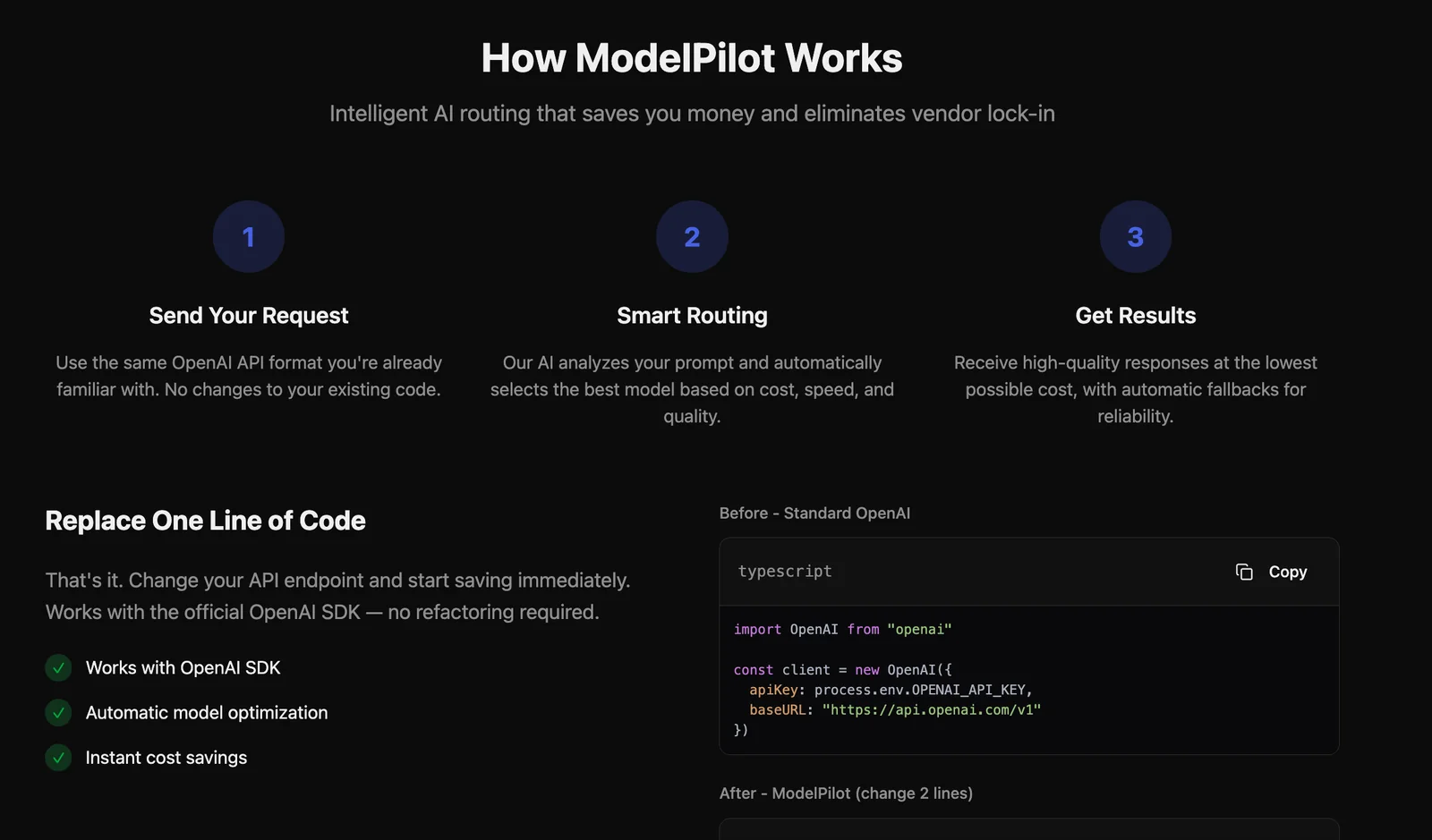
Integrate the Unified API: Once your account is set up, follow the integration guide provided in the ModelPilot documentation. This API allows you to route requests seamlessly across multiple AI models, enhancing your application's functionality.
-
Start Making Requests: With the API integrated, you can begin sending requests to the AI models. Use the provided examples in the documentation to understand the necessary parameters and response formats.
Best Practices / Tips
-
Explore the Documentation: Familiarize yourself with the API documentation to utilize all features effectively. Understanding the endpoints and data structures can save you time and effort.
-
Test Before Deployment: Use the sandbox environment to test your AI models before going live. This helps identify any issues early in the process.
-
Monitor Usage: Keep track of your API usage to avoid unexpected charges. Regularly reviewing your plan can help you adjust it according to your usage patterns.
-
Join the Community: Engage with other ModelPilot users through forums or social media. Sharing experiences can provide insights into best practices and troubleshooting.
Additional Resources
What technical requirements are needed for integrating ModelPilot?
ModelPilot integration requires a unified API, basic API usage knowledge, and compatibility with various programming languages such as Python, Java, and JavaScript. Ensure your systems can efficiently handle API requests and manage authentication protocols to facilitate smooth communication with ModelPilot's services.
Key Points
- Unified API for integration.
- Basic knowledge of API usage is essential.
- Compatibility with multiple programming languages.
Detailed Explanation
Integrating ModelPilot involves leveraging its unified API, which acts as a bridge between your application and ModelPilot's machine learning capabilities. The integration process consists of the following steps:
-
API Access: Obtain your API key from ModelPilot's platform. This key is crucial for authentication and ensures secure access to the service.
-
Language Compatibility: ModelPilot supports various programming languages, including:
- Python: Ideal for data science applications. Use libraries like
requestsfor API calls. - Java: Great for enterprise applications. Utilize
HttpURLConnectionfor making requests. - JavaScript: Suitable for web-based applications. Use
fetchoraxiosfor seamless API interaction.
- Python: Ideal for data science applications. Use libraries like
-
Handling API Requests: Ensure your system can handle asynchronous requests, especially if integrating into a web application. Monitor response times and manage errors to maintain user experience.
-
Data Management: Implement robust data handling mechanisms to process the responses from ModelPilot efficiently. This may involve parsing JSON data and storing results in a database.
-
Testing and Validation: After integration, conduct thorough testing to validate that the API calls are functioning as expected. This includes checking for correct data retrieval and handling potential errors.
Best Practices / Tips
- Documentation Review: Familiarize yourself with ModelPilot's API documentation. It provides valuable insights into available endpoints and best practices for usage.
- Rate Limiting: Be aware of API rate limits to avoid throttling. Implement exponential backoff strategies for retries.
- Error Handling: Build robust error handling into your API calls to manage issues gracefully, ensuring your application remains stable.
- Security Measures: Always use HTTPS for API requests to protect sensitive data during transmission.
Additional Resources
How does ModelPilot compare to other AI model routing tools?
ModelPilot excels over other AI model routing tools by offering intelligent routing across over 30 models, automatic failover capabilities, and extensive analytics on both performance and carbon emissions. This combination provides users with a robust solution that prioritizes cost-effectiveness and sustainability in AI deployments.
Key Points
- Intelligent Routing: Supports over 30 AI models for optimal task allocation.
- Automatic Failover: Ensures uninterrupted service during model failures.
- Detailed Analytics: Offers insights into performance metrics and environmental impact.
Detailed Explanation
ModelPilot's intelligent routing system dynamically selects the best AI model based on the specific requirements of a task. This capability is particularly beneficial for developers and businesses that need to manage multiple models efficiently. For example, if one model is overloaded or underperforming, ModelPilot automatically switches to a more efficient model, enhancing overall performance and reducing downtime.
The automatic failover feature is crucial for mission-critical applications where uptime is paramount. In scenarios where one model fails, ModelPilot reroutes tasks to a backup model seamlessly, ensuring continuous operation. This reduces the risk of service interruptions that can lead to lost revenue or customer dissatisfaction.
Moreover, ModelPilot provides in-depth analytics that go beyond mere performance metrics. Users can track carbon emissions associated with their AI operations, making it easier to implement sustainability initiatives. For instance, companies can measure the carbon footprint of different models and choose to optimize those with a lower impact, aligning their AI strategy with environmental goals.
Best Practices / Tips
- Evaluate Your Needs: Before selecting ModelPilot, assess your specific AI model requirements to maximize performance.
- Utilize Analytics: Regularly review the analytics dashboard to identify trends in model performance and carbon emissions.
- Set Up Alerts: Configure alerts for automatic failover events to stay informed about any routing changes.
Additional Resources
Explore more AI Ai Tools tools
Browse all Ai Tools tools →Compare ModelPilot: vs Decode · vs LibreChat · vs AppGrowthKit · vs Humanizer