
LLMStack
AIOpen SourceFreeNo-code platform to build generative AI apps, chatbots and multi-agent workflows connected to your data.
LLMStack
No-code platform to build generative AI apps, chatbots and multi-agent workflows connected to your data.
About LLMStack
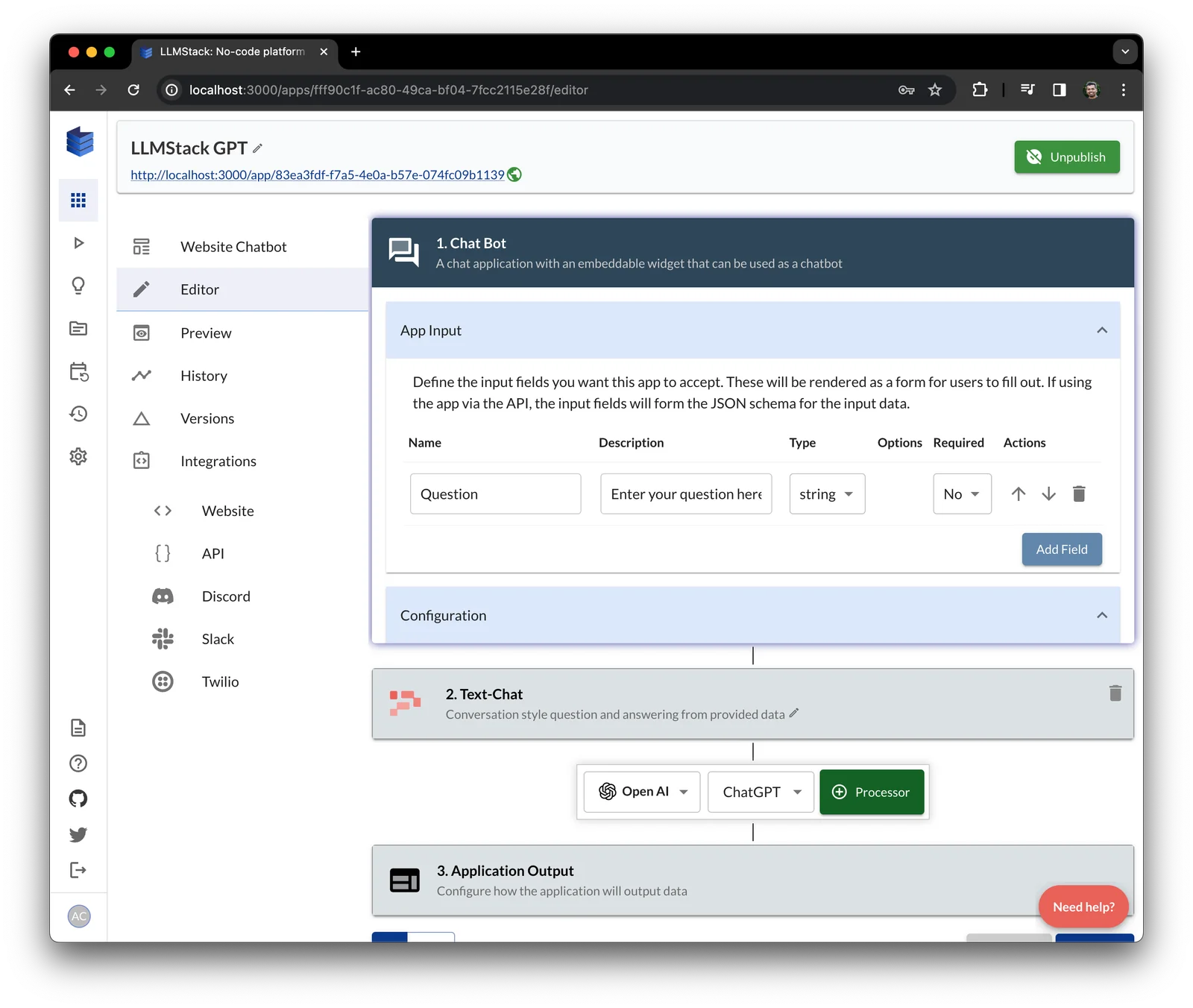
LLMStack is a no-code platform and open-source framework for building generative AI apps, chatbots, and multi-agent workflows. It enables users to import and preprocess data (CSV, PDF, DOCX, PPTX, text, website content, Notion, Google Drive, etc.), vectorize it, and connect that data to chained LLMs and multi-agent pipelines. The platform provides a web UI and CLI to design, orchestrate, and deploy agents and workflows, plus integrations to major LLM providers and an out-of-the-box vector database, enabling rapid prototyping and deployment of data-driven conversational and automation applications.
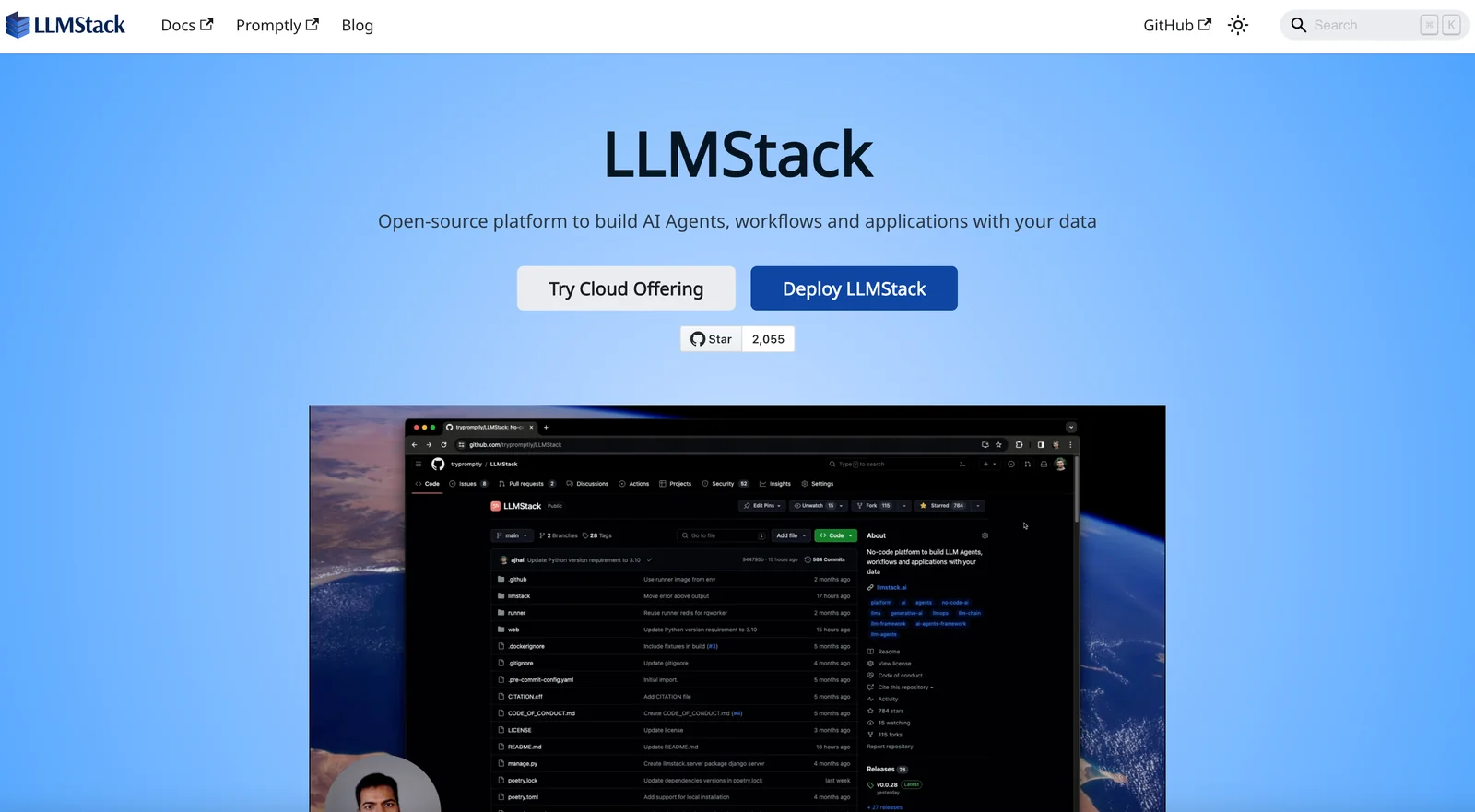
Screenshots
Key Features
Use Cases


Frequently asked questions about LLMStack
Is LLMStack free to use?
Yes, LLMStack is free to use as an open-source project, allowing for self-hosting without any licensing fees. However, if you opt to host it on your own infrastructure, you may incur associated costs for servers, storage, and maintenance.
Key Points
- Open-source Availability: LLMStack is fully open-source, enabling customization.
- Self-Hosting Option: You can host it on your own servers or cloud platforms.
- Infrastructure Costs: While the software is free, hosting requires investment in hardware or cloud services.
Detailed Explanation
LLMStack is designed to provide flexibility and accessibility for developers and organizations looking to leverage large language models (LLMs). As an open-source project, it allows anyone to download, modify, and use the software without paying license fees. This makes it an attractive option for startups and enterprises that want to experiment with AI without significant financial barriers.
Self-Hosting Benefits
Self-hosting LLMStack means you maintain full control over your data, which is crucial for compliance with data protection regulations. You can choose your preferred infrastructure, whether on-premises servers or cloud solutions like AWS, Google Cloud, or Azure.
For example, if you decide to host LLMStack on AWS, you can utilize EC2 instances for computation and S3 for data storage. Just keep in mind that while LLMStack itself is free, your cloud service provider will charge based on usage, which can vary significantly depending on your specific setup.
Use Cases
- Research and Development: Researchers can use LLMStack to train and test their models without incurring licensing fees.
- Custom Applications: Developers can build tailored applications leveraging LLMs for chatbots, content generation, and more.
- Educational Purposes: Institutions can utilize the platform for teaching AI concepts without the burden of software costs.
Best Practices / Tips
- Calculate Infrastructure Costs: Before deploying LLMStack, estimate your hosting costs based on anticipated usage. Use cost calculators provided by cloud platforms.
- Monitor Resource Usage: Implement monitoring tools to keep track of server performance and costs, ensuring you're not overspending.
- Regular Updates: As LLMStack is open-source, stay updated with the latest releases and community contributions to enhance security and functionality.
Additional Resources
By understanding the cost structure and utilizing LLMStack effectively, users can take full advantage of this powerful tool while managing their expenses efficiently.
What are the key features of LLMStack?
LLMStack features a no-code agent builder, model chaining, data ingestion, built-in vectorization, and integrations with leading LLM providers. It also supports multi-agent workflows, significantly enhancing automation and efficiency for users across various applications, from customer service to data processing.
Key Points
- No-Code Agent Builder: Create agents without programming.
- Model Chaining: Combine multiple models for complex tasks.
- Data Ingestion: Seamlessly import data from different sources.
Detailed Explanation
LLMStack is designed to simplify artificial intelligence deployment.
-
No-Code Agent Builder: This feature allows users to create customized AI agents without requiring coding skills. The intuitive drag-and-drop interface enables users to define workflows, making AI accessible to non-technical users. For instance, businesses can build chatbots for customer support or virtual assistants for task management quickly.
-
Model Chaining: With model chaining, users can connect various AI models to perform more sophisticated tasks. For example, a user might first employ a language model for text generation, then pass that output to a sentiment analysis model. This enhances the depth of analysis and the overall output quality, ideal for marketing analysis or user feedback processing.
-
Data Ingestion: LLMStack supports the integration of data from multiple sources, including CSV files, databases, and APIs. This allows businesses to harness existing data effectively, facilitating real-time insights and data-driven decision-making. For example, integrating sales data can help in predicting customer behaviors and enhancing product recommendations.
-
Built-in Vectorization: This feature converts text data into numerical vectors, essential for efficient machine learning processing. It simplifies the preparation of data for AI models, ensuring faster and more accurate predictions.
-
Integrations with Major LLM Providers: LLMStack supports various leading LLM services, such as OpenAI and Google AI. This flexibility allows users to choose the model that best fits their specific needs.
-
Multi-Agent Workflows: Users can deploy multiple agents to handle various tasks simultaneously. This is particularly beneficial in environments like customer service, where different agents can manage inquiries, complaints, and feedback in parallel, leading to improved response times and customer satisfaction.
Best Practices / Tips
- Start Simple: Begin with a basic agent using the no-code builder. Gradually incorporate more complex functionalities like model chaining.
- Test Integrations: Before fully deploying, ensure all data ingestion sources and LLM integrations work seamlessly together.
- Monitor Performance: Regularly assess the performance of your agents and workflows to optimize for better efficiency and accuracy.
- Leverage Community: Engage with the LLMStack community for tips and shared experiences to enhance your implementation strategies.
Additional Resources
How can I start using LLMStack?
To start using LLMStack, visit the official website to access the comprehensive documentation. You can also download the open-source code from GitHub and follow the detailed setup instructions for self-hosting, ensuring a smooth implementation of the LLMStack framework for your AI projects.
Key Points
- Access the official LLMStack website for documentation.
- Download the open-source code from GitHub.
- Follow the setup instructions for self-hosting.
Detailed Explanation
LLMStack is a powerful framework designed for building and deploying large language models. To get started, follow these steps:
-
Visit the Official Website: Navigate to LLMStack's official site where you can find essential documentation and resources.
-
Download the Code: Go to the LLMStack GitHub repository to download the latest version of the code. Ensure you select a stable release for the best compatibility.
-
Set Up Your Environment:
- Requirements: Ensure you have Python 3.8 or higher, along with necessary libraries like TensorFlow or PyTorch, depending on your model preferences.
- Installation: Follow the installation guide in the documentation, which includes cloning the repository, installing dependencies via pip, and configuring environment variables.
-
Self-Hosting: If you wish to self-host, you can set up a local server or cloud platform. The documentation provides step-by-step guidance on configuring Docker containers for easy deployment.
-
Run Examples: After installation, explore example scripts available in the repository to test the framework's capabilities. This will help you understand how to implement various features effectively.
Best Practices / Tips
- Follow Documentation: Always refer to the official documentation for the latest updates and best practices.
- Community Support: Join the LLMStack community on forums or Discord for troubleshooting and sharing insights.
- Version Control: Use version control systems like Git to manage code changes and collaborate with others effectively.
- Performance Tuning: Experiment with hyperparameter tuning and consider using GPU support for faster model training and inference.
Additional Resources
Can LLMStack integrate with other APIs?
Yes, LLMStack can integrate seamlessly with various external APIs and services through its extensible connectors. This functionality empowers users to create automated workflows that effectively connect with their existing business systems, enhancing efficiency and streamlining operations.
Key Points
- Extensible Connectors: LLMStack offers a range of connectors for diverse APIs.
- Automated Workflows: Users can design workflows that automate tasks across systems.
- Enhanced Efficiency: Integration reduces manual effort and increases productivity.
Detailed Explanation
LLMStack's integration capabilities are built around its extensible connectors, which enable users to connect with a variety of external APIs. This flexibility allows businesses to create workflows that automate repetitive tasks, synchronize data, and improve collaboration across different platforms.
Examples of Integration
- CRM Systems: By integrating with popular CRM platforms, LLMStack can automate lead management, ensuring that sales teams have real-time access to customer data.
- E-commerce Platforms: Integration with e-commerce APIs allows businesses to manage inventory, process orders, and analyze sales data seamlessly, leading to improved customer experiences.
- Marketing Tools: Connecting with marketing automation APIs can streamline campaign management, enabling users to trigger actions based on customer interactions or engagement metrics.
Use Case
For example, a company could use LLMStack to integrate its accounting software with its customer relationship management system. This integration would automate invoicing processes, reducing the need for manual data entry and ensuring that all financial transactions are accurately tracked.
Best Practices / Tips
- Identify Key Integrations: Before implementing LLMStack, identify which APIs are critical for your business operations to maximize the value of the integration.
- Test Integrations: Always test integrations in a sandbox environment to ensure they work as expected before going live.
- Monitor Performance: Keep an eye on integration performance and errors to quickly address any issues that arise.
Additional Resources
How does LLMStack compare to other AI platforms?
LLMStack stands out among AI platforms due to its no-code builder, multi-agent orchestration, and a strong emphasis on open-source deployment. This makes it highly user-friendly and adaptable, while also fostering community support, unlike many proprietary systems that limit customization and collaboration.
Key Points
- No-Code Builder: Enables users to create applications without coding.
- Multi-Agent Orchestration: Facilitates seamless interaction between multiple AI agents.
- Open-Source Deployment: Allows for customization and community-driven improvements.
Detailed Explanation
LLMStack's no-code builder allows non-technical users to develop AI applications quickly and efficiently. This feature significantly reduces the barrier to entry for businesses looking to leverage AI technology. For example, a marketing team can easily create customer engagement bots without needing a developer's assistance.
The multi-agent orchestration feature sets LLMStack apart by allowing multiple AI agents to work together towards a common goal. For instance, a retail business could deploy a chatbot for customer inquiries and a separate agent for inventory management, enabling them to enhance operational efficiency and customer experience simultaneously.
Furthermore, LLMStack’s commitment to open-source deployment encourages collaboration and customization. Users can modify the platform according to their specific needs, which is especially beneficial for organizations with unique requirements. This open-source approach also ensures that the platform evolves with community feedback, making it more robust over time.
Best Practices / Tips
- Explore Templates: Utilize pre-built templates available in the no-code builder to kickstart your projects.
- Engage with the Community: Participate in forums and discussions to gain insights and troubleshoot issues effectively.
- Regular Updates: Keep your LLMStack version up-to-date to leverage new features and security enhancements.
Additional Resources
Explore more AI Ai Tools tools
Browse all Ai Tools tools →Browse by use case: Automation & Productivity
Compare LLMStack: vs Decode · vs LibreChat · vs AppGrowthKit · vs Humanizer