

Little Answers
AITurns complex topics into warm, age-appropriate explanations for kids, instantly for parents and caregivers.
Little Answers
Turns complex topics into warm, age-appropriate explanations for kids, instantly for parents and caregivers.
About Little Answers
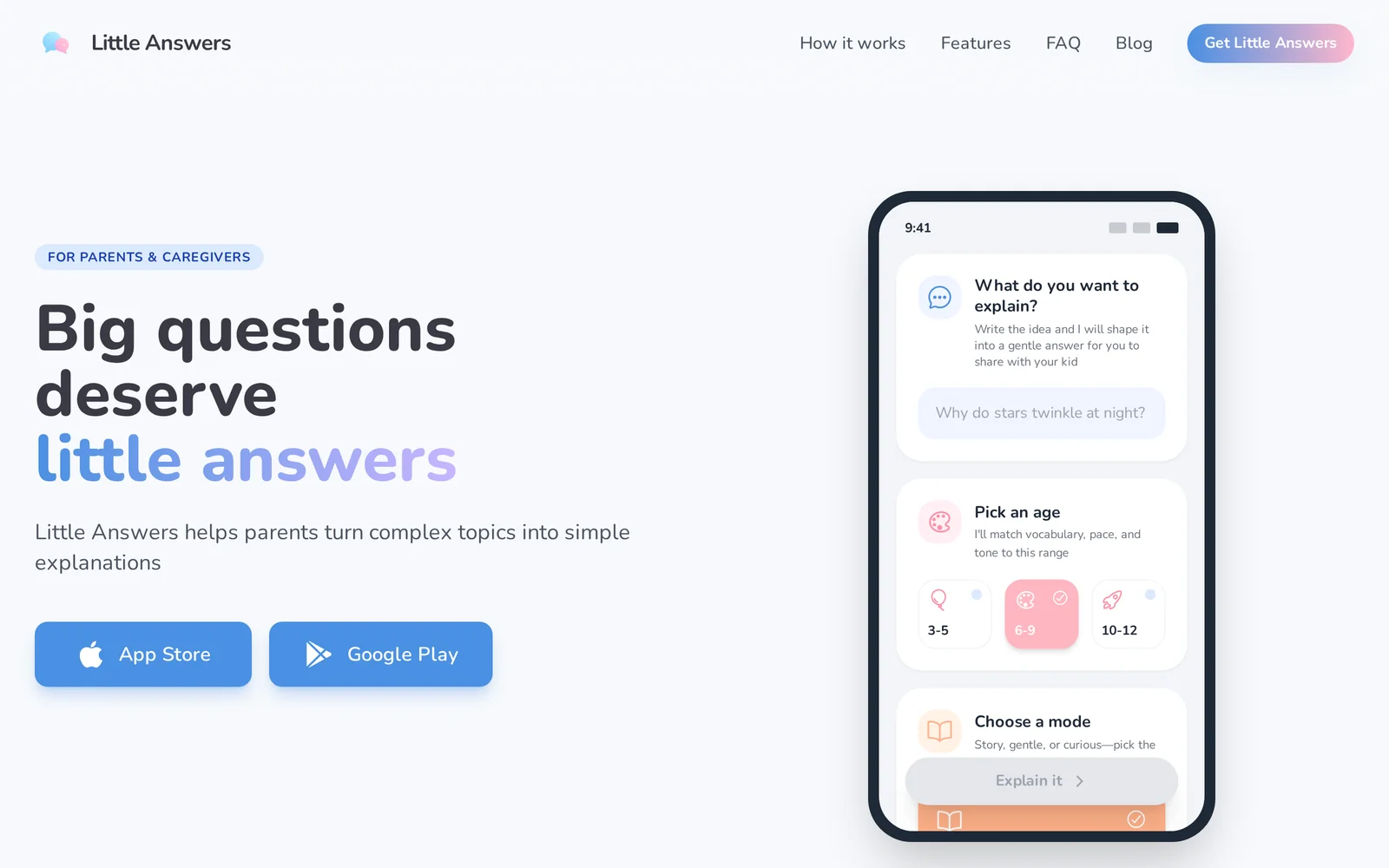
Little Answers is a tool that helps parents, caregivers, and teachers convert complex topics into simple, warm, and age-appropriate explanations for children. The app tailors vocabulary and explanation depth to three targeted age ranges (Toddlers 3-5, Early Elementary 6-9, Pre-Teens 10-12) so answers match developmental understanding. It is designed for accuracy and safety, providing caregiver-facing guidance rather than content intended for children to use directly. Little Answers emphasizes quick, conversational responses to support in-the-moment questions and planning longer discussions about sensitive or complicated subjects.
Screenshots
Key Features
Use Cases



Frequently asked questions about Little Answers
What is Little Answers?
Little Answers is an innovative tool designed to transform complex subjects into simple, age-appropriate explanations tailored for children. This resource is perfect for parents and caregivers seeking immediate clarity on various topics, making it easier to engage kids in meaningful conversations.
Key Points
- Child-Friendly Explanations: Simplifies difficult concepts for easy understanding.
- Instant Access: Provides quick answers for parents and caregivers on-the-go.
- Wide Range of Topics: Covers various subjects, from science to social issues.
Detailed Explanation
Little Answers serves as a bridge between complicated topics and children's comprehension levels. For instance, if a child asks, "What is climate change?" parents can use Little Answers to receive a concise, warm explanation tailored for young minds. This tool is particularly beneficial for busy caregivers who may not have the time to research answers thoroughly.
How It Works
- Input a Question: Caregivers can type in any complex question their child has.
- Receive an Explanation: Little Answers instantly generates an age-appropriate response.
- Engage with Kids: Parents can then use this explanation to foster dialogue, encouraging children to ask further questions and explore the topic in depth.
This tool is adaptable for various age groups, ensuring that the language and concepts are suitable for children’s developmental stages, from toddlers to pre-teens.
Best Practices / Tips
- Be Specific: When asking a question, provide as much context as possible to receive the best answer.
- Encourage Follow-Up Questions: Use the explanations provided as a springboard for deeper discussions, prompting children to inquire further.
- Use Regularly: Incorporate Little Answers into daily learning routines to nurture curiosity and understanding.
Additional Resources
- Official Little Answers Website for more information and usage tips.
- Parenting Tips for Engaging Kids in Learning to enhance the learning experience.
- Educational Websites for Kids that complement the discussions sparked by Little Answers.
By making complex topics accessible, Little Answers empowers parents to foster a love of learning in their children.
How does Little Answers work?
Little Answers works by leveraging advanced AI technologies to streamline various daily tasks, enhancing productivity and efficiency for users. It integrates natural language processing, machine learning, and automation to provide tailored solutions for common workflows in both personal and professional contexts.
Key Points
- AI-Powered Automation: Automates routine tasks.
- Natural Language Processing: Understands user queries in conversational language.
- Customizable Workflows: Adapts to individual user needs and preferences.
Detailed Explanation
Little Answers harnesses the power of artificial intelligence to assist users with everyday workflows. By utilizing natural language processing (NLP), it interprets user commands in a conversational manner, making interactions intuitive and seamless.
How It Works:
- User Interaction: Users input questions or requests using simple language. For example, "What’s my schedule for today?"
- AI Processing: The AI analyzes the query, utilizing machine learning algorithms to understand context and intent.
- Task Automation: Based on the analysis, Little Answers can automatically fetch information, schedule appointments, or even generate reports. For instance, it can pull data from your calendar and provide a concise summary of your day.
Use Cases:
- Personal Management: Managing your schedule, reminders, and to-do lists.
- Business Operations: Automating repetitive tasks such as data entry or report generation.
- Customer Support: Assisting in responding to common queries, enhancing service efficiency.
Best Practices / Tips
- Be Clear and Specific: When asking questions, clarity helps the AI provide accurate responses. Instead of saying "Show me my tasks," specify, "What tasks do I have for today?"
- Utilize Keywords: Incorporate keywords that are relevant to your queries for improved accuracy.
- Regular Feedback: Provide feedback on AI responses to help improve its performance over time.
Additional Resources
What are the main features of Little Answers?
Little Answers offers key features such as advanced AI capabilities, user-friendly interface, and real-time data processing. These tools help users generate concise answers, making information retrieval efficient and effective for various applications like customer support and educational purposes.
Key Points
- Advanced AI Capabilities: Utilizes cutting-edge natural language processing.
- User-Friendly Interface: Simplifies user interaction and enhances accessibility.
- Real-Time Data Processing: Ensures up-to-date information delivery.
Detailed Explanation
Little Answers harnesses advanced AI capabilities to deliver quick and accurate responses to user queries. This feature is particularly beneficial for businesses looking to improve their customer support services. For instance, it can be integrated into chatbots to provide instant answers to frequently asked questions, thereby reducing wait times and increasing user satisfaction.
The user-friendly interface is designed for ease of navigation, allowing users of all technical levels to interact with the tool effortlessly. This aspect is crucial for organizations that want to empower their teams without extensive training. The platform supports various input formats, making it adaptable to diverse workflows.
Real-time data processing capabilities enable Little Answers to pull the latest information from multiple sources. This feature is essential for industries where timely data is critical, such as finance and news media. For example, financial analysts can use Little Answers to get up-to-the-minute market trends or stock prices, enhancing their decision-making processes.
Best Practices / Tips
- Leverage AI Customization: Tailor the AI responses to fit your brand voice for consistency across communication channels.
- Regular Updates: Keep your data sources updated to ensure that users receive the most accurate information.
- User Training: Provide basic training for your team to maximize the effective use of Little Answers.
Additional Resources
Who is Little Answers for?
Little Answers is designed for individuals and organizations looking to streamline their daily AI workflows. It caters to a diverse audience, including entrepreneurs, educators, content creators, and tech enthusiasts, all aiming to leverage AI for enhanced productivity and efficiency in their tasks.
Key Points
- Target Audience: Entrepreneurs, educators, content creators, and tech enthusiasts.
- Use Cases: Everyday AI tasks like content generation, data analysis, and automation.
- Benefits: Increased efficiency, reduced workload, and improved decision-making processes.
Detailed Explanation
Little Answers is an AI tool that simplifies daily workflows by providing quick and relevant responses to various queries. It is particularly beneficial for:
- Entrepreneurs: By automating repetitive tasks and generating business ideas, Little Answers helps entrepreneurs save time and focus on growth strategies.
- Educators: Teachers can utilize it to gather resources, create lesson plans, and answer student queries efficiently, enhancing the learning experience.
- Content Creators: Writers and marketers can use Little Answers to generate ideas, draft content, and optimize for SEO, which aids in maintaining consistent output and quality.
For example, a small business owner might use Little Answers to quickly generate a marketing email, while a teacher could ask for explanations on complex topics to share with students. The versatility of the tool makes it an essential part of daily operations across various sectors.
Best Practices / Tips
- Experiment with Queries: Try different phrasing to maximize the AI's responsiveness. Specific questions yield better results.
- Integrate with Other Tools: Combine Little Answers with project management or communication tools to enhance productivity.
- Stay Informed: Regularly check for updates or new features that may improve your experience and capabilities.
Additional Resources
How much does Little Answers cost?
Little Answers provides a free tier, allowing users to access basic features without any cost. For advanced functionalities, users can choose from various paid plans, which typically range from $10 to $50 per month, depending on the level of service and features desired.
Key Points
- Free Tier Available: Basic features accessible at no cost.
- Paid Plans Offered: Options for enhanced capabilities.
- Monthly Pricing: Ranges from $10 to $50 based on selected features.
Detailed Explanation
Little Answers is designed to cater to a diverse range of users, from individuals needing simple question-and-answer capabilities to businesses looking for robust solutions. The free tier is ideal for casual users or those wanting to test the platform's functionality before committing financially. This tier provides essential features such as basic question answering, response tracking, and limited customization options.
For users seeking advanced features, Little Answers offers several paid plans. These plans unlock additional functionalities such as:
- Custom Branding: Personalize the interface to match your brand.
- Analytics and Insights: Access detailed reports to track user engagement.
- Increased API Calls: Scale your usage with higher limits for API access.
Each paid plan typically starts at around $10 per month for basic enhancements and can go up to $50 per month for the most comprehensive packages, which may include priority support and advanced automation tools.
Best Practices / Tips
- Evaluate Your Needs: Choose a plan that matches your usage patterns and feature requirements.
- Utilize the Free Tier: Take full advantage of the free version to understand Little Answers' capabilities before upgrading.
- Monitor Usage: Keep track of your usage metrics to determine if you need to upgrade or can stick with a free plan.
Additional Resources
How do I get started with Little Answers?
To get started with Little Answers, visit Little Answers to sign up for an account. Once registered, explore the platform's various features designed to enhance your knowledge-sharing experience and improve your workflow.
Key Points
- User-Friendly Sign-Up: The registration process is straightforward.
- Exploration of Features: Familiarize yourself with the platform's tools.
- Community Engagement: Join a community of users for support and ideas.
Detailed Explanation
Getting started with Little Answers is as simple as visiting their website. After signing up with a valid email address, you will receive a confirmation email. Click the link provided to activate your account. Once logged in, you'll have access to a dashboard that showcases various features such as:
- Knowledge Base Creation: Start building your own knowledge base by adding articles, FAQs, or guides that are relevant to your audience.
- User Interaction: Encourage users to ask questions and provide answers, fostering an interactive environment.
- Analytics Tools: Utilize built-in analytics to track engagement and identify popular topics, allowing you to refine your content strategy.
Consider using the tutorials available on the platform to get familiar with its capabilities.
Best Practices / Tips
- Complete Your Profile: Ensure your profile is fully completed to gain trust within the community.
- Engage Regularly: Regularly check for new questions and topics to stay active and visible.
- Utilize Tags: Use relevant tags when creating content to improve discoverability.
- Focus on Quality: Prioritize high-quality, informative answers that provide real value to users.
Additional Resources
- Little Answers Documentation for in-depth guides and tutorials.
- Community Forum for connecting with other users and sharing insights.
- Blog on Best Practices to stay updated on the latest tips and strategies for maximizing your use of the platform.
Explore more AI Ai Tools tools
Browse all Ai Tools tools →Compare Little Answers: vs Mise · vs BiBimba · vs VoiceCap · vs NM Signals