

Inworld AI – The #1 Ranked, Most Natural Voice AI
AI#1 realtime TTS with under 200ms latency, voice cloning, and scalable real-time conversational agents with live experiments and metrics.
Inworld AI – The #1 Ranked, Most Natural Voice AI
#1 realtime TTS with under 200ms latency, voice cloning, and scalable real-time conversational agents with live experiments and metrics.
About Inworld AI – The #1 Ranked, Most Natural Voice AI
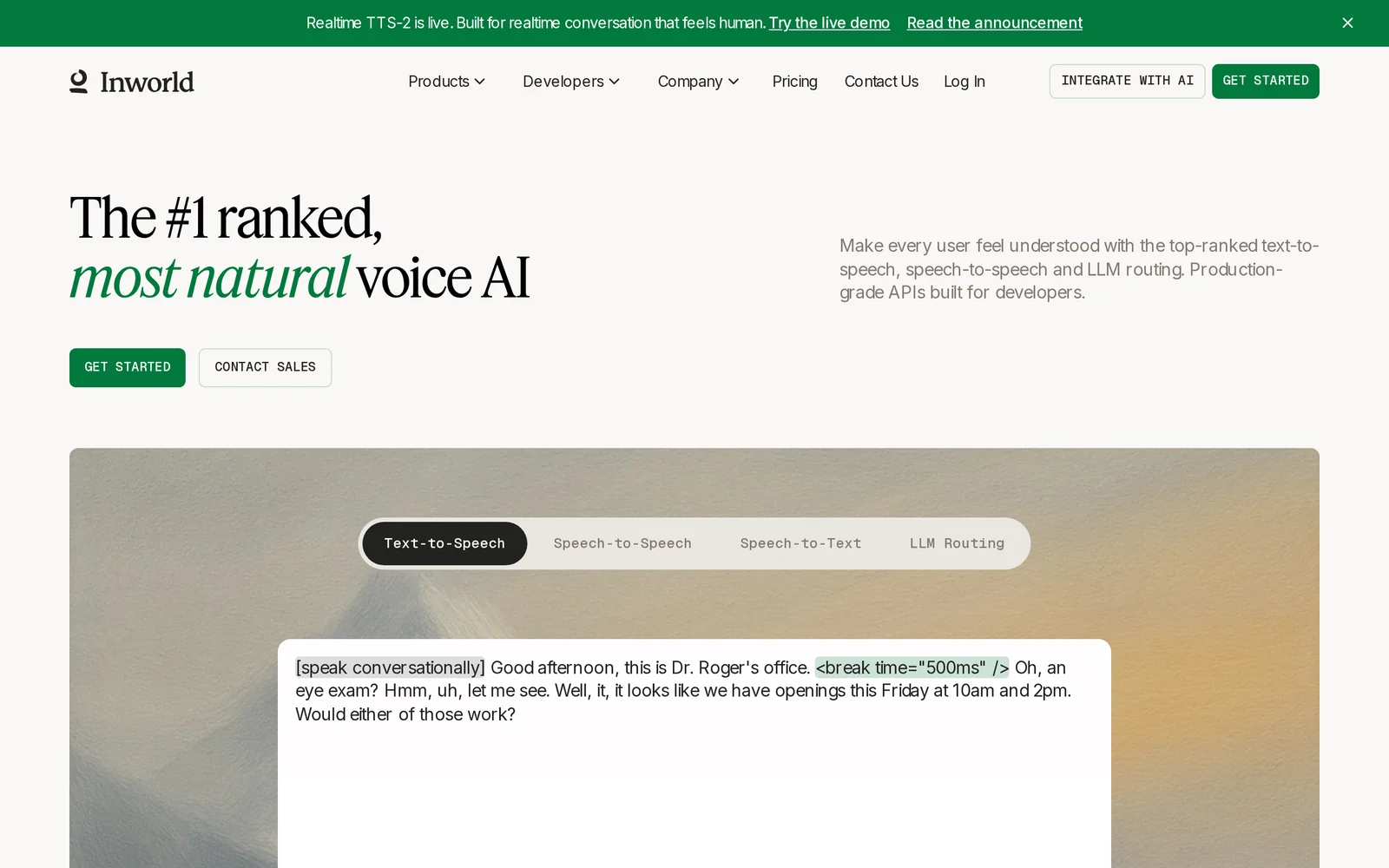
Inworld AI provides a realtime voice platform for building and deploying conversational agents with sub-second TTS latency and voice cloning. The platform emphasizes low-latency streaming speech (under 200ms), high-fidelity voice cloning, and cost-effective pricing targeted at developers. Inworld enables end-to-end conversational AI pipelines with live experiments, observability metrics, and infrastructure designed to scale realtime agents for production use. It is top-ranked on HuggingFace Arena for realtime TTS, positioning itself as a performance-focused voice solution for interactive applications.
Screenshots
Key Features
Use Cases


Frequently asked questions about Inworld AI – The #1 Ranked, Most Natural Voice AI
What is Inworld AI – The #1 Ranked, Most Natural Voice AI?
Inworld AI is the top-ranked voice AI solution, known for its natural text-to-speech (TTS) capabilities. It features under 200ms latency, advanced voice cloning technology, and offers a 75% cost reduction compared to traditional models. Inworld AI is designed for real-time agents, making it scalable for various applications.
Key Points
- Top Performance: Under 200ms latency ensures seamless interactions.
- Cost-Effective: 75% lower operational costs than competitors.
- Scalability: Real-time agents designed for high-demand applications.
Detailed Explanation
Inworld AI stands out due to its exceptional performance and affordability. With latency times of less than 200 milliseconds, it provides a near-instantaneous voice response, making it ideal for applications that require real-time feedback, such as customer service bots, virtual assistants, and interactive gaming.
The voice cloning feature is revolutionary, allowing users to create realistic voice replicas. This is particularly beneficial for businesses that want to maintain a consistent brand voice across multiple platforms. For example, a company can clone a distinctive voice for their marketing videos and customer interactions simultaneously, ensuring brand cohesion.
In terms of pricing, Inworld AI offers a 75% reduction in costs compared to traditional voice AI solutions, making it accessible for startups and large enterprises alike. This cost efficiency allows businesses to invest in more advanced features or expand their voice AI applications without breaking the bank.
Best Practices / Tips
- Identify Use Cases: Before implementing Inworld AI, define clear use cases such as customer support, content creation, or gaming interaction.
- Test Voice Cloning: Experiment with different voice profiles to find the one that best fits your brand's identity.
- Monitor Performance: Regularly assess performance metrics, particularly latency and response accuracy, to ensure optimal user experience.
Additional Resources
- Inworld AI Official Website
- Documentation on Voice Cloning
- Case Studies of Successful Implementations
By leveraging Inworld AI's advanced features, businesses can provide a more engaging and personalized experience for their users, ultimately leading to higher satisfaction and retention rates.
How does Inworld AI – The #1 Ranked, Most Natural Voice AI work?
Inworld AI, recognized as the #1 ranked, most natural voice AI, operates by integrating advanced AI technologies to enhance user interactions. It streamlines daily workflows by providing realistic voice synthesis, enabling users to create engaging conversational experiences effortlessly.
Key Points
- Natural Language Processing (NLP): Utilizes cutting-edge NLP for fluid conversations.
- Voice Synthesis: Delivers highly realistic voice outputs that mimic human intonation.
- Customization Options: Offers tools for tailoring voice responses to specific needs.
Detailed Explanation
Inworld AI leverages a combination of innovative technologies to create an immersive voice interaction platform.
-
Natural Language Processing (NLP): At its core, Inworld AI employs sophisticated NLP algorithms to interpret and generate human-like responses. This allows for dynamic conversations where the AI can understand context, intent, and nuances in language.
-
Voice Synthesis: The platform uses deep learning models to produce voice outputs that are not only clear but also carry emotional inflections. This enhances user engagement, making interactions more relatable and enjoyable. Businesses can use Inworld AI for customer service, content creation, and interactive storytelling, all benefiting from its high-quality voice synthesis.
-
Customization Options: Users can customize the AI’s voice, tone, and even personality traits to align with their brand or personal style. This feature is particularly useful for developers and businesses seeking to create unique user experiences. For instance, a gaming company might want a heroic voice for its character, while a meditation app might prefer a calming tone.
Inworld AI is compatible with various platforms, making it versatile for integration into applications, websites, and customer support systems.
Best Practices / Tips
- Define Your Use Case: Clearly identify how you plan to use Inworld AI, whether for customer support, interactive gaming, or content creation, to maximize its benefits.
- Experiment with Customization: Take advantage of the customization options to create a voice that resonates with your target audience. Test different voices and tones to see which works best.
- Regular Updates: Keep the AI updated with the latest features and improvements to ensure optimal performance and user experience.
- User Feedback: Gather feedback from users to refine interactions and improve the conversational flow over time.
Additional Resources
What are the main features of Inworld AI – The #1 Ranked, Most Natural Voice AI?
Inworld AI is a top-tier voice AI platform known for its advanced natural language processing capabilities, realistic speech synthesis, and customizable voice personas. Key features include real-time dialogue generation, emotional tone modulation, and seamless integration with various applications, making it the #1 choice for developers and businesses alike.
Key Points
- Advanced Natural Language Processing: Understands context and nuance in conversations.
- Realistic Speech Synthesis: Produces lifelike voice outputs that enhance user engagement.
- Customizable Voice Personas: Create unique voices tailored for specific applications or brands.
Detailed Explanation
Inworld AI stands out in the crowded voice AI landscape with its sophisticated features, designed to foster engaging user interactions.
-
Advanced Natural Language Processing (NLP): Inworld AI employs cutting-edge NLP algorithms that allow it to interpret and respond to user inputs with remarkable accuracy. This capability ensures that conversations are coherent and contextually relevant, making it suitable for customer service, gaming, and interactive experiences. For instance, businesses can deploy Inworld AI in chatbots to enhance customer support, resulting in reduced response times and improved satisfaction rates.
-
Realistic Speech Synthesis: The platform's speech synthesis capabilities generate voices that sound natural and engaging. It supports multiple languages and accents, catering to a global audience. Use cases include virtual assistants, educational tools, and entertainment applications where immersive audio experiences are crucial. Developers can leverage this feature to create more relatable and enjoyable user experiences.
-
Customizable Voice Personas: Inworld AI allows users to create and fine-tune unique voice personas that reflect their brand identity. This feature is particularly valuable for businesses looking to establish a distinct voice in their marketing materials or customer interactions. By customizing the tone, pitch, and style of speech, brands can ensure consistency across various platforms.
Best Practices / Tips
- Leverage Real-World Use Cases: Test Inworld AI in different scenarios, such as virtual gaming or customer support, to understand its full potential.
- Customize for Your Audience: Tailor voice personas to align with your target demographic for better engagement and relatability.
- Monitor Performance: Regularly analyze user interactions to refine AI responses and improve overall performance.
Additional Resources
By utilizing Inworld AI's features effectively, businesses can enhance user engagement and create meaningful interactions that stand out in today's competitive landscape.
Who is Inworld AI – The #1 Ranked, Most Natural Voice AI for?
Inworld AI is the leading provider of natural voice AI technology, designed for developers, businesses, and creative professionals looking to enhance user interaction through conversational AI. Its versatile applications make it ideal for gaming, virtual assistants, and customer service solutions.
Key Points
- Top-tier Natural Voice Technology: Inworld AI is recognized for its highly realistic and expressive voice capabilities.
- Diverse Applications: Suitable for gaming, virtual assistants, and customer service, allowing for engaging user experiences.
- Developer-Friendly: Offers robust APIs and tools that simplify integration into various platforms.
Detailed Explanation
Inworld AI stands out in the competitive voice AI landscape due to its advanced natural language processing and machine learning algorithms, which allow for fluid and realistic conversations. The technology can seamlessly integrate into multiple platforms, such as video games, mobile applications, and customer service chatbots.
For instance, in gaming, Inworld AI can create dynamic characters that respond to player actions with realistic dialogue, enhancing immersion. In customer service, businesses can deploy Inworld AI to handle inquiries, providing instant responses and improving customer satisfaction rates.
Use Cases
- Gaming: Create lifelike NPCs (non-playable characters) that adapt their dialogues based on player interactions, resulting in a more immersive gaming experience.
- Virtual Assistants: Implement personalized voice assistants that understand user intent and handle tasks efficiently, from scheduling appointments to answering questions.
- Customer Support: Automate responses to common queries, reducing wait times and allowing human agents to focus on more complex issues.
Best Practices / Tips
- Leverage Customization: Tailor the AI's voice and personality to align with your brand identity for a cohesive user experience.
- Test and Iterate: Regularly test the AI interactions to refine its responses based on user feedback and behavior analytics.
- Optimize for Context: Ensure that the AI can handle context-aware conversations to improve engagement and reduce frustration for users.
Additional Resources
How much does Inworld AI – The #1 Ranked, Most Natural Voice AI cost?
Inworld AI, known for its advanced and natural voice capabilities, offers several pricing plans depending on usage and features. For the most accurate and up-to-date pricing details, visit the official Inworld AI website.
Key Points
- Inworld AI offers various pricing tiers based on features.
- Pricing may vary depending on the scale of usage.
- Visit the official website for the latest pricing information.
Detailed Explanation
Inworld AI's pricing structure is designed to accommodate different user needs, from individual developers to large enterprises. They typically offer tiered plans that include:
- Free Trial: Many users can start with a free trial, allowing them to test the software's capabilities without any financial commitment.
- Basic Plan: This plan often includes essential features suitable for small projects or personal use. It's ideal for developers looking to build simple applications.
- Pro Plan: Aimed at professional developers and businesses, the Pro Plan typically includes advanced features, higher usage limits, and priority customer support.
- Enterprise Solutions: For large organizations, customized pricing and features are available to meet specific requirements, including integration with existing systems and dedicated support.
For precise pricing details and any ongoing promotions, check the Inworld AI official website. They frequently update their plans to reflect user feedback and market trends.
Best Practices / Tips
- Start with Free Trial: If you’re new to voice AI, begin with the free trial to understand the platform's capabilities without any cost.
- Assess Your Needs: Evaluate your project requirements before choosing a plan. Consider factors like expected usage, necessary features, and support needs.
- Monitor Usage: Keep track of your usage to avoid unexpected charges, especially if you opt for a pay-as-you-go model.
Additional Resources
How do I get started with Inworld AI – The #1 Ranked, Most Natural Voice AI?
To get started with Inworld AI, visit Inworld AI's official website to sign up for an account. You can explore its features, create custom voice AI characters, and access various tools designed to enhance your projects.
Key Points
- Sign Up Process: Easy registration on the website.
- Explore Features: Discover various voice AI capabilities.
- Create Characters: Customize your own AI voice characters for projects.
Detailed Explanation
Inworld AI is recognized for its natural-sounding voice capabilities and user-friendly interface. To begin:
-
Sign Up: Navigate to the Inworld AI website and click on the "Sign Up" button. You will need to provide your email address and create a password. Alternatively, you can sign up using your Google or Facebook account for faster access.
-
Explore Features: Once registered, dive into the dashboard where you'll find an array of features. These include:
- Voice Customization: Tailor voice characteristics such as pitch, tone, and accent.
- Character Creation: Design AI characters that can interact with users in immersive ways.
- Integration Options: Utilize APIs to integrate Inworld AI into your applications or games seamlessly.
-
Documentation and Tutorials: Inworld AI provides comprehensive guides and tutorials to help you navigate the platform effectively. Check out their resources section for tips on using advanced features.
Best Practices / Tips
- Experiment with Voices: Take time to experiment with different voice settings to find the best fit for your project.
- Leverage Tutorials: Use the tutorial videos and documentation available on their website to maximize your understanding and use of the platform.
- Stay Updated: Follow Inworld AI on social media or subscribe to their newsletter to get updates on new features, improvements, and best practices.
Additional Resources
- Inworld AI Documentation
- Inworld AI Community Forum
- Inworld AI Blog for insights and updates on voice AI technology.
What is Realtime TTS-2 (Inworld AI)?
Realtime TTS-2 (Inworld AI) is an advanced text-to-speech (TTS) AI tool that generates highly realistic voice outputs using deep learning techniques. It is designed for applications in gaming, virtual reality, and other interactive environments, allowing for more immersive experiences with natural-sounding speech.
Key Points
- High-Quality Voice Generation: Produces lifelike speech that mimics human intonation and emotion.
- Real-Time Processing: Capable of generating speech instantaneously, making it suitable for interactive applications.
- Versatile Applications: Ideal for gaming, virtual assistants, and educational tools.
Detailed Explanation
Realtime TTS-2 leverages cutting-edge deep learning algorithms to convert written text into spoken words with remarkable accuracy. Unlike traditional TTS systems that often sound robotic, Realtime TTS-2 captures nuances in speech, such as intonation and emotion, which enhances user engagement.
Use Cases
- Gaming: In video games, Realtime TTS-2 can provide character dialogue that feels more authentic, enhancing storytelling and immersion.
- Virtual Reality: In VR applications, realistic voice interactions can create a more believable environment, improving the user’s experience.
- Educational Software: The tool can be used in e-learning platforms to read text aloud, aiding comprehension and retention for auditory learners.
Technical Features
- Deep Learning Models: Utilizes neural networks trained on extensive datasets to produce diverse and adaptable speech patterns.
- Customization: Users can modify voice characteristics, such as pitch and speed, to fit specific needs or preferences.
- Multi-Language Support: Capable of generating speech in various languages, making it accessible for a global audience.
Best Practices / Tips
- Test Voice Settings: Experiment with different voice parameters to find the most engaging sound for your audience.
- Integrate Contextual Cues: Use context to enhance the emotional tone of the generated speech, improving relatability.
- Monitor Usage: Track user engagement and feedback to optimize voice settings and improve interaction quality.
Additional Resources
- Inworld AI Official Documentation
- Understanding TTS Technology
- How to Implement TTS in Your Application
By utilizing Realtime TTS-2, developers can significantly enhance user interaction through realistic voice synthesis, making their applications more engaging and effective.
How does Realtime TTS-2 (Inworld AI) work?
Realtime TTS-2 by Inworld AI utilizes advanced artificial intelligence to convert text into natural-sounding speech in real-time. It leverages neural network technology, allowing users to integrate seamless voice interactions into applications, enhancing communication and user engagement in various workflows.
Key Points
- Advanced AI Technology: Utilizes neural networks for realistic speech synthesis.
- Real-Time Processing: Converts text to speech instantly, ideal for interactive applications.
- User-Friendly Integration: Easy to incorporate into existing workflows and applications.
Detailed Explanation
Realtime TTS-2 stands out in the field of text-to-speech technology by employing sophisticated machine learning algorithms and neural networks. This allows it to produce high-quality, human-like speech that adapts to various contexts and tones.
How It Works:
- Input Text: Users input text data that they want to convert into speech.
- AI Processing: The system analyzes the text, determining the appropriate intonation, speed, and emotion.
- Output Audio: The AI generates a speech output that sounds natural and can be used in applications such as virtual assistants, video games, or customer service bots.
Use Cases:
- Gaming: Create immersive experiences with character voices.
- E-Learning: Enhance online education by providing real-time spoken content.
- Accessibility: Aid visually impaired users by reading text aloud in real-time.
Best Practices / Tips
- Test Different Voices: Experiment with various voice options to find the one that best suits your application.
- Optimize Text Input: Use clear and concise language to improve the accuracy of speech synthesis.
- Monitor Feedback: Regularly gather user feedback to make adjustments to voice settings and improve user experience.
- Integration: Ensure seamless integration with existing platforms for optimal performance.
Additional Resources
What are the main features of Realtime TTS-2 (Inworld AI)?
Realtime TTS-2 by Inworld AI offers advanced text-to-speech capabilities, including natural-sounding voice synthesis, customizable voice personas, multilingual support, and integration with various applications. These features enable developers and creators to enhance user experiences across gaming, virtual environments, and interactive applications.
Key Points
- Natural Voice Synthesis: Produces human-like speech for engaging interactions.
- Customizable Voice Personas: Allows users to create unique character voices.
- Multilingual Support: Offers text-to-speech in multiple languages, broadening accessibility.
Detailed Explanation
Realtime TTS-2 leverages cutting-edge AI technology to deliver an immersive audio experience.
1. Natural Voice Synthesis
This feature uses deep learning algorithms to generate speech that closely mimics human intonation and emotion. Users can adjust parameters such as pitch, speed, and volume, creating a more personalized audio output. For example, in gaming, characters can have distinct voices that reflect their personality traits, enhancing storytelling.
2. Customizable Voice Personas
With Realtime TTS-2, developers can design specific voice personas tailored to their applications. This includes selecting age, gender, and emotional tone. For instance, a children's game might use a cheerful, animated voice, while a professional application could opt for a calm and authoritative tone.
3. Multilingual Support
Supporting multiple languages is essential for global applications. Realtime TTS-2 can seamlessly switch between languages, making it ideal for international projects. For example, a virtual assistant using TTS-2 can interact with users in their native languages, providing a more inclusive experience.
Best Practices / Tips
- Leverage Voice Customization: Experiment with different voice parameters to find the tone that best resonates with your audience.
- Test Across Platforms: Ensure that your implementation of Realtime TTS-2 works well across various devices and applications for consistent user experience.
- Monitor User Feedback: Regularly gather and analyze user feedback to refine voice choices and ensure they meet audience expectations.
Additional Resources
By utilizing these features effectively, Realtime TTS-2 can significantly enhance user engagement and satisfaction across various applications.
Who is Realtime TTS-2 (Inworld AI) for?
Realtime TTS-2 (Inworld AI) is designed for developers, content creators, educators, and businesses looking to enhance their AI workflows with advanced text-to-speech capabilities. It caters to professionals seeking to integrate realistic voice synthesis into applications, training modules, or interactive experiences.
Key Points
- Target Audience: Developers, educators, and businesses.
- Use Cases: Enhancing applications, creating educational content, and improving customer engagement.
- Benefits: Realistic voice synthesis, customizable options, and efficient integration.
Detailed Explanation
Realtime TTS-2 from Inworld AI is a cutting-edge tool that provides high-quality text-to-speech (TTS) capabilities. It is particularly beneficial for:
-
Developers: By integrating Realtime TTS-2, developers can create applications that utilize natural-sounding voices for virtual assistants, chatbots, and other interactive elements. This can significantly improve user experience and engagement.
-
Content Creators: Writers, podcasters, and video producers can leverage TTS technology to convert scripts into audio format, saving time and effort. The tool offers various voice options and accents, making it easy to tailor audio content to target audiences.
-
Educators: Teachers and instructional designers can use Realtime TTS-2 to create audiobooks, interactive lessons, and voiceovers for e-learning modules. This enhances accessibility for students with diverse learning needs.
Use Cases
- Customer Support: Businesses can implement voice synthesis in their customer service platforms, providing instant responses via realistic voice output.
- Gaming: Game developers can use TTS-2 to create dynamic character voices, enhancing the gaming experience with immersive storytelling.
- Assistive Technology: Individuals with visual impairments can benefit from applications utilizing Realtime TTS-2 to read texts aloud, promoting inclusivity.
Best Practices / Tips
- Experiment with Voice Settings: Customize pitch, speed, and accents to find the best fit for your audience.
- Combine with Other AI Tools: Pair TTS with natural language processing (NLP) for enhanced interaction capabilities in apps.
- Test for Clarity: Ensure the generated speech is clear and comprehensible, adjusting settings as necessary to improve output quality.
Additional Resources
How much does Realtime TTS-2 (Inworld AI) cost?
Realtime TTS-2 (Inworld AI) pricing varies based on usage and features, with specific details available on the official Inworld AI website. As of the latest updates, subscription plans typically start at competitive rates, making it accessible for both developers and businesses.
Key Points
- Pricing varies based on features and usage.
- Subscription plans are designed for developers and businesses.
- Check the official website for the most accurate and current pricing information.
Detailed Explanation
Realtime TTS-2 (Inworld AI) offers various pricing tiers to accommodate different user needs. For instance, individual developers may find entry-level plans that start around $10 per month, providing essential features for small-scale projects. Larger enterprises can opt for more comprehensive packages that include advanced functionalities like custom voice modeling and higher usage limits, starting at approximately $100 per month or more.
When evaluating the best plan for your needs, consider the following factors:
- Usage Requirements: Determine how many characters or words you expect to synthesize each month.
- Feature Set: Assess which features you need, such as multi-language support or API access.
- Support Services: Some plans may include priority support or dedicated account management.
For example, a small game development studio might choose an entry-level plan to integrate voiceovers, while a large content creation agency could benefit from a higher-tier plan to handle extensive audio production demands.
Best Practices / Tips
- Evaluate Your Needs: Before selecting a plan, outline your project requirements to ensure you choose the most cost-effective option.
- Monitor Usage: Keep track of your character usage to avoid overage charges, which can escalate costs unexpectedly.
- Experiment with Free Trials: Take advantage of any free trials or demos to test features before committing to a subscription.
Additional Resources
For more detailed insights and updates, regularly check the official Inworld AI website and follow their blog for announcements on new features or pricing changes.
How do I get started with Realtime TTS-2 (Inworld AI)?
To get started with Realtime TTS-2 by Inworld AI, visit Inworld AI's official website to sign up for an account. Once registered, explore the platform's features and capabilities to leverage advanced text-to-speech technology effectively.
Key Points
- Sign up on the Inworld AI website.
- Explore the features of Realtime TTS-2 after registration.
- Understand the applications of TTS technology in your projects.
Detailed Explanation
Realtime TTS-2 is a state-of-the-art text-to-speech service provided by Inworld AI, designed to create lifelike speech for various applications, including gaming, virtual assistants, and educational tools. To begin, follow these steps:
- Visit the Website: Navigate to Inworld AI. The landing page provides an overview of their services.
- Create an Account: Click on the “Sign Up” button. Fill in the required details such as your email and password. You may need to verify your email address.
- Explore the Dashboard: After logging in, familiarize yourself with the dashboard. Inworld AI offers a user-friendly interface where you can access different features, tutorials, and support.
- Try the Demo: Utilize the demo feature to test Realtime TTS-2. You can input text and hear the generated speech, allowing you to evaluate the quality and naturalness of the voices available.
- Integrate TTS: Implement the API in your application or project. Inworld AI provides comprehensive documentation to assist developers in integrating TTS features seamlessly.
Best Practices / Tips
- Experiment with Voices: Realtime TTS-2 offers various voice options—try different styles to find the best fit for your project.
- Use Clear Text: For optimal results, input clear and well-structured text. Avoid complex sentences that may confuse the TTS engine.
- Regular Updates: Stay informed about updates or new features released by Inworld AI to maximize your usage of the platform.
- Check Compatibility: Ensure that your development environment is compatible with the API requirements to avoid integration issues.
Additional Resources
- Inworld AI Documentation - A comprehensive guide for developers.
- Realtime TTS-2 Features Overview - Detailed insights into TTS capabilities.
- Community Forum - Engage with other users and experts for tips and troubleshooting.
Explore more AI Ai Agents tools
Browse all Ai Agents tools →Browse by use case: Voice & Audio
Compare Inworld AI – The #1 Ranked, Most Natural Voice AI: vs Scout by Fini · vs Ruflo · vs Harness² · vs The New Beings