

Guideflow
AIInteractive product demo platform for creating clickable demos, product tours, and step-by-step guides to boost onboarding and conversion.
Guideflow
Interactive product demo platform for creating clickable demos, product tours, and step-by-step guides to boost onboarding and conversion.
About Guideflow
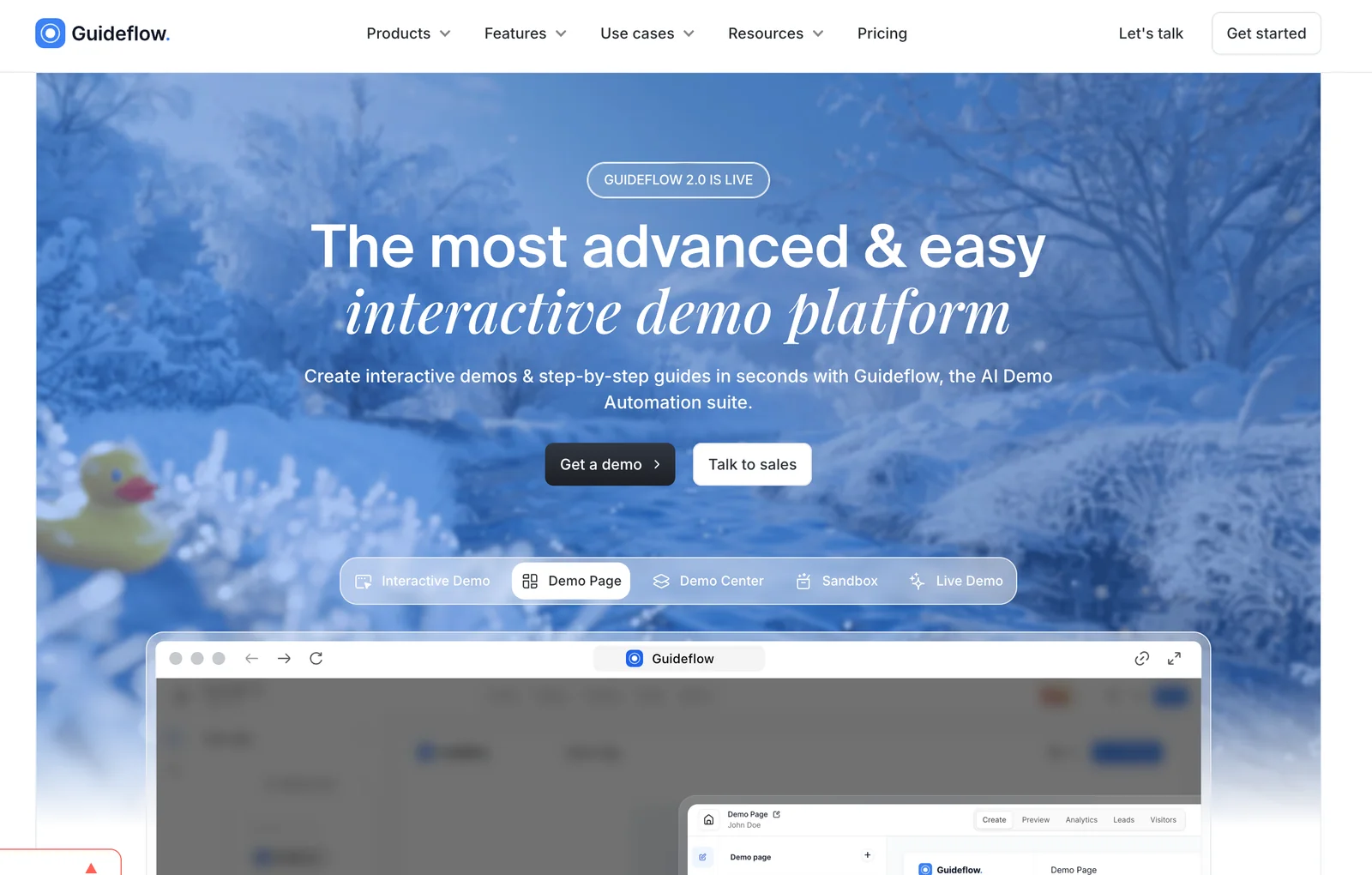
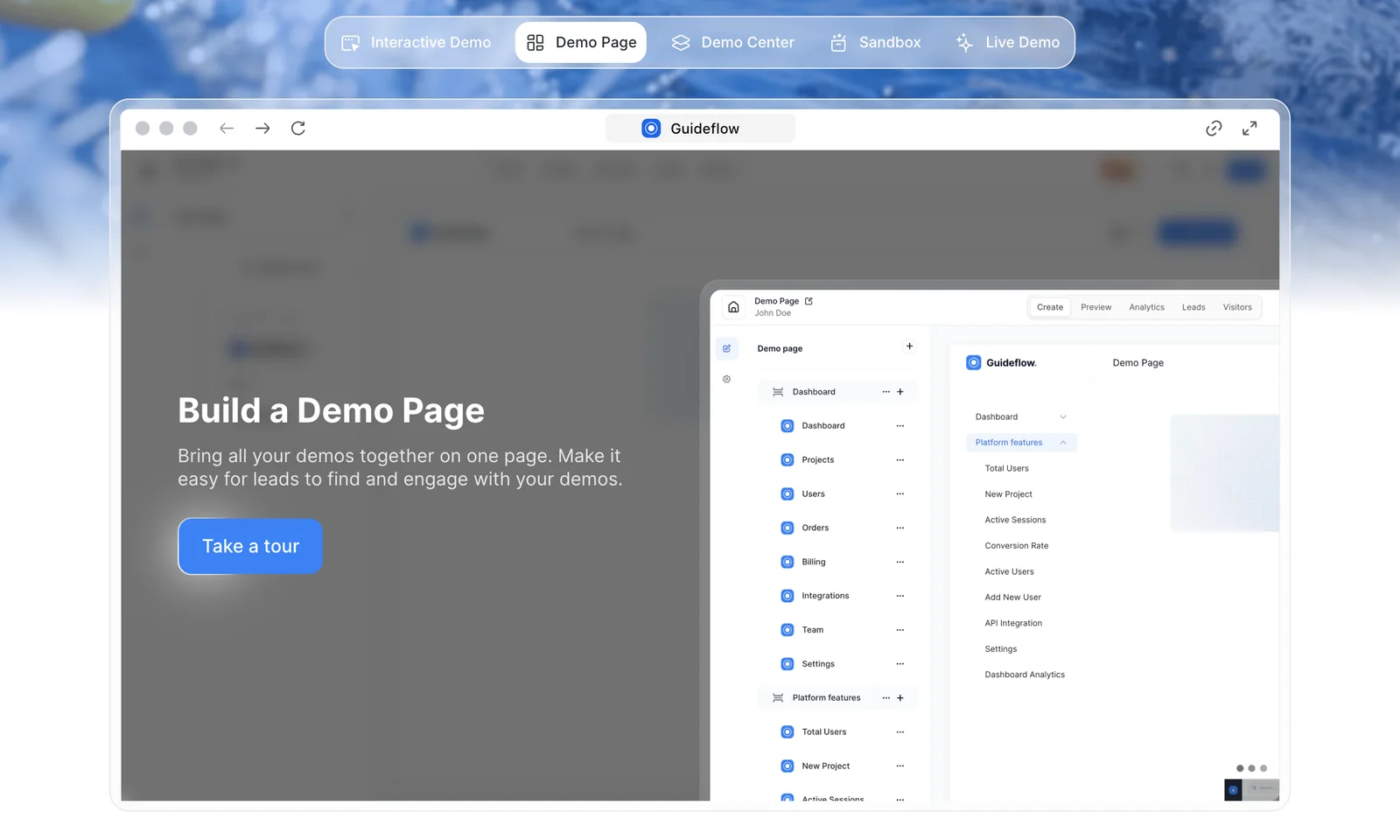
Guideflow is a plug-and-play SaaS platform that lets teams create interactive product demos, guided tours, and step-by-step walkthroughs without code. Users can capture product flows, customize messaging and visuals, then share or embed fully interactive demos to engage prospects and onboard users. Built-in analytics track viewer interactions and conversion signals so teams can optimize demos, reduce time-to-value, and support product-led growth initiatives.
Screenshots
Key Features
Use Cases



Frequently asked questions about Guideflow
What is the pricing structure for Guideflow and what features are included in each tier?
Guideflow offers a freemium pricing model with multiple tiers: Free ($0) includes limited demos and analytics; Solo ($35/month) is designed for individual users; Pro ($149/month) suits growing teams; Startup starts at $40/month; and Enterprise options are custom priced for larger organizations requiring extensive features.
Key Points
- Freemium Model: Free tier available with essential features.
- Tiered Pricing: Options for individuals, teams, and enterprises.
- Custom Solutions: Tailored pricing for larger organizations.
Detailed Explanation
Guideflow's pricing structure is strategically designed to cater to various user needs and organizational sizes.
-
Free Tier ($0): Ideal for individuals or small teams looking to explore Guideflow's capabilities. This tier includes limited demos and basic analytics, allowing users to test the platform without any financial commitment.
-
Solo Plan ($35/month): This plan is targeted towards solo entrepreneurs and freelancers. It provides expanded usage, including additional demo access and enhanced analytics, enabling individuals to leverage Guideflow for personal projects or small client engagements.
-
Pro Plan ($149/month): Designed for small to medium-sized teams, the Pro plan offers increased collaboration features, advanced analytics, and priority support. This tier is perfect for teams that require greater functionality and support as they scale their operations.
-
Startup Plan ($40/month): Tailored for startups, this plan offers must-have features at an accessible price point. It includes additional resources like onboarding assistance and startup-specific tools, ensuring new businesses can effectively utilize Guideflow from the outset.
-
Enterprise Solutions: For larger organizations, Guideflow provides customizable pricing based on specific needs and feature requirements. This option allows enterprises to integrate Guideflow deeply into their operations, ensuring they have the necessary resources to optimize workflow and analytics.
Best Practices / Tips
- Evaluate Your Needs: Before selecting a tier, assess your specific requirements. Consider factors like team size, required features, and budget.
- Utilize the Free Tier: Take advantage of the free tier to familiarize yourself with the platform before committing financially.
- Compare Features: Review the feature lists for each tier to ensure you choose one that aligns with your operational goals.
- Contact Sales for Custom Solutions: If your organization has unique requirements, reach out to Guideflow’s sales team to discuss personalized pricing and features.
Additional Resources
- Guideflow Pricing Page (official resource for current pricing)
- Guideflow Features Overview (detailed look at features available in each tier)
- Customer Support (for assistance with any pricing or account inquiries)
How does Guideflow enhance user onboarding and conversion rates?
Guideflow enhances user onboarding and conversion rates by providing interactive demos, product tours, and step-by-step guides. These features empower users to explore products independently, leading to improved engagement, higher conversion rates, and increased user productivity.
Key Points
- Interactive Demos: Allow users to experience products firsthand.
- Guided Tours: Step-by-step navigation aids in user comprehension.
- Self-Service Learning: Users can learn at their own pace, reducing frustration.
Detailed Explanation
Guideflow transforms the onboarding experience by creating a seamless, engaging journey for new users.
-
Interactive Demos: These demos simulate real-life product usage, allowing users to interact with features without a steep learning curve. For example, a software company might use Guideflow to showcase its dashboard functionality through a demo that highlights key features, making it easier for users to understand how to utilize the platform effectively.
-
Guided Tours: Guideflow’s product tours provide a structured walkthrough of essential features. This is particularly beneficial for complex software applications. Users are led through each step, ensuring they grasp the functionality before diving deeper. An e-commerce platform could implement a guided tour to show new users how to complete their first purchase, significantly reducing drop-off rates.
-
Self-Service Learning: By offering step-by-step guides, users can engage with the product at their own pace. This autonomy fosters a sense of confidence and competence, leading to higher retention rates. For instance, a SaaS product might include a library of tutorials that users can reference whenever needed, catering to different learning styles.
Best Practices / Tips
- Integrate User Feedback: Regularly update your onboarding materials based on user feedback to ensure they remain relevant and effective.
- A/B Testing: Experiment with different formats of demos and tours to see which resonates most with your audience.
- Keep It Concise: Avoid overwhelming users with too much information at once. Focus on key features that drive value.
Additional Resources
How can I start using Guideflow for creating interactive demos?
To start using Guideflow for creating interactive demos, visit the official website and register for a free account. After signing up, you can utilize the no-code platform to design interactive demos and guides quickly, using a variety of templates tailored for different use cases.
Key Points
- Create a free account on the Guideflow website.
- Leverage no-code tools to build interactive demos.
- Use pre-built templates for efficiency and effectiveness.
Detailed Explanation
Guideflow is an intuitive platform designed for creating interactive demos that enhance user engagement. To begin, go to the Guideflow website and sign up for a free account. The registration process is straightforward, requiring basic information like your email and password.
Once registered, you will gain access to the dashboard where you can start creating demos. The no-code interface allows users with no programming experience to design engaging tutorials. You can choose from various templates that cater to different scenarios, such as onboarding new users, showcasing product features, or guiding users through complex processes.
Step-by-Step Guide:
- Sign Up: Register on the official Guideflow website.
- Choose a Template: Browse the template library and select one that suits your needs.
- Customize Your Demo: Use the drag-and-drop editor to add text, images, and interactive elements.
- Preview and Test: Before publishing, preview your demo to ensure it flows smoothly.
- Publish and Share: Once satisfied, publish your demo and share the link with your audience.
Best Practices / Tips
- Start Simple: If you're new to Guideflow, begin with a basic template to familiarize yourself with the features.
- Use Analytics: Take advantage of Guideflow's analytics to track user engagement and make data-driven improvements to your demos.
- Regular Updates: Keep your demos current by regularly updating them with new content and features related to your product.
Common Pitfalls to Avoid:
- Overcomplicating Designs: Avoid cluttering your demos with too much information. Keep it focused and user-friendly.
- Neglecting User Feedback: Solicit feedback from users to refine your demos continuously.
- Ignoring Mobile Responsiveness: Ensure your demos are mobile-friendly, as many users will access them via smartphones.
Additional Resources
- Guideflow Help Center
- Guideflow Blog for tips and best practices.
- User Testimonials and Case Studies to see how others are using Guideflow effectively.
Can Guideflow integrate with other software tools for enhanced functionality?
Yes, Guideflow can integrate with various software tools to enhance functionality, including CRM systems, project management tools, and analytics platforms. Specific integrations may depend on user needs and typically require custom arrangements for enterprise users to ensure smooth compatibility and optimal performance.
Key Points
- Wide Range of Integrations: Guideflow supports various software tools.
- Custom Integrations for Enterprises: Larger organizations may need tailored solutions.
- Enhanced Workflow Efficiency: Integration improves data flow and collaboration.
Detailed Explanation
Guideflow offers flexibility in integrating with numerous software tools, making it an ideal choice for teams looking to streamline their workflows. Some common integrations include:
-
CRM Systems: Integrate with tools like Salesforce or HubSpot to manage customer relationships more effectively. This allows users to track interactions and gather insights directly from Guideflow.
-
Project Management Tools: Connecting with applications such as Trello or Asana can enhance task management. Teams can sync tasks, deadlines, and progress, ensuring everyone stays aligned.
-
Analytics Platforms: Integrating with Google Analytics or Tableau enables data-driven decision-making. Users can access real-time analytics, track user engagement, and optimize their strategies based on actionable insights.
For enterprise users, custom integrations may be necessary to address specific operational needs. This might involve working closely with Guideflow's technical team to develop solutions that seamlessly fit into existing systems.
Best Practices / Tips
- Assess Integration Needs: Before integrating, evaluate which software tools will provide the most value to your workflow.
- Consult with Technical Support: If unsure about integration processes, reach out to Guideflow's support team for guidance, especially for complex setups.
- Test Integrations: After setting up integrations, conduct thorough testing to ensure all functionalities work as expected and to troubleshoot any issues that arise.
Additional Resources
What distinguishes Guideflow from other interactive demo platforms?
Guideflow distinguishes itself from other interactive demo platforms through its rapid demo creation capabilities, user-friendly no-code product flow capture, and extensive customization options. These features cater to both technical and non-technical teams, making it an ideal choice for effective onboarding and user education.
Key Points
- Rapid Demo Creation: Quickly create interactive demos without extensive setup.
- No-Code Flow Capture: Easily capture product flows without programming knowledge.
- Customizable Branding: Tailor the platform to reflect your brand identity.
Detailed Explanation
Guideflow excels in providing an intuitive interface that allows users to create demos in a fraction of the time compared to traditional platforms. Its rapid demo creation feature empowers teams to launch engaging product tours swiftly, which is essential for keeping potential customers engaged.
With the no-code flow capture, even those without technical expertise can easily document and share product workflows. This democratizes the demo creation process, enabling all team members to participate actively in user onboarding and training.
Furthermore, Guideflow offers robust customizable branding features. Users can modify colors, logos, and overall styling to ensure the demo aligns with their company’s visual identity. This level of personalization not only enhances brand recognition but also improves the user experience, making it more relatable and engaging.
Example Use Case
For instance, a software company can use Guideflow to create a demo that showcases its latest features. The marketing team can quickly set up an engaging product tour that highlights key functionalities, while the design team can customize the demo to match the company’s branding guidelines. This cohesive approach leads to better onboarding and higher user satisfaction.
Best Practices / Tips
- Utilize Templates: Take advantage of pre-designed templates to speed up the demo creation process.
- Regular Updates: Keep your demos updated to reflect any product changes or new features.
- Gather Feedback: After users engage with your demo, solicit their feedback to improve future iterations.
Additional Resources
Explore more AI Ai Agents tools
Browse all Ai Agents tools →Compare Guideflow: vs Mycel · vs Proto-Mind · vs Ami · vs Duvi