

Grov
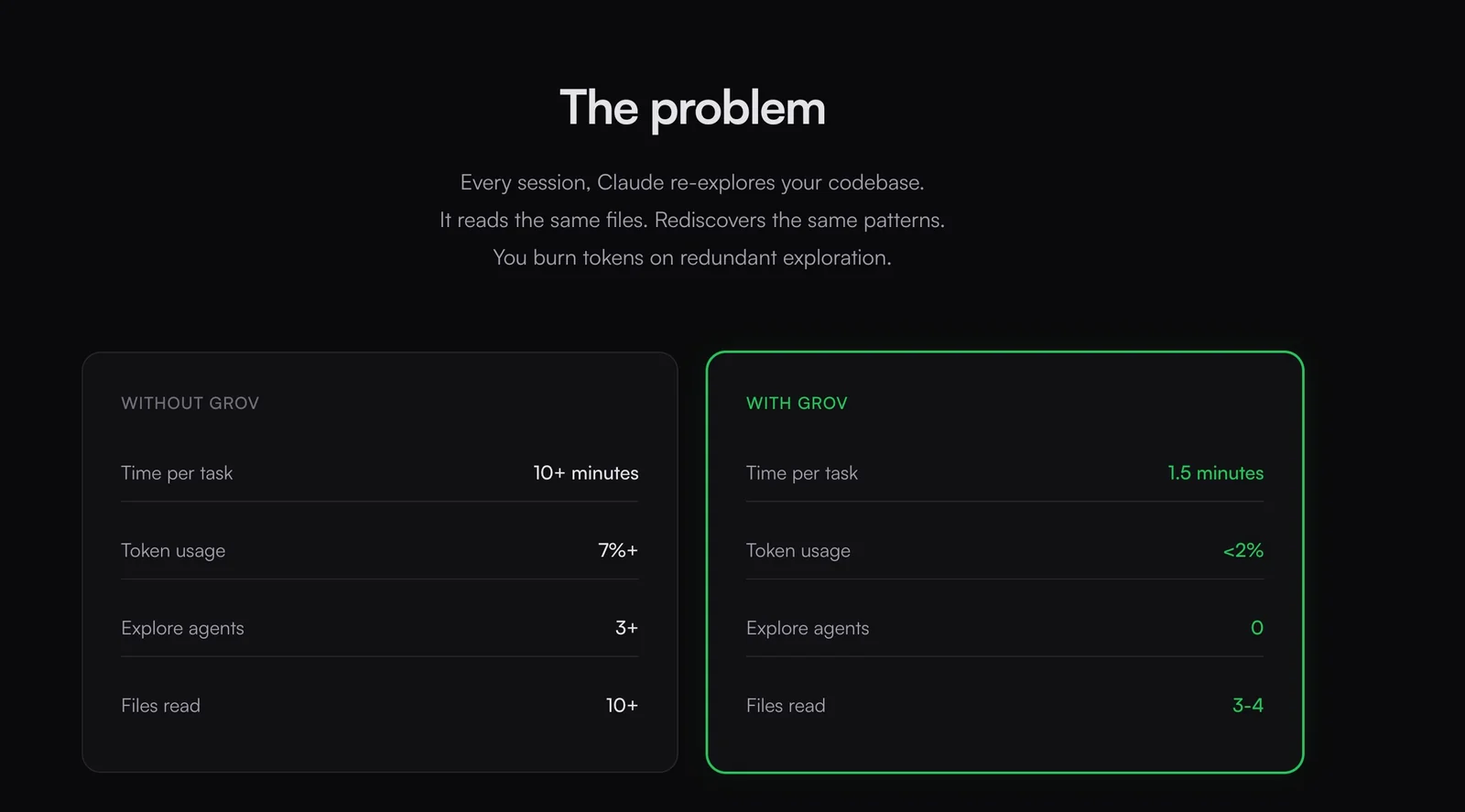
AICollective AI memory for engineering teams that helps AI remember past learnings to accelerate shipping and reduce repeated exploration.
Grov
Collective AI memory for engineering teams that helps AI remember past learnings to accelerate shipping and reduce repeated exploration.
About Grov
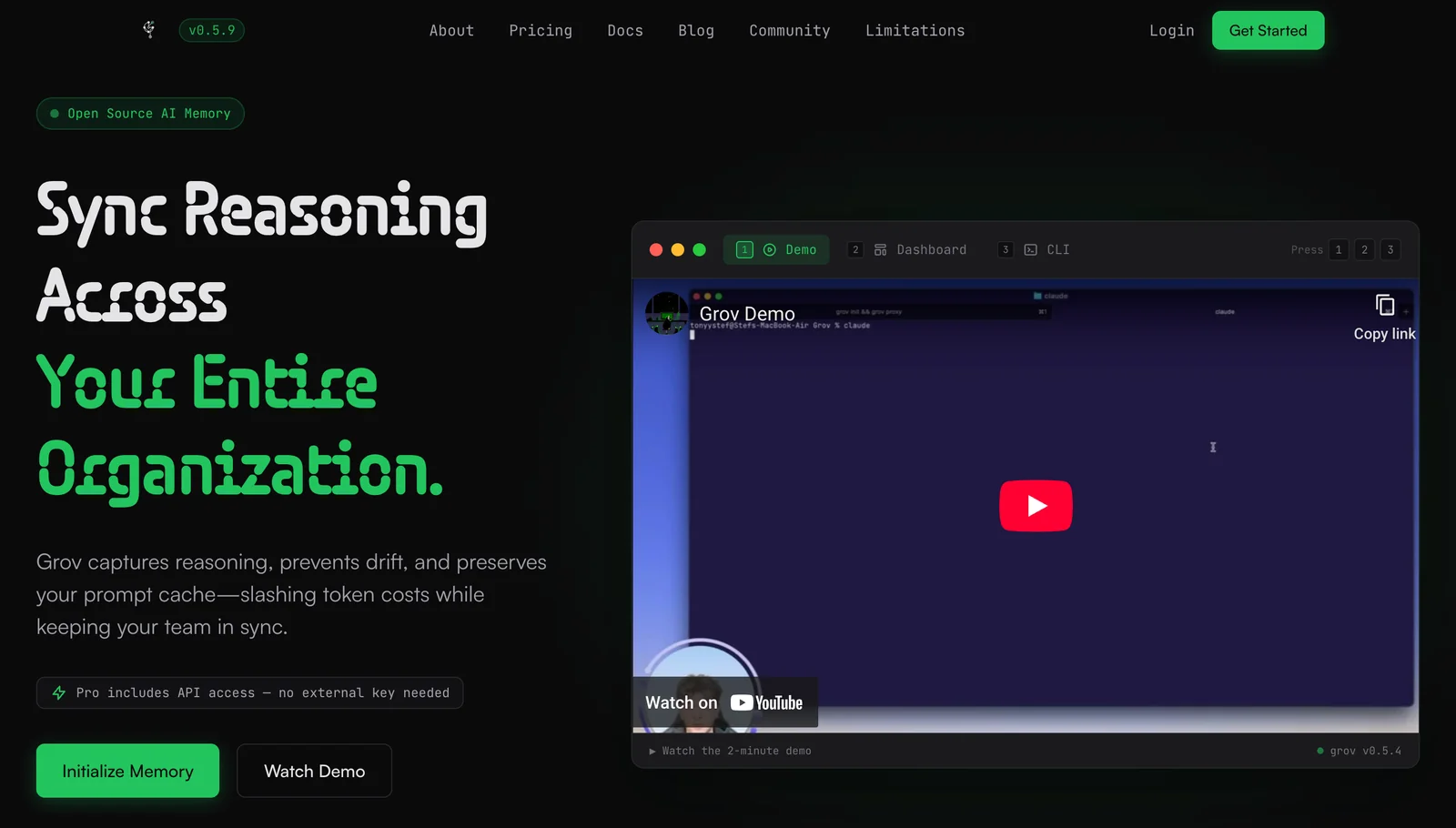
Grov provides a collective memory layer for engineering teams so their AI tools retain and reuse knowledge from past interactions. It captures, indexes, and surfaces prior learnings and context so teams can skip repeated exploration and resolve issues faster. Designed for engineering workflows, Grov aims to keep team knowledge persistent across projects and make AI assistance continuously more effective over time.
Screenshots
Key Features
Use Cases


Frequently asked questions about Grov
What is the pricing structure for Grov?
Grov utilizes a FREEMIUM pricing model, offering a free tier with essential memory features and limited team access. For users seeking advanced functionality or higher limits, Grov provides custom paid plans, including Pro and Enterprise options. For detailed pricing information, it's best to contact Grov directly.
Key Points
- FREEMIUM Model: Offers a free tier with essential features.
- Paid Plans: Includes Pro and Enterprise options for advanced users.
- Custom Solutions: Tailored plans available based on user needs.
Detailed Explanation
Grov's pricing structure is designed to accommodate a wide range of users, from casual to enterprise-level. The FREEMIUM model allows individuals or small teams to access core functionalities without any cost. This free tier typically includes basic memory capabilities and limited access for a small number of team members, making it an ideal starting point for users who want to test the platform.
For organizations or teams that require more robust features, Grov offers paid plans like Pro and Enterprise. These plans typically include advanced functionalities such as increased memory capacity, enhanced collaboration tools, priority customer support, and analytics features. The Pro plan is suited for small to medium-sized businesses, while the Enterprise plan caters to larger organizations with complex needs.
To understand the specific pricing and features included in each plan, users should contact Grov directly. This ensures you receive the most accurate information tailored to your requirements, as pricing can vary based on features and the number of users.
Best Practices / Tips
- Evaluate Your Needs: Before selecting a plan, assess your team's requirements to choose the most cost-effective option.
- Utilize the Free Tier: Take advantage of the free tier to familiarize yourself with Grov’s features before committing to a paid plan.
- Contact Sales: Always reach out to Grov’s sales team for the latest pricing details and to inquire about additional customization options.
Additional Resources
How can Grov's AI memory benefit my engineering team?
Grov's AI memory significantly enhances your engineering team's efficiency by retaining valuable knowledge and prior interactions. This capability accelerates debugging, improves decision-making, and minimizes redundant exploration, ultimately shortening project timelines and fostering a more effective collaborative environment.
Key Points
- Knowledge Retention: Grov's AI preserves critical engineering insights and past interactions.
- Enhanced Debugging: Quicker identification of issues through historical context.
- Faster Decision-Making: Access to prior findings aids in informed choices.
Detailed Explanation
Grov's AI memory acts as a centralized knowledge repository, allowing engineers to retrieve past project data, solutions, and discussions seamlessly. For instance, if an engineer encounters a recurring bug, they can quickly access how similar issues were resolved previously, reducing the time spent on trial and error. This not only streamlines the debugging process but also ensures that valuable insights are never lost.
Use Cases:
- Project Onboarding: New team members can quickly get up to speed by referencing historical project discussions and decisions stored in Grov's AI.
- Cross-Department Collaboration: Knowledge shared across teams can lead to innovative solutions, as engineers tap into a broader context of past projects and outcomes.
- Documentation Automation: Grov can automate the documentation of key decisions and code changes, making it easier to track project evolution.
Moreover, the AI memory feature can analyze patterns and suggest potential solutions based on historical data, further enhancing the engineering workflow.
Best Practices / Tips
- Regular Updates: Encourage team members to document their findings consistently. This ensures that Grov's AI memory remains comprehensive and useful.
- Leverage Data Analytics: Utilize Grov's analytical capabilities to identify common issues and areas for improvement, which can lead to proactive problem-solving strategies.
- Train Your Team: Conduct training sessions on how to effectively use Grov's AI memory to its fullest potential.
Common Pitfalls to Avoid:
- Neglecting Input: If team members fail to input data into Grov, the AI memory will lack essential information, diminishing its effectiveness.
- Overlooking Updates: Regularly revisiting and updating the stored knowledge base is crucial for maintaining relevance and accuracy.
Additional Resources
How do I get started using Grov?
To get started using Grov, visit their official website and sign up for an account. You can start with the free tier to explore core features and functionalities. As you become familiar with the platform, you can easily upgrade to paid plans based on your needs.
Key Points
- Free Tier Option: Start exploring Grov without any financial commitment.
- Core Functionalities: Access essential tools and features during the free trial.
- Flexible Plans: Upgrade to paid plans seamlessly as your requirements grow.
Detailed Explanation
To begin using Grov, follow these simple steps:
- Visit the Official Website: Go to Grov's official website to create your account.
- Sign Up: Click on the "Sign Up" button. You’ll need to provide basic information like your name, email address, and a password.
- Choose Free Tier: After signing up, select the free tier option. This allows you to explore Grov's core functionalities without any initial costs.
- Explore Features: Familiarize yourself with the platform. Grov offers tools for project management, collaboration, and analytics. Take advantage of tutorials and guides available on the site to maximize your experience.
- Upgrade When Ready: As you become more comfortable and if your needs grow, consider upgrading to one of the paid plans. Grov typically offers tiered pricing based on features and user count, allowing you to choose a plan that best fits your requirements.
Best Practices / Tips
- Utilize the Free Tier: Make the most of the free plan by testing all available features before committing to a paid plan.
- Regularly Check for Updates: Grov frequently updates its features, so stay informed about new tools that may enhance your productivity.
- Engage with Community: Join Grov’s user community or forums to share experiences, ask questions, or get tips from other users.
Additional Resources
- Grov Documentation - Official documentation for in-depth guidance.
- Grov Community Forum - Connect with other users for support and ideas.
- Pricing Plans - Compare Grov’s pricing tiers to choose the right plan for you.
Does Grov integrate with other engineering tools?
Yes, Grov seamlessly integrates with a variety of engineering tools, enhancing team workflows. By connecting with common platforms like GitHub, Jira, and Slack, Grov allows teams to access remembered context effortlessly within their existing processes, including pull requests and issue threads.
Key Points
- Wide Integration Support: Grov connects with popular engineering tools.
- Enhanced Workflow Efficiency: Access contextual information within existing processes.
- Improved Collaboration: Facilitates better communication among team members.
Detailed Explanation
Grov's integration capabilities are designed to streamline engineering workflows. For instance, when integrated with GitHub, developers can easily reference past discussions and decisions made in pull requests directly within their coding environment. This means that while reviewing code, they can pull up relevant context without switching applications.
Similarly, when Grov is connected to Jira, project managers can track issues and their resolutions while having the historical context at hand. This integration reduces the time spent searching for information and enhances the decision-making process.
For teams using Slack, Grov enables notifications and context-sharing directly in channels, ensuring that everyone is on the same page. By retaining context from discussions, Grov helps maintain continuity, especially in agile environments where multiple iterations occur rapidly.
Best Practices / Tips
- Evaluate Your Toolset: Before integrating Grov, assess which tools your team relies on the most. Prioritize those for integration to maximize efficiency.
- Train Your Team: Ensure that your team understands how to leverage Grov's integrations. Conduct training sessions or create documentation to aid adoption.
- Monitor Performance: After integration, regularly review how Grov is impacting your workflow. Collect feedback from team members to make necessary adjustments.
Additional Resources
How does Grov compare to other AI memory tools?
Grov distinguishes itself from other AI memory tools by offering persistent team memory and advanced contextual retrieval features tailored for engineering teams. This focus on minimizing investigation time and enhancing onboarding processes sets Grov apart, making it a valuable asset for collaborative environments.
Key Points
- Persistent Team Memory: Grov retains knowledge over time, ensuring that information is always accessible.
- Contextual Retrieval: Users can quickly find relevant data based on their current projects or queries.
- Tailored for Engineering Teams: Specifically designed to meet the unique needs of technical teams.
Detailed Explanation
Grov’s persistent team memory allows organizations to store and retrieve knowledge seamlessly, which is crucial for fast-paced engineering environments. Unlike some AI memory tools that may only focus on individual user queries, Grov provides a collective memory that benefits the entire team. This means that when an engineer has a question, they can access past discussions, documents, and decisions without sifting through countless files or messages.
For instance, during a software development project, if a team member needs to recall why a specific technology was chosen, Grov can pull up the relevant discussions and data points, reducing the time spent on investigations. This feature not only accelerates problem-solving but also ensures that onboarding new team members is streamlined. New hires can quickly get up to speed by accessing the team's historical knowledge, thus fostering a collaborative culture.
Moreover, Grov’s contextual retrieval enhances efficiency by understanding the context of a user's queries. This means that when users search for information, Grov provides results that are not just relevant but also prioritized based on their current tasks or projects. This capability drastically reduces the time spent navigating through irrelevant data.
Best Practices / Tips
- Regularly Update Memory: Encourage team members to contribute knowledge to Grov regularly. This keeps the information current and useful.
- Utilize Tags and Categories: Implement tagging strategies to help categorize information for easier retrieval.
- Training Sessions: Conduct training sessions to familiarize your team with Grov’s features and functionalities, ensuring everyone can maximize its potential.
Additional Resources
Explore more AI Ai Tools tools
Browse all Ai Tools tools →Browse by use case: Automation & Productivity
Compare Grov: vs Decode · vs LibreChat · vs AppGrowthKit · vs Humanizer