

Grok
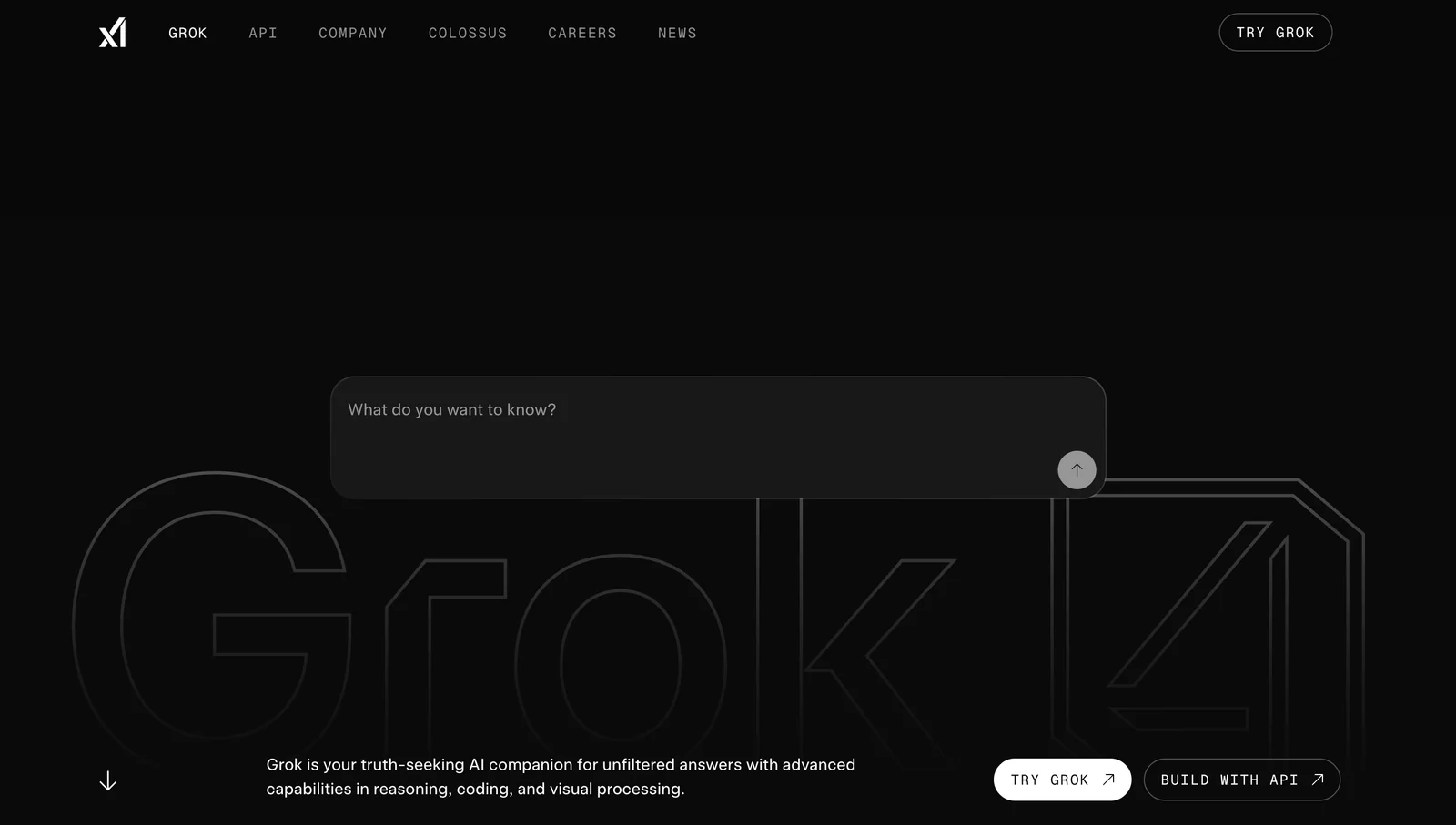
AIGrok is xAI's conversational assistant delivering real-time search, image generation, trend analysis, and conversational responses with a distinct personality.
Grok
Grok is xAI's conversational assistant delivering real-time search, image generation, trend analysis, and conversational responses with a distinct personality.
About Grok
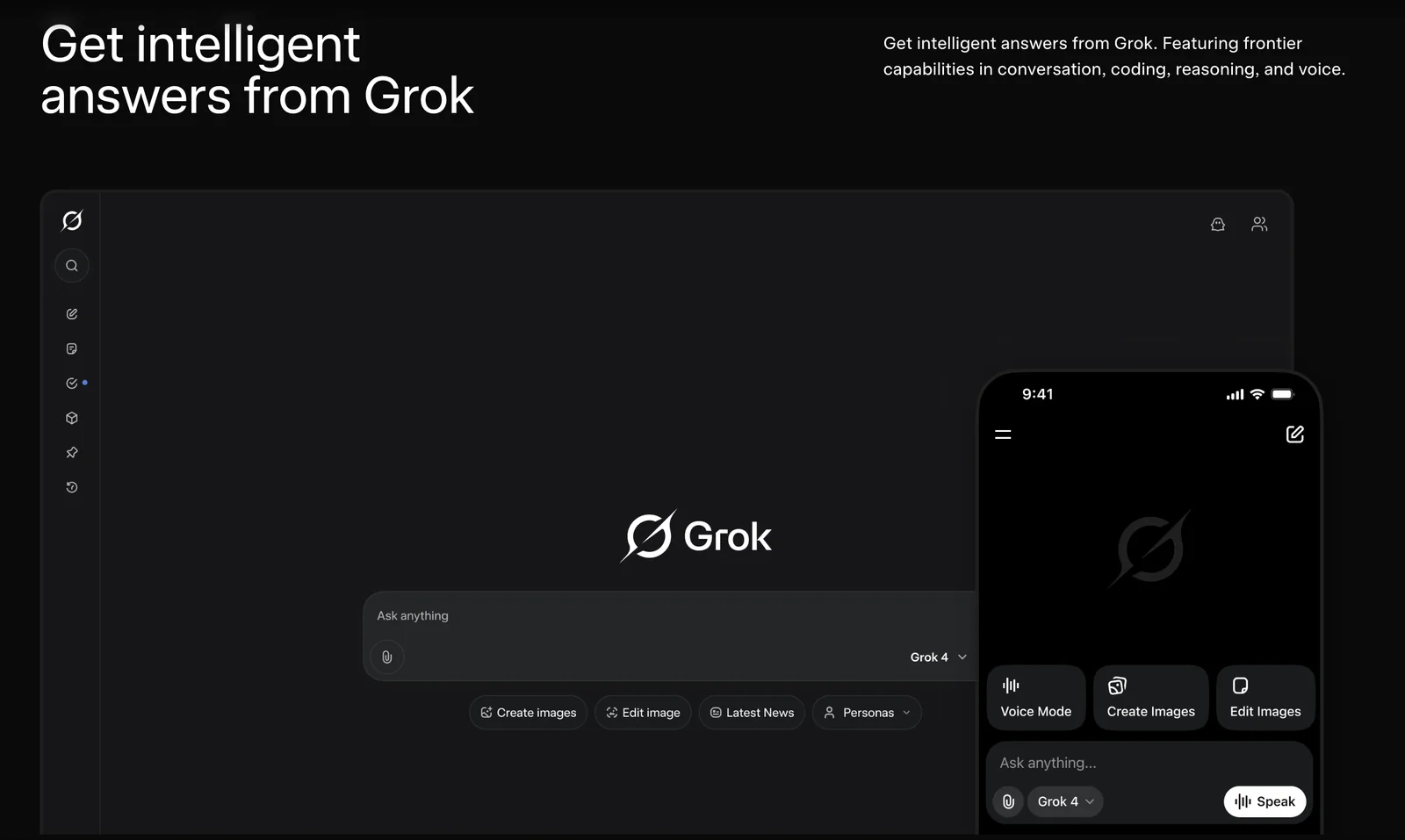
Grok is a conversational AI assistant developed by xAI that combines a large generative model (Grok series) with real-time web access, image generation, voice capabilities, and an engaging persona. It answers queries using up-to-date information, performs trend analysis, and can generate images and voice output. Grok is offered via web and mobile apps and exposes APIs and developer tools for integration; premium subscription tiers unlock access to larger models, higher throughput, and advanced features. Its value lies in blending fast, current information retrieval with generative capabilities and an intentionally lively, opinionated conversational style.
Screenshots
Key Features
Use Cases



Frequently asked questions about Grok
What are the pricing options for Grok?
Grok offers a freemium pricing model featuring a free tier with essential functionalities, while advanced features are available in paid tiers like SuperGrok and SuperGrok Heavy. Custom pricing options are also provided for enterprise-level users, ensuring flexibility for various business needs.
Key Points
- Freemium Model: Basic features available for free.
- Paid Tiers: SuperGrok and SuperGrok Heavy offer enhanced capabilities.
- Enterprise Solutions: Custom pricing tailored for larger organizations.
Detailed Explanation
Grok's pricing structure is designed to cater to a wide range of users, from individual consumers to large enterprises.
-
Freemium Model: The free tier provides users with basic features, making it an ideal starting point for those unfamiliar with Grok. Users can access essential functionalities without any financial commitment, allowing them to evaluate the tool's effectiveness.
-
Paid Tiers:
- SuperGrok: This tier unlocks advanced features such as increased data processing capabilities, priority support, and additional integrations with other platforms. Pricing for SuperGrok typically starts at $29 per month, depending on usage needs.
- SuperGrok Heavy: Tailored for power users, this plan includes expanded limits on data usage and enhanced performance features, starting around $99 per month. This tier is perfect for businesses that require robust tools for high-volume tasks.
-
Enterprise Solutions: For larger organizations, Grok offers custom pricing options that can be tailored to meet specific business requirements. This includes dedicated support, enhanced security features, and the ability to integrate with existing enterprise systems. Interested companies can contact Grok’s sales team for a personalized quote.
Best Practices / Tips
- Evaluate Your Needs: Before selecting a tier, assess your specific requirements. If you’re just starting, the free tier may suffice. However, if you anticipate scaling quickly, consider investing in a paid tier early on.
- Take Advantage of Trials: Utilize any available trial periods for paid tiers to test features before committing financially.
- Monitor Usage: Keep an eye on your usage to avoid unexpected charges, especially if you opt for a paid tier that has limits.
Additional Resources
How do I get started with Grok?
To get started with Grok, visit the official website, create a free account, and explore its features through web or mobile applications. A helpful guide is available to assist you in navigating the platform effectively as you familiarize yourself with its functionality.
Key Points
- Create a free account to access Grok.
- Explore Grok's features on web and mobile apps.
- Utilize the available guide for navigation assistance.
Detailed Explanation
To begin using Grok, follow these steps:
-
Visit the Official Website: Go to Grok's official website to begin your journey. The site is user-friendly and designed to provide all the necessary information upfront.
-
Create an Account: Click on the 'Sign Up' button. You can register using your email address or sign up through existing social media accounts for quick access. The account creation is free, making it easy for new users to join.
-
Explore Features: Once logged in, you can access Grok’s various features. These include personalized learning paths, interactive tools, and community forums. Whether you're using a desktop or mobile device, Grok is optimized for a seamless experience.
-
Use the Guide: Grok provides a basic guide that outlines key functionalities. This resource is invaluable for new users as it walks you through features such as content creation, collaboration tools, and analytics.
For example, if you're looking to enhance your skills in a specific area, you can utilize Grok's learning modules that cater to different topics. Engaging with community discussions can also provide insights from other users.
Best Practices / Tips
- Take Advantage of Tutorials: Leverage the tutorials and guides available on Grok to get the most out of the platform. These resources can help streamline your learning process.
- Engage with the Community: Participate in forums and discussions. Networking with other users can provide insights and tips that enhance your experience.
- Regularly Update Your Profile: Keep your profile updated to receive tailored content recommendations based on your interests and activities.
Additional Resources
- Grok Help Center – Access comprehensive FAQs and troubleshooting guides.
- Grok Blog – Stay updated with the latest features, tips, and user stories.
- Grok Community Forum – Join discussions to connect with other users and share experiences.
What are the key features of Grok?
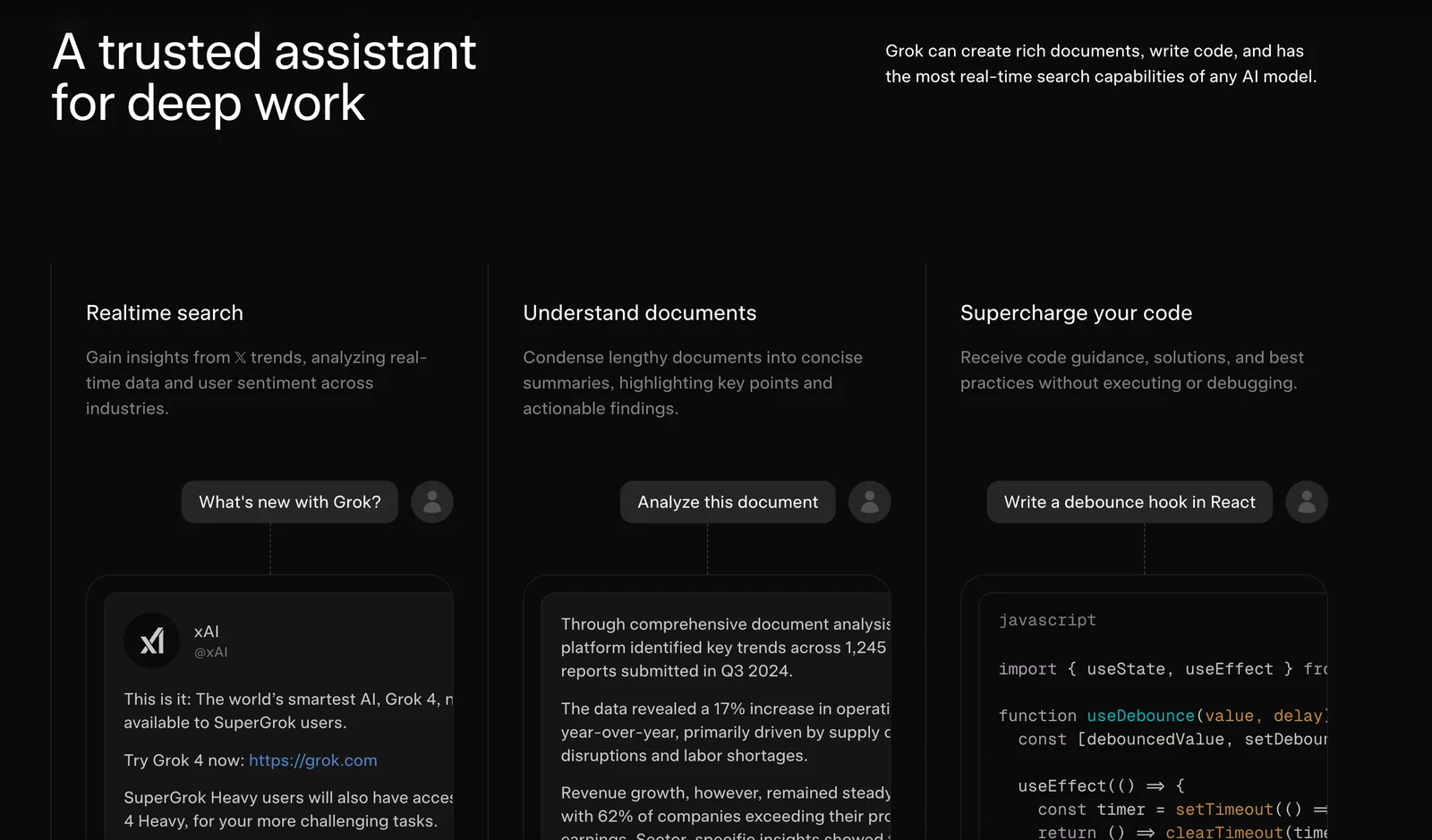
Grok offers key features such as real-time web search, advanced image generation, trend analysis, and engaging conversational responses. Its unique personality makes it particularly suited for creative projects and in-depth research, enhancing user experience and productivity across various applications.
Key Points
- Real-time Web Search: Instant access to the latest information.
- Image Generation: Create unique visuals tailored to user needs.
- Trend Analysis: Insights into current trends for informed decision-making.
Detailed Explanation
Grok's capabilities are designed to cater to a wide range of users, from creative professionals to researchers.
-
Real-time Web Search: Grok leverages advanced algorithms to deliver timely and relevant search results. Users can find the latest news, academic papers, or trending topics efficiently. This feature is especially beneficial for researchers needing up-to-date data or writers looking for fresh ideas.
-
Image Generation: With Grok, users can generate custom images based on textual prompts. This feature is ideal for graphic designers, marketers, and content creators who require unique visuals without the need for extensive graphic design skills. For example, a user could input "a serene mountain landscape at sunset," and Grok would produce an original image reflecting that description.
-
Trend Analysis: Grok analyzes data from various sources to identify emerging trends in specific industries. This can help businesses and individuals stay ahead of the curve. For instance, a fashion brand can use Grok to track upcoming styles, enabling proactive inventory management and marketing strategies.
-
Conversational Responses: Grok's ability to engage in natural language conversations sets it apart. With a distinct personality, it offers not just factual answers but also an enjoyable user experience. This feature is crucial for applications in customer support, where a friendly AI can enhance user satisfaction.
Best Practices / Tips
- Utilize Keywords: When using Grok for content creation, think about relevant keywords that will boost your SEO. This helps in crafting content that ranks well in search engines.
- Experiment with Prompts: For image generation, try different phrasing or details in your prompts to see how the results change. The more specific you are, the better the output.
- Stay Updated: Regularly check for updates from Grok, as features may evolve. Subscribe to their newsletter for the latest enhancements and best practices.
Additional Resources
How does Grok's API work and what are its integration options?
Grok's API enables developers to integrate advanced conversational models into their applications effortlessly. It features tiered access based on usage, allowing for scalable solutions tailored to specific use cases, such as chatbots, virtual assistants, and customer support tools.
Key Points
- Tiered Access: Flexible usage plans for different needs.
- Integration Flexibility: Compatibility with various programming languages and platforms.
- Use Cases: Ideal for chatbots, virtual assistants, and customer engagement tools.
Detailed Explanation
Grok's API is designed to provide developers with robust tools for building conversational interfaces powered by AI. The API supports multiple programming languages, such as Python, JavaScript, and Java, ensuring wide accessibility for developers across different tech stacks.
Integration Options
- RESTful API: Grok offers a RESTful interface that allows easy integration with web and mobile applications. Developers can use standard HTTP methods (GET, POST, PUT, DELETE) to interact with the API.
- SDKs: Grok provides Software Development Kits (SDKs) for popular languages, streamlining the integration process. These SDKs come with pre-built functions and examples for quick implementation.
- Webhooks: For real-time communication, Grok supports webhooks, enabling applications to receive instant updates and notifications from the API.
Use Cases
- Chatbots: Create intelligent chatbots that can handle customer queries and provide personalized responses.
- Virtual Assistants: Integrate Grok’s capabilities into virtual assistants for enhanced user interaction and support.
- Customer Support Tools: Use Grok’s API to power automated responses and ticketing systems, improving efficiency and user satisfaction.
Best Practices / Tips
- Understand Your Needs: Choose the right tier based on your application’s usage requirements to optimize costs.
- Test Integration Thoroughly: Before deploying, conduct extensive testing to ensure seamless functionality and user experience.
- Monitor API Usage: Regularly check API usage metrics to identify any anomalies or areas for optimization.
Additional Resources
How does Grok compare to other AI tools?
Grok distinguishes itself from other AI tools through its advanced real-time search capabilities, innovative image generation features, and a unique conversational style. These attributes make Grok a versatile option compared to competitors like ChatGPT, which primarily focuses on text-based interactions and lacks certain functionalities.
Key Points
- Real-Time Search Capabilities: Grok can search and retrieve current information instantly.
- Image Generation: Grok offers advanced features for generating images based on user prompts.
- Conversational Style: Grok’s distinct interaction approach enhances user engagement and experience.
Detailed Explanation
Grok’s real-time search capabilities allow users to access up-to-date information, making it ideal for tasks requiring the latest data, such as market analysis or news updates. For example, a user can ask Grok for the latest stock prices or trending news, and it will provide accurate, real-time responses.
In addition, Grok's image generation feature leverages cutting-edge AI technology to create visuals based on textual descriptions. This is particularly useful for marketers, designers, and content creators who need quick visual content. For instance, a designer can input a prompt like "a futuristic city skyline at sunset," and Grok can generate a unique image that aligns with the description.
Moreover, Grok's conversational style sets it apart from more traditional AI tools. It employs a more human-like interaction, enhancing user experience by making conversations feel more natural and intuitive. This is advantageous for applications like customer service or personal assistance, where engaging dialogue is crucial.
Best Practices / Tips
- Utilize Real-Time Features: Take advantage of Grok's real-time search for timely information in industries like finance or media.
- Experiment with Image Prompts: Use diverse and creative prompts for image generation to explore Grok's full potential.
- Engage in Conversational Queries: Ask open-ended questions to leverage Grok's conversational strengths for more informative responses.
Additional Resources
Explore more AI Ai Models tools
Browse all Ai Models tools →Browse by use case: Image Generation · Chatbots & Assistants · Voice & Audio
Compare Grok: vs Mouse-1 · vs Milliseconds.ai · vs SWE-2 · vs Desert Ant Labs