

Google Opal
AIA Google platform for building, running, and sharing small AI-powered mini-apps and content transformation workflows.
Google Opal
A Google platform for building, running, and sharing small AI-powered mini-apps and content transformation workflows.
About Google Opal
Google Opal is a platform for creating and deploying lightweight AI-powered mini-apps that transform inputs (for example, articles) into polished outputs (for example, LinkedIn posts). It provides starter templates, prompt wiring, and integration patterns so developers can prototype and share mini-apps quickly. Opal supports fallbacks and workflow integration with tools like n8n and Python, enabling automated content pipelines and developer-friendly reuse. As of the referenced materials, Opal was distributed as a US-only public beta and emphasizes rapid mini-app composition and practical content-generation use cases.
Screenshots
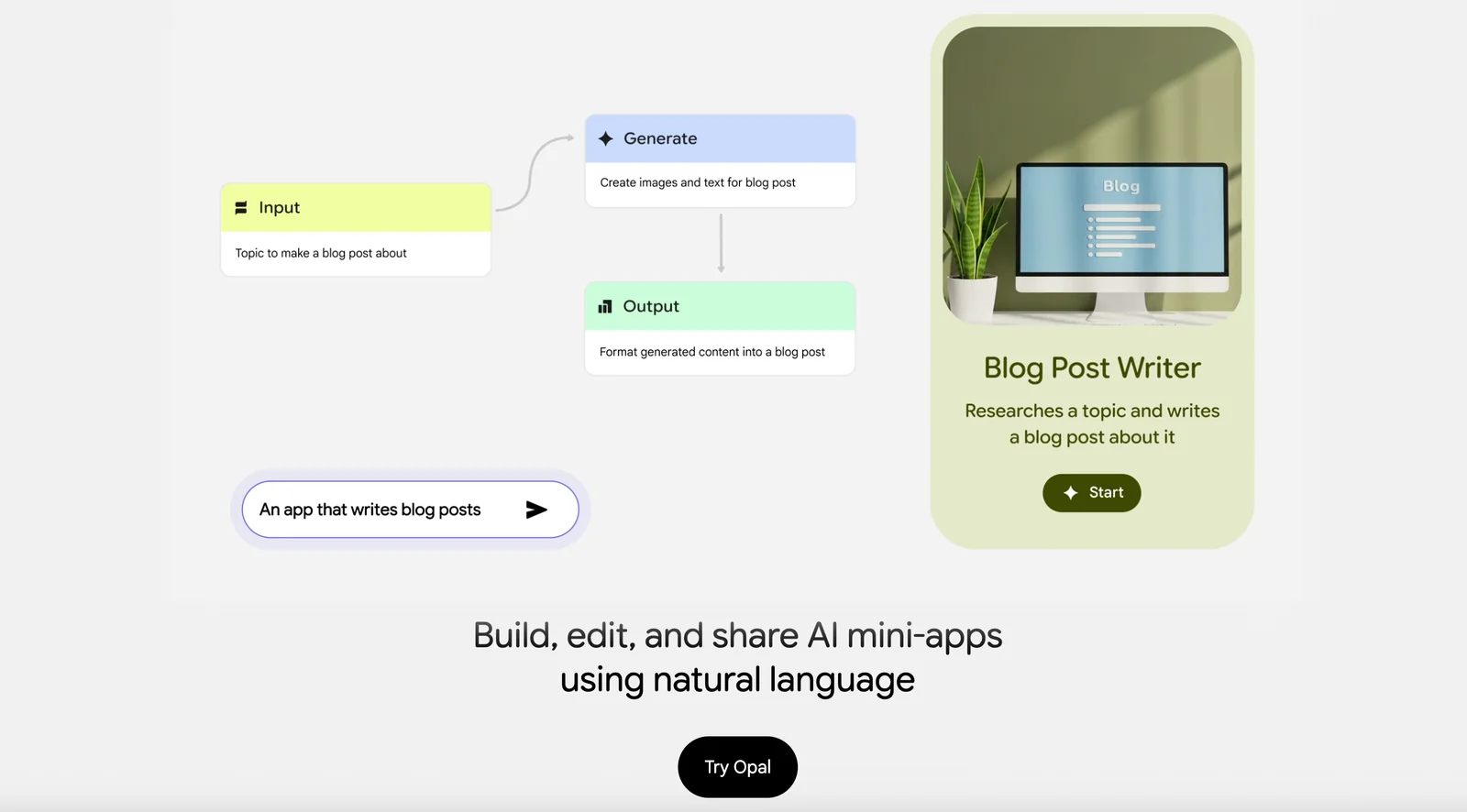
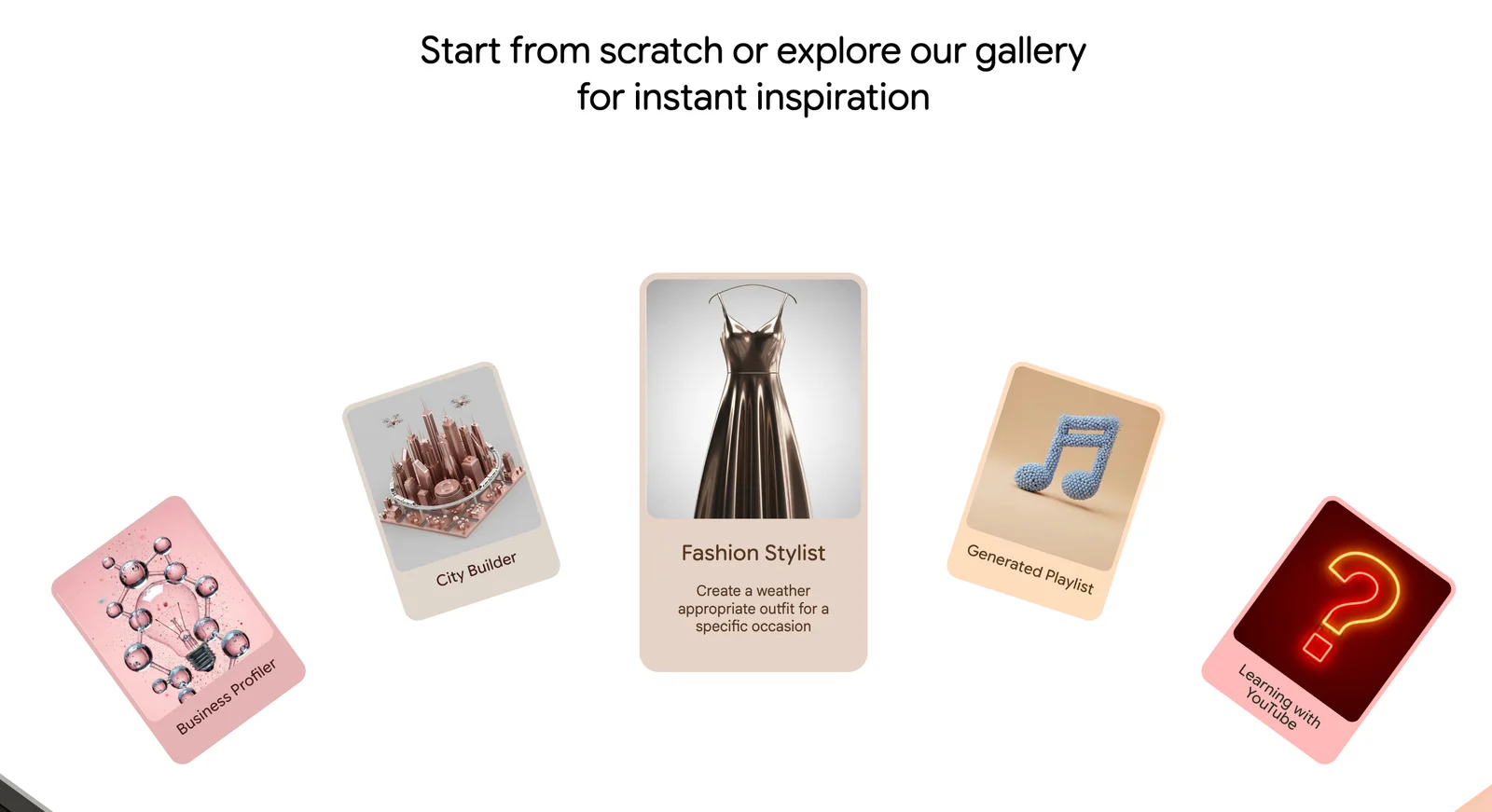
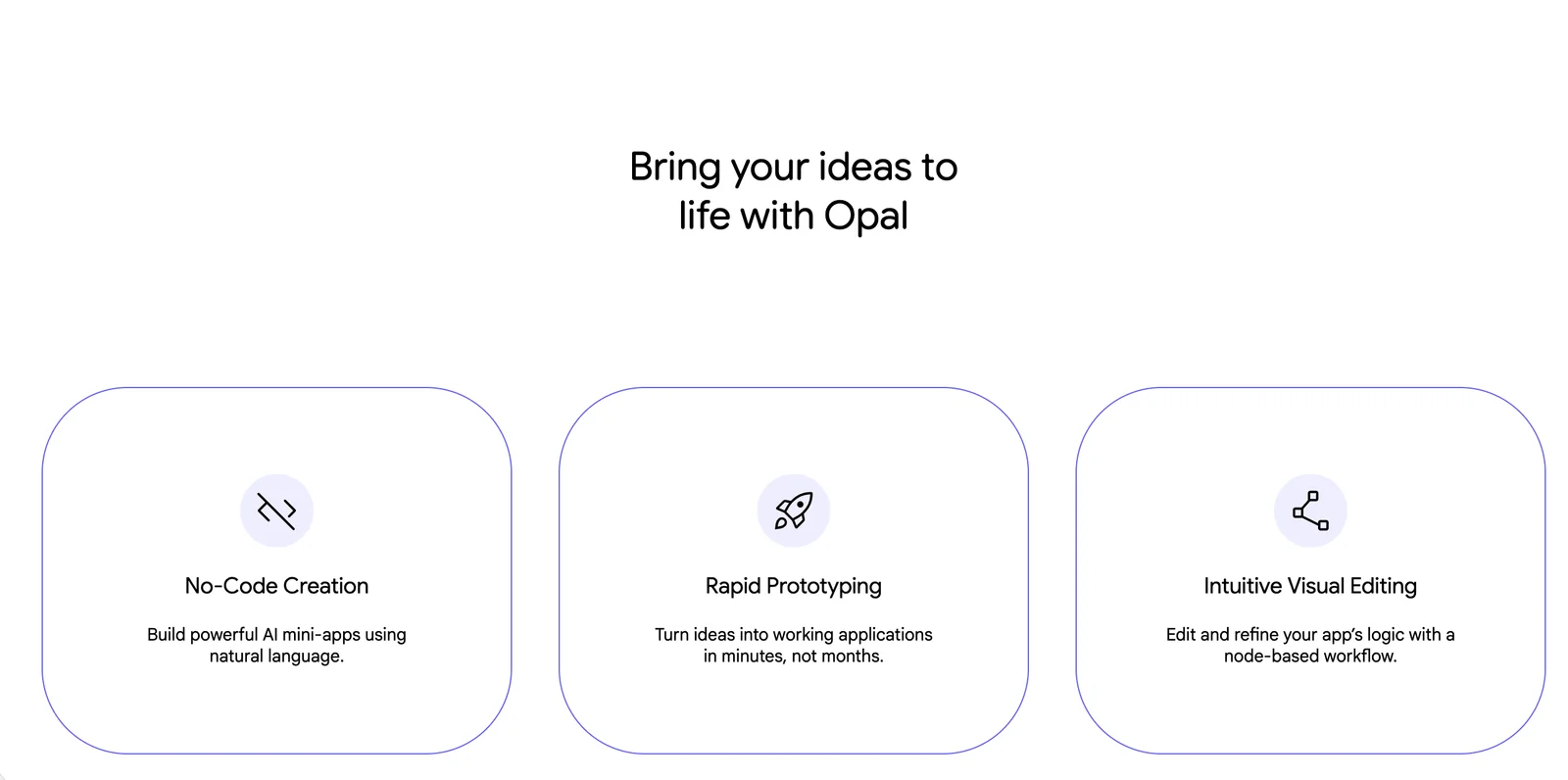
Key Features
Use Cases



Frequently asked questions about Google Opal
What is the pricing structure of Google Opal?
Google Opal is currently in a public beta phase, utilizing a freemium pricing model. During this beta period, there are no subscription fees or usage limits, allowing users to access its features entirely for free without any financial commitment.
Key Points
- Google Opal is in a public beta phase.
- It operates on a freemium pricing model.
- No subscription fees or usage limits are reported.
Detailed Explanation
Google Opal, as an AI tool, is designed to enhance productivity and streamline workflows. Being in the public beta phase means that users can experiment with its capabilities without incurring any costs. This freemium model promotes widespread adoption and allows users to provide feedback that can help refine the product.
Features Available in Beta
- User Interface: The interface is designed for ease of use, making it accessible for both new and experienced users.
- Integration Capabilities: Google Opal integrates with various Google services, enhancing its utility.
- Real-time Collaboration: Users can collaborate on projects in real-time, making it an excellent tool for team environments.
As the beta progresses, Google may introduce additional features or modify existing ones based on user feedback. Users are encouraged to explore all functionalities while they are available for free.
Best Practices / Tips
- Explore All Features: Take advantage of the beta to explore all available features without worrying about costs.
- Provide Feedback: Engage with the feedback system to help improve the tool. Your insights can shape future developments.
- Stay Updated: Regularly check for updates or changes in the beta program, as new features may be released based on user input.
Additional Resources
What features does Google Opal offer for content transformation?
Google Opal offers features like customizable mini-app templates, detailed prompt and wiring instructions, and seamless workflow integrations. These tools allow users to transform input content into various formatted outputs, including concise summaries and engaging social media posts, enhancing productivity and content quality.
Key Points
- Customizable Mini-App Templates: Tailored to specific content needs.
- Prompt and Wiring Instructions: Guides for effective content transformation.
- Workflow Integrations: Seamless connections with existing tools and platforms.
Detailed Explanation
Google Opal's customizable mini-app templates enable users to create specific content formats effortlessly. For instance, if you need a summary for a lengthy article, you can select a template designed for summarization. This eliminates the need for building layouts from scratch, saving time.
The prompt and wiring instructions are crucial for guiding users through the content transformation process. These instructions provide clear steps and examples, ensuring that even those less familiar with content creation tools can achieve high-quality outputs. For example, a prompt might guide you to extract key points from a document, which can then be formatted into a social media post.
Workflow integrations play a vital role in enhancing user experience. Google Opal connects with popular platforms like Google Docs, Trello, and Slack, allowing users to streamline their processes. For example, you can pull content from Google Docs, transform it using Opal's features, and then directly share it on social media without switching platforms.
Best Practices / Tips
- Utilize Templates: Always start with a mini-app template relevant to your content type to save time.
- Follow Instructions: Adhere to prompt and wiring instructions closely for optimal results.
- Integrate Efficiently: Take advantage of workflow integrations to minimize manual tasks, ensuring a smooth content creation process.
Additional Resources
How do I get started with Google Opal?
To get started with Google Opal, visit opal.withgoogle.com, sign up for the public beta, and explore the mini-app templates and prompt instructions available. This platform allows you to create AI-powered applications easily, utilizing the provided resources to build innovative solutions.
Key Points
- Sign up for the public beta at opal.withgoogle.com.
- Explore mini-app templates to kickstart your projects.
- Utilize prompt instructions for effective application development.
Detailed Explanation
Google Opal is a versatile platform designed to facilitate the creation of AI-powered applications. To begin, follow these steps:
- Visit the Official Website: Go to opal.withgoogle.com to access the platform.
- Sign Up for the Public Beta: Click on the sign-up button and complete the registration process. This will grant you access to the latest features and updates.
- Explore Mini-App Templates: After signing up, you can browse a variety of pre-built mini-app templates. These templates serve as a foundation for your projects, allowing you to customize and enhance them according to your needs. For instance, you might find templates for chatbots, data analysis tools, or other AI-driven applications.
- Follow Prompt Instructions: Each mini-app template comes with detailed prompt instructions. These guides help you understand how to modify and deploy your application effectively. For example, if you choose a chatbot template, the instructions will outline how to configure responses and integrate APIs.
By leveraging these resources, you can quickly build AI applications tailored to your specific requirements, enhancing productivity and innovation.
Best Practices / Tips
- Start Small: Begin with a simple mini-app template to familiarize yourself with the platform’s features.
- Utilize Community Forums: Engage with other users in the Google Opal community to share insights and troubleshoot issues.
- Iterate and Test: Regularly test your applications during development. Gather user feedback to make necessary improvements.
- Stay Updated: Follow Google Opal’s announcements to keep abreast of new templates and features that can enhance your applications.
Additional Resources
- Google Opal Official Documentation
- AI Application Development Best Practices
- Community Support Forum
By following these steps and utilizing the available resources, you can successfully embark on your journey with Google Opal and create impactful AI-powered applications.
Does Google Opal support API integrations?
Yes, Google Opal supports API integrations, enabling users to automate workflows using tools like Python scripts and n8n. Additionally, the community repositories provide a plethora of examples and resources, helping developers leverage these integrations effectively for various applications.
Key Points
- Google Opal facilitates API integrations for automation.
- Supports Python scripts and n8n for workflow management.
- Community resources are available for developers to explore.
Detailed Explanation
Google Opal is designed to enhance productivity through its robust API integration capabilities. By supporting Python scripts, developers can create custom automation solutions tailored to their specific needs. Python's versatility allows for complex data processing, making it a preferred choice for many developers in the AI and data science fields.
n8n, an open-source workflow automation tool, can also be integrated with Google Opal. This enables users to visually create workflows that connect various apps and services, automating repetitive tasks efficiently. For example, a user could set up a workflow that triggers data analysis in Google Opal whenever new data is uploaded to a cloud storage service.
Additionally, the community repositories hosted on platforms like GitHub provide ample examples and reusable components. These resources can significantly accelerate the development process, as developers can reference existing solutions and adapt them to their specific projects.
Best Practices / Tips
- Explore Community Repositories: Utilize community resources to understand best practices and find inspiration for your integrations.
- Start Simple: If you're new to API integrations, begin with basic workflows before moving on to more complex automation tasks.
- Test Thoroughly: Always test your integrations in a controlled environment to prevent errors in live applications.
- Documentation: Keep track of your integration processes and document any custom scripts for future reference or team collaboration.
Additional Resources
How does Google Opal compare to other AI development tools?
Google Opal stands out among AI development tools due to its community-driven mini-app templates and a unique freemium model, which encourages user engagement and innovation. However, its beta phase limits accessibility for some users, which can hinder broader adoption compared to established competitors.
Key Points
- Community-Driven Features: Offers mini-app templates created by users.
- Freemium Model: Provides basic features for free, encouraging trial and adoption.
- Limited Beta Access: Current availability may restrict some potential users.
Detailed Explanation
Google Opal's community-driven mini-app templates allow developers to rapidly prototype and deploy applications tailored to specific needs. This collaborative approach fosters creativity, as users can share their templates, enhancing the overall ecosystem. For example, a developer could leverage existing templates to build an educational app without starting from scratch.
The freemium model is another distinguishing factor. It allows users to access essential features without upfront costs, making it attractive for startups and individual developers. This strategy not only lowers the barrier to entry but also encourages users to explore premium features as their projects grow. For instance, users can start with basic functionalities and later upgrade to access advanced AI capabilities or enhanced support.
However, Google Opal’s limited availability during its beta phase poses challenges. Access is restricted to selected users, which may prevent broader experimentation and adoption compared to rivals like Microsoft Azure or IBM Watson, which have more established platforms and extensive user bases. Consequently, while Opal has innovative features, the potential user base may remain constrained until the platform becomes fully available.
Best Practices / Tips
- Leverage Community Resources: Engage with the community to find and utilize mini-app templates that suit your project needs.
- Start with the Freemium Model: Test the platform's capabilities before committing to a paid plan, allowing you to assess its fit for your development goals.
- Stay Updated on Releases: Follow Google Opal’s official channels for updates on availability and new features to maximize your use of the platform.
Additional Resources
Explore more AI Ai Agents tools
Browse all Ai Agents tools →Browse by use case: Code Generation · Automation & Productivity
Compare Google Opal: vs Proto-Mind · vs Ami · vs Duvi · vs AskDeck