

Google AI Studio
AIPopularWeb-based platform from Google to build, fine-tune, prototype and deploy applications using Gemini and related multimodal models.
Google AI Studio
Web-based platform from Google to build, fine-tune, prototype and deploy applications using Gemini and related multimodal models.
About Google AI Studio
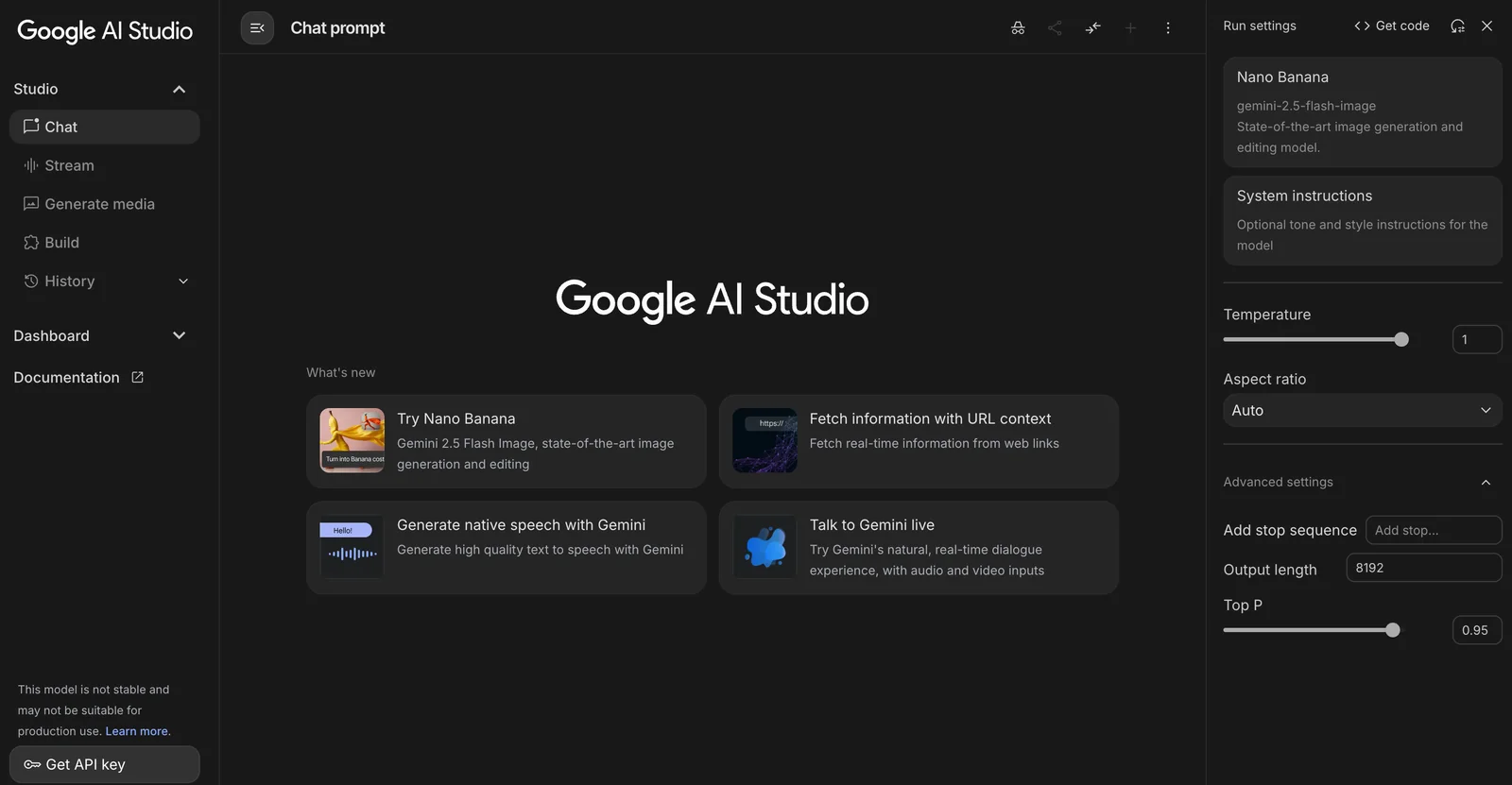
Google AI Studio is a web-based development and experimentation environment that connects creators to Google's Gemini family of large multimodal models and related services. It provides an interface for prompt engineering, model fine-tuning, prototyping applets, and integrating model capabilities (text, image, audio, video, tool/function calling) into apps. Studio supports starter applets and local development workflows (using a Gemini API key), and can be used together with Google Cloud Vertex AI for enterprise-scale deployment. Its value is in shortening the path from prompt to production by combining model access, multimodal features and developer-oriented tooling in one platform.
Screenshots
Key Features
Use Cases



Frequently asked questions about Google AI Studio
What are the pricing options for Google AI Studio?
Google AI Studio offers a freemium pricing model. Users can access basic features for free, while the Enterprise plan, known as Vertex AI, is custom-priced based on usage, specifically tailored for larger deployments and advanced features.
Key Points
- Freemium Model: Basic features available at no cost.
- Enterprise Plan: Custom pricing based on specific usage.
- Scalability: Options available for both small projects and large organizations.
Detailed Explanation
Google AI Studio caters to a diverse range of users, from individuals and small businesses to large enterprises. The freemium model allows users to start using basic features without any financial commitment. This includes access to initial tools for model development, training, and deployment.
For organizations looking for enhanced capabilities, the Enterprise (Vertex AI) plan provides a more robust suite of tools tailored for scalability and larger projects. The pricing for this plan is not fixed and is determined based on various factors, including:
- Usage Volume: Higher usage typically results in higher pricing.
- Feature Requirements: More advanced features like custom model training and integration with other Google Cloud services may incur additional costs.
- Support Levels: Different tiers of customer support can influence the overall pricing structure.
For example, a startup using the free tier may be able to develop and test models, while a multinational company may choose the Enterprise plan to leverage more computational power and advanced analytics.
Best Practices / Tips
- Evaluate Needs: Assess your project requirements carefully to determine if the free tier suffices or if you need to upgrade to the Enterprise plan.
- Monitor Usage: Regularly check your usage metrics to avoid unexpected charges when on the Enterprise plan.
- Take Advantage of Free Resources: Utilize Google’s extensive documentation and tutorials available for free to maximize the benefits of the platform.
Additional Resources
How do I get started using Google AI Studio?
To get started using Google AI Studio, visit the official website, create an account, and access the web interface for experimenting with Gemini models. Utilize community resources and documentation to guide you through the initial setup and maximize your experience with the platform.
Key Points
- Create an Account: Sign up on the official Google AI Studio website.
- Explore Gemini Models: Familiarize yourself with the available AI models for experimentation.
- Leverage Community Resources: Utilize forums and documentation for support and guidance.
Detailed Explanation
-
Visit the Google AI Studio Website: Start by navigating to the Google AI Studio homepage. This is where you’ll find information about the platform's features and capabilities.
-
Create an Account: Click on the "Sign Up" button, and follow the prompts to create your account. You may need to verify your email address to activate your account.
-
Access the Web Interface: Once logged in, you’ll have access to the user-friendly web interface. Here, you can explore various tools and resources offered by Google AI Studio, including the advanced Gemini models. These models are designed for a wide range of applications, from natural language processing to image recognition.
-
Experiment with Gemini Models: Start by selecting a model that suits your project. Google AI Studio provides a variety of templates and examples to help you get started quickly. You can run experiments, adjust parameters, and observe how changes affect the model’s performance.
-
Utilize Community Resources: Engage with the Google AI Studio community through forums and online groups. These platforms can provide valuable insights, troubleshooting tips, and best practices from experienced users.
Best Practices / Tips
- Start Small: Begin with simple projects to familiarize yourself with the interface and capabilities of the Gemini models. This will build your confidence and understanding of the tools.
- Follow Tutorials: Take advantage of beginner tutorials and documentation available on the Google AI Studio website. These resources can guide you through specific use cases.
- Experiment and Iterate: Don’t be afraid to experiment with different models and settings. Iteration is key to discovering the best configurations for your specific needs.
- Stay Updated: Regularly check for updates and new features released by Google AI Studio to enhance your projects.
Additional Resources
- Google AI Studio Documentation for comprehensive guidance.
- Google AI Community Forum for discussions and support.
- YouTube Tutorials for visual step-by-step guides.
What features does Google AI Studio offer?
Google AI Studio offers a comprehensive suite of features, including a prompt-to-production workflow, access to multimodal models, fine-tuning capabilities, and starter applets designed for rapid prototyping and development. These tools empower developers to create, customize, and deploy AI applications effectively.
Key Points
- Prompt-to-Production Workflow: Streamlined process from concept to deployment.
- Multimodal Model Access: Integration of various data types, such as text, images, and audio.
- Fine-Tuning Capabilities: Enhance model performance with customized training.
Detailed Explanation
Google AI Studio provides a prompt-to-production workflow that facilitates a seamless transition from initial ideas to fully functional applications. This process includes intuitive interfaces that guide users through each stage, allowing developers to focus on creativity rather than technical hurdles.
The platform also supports multimodal model access, enabling developers to leverage AI models that can process and analyze different types of data simultaneously. For instance, a developer can create an application that interprets both text and images, providing richer, more interactive user experiences. This feature is particularly beneficial for industries like healthcare, where combining data types can lead to more accurate diagnostics.
Fine-tuning capabilities allow users to adapt pre-existing models to their specific needs. By adjusting model parameters and training on unique datasets, developers can significantly enhance model performance. For example, a business can fine-tune a language model on its proprietary customer service transcripts to improve response accuracy.
Furthermore, the inclusion of starter applets accelerates the development process by providing pre-built templates and code snippets. These applets serve as a foundation for new projects, allowing developers, even those with limited experience, to prototype and iterate quickly.
Best Practices / Tips
- Utilize Starter Applets: Begin with starter templates to save time on basic setup.
- Leverage Fine-Tuning: Regularly update and fine-tune models to adapt to new data and changing requirements, ensuring optimal performance.
- Explore Multimodal Features: Experiment with multimodal models to create innovative applications that engage users on multiple levels.
- Monitor Performance Metrics: Track key performance indicators (KPIs) to identify areas for improvement and ensure your AI application meets user needs.
Additional Resources
How does Google AI Studio compare to other AI tools?
Google AI Studio distinguishes itself from other AI tools by offering integrated multimodal capabilities, community-driven fine-tuning options, and seamless integration with Google Cloud services. This makes it a versatile choice for developers and businesses looking to build and deploy AI applications effectively.
Key Points
- Integrated Multimodal Tools: Supports various data types, enhancing usability.
- Community-Driven Fine-Tuning: Allows users to customize models collaboratively.
- Seamless Google Cloud Integration: Facilitates easy deployment and scalability.
Detailed Explanation
Google AI Studio is designed to cater to a wide range of AI applications, which makes it unique compared to other AI tools in the market. Its integrated multimodal capabilities enable developers to work with text, images, and audio in a single platform. For example, businesses can create chatbots that respond to voice queries while also providing visual content.
The community-driven fine-tuning options allow users to enhance pre-trained models based on specific needs. This collaborative approach not only speeds up model development but also leverages collective expertise, resulting in better-performing AI applications. For instance, a team can collectively fine-tune a natural language processing model to better understand industry-specific jargon.
Furthermore, the seamless integration with Google Cloud services simplifies the deployment process. Users can easily scale their applications, manage resources, and access powerful cloud computing features without the need for extensive setup. This is particularly beneficial for businesses that require a robust infrastructure to handle large datasets or high-traffic applications.
Best Practices / Tips
- Leverage Community Resources: Engage with the community for shared insights and model fine-tuning techniques.
- Utilize Google Cloud Features: Make use of auto-scaling and machine learning services to optimize performance.
- Experiment with Multimodal Capabilities: Test various combinations of data types to maximize the effectiveness of your AI applications.
Common pitfalls include neglecting model evaluations after fine-tuning and failing to monitor resource usage, which can lead to unexpected costs.
Additional Resources
Can I integrate the Google AI Studio API with my applications?
Yes, you can integrate the Google AI Studio API with your applications using the Gemini API or Vertex AI for production deployments. This integration offers extensive customization options and functionality, enhancing your application's capabilities with advanced AI features.
Key Points
- Integration Options: Use Gemini API or Vertex AI.
- Customization: Tailor AI features to specific application needs.
- Production Readiness: Vertex AI supports scalable and reliable deployments.
Detailed Explanation
Integrating the Google AI Studio API into your applications enables developers to leverage powerful AI capabilities. The integration can be accomplished through two primary options:
-
Gemini API: This API allows developers to create and manage AI models tailored to their specific needs. With Gemini, you can train custom machine learning models using your own data, fine-tuning them for tasks such as natural language processing (NLP), image recognition, and more.
-
Vertex AI: For production deployments, Vertex AI provides a comprehensive platform that supports model training, deployment, and management. It allows businesses to use pre-trained models or develop their own, offering features like AutoML for automating model training processes.
For example, if you're developing a customer service application, you could use the Gemini API to create a chatbot that understands and responds to user queries effectively. With Vertex AI, you can deploy this model at scale, ensuring that it can handle multiple interactions simultaneously.
Best Practices / Tips
- Start Small: Begin with a prototype to understand the capabilities of the API before scaling up.
- Utilize Documentation: Leverage Google’s official documentation for detailed guidance on API usage, best practices, and troubleshooting.
- Monitor Performance: Implement monitoring tools to track the performance of your AI models in real-time and make necessary adjustments.
- Consider Costs: Be aware of potential costs associated with API calls and model training, and budget accordingly.
Additional Resources
By following these guidelines, you can effectively integrate the Google AI Studio API, enhancing your application's functionality with powerful AI features.
Explore more AI Ai Models tools
Browse all Ai Models tools →Browse by use case: Image Generation · Video Generation · Code Generation · Voice & Audio
Compare Google AI Studio: vs Mouse-1 · vs Milliseconds.ai · vs SWE-2 · vs Desert Ant Labs