

FigureLabs
AIAI agent that creates publication-ready scientific figures via text-to-figure, image-to-figure, and vectorization.
FigureLabs
AI agent that creates publication-ready scientific figures via text-to-figure, image-to-figure, and vectorization.
About FigureLabs
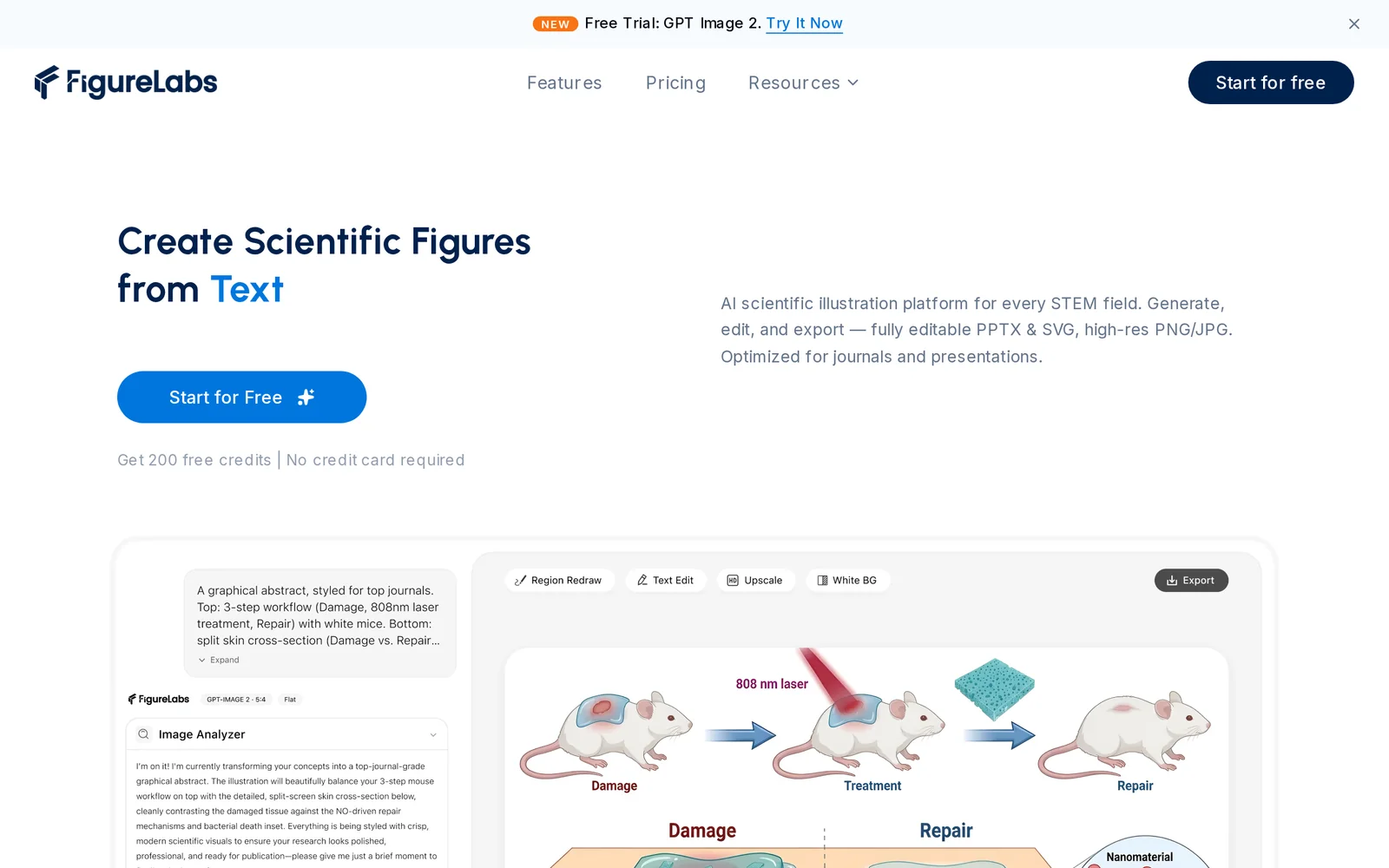
FigureLabs is an AI agent designed to produce publication-ready scientific figures quickly. It converts textual descriptions into composed figures, transforms existing images into polished figure components, and vectorizes raster inputs into editable graphics. The service emphasizes speed and output quality to help researchers and authors generate journal-ready visuals in seconds, reducing manual illustration work and accelerating manuscript preparation.
Screenshots
Key Features
Use Cases



Frequently asked questions about FigureLabs
What is FigureLabs?
FigureLabs is an AI-driven tool designed to generate publication-ready scientific figures from text or images. It also vectorizes graphics in mere seconds, streamlining the process of creating high-quality illustrations for research papers and presentations.
Key Points
- AI-powered figure creation from text or images
- Instant vectorization of graphics
- Ideal for researchers and academics
Detailed Explanation
FigureLabs leverages advanced artificial intelligence algorithms to transform raw data or descriptions into visually appealing scientific figures. Users can input textual descriptions or upload images, and the AI processes this information to generate figures that meet publication standards. This is particularly beneficial for researchers who often struggle with the time-consuming task of creating accurate illustrations for journals or conferences.
For instance, a researcher may need to visualize complex data from a study. By simply providing a brief text description or a dataset, FigureLabs can produce a graph or chart that effectively conveys the information. Additionally, the tool can vectorize existing images, enhancing their quality and ensuring they are suitable for print and digital formats.
Examples of Use Cases
- Academic Papers: Researchers can generate figures directly from their findings, saving valuable time.
- Presentations: Quick creation of high-quality visuals for lectures or conferences.
- Data Visualization: Transforming raw data into interpretable graphics for easier understanding.
Best Practices / Tips
- Be Specific: When inputting text descriptions, the more detail you provide, the better the output will be.
- Utilize Templates: Familiarize yourself with any available templates within FigureLabs to streamline your workflow.
- Check Compatibility: Ensure that the generated figures meet the specific requirements of the journal or conference to which you are submitting.
Additional Resources
How does FigureLabs work?
FigureLabs functions by leveraging advanced AI technologies to streamline various workflows, enhancing user productivity and efficiency. It integrates machine learning, natural language processing, and automation tools, allowing users to optimize their daily tasks and improve decision-making processes effortlessly.
Key Points
- AI Integration: Combines machine learning and natural language processing.
- Workflow Automation: Streamlines repetitive tasks to save time.
- User-Centric Design: Tailored to enhance productivity for diverse users.
Detailed Explanation
FigureLabs employs a suite of AI capabilities to address common challenges in workflow management. By utilizing machine learning algorithms, FigureLabs analyzes data patterns to offer personalized insights and recommendations. Here’s how it works:
-
Data Analysis: FigureLabs processes large datasets quickly, identifying trends and anomalies. For instance, businesses can analyze customer feedback to improve service or product offerings.
-
Natural Language Processing (NLP): The platform understands and processes human language, enabling users to interact naturally with the AI. This allows for tasks like summarizing documents or generating reports from raw data.
-
Task Automation: By automating routine tasks such as scheduling, data entry, or email responses, FigureLabs frees users to focus on more strategic initiatives. For example, a marketing team can automate social media posting while analyzing engagement metrics through the AI.
-
Integration with Other Tools: FigureLabs easily integrates with popular productivity tools and software, creating a seamless workflow. This can include CRM systems, project management applications, and communication platforms.
Best Practices / Tips
- Identify Repetitive Tasks: Start by pinpointing which tasks could benefit most from automation. This helps maximize efficiency and ROI.
- Leverage Customization Options: Utilize FigureLabs' customizable features to tailor the AI's functions to your specific needs, enhancing its effectiveness.
- Regularly Update Data: Ensure that the data fed into FigureLabs is current and relevant. Outdated data can lead to inaccurate insights and recommendations.
- Monitor AI Outputs: Regularly review the AI’s suggestions and outputs to ensure they align with your objectives and make adjustments as necessary.
Additional Resources
What are the main features of FigureLabs?
FigureLabs offers a suite of advanced AI capabilities, including data analysis, predictive modeling, and natural language processing. These features empower users to harness AI for various applications, improving decision-making, enhancing customer experiences, and streamlining operations across industries.
Key Points
- Data Analysis: Robust tools for interpreting complex datasets.
- Predictive Modeling: Techniques for forecasting trends and behaviors.
- Natural Language Processing (NLP): Advanced algorithms for understanding human language.
Detailed Explanation
FigureLabs combines various AI technologies to deliver powerful features tailored for businesses. Here’s a breakdown:
1. Data Analysis
FigureLabs provides users with sophisticated data analysis tools that simplify the examination of large datasets. Users can leverage these tools to uncover insights, identify patterns, and make data-driven decisions. For instance, businesses can use FigureLabs to analyze customer behavior, optimize marketing strategies, and improve product offerings.
2. Predictive Modeling
The predictive modeling capabilities of FigureLabs enable organizations to forecast future trends and behaviors. Users can input historical data to train models that predict outcomes. This feature is particularly beneficial for sectors like finance, where predicting market trends can lead to more informed investment strategies. For example, retailers can anticipate inventory needs based on shopping trends.
3. Natural Language Processing (NLP)
FigureLabs employs cutting-edge NLP techniques to allow users to interact with data using natural language. This means that users can ask questions in plain English and receive meaningful responses. This feature is especially useful in customer service automation, where AI can handle inquiries efficiently, improving response times and customer satisfaction.
Best Practices / Tips
- Leverage Integrations: Utilize FigureLabs' integration capabilities with existing tools to enhance productivity. This can streamline workflows and reduce data silos.
- Regularly Update Models: For predictive modeling, ensure you regularly update your input data to maintain accuracy in forecasts.
- Explore NLP Features: Take full advantage of NLP by training your AI on specific industry jargon to enhance its understanding and response accuracy.
Additional Resources
Who is FigureLabs for?
FigureLabs is designed for a diverse audience, including individuals, small businesses, and enterprises interested in enhancing their daily AI workflows. It caters to anyone looking to leverage AI tools for productivity, creativity, and efficiency in various tasks, from content creation to data analysis.
Key Points
- Target Audience: Individuals, small businesses, and enterprises.
- Use Cases: Content creation, marketing automation, and data analysis.
- AI Integration: Seamless incorporation of AI tools into daily tasks.
Detailed Explanation
FigureLabs serves a broad spectrum of users by providing AI-driven solutions that streamline workflows.
-
For Individuals: If you're a freelancer or content creator, FigureLabs can assist in generating ideas, drafting articles, and editing text. With AI tools, you can save time and enhance the quality of your work. For example, using AI for brainstorming allows you to overcome writer's block quickly.
-
For Small Businesses: Small business owners can use FigureLabs for marketing automation. Tools like AI-driven email campaigns and social media scheduling can significantly boost engagement and reduce manual workload. By automating repetitive tasks, you can focus more on strategic growth.
-
For Enterprises: Large organizations often handle vast amounts of data. FigureLabs aids in data analysis, providing insights and trends that inform decision-making. AI can automate reporting processes, allowing teams to access real-time data without needing extensive manual input.
The platform's versatility makes it suitable for various industries, including education, finance, and healthcare, where AI can enhance operational efficiency.
Best Practices / Tips
- Start Small: Begin by integrating one AI tool into your workflow to avoid overwhelm. Gradually expand as you become comfortable.
- Utilize Tutorials: Take advantage of training materials and tutorials offered by FigureLabs to maximize tool usage.
- Monitor Performance: Regularly analyze the effectiveness of AI tools in your workflow. Adjust strategies based on what works best for you or your team.
- Stay Updated: Follow FigureLabs' updates to leverage new features and improvements continuously.
Additional Resources
How much does FigureLabs cost?
FigureLabs is a subscription-based service, and its pricing can vary based on the features and packages you select. For the most accurate and up-to-date pricing information, visit the official FigureLabs website.
Key Points
- FigureLabs operates on a subscription model.
- Pricing varies based on selected features and packages.
- Visit the official site for the most current pricing details.
Detailed Explanation
FigureLabs offers a range of subscription plans tailored to different user needs, from individual users to teams and enterprises. Each plan comes with various features, such as access to advanced AI tools, analytics, and customer support options.
As of now, FigureLabs generally provides tiered pricing structures that may include:
- Basic Plan: Ideal for individuals or small teams, offering essential tools at a lower cost.
- Pro Plan: Designed for larger teams, including additional features like enhanced analytics and priority support.
- Enterprise Plan: Custom solutions for organizations with specific needs, typically requiring direct consultation for pricing.
It's important to regularly check the official FigureLabs website as pricing and packages may change over time or offer promotional discounts.
Use Cases
- Startups can benefit from the Basic Plan to explore AI capabilities without a hefty investment.
- Mid-sized businesses may opt for the Pro Plan to unlock team collaboration features.
- Large enterprises can negotiate tailored solutions that fit their unique operational requirements.
Best Practices / Tips
- Compare Features: Before selecting a plan, compare the features included in each tier to ensure you choose the best fit for your needs.
- Trial Period: Look for any trial options FigureLabs might offer to test the service before committing to a subscription.
- Stay Updated: Regularly check the website for any changes in pricing or new features that could enhance your usage of FigureLabs.
Additional Resources
How do I get started with FigureLabs?
To get started with FigureLabs, simply visit FigureLabs' official website to sign up for an account. Once registered, you can explore its features, tools, and resources designed for AI-driven projects and collaboration.
Key Points
- Sign Up Process: Create an account easily online.
- Explore Features: Discover the array of tools available for AI development.
- Community Support: Engage with resources and forums for assistance.
Detailed Explanation
To initiate your journey with FigureLabs, follow these steps:
- Visit the Website: Go to FigureLabs.ai.
- Create an Account: Click on the "Sign Up" button. You will need to provide your email address and create a secure password.
- Choose a Plan: FigureLabs offers various subscription options, including free trials and paid plans, which provide additional features such as enhanced AI capabilities and increased collaboration tools. Review the pricing details to select the best plan for your needs.
- Explore the Dashboard: After signing up, log in to your account and familiarize yourself with the dashboard. Here, you can access tools for data analysis, AI model training, and project management.
- Utilize Resources: Take advantage of tutorials, documentation, and community forums available on the site. These resources are invaluable for beginners and can help you understand how to leverage the platform effectively.
Example Use Case: If you're a data scientist, you can start a project by uploading datasets and using FigureLabs’ AI tools to develop predictive models.
Best Practices / Tips
- Take Advantage of Tutorials: Utilize the onboarding tutorials to maximize your understanding of FigureLabs features.
- Engage with the Community: Join forums or discussion groups to gain insights and tips from experienced users.
- Regularly Check for Updates: Stay informed about new features and enhancements by checking the website or subscribing to newsletters.
- Experiment: Don’t hesitate to explore different tools and functionalities within FigureLabs to find the best fit for your projects.
Additional Resources
- FigureLabs Documentation - In-depth guides and tutorials.
- FigureLabs Blog - Articles on best practices and AI insights.
- Community Forum - Connect with other users and share knowledge.
By following these steps and utilizing the available resources, you'll be well-prepared to harness the full potential of FigureLabs for your AI projects.
Explore more AI Ai Agents tools
Browse all Ai Agents tools →Browse by use case: Automation & Productivity
Compare FigureLabs: vs Proto-Mind · vs Ami · vs Duvi · vs AskDeck