

Ecrett Music
AIWeb-based tool that generates royalty-free music with mood/scene controls and downloadable licensed tracks for creators.
Ecrett Music
Web-based tool that generates royalty-free music with mood/scene controls and downloadable licensed tracks for creators.
About Ecrett Music
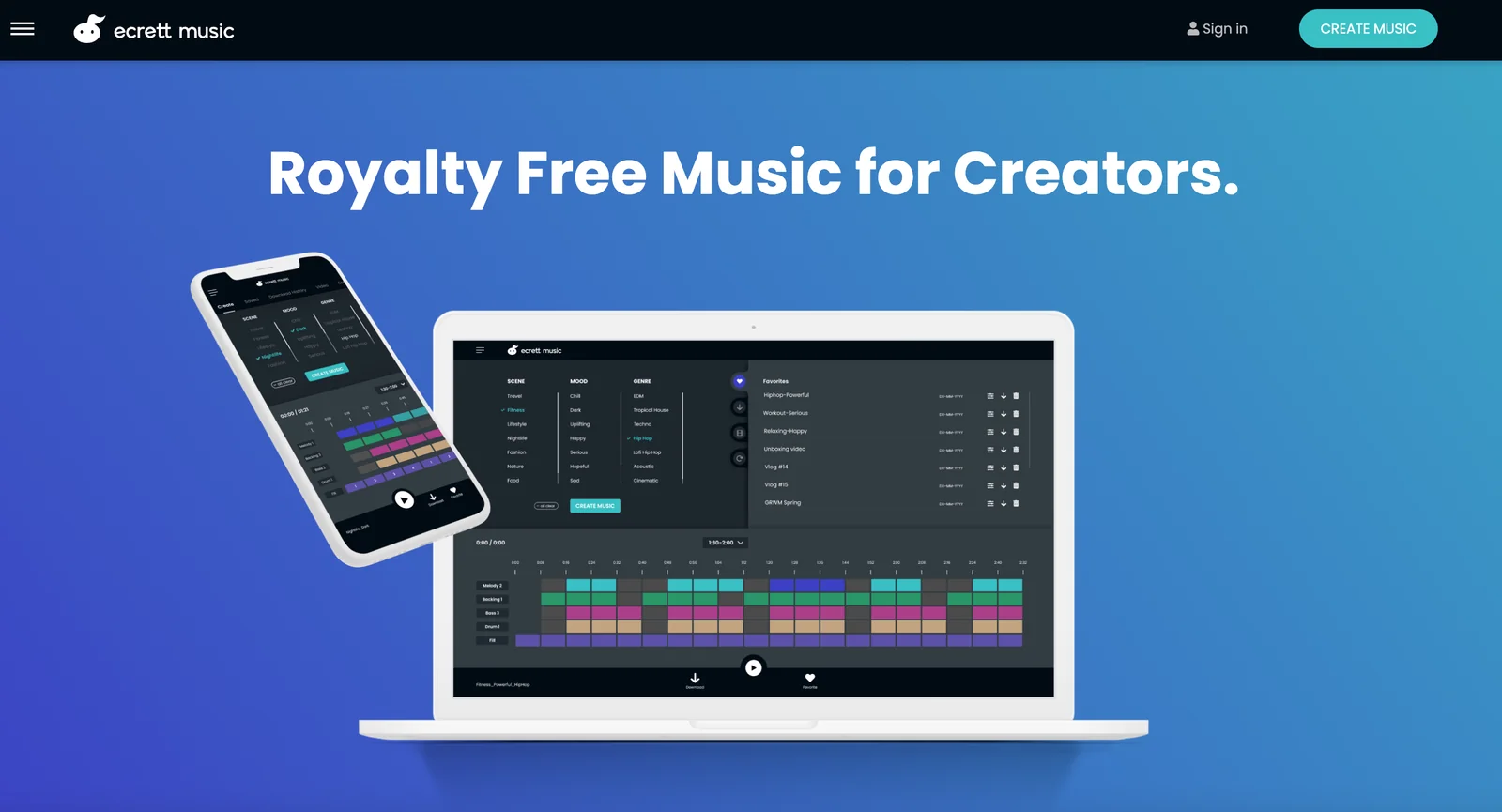
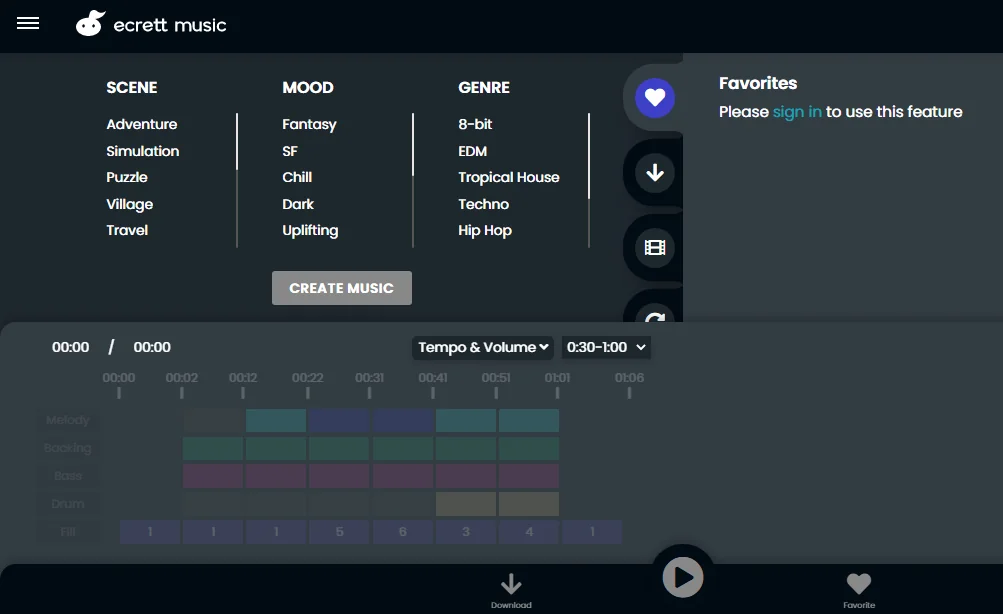
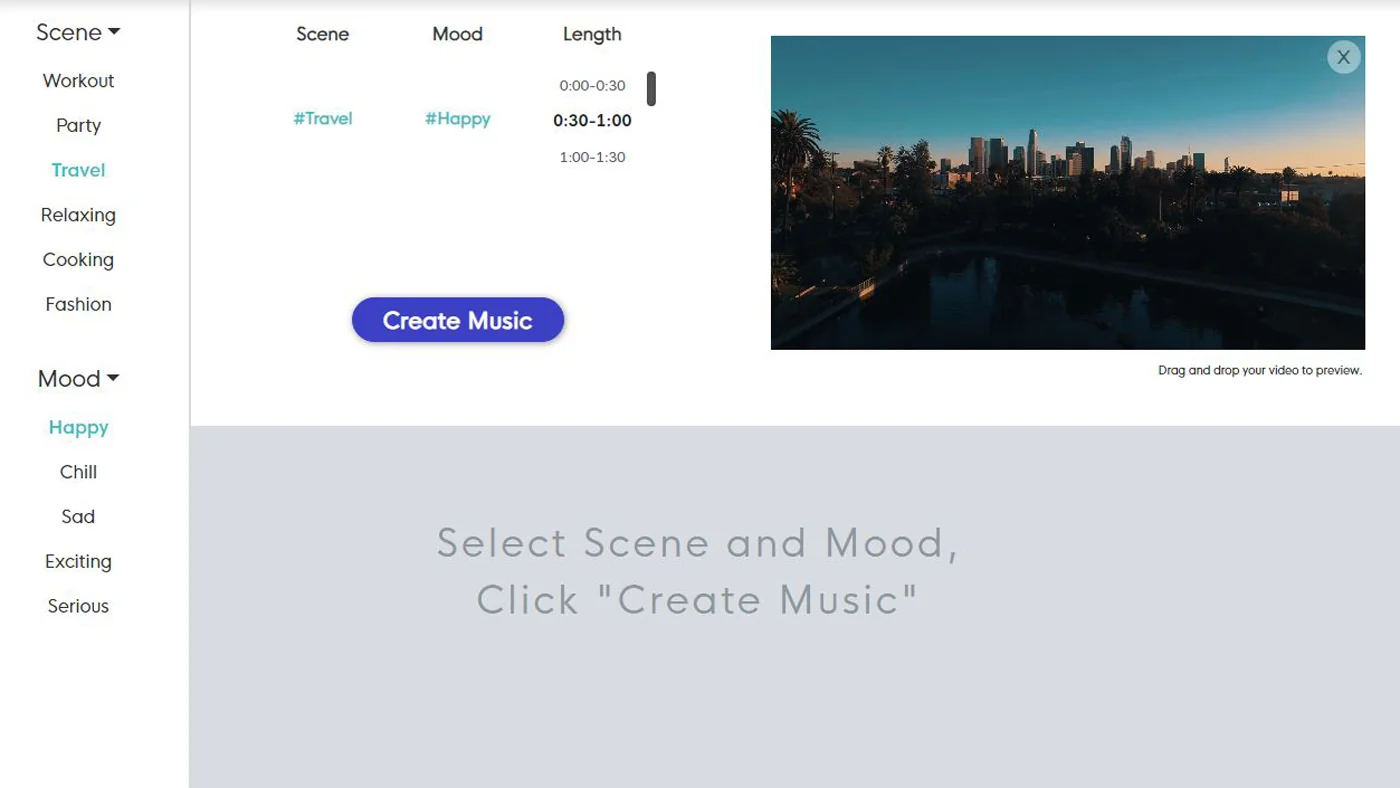
Ecrett Music is a browser-based music generation tool that creates royalty-free background music quickly and simply. Users pick moods, scenes, genres, and length to produce original tracks tailored to videos, games, podcasts, and other content. The service focuses on ease of use for non-musicians, offering fast previews, exports, and a straightforward licensing model so generated music can be used in monetized and commercial projects. Ecrett is provided as a subscription-based service (pricing not listed in provided sources).
Screenshots
Key Features
Use Cases



Frequently asked questions about Ecrett Music
What are the pricing options for Ecrett Music?
Ecrett Music offers three pricing options: a free tier with limited features, an Individual plan at $7.99 per month or $4.99 per month when billed annually, and a Business plan at $24.99 per month or $14.99 per month when billed annually. Visit their official website for more details.
Key Points
- Free Tier: Access to basic features at no cost.
- Individual Plan: Affordable monthly or annual pricing.
- Business Plan: Enhanced features tailored for professional use.
Detailed Explanation
Ecrett Music provides flexible pricing plans to cater to different user needs. The free tier allows users to explore basic functionalities, making it ideal for beginners or casual users. This tier includes access to a limited selection of royalty-free music but is perfect for testing the platform.
For more serious users, the Individual plan is available at $7.99 per month, with a discounted rate of $4.99 per month for users who choose to pay annually. This plan unlocks additional features, such as a wider music library and the ability to use tracks in commercial projects.
The Business plan is designed for professionals and organizations needing extensive features. Priced at $24.99 per month or $14.99 per month when billed annually, it includes advanced tools, unlimited downloads, and priority customer support. This plan is particularly beneficial for content creators, marketers, and businesses looking for high-quality music to enhance their projects.
Best Practices / Tips
- Choosing the Right Plan: Assess your music needs before selecting a plan. If you’re just starting, the free tier might be sufficient.
- Annual Billing: Opt for annual billing if you plan to use Ecrett Music long-term to save money.
- Explore Features: Take advantage of free trials or limited-time offers to explore the features of each plan before committing.
Additional Resources
How do I start using Ecrett Music?
To start using Ecrett Music, visit the official website, create a free account, and select a pricing plan that suits your needs. After signing in, you can access the music generator to create, customize, and download tracks tailored for personal or commercial projects.
Key Points
- Free Trial Available: Ecrett Music offers a free trial to explore features.
- User-Friendly Interface: The platform is designed for easy navigation and quick track creation.
- Flexible Pricing Plans: Choose a plan based on your project requirements.
Detailed Explanation
To begin with Ecrett Music, go to Ecrett Music's official website. Here’s a step-by-step guide:
-
Sign Up: Click the “Sign Up” button. You can register using your email address or sign in using social media accounts like Google or Facebook.
-
Explore Free Trial: Ecrett Music offers a free trial that allows you to test the platform's capabilities without commitment. During this period, you can create and download a limited number of tracks.
-
Choose a Pricing Plan: After the trial, select a pricing plan. Ecrett Music typically has several options:
- Free Plan: Limited features for personal use.
- Basic Plan: Suitable for small projects, offering access to a broader music library.
- Pro Plan: Ideal for commercial use, providing advanced features and unlimited downloads.
-
Create Music: Once you've set up your account, access the music generator. You can select various moods, genres, and instruments to create unique tracks.
-
Download Your Tracks: After customizing your music, you can download the tracks in various formats to suit your project needs.
Best Practices / Tips
- Experiment with Genres: Take advantage of the diverse genres available to find the perfect sound for your project.
- Use Tags Wisely: When searching for music, utilize specific tags to narrow down your results quickly.
- Preview Before Downloading: Always listen to a track before downloading to ensure it meets your requirements.
- Stay Updated: Regularly check for new features or updates to enhance your experience.
Additional Resources
- Ecrett Music Help Center for tutorials and FAQs.
- Ecrett Music Blog for tips on using music in your projects.
- Ecrett Music Pricing Page for detailed information on subscription options.
What features does Ecrett Music offer for music creation?
Ecrett Music offers a range of features for music creation, including royalty-free track generation, customizable moods and scenes, adjustable lengths and structures, high-quality audio downloads, and a straightforward licensing process. These tools empower creators to easily incorporate music into their monetized content without legal complications.
Key Points
- Royalty-Free Track Generation: Create unique music tracks without worrying about royalties.
- Customizable Moods and Scenes: Tailor music to match specific themes or emotions.
- User-Friendly Licensing: Simplified licensing for commercial use in various projects.
Detailed Explanation
Ecrett Music is designed to facilitate music creation for all types of content creators, from video producers to game developers. Here’s a deeper look at its features:
-
Royalty-Free Track Generation: Ecrett Music allows users to generate original tracks that are free from royalties. This means you can use these tracks in your projects without incurring additional costs. The platform uses AI to create music that fits your requirements.
-
Customizable Moods and Scenes: Users can select from various moods (like happy, sad, or dramatic) and scenes (like nature or urban) to create music that resonates with their content. This feature ensures that the music aligns perfectly with the intended emotional tone of your project.
-
Adjustable Length and Structure: Ecrett Music provides flexibility in track length and structure. You can customize the duration of your music to fit your content perfectly, whether it’s a short video or a longer presentation. This feature is particularly useful for filmmakers who need specific timing for their edits.
-
High-Quality Audio Downloads: The platform offers high-quality audio files (up to 320 kbps), ensuring that your projects maintain a professional sound. This is essential for creators who prioritize audio quality in their productions.
-
Simple Licensing Approach: Ecrett Music's licensing model is straightforward, allowing creators to use generated tracks in monetized content without complex legal barriers. This clarity is invaluable for those looking to monetize their projects easily.
Best Practices / Tips
- Experiment with Different Moods: Try various moods to find the best fit for your content. The right music can significantly enhance the viewer's experience.
- Check Audio Quality: Always download the highest quality available to maintain professional standards in your projects.
- Stay Updated on Licensing Terms: Regularly review the licensing terms to ensure compliance, especially if you plan to use the music in commercial settings.
Additional Resources
How does Ecrett Music compare to other music generation tools?
Ecrett Music distinguishes itself from other music generation tools with its intuitive interface, extensive customization options, and competitive pricing. Additionally, its straightforward licensing model is particularly advantageous for content creators, making it a top choice for those seeking royalty-free music solutions.
Key Points
- User-Friendly Interface: Ecrett Music is designed for ease of use, even for those without a musical background.
- Customizable Options: Users can tailor music tracks to fit specific moods, genres, and project needs.
- Affordable Pricing and Licensing: Ecrett Music offers transparent pricing and a simple licensing structure that benefits content creators.
Detailed Explanation
Ecrett Music's user-friendly interface allows anyone, regardless of musical expertise, to create high-quality music tracks quickly. Users can select from various moods like "happy," "sad," "energetic," or "calm," and then customize the genre, tempo, and length of the music. This level of personalization ensures that the generated music aligns perfectly with the user's project requirements.
Comparatively, other music generation tools may have steeper learning curves or limited customization options. For instance, tools like Amper Music and AIVA offer robust capabilities but may overwhelm newcomers with their complexity. Ecrett Music simplifies the process, making music creation accessible to all.
In terms of pricing, Ecrett Music offers multiple subscription tiers, starting as low as $14.99 per month, making it a budget-friendly option for individuals and small businesses. The licensing model is also straightforward: users can generate and use unlimited tracks without worrying about additional fees or complicated legal terms.
Best Practices / Tips
- Explore the Customization Features: Take advantage of the mood and genre options to create music that perfectly matches your content.
- Utilize the Free Trial: If unsure, use the free trial to test the platform and evaluate its suitability for your needs before committing to a subscription.
- Stay Updated on Features: Ecrett Music frequently updates its offerings, so keep an eye out for new features that could enhance your music-making experience.
Additional Resources
Does Ecrett Music have an API for integration?
Yes, Ecrett Music provides a composer-grade API for seamless music creation and retrieval. This API is ideal for developers who want to integrate music generation capabilities into their applications, enabling them to generate customized soundtracks programmatically.
Key Points
- Ecrett Music features a robust API for music generation.
- The API supports various music styles and genres.
- Ideal for developers and businesses in need of custom audio solutions.
Detailed Explanation
Ecrett Music's API allows developers to access a wide range of music generation features programmatically. Users can create soundtracks tailored to specific needs, such as background music for videos, games, or apps. The API supports multiple genres, including ambient, cinematic, and electronic music, ensuring a versatile solution for various applications.
To get started with the Ecrett Music API, developers typically follow these steps:
- Sign Up: Create an account on the Ecrett Music platform to gain access to the API.
- API Documentation: Review the official API documentation for detailed instructions on endpoints, authentication, and usage.
- Integration: Use the provided endpoints to generate music. For example, you can call the API with parameters that specify mood, genre, and duration, and receive a unique audio track in response.
- Customization: Adjust parameters as needed to refine the music output based on your project requirements.
Ecrett Music’s API is designed to be user-friendly, allowing even those with minimal technical skills to harness its capabilities.
Best Practices / Tips
- Test Different Parameters: Experiment with various settings to achieve the desired music style and mood.
- Optimize API Calls: Limit the number of API requests by caching frequently used tracks or reusing previous outputs where possible.
- Stay Updated: Regularly check for updates in the API documentation to take advantage of new features or improvements.
Additional Resources
- Ecrett Music API Documentation - Official documentation for implementation guidance.
- Ecrett Music Website - Explore features and sign up for API access.
- Community Forums - Engage with other developers for tips and troubleshooting.
Explore more AI Ai Models tools
Browse all Ai Models tools →Browse by use case: Voice & Audio
Compare Ecrett Music: vs Mouse-1 · vs Milliseconds.ai · vs SWE-2 · vs Desert Ant Labs