
Documentation.AI
AIAI-powered platform to create, manage, and publish up-to-date API, technical, and software documentation.
Documentation.AI
AI-powered platform to create, manage, and publish up-to-date API, technical, and software documentation.
About Documentation.AI
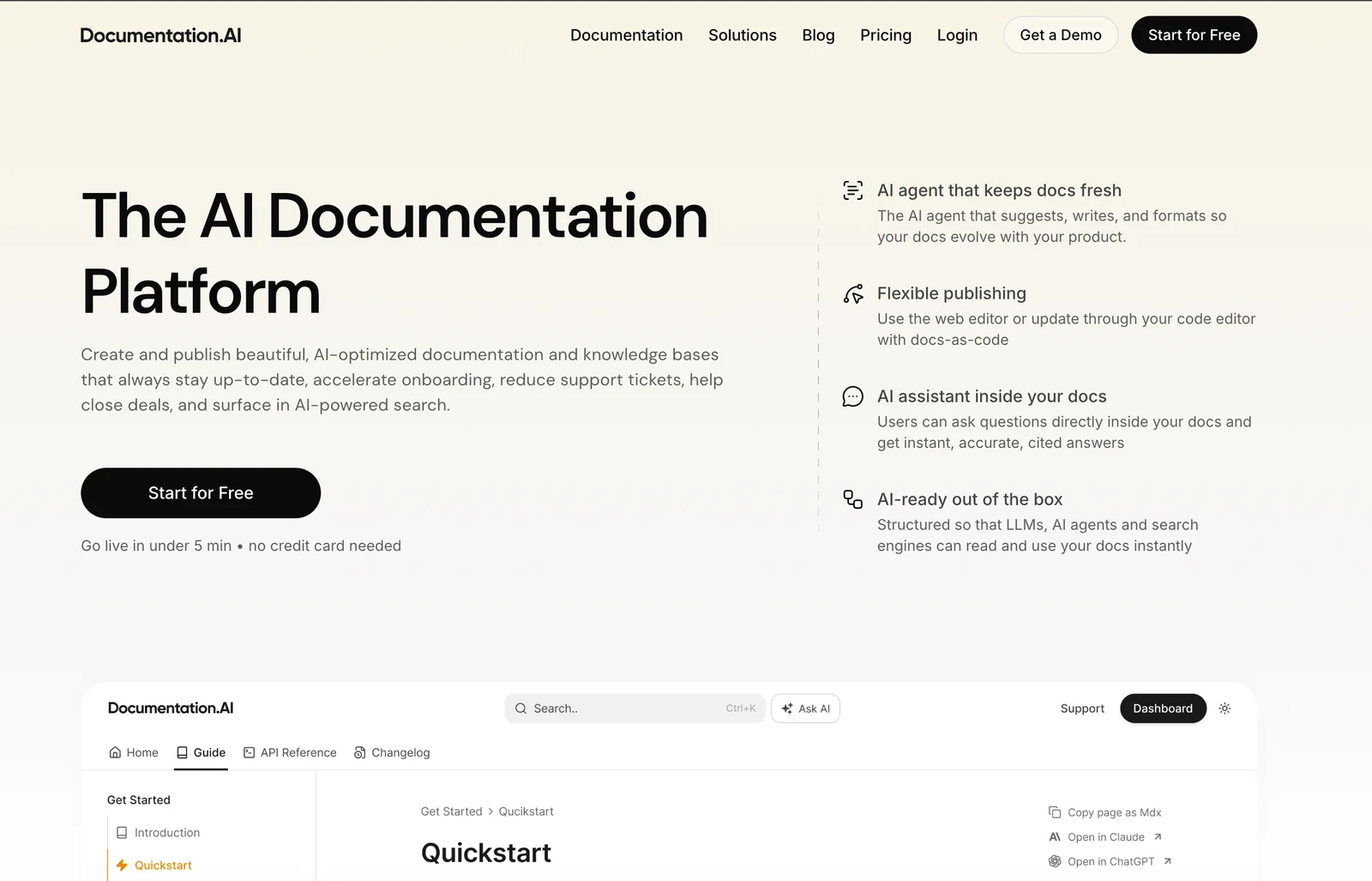
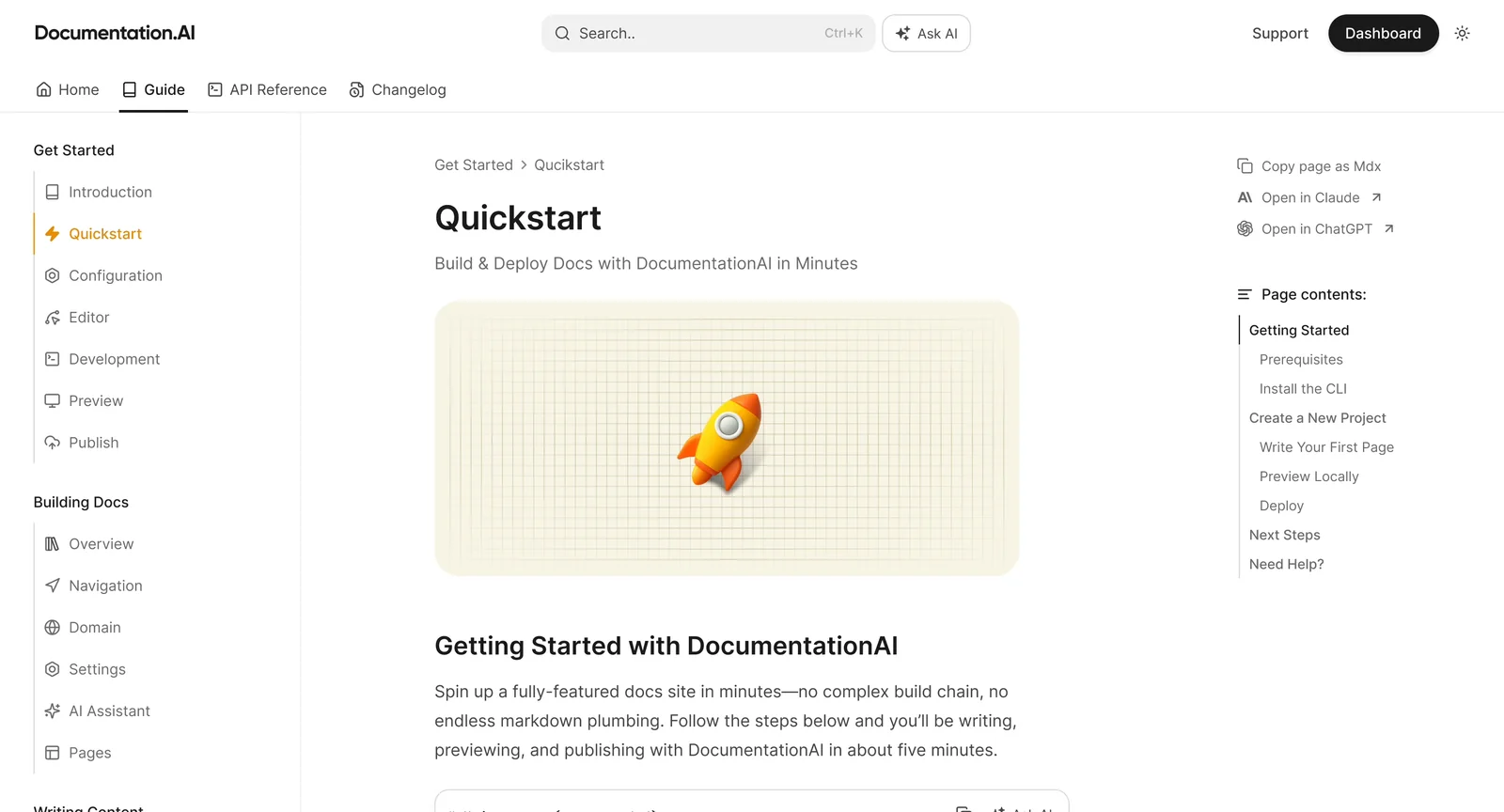
Documentation.AI is a documentation platform that uses generative AI to help teams author, organize, and publish API, technical, and software documentation. It provides AI-assisted drafting and editing to accelerate content creation and maintain consistency across reference docs and guides. The platform centralizes documentation management and publishing so teams can keep content up-to-date, searchable, and accessible to developers and stakeholders. Documentation.AI is focused on reducing manual writing effort and improving documentation quality and discoverability.
Screenshots
Key Features
Use Cases



Frequently asked questions about Documentation.AI
What pricing options does Documentation.AI offer?
Documentation.AI follows a freemium pricing model, allowing users to access basic features for free. However, detailed pricing tiers are not publicly listed on their official website. For comprehensive pricing options, including custom quotes, contacting their sales team is recommended.
Key Points
- Freemium model offers basic features at no cost.
- No specific pricing tiers are published online.
- Custom quotes are available upon contacting the sales team.
Detailed Explanation
Documentation.AI provides a freemium structure that enables users to start using the platform without any initial investment. This model is ideal for individuals or small teams looking to explore documentation solutions. The free version typically includes essential features that allow users to create, edit, and manage their documentation efficiently.
While the official website lacks specific pricing tiers, many SaaS platforms like Documentation.AI often offer various subscription plans based on user needs, such as:
- Basic Plan: Ideal for single users or small teams, offering core functionalities.
- Professional Plan: Includes advanced features and collaboration tools for larger teams.
- Enterprise Plan: Tailored solutions with custom pricing for organizations requiring extensive usage and specialized support.
To receive a detailed breakdown of pricing options, including potential discounts or features included in each tier, it is advisable to reach out directly to their sales team. This ensures that you get the most accurate and relevant information tailored to your specific usage scenario.
Best Practices / Tips
- Contact Sales for Custom Quotes: If you have specific needs or a large team, always discuss your requirements with the sales team to get tailored pricing.
- Take Advantage of the Freemium Model: Utilize the free version to assess whether the platform meets your documentation needs before committing to a paid plan.
- Watch for Promotions: Keep an eye on their website for any promotional offers or discounts that may apply during special events or seasons.
Additional Resources
What are the key features of Documentation.AI?
Documentation.AI is a powerful tool that features AI-assisted authoring, centralized documentation management, automated updates, and collaborative tools. These functionalities significantly enhance the efficiency of creating, maintaining, and sharing technical documentation, making it an invaluable resource for teams looking to streamline their documentation processes.
Key Points
- AI-Assisted Authoring: Automates content generation and suggests improvements.
- Centralized Documentation Management: Offers a single repository for all documentation needs.
- Automated Updates and Collaboration Tools: Ensures real-time updates and facilitates teamwork.
Detailed Explanation
Documentation.AI stands out in the realm of technical documentation tools by integrating advanced AI capabilities.
-
AI-Assisted Authoring: This feature leverages natural language processing (NLP) to help users generate high-quality content quickly. It analyzes existing documents and suggests enhancements, making it easier for authors to produce clear and concise technical documents. For instance, if a user writes a draft, the AI can recommend related topics or even structure the content more effectively.
-
Centralized Documentation Management: With Documentation.AI, all documentation is stored in a unified platform, which reduces the risk of version control issues and ensures that all team members have access to the most up-to-date information. This centralization is particularly beneficial for organizations with multiple departments or teams, as it promotes consistency across all documents.
-
Automated Updates and Collaboration Tools: Keeping documentation current is crucial, and Documentation.AI provides automated update features that notify users of changes in related documents or external sources. Additionally, its collaboration tools enable real-time editing and comments, allowing teams to work together seamlessly, regardless of their physical location.
Best Practices / Tips
- Leverage AI Suggestions: Always review AI-generated content for accuracy and relevance before finalizing documents.
- Regularly Update: Schedule periodic reviews to ensure that the documentation reflects current processes and technologies.
- Encourage Team Collaboration: Use collaboration tools to foster communication among team members, which can lead to improved documentation quality.
Additional Resources
- Documentation.AI Official Website
- User Guide for AI-Assisted Authoring
- Best Practices for Technical Documentation
By harnessing these features and best practices, users can maximize the benefits of Documentation.AI, ensuring efficient and effective technical documentation management.
How can I get started with Documentation.AI?
To get started with Documentation.AI, visit their official website and reach out to their sales team for onboarding details. They can provide you with tailored information about features and options that suit your specific documentation needs.
Key Points
- Visit the official Documentation.AI website.
- Contact the sales team for personalized onboarding.
- Explore the various features available to enhance your documentation process.
Detailed Explanation
Documentation.AI is a powerful tool designed to streamline the documentation process using artificial intelligence. To begin, navigate to the Documentation.AI website where you can find comprehensive information about the platform's capabilities.
-
Contact Sales: Upon visiting the site, look for the "Contact Us" or "Get Started" section. Here, you'll find options to connect with their sales team. This initial contact is crucial as they will guide you through the onboarding process tailored to your organization's needs.
-
Explore Features: Documentation.AI offers a variety of features such as automated content generation, integration with existing workflows, and real-time collaboration tools. By discussing your needs with the sales team, you can identify which features will provide the most value to your documentation efforts.
-
Onboarding Process: After initial contact, the sales team will typically arrange a demo or consultation session. During this session, you can ask specific questions, understand pricing structures, and see the software in action. This step is vital in ensuring you understand how to maximize the tool’s capabilities.
Best Practices / Tips
- Define Your Needs: Before contacting the sales team, outline your documentation needs. Are you looking for automation, collaboration, or analytics? Clear objectives will help streamline your discussions.
- Request a Demo: Always ask for a demo. This will provide you with a hands-on experience and allow you to see how Documentation.AI can fit into your existing processes.
- Trial Period: If available, take advantage of a trial period. This will allow you to test the software’s features and gauge its effectiveness for your team before committing.
Additional Resources
What technical integrations does Documentation.AI support?
Documentation.AI supports integrations with various code repositories like GitHub and GitLab, as well as CI/CD systems such as Jenkins and CircleCI. These integrations facilitate seamless documentation updates, ensuring that documentation reflects code changes in real-time, enhancing collaboration and efficiency in development workflows.
Key Points
- Code Repository Integration: Connects with platforms like GitHub and GitLab.
- CI/CD System Compatibility: Works with Jenkins, CircleCI, and others for continuous integration.
- Real-Time Synchronization: Automatically updates documentation based on code changes.
Detailed Explanation
Documentation.AI offers robust technical integrations that streamline the documentation process for software development teams. By linking with popular code repositories, such as GitHub and GitLab, it allows users to maintain comprehensive documentation that evolves alongside code changes. This ensures that developers and stakeholders always have access to the most current information.
Code Repository Integration
Integrating with code repositories enables automatic updates to documentation whenever changes are made to code. For example, if a developer pushes a new feature, Documentation.AI can immediately reflect these changes in the related documentation, reducing the likelihood of outdated or inaccurate information.
CI/CD System Compatibility
The integration with CI/CD systems like Jenkins, CircleCI, and Travis CI automates the deployment process, ensuring that documentation is not only synchronized with the latest code but is also tested and validated in real-time. This integration enhances the reliability of the documentation, as it can be automatically generated as part of the build process.
Real-Time Synchronization
With real-time synchronization capabilities, teams can ensure that documentation is always up-to-date. This feature is particularly valuable in Agile environments, where code changes occur frequently. Documentation.AI can be set to trigger updates based on specific events in the CI/CD pipeline, ensuring that documentation reflects the current state of the application without manual intervention.
Best Practices / Tips
- Regularly Review Integrations: Ensure your integrations are set up correctly and are functioning as expected.
- Customize Webhooks: Use webhooks to define specific events that trigger documentation updates, tailoring the process to your team's needs.
- Train Team Members: Educate your team on how to effectively use Documentation.AI to ensure they utilize all features optimally.
Additional Resources
How does Documentation.AI compare to other documentation tools?
Documentation.AI excels in AI-assisted authoring and automated updates, which significantly enhance efficiency compared to traditional documentation tools. While it offers advanced features, users should evaluate their unique needs and team workflows when comparing it with other platforms.
Key Points
- AI-Assisted Authoring: Streamlines content creation, reducing time and effort.
- Automated Updates: Ensures documentation remains current without manual intervention.
- Scalability: Adapts to growing teams and project demands seamlessly.
Detailed Explanation
Documentation.AI differentiates itself from conventional documentation tools by leveraging artificial intelligence to optimize the authoring process. This tool provides features like content generation and contextual suggestions, enabling users to create detailed documentation quickly. For instance, instead of manually writing out API documentation, developers can input basic parameters, and Documentation.AI will generate a comprehensive outline or draft based on best practices.
Additionally, the automated update feature is particularly beneficial for teams that frequently make changes to their products or services. Rather than requiring users to revisit every document following updates, Documentation.AI can track changes and suggest revisions automatically. This not only saves time but also minimizes the risk of outdated information being published.
When evaluating Documentation.AI against other tools like Confluence or Notion, consider factors such as your team's size, the complexity of your documentation needs, and integration capabilities with existing software stacks. For example, small startups might prioritize ease of use and cost-effectiveness, while larger enterprises may require advanced collaboration features and scalability.
Best Practices / Tips
- Define Your Requirements: Before selecting a documentation tool, assess your team's specific needs regarding collaboration, integrations, and document types.
- Trial Period: Take advantage of trial versions of Documentation.AI and competitors to understand which tool best fits your workflow.
- Training and Support: Ensure that your team is adequately trained on the tool to maximize its features and capabilities, reducing the learning curve.
Additional Resources
Explore more AI Ai Agents tools
Browse all Ai Agents tools →Browse by use case: Automation & Productivity
Compare Documentation.AI: vs Proto-Mind · vs Ami · vs Duvi · vs AskDeck