
BeFreed
AIPersonalized audio learning app that narrates top books and knowledge sources for faster, smarter learning.
BeFreed
Personalized audio learning app that narrates top books and knowledge sources for faster, smarter learning.
About BeFreed
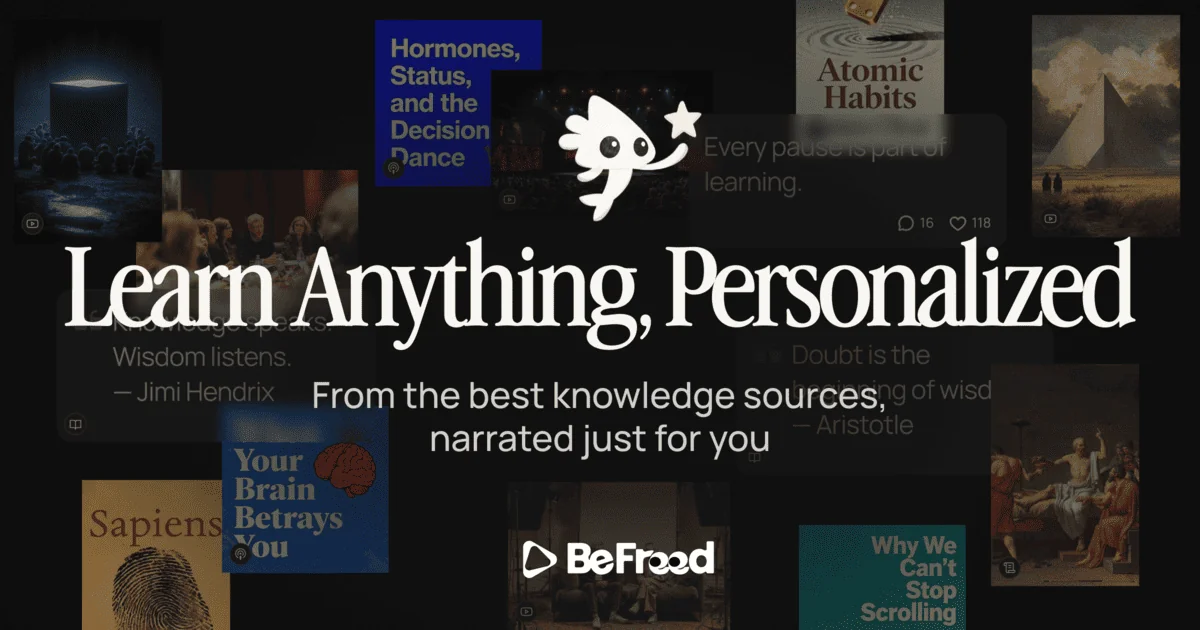
BeFreed is a personalized audio-first learning platform that converts top books, articles, and knowledge sources into narrated lessons and short explainer videos. It uses personalization to tailor narration and pacing to each learner, and offers a Knowledge Visualizer that turns any knowledge into 30-second explanation videos with AI voiceover. The product is delivered via mobile apps for iOS and Android and is built around a learning community and curated sources to help users learn more efficiently and joyfully.
Screenshots
Key Features
Use Cases



Frequently asked questions about BeFreed
What is BeFreed?
BeFreed is a personalized audio learning app that transforms the way users engage with knowledge. By narrating top books and other educational resources, it enables faster and smarter learning, making complex ideas accessible through immersive audio experiences tailored to individual preferences.
Key Points
- Personalized Learning: Tailors content to user preferences and learning styles.
- Wide Range of Content: Offers summaries and narrations of popular books and knowledge sources.
- Enhanced Retention: Utilizes audio to improve comprehension and memory retention.
Detailed Explanation
BeFreed is designed for modern learners who prefer audio formats over traditional reading. The app features an extensive library, including bestsellers, self-help, and academic texts, all synthesized into engaging audio formats. Users can choose topics based on their interests, allowing for a more customized learning experience.
How It Works:
- Sign Up: Users create an account to access the app’s features.
- Select Content: Browse through categories or search for specific titles.
- Adjust Settings: Personalize the audio speed and voice to enhance the listening experience.
- Engage with Material: Listen to summaries or full narrations while multitasking or on the go.
- Track Progress: Users can monitor their learning journey through the app's dashboard.
Example Use Cases:
- Students: Utilize BeFreed to absorb textbook material while commuting.
- Professionals: Catch up on industry trends by listening to key business books during workouts.
- Lifelong Learners: Explore new subjects through curated audio content that fits their busy schedules.
Best Practices / Tips
- Consistency: Make daily listening a habit to maximize learning retention.
- Explore Various Genres: Diversifying content can enhance knowledge and stimulate critical thinking.
- Use Playlists: Create themed playlists for different learning goals or topics.
- Feedback Loop: Utilize the app's feedback features to tailor content recommendations further.
Additional Resources
How does BeFreed work?
BeFreed works by integrating advanced AI capabilities to streamline daily workflows, allowing users to automate repetitive tasks, enhance productivity, and make data-driven decisions effortlessly. Its user-friendly interface and customizable features make it suitable for individuals and businesses alike.
Key Points
- AI-Powered Automation: Automates routine tasks and processes.
- User-Friendly Interface: Designed for ease of use, catering to all skill levels.
- Customizable Workflows: Allows users to tailor functionalities to their specific needs.
Detailed Explanation
BeFreed leverages core artificial intelligence technologies like machine learning and natural language processing to automate everyday tasks. It provides tools that help users in various domains, such as project management, data analysis, and content creation.
How It Works
-
Task Automation: BeFreed can automate tasks such as scheduling, email management, and report generation. For example, businesses can set up automated email responses based on customer inquiries.
-
Data Analysis: Users can analyze large datasets quickly. BeFreed’s AI can identify trends and generate insights, facilitating better decision-making. For instance, a marketing team can use BeFreed to analyze campaign performance and suggest optimizations.
-
Content Creation: The platform assists in generating high-quality content, such as articles and social media posts. Users can input topics, and BeFreed will produce drafts, saving valuable time.
BeFreed integrates seamlessly with popular tools like Google Workspace, Microsoft Office, and project management software, enhancing its utility and appeal across various industries.
Best Practices / Tips
- Define Clear Objectives: Before using BeFreed, outline specific goals for automation to ensure you maximize its potential.
- Regularly Update Workflows: Continuously refine and adapt your workflows based on performance analytics provided by BeFreed.
- Leverage Templates: Utilize BeFreed’s customizable templates for common tasks to save time and maintain consistency.
Additional Resources
By implementing these strategies, users can fully harness BeFreed's capabilities, resulting in increased efficiency and productivity.
What are the main features of BeFreed?
BeFreed offers a variety of advanced features including intuitive AI capabilities, real-time data analytics, and customizable automation tools. These functionalities empower users to streamline workflows, enhance decision-making processes, and improve overall productivity in various applications across industries.
Key Points
- Intuitive AI Capabilities: Advanced machine learning algorithms for enhanced performance.
- Real-time Data Analytics: Immediate insights for informed decision-making.
- Customizable Automation Tools: Tailored workflows to suit specific business needs.
Detailed Explanation
BeFreed's core features are designed to meet the demands of modern businesses. The intuitive AI capabilities harness machine learning to automate repetitive tasks, analyze trends, and predict outcomes, enabling users to focus on strategic initiatives. For instance, a marketing team can leverage AI to personalize customer interactions based on data-driven insights.
The real-time data analytics feature allows businesses to access instant information regarding operational performance. This can include metrics like sales figures, customer engagement rates, and inventory levels, providing a comprehensive view of the business landscape. A retail company, for example, can use these analytics to adjust inventory in real time, minimizing stockouts and overstock situations.
Customizable automation tools enable users to create workflows that align with their specific objectives. By integrating various applications, BeFreed allows for seamless data transfer and process automation. For example, human resources departments can automate employee onboarding processes, ensuring a consistent and efficient experience for new hires.
Best Practices / Tips
- Leverage AI Features: Regularly update your AI parameters to improve accuracy and efficiency.
- Utilize Real-Time Analytics: Set up dashboards to monitor key performance indicators (KPIs) continuously.
- Customize Workflows: Take the time to tailor automation tools to your unique business needs for maximum effectiveness.
Additional Resources
Who is BeFreed for?
BeFreed is designed for individuals and businesses looking to enhance their daily AI workflows. It caters to professionals in various industries, including marketing, content creation, and project management, by streamlining tasks and improving productivity through AI-driven tools.
Key Points
- Target Audience: Professionals, businesses, and individuals.
- Industry Versatility: Suitable for marketing, project management, and creative fields.
- Productivity Enhancement: Automates routine tasks for efficiency.
Detailed Explanation
BeFreed is an innovative AI tool that serves a diverse audience seeking to incorporate artificial intelligence into their everyday tasks. It is particularly beneficial for:
-
Marketing Professionals: BeFreed can assist in creating tailored marketing strategies, automating social media posts, and analyzing customer data for better targeting. For example, a marketer can use BeFreed to generate engaging content ideas based on trending topics, saving hours of brainstorming time.
-
Content Creators: Writers, bloggers, and video producers can leverage BeFreed to streamline their creative processes. The tool can help generate outlines, suggest keywords for SEO optimization, and even assist in drafting articles or scripts. For instance, a blogger can input a topic, and BeFreed will provide a structured outline and key points, enhancing the writing process.
-
Project Managers: BeFreed aids in tracking project timelines, assigning tasks, and providing reminders, which can significantly improve team collaboration. Project managers can set up automated reports to monitor progress, ensuring that all team members are aligned and deadlines are met.
Best Practices / Tips
- Customize for Your Needs: Explore BeFreed’s settings to tailor AI functionalities to your specific workflows. This ensures the tool aligns closely with your objectives.
- Integrate with Existing Tools: Take advantage of BeFreed’s compatibility with popular platforms like Google Workspace, Trello, or Slack. This integration can enhance efficiency by centralizing workflows.
- Regularly Update Your Inputs: For optimal results, keep your data and inputs current. This helps the AI generate more relevant and actionable insights.
Additional Resources
How much does BeFreed cost?
BeFreed offers a free tier that allows users to access basic features, while paid plans start at $10 per month, providing advanced functionalities for enhanced user experience. Pricing may vary based on specific needs and features selected.
Key Points
- Free Tier: Basic features available without cost.
- Paid Plans: Start at $10 per month for advanced tools.
- Custom Pricing: Options may vary based on user requirements.
Detailed Explanation
BeFreed’s pricing structure includes a free tier that is ideal for individuals or small teams looking to explore the platform without any financial commitment. This tier includes essential features that allow users to get a feel for the service.
For those needing more robust functionality, BeFreed offers paid plans starting at $10 per month. These plans include advanced features such as enhanced analytics, customization options, and priority customer support. Users can select from various plans based on their specific needs, ensuring they only pay for what they require.
BeFreed's flexibility is a significant advantage, as it allows businesses to scale their usage. For larger organizations or those with unique needs, BeFreed may provide custom pricing options that cater to specific requirements. This ensures that businesses can leverage the full potential of the platform without overspending.
Best Practices / Tips
- Evaluate Your Needs: Before committing to a paid plan, assess which features are essential for your operations.
- Utilize the Free Tier: Take full advantage of the free tier to familiarize yourself with the platform and its capabilities.
- Check for Promotions: BeFreed occasionally runs promotions that may offer discounts on monthly subscriptions or bundled services.
- Compare Plans: Review all available plans and their features to ensure you choose the one that aligns with your budget and needs.
Additional Resources
How do I get started with BeFreed?
To get started with BeFreed, visit BeFreed's website and sign up for an account. After registration, you can explore its features, integrations, and tools designed to enhance your productivity and workflow.
Key Points
- Easy sign-up process
- User-friendly interface
- Comprehensive support and resources
Detailed Explanation
BeFreed is an innovative AI tool designed to streamline your workflow and boost productivity. Here’s how to get started:
- Visit the Website: Navigate to BeFreed's official site.
- Create an Account: Click on the “Sign Up” button. You’ll need to provide basic information like your name, email address, and password. After submitting, verify your email to activate your account.
- Explore Features: Once logged in, take a tour of BeFreed's dashboard. The platform offers various tools for project management, automation, and collaboration.
- Integration Setup: Connect BeFreed with your existing tools such as Slack, Google Drive, or Trello for enhanced functionality. This integration allows you to centralize your tasks and communications.
- Utilize Resources: Familiarize yourself with the tutorials and documentation available on the site to maximize your usage of BeFreed.
BeFreed is suitable for individuals and teams looking to automate repetitive tasks and improve efficiency. Whether you’re a freelancer or part of a larger organization, its AI capabilities can adapt to your needs.
Best Practices / Tips
- Start Small: Begin with one or two features to avoid overwhelm, gradually expanding as you become more comfortable.
- Utilize Templates: Take advantage of pre-made templates for project management or task lists to save time.
- Stay Updated: Regularly check for new features or updates to ensure you’re leveraging the full potential of BeFreed.
- Seek Support: If you encounter challenges, use the help center or community forums for guidance.
Additional Resources
- BeFreed Documentation
- BeFreed Blog for tips and best practices
- Tutorial Videos for visual guidance on usage
By following these steps and tips, you can effectively get started with BeFreed and enhance your productivity through its powerful AI tools.
Explore more AI Ai Models tools
Browse all Ai Models tools →Browse by use case: Video Generation · Voice & Audio
Compare BeFreed: vs Mouse-1 · vs Milliseconds.ai · vs SWE-2 · vs Desert Ant Labs