

ElevenLabs
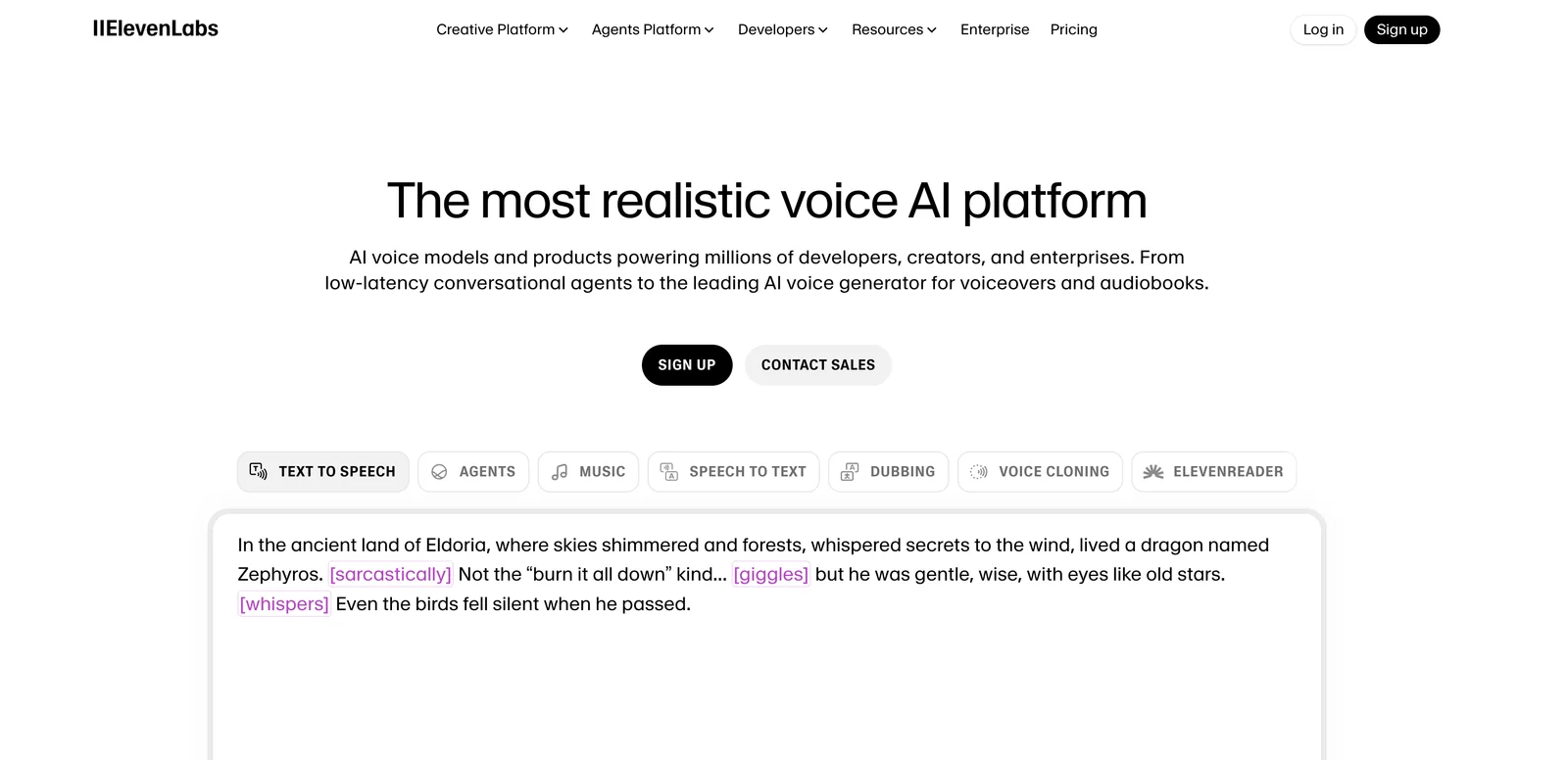
AIFeaturedText-to-speech and AI voice generator delivering lifelike voices across thousands of voices and 70+ languages with APIs and SDKs.
ElevenLabs
Text-to-speech and AI voice generator delivering lifelike voices across thousands of voices and 70+ languages with APIs and SDKs.
About ElevenLabs
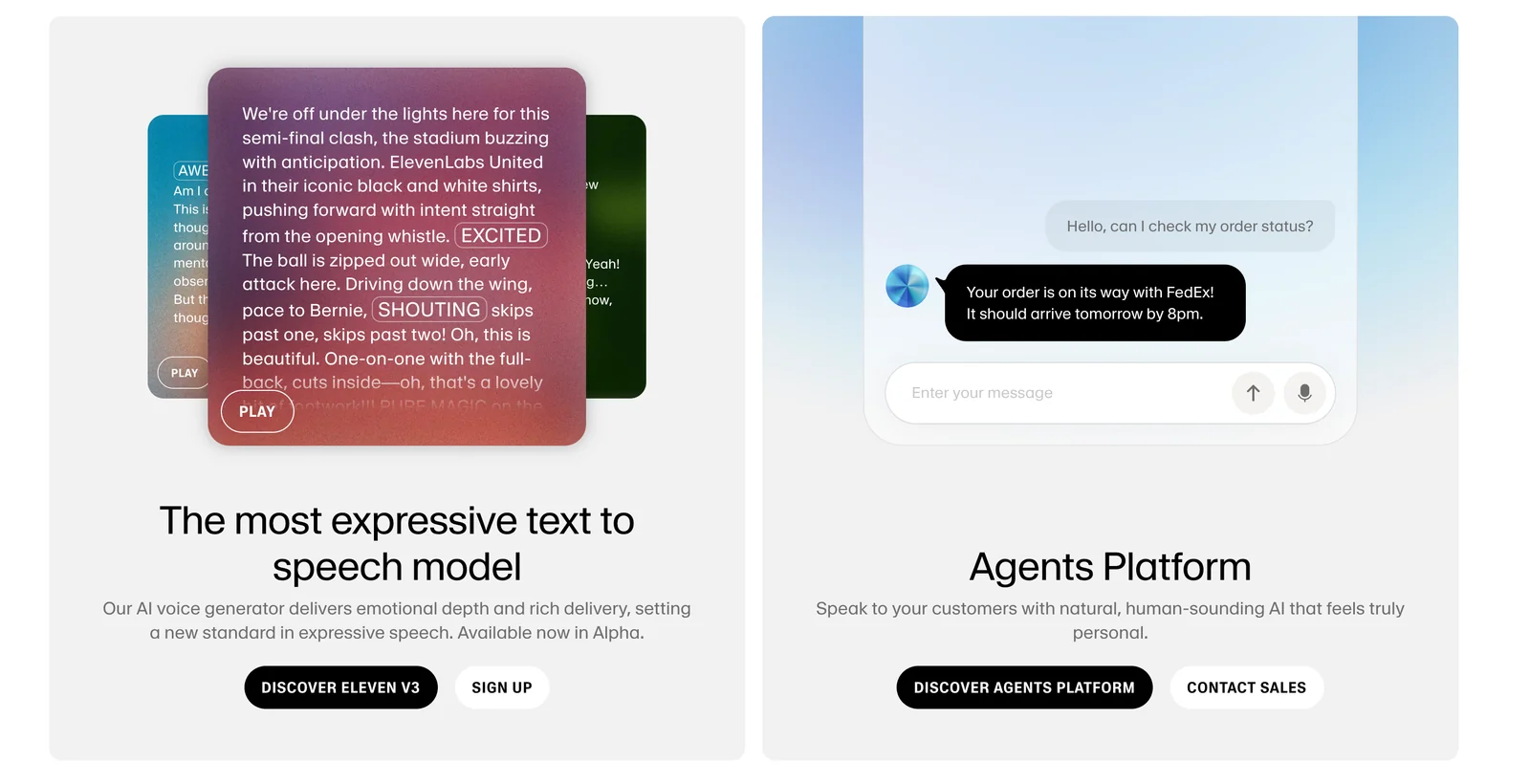
ElevenLabs provides advanced text-to-speech and voice-generation services that create highly realistic, expressive speech from text. The platform offers thousands of preset and customizable voices across 70+ languages, voice-cloning capabilities, and tools for building conversational audio agents. Developers can integrate ElevenLabs via secure, scalable APIs and official SDKs (Python, JavaScript/Node, Swift) and run Conversational AI with real-time audio, while creators use the web UI to produce audiobooks, podcasts, and other spoken content.
Screenshots
Key Features
Use Cases


Frequently asked questions about ElevenLabs
What are the pricing options for ElevenLabs?
ElevenLabs offers a flexible pricing structure with a freemium model. Users can access a free tier that includes 10,000 characters per month. Paid plans range from $4.17 for basic features to $1,320 for enterprise solutions, accommodating various usage needs and budgets.
Key Points
- Freemium Model: Free tier with 10,000 characters/month.
- Affordable Paid Plans: Ranging from $4.17 to $1,320/month.
- Variety of Use Cases: Suitable for individuals, teams, and enterprises.
Detailed Explanation
ElevenLabs provides a comprehensive pricing strategy designed to meet diverse user requirements. The freemium model allows new users to explore the platform without financial commitment. With the free tier, users receive 10,000 characters per month, ideal for light users or those testing the service.
For those with higher demands, ElevenLabs offers several paid plans:
- Starter Plan: At $4.17/month, this plan is perfect for individuals or small projects requiring more flexibility than the free tier.
- Professional Plan: This plan, priced at $29/month, is targeted at freelancers and small businesses needing additional features and higher character limits.
- Enterprise Solutions: For organizations with extensive usage needs, plans can go up to $1,320/month, providing unlimited characters and advanced features such as collaboration tools and priority support.
Use cases vary widely, from content creators generating scripts or voiceovers to businesses implementing AI-driven voice technology in customer service.
Best Practices / Tips
- Start with the Free Tier: If you're new to ElevenLabs, begin with the free tier to familiarize yourself with the platform before committing to a paid plan.
- Evaluate Your Needs: Assess your character usage to select the most cost-effective plan—don't pay for features you won't use.
- Monitor Usage: Regularly check your character consumption to avoid exceeding the limits, which could incur additional charges.
Additional Resources
How to get started with ElevenLabs text-to-speech?
To get started with ElevenLabs text-to-speech, create a free account on their website, explore diverse voice options, and utilize their user-friendly online tools or APIs for generating high-quality text-to-speech content. This platform offers advanced AI-driven features, making it suitable for various applications.
Key Points
- Free Account Creation: Sign up easily on ElevenLabs’ website.
- Voice Selection: Choose from a variety of realistic voices.
- Accessibility: Use online tools or APIs for seamless integration.
Detailed Explanation
To get started with ElevenLabs, follow these steps:
-
Create an Account: Visit ElevenLabs' official website and sign up for a free account. This process usually requires a valid email address and password.
-
Explore Voices: Once registered, navigate to the voice selection section. ElevenLabs offers a range of voice profiles, including different accents, genders, and styles. You can listen to samples to find the one that best fits your needs.
-
Use the Online Tools: ElevenLabs provides an intuitive web interface for text-to-speech generation. Enter your text into the designated box, select your preferred voice, adjust settings like speed and pitch, and click “Generate” to hear your audio.
-
API Integration: For developers, ElevenLabs offers API access. You can integrate text-to-speech functionalities into your applications or websites. Documentation is available to guide you through authentication, request formatting, and response handling.
Example Use Cases
- Content Creation: Bloggers and content marketers can use ElevenLabs to convert written articles into audio format, making content more accessible.
- E-Learning: Educators can create engaging audio lessons or tutorials, enhancing the learning experience.
- Accessibility: Businesses can provide audio versions of their websites for visually impaired users.
Best Practices / Tips
- Experiment with Voices: Don’t hesitate to try multiple voices to find the perfect match for your project.
- Optimize Text Input: Use clear and concise language in your text input for better audio clarity. Avoid slang or complex phrases.
- Test Different Settings: Play with speed and pitch settings to achieve a natural-sounding output. A slower pace may work better for complex topics.
Additional Resources
- ElevenLabs Documentation: Comprehensive guides for using the platform.
- Getting Started Guide: Step-by-step instructions for beginners.
- API Reference: Technical details for developers looking to integrate ElevenLabs into their applications.
What are the key features of ElevenLabs voice generator?
ElevenLabs voice generator boasts advanced lifelike voice generation, a vast library of voices, multilingual support in over 70 languages, and convenient APIs for seamless integration. These features make it an optimal choice for diverse content creation needs, from audiobooks to virtual assistants.
Key Points
- Lifelike Voice Generation: Produces natural-sounding speech.
- Extensive Voice Library: Offers a wide variety of voice options.
- Multilingual Support: Supports over 70 languages for global reach.
Detailed Explanation
ElevenLabs voice generator is designed to provide unparalleled realism in voice synthesis. Its lifelike voice generation technology utilizes advanced AI algorithms, enabling the creation of speech that closely mimics human intonation and emotion. This feature is particularly beneficial for industries requiring high-quality audio, such as gaming, entertainment, and education.
Extensive Voice Library
The platform includes a massive collection of voices, which allows users to select from various accents, tones, and styles. For instance, a user can choose a soothing voice for meditation applications or an authoritative tone for educational tutorials. This flexibility ensures that the generated audio aligns perfectly with the intended audience.
Multilingual Support
Supporting over 70 languages, ElevenLabs is ideal for global content creators. Businesses looking to reach international markets can utilize this feature to create localized content without sacrificing quality. For example, a marketing agency can produce promotional material in multiple languages, enhancing engagement and accessibility.
APIs for Seamless Integration
ElevenLabs provides robust APIs that facilitate easy integration into existing platforms. This allows developers to incorporate voice generation into applications, such as virtual assistants, chatbots, and e-learning platforms. With straightforward API documentation, integrating ElevenLabs into your tech stack is both efficient and scalable.
Best Practices / Tips
- Experiment with Voices: Test different voices to find the best fit for your project. Consider the emotional tone and demographic of your target audience.
- Leverage Multilingual Features: If your audience is international, use the multilingual capabilities to enhance user engagement and reach.
- Optimize Audio Output: Ensure that audio settings are adjusted for clarity and quality, especially for professional applications.
- Stay Updated: Regularly check for updates or new features from ElevenLabs to leverage the latest advancements in voice generation.
Additional Resources
How does ElevenLabs API integration work?
ElevenLabs API integration allows developers to seamlessly incorporate voice generation into their applications using secure REST APIs and SDKs. By utilizing API key authentication, developers can easily manage voice creation and monitor usage, enabling versatile integration for various projects.
Key Points
- Secure REST APIs: ElevenLabs provides RESTful APIs for easy voice generation.
- SDK Availability: Software Development Kits (SDKs) simplify integration into different programming environments.
- API Key Authentication: A secure method for managing user access and usage tracking.
Detailed Explanation
ElevenLabs offers a robust API designed for developers who want to integrate advanced voice synthesis capabilities into their applications. The integration process is straightforward and involves several key steps:
-
Obtain API Key: Sign up for an ElevenLabs account to receive your unique API key. This key is essential for authenticating your requests and ensuring secure access to the API.
-
Choose Your SDK: Depending on the programming language you are using (such as Python, JavaScript, or Ruby), you can select the appropriate SDK provided by ElevenLabs. These SDKs come with built-in functions to facilitate voice generation, making it easier to implement.
-
Make API Calls: Utilize the RESTful methods available to generate voices. For example, you can send POST requests to the voice generation endpoint with parameters such as text input, language, and voice style.
-
Monitor Usage: The API provides endpoints to track your usage statistics, helping you manage your quotas and avoid overages.
Example Use Cases
- Mobile Applications: Integrate voice synthesis for reading text to users, enhancing accessibility.
- Gaming: Use voice generation for character dialogues, creating immersive experiences.
- E-learning Platforms: Implement voice narration for educational content, making learning more engaging.
Best Practices / Tips
- Optimize API Calls: Batch your requests when generating multiple voices to reduce latency and improve performance.
- Secure Your API Key: Never expose your API key in public repositories; use environment variables to store it securely.
- Test Extensively: Before going live, thoroughly test your implementation to ensure that voice output meets your quality standards.
Additional Resources
How does ElevenLabs compare to other text-to-speech tools?
ElevenLabs stands out among text-to-speech tools due to its exceptional lifelike voice quality and robust multilingual support. However, it may have higher costs for premium features and larger character limits compared to competitors, making it essential for users to evaluate their specific needs before choosing.
Key Points
- Voice Quality: ElevenLabs offers highly realistic voice synthesis that mimics natural speech patterns.
- Multilingual Support: It supports a wide array of languages, enhancing accessibility for global users.
- Pricing Structure: The pricing can be on the higher side, especially for premium features and extensive usage.
Detailed Explanation
ElevenLabs employs advanced AI technology to deliver voice outputs that closely resemble human speech. Its lifelike quality is particularly beneficial for applications in audiobooks, gaming, and customer service where natural-sounding dialogue enhances user experience.
Voice Quality
The standout feature of ElevenLabs is its voice quality. It uses neural network models that analyze speech nuances, intonation, and emotional expressions. For example, a user creating an audiobook can select various voice profiles, each designed to convey different emotions and tones, creating a more engaging listening experience.
Multilingual Support
With support for numerous languages, ElevenLabs caters to a diverse audience. This feature is particularly advantageous for businesses operating in multilingual markets. Users can seamlessly switch between languages without sacrificing voice quality, making it an excellent tool for international communications and marketing.
Pricing Structure
While ElevenLabs offers a free tier, users looking to access premium features, such as enhanced voice customization and higher character limits, will find the pricing higher than some alternatives. For instance, while basic plans might start around $20 per month, advanced plans could range up to $100 or more, depending on usage levels.
This pricing structure necessitates careful consideration of your budget and usage needs, especially if you anticipate high-volume text-to-speech conversions.
Best Practices / Tips
- Evaluate Your Needs: Before committing to ElevenLabs, assess your specific requirements, including the volume of text-to-speech you need and the importance of voice quality versus cost.
- Test the Free Tier: Utilize the free tier to experiment with voice quality and features before opting for a paid plan.
- Monitor Usage: Keep track of your character usage to avoid unexpected charges; consider selecting a plan that aligns with your projected needs.
Additional Resources
- ElevenLabs Official Website - Explore features and pricing plans.
- Comparison with Other TTS Tools - Read about how ElevenLabs stacks up against competitors like Google Text-to-Speech and Amazon Polly.
- Voice Synthesis Technology - Learn more about the underlying AI technology driving ElevenLabs' capabilities.
Explore more AI Ai Models tools
Browse all Ai Models tools →Browse by use case: Chatbots & Assistants · Voice & Audio
- Soup CLI
- VibeVoice
- Laguna by Poolside
- Arena AI: The Official AI Ranking & LLM Leaderboard
- PromptLayer
- PHBench
Compare ElevenLabs: vs Soup CLI · vs VibeVoice · vs Laguna by Poolside · vs Arena AI: The Official AI Ranking & LLM Leaderboard